June 30, 2015 at 15:03
Overview of Quick Resto. How to create and automate your restaurant
Each of us would like to have our own business. It is no secret that one of the most profitable is the sale of food. But before any entrepreneur who is going to open his own restaurant (cafe, tent, smoothie bar) there is one big problem: how to organize all this. Moreover, you need to do everything in a short time and at minimal cost. Now on the market there are only a few systems that allow you to control the power point, and if you take from them only inexpensive and simple, then the choice generally becomes very small. One such option is the QuickResto system , a cloud system that you can quickly deploy and get started. But let's talk about everything in order.
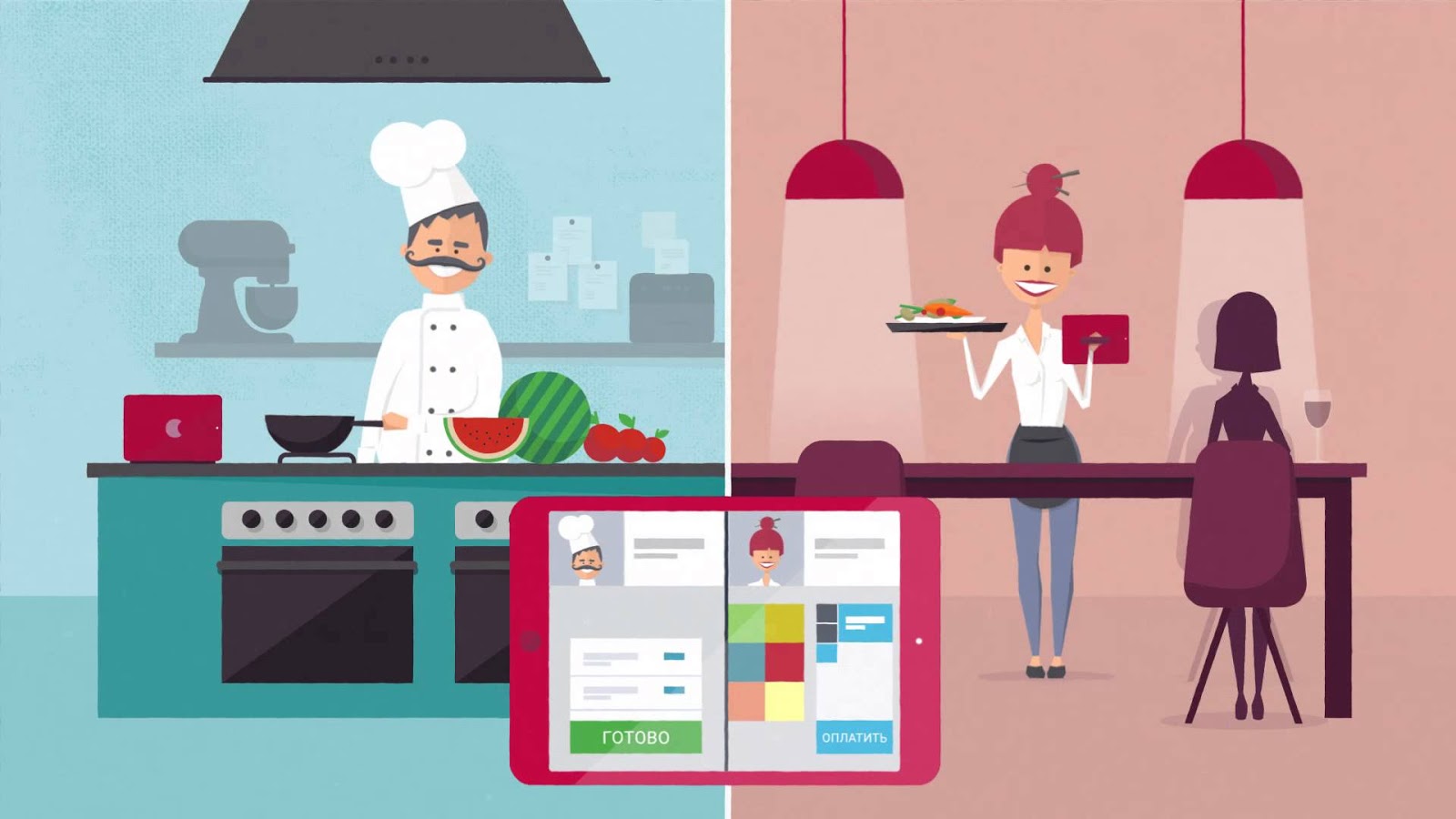
So what exactly is Quick Resto. This is a set of several devices, as well as a cloud service in which all the management takes place. About the clouds a little later, but I'll start with gadgets.

In order to open a small cafe, in which there is only one cashier, we need:

I won’t talk about the iPad, you know everything without me. A stand is a metal case for a tablet, which is convenient to put on a table, it turns out such a mini-terminal, on which all actions take place. Actually, any iOS or Android tablet can be used as a terminal, since there is a Quick Resto application in both the App Store and Google Play .

The router here is also used the most common. The company sells ZyXEL Keenetic 4GII, but you can work with anyone. From him, in general, only Wi-Fi and an Internet connection are required. However, even the Internet is needed only occasionally. It will definitely come in handy during the initial setup of the terminal to download all the data from the cloud, and then you only need it when opening and closing the shift in order to synchronize the data. That is, the system is quite functional and without a permanent connection, but if it does, then just the data in the back office will be updated more quickly, that's all.

QR Box is an interesting find that solves two problems simultaneously. Firstly, all peripheral equipment is connected to it, secondly, it connects plug'n'play, all the drivers and settings are already inside.

Visually, this is a miniature box, commensurate with the router, in which there is a port for power, Ethernet for connecting to the network and 4 USB for connecting external devices. Inside this box, by the way, is the Raspberry Pi B, so you can see for yourself that even large systems can be made on miniature computers.

The fiscal registrar is just one of the peripheral devices that can be connected to the system. He will print checks after payment, so without this thing in a small cafe can not do. In addition, various ticket printers, monitors and other devices can be connected to the system, if they are in the list of supported ones, it is better to see it on the website. The company Quick Resto sells on its website a fiscal registrar ATOL FPrint-22ПТK with a tape width of 80 mm, as well as several ticket printers Posiflex and Epson.

By the way, there’s no point in buying it all individually, as there are special connection kits for sale. That is, you buy such a set and, if you need only one terminal, you can go and install it right away, nothing else will be needed. The cheapest kit for 44,400 rubles will have a stand for iPad, iPad 4 16gb Wi-fi itself, QR Box, Zyxel Keenetic 4G II router and EPSON TM-T20II ticket printer. The most expensive set will cost 66 thousand rubles, but only at the expense of the price of the fiscal registrar. By the way, if you already have an iPad or other equipment, then just buy a QR Box and get started. As you can see, everything is very simple.
Most importantly, this system is easy to scale. If you already have one cafe with a certain menu, then opening another one is not difficult. You just need to buy additional equipment, connect it and it will be in the same system, available from your back office. By the way, Quick Resto has already been successfully implemented at the Arena Metallurg hockey stadium for 8,000 spectators, where it successfully works. There are just a lot of food outlets with the same assortment, so using this system, setting up and managing all the cafes was not difficult. But let's move on to the clouds, it’s still more interesting there.
We connect the QR Box, the router and the fiscal printer to the network, all you need is three outlets. After that, we connect the router and the QR Box with an Ethernet cable, and to connect the printer we use a USB 2.0 cable - COM 1.8. Accordingly, the COM port in our printer, and USB in the box. We figured out the devices, now let's go to the site to deal with the rest of the infrastructure.

I’ll tell you about prices right away. The first 14 days of using the system are free, just so you can try and evaluate everything. By the way, you can even register without buying devicesand see how the back office looks from the inside, understand all its capabilities and determine if this system is suitable for you. After two weeks you will need to purchase a subscription. A month, you will have to pay 2,990 rubles for one terminal, and 29,900 for a year. If there are two terminals (tablets), then the amounts will be 4490 per month and 44,900 per year, respectively. The more terminals, the greater the discount. So, for example, connecting 20 devices will cost 228,200 rubles per year, which is very good for ensuring the operation of such a large power plant.
So, registered, created a layer. A layer is your control environment in which the back office and terminal operate. For each cafe or restaurant, a new layer is simply created and you work in it. I created one layer, because I have one cafe, and even then it is at home in the kitchen. So I called it accordingly, “We eat at home” (it has nothing to do with the story with Mikhalkov). My system is as simple as possible. One terminal, one router, one QR Box and one fiscal printer. Well, and for the sake of interest, I connected a cash register monitor to display information to the buyer. Connecting all the devices took about 5 minutes, of which I untangled the wires for a couple of minutes.

After the layer is created, log in to it and get into the back office interface. From here comes the entire management of the complex. You do not need to have a service or a specially trained person in your institutions to steer it all. Enough internet access. The first thing you will see when logging in to the back office is the Desktop. You can display various widgets here, for example, with revenue schedules, top dishes or employee statistics. In general, it’s quite informative if you are just interested to see how your restaurant works and which of the employees is more active to award it (or to be fined if it does not work).

The second menu item is the nomenclature. Here all goods, semi-finished products, modifiers and dishes are entered into the database. There is a convenient division into groups with their own icons and colors. Please note that all this information will be on the terminal, so you need to score everything in such a way that it is clear to both the waiters and the cashiers, and not just you. In the Sales section you will see all receipts, bills, cancellations and cash register statistics. Yes, at one supply point there must be at least one cash register terminal, and the rest can be for waiters. Or there may be several cash desks if you have fast food. In general, the charm of the system lies in the fact that it can be configured as you like: at least for one tent with shawarma or for the huge McDonald's, a cozy little coffee shop or a large restaurant on board the ship.


From here you can also manage warehouse data. Overhead, various movements, write-offs, processing and inventory. In general, everything you need for normal operation. There are also various reference books where you can fill in units of measure, various reasons for writing off, categories of dishes and packaging. Thus, you can prepare the system for work, so that you can easily and quickly drive all the data.

In the section with personnel, as it’s not hard to guess, there is data management about those who work in your cafe. You can add, edit or delete both posts and data about people. Initially, a manager, accountant, cashier, waiter are registered in the posts, but all this changes easily.

The system is able to work with customers if they have discount cards or an application that acts as such a card. Then, in the CRM menu, data will be visible on customers for whom you assign various discounts or set discounts on a schedule and create bonus programs. In general, this is such a loyalty program that you manage directly from the same office, where you work with everything else. From here comes the management of the whole company. Here, warehouses, places of preparation, sale are added, and even table schemes are created. All this is done very simply and even by one person, so you do not have to hire additional people. But, of course, once you have to sit and fill in all the necessary data.

The most interesting tabs at the setup stage are “Devices” and “Terminals”. This is where the terminals connect. This also happens quite easily. First, create an employee account and log in to the terminal with its data. If the tablet is connected to the Internet, then information about this terminal will appear in the back office and you only need to activate it. If the terminal is located with a QR Box and a check device in the same network, then these devices will appear on the Network tab in the application on the tablet and in the back office on the Devices tab. After that, it will be possible to assign which printer and which checks will print, in general, configure the entire infrastructure. I had to tinker a bit with this because The router to which I connected all the devices was not connected to the Internet, so I had to switch several times in the tablet from one Wi-Fi network to another.

 And of course, there are reports here. I’m sure any restaurateur will be interested to see what they buy at his establishments, when and how often, because of this he can change the menu or change the composition of a business lunch. And there is also data on employees here, so you can get information on the work of all departments.


After we set up the system, entered all the data about the products, menus, added employees and handed out tablets to them, you can already get to work. Everything looks simple and intuitive on the terminal. There are no complicated menus, settings, in general, for the cashier or waiter and there is only a menu at all (we already scored it in the back office in advance, remember?) And buttons for payment.


If you have waiters in a cafe, then they select the table first from the diagram, then hammer the order and it prints in the kitchen (if a printer is connected). By the way, in the future, developers plan to make support for kitchen monitors so that orders are printed not on receipts, but displayed on a large screen.

But we were distracted. So, the order was printed in the kitchen, it is prepared, then visitors eat it all, here Quick Resto does not interfere. And when it comes time to pay, the waiter presses a button and a bill is printed. Visitors pay and already at the cashier's terminal you can issue a command to print a fiscal receipt. In general, everything is as simple and convenient as possible.

If there are no waiters, then all the actions are performed by the cashier, he has the authority for this. You can pay in cash (the system offers to choose the bills that the client gives and will count the change herself), and it is also easy to connect the terminals for payment by bank cards. Then, cash can be withdrawn from the cash desk, as noted on the terminal. Let's not go further, Quick Resto allows you to do everything that restaurant systems can do now, there are no differences here.
As you can see, we get a real restaurant, with full control, only this system is in the framework of decency and it’s easy to scale and configure it to fit your needs. No licenses, just buy equipment, register on the siteand start your own business. Oh yes, still pay the subscription. Yes, another important fact. Thanks to the clouds, you don’t have to have a server in every restaurant, store data somewhere, worry about security, etc. It’s enough just to have Internet access to manage your business. The cost of the subscription, by the way, includes round-the-clock support, I also tested it and was satisfied. Employees respond quickly and understand the system thoroughly, so even by phone they could clearly explain to me what and how to do it. In general, I have remained positive impressions of the system. I even wanted to make my own cafe, which then turned into a large network. Well, maybe someday ... :)
What does it consist of
So what exactly is Quick Resto. This is a set of several devices, as well as a cloud service in which all the management takes place. About the clouds a little later, but I'll start with gadgets.
In order to open a small cafe, in which there is only one cashier, we need:
- iPad (or iPad mini) or Android tablet
- IPad stand
- Fiscal registrar
- Router
- QR Box
I won’t talk about the iPad, you know everything without me. A stand is a metal case for a tablet, which is convenient to put on a table, it turns out such a mini-terminal, on which all actions take place. Actually, any iOS or Android tablet can be used as a terminal, since there is a Quick Resto application in both the App Store and Google Play .
The router here is also used the most common. The company sells ZyXEL Keenetic 4GII, but you can work with anyone. From him, in general, only Wi-Fi and an Internet connection are required. However, even the Internet is needed only occasionally. It will definitely come in handy during the initial setup of the terminal to download all the data from the cloud, and then you only need it when opening and closing the shift in order to synchronize the data. That is, the system is quite functional and without a permanent connection, but if it does, then just the data in the back office will be updated more quickly, that's all.
QR Box is an interesting find that solves two problems simultaneously. Firstly, all peripheral equipment is connected to it, secondly, it connects plug'n'play, all the drivers and settings are already inside.
Visually, this is a miniature box, commensurate with the router, in which there is a port for power, Ethernet for connecting to the network and 4 USB for connecting external devices. Inside this box, by the way, is the Raspberry Pi B, so you can see for yourself that even large systems can be made on miniature computers.
The fiscal registrar is just one of the peripheral devices that can be connected to the system. He will print checks after payment, so without this thing in a small cafe can not do. In addition, various ticket printers, monitors and other devices can be connected to the system, if they are in the list of supported ones, it is better to see it on the website. The company Quick Resto sells on its website a fiscal registrar ATOL FPrint-22ПТK with a tape width of 80 mm, as well as several ticket printers Posiflex and Epson.
By the way, there’s no point in buying it all individually, as there are special connection kits for sale. That is, you buy such a set and, if you need only one terminal, you can go and install it right away, nothing else will be needed. The cheapest kit for 44,400 rubles will have a stand for iPad, iPad 4 16gb Wi-fi itself, QR Box, Zyxel Keenetic 4G II router and EPSON TM-T20II ticket printer. The most expensive set will cost 66 thousand rubles, but only at the expense of the price of the fiscal registrar. By the way, if you already have an iPad or other equipment, then just buy a QR Box and get started. As you can see, everything is very simple.
Most importantly, this system is easy to scale. If you already have one cafe with a certain menu, then opening another one is not difficult. You just need to buy additional equipment, connect it and it will be in the same system, available from your back office. By the way, Quick Resto has already been successfully implemented at the Arena Metallurg hockey stadium for 8,000 spectators, where it successfully works. There are just a lot of food outlets with the same assortment, so using this system, setting up and managing all the cafes was not difficult. But let's move on to the clouds, it’s still more interesting there.
Beginning of work
We connect the QR Box, the router and the fiscal printer to the network, all you need is three outlets. After that, we connect the router and the QR Box with an Ethernet cable, and to connect the printer we use a USB 2.0 cable - COM 1.8. Accordingly, the COM port in our printer, and USB in the box. We figured out the devices, now let's go to the site to deal with the rest of the infrastructure.
I’ll tell you about prices right away. The first 14 days of using the system are free, just so you can try and evaluate everything. By the way, you can even register without buying devicesand see how the back office looks from the inside, understand all its capabilities and determine if this system is suitable for you. After two weeks you will need to purchase a subscription. A month, you will have to pay 2,990 rubles for one terminal, and 29,900 for a year. If there are two terminals (tablets), then the amounts will be 4490 per month and 44,900 per year, respectively. The more terminals, the greater the discount. So, for example, connecting 20 devices will cost 228,200 rubles per year, which is very good for ensuring the operation of such a large power plant.
So, registered, created a layer. A layer is your control environment in which the back office and terminal operate. For each cafe or restaurant, a new layer is simply created and you work in it. I created one layer, because I have one cafe, and even then it is at home in the kitchen. So I called it accordingly, “We eat at home” (it has nothing to do with the story with Mikhalkov). My system is as simple as possible. One terminal, one router, one QR Box and one fiscal printer. Well, and for the sake of interest, I connected a cash register monitor to display information to the buyer. Connecting all the devices took about 5 minutes, of which I untangled the wires for a couple of minutes.
After the layer is created, log in to it and get into the back office interface. From here comes the entire management of the complex. You do not need to have a service or a specially trained person in your institutions to steer it all. Enough internet access. The first thing you will see when logging in to the back office is the Desktop. You can display various widgets here, for example, with revenue schedules, top dishes or employee statistics. In general, it’s quite informative if you are just interested to see how your restaurant works and which of the employees is more active to award it (or to be fined if it does not work).
The second menu item is the nomenclature. Here all goods, semi-finished products, modifiers and dishes are entered into the database. There is a convenient division into groups with their own icons and colors. Please note that all this information will be on the terminal, so you need to score everything in such a way that it is clear to both the waiters and the cashiers, and not just you. In the Sales section you will see all receipts, bills, cancellations and cash register statistics. Yes, at one supply point there must be at least one cash register terminal, and the rest can be for waiters. Or there may be several cash desks if you have fast food. In general, the charm of the system lies in the fact that it can be configured as you like: at least for one tent with shawarma or for the huge McDonald's, a cozy little coffee shop or a large restaurant on board the ship.
From here you can also manage warehouse data. Overhead, various movements, write-offs, processing and inventory. In general, everything you need for normal operation. There are also various reference books where you can fill in units of measure, various reasons for writing off, categories of dishes and packaging. Thus, you can prepare the system for work, so that you can easily and quickly drive all the data.
In the section with personnel, as it’s not hard to guess, there is data management about those who work in your cafe. You can add, edit or delete both posts and data about people. Initially, a manager, accountant, cashier, waiter are registered in the posts, but all this changes easily.
The system is able to work with customers if they have discount cards or an application that acts as such a card. Then, in the CRM menu, data will be visible on customers for whom you assign various discounts or set discounts on a schedule and create bonus programs. In general, this is such a loyalty program that you manage directly from the same office, where you work with everything else. From here comes the management of the whole company. Here, warehouses, places of preparation, sale are added, and even table schemes are created. All this is done very simply and even by one person, so you do not have to hire additional people. But, of course, once you have to sit and fill in all the necessary data.
The most interesting tabs at the setup stage are “Devices” and “Terminals”. This is where the terminals connect. This also happens quite easily. First, create an employee account and log in to the terminal with its data. If the tablet is connected to the Internet, then information about this terminal will appear in the back office and you only need to activate it. If the terminal is located with a QR Box and a check device in the same network, then these devices will appear on the Network tab in the application on the tablet and in the back office on the Devices tab. After that, it will be possible to assign which printer and which checks will print, in general, configure the entire infrastructure. I had to tinker a bit with this because The router to which I connected all the devices was not connected to the Internet, so I had to switch several times in the tablet from one Wi-Fi network to another.
And of course, there are reports here. I’m sure any restaurateur will be interested to see what they buy at his establishments, when and how often, because of this he can change the menu or change the composition of a business lunch. And there is also data on employees here, so you can get information on the work of all departments.Work and impressions
After we set up the system, entered all the data about the products, menus, added employees and handed out tablets to them, you can already get to work. Everything looks simple and intuitive on the terminal. There are no complicated menus, settings, in general, for the cashier or waiter and there is only a menu at all (we already scored it in the back office in advance, remember?) And buttons for payment.
If you have waiters in a cafe, then they select the table first from the diagram, then hammer the order and it prints in the kitchen (if a printer is connected). By the way, in the future, developers plan to make support for kitchen monitors so that orders are printed not on receipts, but displayed on a large screen.
But we were distracted. So, the order was printed in the kitchen, it is prepared, then visitors eat it all, here Quick Resto does not interfere. And when it comes time to pay, the waiter presses a button and a bill is printed. Visitors pay and already at the cashier's terminal you can issue a command to print a fiscal receipt. In general, everything is as simple and convenient as possible.
If there are no waiters, then all the actions are performed by the cashier, he has the authority for this. You can pay in cash (the system offers to choose the bills that the client gives and will count the change herself), and it is also easy to connect the terminals for payment by bank cards. Then, cash can be withdrawn from the cash desk, as noted on the terminal. Let's not go further, Quick Resto allows you to do everything that restaurant systems can do now, there are no differences here.
As you can see, we get a real restaurant, with full control, only this system is in the framework of decency and it’s easy to scale and configure it to fit your needs. No licenses, just buy equipment, register on the siteand start your own business. Oh yes, still pay the subscription. Yes, another important fact. Thanks to the clouds, you don’t have to have a server in every restaurant, store data somewhere, worry about security, etc. It’s enough just to have Internet access to manage your business. The cost of the subscription, by the way, includes round-the-clock support, I also tested it and was satisfied. Employees respond quickly and understand the system thoroughly, so even by phone they could clearly explain to me what and how to do it. In general, I have remained positive impressions of the system. I even wanted to make my own cafe, which then turned into a large network. Well, maybe someday ... :)