Nimbus Note for iPad - Handy Notes with Web Clipper
In Nimbus Note for iPhone, almost immediately, we made a feedback opportunity, with which users could send their wishes for the development of the application and the service as a whole. And the most popular request is to make a version for the iPad, which is not surprising - working with notes on the tablet’s large screen is still more convenient. We decided not to put the matter aside and almost immediately began work on the iPad version, which we present today.
Download Nimbus Note for iPad - https://itunes.apple.com/en/app/nimbus-note-hd/id974662147?ls=1&mt=8
Well, now, we will tell about the application itself :)
Convenient interface and categorization
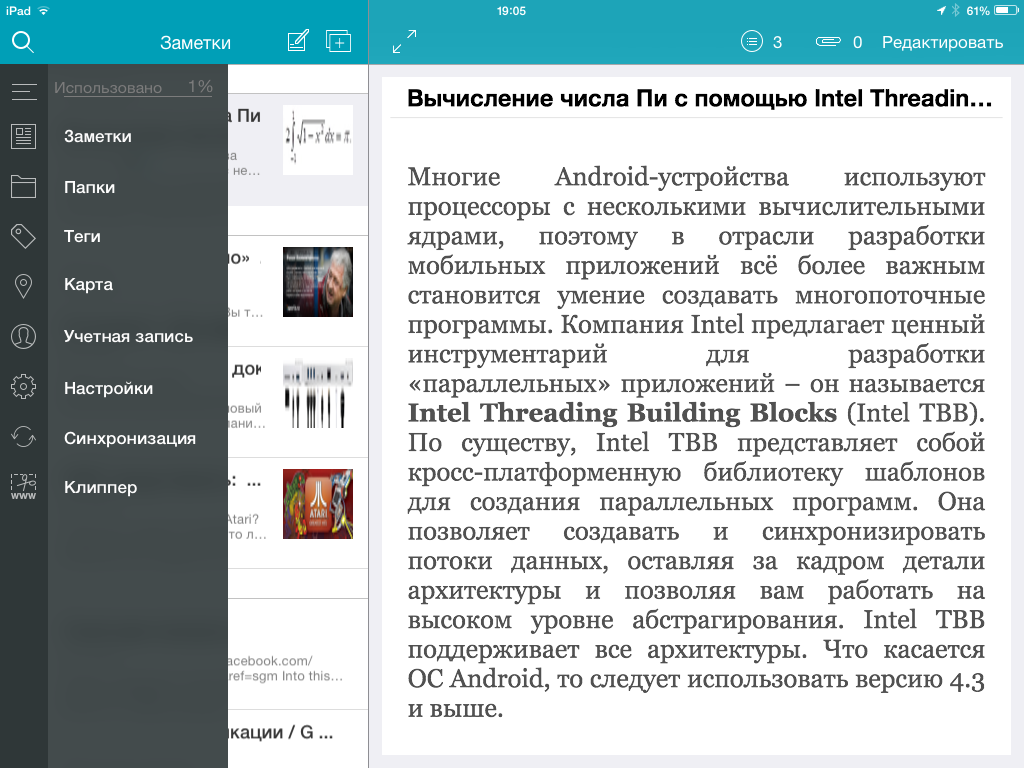
The application interface is simple and minimalistic. On the main screen you will find only the most necessary: directly a list of notes, buttons for creating new ones, as well as a window for viewing notes. You can go to the list of folders or tags using the swipe panel.
For folders, a multi-level hierarchy is supported, in fact, as in the whole service.
View notes
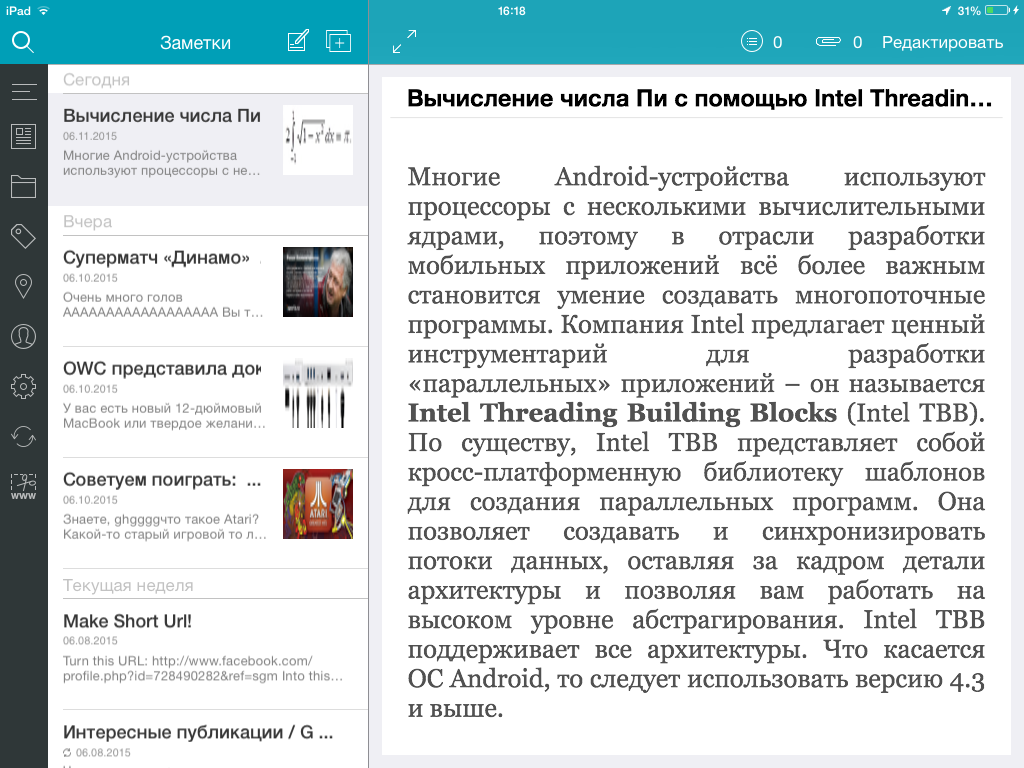
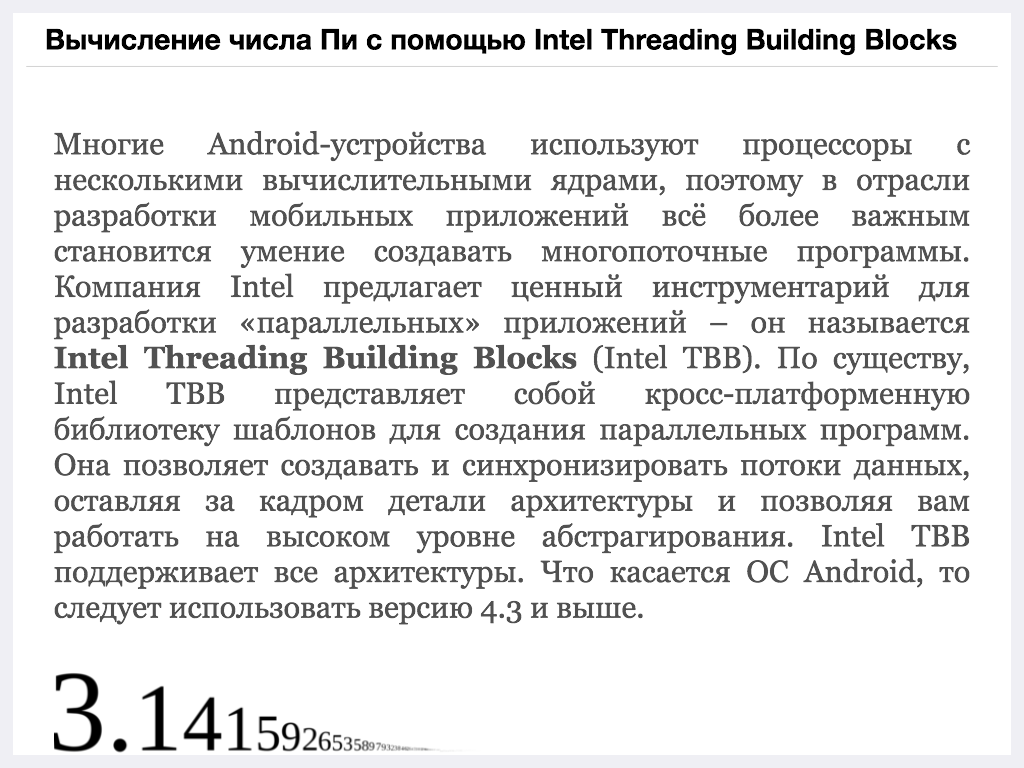
More than half of the screen is devoted to viewing notes. Here you will exit directly the contents of the note, as well as a list of tasks and attached files (new tasks and files can be added "without leaving the cash desk"). And for a complete immersion in reading, you will have access to a full-screen viewing mode.
Convenient editor
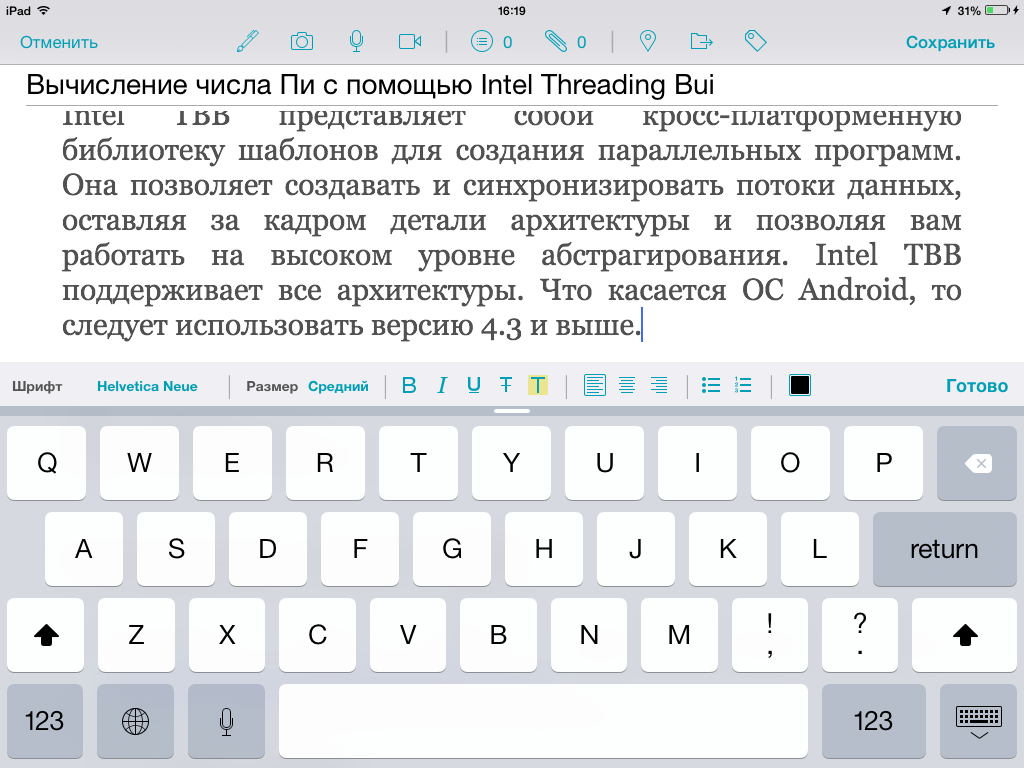
The editor is one of the most important parts of the application where the main work on notes takes place. On the one hand, it should be functional, and on the other hand convenient and not “monster-like” (a copy of Word is clearly not needed in our case). And the editor in Nimbus Note turned out to be just that (in any case, it seems to us that way :)). Using the top panel, you can add audio and video recordings to a note, write tasks or change the folder or tags. In the formatting panel, you will find the option to select the font and its size, add lists to the note, or center the text.
Web clipper
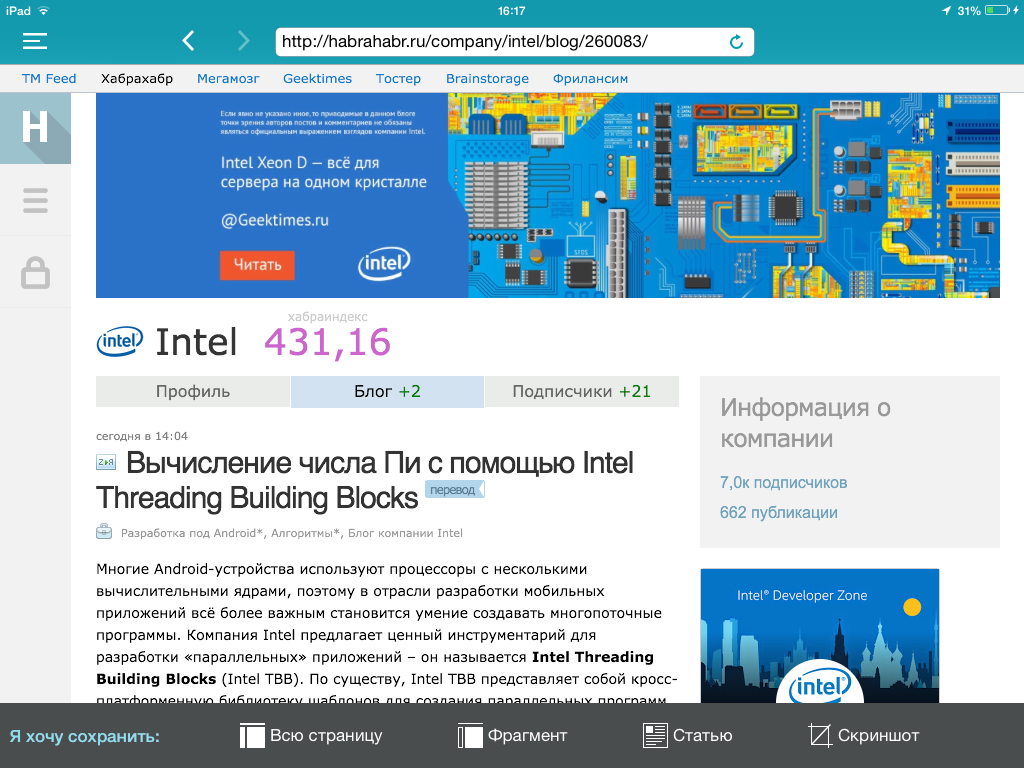
Saving various information from the Internet is one of the most frequently used functions in Nimbus Note. If for desktop browsers, as well as in Android, special clippers are used, then for iPad we decided not to make a separate application, but “stuck” the clipper directly into the application. There are several modes in the clipper:
- Allows you to select the desired fragment of the web page and save it in Nimbus Note (text with pictures
is saved) - “Pulls out” the article from the site, that is, an approximate analogue of Pocket or Instapaper
- Makes and saves to your account screenshot of the site.
Offline access and synchronization
Nimbus Note for iPad supports full offline work. Having chosen Full synchronization, the application will download all notes to your device, but it is worth considering that such synchronization can take time and traffic. If you do not need to have all the information on the tablet, then you can choose a quick synchronization, which is the default and the text of notes with attachments will be downloaded only on request. Of course, after downloading the note will also be available offline.
If you find some kind of bug in the application or you need an additional function, then please report this. Will try to correct in a timely manner.
Download Nimbus Note for iPad - https://itunes.apple.com/en/app/nimbus-note-hd/id974662147?ls=1&mt=8
Well, now, we will tell about the application itself :)
Convenient interface and categorization
The application interface is simple and minimalistic. On the main screen you will find only the most necessary: directly a list of notes, buttons for creating new ones, as well as a window for viewing notes. You can go to the list of folders or tags using the swipe panel.
For folders, a multi-level hierarchy is supported, in fact, as in the whole service.
View notes
More than half of the screen is devoted to viewing notes. Here you will exit directly the contents of the note, as well as a list of tasks and attached files (new tasks and files can be added "without leaving the cash desk"). And for a complete immersion in reading, you will have access to a full-screen viewing mode.
Convenient editor
The editor is one of the most important parts of the application where the main work on notes takes place. On the one hand, it should be functional, and on the other hand convenient and not “monster-like” (a copy of Word is clearly not needed in our case). And the editor in Nimbus Note turned out to be just that (in any case, it seems to us that way :)). Using the top panel, you can add audio and video recordings to a note, write tasks or change the folder or tags. In the formatting panel, you will find the option to select the font and its size, add lists to the note, or center the text.
Web clipper
Saving various information from the Internet is one of the most frequently used functions in Nimbus Note. If for desktop browsers, as well as in Android, special clippers are used, then for iPad we decided not to make a separate application, but “stuck” the clipper directly into the application. There are several modes in the clipper:
- Allows you to select the desired fragment of the web page and save it in Nimbus Note (text with pictures
is saved) - “Pulls out” the article from the site, that is, an approximate analogue of Pocket or Instapaper
- Makes and saves to your account screenshot of the site.
Offline access and synchronization
Nimbus Note for iPad supports full offline work. Having chosen Full synchronization, the application will download all notes to your device, but it is worth considering that such synchronization can take time and traffic. If you do not need to have all the information on the tablet, then you can choose a quick synchronization, which is the default and the text of notes with attachments will be downloaded only on request. Of course, after downloading the note will also be available offline.
If you find some kind of bug in the application or you need an additional function, then please report this. Will try to correct in a timely manner.