
 November 7, 2016 at 21:56
youtube-dl, or how to download YouTube videos in 1080p quality and higher
YouTube video hosting is the second most visited site in the world. It is watched from smart TVs, game and television consoles, desktop computers and laptops, tablets and smartphones. Not all of these devices require the same picture. The network nature of the service and video streaming suggests that the site should have viewing options in different quality.
The picture quality on YouTube varies from 144p (144 lines in progressive scan) to 8K 4320p. The last video is four times larger than 4K 2160p, sixteen - 1080p, thirty-six - 720p, which is also called HD.
Few computers can play this video in its full resolution, and there are simply no affordable 8K monitors in the world. MPEG-DASH
technology breaks content into pieces, and the browser requests these segments automatically. It is logical to store and give separately video and sound. DASH has a bold plus: adaptive playback.
A few years ago, YouTube users noticed the introduction of DASH because video buffering no longer went to the end of the video, but was limited to about a minute. Around the same time, another problem arose for downloading videos from YouTube. Suddenly it was discovered that clips with 1080p quality are available as files without sound. Service sites that used to give links to video downloads only gave 720p, not higher. About 1080p was “no sound” or “video only”.
A simple solution: download a video file, download a sound file and combine them using, for example, FFmpeg. Download sites did not dare to do this: for this, you need traffic, disk space for storage, finally, you can get a ban on IP from YouTube itself. Such services live on the income from banners, but this money cannot be allowed.
The problem can be solved on the client side. The user needs to figure out how to download the source data from YouTube, determine their quality and choose the best options. Video is stored in VP9 and MP4, sound - M4A, Vorbis or Opus in WebM. There are many options with different bit rates. After that, you need to stitch everything into a .mp4 or .mkv container. Depending on the selected formats, the command for FFmpeg may look like
The process is uniform, why not automate it? There is a utility that does all this on its own and supports several more video hosting sites.
youtube-dl is a cross-platform free open source project in Python. The development began by Ricardo Garcia , today the project is conducted by several contributors .
The Windows version and installation instructions for UNIX-like systems (Linux, OS X, FreeBSD, and others) are available on the download page . For work on Windows, Microsoft Visual C ++ 2010 Redistributable Package x86 is required, for all others - Python version 2.6, 2.7, 3.2 or higher.
youtube-dl is in the Linux distributions package some directories:
Some of the following instructions apply only to users on Windows 10, but general principles work everywhere. Move the downloaded file
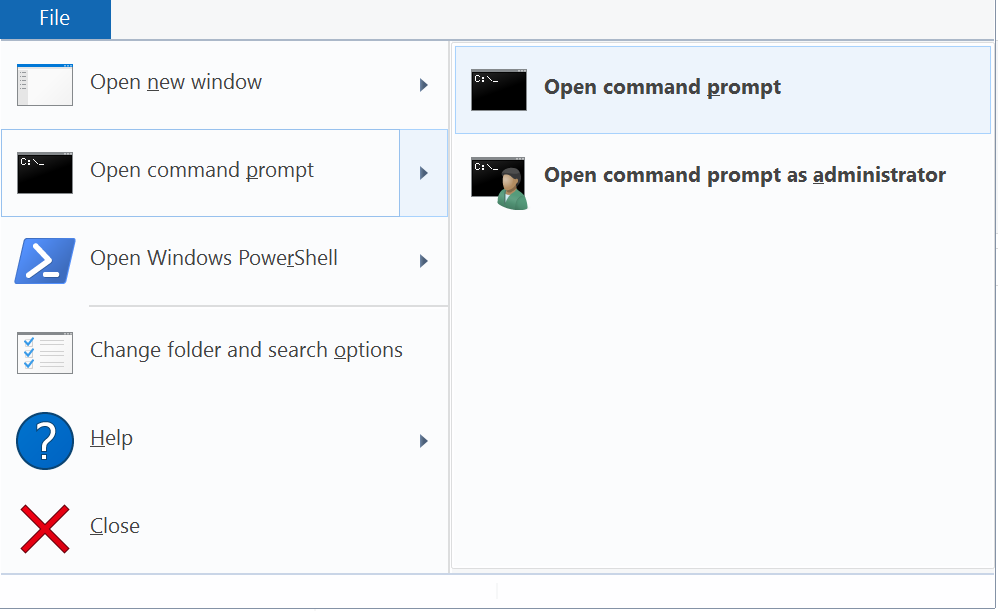
So, to download the video in the maximum resolution and with the best sound, you need to enter a command of the form
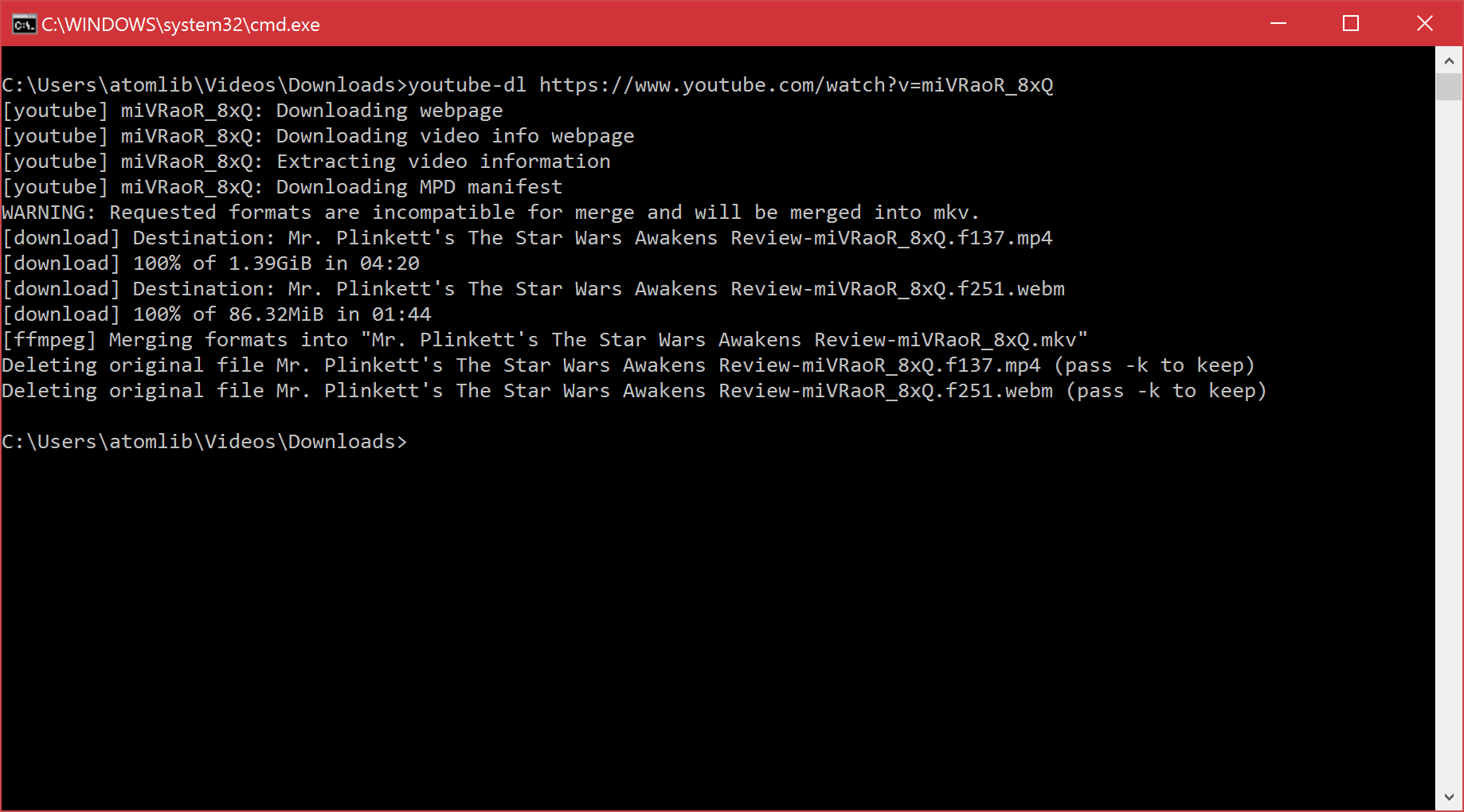
That is, you need a link to the page with the video. In Windows 10, in the "Command Prompt" paste on Ctrl + V works. In earlier versions, you need to right-click to open the context menu and select the "Insert" menu item.
Downloading playlists is similar. The format of the link to the playlist is
You can pump out all the user's videos: you just need to substitute the link to the channel in the form
The flag
One thing is not limited to YouTube: the program can download from a large number of sites . If you interrupt the download by Ctrl + C, and then start again, the utility will recognize the incomplete fragment and begin to download the remainder.

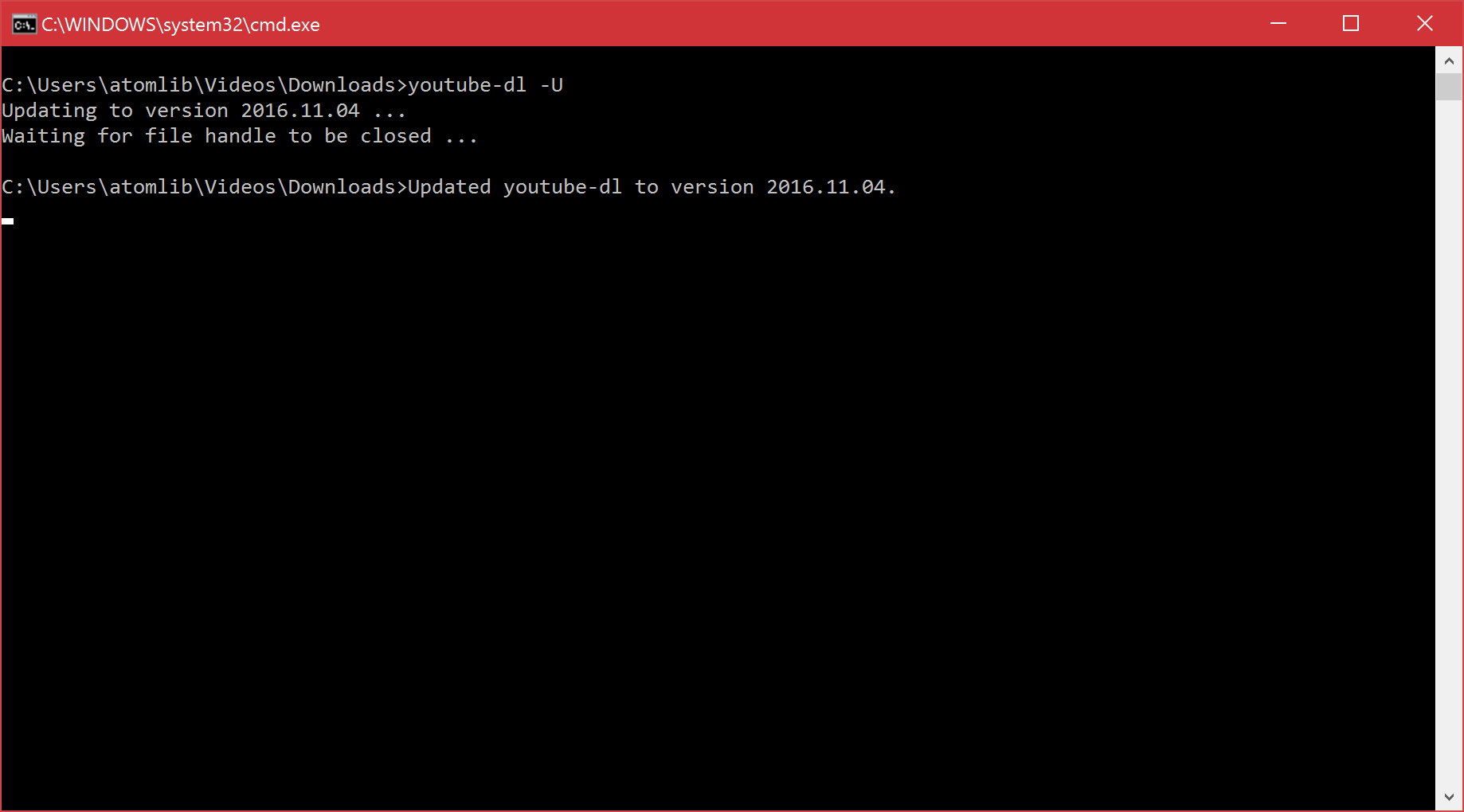
Video services regularly update their players, some are struggling with “rockers”, youtube-dl adds new sites to the list of supported ones. Therefore, it is sometimes desirable to update. The self-deflate versions update is available
» Official documentation youtube-dl
Freemake Video Downloader can be used as an analogue of a small free utility without a graphical interface. This software contains a reference set of disgusting practices of cheap software for Windows.
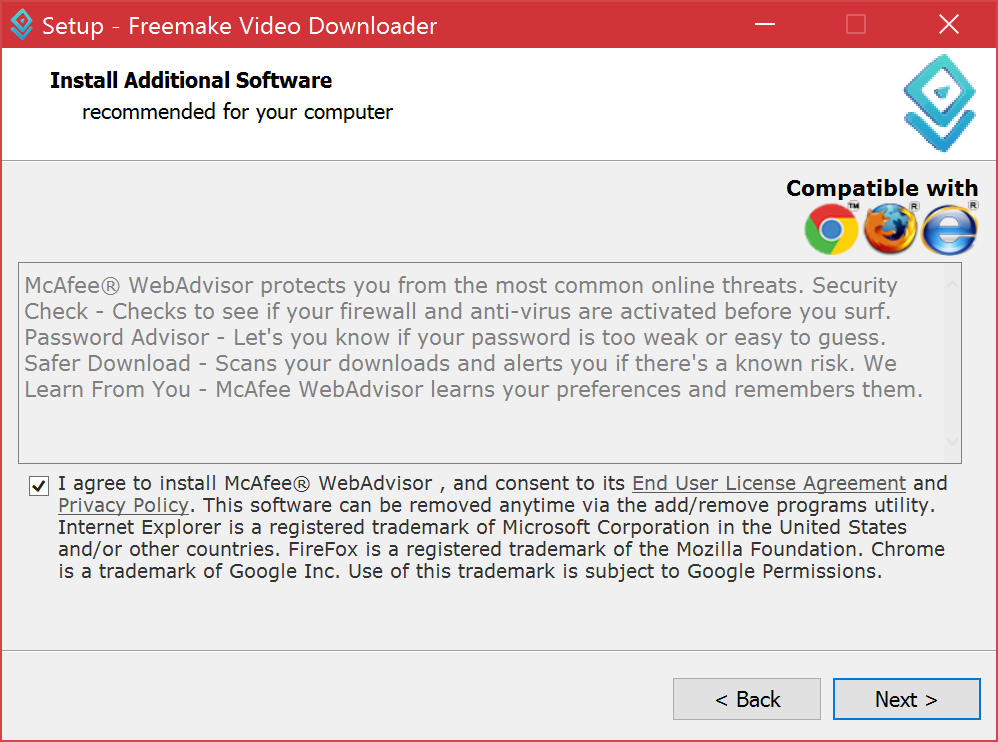
On the download page, the product is advertised as free. As it often happens, in addition to the program itself, the installer tries to install a third-party product. It is already so familiar that it has become the norm. Setting unnecessary can only be avoided if you select the installation with options. It’s best not to run the installer at all: they accused the program of popping up trojans, spyware and adware even when all the checkboxes were removed.
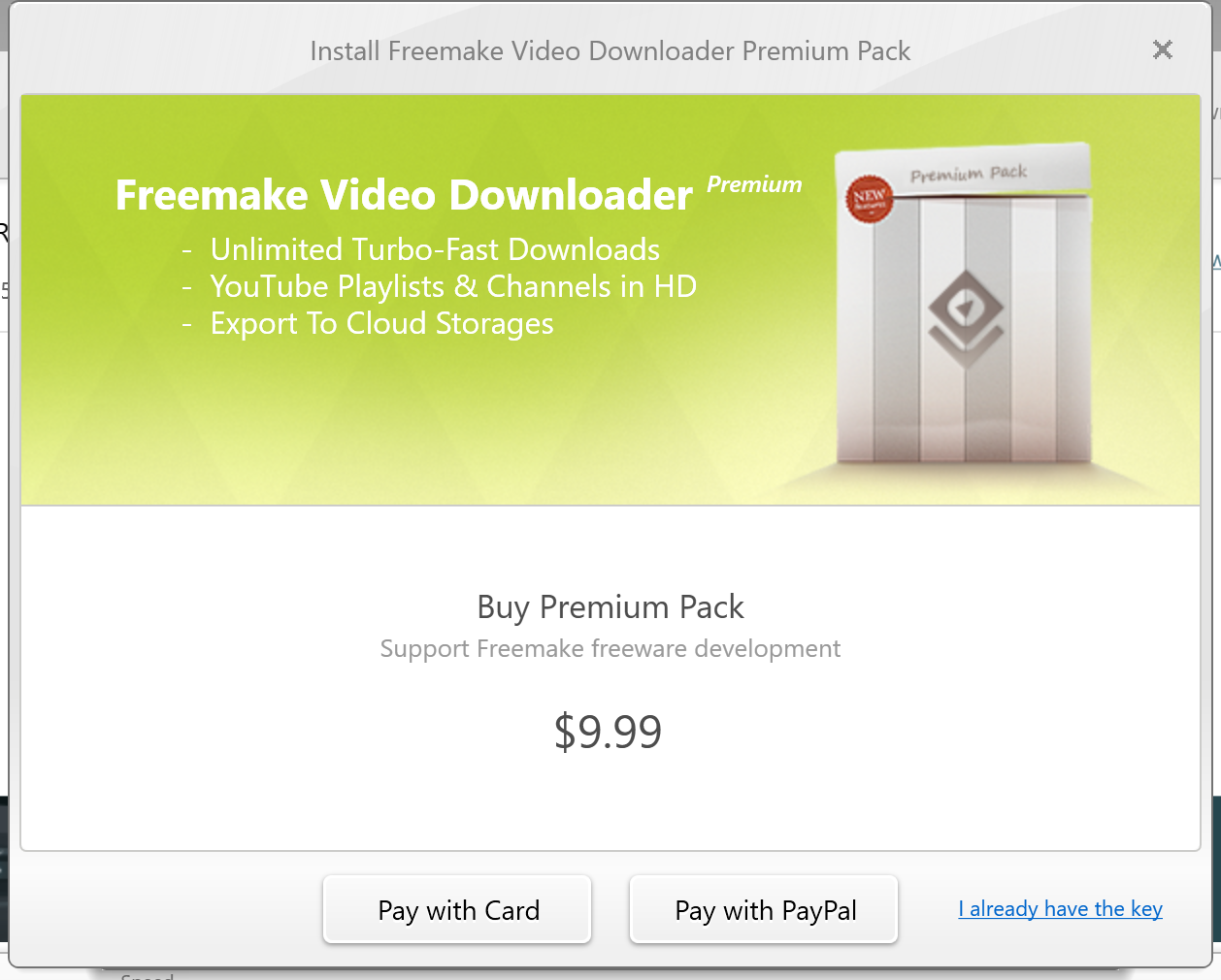
The program can download video with sound from YouTube in a resolution of 1080p and higher. There is only one problem: in the free version you can download only at a speed of 4 megabytes per second. To remove the restriction, you need to pay 10 dollars. All this is a little contrary to the statements about the free. The program interface itself is tasteless and contains a lot of advertising for other products of the manufacturer.
Another similar software for downloading video performs a trivial task, but requires a fee for removing restrictions. Only Free Download Manager can be called honest, but its ability to download videos is weaker: there is no support for playlists and channels, the list of supported sites is limited to YouTube and Google Videos.
In fact, this post is not about a specific program that can do something. And not that console applications are better.
The modern user has acquired a positive habit: when he needs to solve a certain problem, he types its description in the search engine and pokes at the results on the first page. For more than a decade and a half of the existence of search engines and thanks to the heyday of artificial intelligence systems, the question “remove wrinkles” is guaranteed to produce five to ten articles that will almost always solve the problem.
At the other end, another good habit appeared: to write software for Windows, which solves a problem that can be described using a search query. For example, "download youtube 1080p video." There are many similar requests from users. You can make programs for each of them, provide a free version with the ability to upgrade to the full for 10-30 dollars. Or sell installations: distribute unwanted software or viruses in general with the program.
There is a wonderful free open source software that solves these user requests. But search engine optimization will never let him settle on the first lines of search results. There are a variety of programs of dubious origin. They do not inspire confidence in either quality or the fact that the installer will slip it. This is the tragedy of the life of useful software level youtube-dl.
The picture quality on YouTube varies from 144p (144 lines in progressive scan) to 8K 4320p. The last video is four times larger than 4K 2160p, sixteen - 1080p, thirty-six - 720p, which is also called HD.
Few computers can play this video in its full resolution, and there are simply no affordable 8K monitors in the world. MPEG-DASH
technology breaks content into pieces, and the browser requests these segments automatically. It is logical to store and give separately video and sound. DASH has a bold plus: adaptive playback.
A few years ago, YouTube users noticed the introduction of DASH because video buffering no longer went to the end of the video, but was limited to about a minute. Around the same time, another problem arose for downloading videos from YouTube. Suddenly it was discovered that clips with 1080p quality are available as files without sound. Service sites that used to give links to video downloads only gave 720p, not higher. About 1080p was “no sound” or “video only”.
A simple solution: download a video file, download a sound file and combine them using, for example, FFmpeg. Download sites did not dare to do this: for this, you need traffic, disk space for storage, finally, you can get a ban on IP from YouTube itself. Such services live on the income from banners, but this money cannot be allowed.
The problem can be solved on the client side. The user needs to figure out how to download the source data from YouTube, determine their quality and choose the best options. Video is stored in VP9 and MP4, sound - M4A, Vorbis or Opus in WebM. There are many options with different bit rates. After that, you need to stitch everything into a .mp4 or .mkv container. Depending on the selected formats, the command for FFmpeg may look like
ffmpeg -i videoplayback.mp4 -i videoplayback.webm -c:v copy -c:a copy videoplayback.mkvwhere videoplayback.mkv is our finished file.The process is uniform, why not automate it? There is a utility that does all this on its own and supports several more video hosting sites.
youtube-dl
youtube-dl is a cross-platform free open source project in Python. The development began by Ricardo Garcia , today the project is conducted by several contributors .
The Windows version and installation instructions for UNIX-like systems (Linux, OS X, FreeBSD, and others) are available on the download page . For work on Windows, Microsoft Visual C ++ 2010 Redistributable Package x86 is required, for all others - Python version 2.6, 2.7, 3.2 or higher.
youtube-dl is in the Linux distributions package some directories:
sudo apt-get install youtube-dl, sudo yum install youtube-dl, sudo pacman -S youtube-dl - all this is to install the utility. Rather, one of its versions that are quickly becoming obsolete. It’s more logical to installpython-pipAnd then set out: sudo pip install youtube-dl. For comparison: as of this writing in the Debian repository is version 2014.08.05, while the date is 2016.11.4. Some of the following instructions apply only to users on Windows 10, but general principles work everywhere. Move the downloaded file
youtube-dl.exeto any folder, for example, create a folder Downloadsin Videos. In the "Explorer" in the "File" menu, open the "Command Prompt". So, to download the video in the maximum resolution and with the best sound, you need to enter a command of the form
youtube-dl https://www.youtube.com/watch?v=miVRaoR_8xQThat is, you need a link to the page with the video. In Windows 10, in the "Command Prompt" paste on Ctrl + V works. In earlier versions, you need to right-click to open the context menu and select the "Insert" menu item.
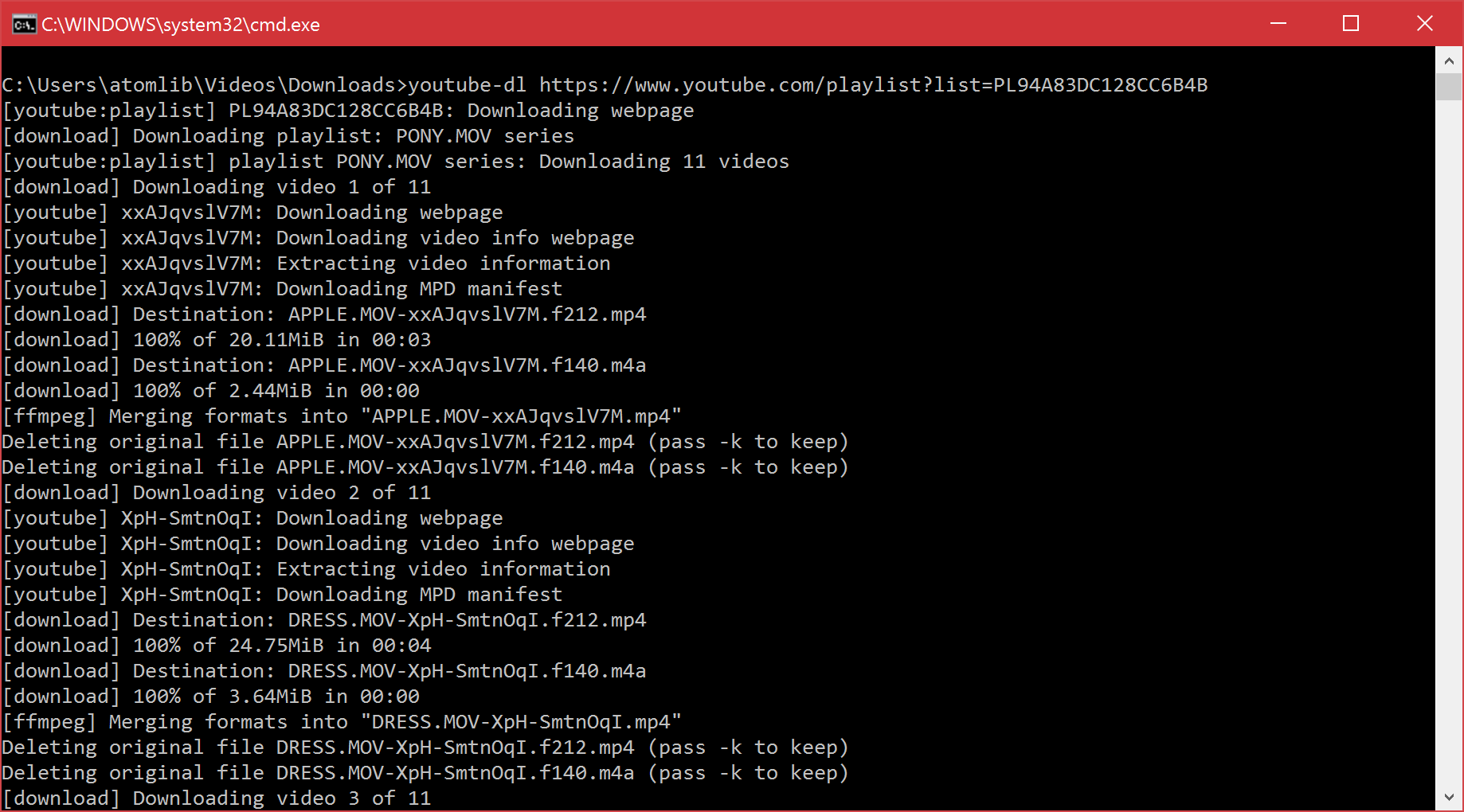
Downloading playlists is similar. The format of the link to the playlist is
https://www.youtube.com/playlist?list=PL94A83DC128CC6B4B, that is, you need to go to the main page of the playlist. Caution: youtube-dl will download all the videos in the playlist. You can pump out all the user's videos: you just need to substitute the link to the channel in the form
https://www.youtube.com/user/username. The flag
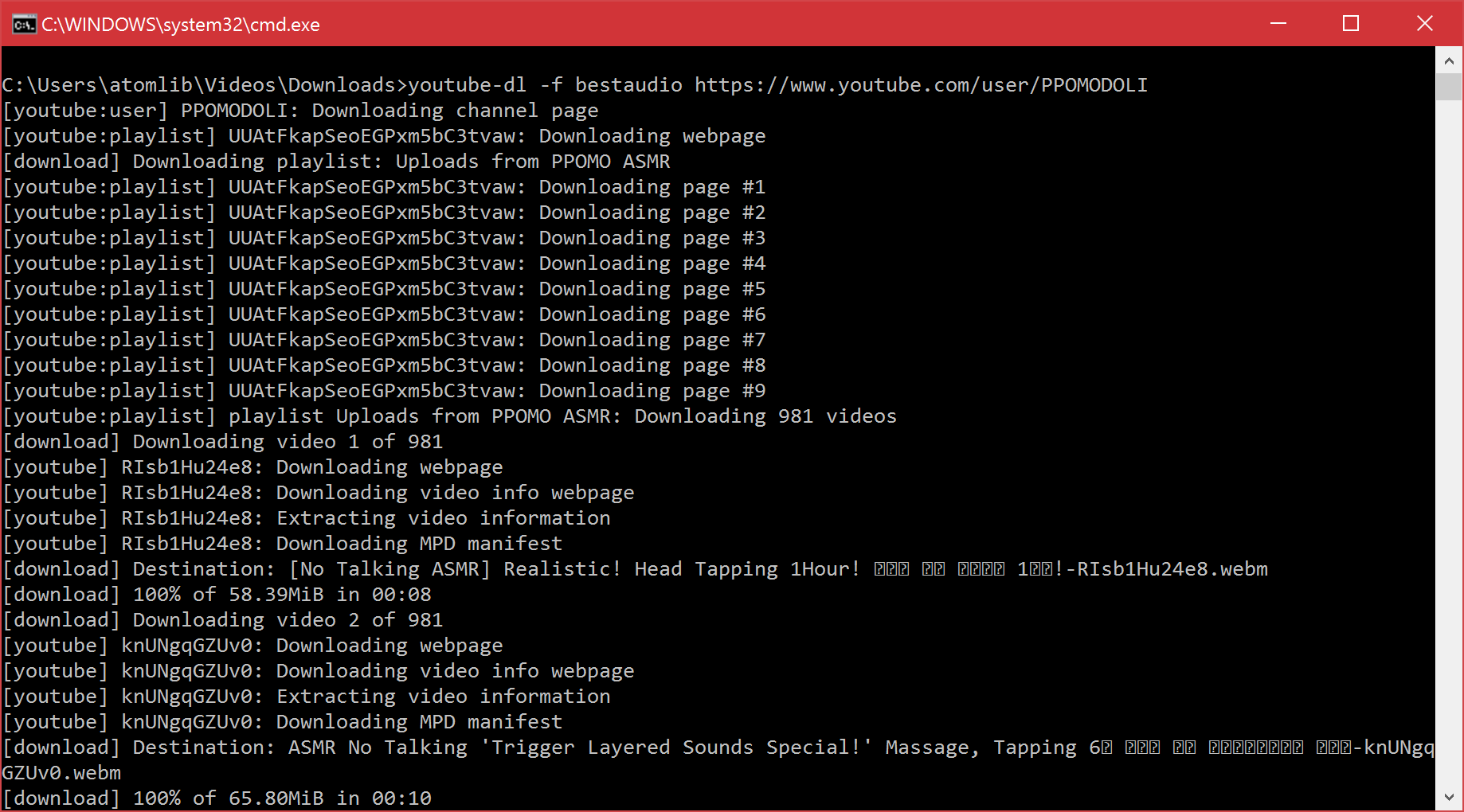
-Fwill show all available formats. If you enter a flag -fwith a numeric format code, it will be deflated. The combination will -f bestaudiopump out audio in the best format. The process of pumping 981 clips in the form of audio from the channel of the Korean ASMR-shchi.One thing is not limited to YouTube: the program can download from a large number of sites . If you interrupt the download by Ctrl + C, and then start again, the utility will recognize the incomplete fragment and begin to download the remainder.
Video services regularly update their players, some are struggling with “rockers”, youtube-dl adds new sites to the list of supported ones. Therefore, it is sometimes desirable to update. The self-deflate versions update is available
youtube-dl -U( sudoif required). In the case of pip, you need to run sudo pip install -U youtube-dl. » Official documentation youtube-dl
Analogs
Freemake Video Downloader can be used as an analogue of a small free utility without a graphical interface. This software contains a reference set of disgusting practices of cheap software for Windows.
On the download page, the product is advertised as free. As it often happens, in addition to the program itself, the installer tries to install a third-party product. It is already so familiar that it has become the norm. Setting unnecessary can only be avoided if you select the installation with options. It’s best not to run the installer at all: they accused the program of popping up trojans, spyware and adware even when all the checkboxes were removed.
The program can download video with sound from YouTube in a resolution of 1080p and higher. There is only one problem: in the free version you can download only at a speed of 4 megabytes per second. To remove the restriction, you need to pay 10 dollars. All this is a little contrary to the statements about the free. The program interface itself is tasteless and contains a lot of advertising for other products of the manufacturer.
Another similar software for downloading video performs a trivial task, but requires a fee for removing restrictions. Only Free Download Manager can be called honest, but its ability to download videos is weaker: there is no support for playlists and channels, the list of supported sites is limited to YouTube and Google Videos.
In fact, this post is not about a specific program that can do something. And not that console applications are better.
The modern user has acquired a positive habit: when he needs to solve a certain problem, he types its description in the search engine and pokes at the results on the first page. For more than a decade and a half of the existence of search engines and thanks to the heyday of artificial intelligence systems, the question “remove wrinkles” is guaranteed to produce five to ten articles that will almost always solve the problem.
At the other end, another good habit appeared: to write software for Windows, which solves a problem that can be described using a search query. For example, "download youtube 1080p video." There are many similar requests from users. You can make programs for each of them, provide a free version with the ability to upgrade to the full for 10-30 dollars. Or sell installations: distribute unwanted software or viruses in general with the program.
There is a wonderful free open source software that solves these user requests. But search engine optimization will never let him settle on the first lines of search results. There are a variety of programs of dubious origin. They do not inspire confidence in either quality or the fact that the installer will slip it. This is the tragedy of the life of useful software level youtube-dl.