 May 2, 2018 at 22:41
Building and installing GNURadio from GIT under Ubuntu and Debian
Good evening everyone, day or more!
Then somehow I needed to install the GNURadio program. Of course I installed it through “apt install ....” and even tried it as advised by the author of GNURadio via PyBOMBS , but in the first case, there is no guarantee that this will be the latest version, and in the second there were errors during installation.
But in any case, I always wanted the latest version (although the latter doesn’t always mean better!), And in general I like this fetish with make )
In general, I decided to install GitHub from the repository and assemble it myself. But naturally there were problems with the assembly. One thing is missing, then another, then the versions are not the same. In general, everything swears and does not compile. And in the internet there is no normal description (I did not find) to install.
But after spending a day, I dashed for myself (so as not to forget later) and decided to share it with you.
And so I will tell you how to install and assemble GNURadio and modules for the DVB-T USB receiver (I have a regular receiver with Ali for 500 rubles and AirSpy R2)
So let's go!
Installation Tips:
1. I am writing in steps, do not skip a single step, go from top to bottom
2. I downloaded everything in my home folder! (cd ~)
3. Where root is needed, I write sudo there
4. Check what is written in the console after each step (suddenly you have an error)
5. The process is not fast! You need patience and a typewriter for faster. About an hour it will take you everything.
Further,
I divided the whole process into 6 parts (installations)
1. Install GNURadio - the process is long, the assembly takes a long time. So, patience for you
2. Install the RTL-SDR library (DVB-T RTL2832U) for the receiver
3. Install the LibRtlSdr library (Software to turn the RTL2832U into an SDR)
4. Install the GR-OsmoSdr library
5. Install the Liquid DSP library
6. Block the download of standard files for our DVB-T RTL2832U
Part 1. Install GNURadio
First, install the necessary packages (the line is long)
and then line by line
after make test , make sure there are no errors!
if not, then ...
Now we have installed GNURadio. It can already be started and used, but we still need to assemble and connect the modules for our DVB-T receiver.
Part 2. Installing the RTL-SDR library (DVB-T RTL2832U)
There should be no problems. And the RTL-SDR library is installed.
Part 3. Install the LibRtlSdr library
Done. We go further.
Part 4. Install the GR-OsmoSdr library
Done. We go further.
Part 5. Installing the Liquid DSP library
Done. We go further.
Part 6. Block the loading of standard files for our DVB-T RTL2832U
Open (or create) the file "/etc/modprobe.d/blacklist-dvb.conf"
and insert the lines
blacklist dvb_usb_rtl28xxu
blacklist rtl2832
blacklist rtl2830
and RESET the system or simply put it:
Well, it seems that the process is finished and we can start and check our GNURadio
for this we type in the console:
During installation and testing, there were errors related to the sound card (the problem here is the use of the old OSS sound subsystem by the program) and write the second line “driver = rtlsdr, rtl = 0” in the osmosdr_source_0 block. Otherwise, there were no problems. But you should not have problems, because I already specified the packages you need in "sudo apt install ..."
After installing all the packages, the cloned folders ( git clone .... ) can be deleted:
I also additionally installed myself block modules for LoRa, GSM and more.
There are many different modules under GNURadio.
A complete list of such plug-ins for GNURadio is available at the following links:
https://github.com/gnuradio/gr-recipes
https://github.com/gnuradio/gr-etcetera
For an example I’ll tell you how to install the gr-gsm module
Follow the link https : //github.com/gnuradio/gr-etcetera , there we see the archive of files for installation via PyBOMBS, but we will install and assemble from source.
We are looking for the gr-gsm.lwr file
and click on it
We find the line github.com/ptrkrysik/gr-gsm.git at the end and copy it to the buffer.
This is a link to the outcomes on GITHUB.
(we copy only github.com/ptrkrysik/gr-gsm.git )
Further everything is as usual
That's it, the module is installed and appeared in GNURadio
All modules are usually installed as well, but read in the readme from the author of the module.
Supplement for those who have AirSpy R2.
Everything here is also simple as 2x2.
That's all. I hope someone is interested, there will be questions - ask.
Then somehow I needed to install the GNURadio program. Of course I installed it through “apt install ....” and even tried it as advised by the author of GNURadio via PyBOMBS , but in the first case, there is no guarantee that this will be the latest version, and in the second there were errors during installation.
But in any case, I always wanted the latest version (although the latter doesn’t always mean better!), And in general I like this fetish with make )
In general, I decided to install GitHub from the repository and assemble it myself. But naturally there were problems with the assembly. One thing is missing, then another, then the versions are not the same. In general, everything swears and does not compile. And in the internet there is no normal description (I did not find) to install.
But after spending a day, I dashed for myself (so as not to forget later) and decided to share it with you.
And so I will tell you how to install and assemble GNURadio and modules for the DVB-T USB receiver (I have a regular receiver with Ali for 500 rubles and AirSpy R2)
DVB-T USB RTL2832U Receiver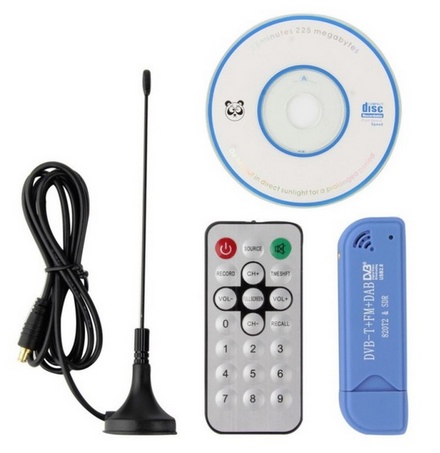
So let's go!
Installation Tips:
1. I am writing in steps, do not skip a single step, go from top to bottom
2. I downloaded everything in my home folder! (cd ~)
3. Where root is needed, I write sudo there
4. Check what is written in the console after each step (suddenly you have an error)
5. The process is not fast! You need patience and a typewriter for faster. About an hour it will take you everything.
Further,
I divided the whole process into 6 parts (installations)
1. Install GNURadio - the process is long, the assembly takes a long time. So, patience for you
2. Install the RTL-SDR library (DVB-T RTL2832U) for the receiver
3. Install the LibRtlSdr library (Software to turn the RTL2832U into an SDR)
4. Install the GR-OsmoSdr library
5. Install the Liquid DSP library
6. Block the download of standard files for our DVB-T RTL2832U
Part 1. Install GNURadio
First, install the necessary packages (the line is long)
sudo apt-get install git python-pip libboost-all-dev swig libcppunit-dev python-gtk2-dev libfftw3-dev libqwt-dev pyqt4-dev-tools python-wxgtk3.0 python-lxml alsa-utils doxygen cmake libusb-1.0-0-dev libgsl-dev osspd
and then line by line
cd ~
sudo pip install --upgrade pip
sudo pip install mako numpy Cheetah3
git clone https://github.com/gnuradio/gnuradio.git
cd gnuradio
git clone https://github.com/gnuradio/volk.git
mkdir build
cd build
cmake ../
make
make test
after make test , make sure there are no errors!
if not, then ...
sudo make install
sudo ldconfig
Now we have installed GNURadio. It can already be started and used, but we still need to assemble and connect the modules for our DVB-T receiver.
Part 2. Installing the RTL-SDR library (DVB-T RTL2832U)
cd ~
git clone https://github.com/osmocom/rtl-sdr.git
cd rtl-sdr/
mkdir build
cd build
cmake ../ -DINSTALL_UDEV_RULES=ON
make
sudo make install
sudo ldconfig
There should be no problems. And the RTL-SDR library is installed.
Part 3. Install the LibRtlSdr library
sudo apt-get install libusb-1.0-0-dev
cd ~
git clone https://github.com/steve-m/librtlsdr.git
cd librtlsdr
mkdir build
cd build/
cmake ../
make
sudo make install
sudo ldconfig
Done. We go further.
Part 4. Install the GR-OsmoSdr library
cd ~
git clone git://git.osmocom.org/gr-osmosdr
cd gr-osmosdr/
mkdir build
cd build/
cmake ../
make
sudo make install
sudo ldconfig
Done. We go further.
Part 5. Installing the Liquid DSP library
sudo apt-get install automake
cd ~
git clone https://github.com/jgaeddert/liquid-dsp.git
cd liquid-dsp
./bootstrap.sh
./configure
make
sudo make install
sudo ldconfig
Done. We go further.
Part 6. Block the loading of standard files for our DVB-T RTL2832U
Open (or create) the file "/etc/modprobe.d/blacklist-dvb.conf"
and insert the lines
blacklist dvb_usb_rtl28xxu
blacklist rtl2832
blacklist rtl2830
and RESET the system or simply put it:
sudo reboot
Well, it seems that the process is finished and we can start and check our GNURadio
for this we type in the console:
gnuradio-companion
Launched GNURadio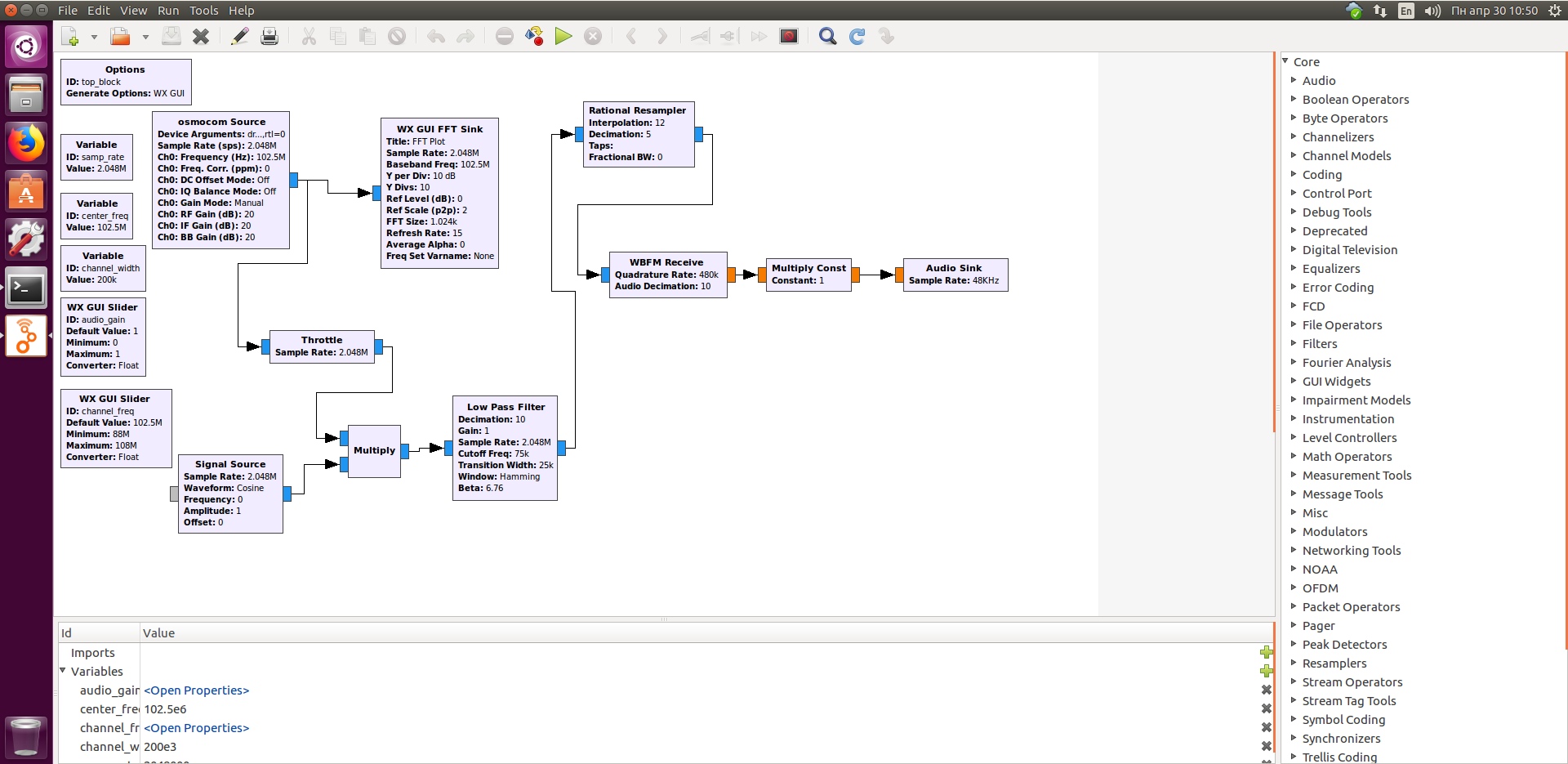
FM Radio example for GNURadio
Well, the installation video itself on Ubuntu 18.04
During installation and testing, there were errors related to the sound card (the problem here is the use of the old OSS sound subsystem by the program) and write the second line “driver = rtlsdr, rtl = 0” in the osmosdr_source_0 block. Otherwise, there were no problems. But you should not have problems, because I already specified the packages you need in "sudo apt install ..."
After installing all the packages, the cloned folders ( git clone .... ) can be deleted:
rm -r -f gr-osmosdr
rm -r -f rtl-sdr
rm -r -f librtlsdr
rm -r -f gnuradio
rm -r -f liquid-dsp
I also additionally installed myself block modules for LoRa, GSM and more.
There are many different modules under GNURadio.
A complete list of such plug-ins for GNURadio is available at the following links:
https://github.com/gnuradio/gr-recipes
https://github.com/gnuradio/gr-etcetera
For an example I’ll tell you how to install the gr-gsm module
Follow the link https : //github.com/gnuradio/gr-etcetera , there we see the archive of files for installation via PyBOMBS, but we will install and assemble from source.
We are looking for the gr-gsm.lwr file
gr-gsm.lwr
and click on it
gr-gsm.lwr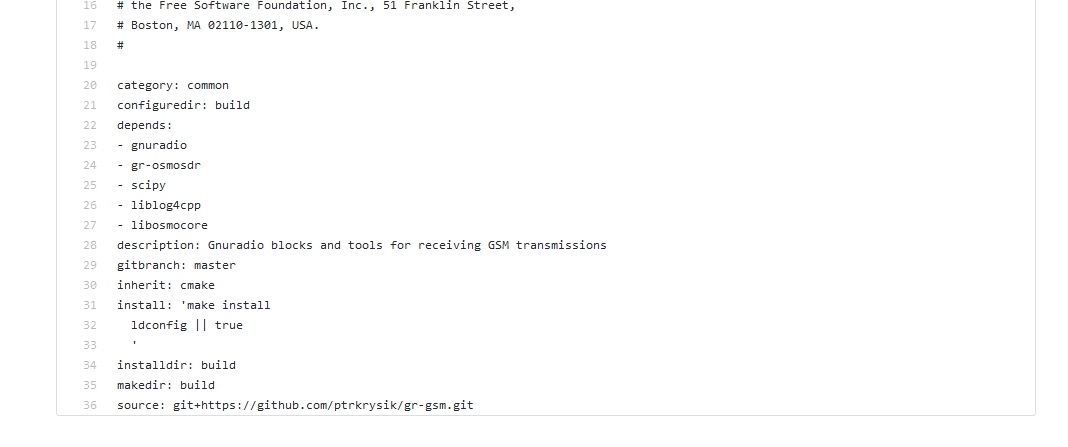
We find the line github.com/ptrkrysik/gr-gsm.git at the end and copy it to the buffer.
This is a link to the outcomes on GITHUB.
(we copy only github.com/ptrkrysik/gr-gsm.git )
Further everything is as usual
cd ~
git clone https://github.com/ptrkrysik/gr-gsm.git
cd gr-gsm/
mkdir build/
cd build
cmake ../
make
sudo make install
sudo ldconfig
That's it, the module is installed and appeared in GNURadio
GSM module in GNURadio
All modules are usually installed as well, but read in the readme from the author of the module.
Supplement for those who have AirSpy R2.
Everything here is also simple as 2x2.
cd ~
git clone https://github.com/airspy/airspyone_host.git
cd airspyone_host
mkdir build
cd build/
cmake ../ -DINSTALL_UDEV_RULES=ON
make
sudo make install
sudo ldconfig
That's all. I hope someone is interested, there will be questions - ask.









