November 14, 2017 at 10:48
PVS-Studio report is now in HTML format
An HTML report existed in the PVS-Studio analyzer for a long time, but it was so simple that it was suitable only for acquaintance with the results of the analysis of a small volume, for example, by e-mail. In this article I will tell you how this format was redesigned and what new possibilities it opens up for analyzer users.
Introduction
An additional popular scenario for code quality control is viewing the results of a project analysis on a server remotely via a web browser. Therefore, the second version of Html reports appeared in PVS-Studio, which we called FullHtml. Unlike the first option (SimpleHtml), the new Html report makes other work scenarios available. Next I will tell you in which cases it will be convenient to use one or another type of report.
View report in web browser
FullHtml - a full report for viewing analysis results. It is possible to search and sort messages by type, file, level, code and warning text. A feature of this report is the ability to navigate to the place of the error in the file with the source code. The source files themselves, on which the analyzer warned, are copied to html and are part of the report. Examples of the report are shown in Figures 1-2.
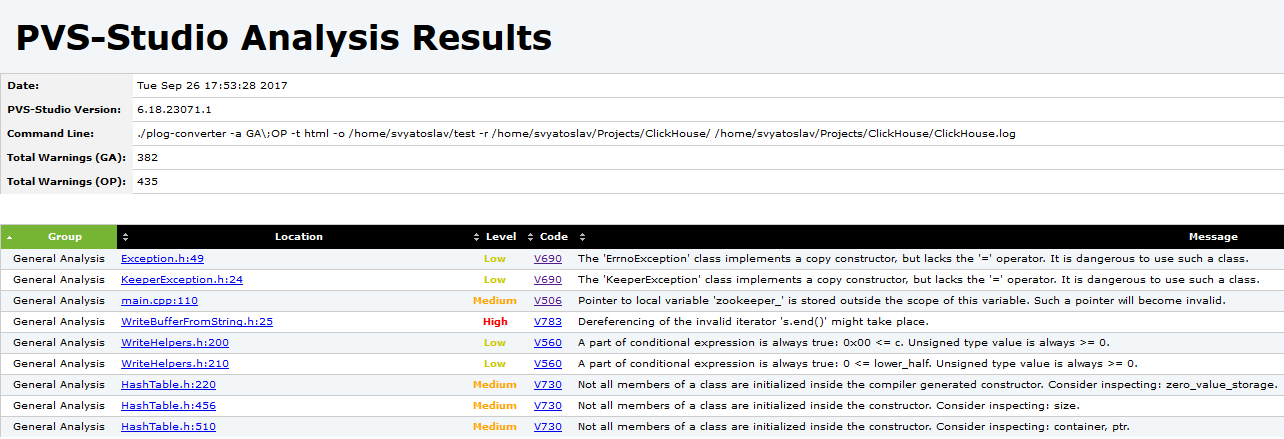
Figure 1 - An example of the main page of the HTML report
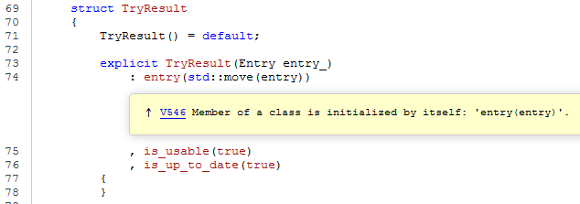
Figure 2 - Viewing a warning in the code. It is
convenient to send such a report in the archive or provide access to it over the local network using any web server, for example, Lighttpd , etc.
View the report in the mail client
SimpleHtml - a lightweight report consisting of a single file in the .html format. Provides a summary of alerts found and is suitable for notifying results by email. An example of a report is shown in Figure 3.
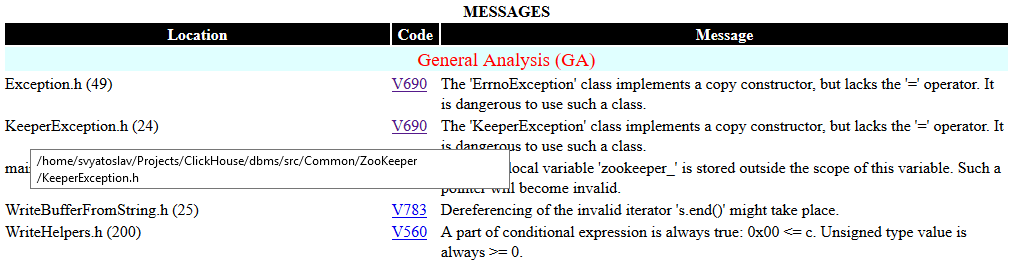
Figure 3 - Example SimpleHtml page
Conclusion
Html reports can be very convenient in some scenarios of working with the analyzer, but they are not designed to configure and filter analysis results. To do this, all settings must be made either in the analyzer itself (for example, exclusion from the analysis of the catalog with libraries) or in the report converter (choice of types of diagnostics, warning levels, etc.).
To see how FullHtml looks live, I converted one of the recent reports to this format, which I used when writing an article about the MuseScore project: MuseScoreHtml.7z .

If you want to share this article with an English-speaking audience, then please use the link to the translation: Svyatoslav Razmyslov. PVS-Studio Reports Now in Html
Have you read the article and have a question?
Often our articles are asked the same questions. We collected the answers here: Answers to questions from readers of articles about PVS-Studio, version 2015 . Please see the list.