 October 28, 2017 at 15:44
UX design: 50 things you probably forgot to do
- Transfer
“I'm not angry, I'm just disappointed.”
- PM

Sometimes the application seems simple, minimalistic and concise, but it is easy to lose sight of how many screens, molds, buttons, windows and other little things lead to such a perception of ease and ease of use.
We present you a checklist of 50 points for self-testing. Here are sample subsections:
1. Screensaver The
screen that appears when you launch a mobile application or when you log into a web application and everything loads.

Here's a nice version from James Jackson.
2. Stream of forgotten passwords
Was it “abcd1234” or “1234abcd”? This is important. Don't forget about it.

Majo Puterka does not leave its users locked near the house in the rain.
3. Thank you for registering page.
This screen usually appears after the user creates an account and asks to confirm the email address.

What's next? Ask Hayley Cattlin.
4. Welcome letters
This is an opportunity to create a first impression and set the tone for communication with users. Take this into account.

I really like it. Brian Golatka.
5. Terms of Service and Confidentiality (Ugh)
Help people act within the law.
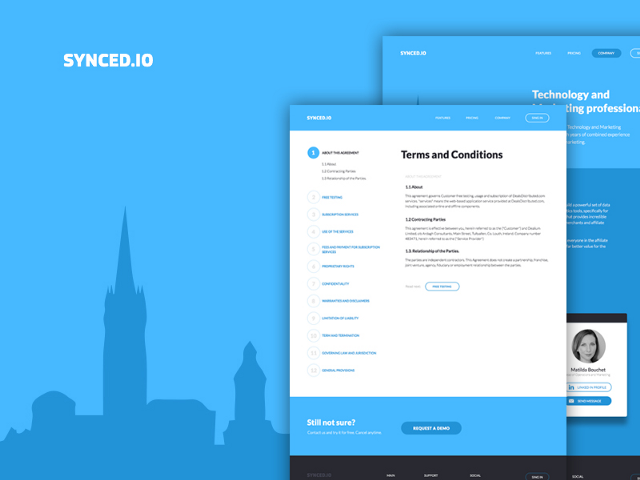
I really appreciate how Marco Prlich tried to make terms and privacy more accessible.
6. Onboarding, first user contact.
There are tons of different ways you can use. Here are five of my Onboardibg favorites .
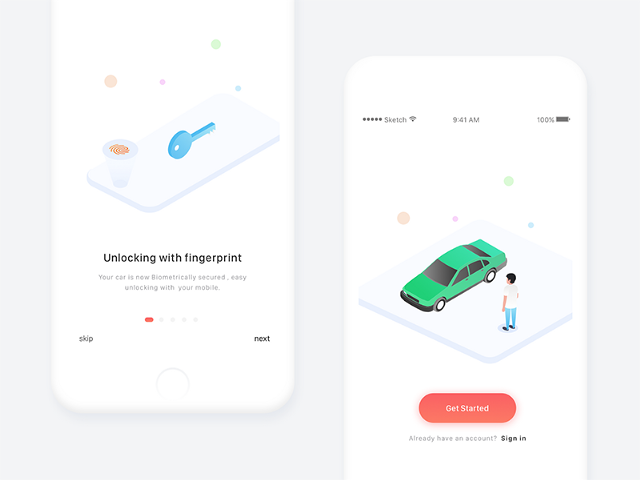
Deliciously helpful, MuNa.
7. Hint if the user has forgotten something.
This is how to move into the house without furniture. Looks pretty empty, huh? Help users push in the right direction. “Put the sofa here.”

I feel that Veli-Johan Veromann loves superheroes.
8. Reference documents
If this is a large commercial project, then probably there is a whole team for this. But they still continue to receive screenshots with bugs. It deserves as much (or more) effort as it does for a login page or feed.
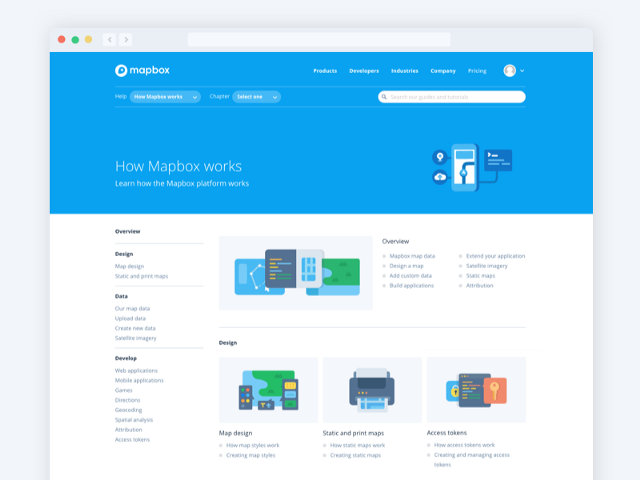
Maya Gao is very helpful. Be like Maya.
9. Standard user interface Images / Avatars
Registering with social accounts or services such as Gravatar really helped us showcase your smiling faces, but you still get the guy who never wants to upload a profile photo. Give him some beauty and showcase the brand.

Hermes Strange makes cute stuff. These are pretty avatars.
10. Logout Button
Unfortunately, you must allow users to logout. Just imagine that they use your application in a public library and they need to log out so that some stranger does not change the account name to “Mr. Butts. "
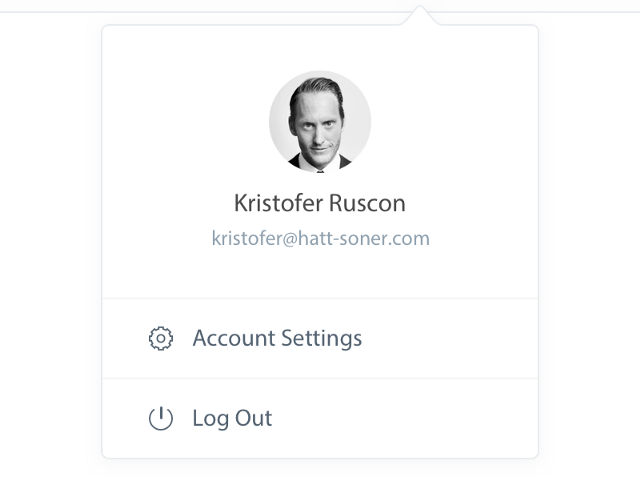
I guess Christopher probably stole Henrik's lunch money. Let him go out and leave the stage.
11. Application footer
Most of the time, I think that pages can go on forever, just as people believed the world was flat and just kept going. Note: Earth is not flat.
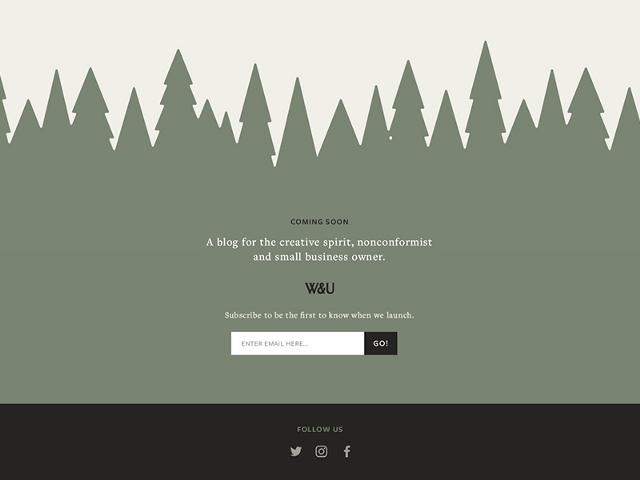
Ash Schweitzer may be lost somewhere in the forest. Someone will help her.
12. Favicon (browser icon)
You know ... that little icon that appears on the browser tab. I constantly lose tabs with Medium because the icon is no longer green. But it is beautiful.

Michael Florup has created an amazing icon template that you can download.
13. 404 A page of
Rizvan is stuck in this hole. Go help her.
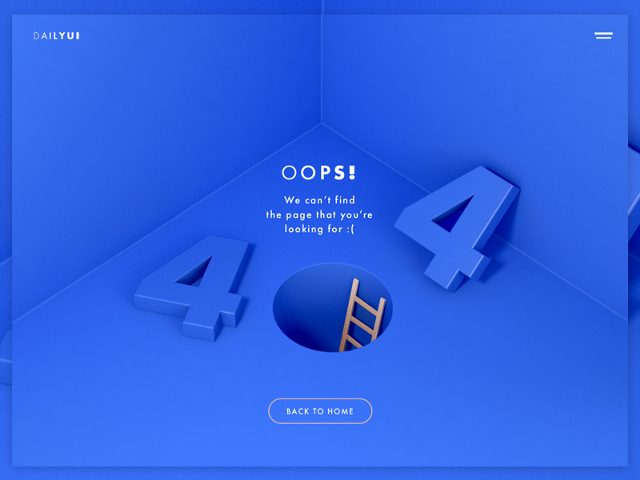
[ A large article on Habr about 404 pages ]
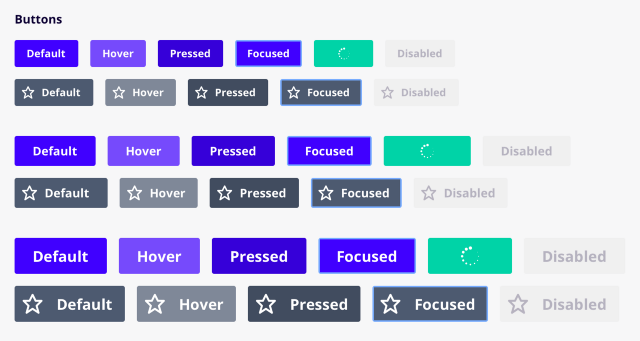
14. Button state by default / when hovering / focus / when pressing / disabled / etc.
Ugh, so many conditions. “Focus + Guidance” could be my favorite / obscure. The screenshot below is taken here: UX Power Tools Design System .
15. Procedure for transfer by pressing Tab
transition Order - a special feature that allows users to jump to the page using the Tab key. I could not find an image to show this, so I took a screenshot of the 2007 2007 Christian Beck specification , where he defined tab rules for each user interface control in the table. In fact, you can determine the order in which elements are visited in order to prioritize what is primary, what is secondary. This is not an easy design task.
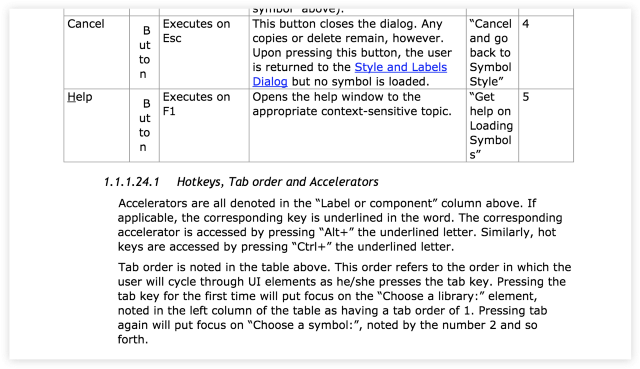
Days of writing 80-page specifications and development according to the Waterfall methodology .
16. Scrolling behavior
Not only where and how it scrolls, but what actually scrolls. The title is fixed? Footer?

Peter Blazy, it looks smooth. Cool.
17. Intercom button.
I mean the less you can do is make color combinations in your application.
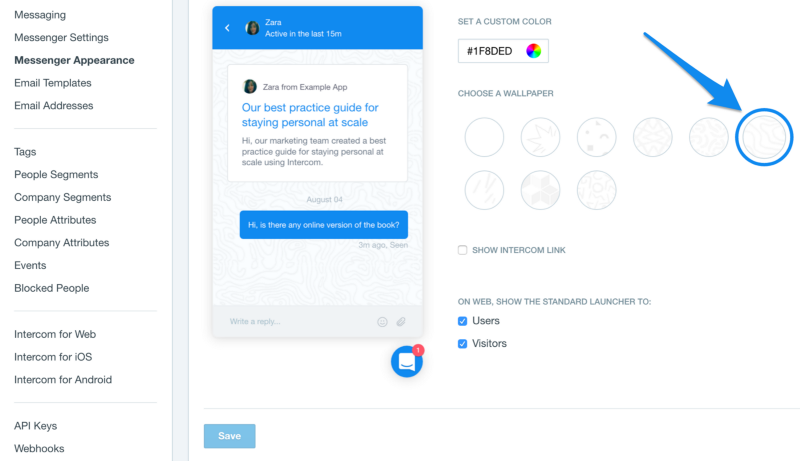
Easier than brewing Doshirak.
18. Page Number Buttons
Assume that you do not scroll endlessly. The user needs a way to get to page 27.
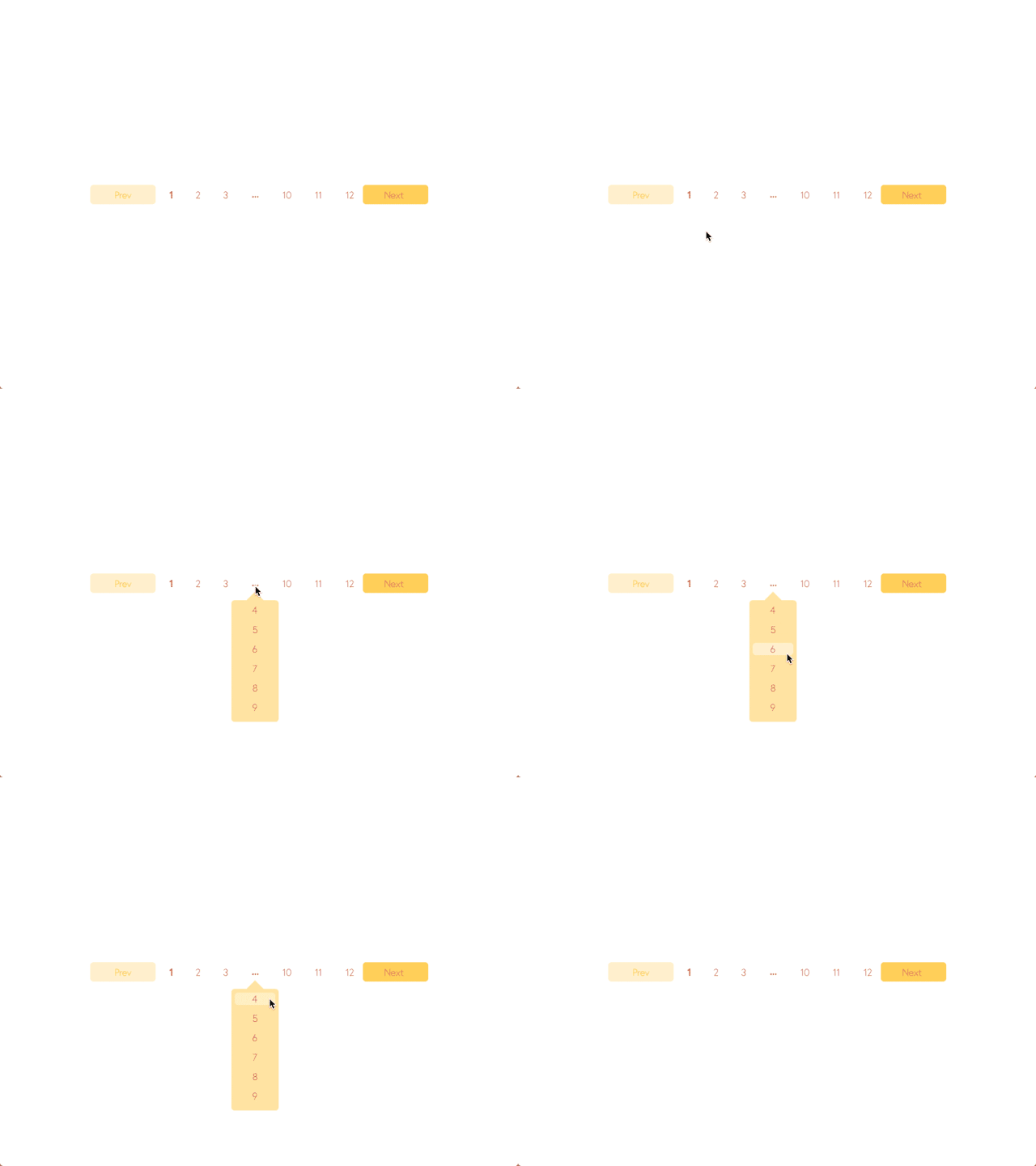
Boronda did a good job. Love this yellow, Borunda.
19. Cursors
Buttons must have cursors. Non-interactive material must have a default cursor. The text must have a text cursor. Developers do not always know this. The other day, I just saw an application where, when you hover over a button, there was a text cursor. Oh my God.
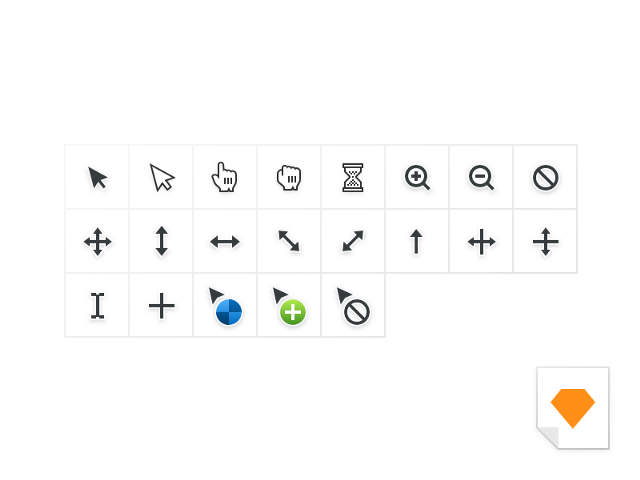
Jeff Broderick loves to click on things. He also made a freebie.
20. Sort / filter table / search engines
There should be a faster way to get to ZZ Top in the “Bands with Beards” data table.

21. Empty “no results” states
Sometimes you will search for something or add too many filters and not get any results. How sad. Cheer your users with bold illustrations. Or your bank account and route number.
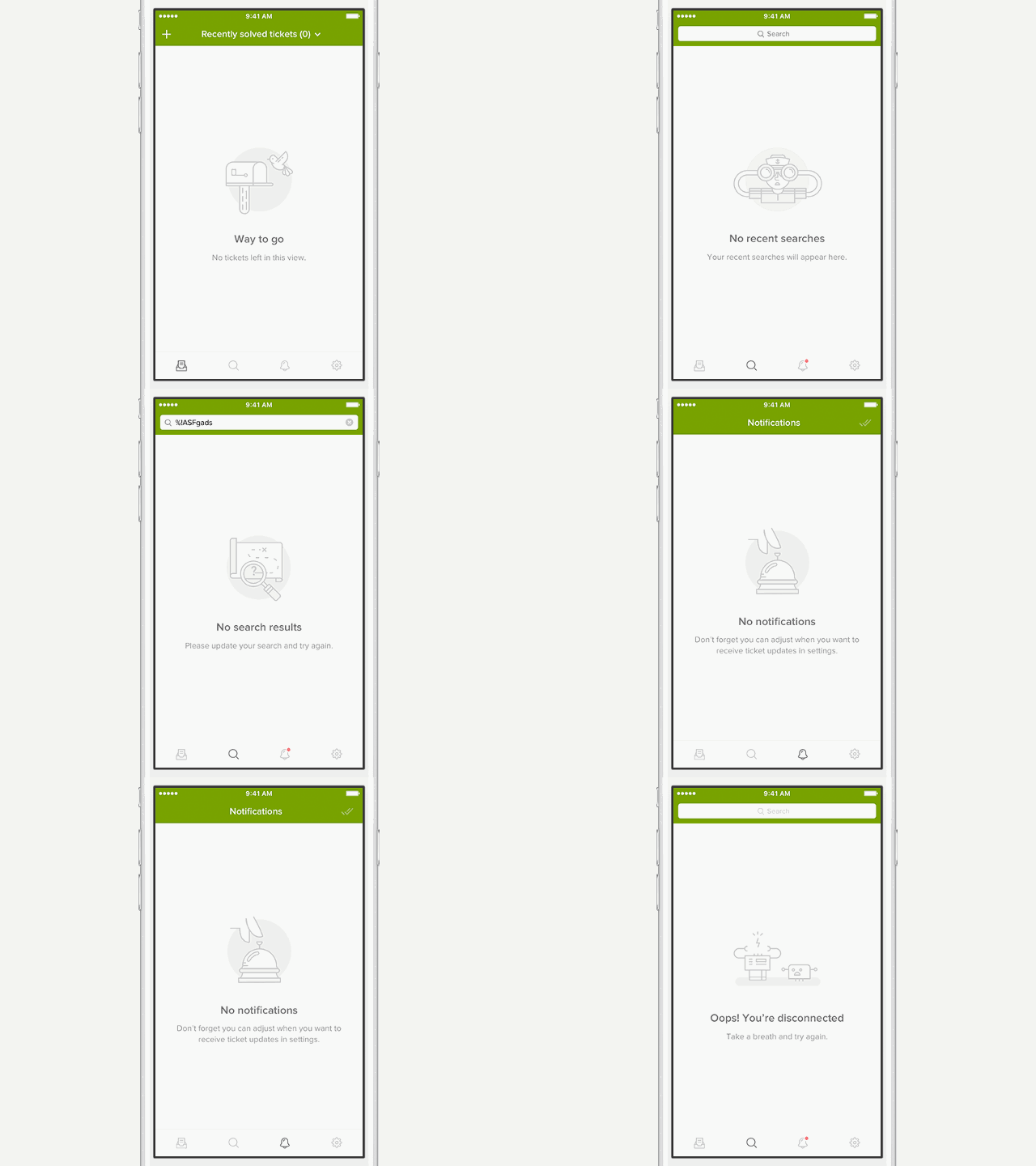
Rainer Wendland tried everything for Zendesk.
22. Error condition
Incorrect input. Invalid password. Existing account. Too many things selected. There are many options when something can go wrong, especially if you are a grandmother and you got an iPad for Christmas. It was a mistake.

Mike Stezicki really made me think that the letter was sent.
23. System alerts.
The system always does something in the background, and sometimes it's nice to know when everything will end successfully (or not). You should definitely inform the user about this.
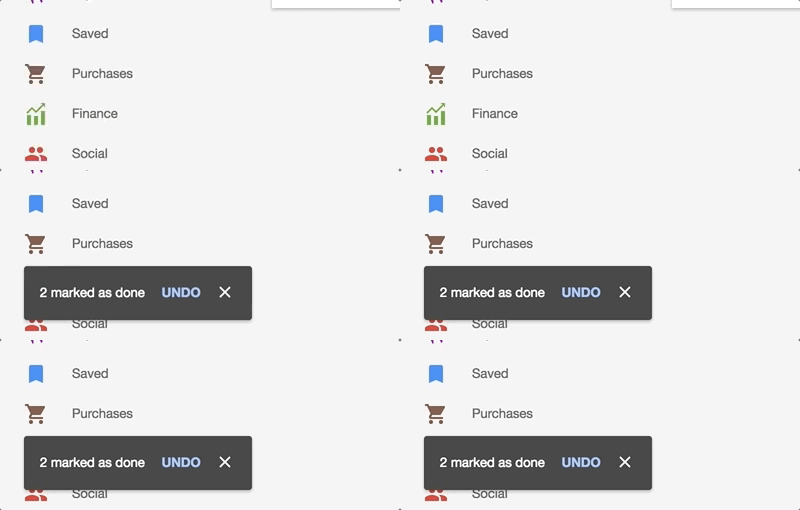
This is taken from Google Inbox. “Cancel” is really convenient when you “accidentally” delete a letter from your mom.
24. An empty autocomplete drop-down list Autocomplete is
cool if it helps you find something, but sometimes there are no results. In this case, you do not need to show a blank window. Show a small message, or let users do something.

Jurrian van Drunen apparently no longer has a “Bra” in his contacts. This is probably for the best.
25. Download status
People will use Tinder on their phones while the page is loading, but if they are really waiting and looking, there should be some visual indication that the material is still loading.
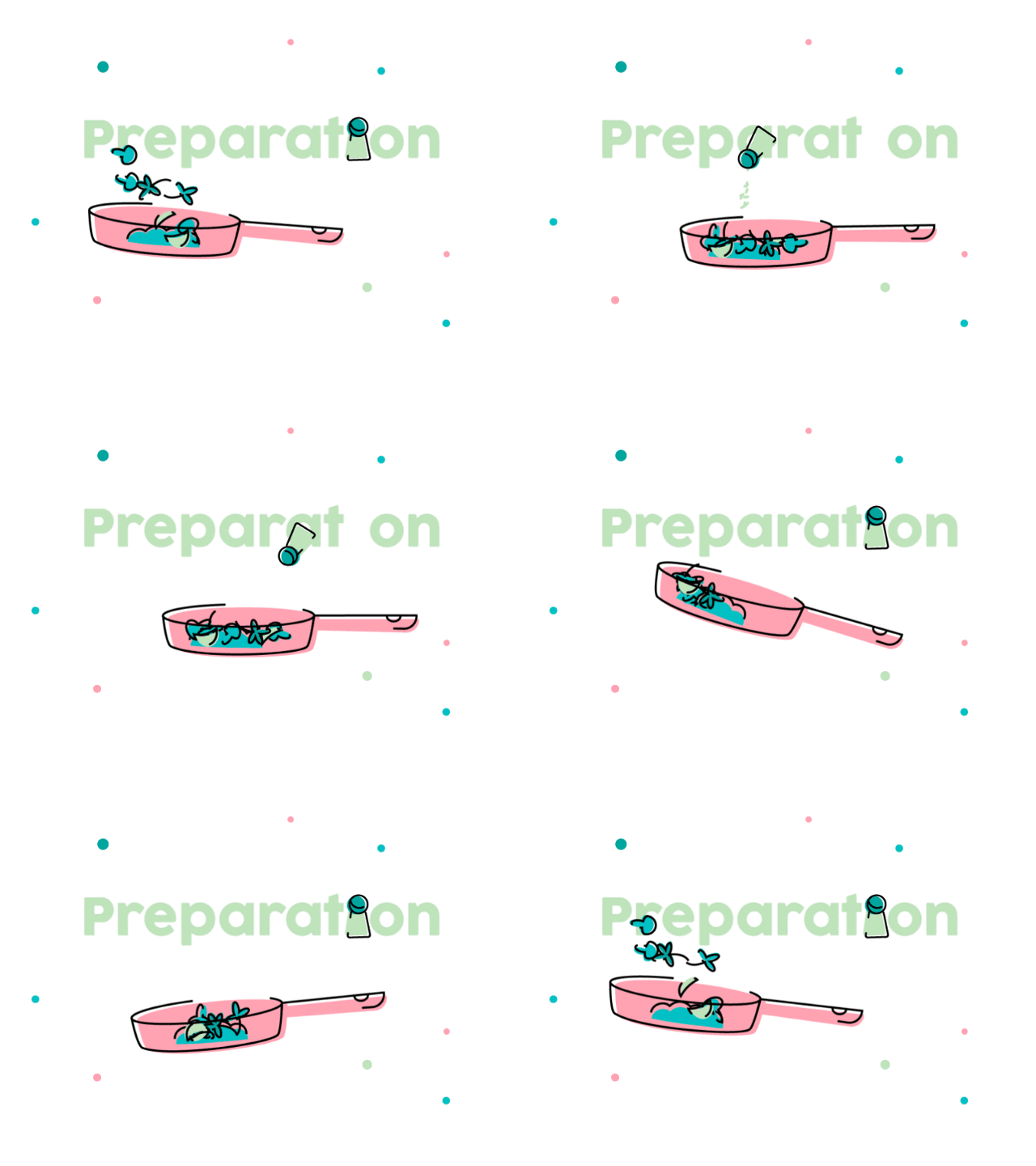
Not the best form , XPLAI . Keep practicing. But it is still painfully delightful.
26. Damn application icon.
Yes, probably better not to forget about it.

27. Image for the App Store

Daniel Beer did not forget to make an image for the App Store. High five, man.
28. Image for social networks and Open Graph
This is an image that appears when you post a link on Twitter, post a message on Facebook, post a link to Medium, etc.

Here's what it looks like on Medium:

29. Image for Website Marketing
Everyone wants to be like Stripe, so stupidly copy:

30. Images for Sales Deck
Sales deck - “this is a set of slides with infographics and selling content.” You
may have to give up a lot and clear the content in order to look like a brand that deals in 6-digit amounts.

31. Pitch Deck
Images Like an image for Sales Deck, but a little more visionary. I mean ... you are trying to raise money. You will understand later.
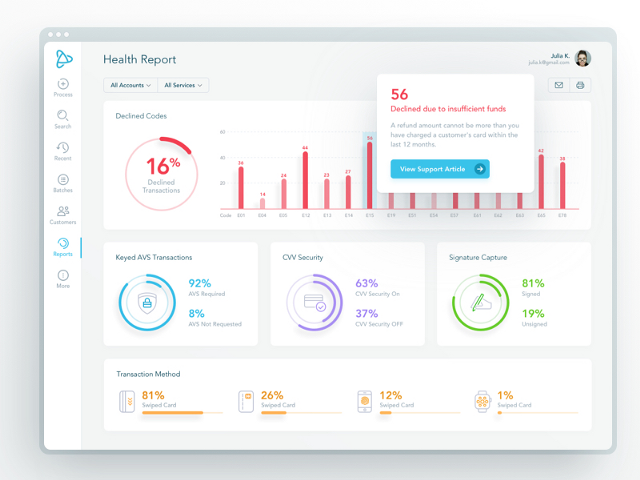
Here's a trade secret, always put dashboards in your deck. It's not a joke.
32. Images for Product Hunt
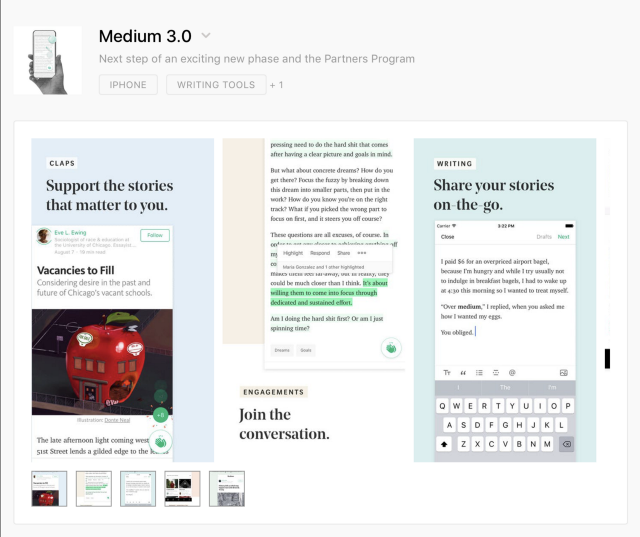
Hey, they just updated the profile pages.
33. Images of Facebook / Twitter ads
“But we don't have ads on Facebook.” Ha, until it appears. And then no one will tell you. Just take pictures in advance and you will be calm.

34. Social Media Profile Pictures
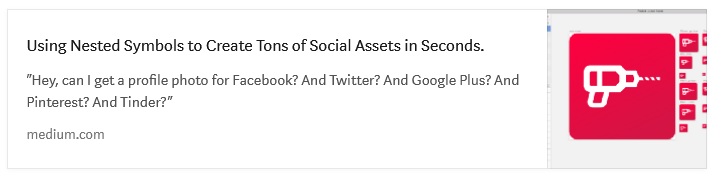
Yes, you must do one for all 938 social networks. Fortunately, we made the Sketch tool to speed this up for you. Welcome, kids.
35. Email banner

Triple dots / commas ( approx. Per. Hint at a billion), if you make it an illustration.
^ By the way, this is the newsletter of my agency and my colleagues write some really outstanding content.
Here are some recent favorites:

36. Notification settings
Cool when applications tell you when something happens, even cooler when an alert with sound. But after the 19th time, you are really tired of the alerts. You should probably let the user decide when to turn off the sound.

Slack did not become a $ 8 billion company, clogging up on notification settings. Nailed it.
37. Billing Page
Don't forget that people should get copies of their bills for a product for which they pay you thousands of dollars. And some are creating an idiotic IT department for their agency and cannot understand how hard it is to look for it ... every ... month .

I don’t know what that means, but getting here was easy.
38. The option “Delete my account”
Yes, yes, I know. No one does it. But maybe they will create a new account again? As we say to the seller: “I will return later and buy three.” Well, yes, of course.
But there are legitimate reasons that are positive. I deleted the accounts since I combined into a large team license. I deleted old accounts that collected dust and I wanted to start from scratch. In any case, this is a good tone in service.

Shhh, Mr. President, you can disable your account here.
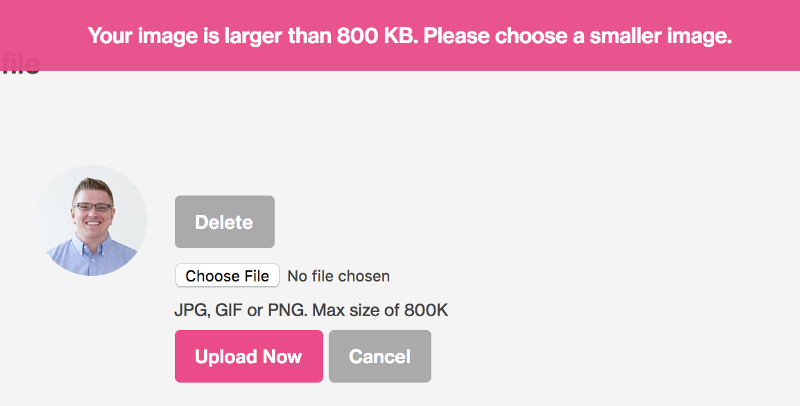
39. Profile photo cropping tool
This is a nightmare for most applications, but can be done wisely.
40. Option / stream “Updating my account”
It is scary to think how difficult it is for many SaaS products. Shut up and take my money. Shouldn't it be easy? It should be easy.
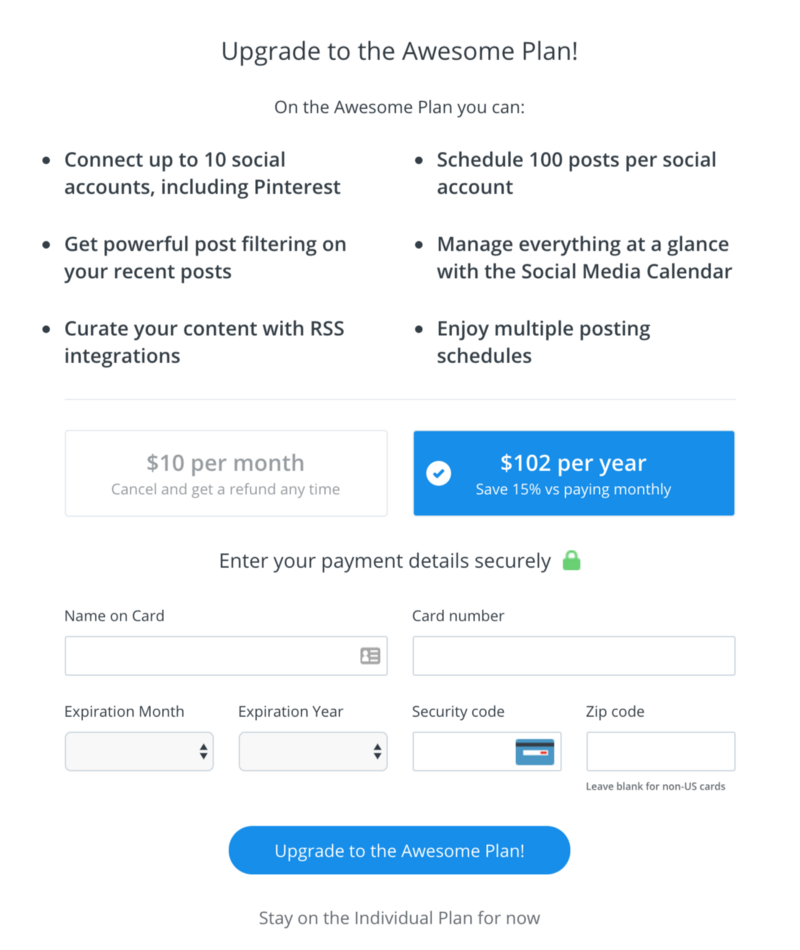
The buffer has a menu item for updating, a fairly simple form. You have my money.
41. Stream “Change my address”
When you receive a chic new apartment in the city center and you have to change your address on every credit card you have ever had.
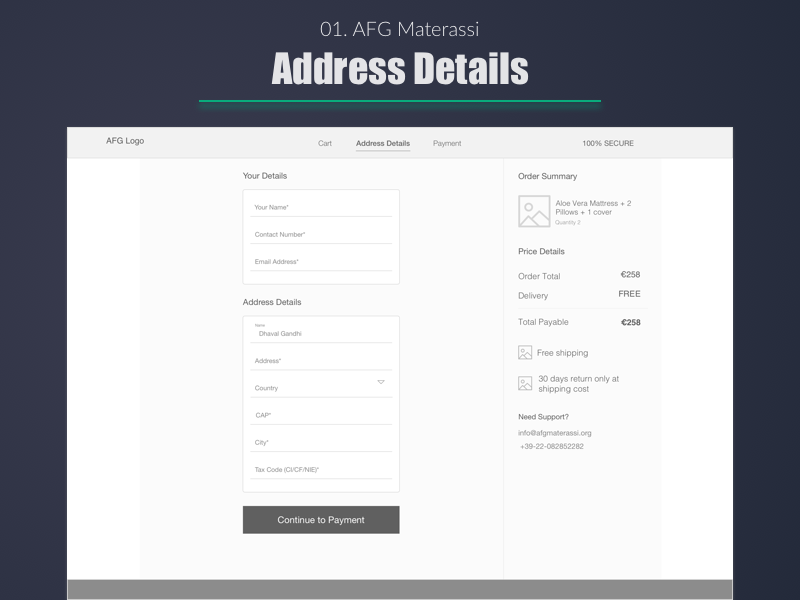
Dhawal S. Gandhi wants to make sure that his Aloe Vera is sent to the right place.
42. The “Add a credit card” stream
Some people (like me) like to store about a hundred credit / debit cards in a file so that thieves have many accounts to choose from. Therefore, simplify adding cards. That is all I have to say about it.

43. The stream of "mass addition" It is
one thing to quickly add an object to the system, but quite another to make it so that you quickly add a group of objects to the system.
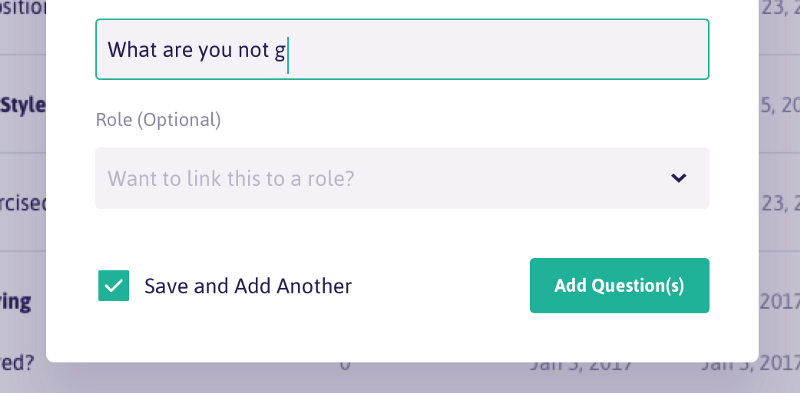
Please, sir, allow me more?
44. Stream "Creating a custom filter"
If you have a sophisticated filter system, it might be nice to add the ability to save the filter profile for later. You no longer need to click a million times.
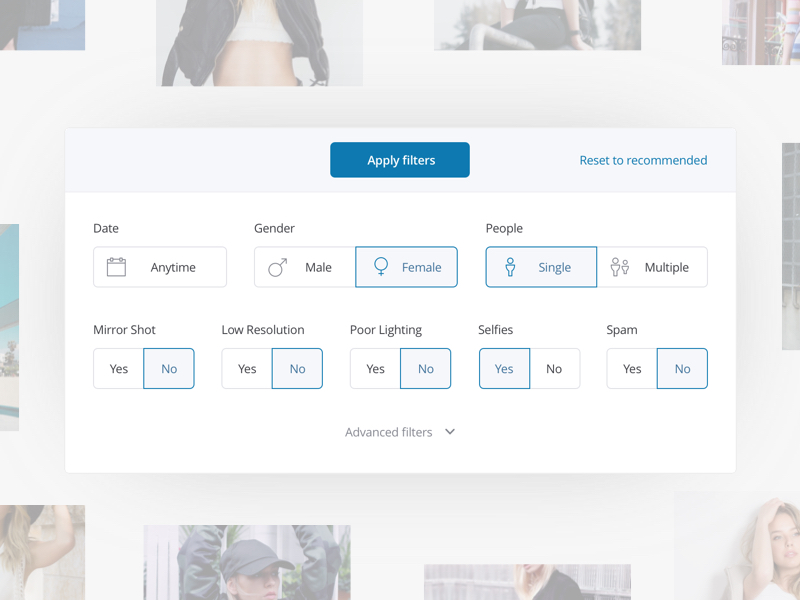
Oykun Yilmaz can take this step further by allowing the user to save this filter. Do it, Oykun.
45. Stream "Add to Cart"
It's funny, but there are people who forget about this stream. It's me.

Apparently, Alberto Conti needs 4 chairs, 4 bedside tables. It must be a big house ...
46. Stream "Share"
Sharing has become commonplace, but not the fact that there is a ready-made option for you. This is an occasion to do development.

Tomek Kvyatkovsky really knows how to become social.
47. Stream “Create from existing”
It is kind of like “create copy + edit” all in one action. The user can start from an existing option and improve it as necessary.
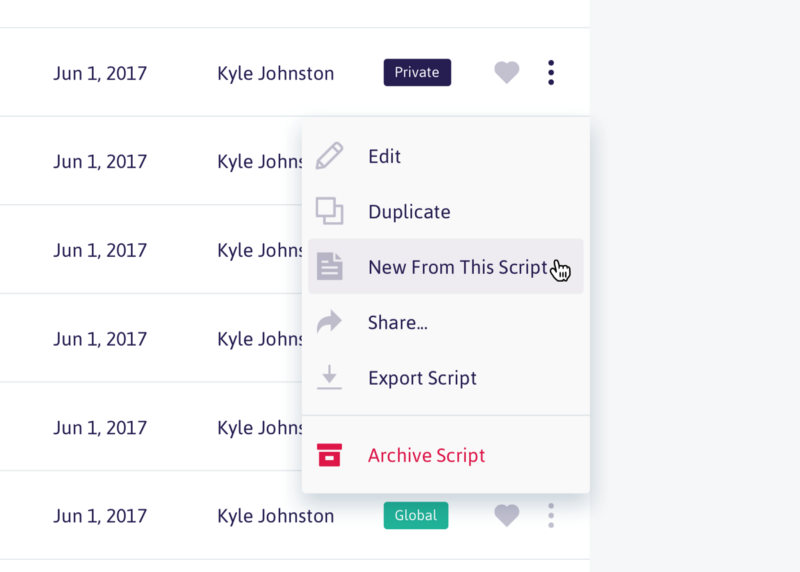
Kyle Johnston writes a lot of scripts. Maybe secretly Christopher Nolan?
48. Stream “Invite someone”
There is no better way to add “virality” to your product than through invitations and sharing. Take an example with Dribbble .
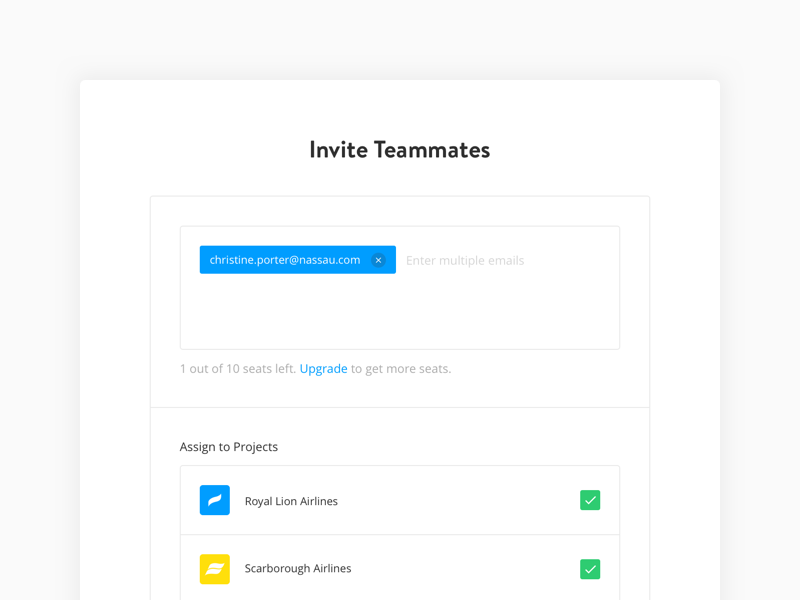
I think Paula Pintaric and Christina are flying. Or they are working on a project and watching other people fly. This is even worse.
49. Stream "Change user permissions"
Do you know this guy Greg? Do you know how he perverts everything that concerns? Yes, you can revoke some of Greg’s privileges so that he doesn’t remove the integrity of the Internet. Stupid Greg.

Matt Shvery, on the other hand ... is much less annoying than Greg.
50. Stream “Delete and restore”
Sometimes you delete something super important and you need to restore it immediately.
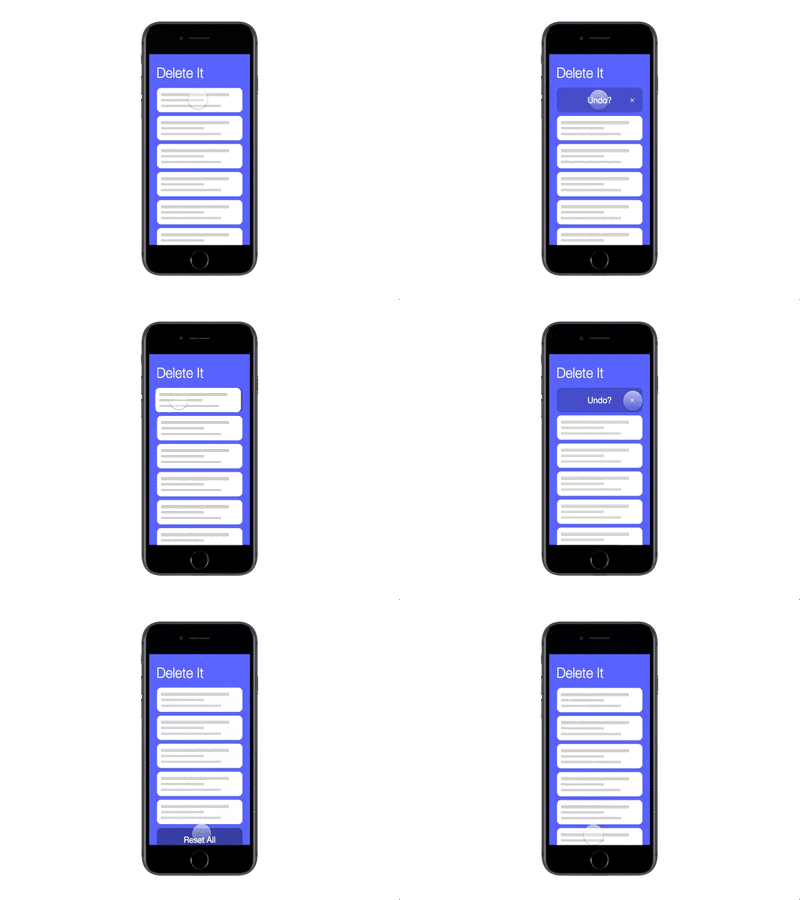
Eric Tsai understands that we are all wrong.
51. Maybe we forgot something? Write in the comments.
The translation was supported by EDISON Software , a professional developer of applications and websites in PHP for large customers, as well as the development of cloud services and mobile applications in Java .
- PM
Sometimes the application seems simple, minimalistic and concise, but it is easy to lose sight of how many screens, molds, buttons, windows and other little things lead to such a perception of ease and ease of use.
We present you a checklist of 50 points for self-testing. Here are sample subsections:
- Login and registration
- First experience
- Important details
- Launch
- Profile
- Crazy streams
Login and registration
1. Screensaver The
screen that appears when you launch a mobile application or when you log into a web application and everything loads.
Here's a nice version from James Jackson.
2. Stream of forgotten passwords
Was it “abcd1234” or “1234abcd”? This is important. Don't forget about it.
Majo Puterka does not leave its users locked near the house in the rain.
3. Thank you for registering page.
This screen usually appears after the user creates an account and asks to confirm the email address.
What's next? Ask Hayley Cattlin.
4. Welcome letters
This is an opportunity to create a first impression and set the tone for communication with users. Take this into account.
I really like it. Brian Golatka.
5. Terms of Service and Confidentiality (Ugh)
Help people act within the law.
I really appreciate how Marco Prlich tried to make terms and privacy more accessible.
First experience
6. Onboarding, first user contact.
There are tons of different ways you can use. Here are five of my Onboardibg favorites .
Deliciously helpful, MuNa.
7. Hint if the user has forgotten something.
This is how to move into the house without furniture. Looks pretty empty, huh? Help users push in the right direction. “Put the sofa here.”
I feel that Veli-Johan Veromann loves superheroes.
8. Reference documents
If this is a large commercial project, then probably there is a whole team for this. But they still continue to receive screenshots with bugs. It deserves as much (or more) effort as it does for a login page or feed.
Maya Gao is very helpful. Be like Maya.
9. Standard user interface Images / Avatars
Registering with social accounts or services such as Gravatar really helped us showcase your smiling faces, but you still get the guy who never wants to upload a profile photo. Give him some beauty and showcase the brand.
Hermes Strange makes cute stuff. These are pretty avatars.
10. Logout Button
Unfortunately, you must allow users to logout. Just imagine that they use your application in a public library and they need to log out so that some stranger does not change the account name to “Mr. Butts. "
I guess Christopher probably stole Henrik's lunch money. Let him go out and leave the stage.
Important details
11. Application footer
Most of the time, I think that pages can go on forever, just as people believed the world was flat and just kept going. Note: Earth is not flat.
Ash Schweitzer may be lost somewhere in the forest. Someone will help her.
12. Favicon (browser icon)
You know ... that little icon that appears on the browser tab. I constantly lose tabs with Medium because the icon is no longer green. But it is beautiful.
Michael Florup has created an amazing icon template that you can download.
13. 404 A page of
Rizvan is stuck in this hole. Go help her.
[ A large article on Habr about 404 pages ]
14. Button state by default / when hovering / focus / when pressing / disabled / etc.
Ugh, so many conditions. “Focus + Guidance” could be my favorite / obscure. The screenshot below is taken here: UX Power Tools Design System .
15. Procedure for transfer by pressing Tab
transition Order - a special feature that allows users to jump to the page using the Tab key. I could not find an image to show this, so I took a screenshot of the 2007 2007 Christian Beck specification , where he defined tab rules for each user interface control in the table. In fact, you can determine the order in which elements are visited in order to prioritize what is primary, what is secondary. This is not an easy design task.
Days of writing 80-page specifications and development according to the Waterfall methodology .
16. Scrolling behavior
Not only where and how it scrolls, but what actually scrolls. The title is fixed? Footer?
Peter Blazy, it looks smooth. Cool.
17. Intercom button.
I mean the less you can do is make color combinations in your application.
Easier than brewing Doshirak.
18. Page Number Buttons
Assume that you do not scroll endlessly. The user needs a way to get to page 27.
Boronda did a good job. Love this yellow, Borunda.
19. Cursors
Buttons must have cursors. Non-interactive material must have a default cursor. The text must have a text cursor. Developers do not always know this. The other day, I just saw an application where, when you hover over a button, there was a text cursor. Oh my God.
Jeff Broderick loves to click on things. He also made a freebie.
20. Sort / filter table / search engines
There should be a faster way to get to ZZ Top in the “Bands with Beards” data table.
21. Empty “no results” states
Sometimes you will search for something or add too many filters and not get any results. How sad. Cheer your users with bold illustrations. Or your bank account and route number.
Rainer Wendland tried everything for Zendesk.
22. Error condition
Incorrect input. Invalid password. Existing account. Too many things selected. There are many options when something can go wrong, especially if you are a grandmother and you got an iPad for Christmas. It was a mistake.
Mike Stezicki really made me think that the letter was sent.
23. System alerts.
The system always does something in the background, and sometimes it's nice to know when everything will end successfully (or not). You should definitely inform the user about this.
This is taken from Google Inbox. “Cancel” is really convenient when you “accidentally” delete a letter from your mom.
24. An empty autocomplete drop-down list Autocomplete is
cool if it helps you find something, but sometimes there are no results. In this case, you do not need to show a blank window. Show a small message, or let users do something.
Jurrian van Drunen apparently no longer has a “Bra” in his contacts. This is probably for the best.
25. Download status
People will use Tinder on their phones while the page is loading, but if they are really waiting and looking, there should be some visual indication that the material is still loading.
Not the best form , XPLAI . Keep practicing. But it is still painfully delightful.
Launch
26. Damn application icon.
Yes, probably better not to forget about it.
27. Image for the App Store
Daniel Beer did not forget to make an image for the App Store. High five, man.
28. Image for social networks and Open Graph
This is an image that appears when you post a link on Twitter, post a message on Facebook, post a link to Medium, etc.
Here's what it looks like on Medium:
29. Image for Website Marketing
Everyone wants to be like Stripe, so stupidly copy:
30. Images for Sales Deck
Sales deck - “this is a set of slides with infographics and selling content.” You
may have to give up a lot and clear the content in order to look like a brand that deals in 6-digit amounts.
31. Pitch Deck
Images Like an image for Sales Deck, but a little more visionary. I mean ... you are trying to raise money. You will understand later.
Here's a trade secret, always put dashboards in your deck. It's not a joke.
32. Images for Product Hunt
Hey, they just updated the profile pages.
33. Images of Facebook / Twitter ads
“But we don't have ads on Facebook.” Ha, until it appears. And then no one will tell you. Just take pictures in advance and you will be calm.
34. Social Media Profile Pictures
Yes, you must do one for all 938 social networks. Fortunately, we made the Sketch tool to speed this up for you. Welcome, kids.
35. Email banner
Triple dots / commas ( approx. Per. Hint at a billion), if you make it an illustration.
^ By the way, this is the newsletter of my agency and my colleagues write some really outstanding content.
Here are some recent favorites:
Profile
36. Notification settings
Cool when applications tell you when something happens, even cooler when an alert with sound. But after the 19th time, you are really tired of the alerts. You should probably let the user decide when to turn off the sound.
Slack did not become a $ 8 billion company, clogging up on notification settings. Nailed it.
37. Billing Page
Don't forget that people should get copies of their bills for a product for which they pay you thousands of dollars. And some are creating an idiotic IT department for their agency and cannot understand how hard it is to look for it ... every ... month .
I don’t know what that means, but getting here was easy.
38. The option “Delete my account”
Yes, yes, I know. No one does it. But maybe they will create a new account again? As we say to the seller: “I will return later and buy three.” Well, yes, of course.
But there are legitimate reasons that are positive. I deleted the accounts since I combined into a large team license. I deleted old accounts that collected dust and I wanted to start from scratch. In any case, this is a good tone in service.
Shhh, Mr. President, you can disable your account here.
39. Profile photo cropping tool
This is a nightmare for most applications, but can be done wisely.
40. Option / stream “Updating my account”
It is scary to think how difficult it is for many SaaS products. Shut up and take my money. Shouldn't it be easy? It should be easy.
The buffer has a menu item for updating, a fairly simple form. You have my money.
Crazy streams
41. Stream “Change my address”
When you receive a chic new apartment in the city center and you have to change your address on every credit card you have ever had.
Dhawal S. Gandhi wants to make sure that his Aloe Vera is sent to the right place.
42. The “Add a credit card” stream
Some people (like me) like to store about a hundred credit / debit cards in a file so that thieves have many accounts to choose from. Therefore, simplify adding cards. That is all I have to say about it.
43. The stream of "mass addition" It is
one thing to quickly add an object to the system, but quite another to make it so that you quickly add a group of objects to the system.
Please, sir, allow me more?
44. Stream "Creating a custom filter"
If you have a sophisticated filter system, it might be nice to add the ability to save the filter profile for later. You no longer need to click a million times.
Oykun Yilmaz can take this step further by allowing the user to save this filter. Do it, Oykun.
45. Stream "Add to Cart"
It's funny, but there are people who forget about this stream. It's me.
Apparently, Alberto Conti needs 4 chairs, 4 bedside tables. It must be a big house ...
46. Stream "Share"
Sharing has become commonplace, but not the fact that there is a ready-made option for you. This is an occasion to do development.
Tomek Kvyatkovsky really knows how to become social.
47. Stream “Create from existing”
It is kind of like “create copy + edit” all in one action. The user can start from an existing option and improve it as necessary.
Kyle Johnston writes a lot of scripts. Maybe secretly Christopher Nolan?
48. Stream “Invite someone”
There is no better way to add “virality” to your product than through invitations and sharing. Take an example with Dribbble .
I think Paula Pintaric and Christina are flying. Or they are working on a project and watching other people fly. This is even worse.
49. Stream "Change user permissions"
Do you know this guy Greg? Do you know how he perverts everything that concerns? Yes, you can revoke some of Greg’s privileges so that he doesn’t remove the integrity of the Internet. Stupid Greg.
Matt Shvery, on the other hand ... is much less annoying than Greg.
50. Stream “Delete and restore”
Sometimes you delete something super important and you need to restore it immediately.
Eric Tsai understands that we are all wrong.
51. Maybe we forgot something? Write in the comments.
The translation was supported by EDISON Software , a professional developer of applications and websites in PHP for large customers, as well as the development of cloud services and mobile applications in Java .









