July 11, 2017 at 16:57
We enter the rating of the participant “Habr” and “Toaster” on “My circle”
At "My Circle" there was an opportunity to demonstrate their activity and rating in the Habrahabr and Toaster communities. Later we plan to do the same for GitHub and, perhaps, for some other communities. We believe this will allow employers and job seekers to more accurately and quickly find each other.
On a user’s profile, it looks like this:

When searching for candidates or on job postings, it’s like this:
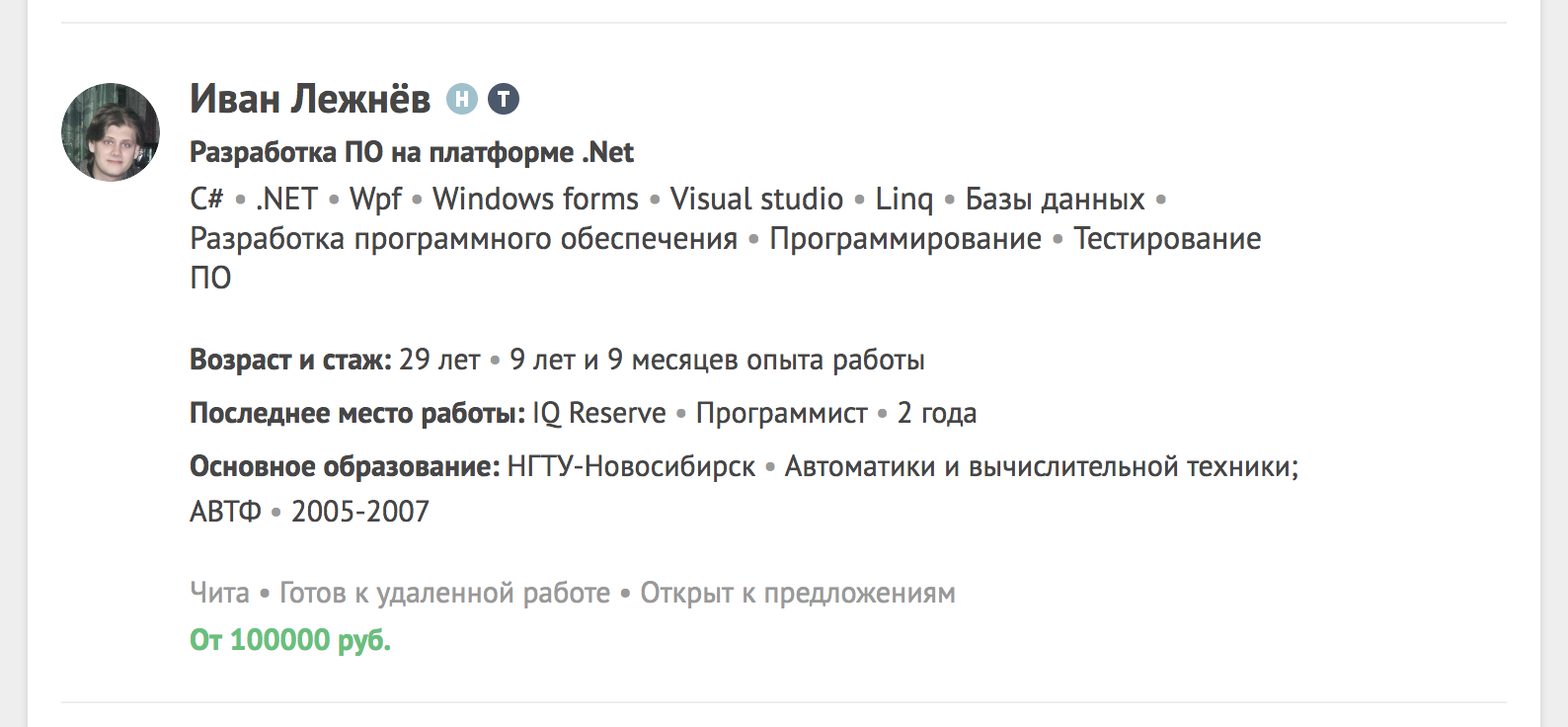
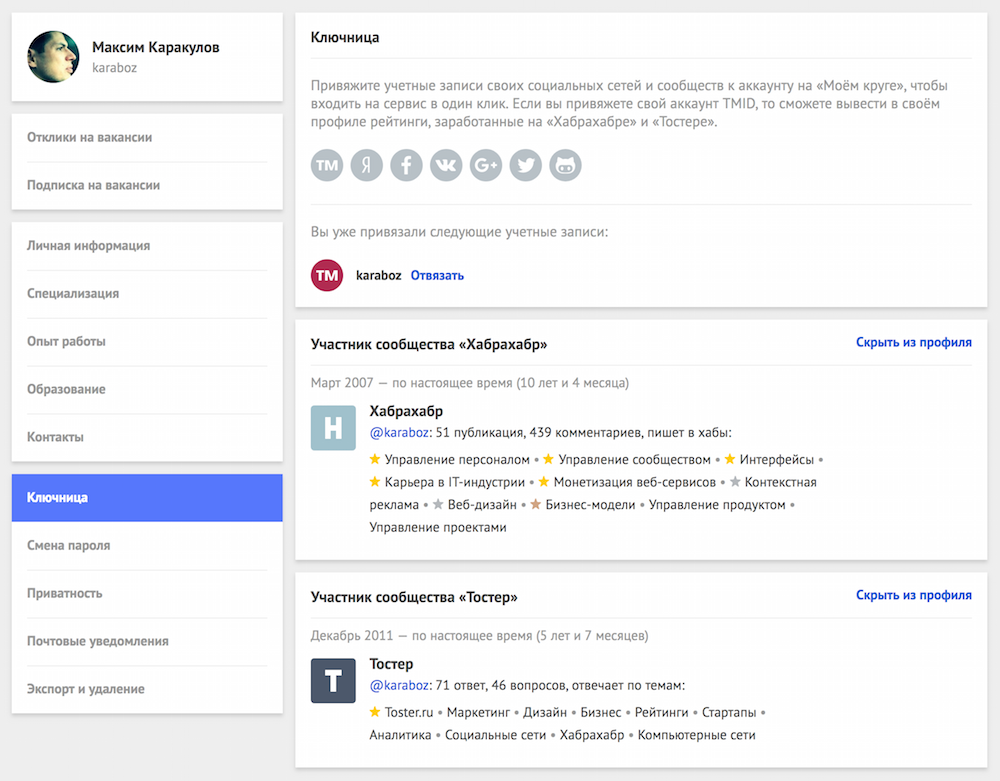
This opportunity is available to everyone who linked their TMID account to their My Circle account. If you have not tied TMID yet, do it right away in one click, in your profile’s office on My Circle in the Keymaster .
Next, we will describe in detail by what principle we derive blocks of participation in communities, how we consider the contribution to each of them, for what contribution we give medals.
So, the “Habrahabr” or “Toaster” participant’s block appears on the user’s profile of “My Circle” if he has 1 publication or 1 answer, respectively.
In each block of the participant, we display up to 10 hubs or topics in which the user has made the most contribution in the corresponding community. Recall that the contribution to the hub is considered as the sum of all the “pluses” and “minuses” of the user's publications tied to this hub. And the contribution to the topic (tag) as the sum of all the “like” and “solution to the question” marks of the user's answers tied to this topic.
If a user with his contribution fell into the first 50% of users on a given hub or topic, we give him a medal for his contribution to this hub or topic: gold - if he fell into the first 10%; silver - if in 11-30%; bronze - if in 31-50%. The medal is displayed as an asterisk, when you hover over it you can get more detailed information about its meaning.
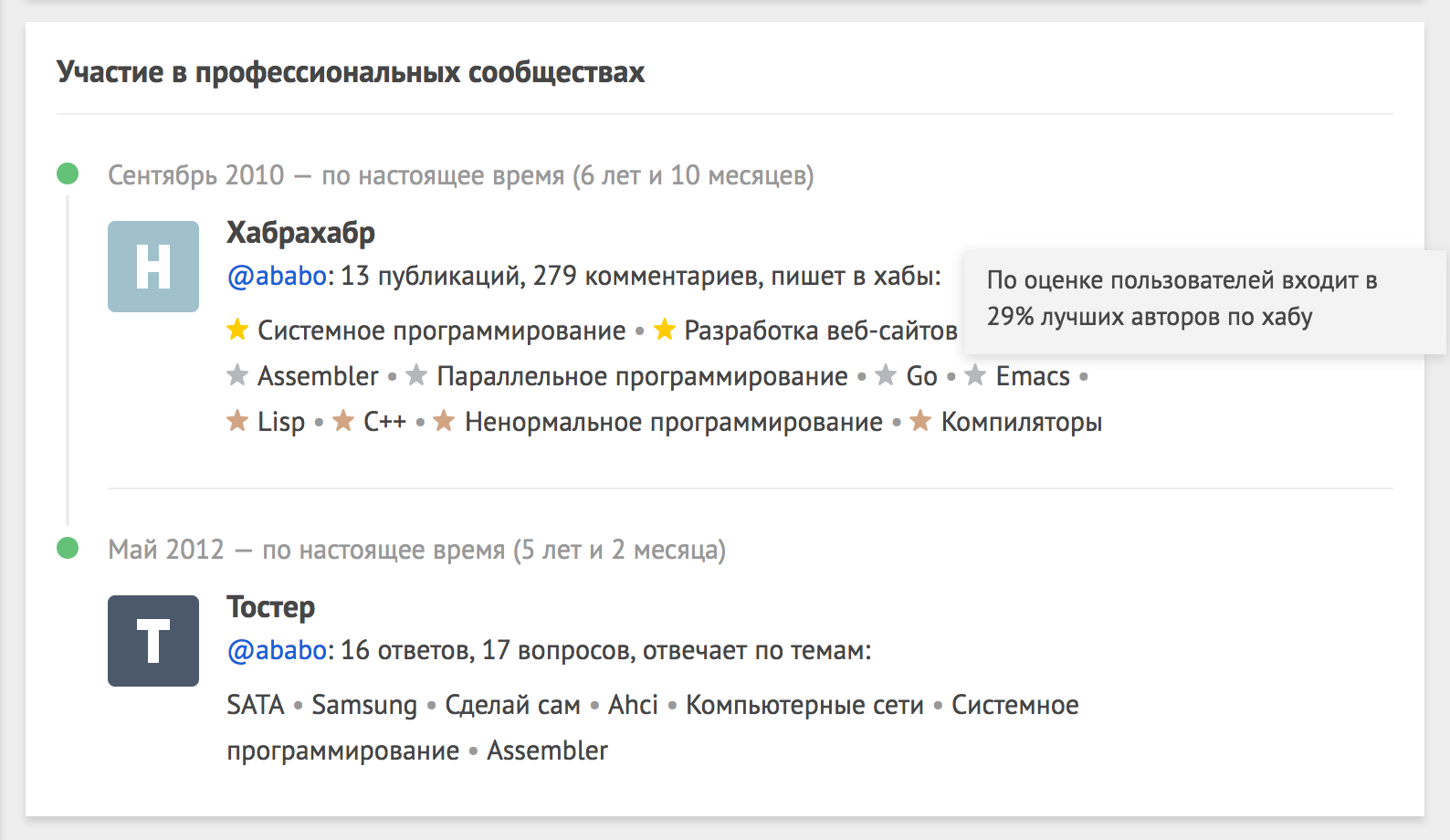
From the community member’s block, you can go to the user profile in this community and see more about what and how he writes. Moreover, from the “Toaster” block you can even go directly to the list of user's answers on this topic.
You can see all users for whom there is information in the My Circle database about their participation in IT communities by searching for specialists by selecting among the filters the corresponding item “ Member of IT communities”".
Blocks of a member of IT communities are connected and disconnected in the office of their profile on “My Circle”, in the “Keymaster” section.
In our opinion, the rating of a member of IT communities turned out to be both useful and funny. For the first time you can find out your reputation among other members of Habr and Toaster, see it in full, and not in parts.
So we invite everyone who has not done this yet to link their TMID account to their profile on My Circle and find out their rating: moikrug.ru/preferences/socials (=
Later, we introduced other ratings:
Enter the rating of the GitHub and StackOverflow participant on My Circle
Enter the rating of the Dribbble and Behance member on My Circle
On a user’s profile, it looks like this:
When searching for candidates or on job postings, it’s like this:
This opportunity is available to everyone who linked their TMID account to their My Circle account. If you have not tied TMID yet, do it right away in one click, in your profile’s office on My Circle in the Keymaster .
Next, we will describe in detail by what principle we derive blocks of participation in communities, how we consider the contribution to each of them, for what contribution we give medals.
So, the “Habrahabr” or “Toaster” participant’s block appears on the user’s profile of “My Circle” if he has 1 publication or 1 answer, respectively.
In each block of the participant, we display up to 10 hubs or topics in which the user has made the most contribution in the corresponding community. Recall that the contribution to the hub is considered as the sum of all the “pluses” and “minuses” of the user's publications tied to this hub. And the contribution to the topic (tag) as the sum of all the “like” and “solution to the question” marks of the user's answers tied to this topic.
If a user with his contribution fell into the first 50% of users on a given hub or topic, we give him a medal for his contribution to this hub or topic: gold - if he fell into the first 10%; silver - if in 11-30%; bronze - if in 31-50%. The medal is displayed as an asterisk, when you hover over it you can get more detailed information about its meaning.
From the community member’s block, you can go to the user profile in this community and see more about what and how he writes. Moreover, from the “Toaster” block you can even go directly to the list of user's answers on this topic.
You can see all users for whom there is information in the My Circle database about their participation in IT communities by searching for specialists by selecting among the filters the corresponding item “ Member of IT communities”".
Blocks of a member of IT communities are connected and disconnected in the office of their profile on “My Circle”, in the “Keymaster” section.
In our opinion, the rating of a member of IT communities turned out to be both useful and funny. For the first time you can find out your reputation among other members of Habr and Toaster, see it in full, and not in parts.
So we invite everyone who has not done this yet to link their TMID account to their profile on My Circle and find out their rating: moikrug.ru/preferences/socials (=
Later, we introduced other ratings:
Enter the rating of the GitHub and StackOverflow participant on My Circle
Enter the rating of the Dribbble and Behance member on My Circle