 June 6, 2017 at 01:06
Swift Playgrounds 1.5. Programming Sphero and more
 Today for all people interested in Apple products was the day of WWDC17, which presents a lot of interesting things, such as iOS 11, MacOS High Sierra and others. But I was waiting on June 5th not only because of this. I was waiting for a new version of Swift Playgrounds and it came out!
 What are Swift Playgrounds?
As Apple herself writes: “Swift Playgrounds is a revolutionary app for iPad that makes it fun to learn and experiment with code.” Indeed, simple interactive examples that are understandable even to children explain the basics of programming using the Swift language.
The user works in the so-called "sandbox" - playground, hence the name.
What does Swift Playgrounds look like?
In the new version, the application was redesigned. Now at startup you get to the main menu. It is designed, like many Apple-based applications in the form of a "bookshelf".
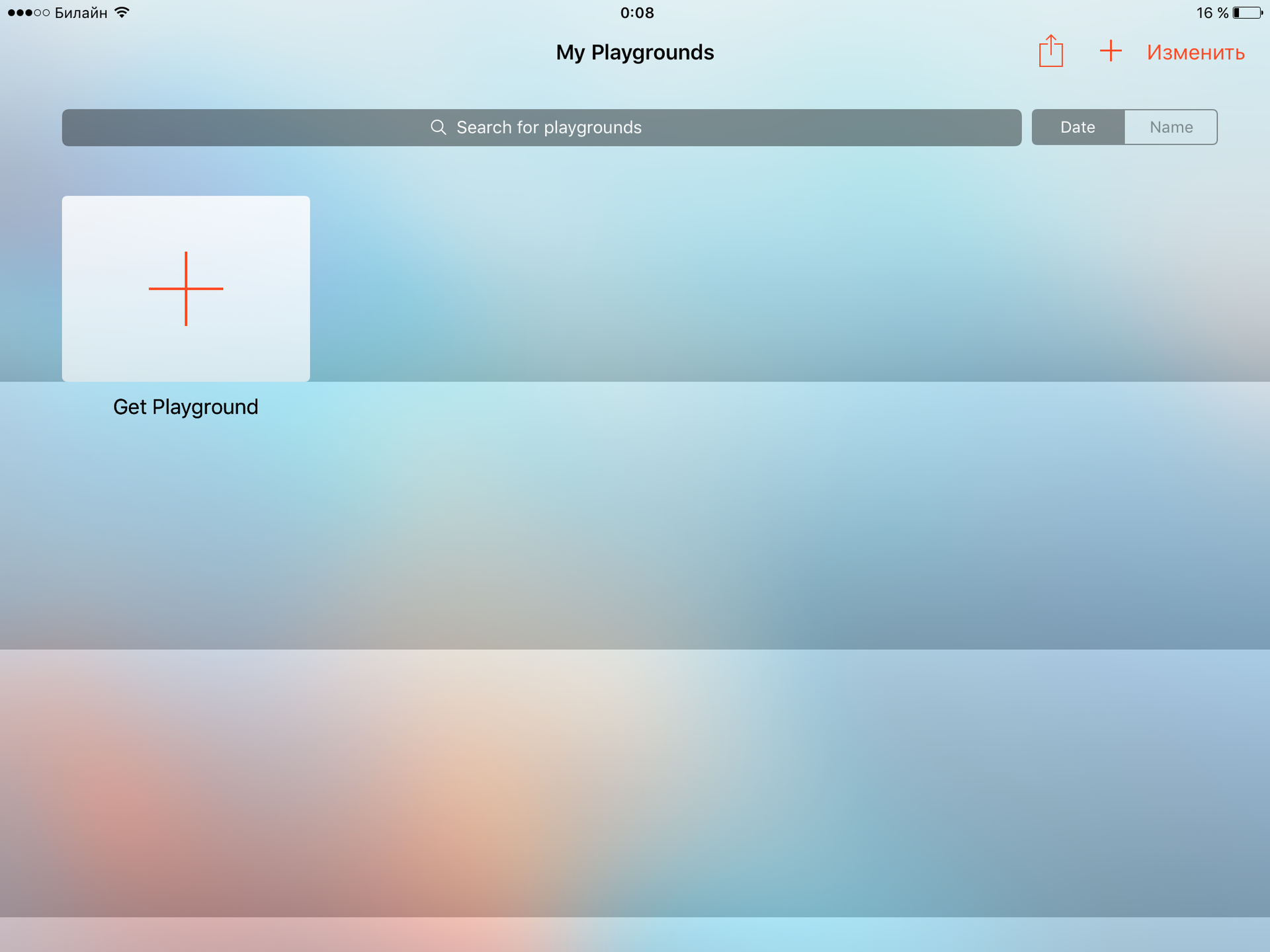
When you click on the “Get PlayGround” element, we find ourselves in a small store of various sandboxes. What is important - they are all free . All sandboxes are divided into several types:
- Learn to Code - Simple Tutorials for Complete Newbies
- "Challenges" - Various tasks, already full-fledged projects
- “Accessories” - Appeared only in this version; work with external devices is considered (Sphero, LegoMindstorms, Dash, etc.)
- "Starting Points" - Empty templates for training.
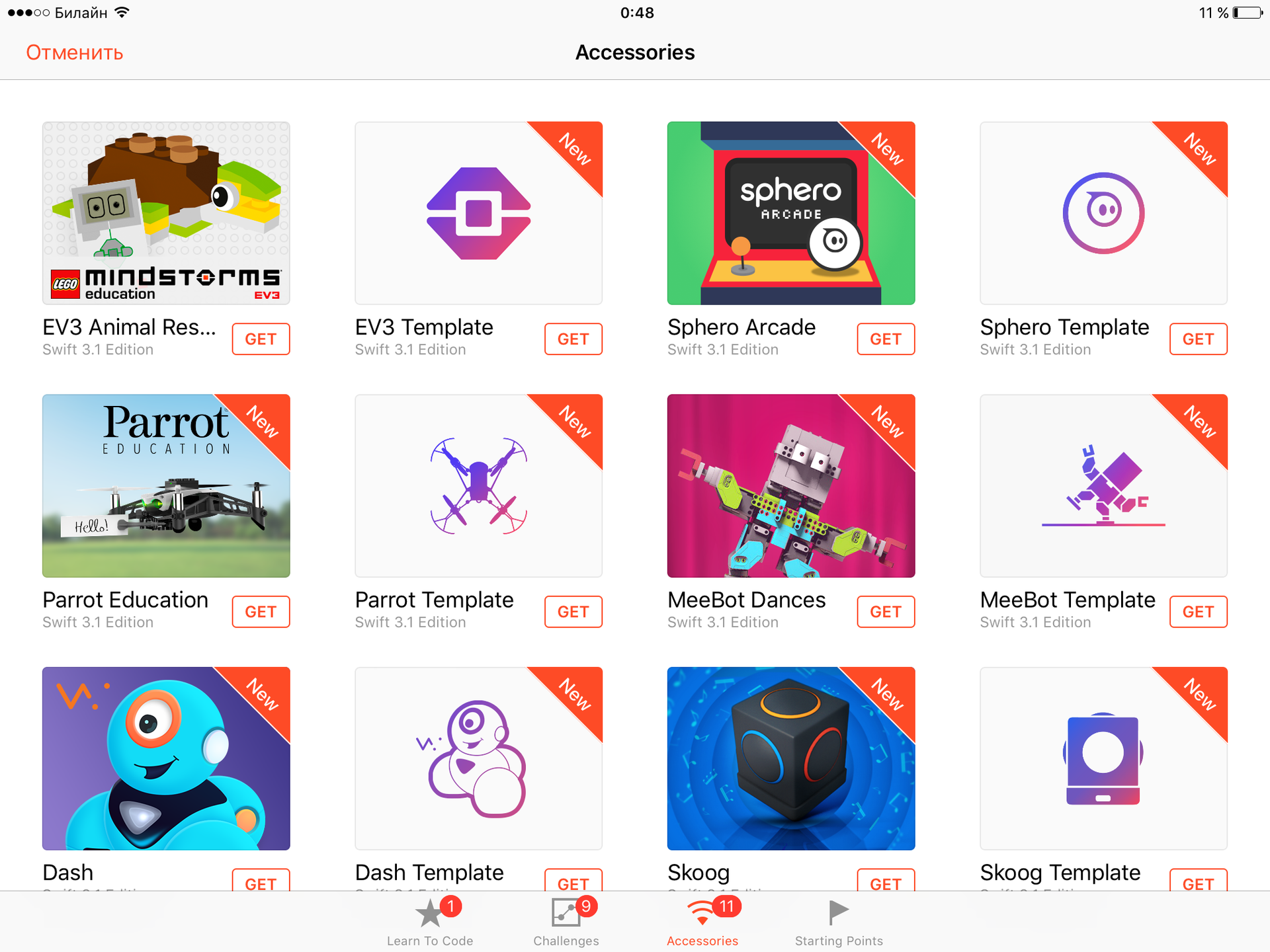
All sandboxes currently use Swift version 3.1.
Accessories - the main novelty
I must say that before this update on the Internet you could find sandboxes for interacting with external devices. Indeed, if Apple is positioning this application for educating children, then there is nothing better than a visual application. But all these sandboxes left much to be desired. There were difficulties with downloading and connecting external devices. Let's see what Apple will offer us, using the Sphero robot as an example.
Sphero & Swift
Two sandboxes are available for Sphero - Sphero Arcade and Sphero Template. Let's start with the first one.

Everything is very simple, at the first start it is told what this course will teach us, and then ordinary lessons are started.
It tells how to connect, describes the simplest commands, suggests tasks.
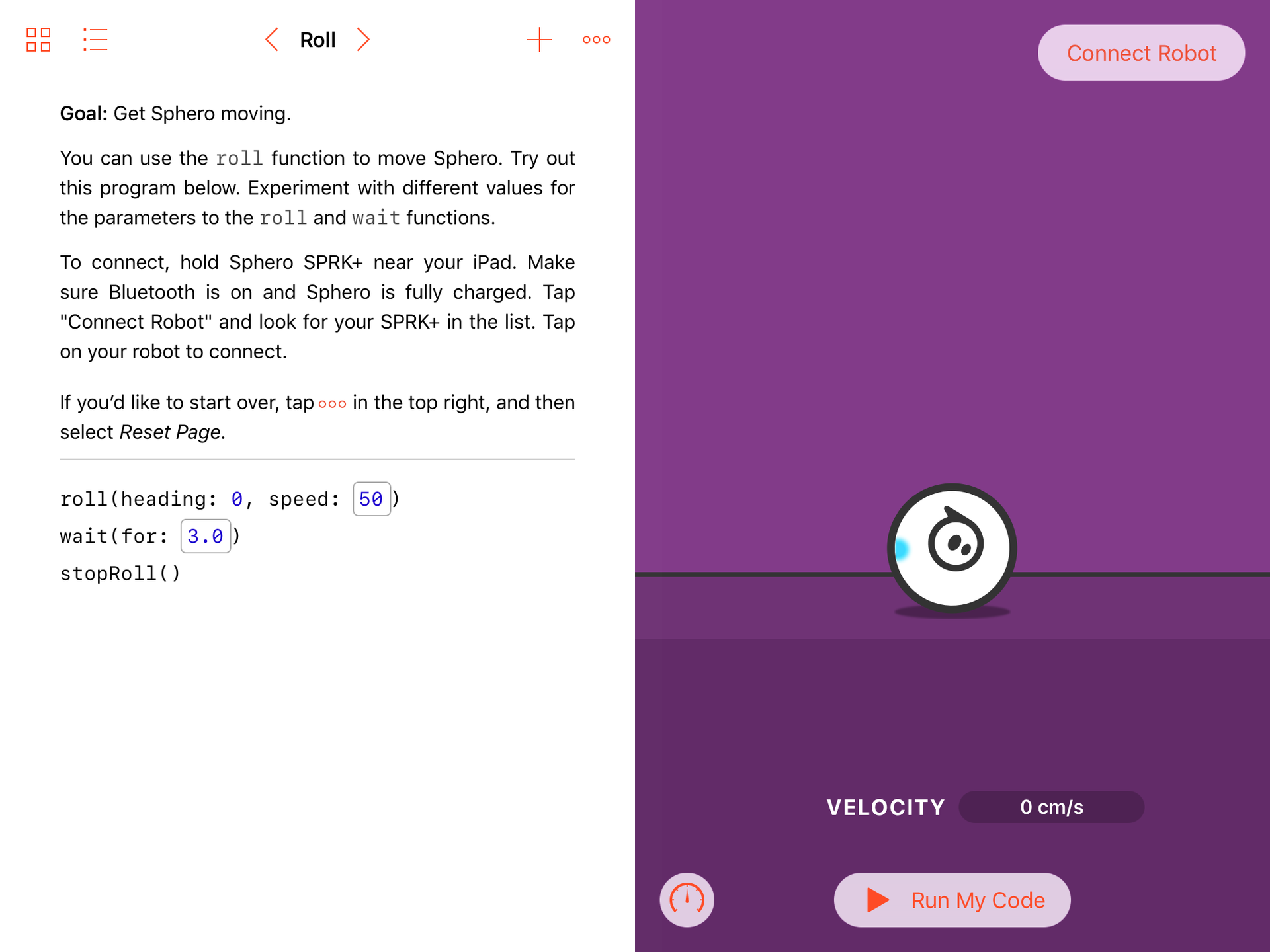
The following functions are considered:
- roll - movement with a given speed and a given direction
- wait - pause specified number of seconds
- stopRoll - stop
- onCollision - a method for handling collisions
After that, it is proposed to create a Ping-Pong, where Sphero is used as the ball.
As for the Sphero Template, it’s just a template where all the functions for working with the robot are defined. In addition, in a separate part of the screen, the real characteristics of the robot at the moment are displayed: speed, angle, accelerometer and gyroscope readings.

Given the fact that now you can interact with:
Swift Playgrounds is becoming really interesting and can be used for various interactive classes and master classes. A small but tangible drawback is the lack of Russian localization.









