April 14, 2017 at 15:31
AppCode 2017.1: Improved Swift Support, New Code Generation Features, and More
Hello, Habr! We recently released AppCode 2017.1, now we are preparing the first update - it's time to talk about all the changes in this version.
We implemented support for many changes in Swift 3, among which I would especially like to note:
A complete list of changes can be found here .
In addition, we implemented support for metatypes , learned how to correctly handle nullability audited regions and nullability attributes in Objective-C, and improved resolution for
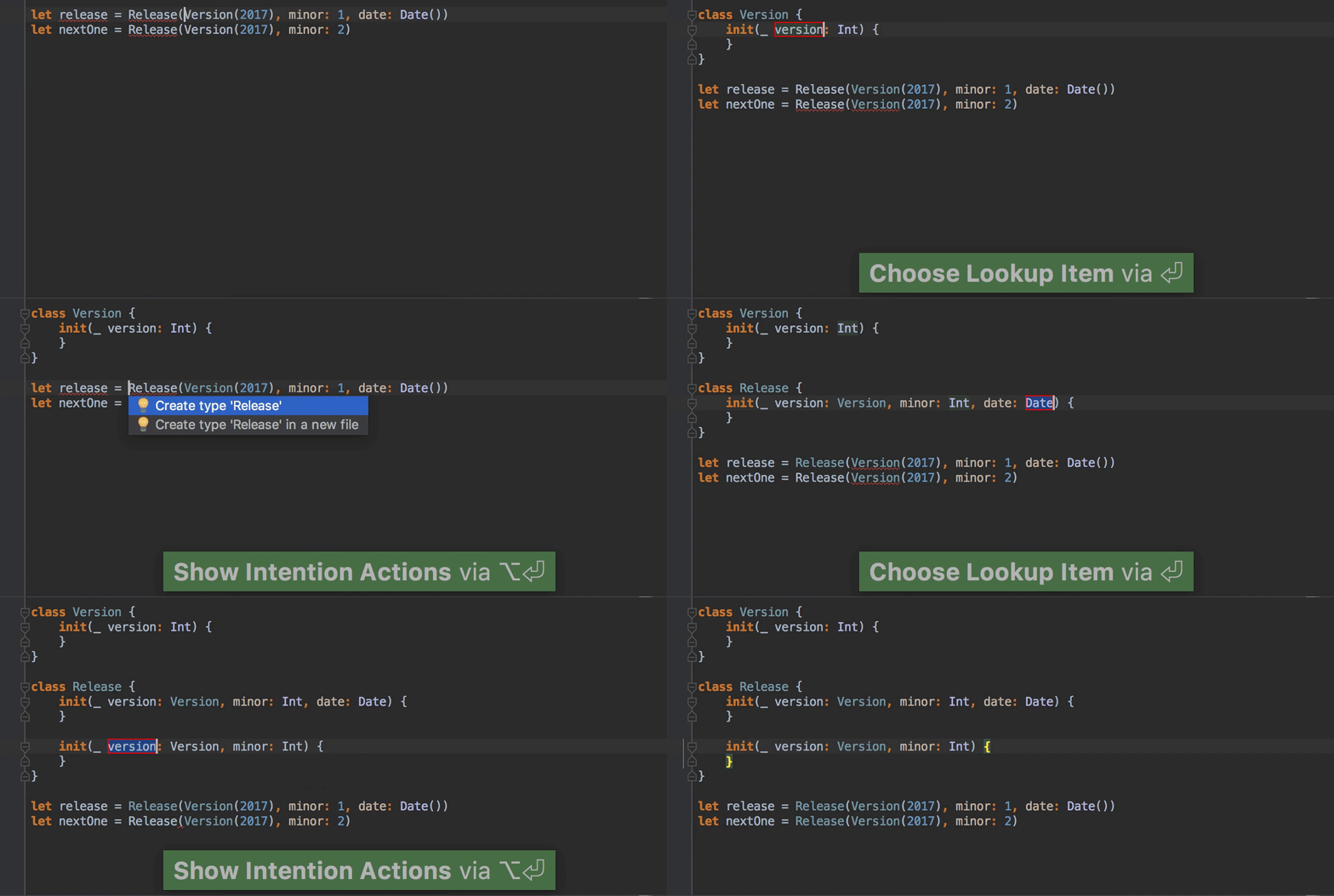
In the previous version, we implemented the ability to create variables, functions, methods, and even class properties from their use. And in this we did the same for types (classes, structures, enumerations, protocols) and their initializers:
Override / Implement (
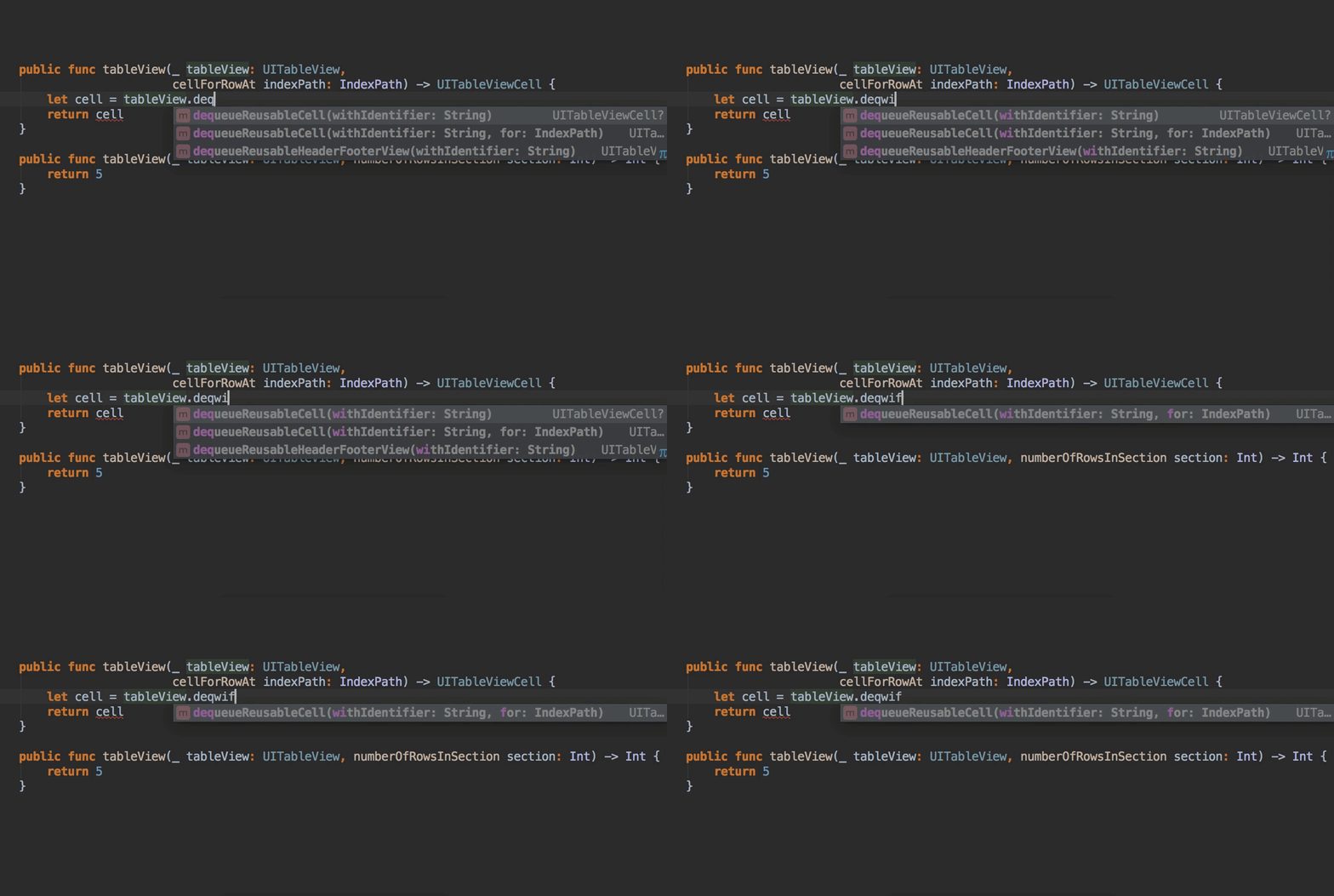
Now AppCode can filter the autocomplete list for methods and functions not only by their names but by the names of their parameters:
In addition, we have added keywords
We were asked for a long time to add to the Structure view (
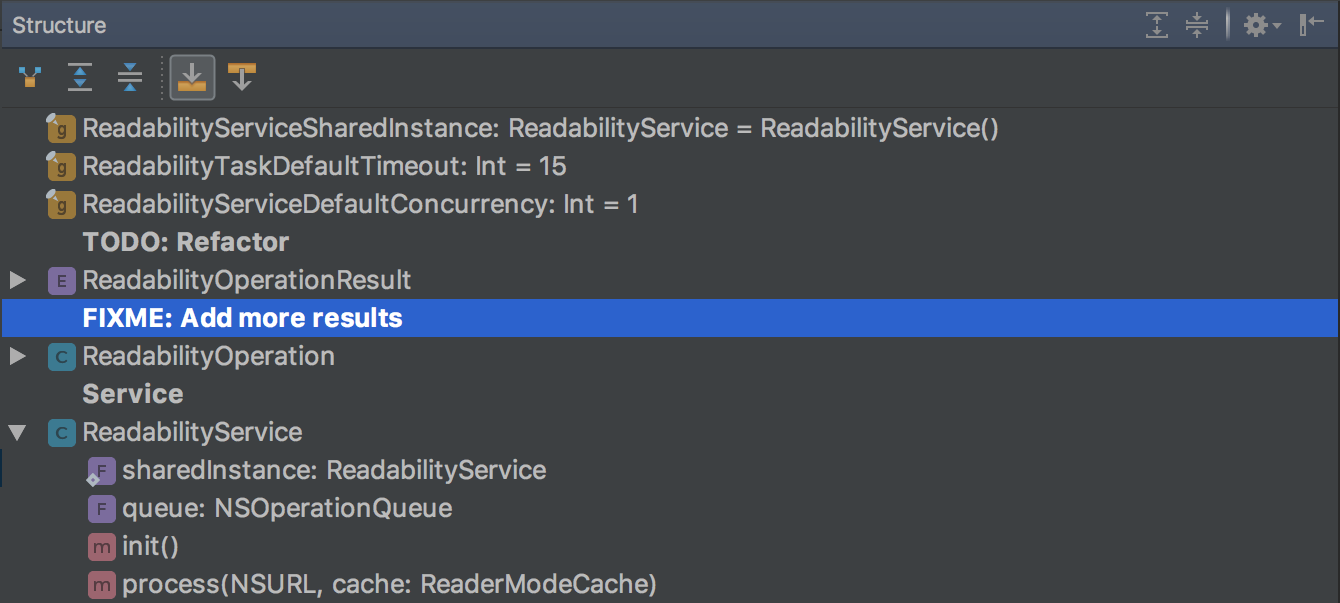
If you need a list only

By tradition, the C ++ support enhancements implemented by the CLion team are also available in AppCode. You can read about them in this post in the C ++ 14 and C ++ 17 section .
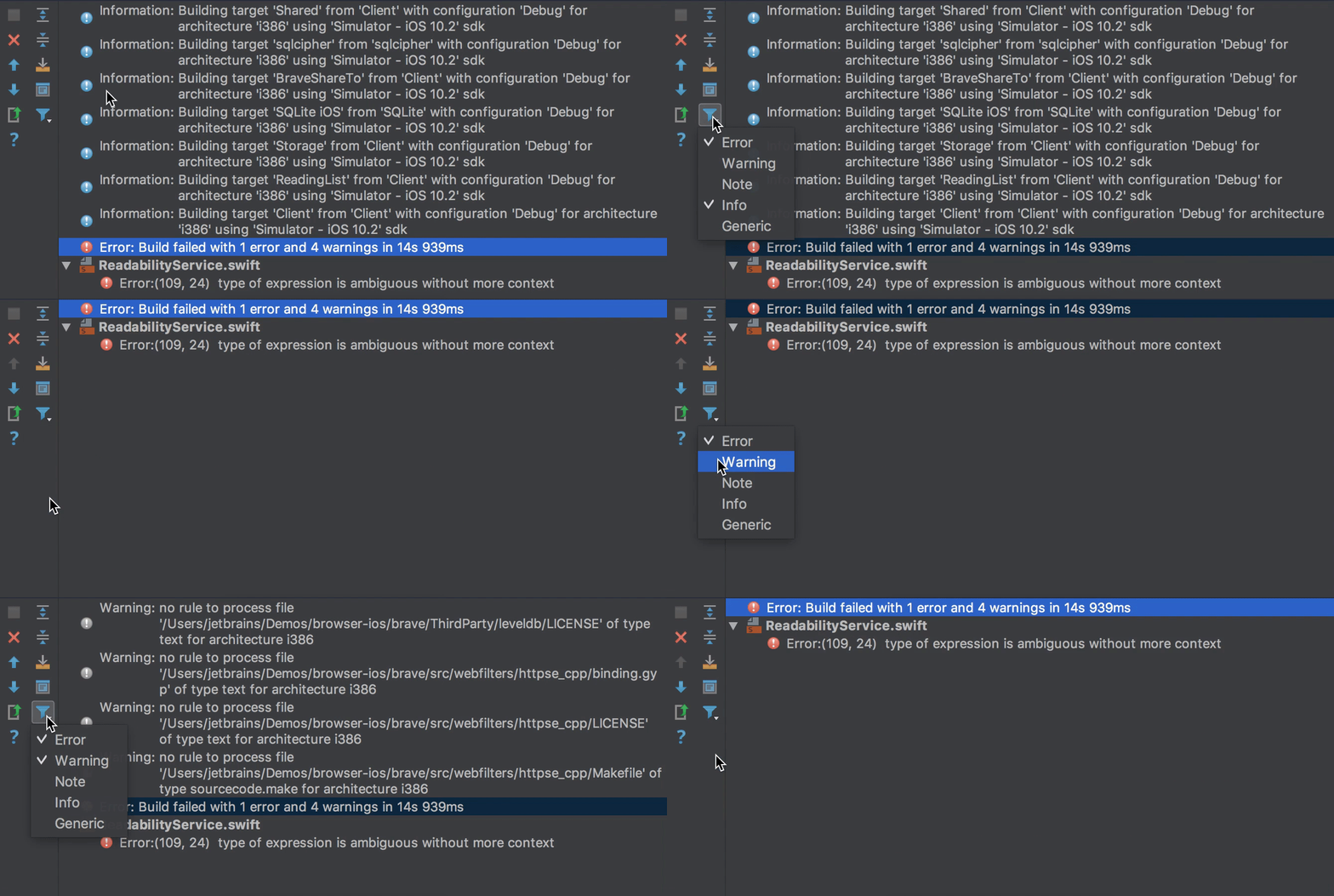
In the assembly message window (
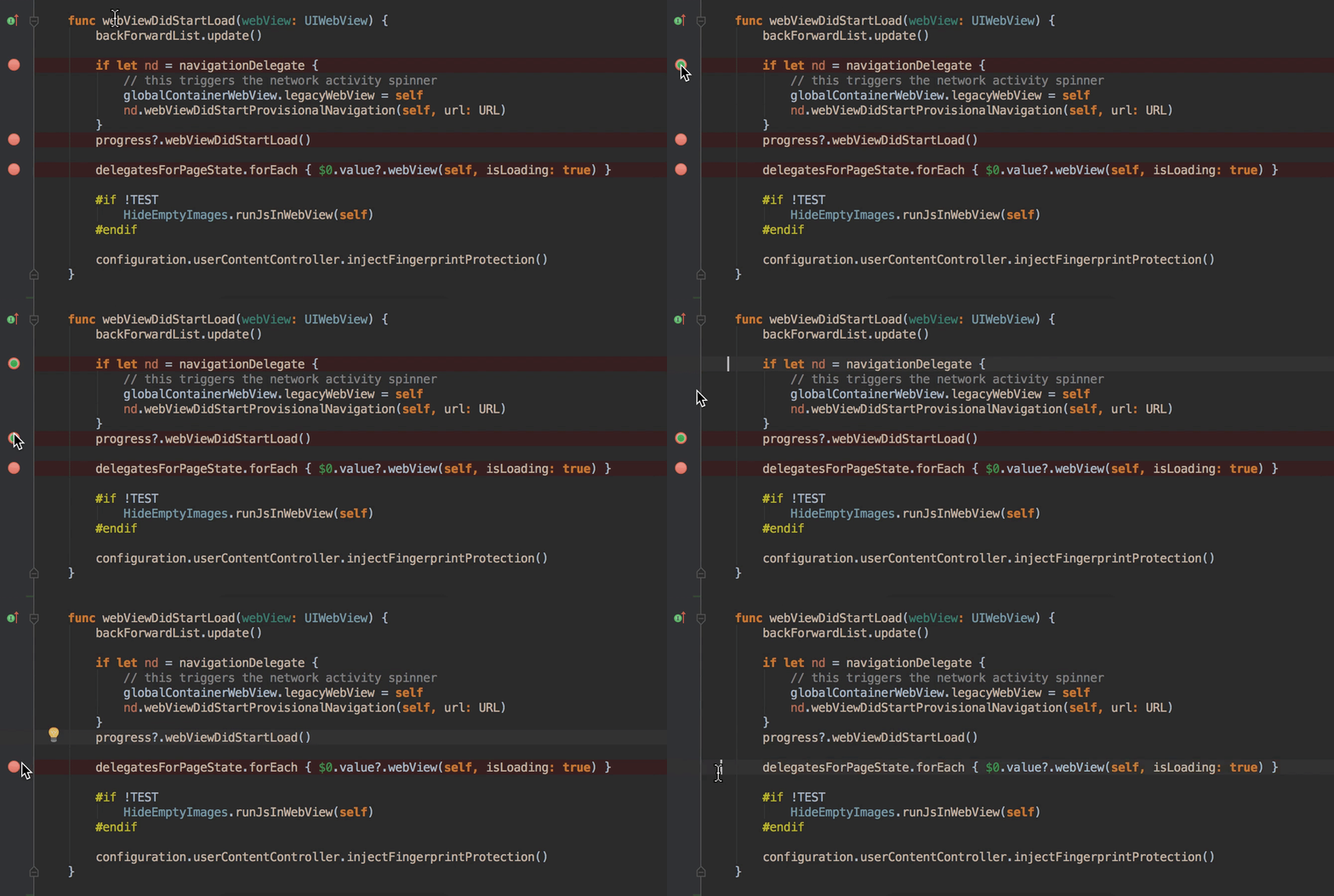
By default, clicking on a breakpoint in IntelliJ products removes it, which can sometimes interfere (for example, if breakpoint is triggered if a certain condition is specified in its settings). Now you can avoid this situation by selecting Drag to the editor area in the Preferences | Build, Execution, Deployment | Debugger | Remove breakpoint:
Like all JetBrains products, AppCode now correctly displays emojis in the code editor and various IDE windows:

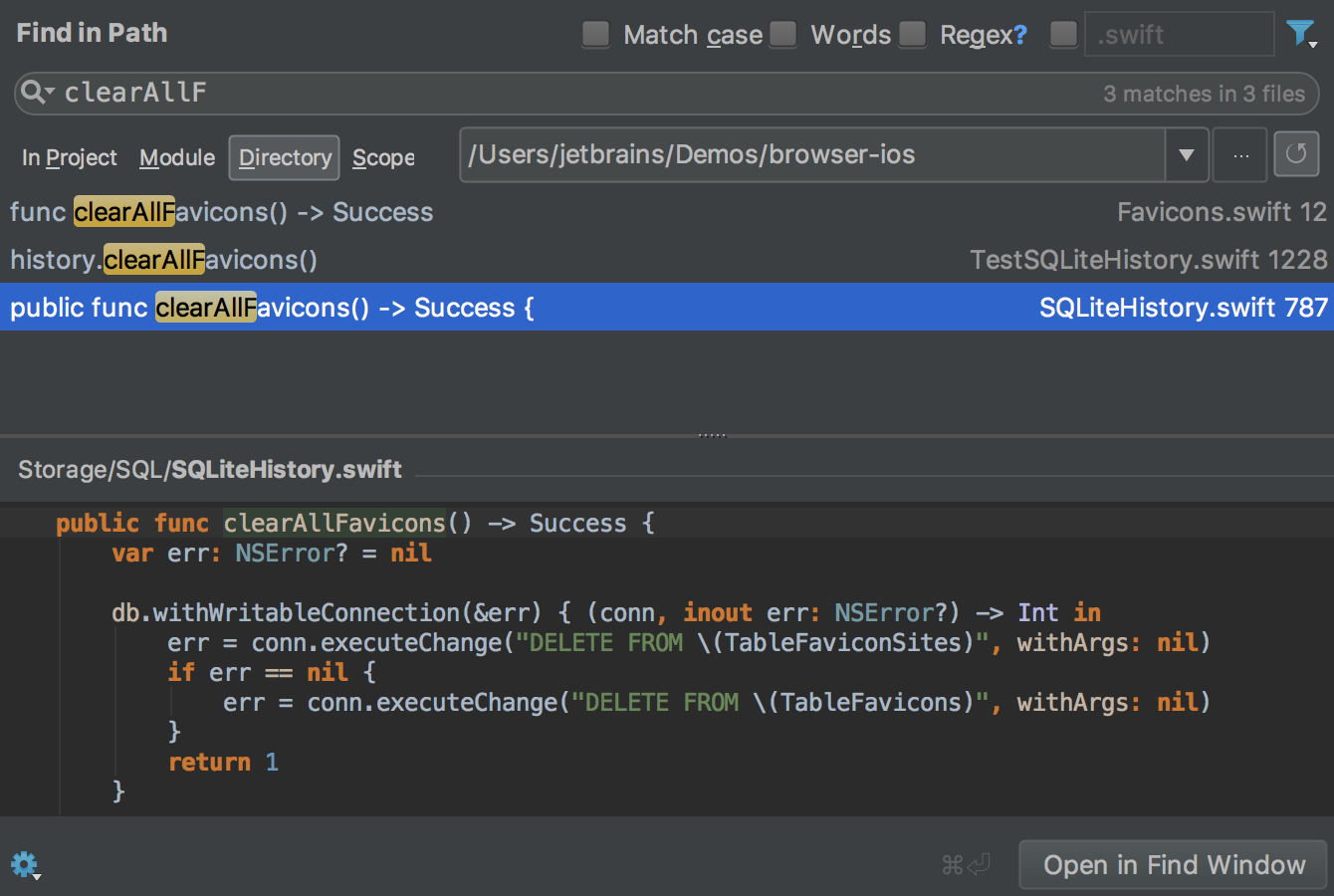
The Find in Path full-text search window has changed - the interface has become more concise, the need to switch between several tabs in the window has disappeared:
A small demo (in English) with a demonstration of new features from our developer attorney Phil Nash:
That's all - read about other product features on our website , stay tuned in our English-language blog , and ask any questions in the comments to this post.
Swift
Language support
We implemented support for many changes in Swift 3, among which I would especially like to note:
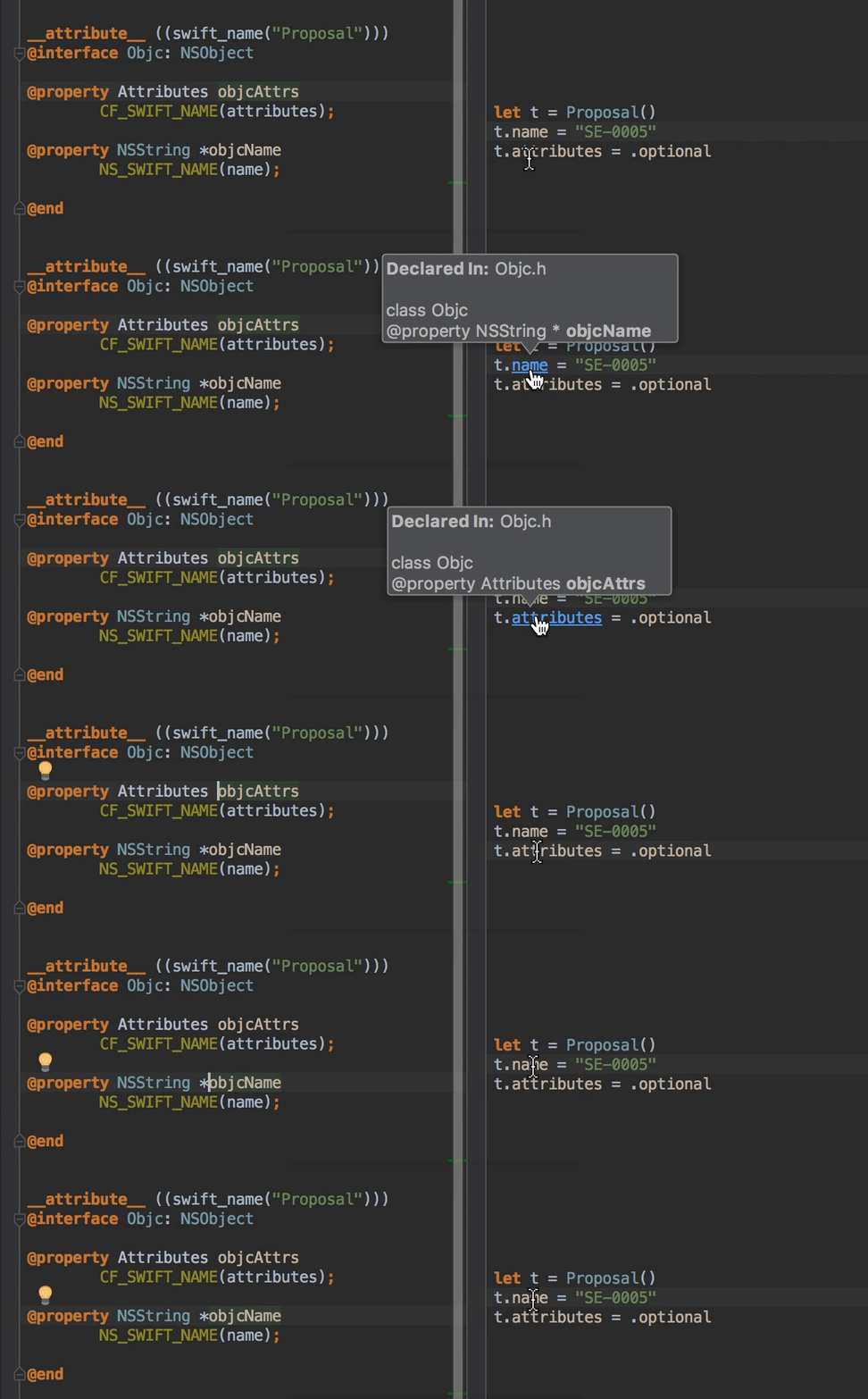
- SE-0005 - they improved both autocompletion and navigation, and in general the bundle of Objective-C and Swift AppCode began to understand much better:
- SE-0062 - learned how to correctly parse expressions with
#keyPath(and syntax changes#selectortoo):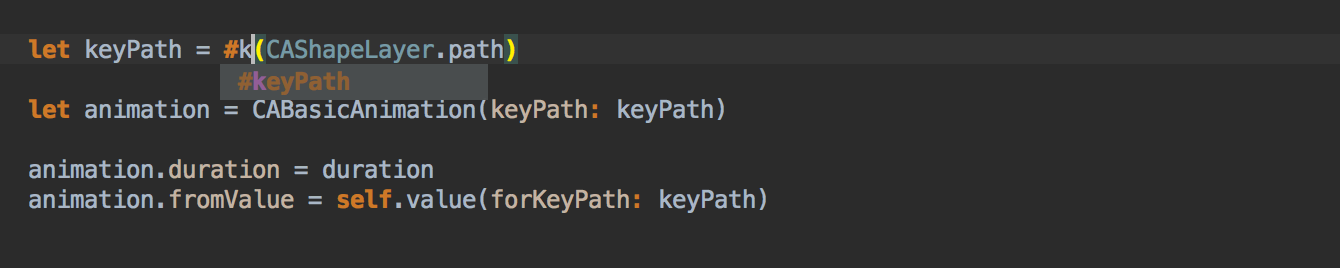

- SE-0091 - Improved code completion for keywords
prefix,postfix,infixand implemented correctly navigate between the operator's declaration in the protocol and its implementation. In addition, you can now quickly generate a stub for such operators via Override / Implement :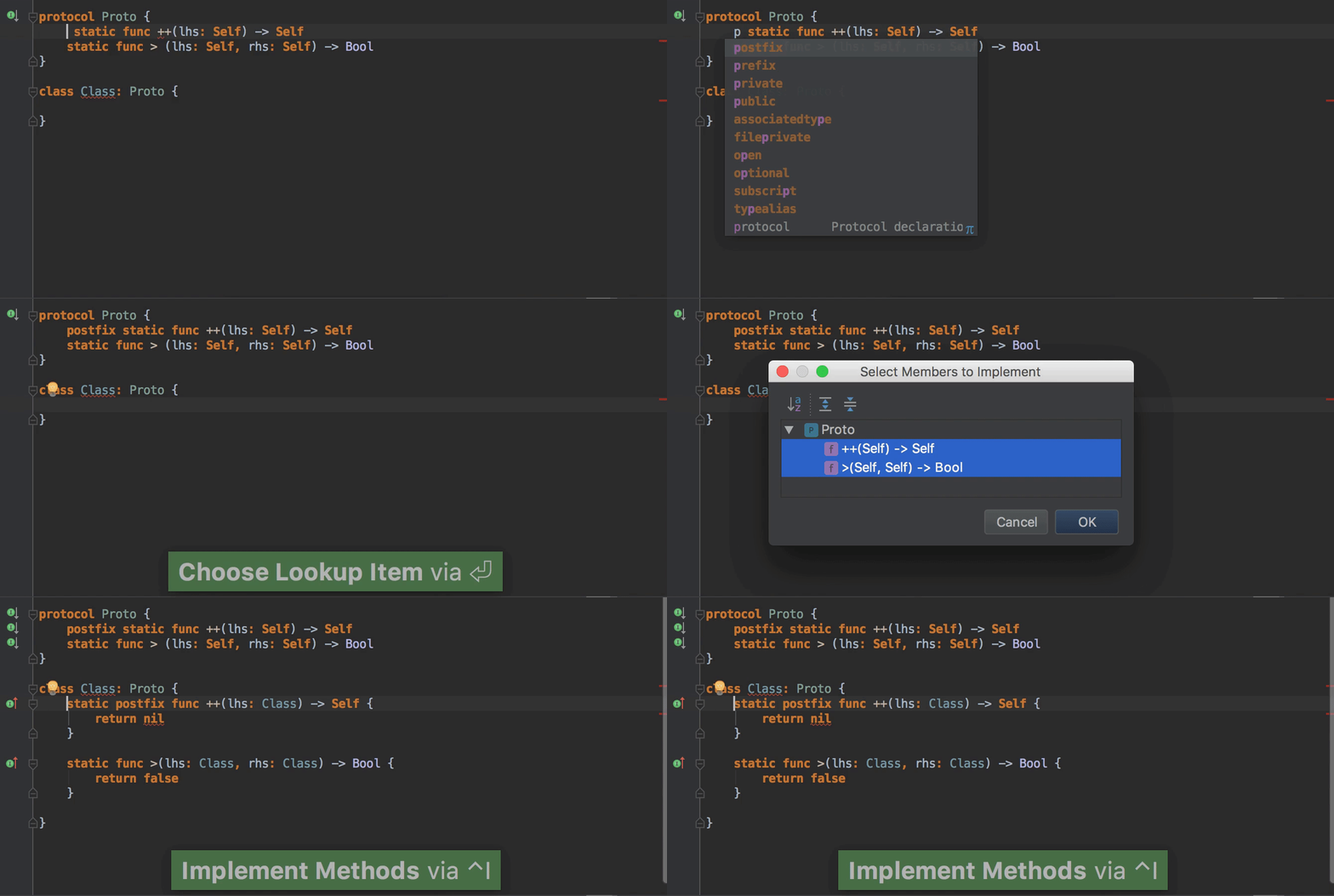
- SE-0033 - supported importing constants from Objective-C using
__attribute__((swift_wrapper(struct)))and__attribute__((swift_wrapper(enum)))
A complete list of changes can be found here .
In addition, we implemented support for metatypes , learned how to correctly handle nullability audited regions and nullability attributes in Objective-C, and improved resolution for
super.init()and self.init().Create from usage
In the previous version, we implemented the ability to create variables, functions, methods, and even class properties from their use. And in this we did the same for types (classes, structures, enumerations, protocols) and their initializers:
Override / implement
Override / Implement (
^O/ ^I) allows you to generate definitions for several methods of a class or protocol at once. In AppCode 2017.1, we made the Override / Implement dialog for Swift more convenient, and the code generation more correct:- Elements in the dialog are now displayed hierarchically:
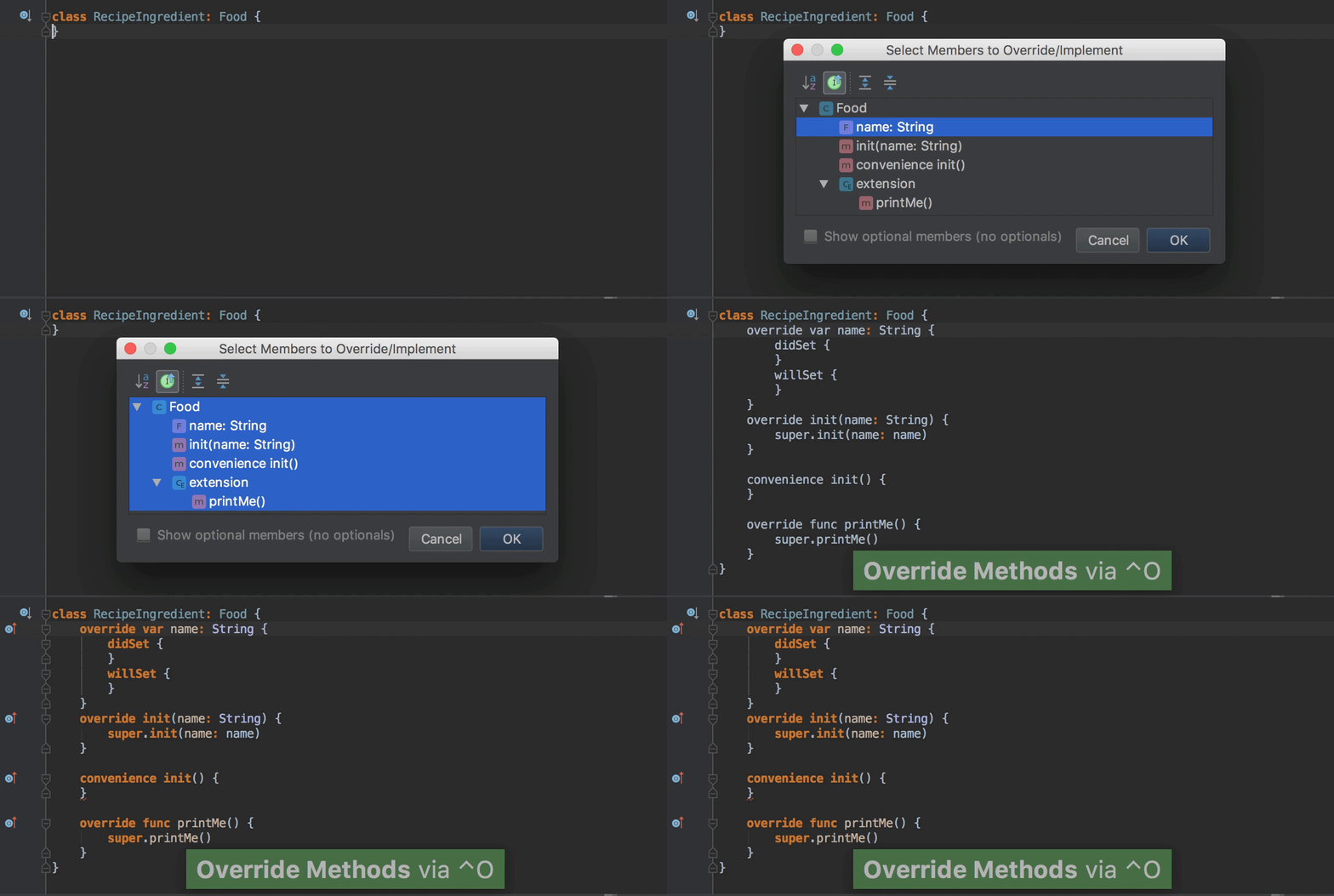
- Initializers always display type (
convenience/required) - Class method overloads are correctly generated, and we no longer offer to overload static methods
- Optional methods are offered only when calling Override (^ O)
Auto completion
Now AppCode can filter the autocomplete list for methods and functions not only by their names but by the names of their parameters:
In addition, we have added keywords
dynamic, lazy, postfix, prefixand indirectin the autocomplete list where necessary.Structure view
We were asked for a long time to add to the Structure view (
⌘7) and popup window File Structure ( ⌥F12) the display of view comments //MARK, //TODOand //FIXMEfor Swift, and here we are: If you need a list only
//TODOand //FIXMEyou can, as before, use TODO view ( ⌘6):C ++
By tradition, the C ++ support enhancements implemented by the CLion team are also available in AppCode. You can read about them in this post in the C ++ 14 and C ++ 17 section .
IDE
Build messages
In the assembly message window (
⌘0), you can now filter messages by type:Xcode-like breakpoints
By default, clicking on a breakpoint in IntelliJ products removes it, which can sometimes interfere (for example, if breakpoint is triggered if a certain condition is specified in its settings). Now you can avoid this situation by selecting Drag to the editor area in the Preferences | Build, Execution, Deployment | Debugger | Remove breakpoint:
Emoji Support
Like all JetBrains products, AppCode now correctly displays emojis in the code editor and various IDE windows:
Find in path
The Find in Path full-text search window has changed - the interface has become more concise, the need to switch between several tabs in the window has disappeared:
Demo
A small demo (in English) with a demonstration of new features from our developer attorney Phil Nash:
That's all - read about other product features on our website , stay tuned in our English-language blog , and ask any questions in the comments to this post.