March 23, 2017 at 11:36
The first experience in developing a game for Apple Watch
Hello! In my article I want to talk about the experience of developing a game for the Apple Watch. The game is called Space Beaver (Beaver and Space). It is also available on iphone. But in this article there will be a story about the watch version. The source code is here .
Idea:
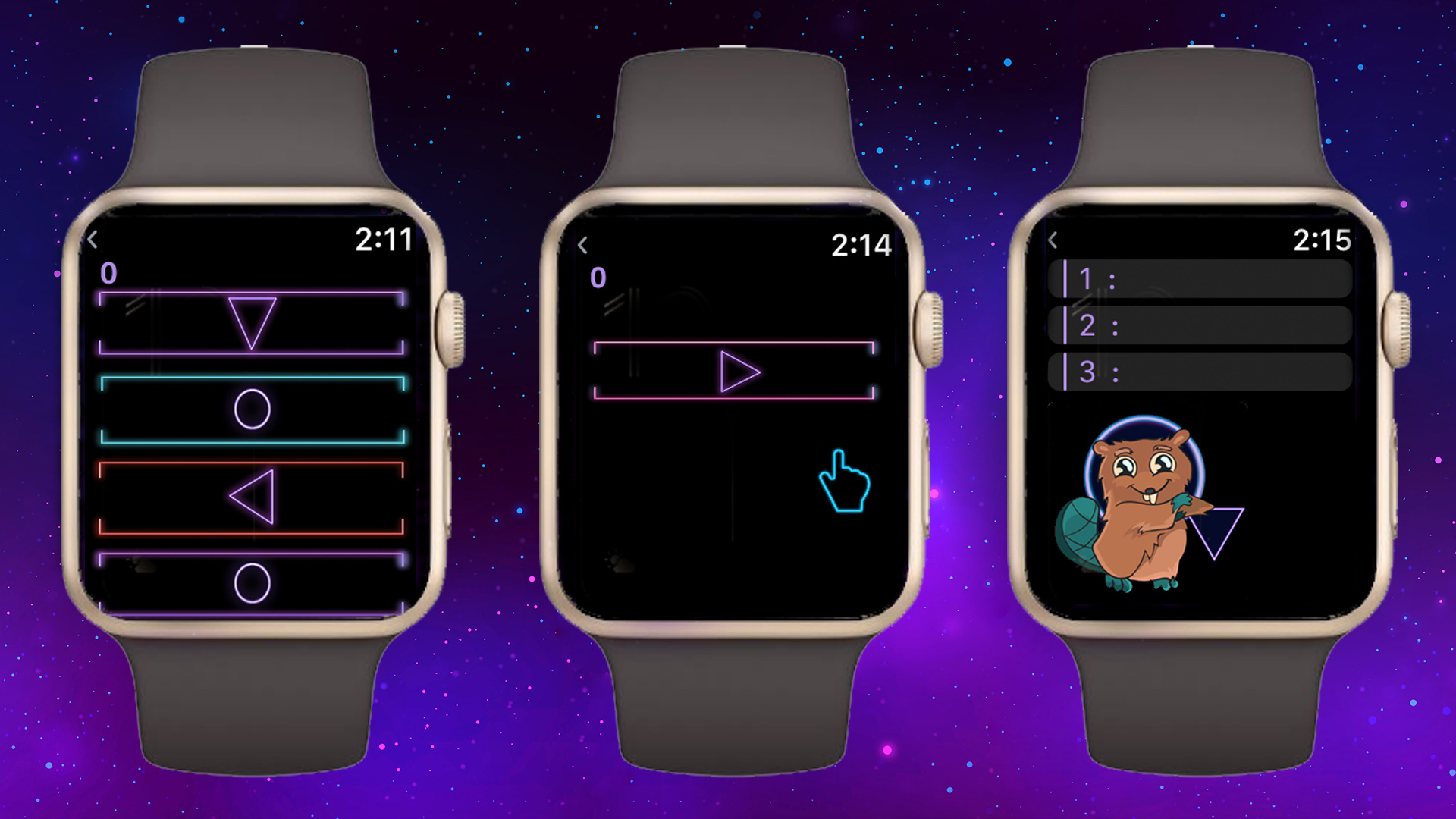
The essence of the game is a quick swap depending on the direction of the arrows. If blocks with arrows filled the entire playing field, then the player lost.
After creating the game on iphone, I decided to try porting it to the Apple Watch. But unfortunately it turned out that the engine used (Unity) does not support this platform - that is, you cannot build the game specifically for the clock ( unity roadmap ). There are third-party plugins for interaction between a unit game on iphone and applications on Apple Watch ( watchkit-unity) but this is not what I needed.
Development:
In 2016, Apple released SpriteKit for the Apple Watch and added Game Center support ( video ). And I decided to take advantage of this. The game was written in swift. Tested on a simulator, because there is no iphone or Apple Watch.
To start, I made a new project (Single View Application). Then he added a new target (WatchOS -> Game App).
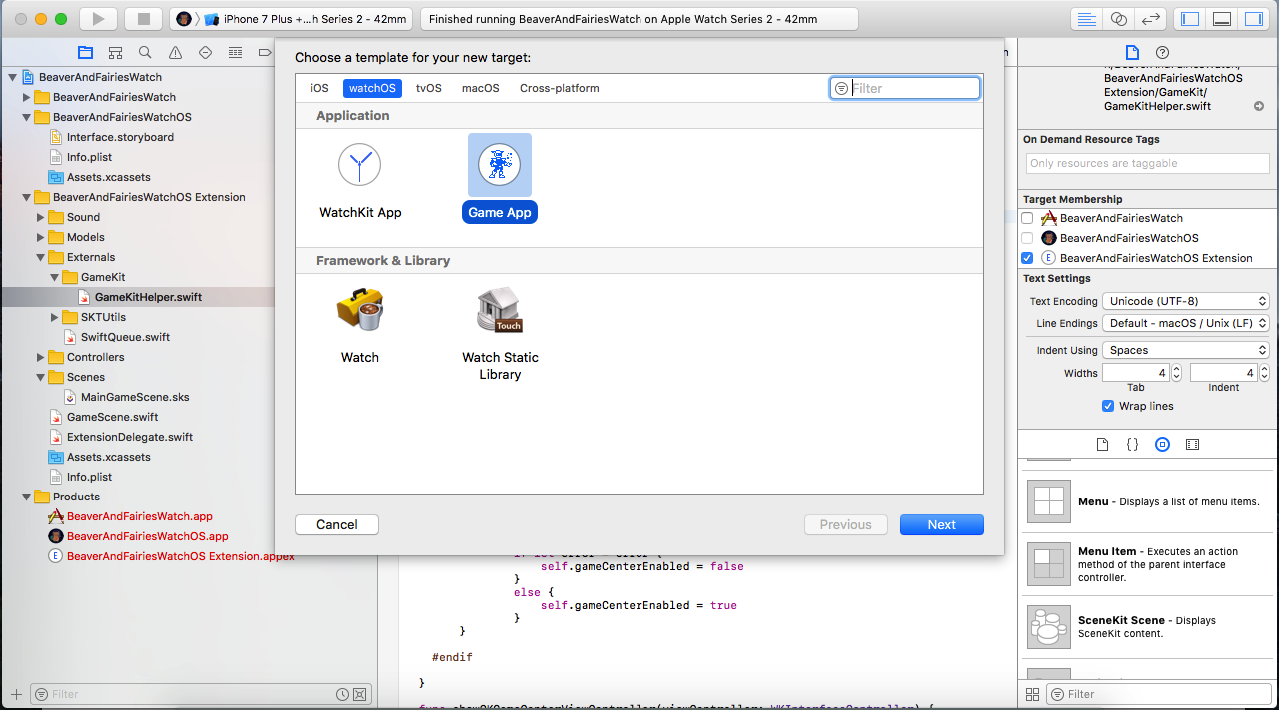
Two folders are added to the project. The first folder with the main storyboard . It contains a game controller with a SpriteKit scene and additional controllers for the menu, game center and game ending. Also in the first folder are the icons and resources for the storyboard. The second folder (Extension) contains the source code and resources for the SpriteKit scene.
Started development with the main menumain menu .
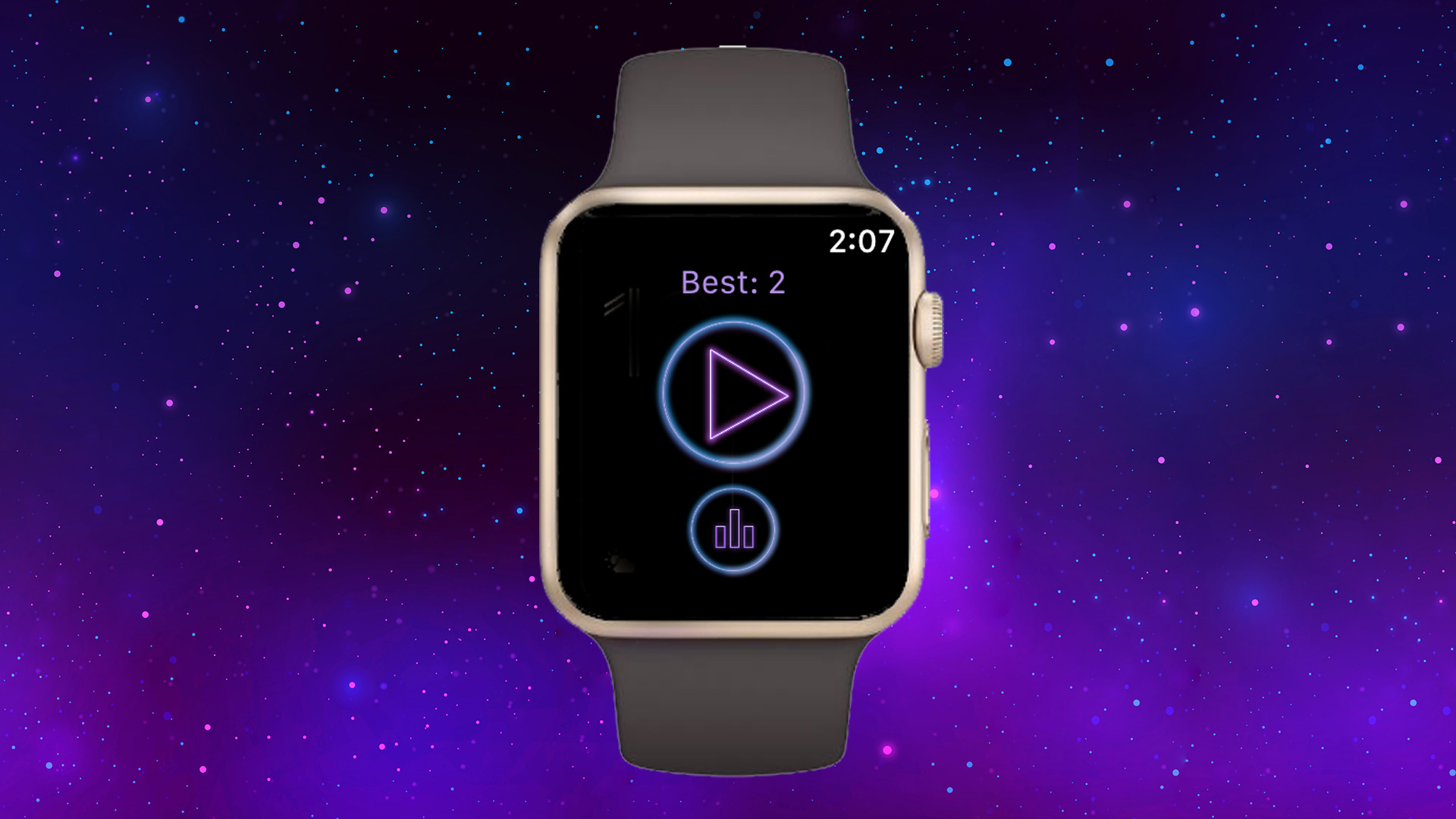
Initially, I wanted to do the whole UI on SpriteKit. But I did not find a convenient way to use buttons in SpriteKit. Therefore, I decided to make all the menus on the standard elements for WatchKit.
I wanted to connect social networks (login on vk and facebook) and repost records, but it turned out that there was no easy way to do this. There is a Social Framework in ios , but it does not yet support WatchOS. Therefore, I decided to postpone until better times.
Then he took up the creation of the screen of the game itself ( MainGameController and the SpriteKit scene ).
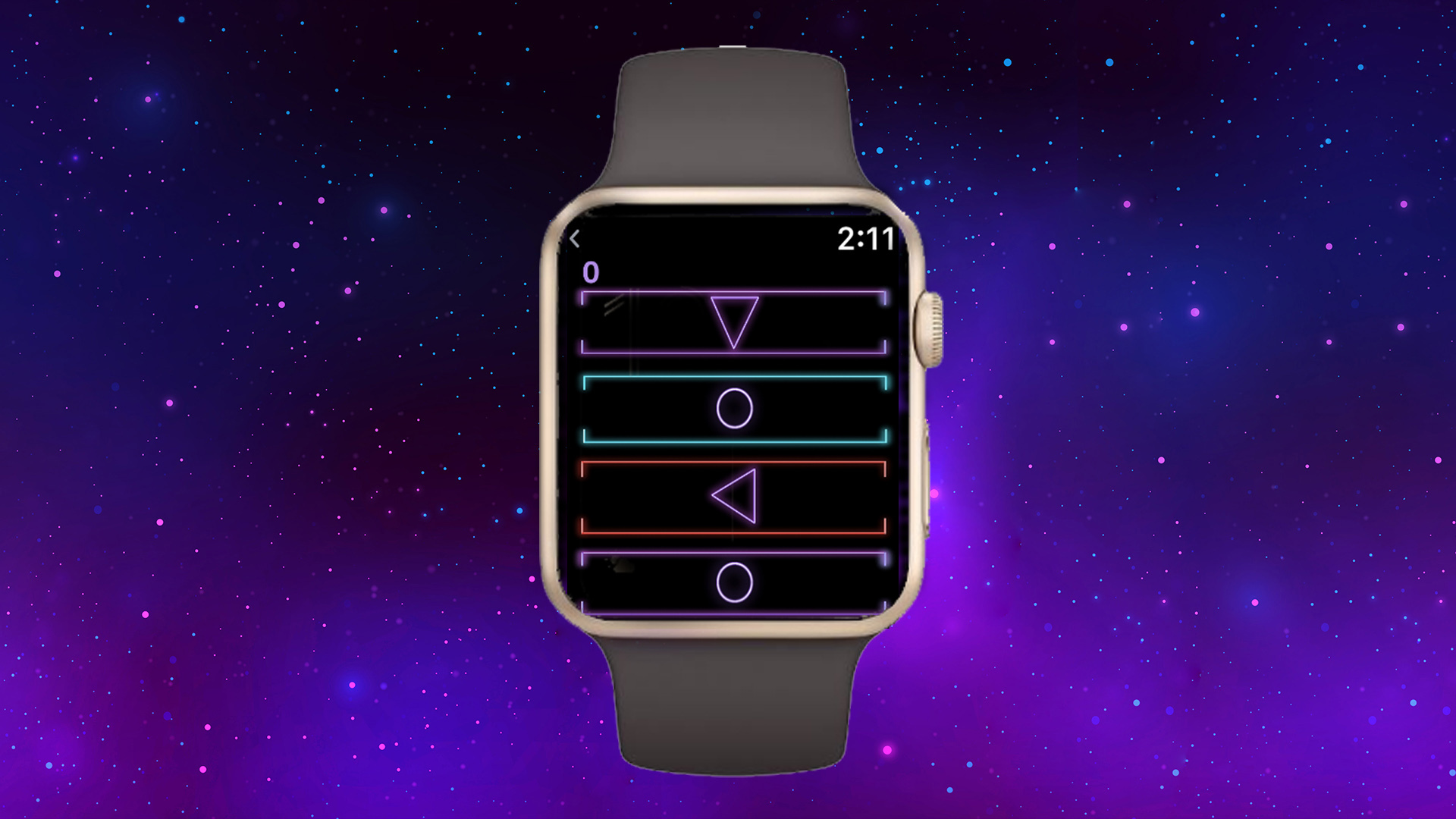
Everything was standard for SpriteKit here. The update method executes code for moving blocks and deleting them, depending on the player’s gestures. By the way, the gestures I used were standard recognizers. From the library to the storyboard, drag and point events. Made animations of wrong gestures with SKAction.
Added training - also used SKAction animations .
Added music using the SKAudioNode class. By the way, music is controlled using SKAction.play () and SKAction.stop ().
Added the effects of haptic feedback (tactile feedback) to the game. Effects are used when losing and with the wrong gesture. Used the function WKInterfaceDevice.current (). Play (.) ( WKInterfaceDevice ).
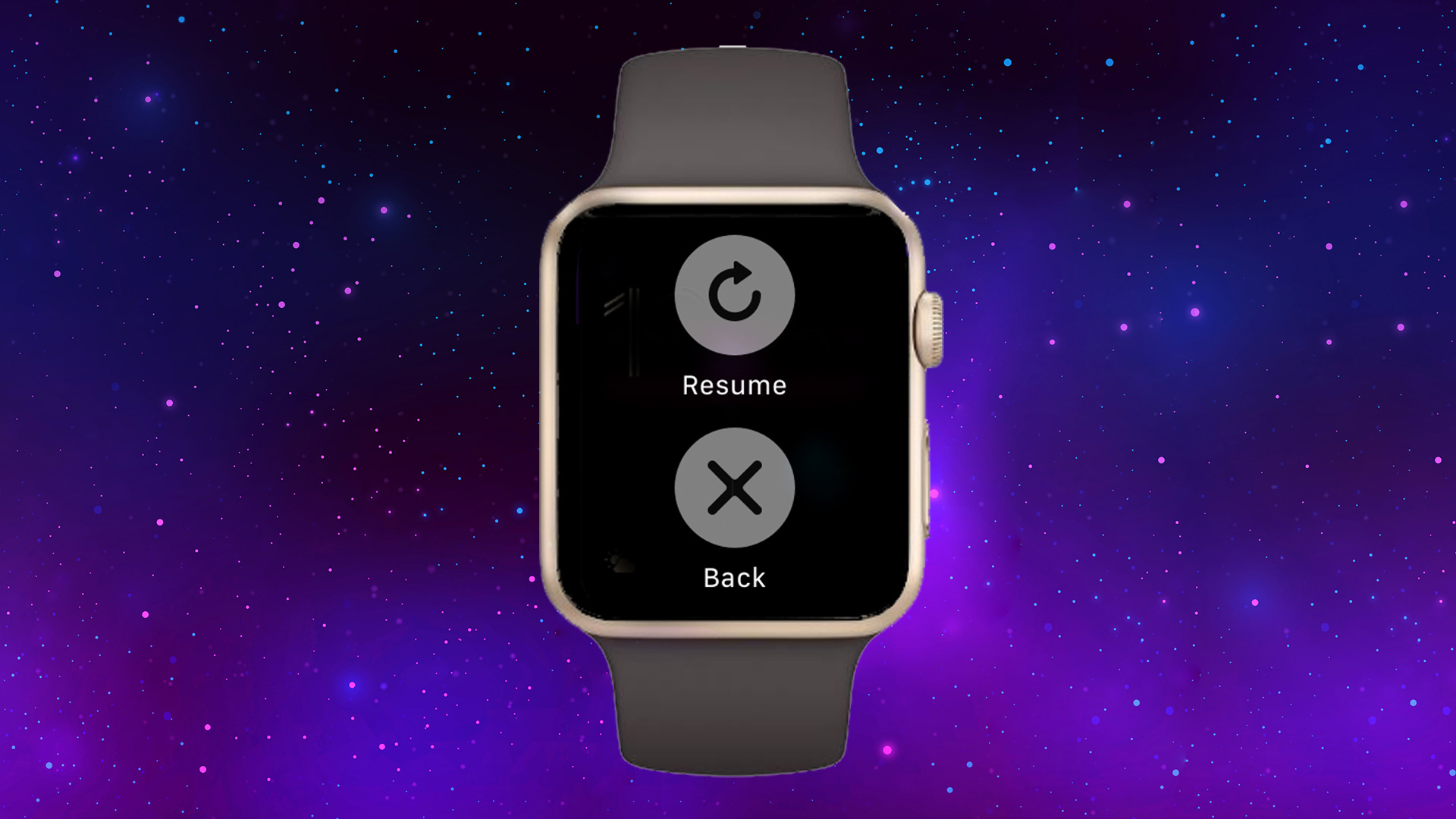
Added a pause when using force touch on the main game screen. Used the WKInterfaceMenu element . I tried to use my icons instead of icons, but there only alpha is taken from the image. You can also change the background color.
After creating the game screen, he proceeded to the game completion pop-up window ( GameEndController ).
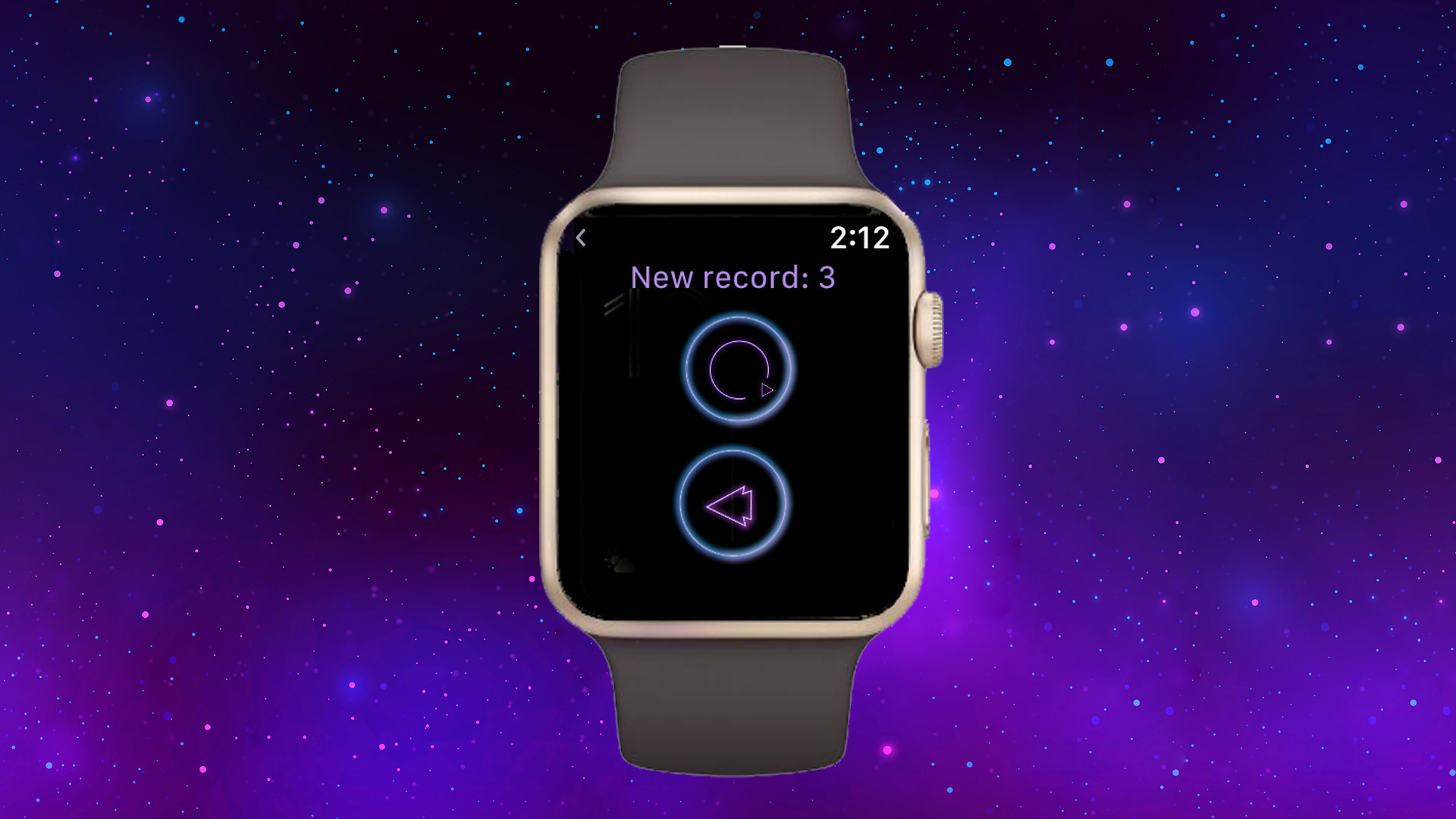
Everything is standard here for WatchKit. When losing to the top of the stack, I throw the losing controller, when I click on the replay button, I remove the top controller, and on the back arrow button, we go to the main menu screen. As I wrote above, I wanted to add a button to share a record in social networks, but I did not find a convenient way.
Then he began to fasten the game center ( GameCenterWatchController ). Apple has a video, but it tells about turn-based multiplayer and does not say anything how to connect a Leaderboard to the game. Therefore, I decided to use a table controller (WKInterfaceTable). Got records through the GameKitHelper.sharedInstance.getPlayerScores () method. By the way, while testing the game center is not supported on the simulator (the GameKit library is not imported). Therefore, I did not test this function so normally.

There were several issues with the release:
1) I made the watch game separately from the main game project. When building the game for ios, unity (5.5.1) creates an Xcode project. I added target for the Apple Watch to this project. But it didn’t work to archive the (Archive) assembly. I played around with the project build settings a bit: set Build Settings for the project (Unity-Phone): Supported Platforms - iOS, Architectures - Standard architectures. For TARGETS: BeaverSpace: Supported Platforms - iOS, Architectures - Standard architectures; SpaceBeaverWatch: Supported Platforms - watchOS, Architectures - Standard architectures; SpaceBeaverWatch Extension: Supported Platforms - watchOS, Architectures - Standard architectures.

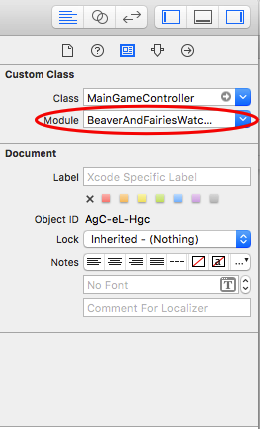
2) The game did not pass the review of the app from the first time. I added target for the Apple Watch to the project and copied files from another project into it. But at the same time I forgot to change the modules in each controller of the main storyboard for the clock. After the correction, everything was fine.
In conclusion:
I spent 2 weeks on the game for the Apple Watch, but at the same time made the main version on ios for 4 months in my free time. In general, I really liked developing for the watch, despite the problems and inconveniences. I was pleased that Apple made SpriteKit support for WatchOS. I plan to promote the game for hours in VK theme groups and together with the main game. Also added keywords related to the Apple Watch. So far at 541 places for “apple watch game” in the US.
Thank you all for your attention.
→ The source code for the game Space Beaver (Beaver and Space) is here .
Idea:
The essence of the game is a quick swap depending on the direction of the arrows. If blocks with arrows filled the entire playing field, then the player lost.
After creating the game on iphone, I decided to try porting it to the Apple Watch. But unfortunately it turned out that the engine used (Unity) does not support this platform - that is, you cannot build the game specifically for the clock ( unity roadmap ). There are third-party plugins for interaction between a unit game on iphone and applications on Apple Watch ( watchkit-unity) but this is not what I needed.
Development:
In 2016, Apple released SpriteKit for the Apple Watch and added Game Center support ( video ). And I decided to take advantage of this. The game was written in swift. Tested on a simulator, because there is no iphone or Apple Watch.
To start, I made a new project (Single View Application). Then he added a new target (WatchOS -> Game App).
Two folders are added to the project. The first folder with the main storyboard . It contains a game controller with a SpriteKit scene and additional controllers for the menu, game center and game ending. Also in the first folder are the icons and resources for the storyboard. The second folder (Extension) contains the source code and resources for the SpriteKit scene.
Started development with the main menumain menu .
Initially, I wanted to do the whole UI on SpriteKit. But I did not find a convenient way to use buttons in SpriteKit. Therefore, I decided to make all the menus on the standard elements for WatchKit.
I wanted to connect social networks (login on vk and facebook) and repost records, but it turned out that there was no easy way to do this. There is a Social Framework in ios , but it does not yet support WatchOS. Therefore, I decided to postpone until better times.
Then he took up the creation of the screen of the game itself ( MainGameController and the SpriteKit scene ).
Everything was standard for SpriteKit here. The update method executes code for moving blocks and deleting them, depending on the player’s gestures. By the way, the gestures I used were standard recognizers. From the library to the storyboard, drag and point events. Made animations of wrong gestures with SKAction.
Added training - also used SKAction animations .
Added music using the SKAudioNode class. By the way, music is controlled using SKAction.play () and SKAction.stop ().
Added the effects of haptic feedback (tactile feedback) to the game. Effects are used when losing and with the wrong gesture. Used the function WKInterfaceDevice.current (). Play (.) ( WKInterfaceDevice ).
Added a pause when using force touch on the main game screen. Used the WKInterfaceMenu element . I tried to use my icons instead of icons, but there only alpha is taken from the image. You can also change the background color.
After creating the game screen, he proceeded to the game completion pop-up window ( GameEndController ).
Everything is standard here for WatchKit. When losing to the top of the stack, I throw the losing controller, when I click on the replay button, I remove the top controller, and on the back arrow button, we go to the main menu screen. As I wrote above, I wanted to add a button to share a record in social networks, but I did not find a convenient way.
Then he began to fasten the game center ( GameCenterWatchController ). Apple has a video, but it tells about turn-based multiplayer and does not say anything how to connect a Leaderboard to the game. Therefore, I decided to use a table controller (WKInterfaceTable). Got records through the GameKitHelper.sharedInstance.getPlayerScores () method. By the way, while testing the game center is not supported on the simulator (the GameKit library is not imported). Therefore, I did not test this function so normally.
There were several issues with the release:
1) I made the watch game separately from the main game project. When building the game for ios, unity (5.5.1) creates an Xcode project. I added target for the Apple Watch to this project. But it didn’t work to archive the (Archive) assembly. I played around with the project build settings a bit: set Build Settings for the project (Unity-Phone): Supported Platforms - iOS, Architectures - Standard architectures. For TARGETS: BeaverSpace: Supported Platforms - iOS, Architectures - Standard architectures; SpaceBeaverWatch: Supported Platforms - watchOS, Architectures - Standard architectures; SpaceBeaverWatch Extension: Supported Platforms - watchOS, Architectures - Standard architectures.
2) The game did not pass the review of the app from the first time. I added target for the Apple Watch to the project and copied files from another project into it. But at the same time I forgot to change the modules in each controller of the main storyboard for the clock. After the correction, everything was fine.
In conclusion:
I spent 2 weeks on the game for the Apple Watch, but at the same time made the main version on ios for 4 months in my free time. In general, I really liked developing for the watch, despite the problems and inconveniences. I was pleased that Apple made SpriteKit support for WatchOS. I plan to promote the game for hours in VK theme groups and together with the main game. Also added keywords related to the Apple Watch. So far at 541 places for “apple watch game” in the US.
Thank you all for your attention.
→ The source code for the game Space Beaver (Beaver and Space) is here .