 February 24, 2017 at 11:29
11 steps to high email delivery
- Tutorial

Email marketing is increasingly used by companies for effective promotion. But without a good delivery of emails, it will be difficult to achieve the effectiveness of an email newsletter.
According to statistics, 21% of commercial emails do not reach recipients. This means that every fifth sent letter is blocked by the mail service or is lost due to non-existent addresses and crowded user boxes.
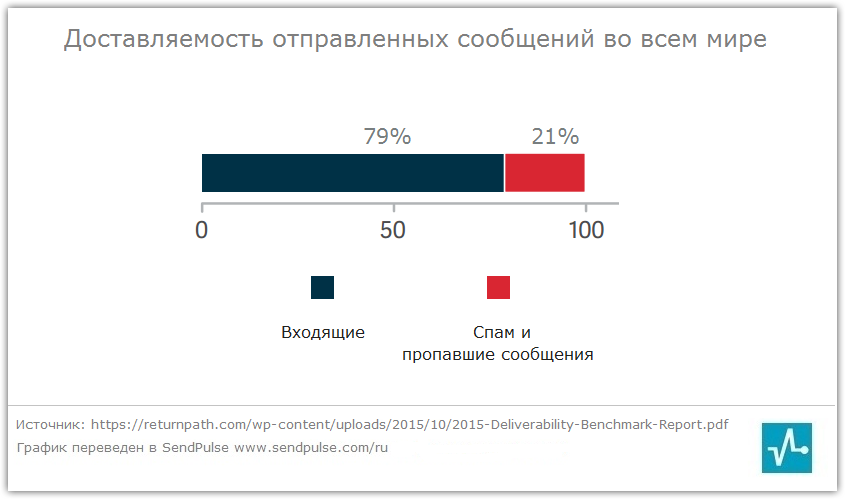
Statistics are provided solely on letters that were sent to legally collected databases. What affects the deliverability and how to improve it, we will tell in our article.
1. Use a Double opt-in Subscription Type
There are two ways to create an email database: double opt-in and single opt-in.
Subscription Method single opt-in allows subscription without confirmation. Hence the problems, non-existent addresses fall into the database, as well as incorrectly printed and foreign addresses whose owners themselves did not sign.
When subscribing to double opt-in, the user must confirm the desire to receive letters by clicking on the link in the letter. Until the user follows the link, he will not be signed. Thus, the addresses of real people who have a desire to receive letters from you fall into the database, which means that the percentage of delivered letters will be greater.

2. Delete nonexistent email addresses
The largest mail services, such as Gmail, Yandex, Mail.ru, strictly monitor the statistics of errors in sending email messages, and if the status of hard bounces (hard returns) exceeds the norm, then the mail services block such a sender.
What are the reasons for hard bounces refunds?
• Non-existent addresses on the specified domain.
• Rejected messages by the server as spam due to the fact that users refused
to accept messages earlier.
• Messages marked as spam by users.
• Non-existent domains.
Mail.ru warns senders that they monitor their integrity and do not send out letters that receive similar statuses. Otherwise, their IP address will be completely or partially blocked.

To improve deliverability , remove addresses that result in hard bounces from the recipient list. In the SendPulse service, addresses with this status are automatically added to the black list, and further mailing is not performed on them.
In addition to hard bounces, there are returns that are not so strictly regarded by mail services - these are soft bounces or soft returns.
What are the reasons for soft bounces refunds?
• The address is temporarily unavailable. Usually with this status, several email delivery attempts are made.
• The recipient's mailbox is full.
• Delivery failed for other reasons. Often the reason for this may be incorrect recipient mail server settings.
These returns must also be strictly monitored, and in case of repetitions, remove addresses from your email database.
3. Delete inactive recipients
If your email database has recipients who do not open letters for a long period of time, you should pay attention to them. This situation has a bad effect on deliverability. Therefore, after 3-6 months of inactivity, start a reactivation campaign and if the answer does not follow, clean the email database from such recipients. It is also worth changing the frequency of sending or reconsidering your approach to selecting the content of letters, because if the subscriber is inactive, then something needs to be changed for you.
Office company in the reactivation letter suggests marking the floor - this will help them formulate suitable email offers.

4. Fill in the “from” field with a real name
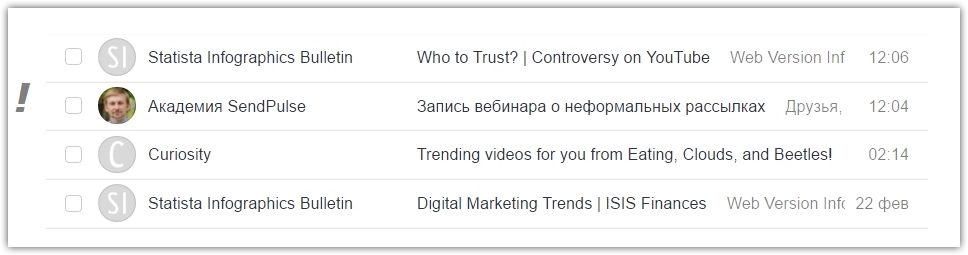
Use the name of the sender or the name of the company in the "from" field, or you can do both.
The “from” field affects delivery even more than the subject line. The sender’s name plays a role in brand recognition and building trust with subscribers. If you always care about the benefits of letters to your readers, sooner or later they will begin to recognize you and are unlikely to miss your letter in a crowded mailbox.
5. Configure DKIM and SPF
DomainKeys Identified Mail and SPF technologies improve delivery. You can get these two parameters from your email service and then register them in the domain settings. In the SendPulse manuals, you can learn in detail how to configure the DKIM and SPF parameters .
6. Avoid those letters that are misleading
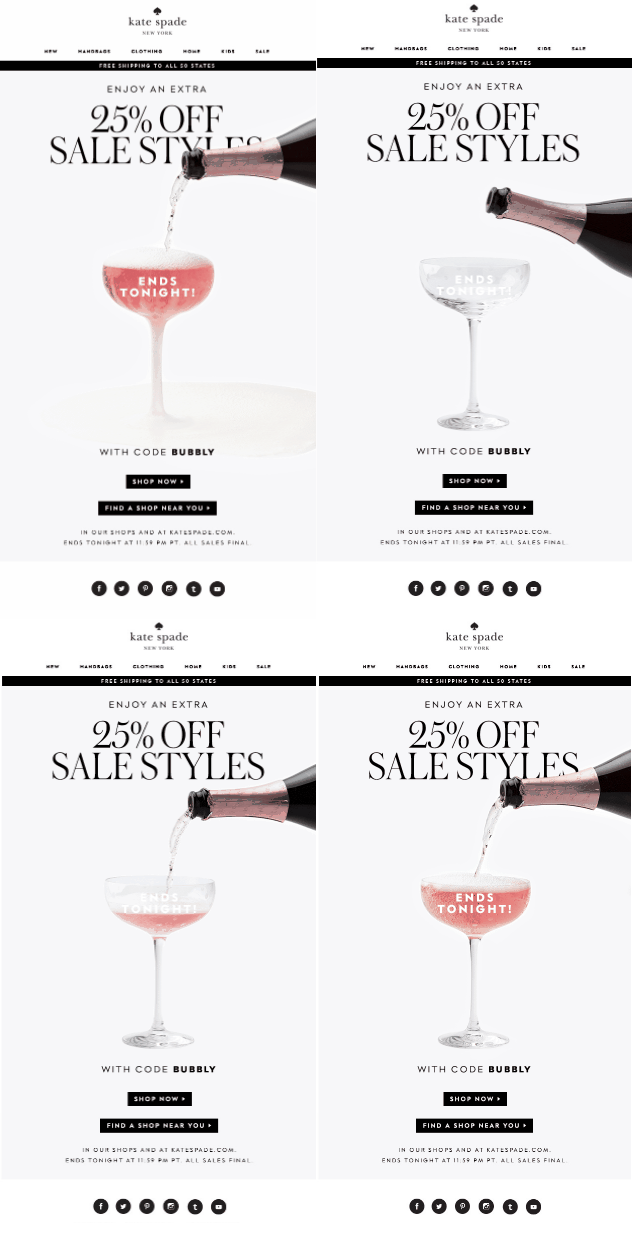
The subject should correspond to the content of the letter. That is, if you offer a discount in the subject line, the subscriber must find it inside. Keep your promises, because by hanging noodles on people’s ears, you will achieve record-breaking low deliverability fast.
An example of how to do it, in a letter from the fashion brand Kate Spade, they report a discount in the subject, and keep their word.
Subject: Last day with a 25% discount!

7. If the file is a link
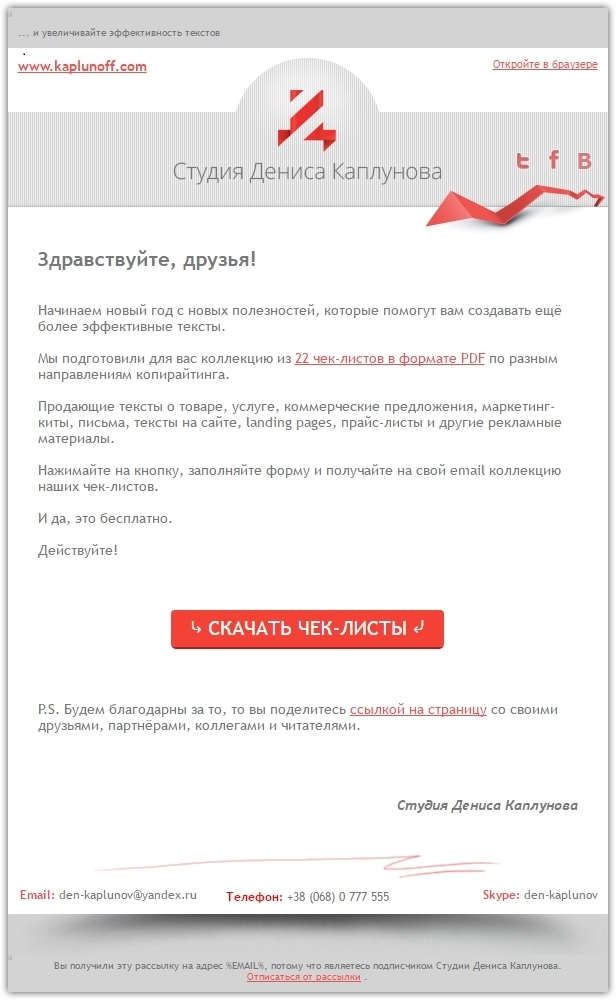
If you want to send your subscribers an e-book in PDF or another file, do it using the link, rather than attach attachments.
Denis Kaplunov's studio in a letter invites readers to download a collection of checklists in PDF format from the link.
8. Check letters for spam words
In email marketing, there is a rule - do not use spam words in the subject and body of the message.
The most common of them:
- Do not hesitate!
- Extra earnings
- Million dollars
- Free
- Cash bonus
- Time limit
- Urgent!
- Low price
- $
- Winner
- Congratulations
- Dear friend
- Do it today
- Make money a week
- Great offer
- Order now
- Profit
- Why pay more
- Money grant
- Free access
- Get it now
- Guarantee
- Save
However, filtering all spam words is a rather difficult task, since this list includes a number of words that you can’t do without. It is more important to prevent their overabundance.
9. Message size should be 40KB or less
Try not to exceed this size. It is possible that you will have to reduce the size of each image in the letter. But it's worth it because it will have a positive effect on deliverability.
10. Test the message with a spam scanner
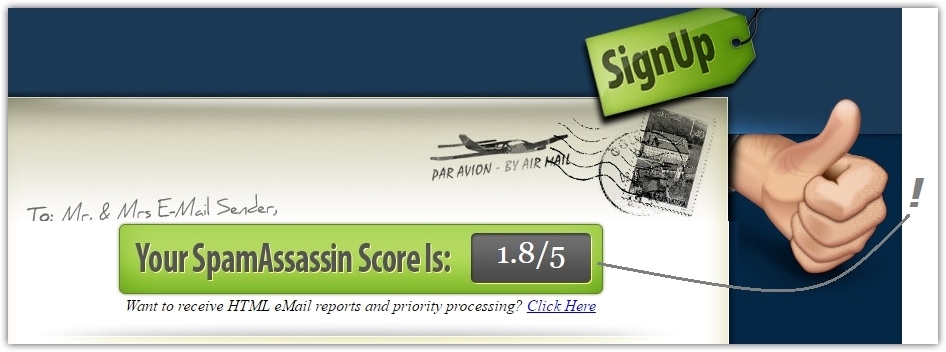
This procedure will not take more than 2 minutes, but you will be sure that your letter will not get into the spam folder. Use the spamscorechecker.com online service for this . The procedure consists of two stages: send a letter to the specified address, and in return receive an assessment. If the score is less than five - the letter has passed spam control, if more than five - no.
11. Email service with a focus on high delivery
If you decide to seriously engage in email marketing, our advice is to choose a reliable email service that focuses on the high delivery of letters and their openness (open rate).
SendPulse has a good reputation for servers and provides high deliverability, and artificial intelligence technology increases the level of email openings by half compared to other mailing services.
We have provided a brief excursion into the possibilities of increasing deliverability. We hope that you will follow our advice and get the desired result. Sign up for SendPulse and send your newsletters with us!









