 February 6, 2017 at 17:47
Local multiplayer in Unity using Unet
Hello! Today I would like to talk about one of the ways how you can create a local multiplayer in Unity. This solution is suitable for showcase, feature test or local multiplayer. For example, if you want to see what the player is doing, but you don’t want to say on the android to spend extra resources and take the screencast using ADB, you can just pick up the server on some machine as a copy of the application that works on the phone and send there information about the player’s actions.
I will briefly describe how this can be done using HLAPI on Unet, but not through NetworkingManager, but at a slightly lower level. By a good tradition, I will attach an example of my implementation of such client-server interaction. I’m asking you not to judge strictly, as I understand perfectly well that the architecture of this solution is worthless and creates a lot of problems in the future. My goal was to write a system as quickly as possible (over the weekend), in which you can show the principle of working with the network. I’ll also say what problems I had to face. In this example implementation, it is assumed that the server is also a Unity application.
On the Internet, the most common example of how to make multiplayer is chat, but I like games, and it seemed boring to make chat. Therefore, I decided to make out how to make multiplayer using the example of tic-tac-toe. Suppose that all the logic of the game, the determination of the winner, the change of moves, etc. are written, and we need to fasten the server. In the simplest case, in tic-tac-toe, we need to process 2 messages. Determination of the order of progress (distribution of IDs) and capture of the cell.
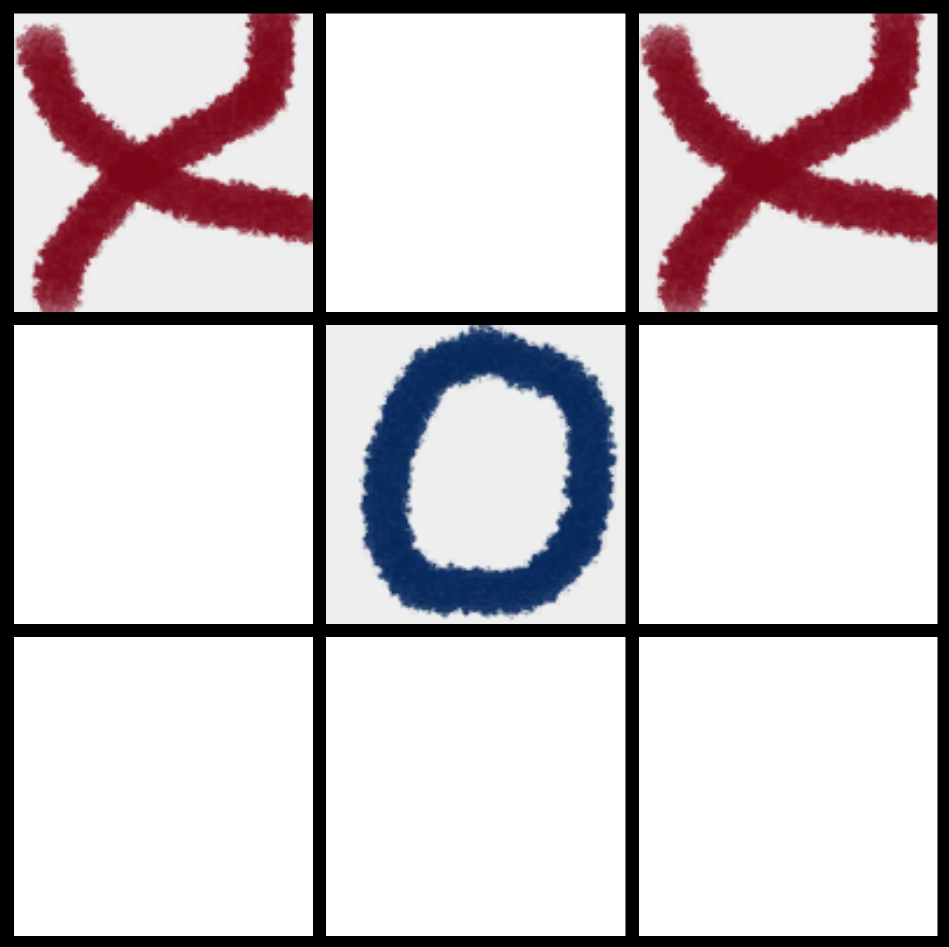
In general, the game in this example works very simply. There are 2 scenes. Boot and gameplay. When loading a gameplay scene, a field is generated on which players play. There is a check of the victory conditions, there are classes responsible for the work of the UI, as well as the order of moves and the overall logic of the game, but we are not particularly interested. The main classes that are responsible for the grid are Server, Client, NetManager and a separate file for NetMessages messages and the enum MyMsgType defined in it. They are a wrapper over Unet tools. From the Unet point of view, the main classes we will use are NetworkClient, NetworkServer, MessageBase, and MsgType. What are these classes?
The simplest classes are MessageBase and MsgType. The first is an abstract class from which all our messages must be inherited in order to forward them between the client and server. MsgType is just a class that stores the constants that are responsible for a certain set of messages sewn into Unet.

NetworkServer is a singleton that provides the ability to handle communication with remote clients. Under the hood, it uses an instance of NetworkServerSimple and is essentially a convenient wrapper over it. First we need to start the server on a specific port. To do this, call the Listen (int serverPort) method- this method starts the server on the serverPort port. (Let me remind you that all ports in the range from 0 to 1023 are system ports and should not be used as a parameter of this method) The
server works fine and listens to some port. Now he needs to respond to messages. To do this, register the handler using the RegisterHandler method (short msgType, Networking.NetworkMessageDelegate handler). This method accepts the message type and delegate as a parameter. The delegate in turn must accept the NetworkMessage input parameter. Suppose we want the moment the player joins the server, the gameplay scene starts to load, and the identifiers of the players are heard. Then you need to register the handler for the corresponding message, as well as implement the method that we will pass as a delegate for registration.
It looks something like this:
Now, the OnConnect method will be called each time a user connects. It is worth clarifying that in this implementation, IDs determine the order of progress, therefore, at the first connection, IDs for the client and server are selected. The rest of the clients automatically get an ID equal to -1, which means that this client is a spectator.
There is a simple server. Now customers would not be in the way. To do this, use the NetworkClient class. In order to join the server you just need to call the Connect method (string serverIp, int serverPort). As the port, we set the port that our server listens to, set localhost as the IP, if we test our application on the same machine or the IP computer on the local network, which we use as the server (you can find it either in the network settings or in the console using the ipconfig command on the computer that will act as the server).
Great, we can connect. It was said earlier that the server distributes identifiers. So we first need to send a message about the identifier, as well as register the handler of this message on the client. As mentioned earlier, all messages must be inherited from MessageBase. First, let's define them (I prefer to do this in a separate file):
To send this message, we call on the client the Send method (short msgType, Networking.MessageBase msg) , which will send the msg message "type" msgType to the server, or on the server one of the methods depending on the SendToAll target (short msgType, Networking.MessageBase msg) or SendToClient (int connectionId, short msgType, Networking.MessageBase msg) , where connectionId is the id of a specific client.
To read our custom messages that came to us from another application, we use reader.ReadMessage () . For instance:
In principle, everything. Further use is specific. We create the messages we need depending on the gameplay and send them. In tic-tac-toe, I also defined another message that is responsible for capturing a point. The full implementation of the project can be seen here .
What else I want to say, and what I had to spend time on, is a couple of things that may not be obvious to you if you have not worked with networks.
1. Verify that the unity editor is not blocked by your firewall for communication over TCP and UDP protocols. Once I spent some time on it, despite the fact that I got to the firewall and put the desired port in the exception, but did not check that the editor is not blocked.
2.Pass value-type or serializable reference-types in messages, and do not pass MonoBehavior heirs. It is also important to understand that the reference-type in this case will transmit a copy of the object, not the object itself, and it must be handled accordingly.
In the case when we are talking about the local network and the previously known hardware, there are not many problems that arise in the case of a “real” multiplayer. Virtually no need to think about delays, fluctuations, packet loss, and more. Therefore, such a solution can be useful, although these problems can be solved with such an approach to a certain limit. Compared with a higher level of abstraction in Unet, through NetworkManager, NetworkBehavior, etc., it provides more understandable and obvious flexibility (in my opinion) if clients need to load different scenes, etc., but let's say the server is used , like streaming, and shows what is displayed on the player’s device, taking his position and turning + duplicating what is happening on his side. In other cases, when you need a solution faster and you know how to work with the network,
I also want to clarify about the solution on the github (not from the point of view of tools, but from the point of view of the approach to architecture) in my opinion, this is an example - how not to do it. Not to mention the architecture of the game itself, the problem is that the logic on the client and on the server is considered independent. When implementing an adequate multiplayer with a client-server architecture, it is better when the state of the game is stored on the server and replicated to the clients, and the clients send commands that change the state of the game on the server. Of course, this also depends on many factors, but on average such an approach.
I’ll duplicate a solution link here .
Thanks for attention!
I will briefly describe how this can be done using HLAPI on Unet, but not through NetworkingManager, but at a slightly lower level. By a good tradition, I will attach an example of my implementation of such client-server interaction. I’m asking you not to judge strictly, as I understand perfectly well that the architecture of this solution is worthless and creates a lot of problems in the future. My goal was to write a system as quickly as possible (over the weekend), in which you can show the principle of working with the network. I’ll also say what problems I had to face. In this example implementation, it is assumed that the server is also a Unity application.
On the Internet, the most common example of how to make multiplayer is chat, but I like games, and it seemed boring to make chat. Therefore, I decided to make out how to make multiplayer using the example of tic-tac-toe. Suppose that all the logic of the game, the determination of the winner, the change of moves, etc. are written, and we need to fasten the server. In the simplest case, in tic-tac-toe, we need to process 2 messages. Determination of the order of progress (distribution of IDs) and capture of the cell.
In general, the game in this example works very simply. There are 2 scenes. Boot and gameplay. When loading a gameplay scene, a field is generated on which players play. There is a check of the victory conditions, there are classes responsible for the work of the UI, as well as the order of moves and the overall logic of the game, but we are not particularly interested. The main classes that are responsible for the grid are Server, Client, NetManager and a separate file for NetMessages messages and the enum MyMsgType defined in it. They are a wrapper over Unet tools. From the Unet point of view, the main classes we will use are NetworkClient, NetworkServer, MessageBase, and MsgType. What are these classes?
The simplest classes are MessageBase and MsgType. The first is an abstract class from which all our messages must be inherited in order to forward them between the client and server. MsgType is just a class that stores the constants that are responsible for a certain set of messages sewn into Unet.
NetworkServer is a singleton that provides the ability to handle communication with remote clients. Under the hood, it uses an instance of NetworkServerSimple and is essentially a convenient wrapper over it. First we need to start the server on a specific port. To do this, call the Listen (int serverPort) method- this method starts the server on the serverPort port. (Let me remind you that all ports in the range from 0 to 1023 are system ports and should not be used as a parameter of this method) The
server works fine and listens to some port. Now he needs to respond to messages. To do this, register the handler using the RegisterHandler method (short msgType, Networking.NetworkMessageDelegate handler). This method accepts the message type and delegate as a parameter. The delegate in turn must accept the NetworkMessage input parameter. Suppose we want the moment the player joins the server, the gameplay scene starts to load, and the identifiers of the players are heard. Then you need to register the handler for the corresponding message, as well as implement the method that we will pass as a delegate for registration.
It looks something like this:
Handler and Delegate Registration Example
NetworkServer.RegisterHandler(MsgType.Connect, OnConnect);
private void OnConnect(NetworkMessage msg)
        {
            Debug.Log(string.Concat("Connected: ", msg.conn.address));
            var connId = msg.conn.connectionId;
            if (NetworkServer.connections.Count > Constants.PLAYERS_COUNT)
            {
                SendPlayerID(connId, -1);
            }
            else
            {
                int index = Random.Range(0, Constants.PLAYERS_IDS.Length);
                SendPlayerID(connId, Constants.PLAYERS_IDS[index]);
                _CurrentUser.PlayerID = Constants.PLAYERS_IDS[(index + 1) % Constants.PLAYERS_COUNT];
                SceneManager.LoadScene(1);
            }
        }
Now, the OnConnect method will be called each time a user connects. It is worth clarifying that in this implementation, IDs determine the order of progress, therefore, at the first connection, IDs for the client and server are selected. The rest of the clients automatically get an ID equal to -1, which means that this client is a spectator.
There is a simple server. Now customers would not be in the way. To do this, use the NetworkClient class. In order to join the server you just need to call the Connect method (string serverIp, int serverPort). As the port, we set the port that our server listens to, set localhost as the IP, if we test our application on the same machine or the IP computer on the local network, which we use as the server (you can find it either in the network settings or in the console using the ipconfig command on the computer that will act as the server).
Great, we can connect. It was said earlier that the server distributes identifiers. So we first need to send a message about the identifier, as well as register the handler of this message on the client. As mentioned earlier, all messages must be inherited from MessageBase. First, let's define them (I prefer to do this in a separate file):
Message and its type
public class PlayerIDMessage : MessageBase
{
      public int PlayerID;
}
public enum MyMsgType : short
{
      PlayerID = MsgType.Highest + 1,
}
To send this message, we call on the client the Send method (short msgType, Networking.MessageBase msg) , which will send the msg message "type" msgType to the server, or on the server one of the methods depending on the SendToAll target (short msgType, Networking.MessageBase msg) or SendToClient (int connectionId, short msgType, Networking.MessageBase msg) , where connectionId is the id of a specific client.
To read our custom messages that came to us from another application, we use reader.ReadMessage () . For instance:
Processing on the client of the arrived identifier
     private void OnPlayerID(NetworkMessage msg)
        {
            PlayerIDMessage message = msg.reader.ReadMessage();
            _CurrentUser.PlayerID = message.PlayerID;
            SceneManager.LoadScene(1);
        }
In principle, everything. Further use is specific. We create the messages we need depending on the gameplay and send them. In tic-tac-toe, I also defined another message that is responsible for capturing a point. The full implementation of the project can be seen here .
What else I want to say, and what I had to spend time on, is a couple of things that may not be obvious to you if you have not worked with networks.
1. Verify that the unity editor is not blocked by your firewall for communication over TCP and UDP protocols. Once I spent some time on it, despite the fact that I got to the firewall and put the desired port in the exception, but did not check that the editor is not blocked.
2.Pass value-type or serializable reference-types in messages, and do not pass MonoBehavior heirs. It is also important to understand that the reference-type in this case will transmit a copy of the object, not the object itself, and it must be handled accordingly.
In the case when we are talking about the local network and the previously known hardware, there are not many problems that arise in the case of a “real” multiplayer. Virtually no need to think about delays, fluctuations, packet loss, and more. Therefore, such a solution can be useful, although these problems can be solved with such an approach to a certain limit. Compared with a higher level of abstraction in Unet, through NetworkManager, NetworkBehavior, etc., it provides more understandable and obvious flexibility (in my opinion) if clients need to load different scenes, etc., but let's say the server is used , like streaming, and shows what is displayed on the player’s device, taking his position and turning + duplicating what is happening on his side. In other cases, when you need a solution faster and you know how to work with the network,
I also want to clarify about the solution on the github (not from the point of view of tools, but from the point of view of the approach to architecture) in my opinion, this is an example - how not to do it. Not to mention the architecture of the game itself, the problem is that the logic on the client and on the server is considered independent. When implementing an adequate multiplayer with a client-server architecture, it is better when the state of the game is stored on the server and replicated to the clients, and the clients send commands that change the state of the game on the server. Of course, this also depends on many factors, but on average such an approach.
I’ll duplicate a solution link here .
Thanks for attention!









