Use oEmbed to add the phone to the hub
- Tutorial
 A week ago, another Habr improvement took place , and among other things, the ability to insert content using the oEmbed mechanism was added. I want to talk a bit about what kind of beast it is and to demonstrate how it works with something popular, like jsFiddle , to add something unusual to the habrapost. For example, a telephone.
What is oEmbed? This agreement allows you to insert a piece of one page on another. Iframe technology is designed for such a task in the world of the web , but there is a nuance in its use: it embeds the entire site content . And sites, for a second, are designed to occupy most of the screen of your computer or phone, and not be embedded. Developers understand this, and for a long time we have several embedding agreements. The three most popular are: Open Graph Protocol , Twitter Cards, and oEmbed . In addition to them, there are hundreds of less popular ones, but this trio is mainly used.
They work differently. To comply with the “Open Graph Protocol”, a web page needs to place in its HTML code several meta tags like og: title , which will describe the minimal representation of the page for embedding. Usually this is a headline, picture and a few lines of a brief description. The site where the embedding takes place (for example, a Facebook post) will create the corresponding HTML elements itself. From the "donor" is required only information on the content. oEmbed works differently. To comply with oEmbed, the site must “provide” a certain URL at which the request for embedding is made. Please note that the "provide" in my quotation marks. In practice, “giving” means having a big whitelist on handdomains and their corresponding request URLs. "More than 1800" in the announcement of the Habr is the size of such a white list. In the agreement there is an alternative option “oEmbed Discovery”, when the URL for requesting information is specified in the HTML tag on the web page. But Habr, apparently, does not support this mechanism. Probably, so that all sorts of especially cunning comrades do not insert tracking pixels and other funny things from their own sites in this way.
In response to a request for embedding oEmbed, the site should return JSON with the necessary information. For example, information about a picture and text. But most often they return a URL that can be inserted through an iframe. What distinguishes oEmbed from the “Open Graph Protocol” and allows you to embed anything you want, from the YouTube player to the JSFiddle.
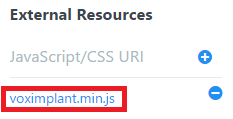 Here is the JSFiddleI will demonstrate: now you can embed various HTML / CSS / JS demos directly into articles and show interesting technologies. In the "external resources" on the left you can add the necessary JavaScript libraries. For example, a debugger to see the results, console.log or our SDK to call from a web page:
To call and hear "Hello, Habr!", You need to switch to the "Result" tab. Not very user friendly. But. Many popular sites that support embedding also support customizing this embedding! Googling show that there is a detailed documentation section for JSFiddle . Therefore, if we want the “Result” tab right away, then we need to add the appropriate settings to the URL:
jsfiddle.net/grigoryvp/rxnj9hcn / embedded / result /
Alas, this Habr does not yet support this. And it is not yet clear whether this is a hundred-sided jsfiddle iframe is incorrectly formed, or Habr is requesting the URL incorrectly. If anyone owns such magic - write in the comments, it will be very useful!









