How to make a server room with your own hands

Keeping company data is very important. Storing information on the servers of third-party providers in data centers is a convenient option, but not ideal. No one can guarantee that the virus will not get on the servers or they will not be hacked. To gain complete control over the data and secure your business, think about your own server room.
In the last article, we talked about how to choose a server for small businesses . This time we’ll talk about how to set up our own server room, forgetting about renting space from suppliers.
The refusal of data storage services and the transfer of the server to its territory solves many security problems. However, you will have to spend money on the purchase and installation of special equipment.

Small business owners can be confused by the configuration and assembly of the server, but understanding the basics of server hardware, it’s enough to just make your own storage without resorting to magic.
The stand makes it easier
Rack server (rackmount server) - one of the most popular options for small businesses. They are reliable, easy to operate, powerful enough, easily scalable and take up little space. The most popular server brands in Russia are Dell , Asus , HP and Supermicro .
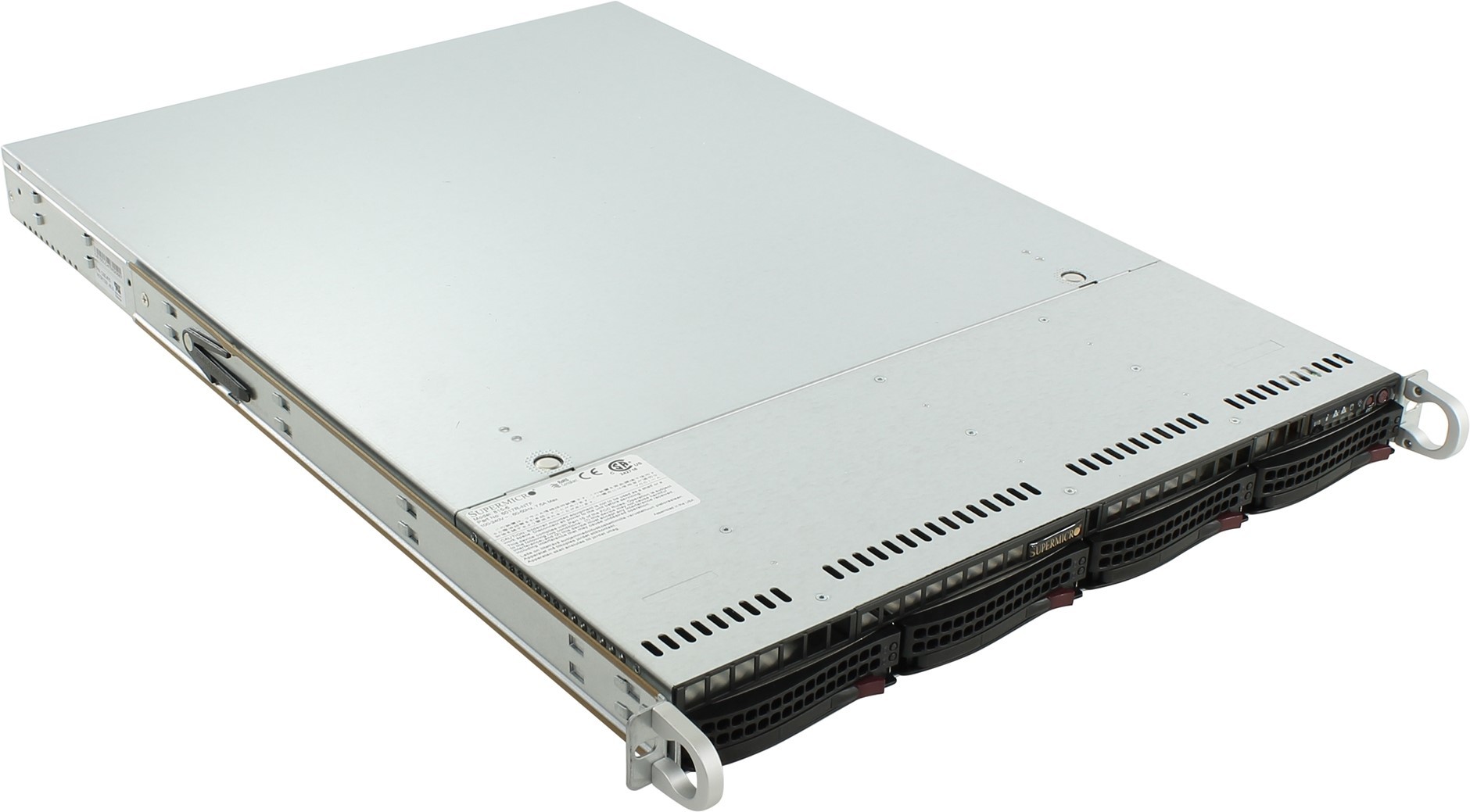
In small companies, interconnected servers are often stacked on a desk or shelf next to office equipment. This is an easy and cheap way to layout, but as soon as the equipment becomes larger, problems and confusion begin.

Free-standing equipment is completely open to physical impact. This is a time bomb that awaits an accident. If someone spills coffee or trips over wires, everything may fail. Moreover, even ordinary dust accumulated on the server chassis can disable them.
Where to store servers in the office? There is special equipment for this - racks and cabinets for rackmount type servers. Racks are a bit more expensive than floor-mounted and non-rack-mount counterparts, but it’s easier to work with the servers installed in them. In addition, racks and cabinets for storing servers are easy to find, they are sold in any company engaged in the supply of telecommunications equipment.
Racks for all time
Before you buy a server rack, it would be nice to understand the basic characteristics.
Racks are measured in units, denoted as RU (Rackmount Unit) or simply U. One unit is 44.45 mm, equipment components and the height of the racks are measured by the number of units. For example, a network switch has 1U – 2U, rack servers 1U – 4U, blade servers 5U – 10U or more.
When choosing a server, pay attention to the width and depth of the rack. For the first, it is 19 inches (48.26 cm), and for the second - 600-1000 mm. Some server racks have adjustable brackets, although most racks come with a mounting kit that can be used as long as there is enough depth to install the server.

The most popular server storage option today is a rack with four legs 19 inches wide. Standard height measurements for full-format shelves are 42U, half for 24U. There are shelves with other sizes, such as desktop options from 5U to 20U. Measurements do not take into account the actual height of the racks, which depends on the design of a particular model. Some racks are equipped with wheels for greater mobility.
There are several alternatives to server racks, useful in case of limited office space. These are racks with an open frame and small wall cabinets. It is worth noting that there are a number of requirements for such equipment, for example, open racks must be screwed to the floor, and wall cabinets are not designed for heavy loads, they can fit only a few servers and network switches.
Remove the noise
Companies that cannot allocate a room for servers should consider how to minimize the noise from the hardware. But still, if possible, select a separate room for the servers, even a very small one, it’s worth the effort, because it will help get rid of excessive humidity in the room and eliminate noise that affects the performance of employees. In addition, a separate room for servers will protect against theft and the visit of strangers.
Small businesses often do not have to choose where to install servers: either in one of the corners of the office, or in the middle of the IT department. In such cases, it is recommended to use stands with sound absorbing panels. But since there are still vent holes for the shelves, the final noise level will depend on the model of the rack itself.
Think about cooling
If you plan to use several network switches together with network storage, then there is no need for cooling. A pack of several more servers, pairs of uninterruptible power adapters and networked storage with expanded memory will start to heat up quickly. Needless to say, high temperatures can shorten the life of the equipment and cause blackouts and crashes.
To prevent overheating, you can compare the load on the network equipment with its power or simply measure the temperature inside the rack, this will be enough.
One of the frequently asked questions when equipping your own server room is who will monitor the equipment at night? To do this, you need a separate air conditioner, which is not connected to the general ventilation system and turns on only at certain times. Ideally, you need two separate air conditioners, which are switched on in shifts, supporting the continuous operation of server equipment.
Make the room safe
Server - this is a fire and explosive place. All rooms from 24 m2 are equipped with fire extinguishing and warning systems. In addition, the video surveillance system will not interfere. It will help to protect the room from intruders and quickly respond in case of an accident.
Also, in the server itself there should be a memo on the rules of fire safety, tools for extinguishing a fire must undergo an inventory.
Deal with wires
An orderly storage system for wires is the key to good ventilation of racks. Therefore, you should not fill the 42U full-format shelf with 1U equipment to failure, as this will create confusion from the cables and make ventilation difficult. In addition, if you buy old servers, it is worth leaving 1U intervals in order to provide additional air flow.
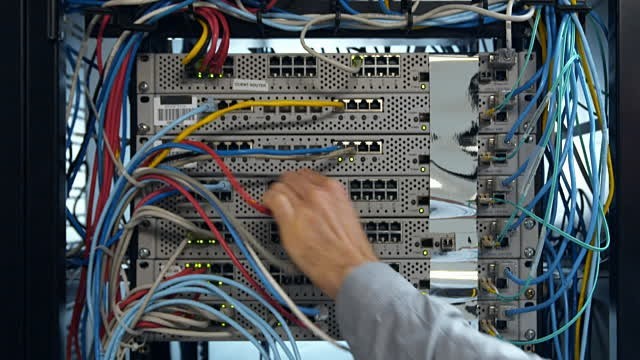
Installing a rack for servers is a bit more than twisting a few bolts. Proper cable management cannot be overestimated, since almost every element in the rack is connected to Ethernet cables. Therefore, it will be a good idea to use different wire colors for Ethernet LAN, IP cameras and other network connections.
The best way to control all the wires is to use the RJ-45 patch panel (patch panel) for Ethernet. A typical patch panel is installed in 1U space to serve 24 ports. Using a patch port involves a little work with your hands - pulling the cable to the patch panel, embedding them in the device, as well as using a test device to test the connection. If the budget allows, you can hire a specialist who will do all the work in less than a day.
In addition to the patch panel, always keep the replacement cables in a plastic bag on the clasp to protect the wires from pests. Standard packages for cables are cheap if you buy them in bulk, in addition, each package can be used many times, which makes their cost even cheaper.
Mark up equipment
Finally, do not skimp on the labeling of equipment and documentation of settings, even regarding simple ones. The settings may be obvious to the employer, but can be a headache for a new IT employee in the company. Labeling not only saves time, but also reduces the likelihood of critical errors in the event of disconnection of equipment from the network or overload.
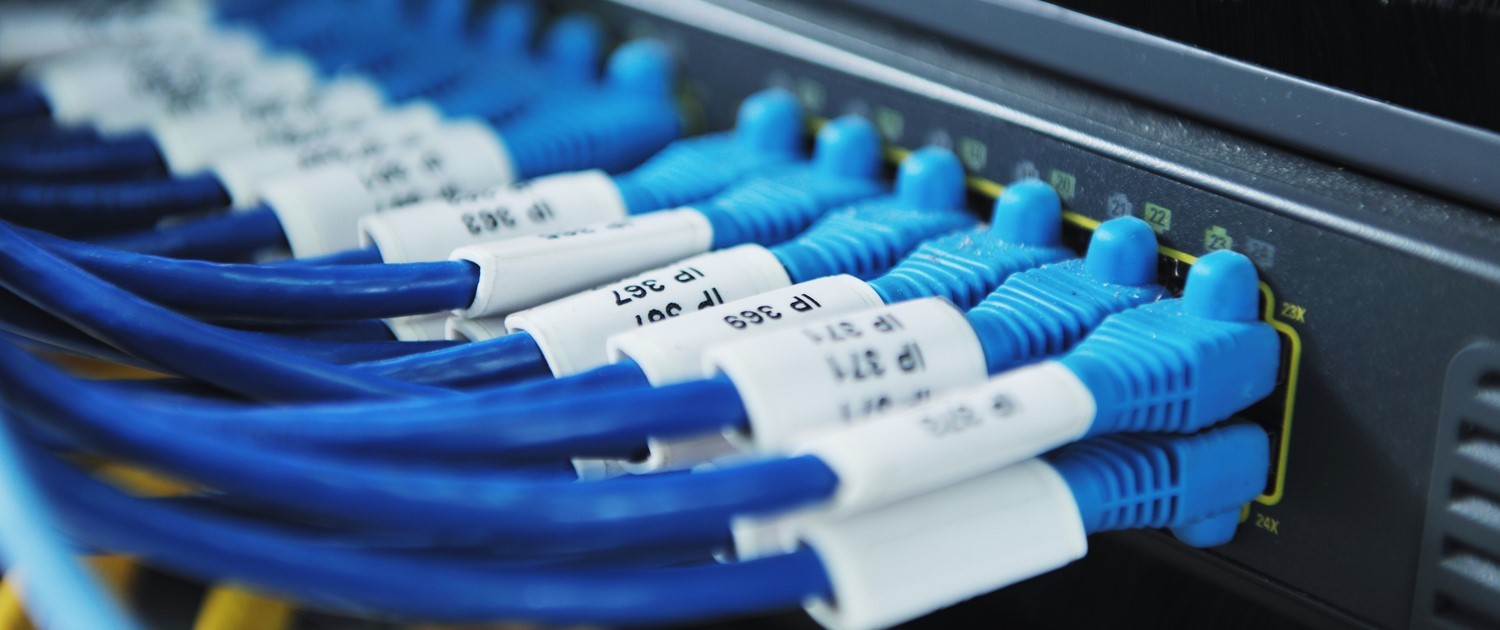
What is the easiest way to lay out server infrastructure? Buy marking printer. Servers and network communications are marked with unique names indicating IP addresses. The same thing should be done with other equipment: keyboard, camera and mouse (KVM) switches, routers, hard drives.
Detailed descriptions and instructions for use should hang in the server room next to the appropriate equipment. The instructions indicate information about the operation of the network, backup and startup of the equipment in the event of a power outage.
Thus, following these simple recommendations, even those companies that have not encountered IT infrastructure before can make their server room. And what rules do you follow to make your server room better?









