 September 23, 2016 at 09:52
Configuring Huawei eSpace IAD voice gateways using the Asterisk PBX example
Integrated access devices (IAD - Integrated Access CPE Devices) are used to provide analog subscribers access to IP-PBX. Huawei offers IAD104, IAD108 and IAD132, IAD196 also the user can choose SIP or MGCP protocol. By using standard codecs and compression technologies, IAD devices encode speech signals from analog telephone devices, encapsulate them in IP packets and send packets to a specific media gateway through an IP network. After the IP packets reach the destination, the destination IAD performs the inverse operation to recover the speech from the packets. Thus IAD10x, implement the functions of VoIP and FoIP.
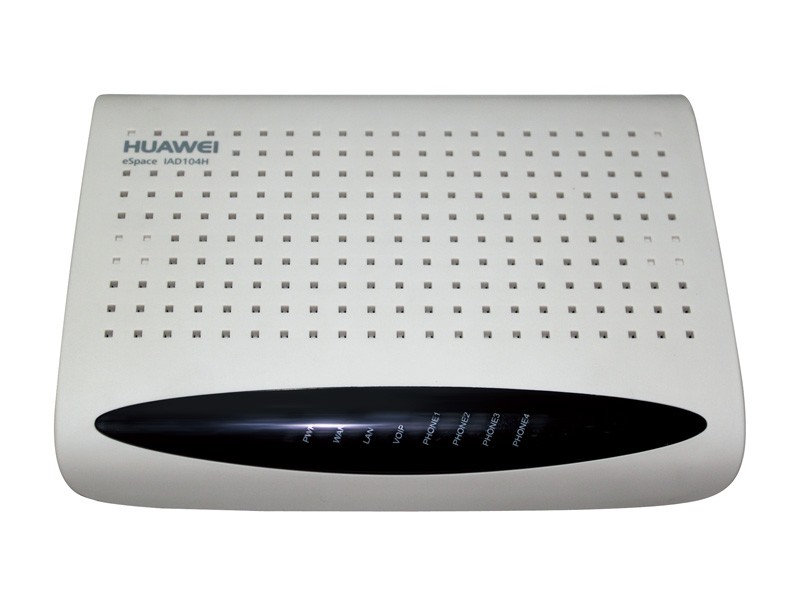
The eSpace Media Gateway family supports 2 to 224 analog ports. Consider how to configure a gateway, using the IAD104H as an example.

By default, the voice gateway has the following network settings:
Connection via telnet or console is available, with login / password parameters: root / huawei123
Change of addresses:
Check Addresses:
Check protocol mode (SIP or MGCP):
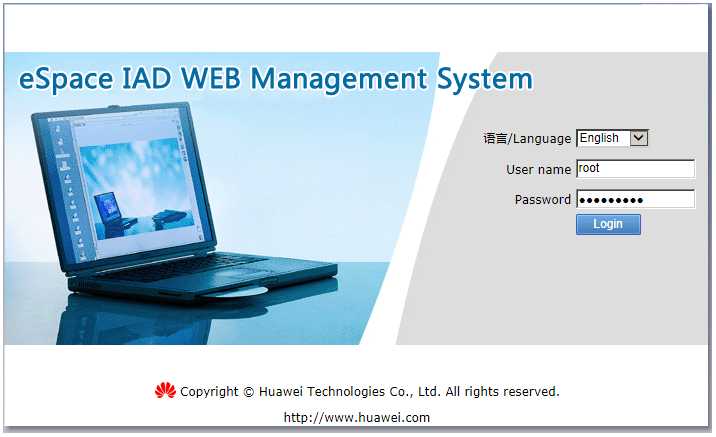
Further, it is more convenient to configure the voice gateway through the integrated web-based management interface (use only Internet Explorer). Username / password are the same by default.
You can use the built-in installation wizard.
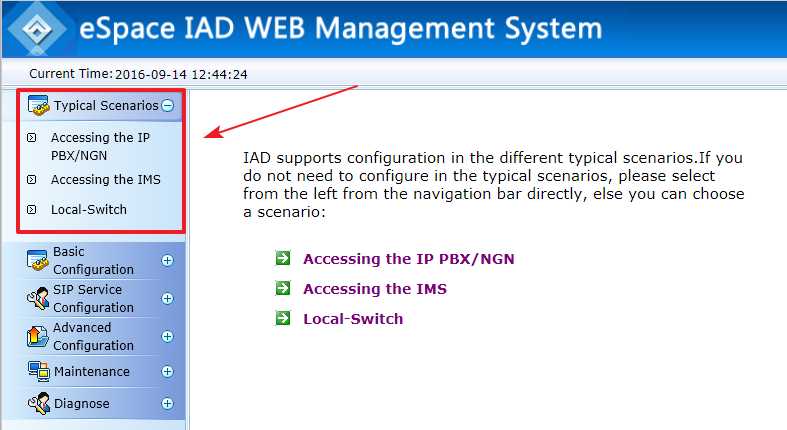
By following the steps in the installation wizard, it’s easy to configure basic settings.
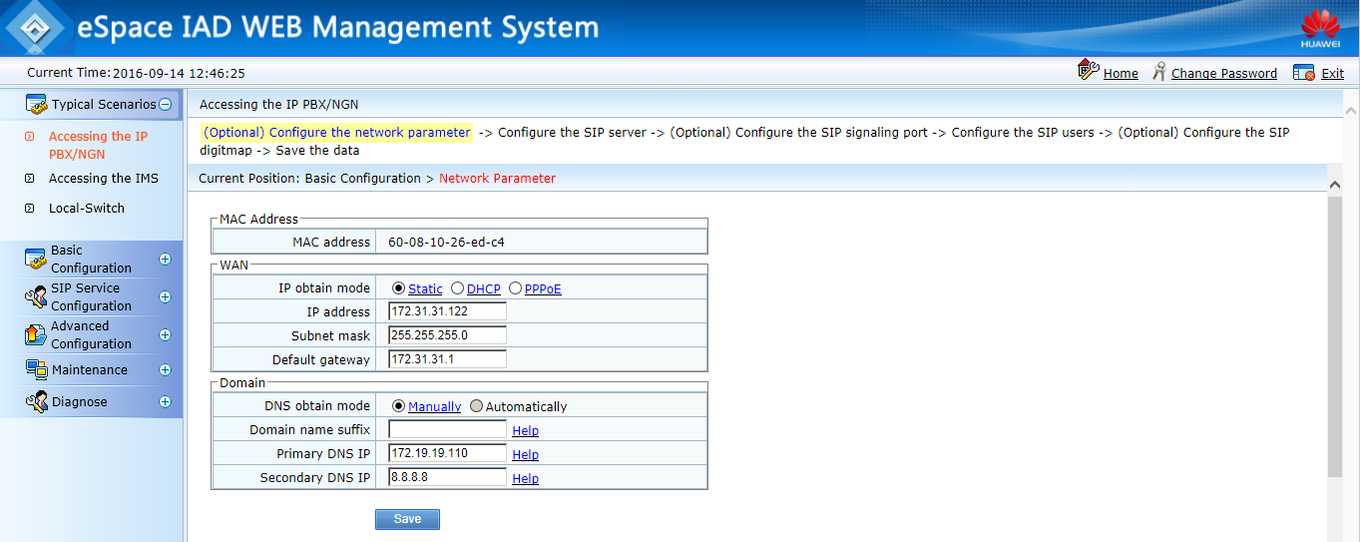
As a SIP server, we used Asterisk (ip address 172.19.19.237).
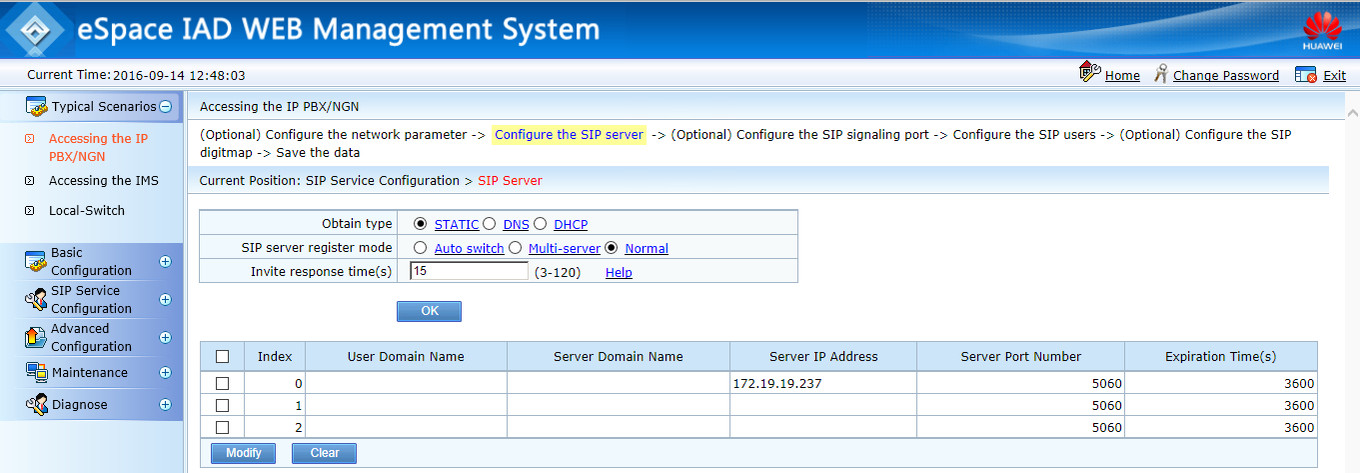
Here we prescribe FXS subscribers (which should already be set up on the sip server).

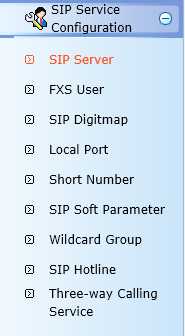
All parameters can then be changed in the SIP Service Configuration section .
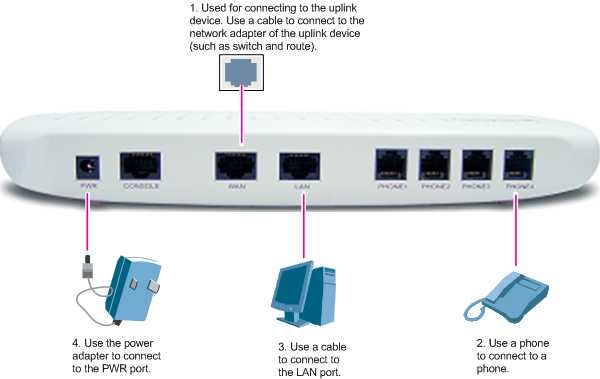
Now you can connect the telephones to the ports of the voice gateway, and check the progress of calls.
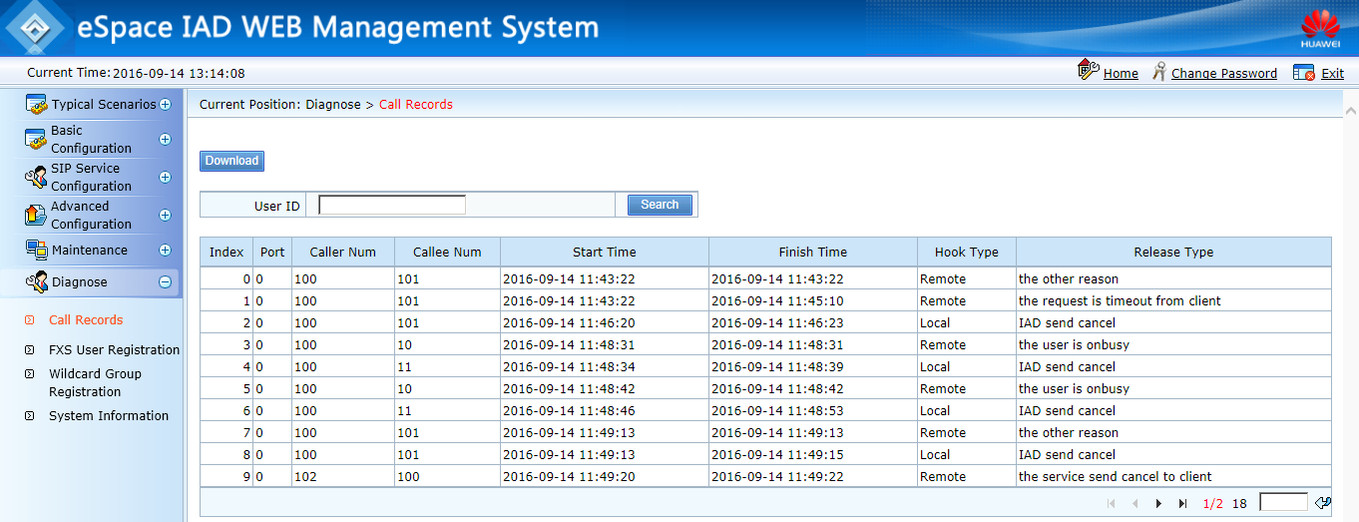
In the Diagnose - Call Records section, there is some semblance of some kind of debugger for the reasons that the call is rejected.
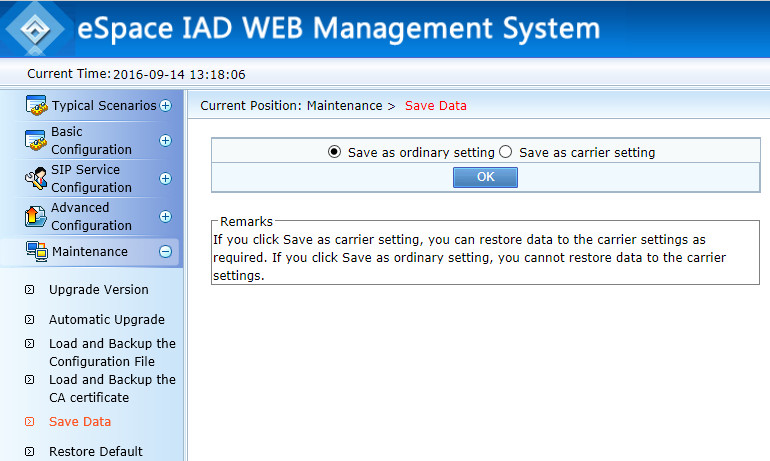
And, of course, do not forget to save the configuration.
Thanks for attention!
The eSpace Media Gateway family supports 2 to 224 analog ports. Consider how to configure a gateway, using the IAD104H as an example.
Network settings
By default, the voice gateway has the following network settings:
- LAN port IP address: 192.168.100.1
- Net Mask: 255.255.255.0
Connection via telnet or console is available, with login / password parameters: root / huawei123
Change of addresses:
TERMINAL>enable
TERMINAL#configure terminal
TERMINAL (config)# ipaddress static 172.31.31.122 255.255.255.0 172.31.31.1
Check Addresses:
TERMINAL (config)# display ipaddressCheck protocol mode (SIP or MGCP):
TERMINAL (config)#display protocol-mode
TERMINAL (config)#protocol-mode sip
Web interface
Further, it is more convenient to configure the voice gateway through the integrated web-based management interface (use only Internet Explorer). Username / password are the same by default.
You can use the built-in installation wizard.
By following the steps in the installation wizard, it’s easy to configure basic settings.
As a SIP server, we used Asterisk (ip address 172.19.19.237).
Here we prescribe FXS subscribers (which should already be set up on the sip server).
All parameters can then be changed in the SIP Service Configuration section .
Now you can connect the telephones to the ports of the voice gateway, and check the progress of calls.
In the Diagnose - Call Records section, there is some semblance of some kind of debugger for the reasons that the call is rejected.
And, of course, do not forget to save the configuration.
Thanks for attention!









