 October 14, 2016 at 12:24
Do Tango robots dance
Project Tango from Google is a project to create mobile devices that can analyze the space around it in three dimensions. Thanks to the Device Lab project, I was able to play with one of these devices.
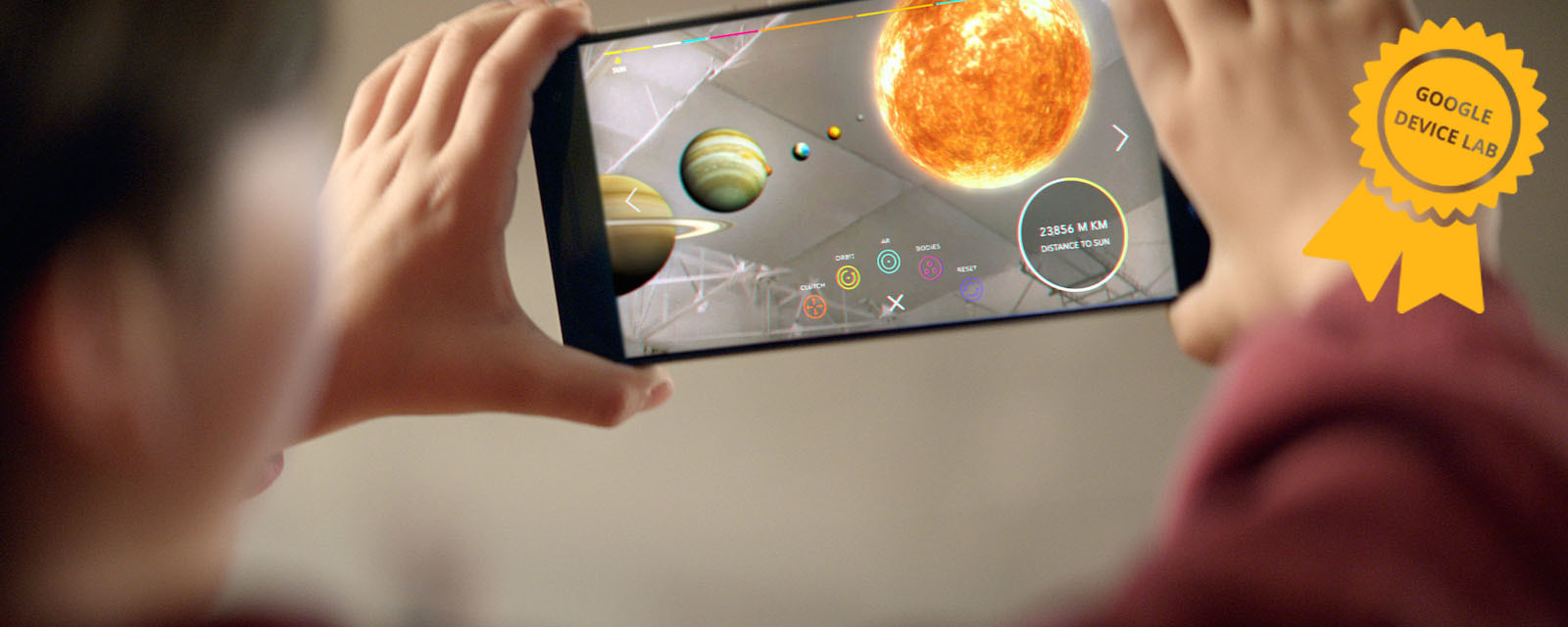
An article by Sergey Melekhin, as part of the Google Lab Lab contest.
It seemed interesting to me to make a robot that will use Tango to orientate in space and avoid collisions with obstacles.
Motion tracking
Determination of a change in the position of a device in space.
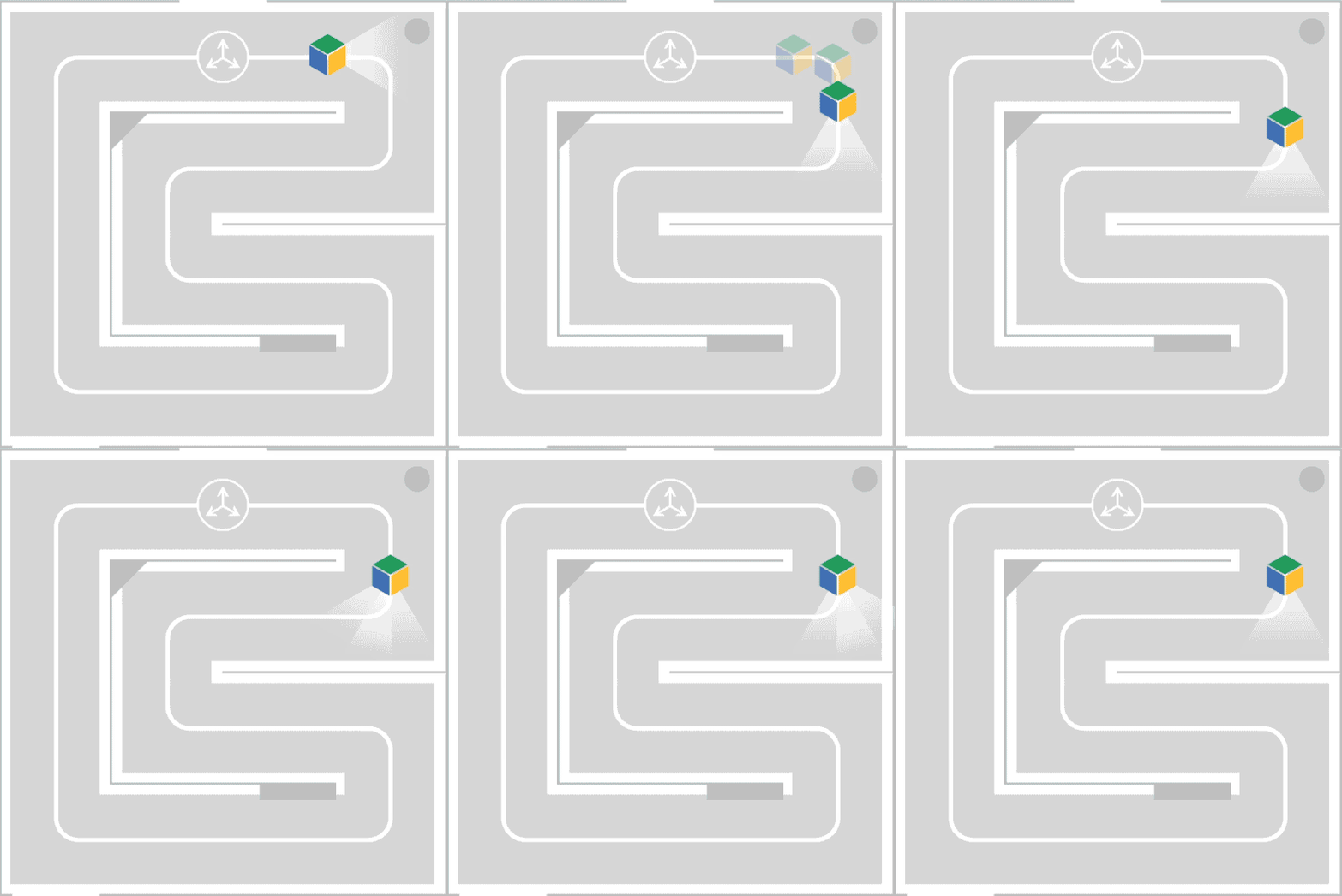
All modern smartphones have an accelerometer and a gyroscope that allow you to determine a change in the position of the device, but they are extremely inaccurate and it is problematic to determine the absolute position of the device with their help .
Depth perception
Due to the presence of special sensors - an infrared camera and an infrared laser projecting a two-dimensional grid onto the space in front of the device, Tango can receive a point cloud, that is, a three-dimensional picture of the space in front of the device.
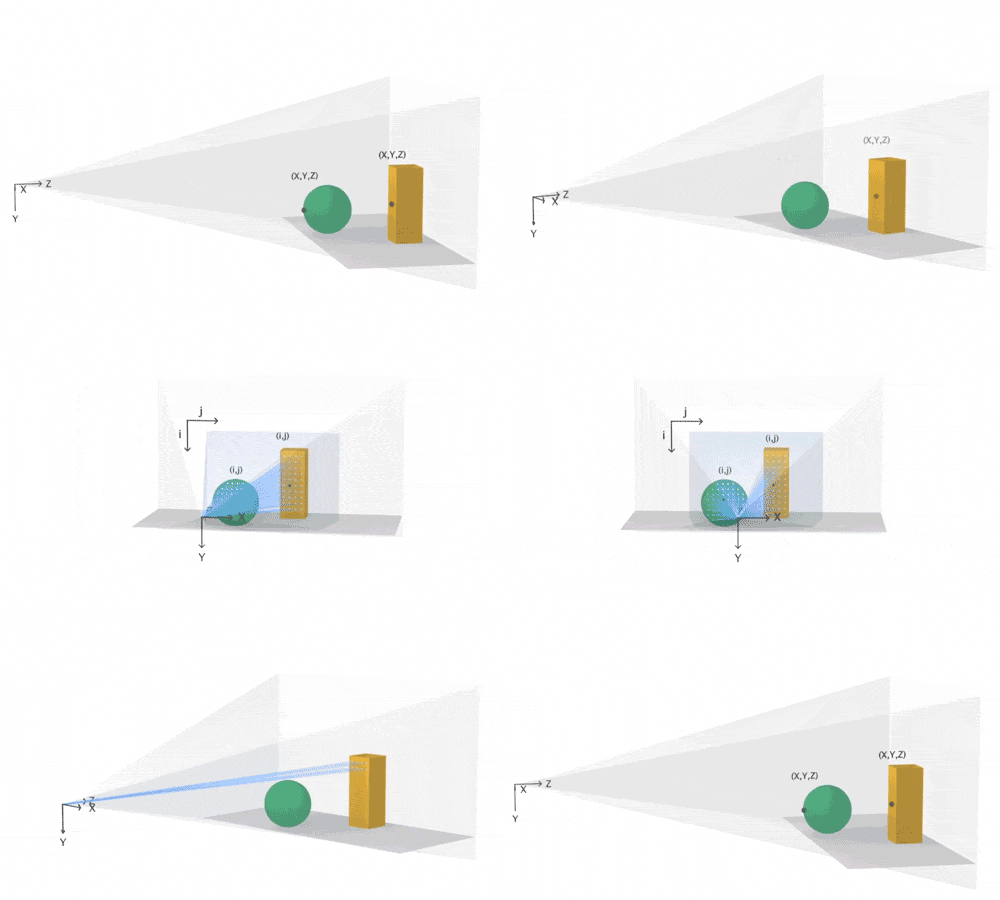
Area learning
By combining motion tracking, depth perception and adding black algorithmic magic that real-time combines the point cloud in the manner of a panorama, we get the opportunity to build a complete model of the surrounding space in the device’s memory and then accurately determine its position inside this model.

In fact, the best way to understand what Tango can do without having a device is to look at existing applications in the Play Market :
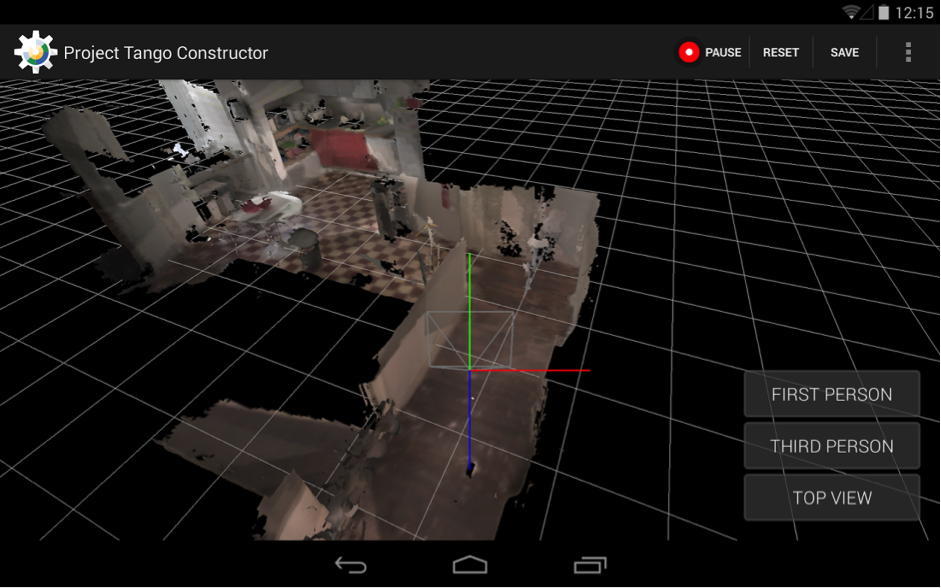

On Monday, I received the long-awaited device. Of course it was discharged to zero. I charged up to 100% and turned it on.
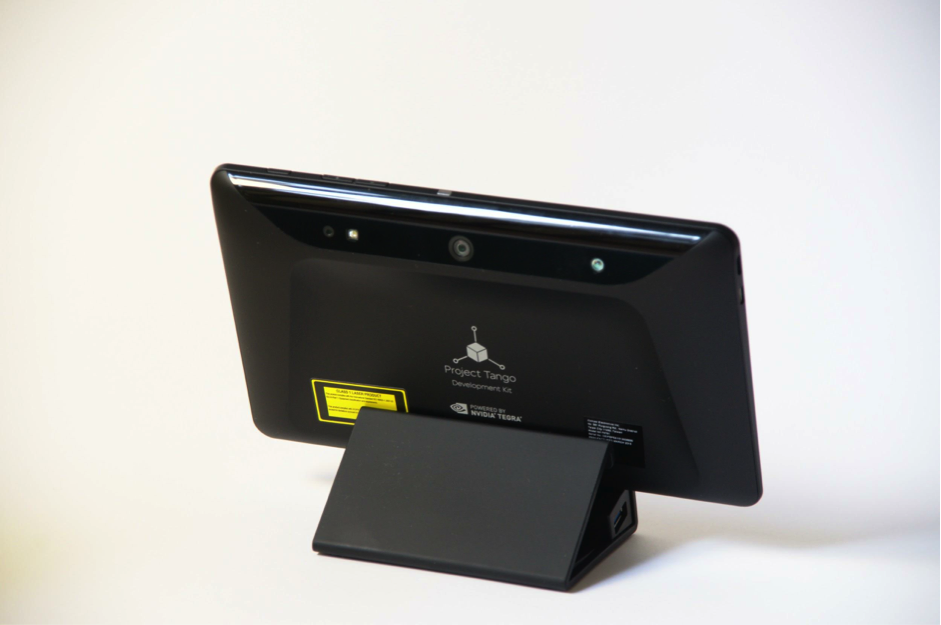
First I tried everything that was already installed on the device, then I downloaded everything on the Play Market in a row. The Tango Constructor caused the greatest enthusiasm, allowing you to scan the surrounding space and save a textured 3D model.
But they played and that's enough - I only have 3 days to make a robot and teach him how to navigate in space.
The first thing is the documentation. At https://developers.google.com/tango/ there is everything you need to start developing for Tango in the shortest possible time. I started by exploring standard examples here .
For my project, I decided not to go deep into Area Learning, but simply analyze Point Cloud in real time. Of course, the first option would be much more interesting, but I was afraid not to meet the deadline.
For the “carcass” of the robot, I took an Arduino Mega with a Motor Shield and two motors. Arduino programmed so that she listened and executed the commands coming on the serial port (which is emulated on USB). The platform was cut out of 3mm plywood with a laser, in itself - exciting.
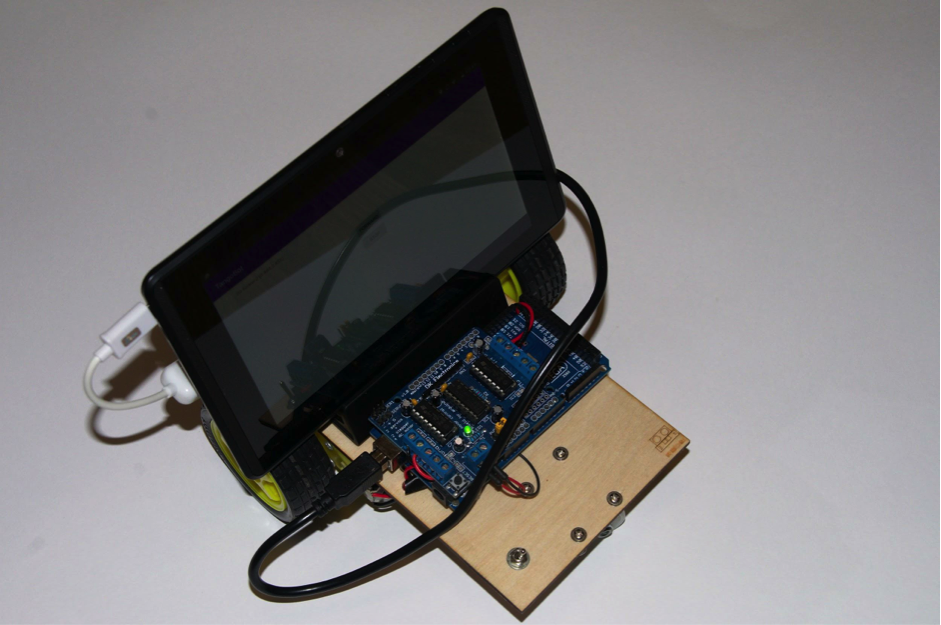
Sketch for arduinki can be taken here . The Tango device itself carries Android 4.4 on board, so the control program will be an Android application. To communicate with Arduino, I used the usb-serial-for-andoid library .
The protocol of communication with Arduino was chosen by the simplest one - only 5 single-byte commands:
In the Tango configuration, I specify that I need a point cloud “KEY_BOOLEAN_DEPTH”:
Tango returns a point cloud as a one-dimensional array of floating point numbers. The first in a row (and zero in the index) array element is the x coordinate of the first point, the second is at the first point, the third is the z coordinate of the first point. The fourth element is the x coordinate for the second point already. Well and so on.
I am not good at robotics and geometry, so the algorithm for analyzing the depth map is sucked out of my finger. Ahem, well, that is, deduced empirically.
To the obstacle, I attribute points falling into the parabolic region in front of the device, given by the quadratic formula:
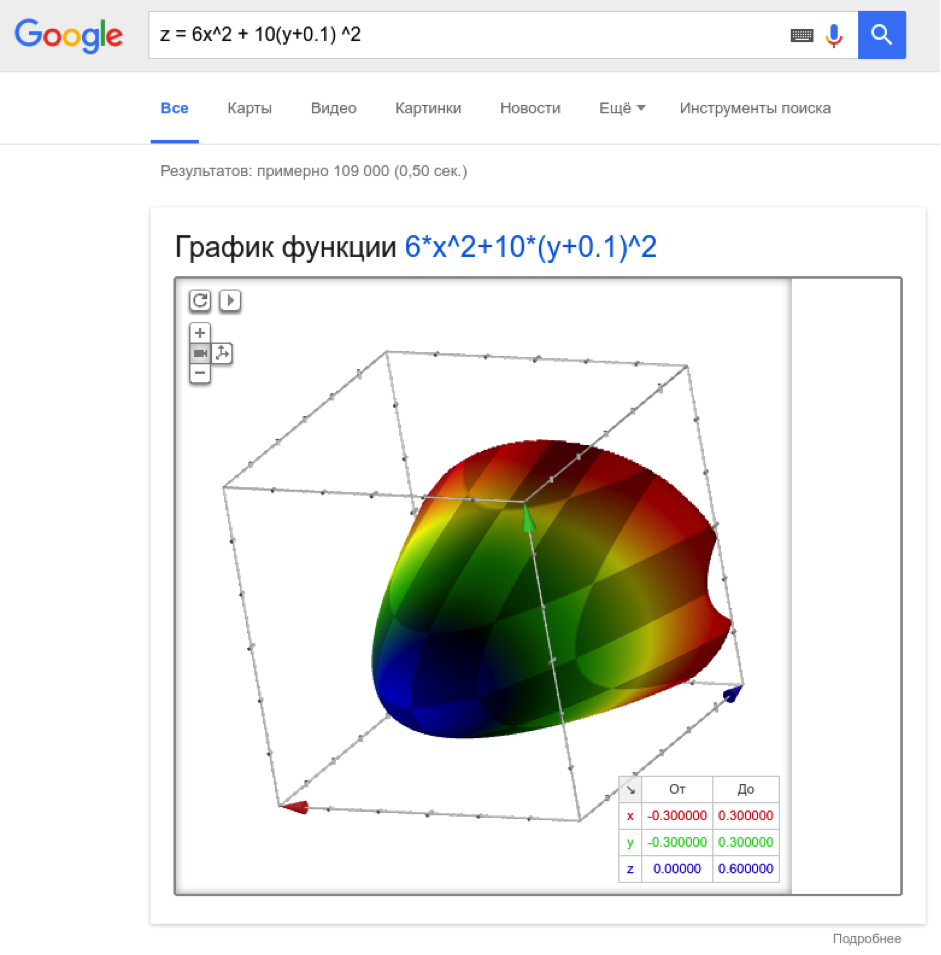
The coefficients are selected so that the parabola is extended in depth and in breadth (in y), slightly shifted down (by 10 cm).
And at the same time, these points should be closer than 50 cm. If there are at least five of these points, and we see them two “frames” in a row (trying to avoid false positives), then we turn the robot to the left. A simple algorithm, but it works well for spaces complex configuration (for example, in the office).
To be able to control the robot remotely, I added Firebase support to the project and when I change the stateString parameter on the server, I send the corresponding Arduino command.
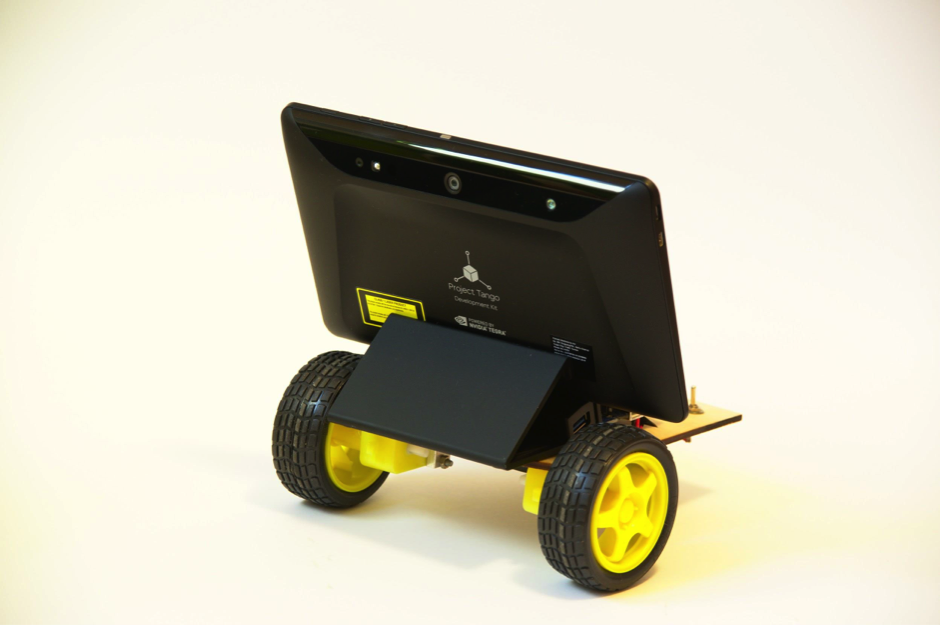
The robot rides, dodges walls and furniture, is controlled remotely, which makes me very happy.
This is how he rides:
I was pleased with the simplicity of the development - it took me two days to use the software, even though I was not an Android or even a Java developer - I was wasting time on the war with gradle and did not understand why it is impossible to iterate through an iterator.
So I can say that the future has come - the threshold for entering the development of Tango-based products is extremely low. The Tango SDK is very simple and logical; ordinary user devices with Tango support are already appearing on the market .
The project can be made more interesting if you use not a point cloud, but a model built using Area Learning. You can try to classify surrounding objects using TensorFlow, since 192 Cuda cores on the device allow.
Thank you for your attention and less obstacles on your way!
An article by Sergey Melekhin, as part of the Google Lab Lab contest.
It seemed interesting to me to make a robot that will use Tango to orientate in space and avoid collisions with obstacles.
Three basic features of Tango
Motion tracking
Determination of a change in the position of a device in space.
All modern smartphones have an accelerometer and a gyroscope that allow you to determine a change in the position of the device, but they are extremely inaccurate and it is problematic to determine the absolute position of the device with their help .
Depth perception
Due to the presence of special sensors - an infrared camera and an infrared laser projecting a two-dimensional grid onto the space in front of the device, Tango can receive a point cloud, that is, a three-dimensional picture of the space in front of the device.
Area learning
By combining motion tracking, depth perception and adding black algorithmic magic that real-time combines the point cloud in the manner of a panorama, we get the opportunity to build a complete model of the surrounding space in the device’s memory and then accurately determine its position inside this model.
Main applications
- Augmented reality (virtual objects really “stick” to real surfaces, rather than hovering over them or plunging inside, as happens without Tango)
- Accurate indoor navigation
- Games
- Room Mapping
- Creation of 3D models (still pretty rough, but still)
In fact, the best way to understand what Tango can do without having a device is to look at existing applications in the Play Market :
Tangobot
On Monday, I received the long-awaited device. Of course it was discharged to zero. I charged up to 100% and turned it on.
First I tried everything that was already installed on the device, then I downloaded everything on the Play Market in a row. The Tango Constructor caused the greatest enthusiasm, allowing you to scan the surrounding space and save a textured 3D model.
But they played and that's enough - I only have 3 days to make a robot and teach him how to navigate in space.
The first thing is the documentation. At https://developers.google.com/tango/ there is everything you need to start developing for Tango in the shortest possible time. I started by exploring standard examples here .
For my project, I decided not to go deep into Area Learning, but simply analyze Point Cloud in real time. Of course, the first option would be much more interesting, but I was afraid not to meet the deadline.
For the “carcass” of the robot, I took an Arduino Mega with a Motor Shield and two motors. Arduino programmed so that she listened and executed the commands coming on the serial port (which is emulated on USB). The platform was cut out of 3mm plywood with a laser, in itself - exciting.
Sketch for arduinki can be taken here . The Tango device itself carries Android 4.4 on board, so the control program will be an Android application. To communicate with Arduino, I used the usb-serial-for-andoid library .
The protocol of communication with Arduino was chosen by the simplest one - only 5 single-byte commands:
- F - go forward
- B - go back
- L - turn left
- R - turn right
- S - stop
In the Tango configuration, I specify that I need a point cloud “KEY_BOOLEAN_DEPTH”:
private TangoConfig setupTangoConfig(Tango tango) {
   // Create a new Tango Configuration and enable the Depth Sensing API.
   TangoConfig config = new TangoConfig();
   config = tango.getConfig(config.CONFIG_TYPE_DEFAULT);
   config.putBoolean(TangoConfig.KEY_BOOLEAN_DEPTH, true);
   return config;
}
Tango returns a point cloud as a one-dimensional array of floating point numbers. The first in a row (and zero in the index) array element is the x coordinate of the first point, the second is at the first point, the third is the z coordinate of the first point. The fourth element is the x coordinate for the second point already. Well and so on.
I am not good at robotics and geometry, so the algorithm for analyzing the depth map is sucked out of my finger. Ahem, well, that is, deduced empirically.
To the obstacle, I attribute points falling into the parabolic region in front of the device, given by the quadratic formula:
The coefficients are selected so that the parabola is extended in depth and in breadth (in y), slightly shifted down (by 10 cm).
And at the same time, these points should be closer than 50 cm. If there are at least five of these points, and we see them two “frames” in a row (trying to avoid false positives), then we turn the robot to the left. A simple algorithm, but it works well for spaces complex configuration (for example, in the office).
To be able to control the robot remotely, I added Firebase support to the project and when I change the stateString parameter on the server, I send the corresponding Arduino command.
The robot rides, dodges walls and furniture, is controlled remotely, which makes me very happy.
This is how he rides:
I was pleased with the simplicity of the development - it took me two days to use the software, even though I was not an Android or even a Java developer - I was wasting time on the war with gradle and did not understand why it is impossible to iterate through an iterator.
So I can say that the future has come - the threshold for entering the development of Tango-based products is extremely low. The Tango SDK is very simple and logical; ordinary user devices with Tango support are already appearing on the market .
The project can be made more interesting if you use not a point cloud, but a model built using Area Learning. You can try to classify surrounding objects using TensorFlow, since 192 Cuda cores on the device allow.
Thank you for your attention and less obstacles on your way!
Source code
- Program source code
- Source code for the “remote control”
- Sketch for Arduino









