 July 14, 2016 at 14:05
Pastilda - open hardware password manager
A lot of notes and discussions are devoted to the difficult issue of safe password storage, the topic is interesting and seems to be relevant for a long time to come. There are various software solutions for storing passwords, they are often written about on Habré (for example, here and here ), however, many of them, as it seems to us, have the following disadvantages to one degree or another:
- closed code reduces trust and the likelihood of promptly fixing vulnerabilities
- for autocompletion you need to install additional software
- after entering the master password, the entire database is open and accessible, including for malware, which is especially true on untrusted devices
- the use of mobile applications for storing passwords still implies manual keyboard input, for example, when you need to log in to a desktop PC
- auto-completion is not possible in some cases (in bios, console)
We came to the conclusion that the most convenient solution would be a simple and inexpensive device that allows you to store and enter logins / passwords on any device in hardware without installing any software. To begin with, we, of course, read the entire Internet to understand who else came up with the idea of storing and entering passwords in hardware, and how it was implemented. The options found can be divided into the following categories:
- encrypted drives, in fact, are just flash drives with a password (for example, one ). Documents can be stored securely, but automatic password entry is out of the question
- devices with biometric identification ( example ). Biometric identification looks attractive, but it is less universal than a character password (for example, if you need to remotely provide someone access to the device, fingerprint transmission will become a real problem), in addition, additional sensors increase the cost of the product. In case of compromise, it is difficult to quickly change prints
- software password managers with a hardware token key that gives access to the database ( for example ) have the same drawbacks as program managers without a token key
- devices for entering 1-4 passwords and their generation ( example , example ). The closest solutions. Among the shortcomings, it is worth noting the limited number of stored passwords and also the management of exclusively buttons on the device, which is far from always convenient.
None of the devices found fully matched our idea. We were delighted - and let's think further.
Idea
Not so long ago, for corporate tasks of storing passwords, instead of papers, browsers and biological memory, we began to use KeePass . Quite satisfied with the convenience and versatility of this product, we decided to adapt it for the tasks of hardware password storage by porting it to the microcontroller.
However, a huge number of questions remained. How to select the desired entry in the database on the device? How to show the user which record is selected? Should I place buttons on the device? Screen? How should it connect to a computer? To the tablet? To the telephone?
They refused the screen right away. If the user has a need to enter a password - most likely, he already has a screen. As for the connection methods, we decided not to consider wireless interfaces, due to their potential vulnerability to interception. For management, we will use a standard keyboard, and to directly enter saved passwords into forms, we will emulate keyboard commands. “Interception” of control will occur when you enter a special key combination. By default, we selected the combination Ctrl + Shift + ~
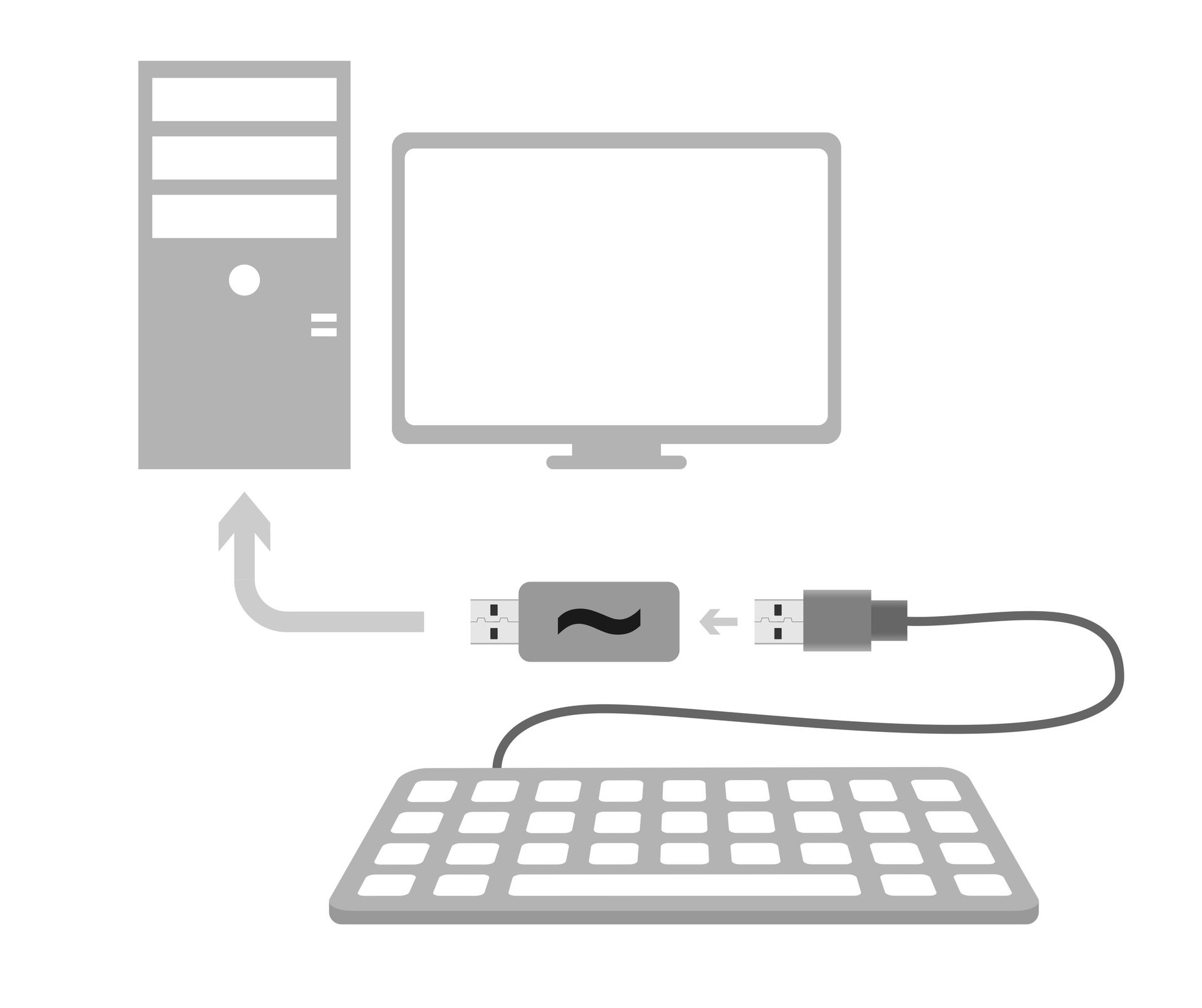
, because it is convenient for pressing and is practically never used. The project is called “Pastilda” (from password, tilda), we associate it with something tasty and sweet, and also helps not to forget the main key combination for working with the device.
Being in passive mode, Pastilda transmits all messages from the keyboard to the PC without changes, waiting for a special combination to be pressed. After entering the combination, the device enters the active mode. If at this moment the cursor is in the text input field - it can be the “Login” field, or any other text field - a single-line text menu appears in it.
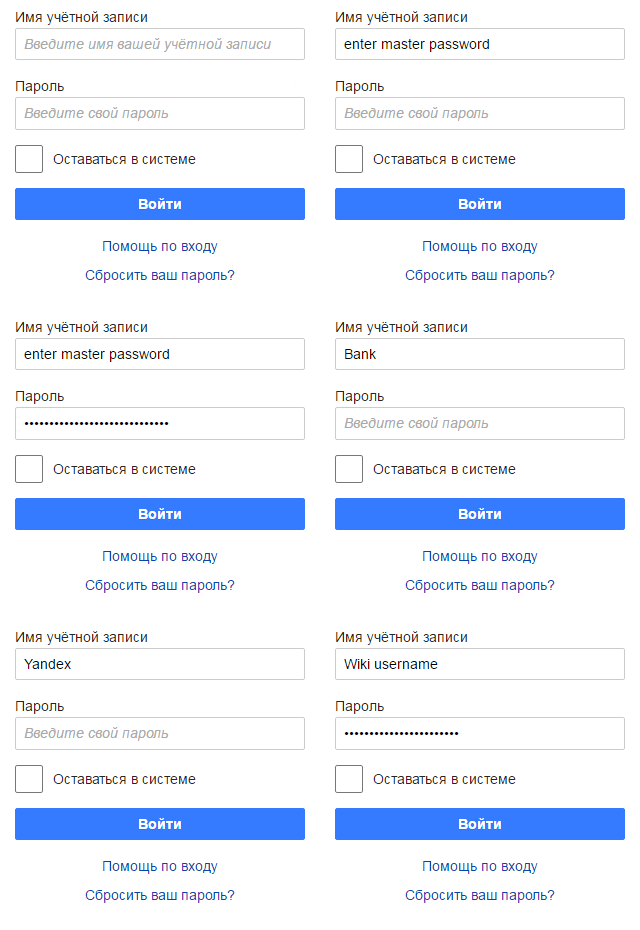
To work with the KeePass database stored in Pastilda's memory, the user enters a master password, and then, using the navigation keys, selects the name of the account he is interested in and presses the enter. Pastilda enters the desired username and password in the appropriate fields. At the same time, the database is decrypted on the device, and the target system does not get access to the master password and to the entire database. Exit from the active mode occurs either automatically, after entering the password, or after pressing the “Shift + Ctrl + ~” combination again. Yes, by the way, you can come up with your own combinations.
Implementation 0.1
As always, I want to implement a lot of things, but decided to start small. Revision 0.1 is designed to test ideas, usability and all kinds of pampering. In the current version, the following minimum functions are planned:
- USB composite device (HID + Mass Storage)
- USB host
- work with one KeePass base
- single line menu
- FAT16.
Scheme

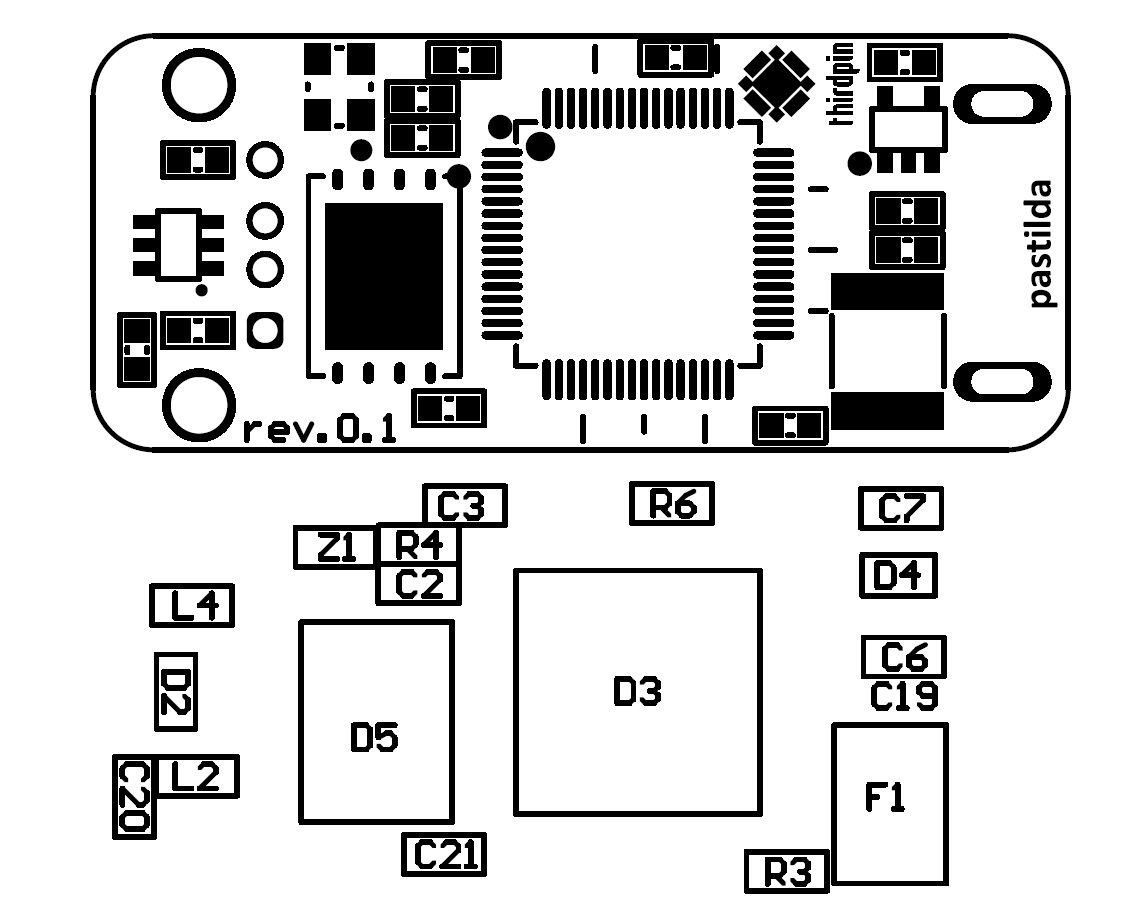
Everything is simple here - the Stm32f405 controller, two connectors and a flash drive on SPI. There is also some protection, a SWD connector and, of course, an RGB LED. The choice of components did not cause any difficulties - we just love STM
Pay
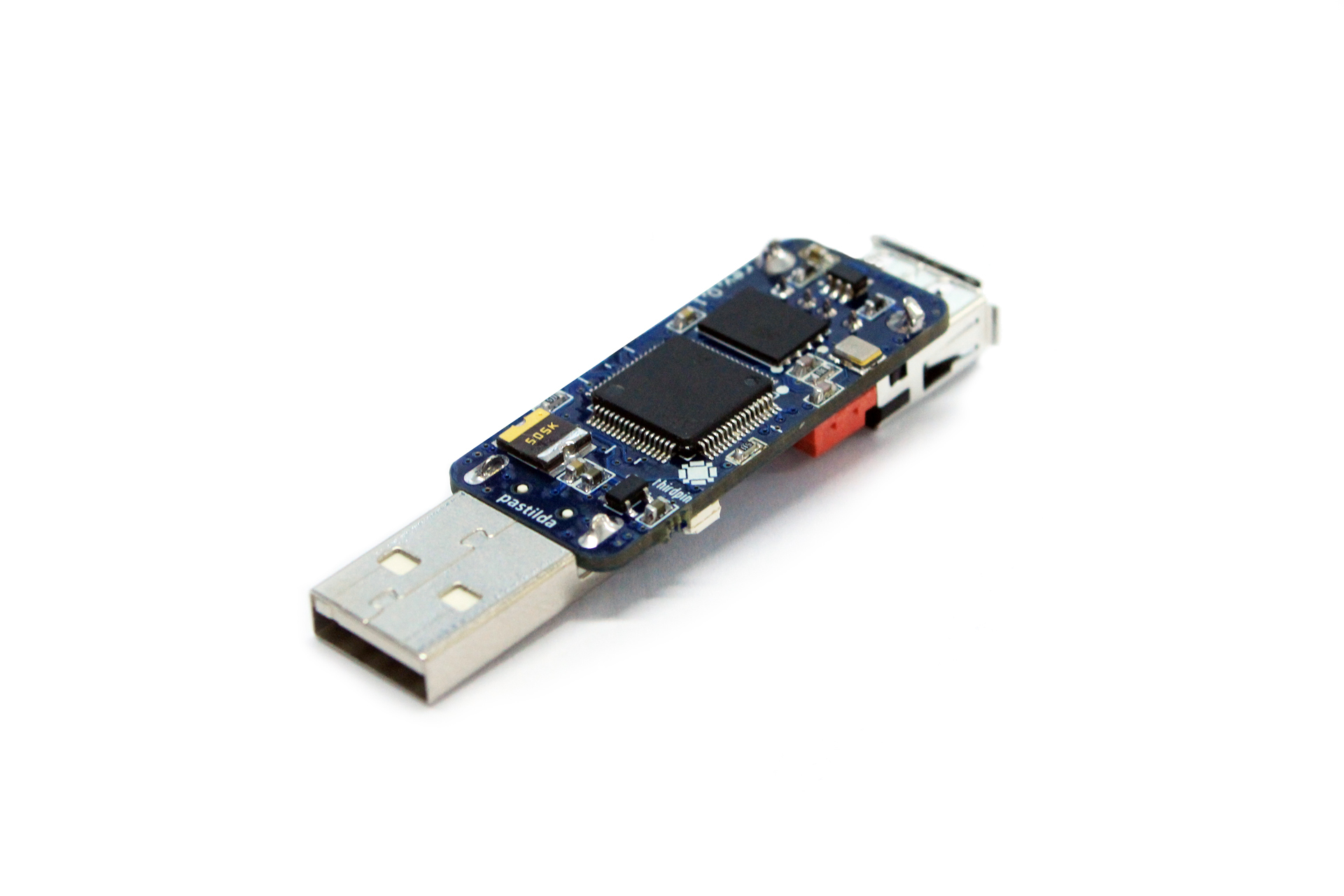
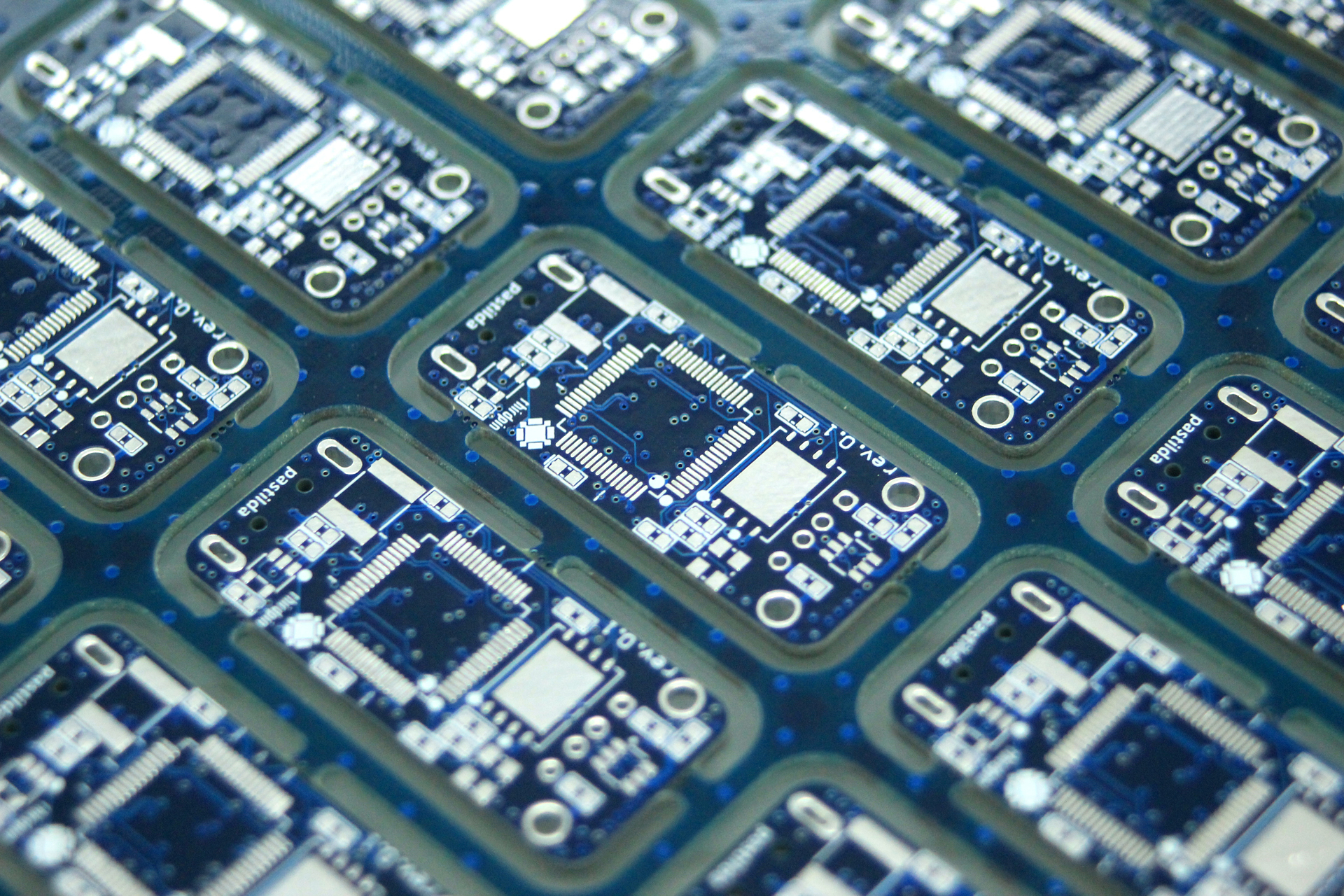
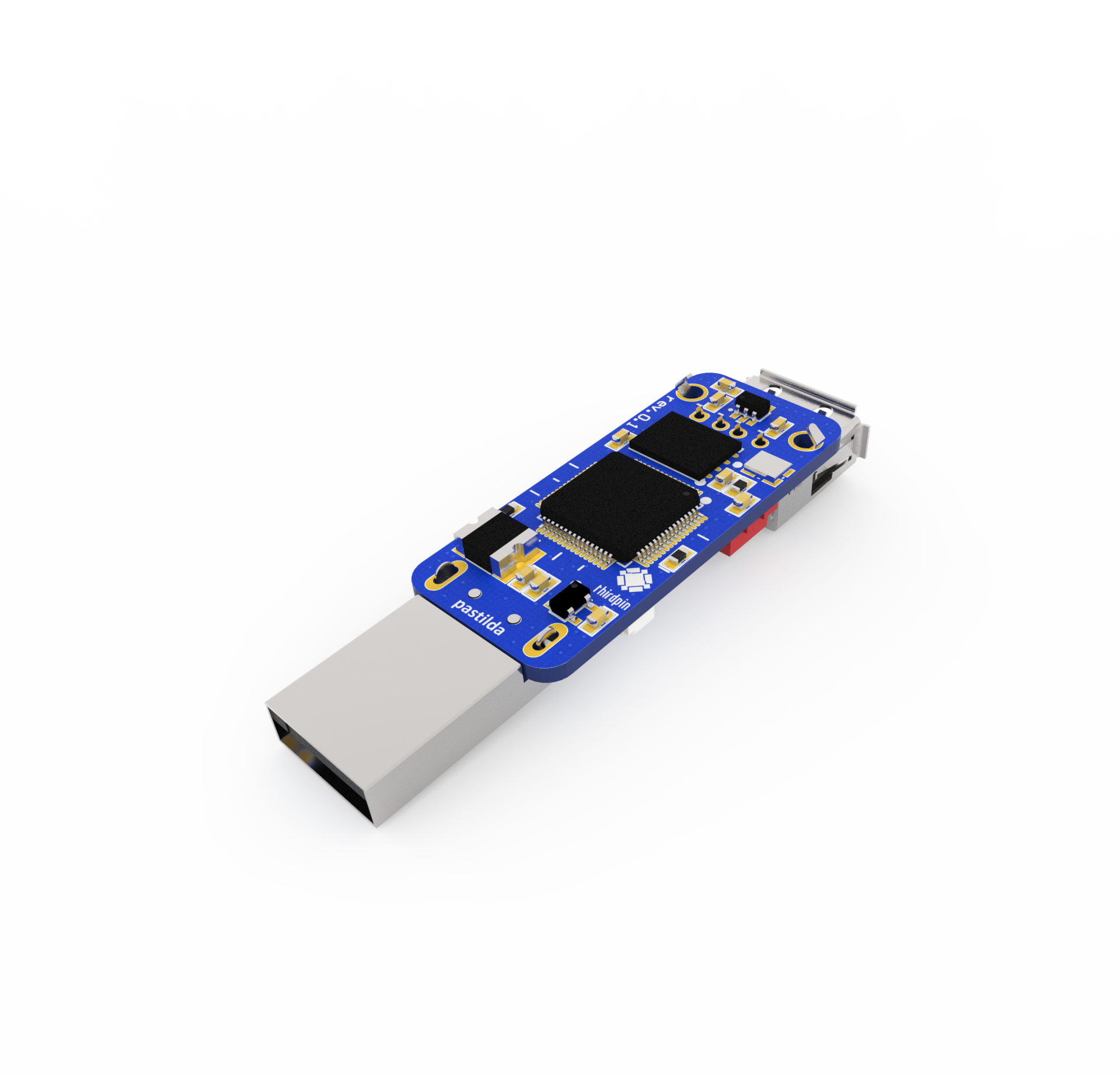
All components in ordinary cases, so that the board is cheap and fast in production. Size 40x17 mm, 4 layers. The current version of the board looks like this:

Software
Currently implemented:
- USB host, in order to recognize the keyboard connected to the device and to forward messages from it further to the PC
- composite USB device (msd + hid): in Pastilda mode, the device should be able to be a keyboard, in addition, always accessible as an external drive, for convenient adding and removing passwords (Along the way, @anaLazareva solved the problem with usb_msc libopencm3.
Waiting for his fate:
- FAT for reading data written to flash memory so that we can walk around directories and take the desired password
- KeePass decryption, work with records
- menu.
Programmers will write about their harsh everyday lives in separate articles.
What's next?
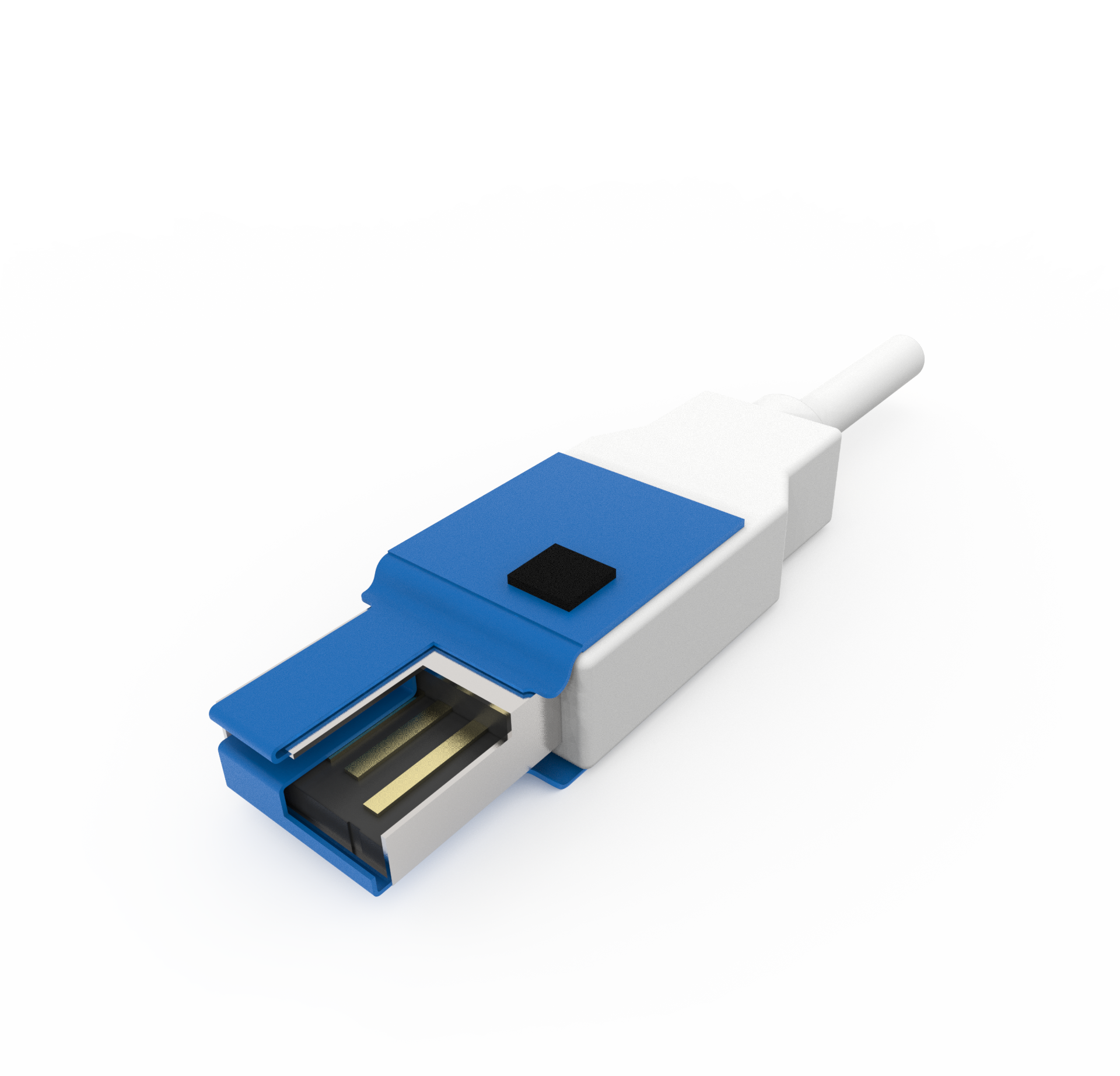
Further more. I would like to implement work with any devices that understand the external keyboard. We have already tested the work of our prototype with an Android smartphone via USB OTG, everything works fine. For the convenience of navigating the menu when using Pastilda with mobile devices, we will make a separate USB-module with a wheel-button. Another idea is a small flex-rigid printed circuit board that plugs directly into the USB connector, ending up between the host and device pins. A hard piece of the board with the components is glued to the body of the device plug. Thus, the device will be quite difficult to detect. However, why should we? Just an idea.

The built-in memory of Pastilda can be used to store data (if speed is not particularly important), and here the options are possible: just a USB drive, which is always visible when the device is connected, or an encrypted drive. KeePass databases, key files, etc. supposed to be stored in this space.
Open all
The code is posted on github , along with hardware. GNU GPL License. Naturally, you can cut something of your own on the basis of this project, we came up with the following ideas:
- game cheat emulation kbd + mouse
- streaming hardware encryption USB flash.
The main goal of this article is to hear your opinion, feel free to comment!
UPD 06/27/2017:
- Pastilda project repository moved here . Recently release 1.0 was published.
- The latest news on the project can be viewed here .
- And we finally launched the project site !









