 June 16, 2016 at 17:45
IntelliJ IDEA 2016.2 Public Preview Review
Time flies! Just a month ago, we launched IntelliJ IDEA 2016.2 EAP, and today we are happy to present you the Public Preview. We suggest you make sure that this month was not in vain by reading this post. Impatient can skip it and go immediately to download a preview to try everything yourself. For the rest, I offer a short story about the main improvements.

Debugger
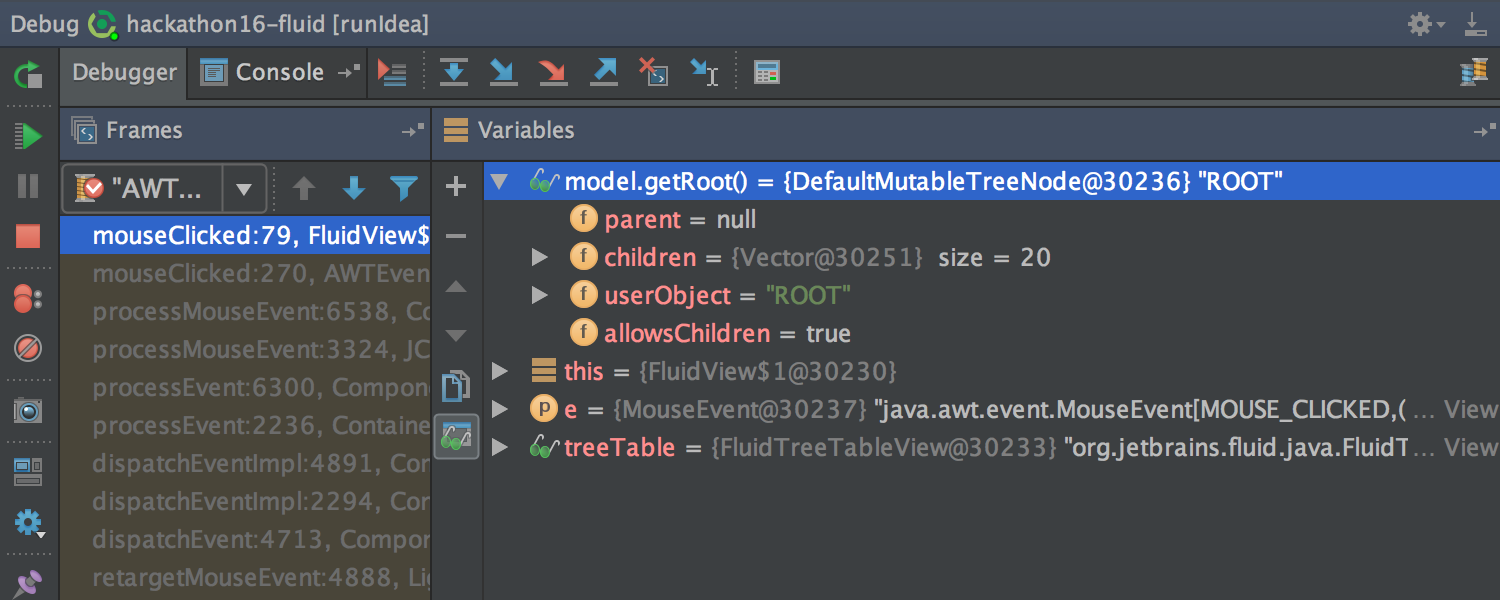
Continuing to fight for space and overall usability, we combined the Watches tab with the Variables tab .
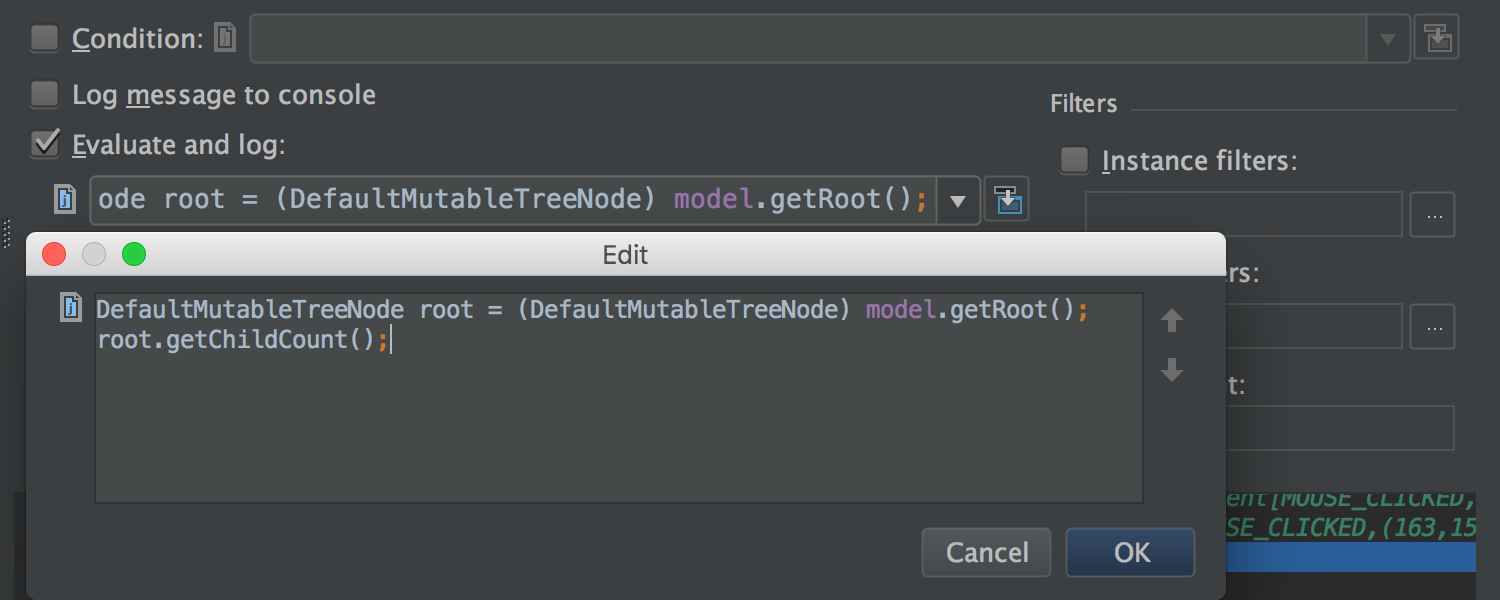
Also now you can use multi-line expressions in setting the breakpoint in the Condition and Evaluate and log fields , and in the Data Type Renderers settingsin the Use following expression field .
Integration with Git and Mercurial
The Log tab for Git and Mercurial has once again undergone a number of changes. Its contents are now updated in the background (both when the project is loaded, and when changes are made to the local repository). Due to this, the tab has become much faster to open.
In addition, a thin progress bar is now displayed under the toolbar during updates and downloads.
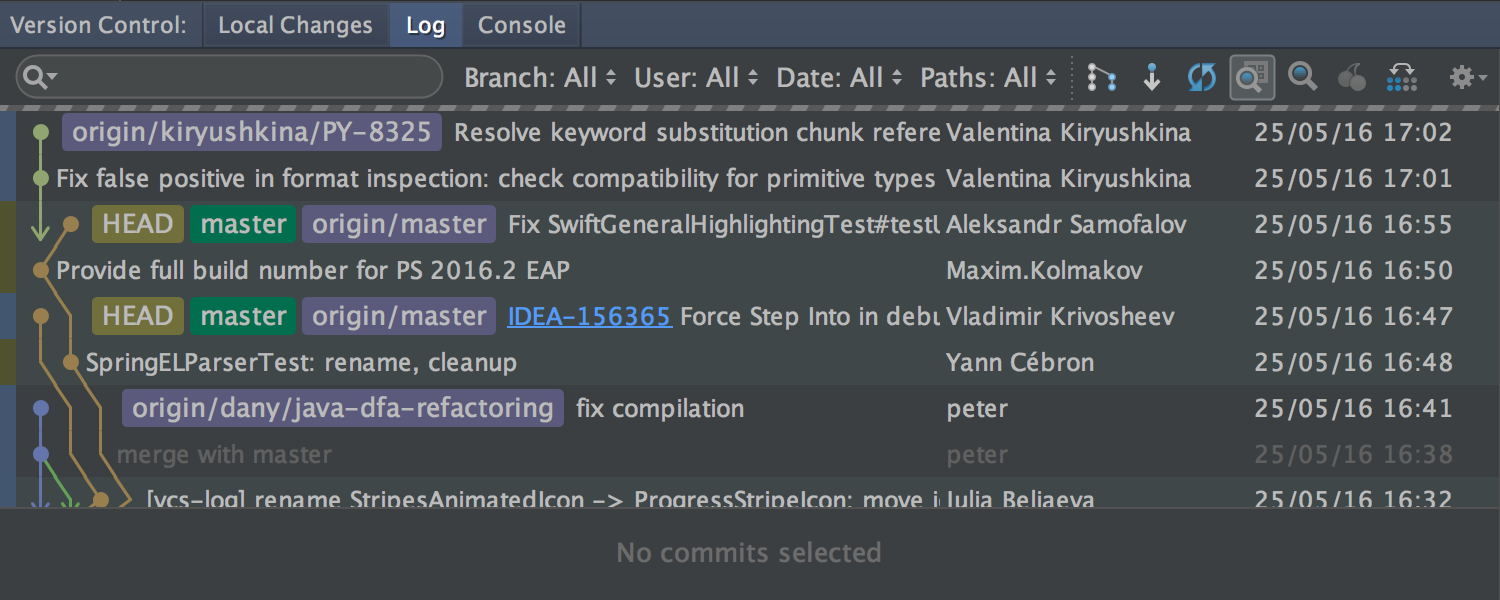
If the search bar is specified in the Filter field , the download indicator also appears at the bottom during scrolling.
Detailed commit information is now shown for several highlighted commits.
Finally, you can set a shortcut to quickly jump to the Filter field .
For Git, we fixed an important issue that Windows and OS X users are likely to encounter : renaming files where only the case of characters is changed.
Working with patches
If you copy a patch to the clipboard and switch to the IDE (or drag the patch into the IDE window with the mouse), you will be automatically offered to apply this patch.
In addition, the application of the patch was greatly simplified in cases where it does not contain information about the revision, and the original file was moved, renamed, or changed. In the simplest cases, the IDE will try to independently determine the original file, in complex cases, it will prompt you to specify it. Also, if the contents of the file have changed, the IDE will help combine these changes with the patch.
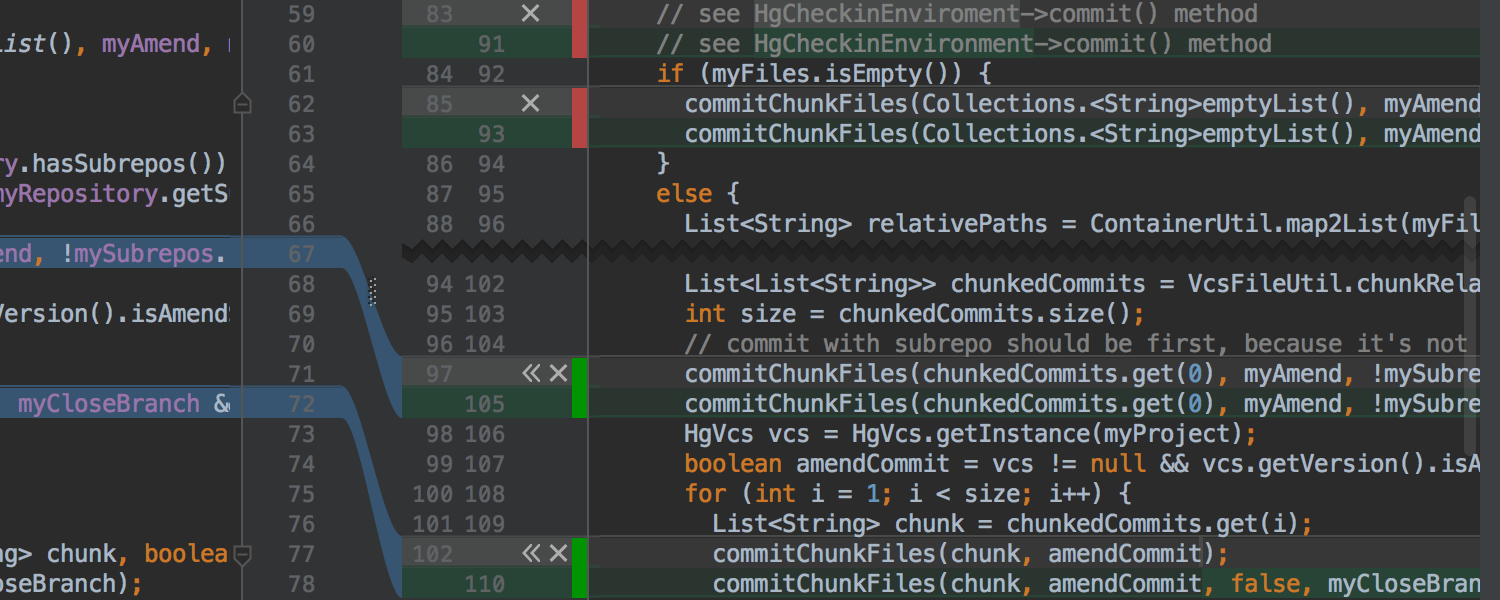
And finally, before applying the patch, you can now simply compare it with the local copy ( Show Diff button ) and, if necessary, make changes to the local version manually during the comparison.
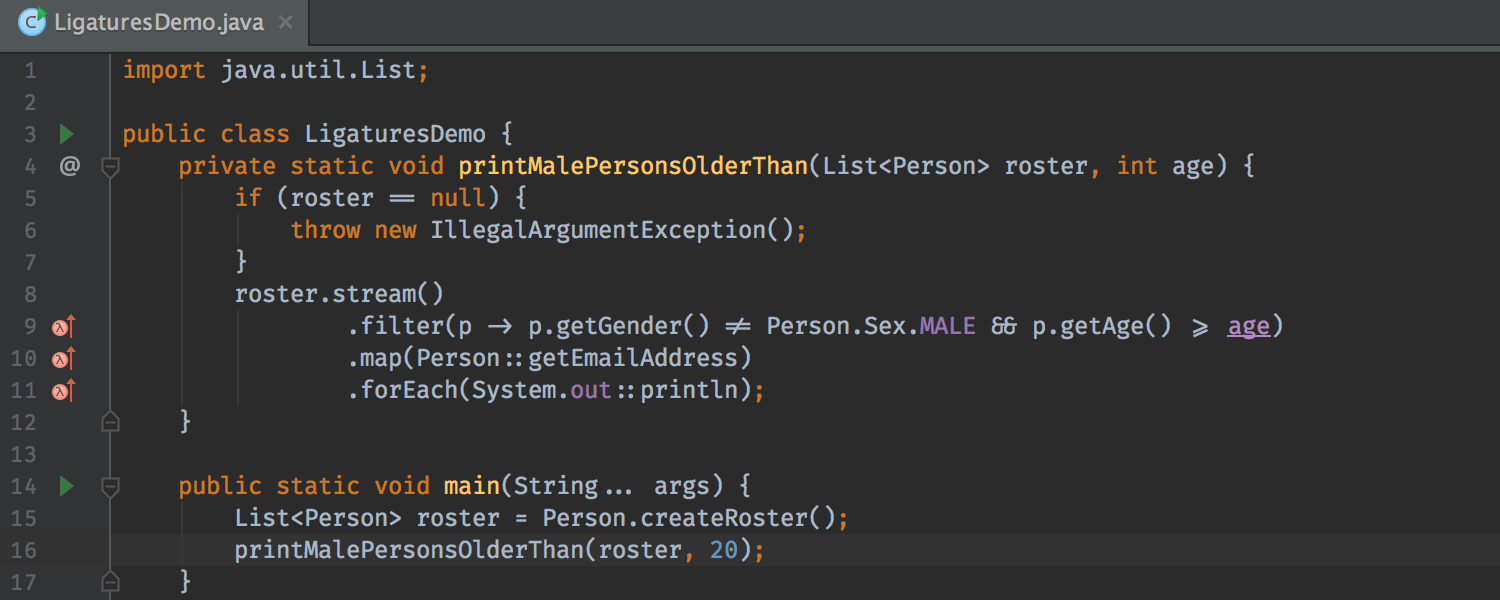
Editor The
editor now supports fonts with ligatures - special characters formed by combining other characters. You can enable the option in Settings → Editor→ Colors & Fonts → Font ( Enable font ligatures checkbox ). Verify that the selected font supports ligatures such as FiraCode , Hasklig , Monoid, or PragmataPro .
Interface
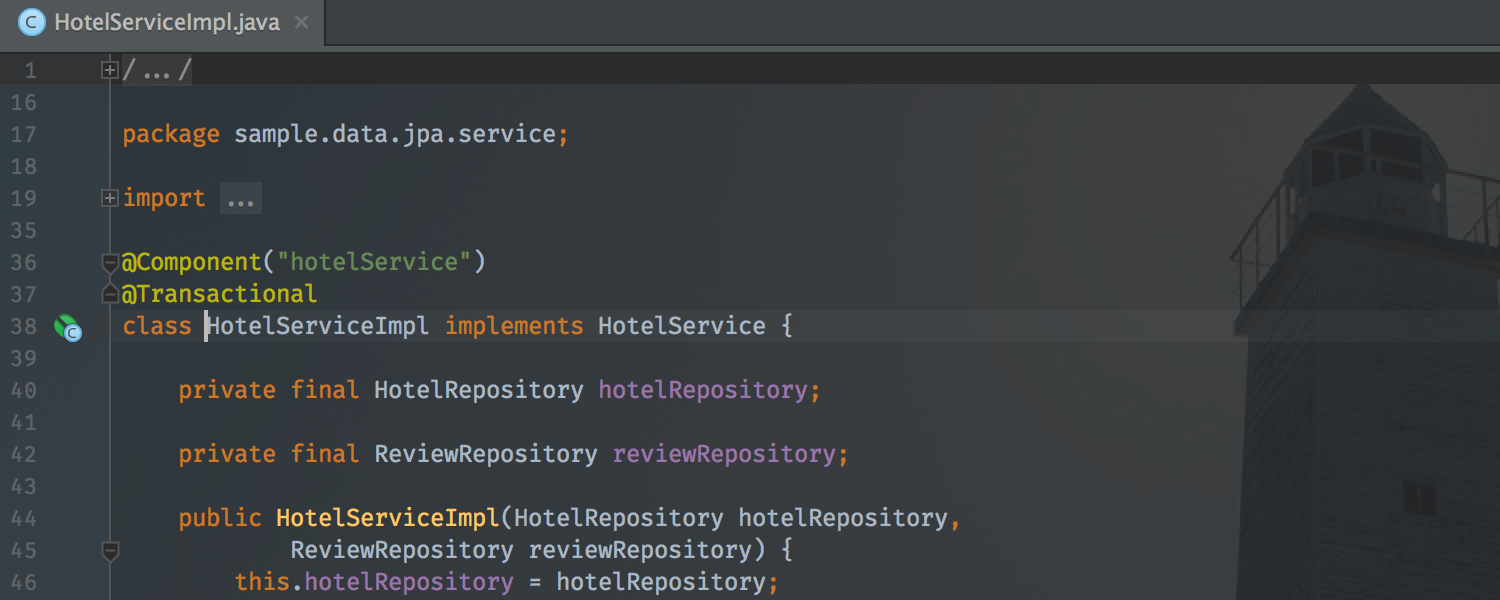
The appearance of the IDE can now be customized for yourself by selecting any image as the background of the editor and the IDE window. Due to the transparency settings, this works great with both dark and light themes.
The image is selected using the Set Background Image action , which is available both from the Find Action and from the context menu on the image file.
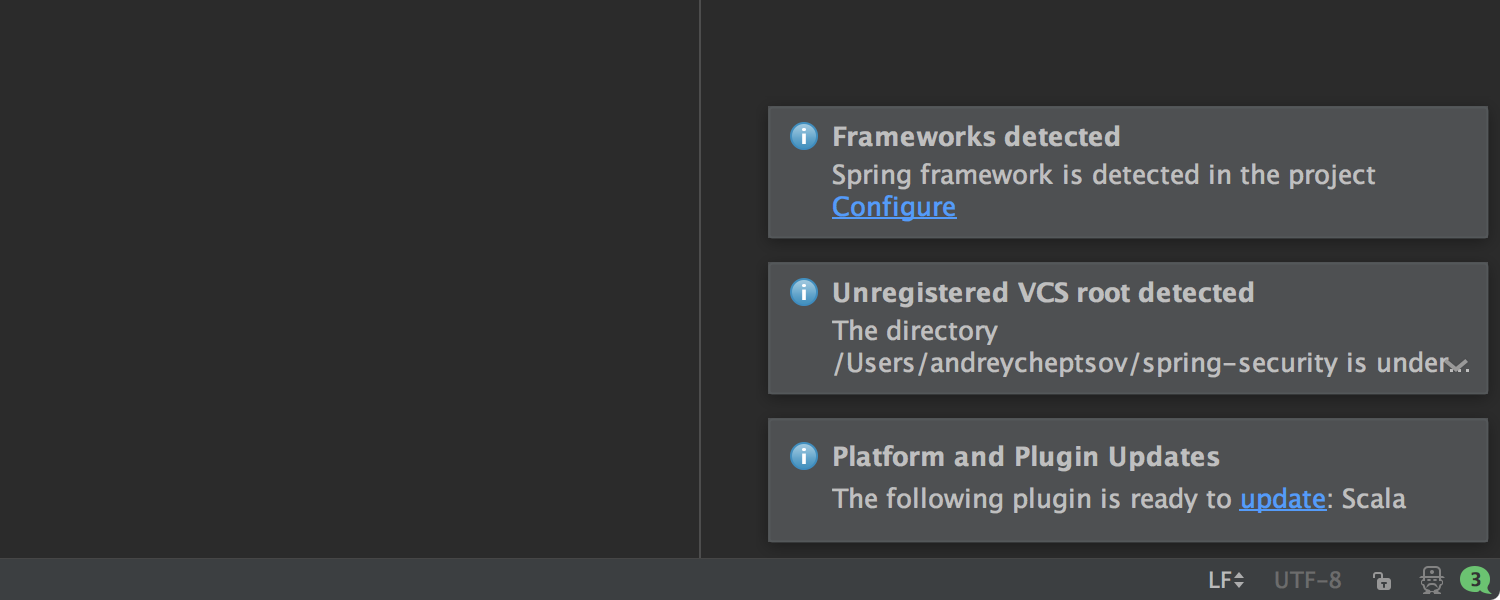
Pop-up notifications have also changed outwardly. Now they are displayed in the lower right corner (closer to the Events tool window ), have a more compact form and are grouped by the type of subsystem.
Spring Framework
Support for the Spring Framework continues to improve.
We have added an inspection that suggests automatically replacing field injection with constructors. They supported the option (added in Spring 4.3 ), which allows the use of parameterized types ( generics ) as classifiers ( qualifiers ). Supported custom EventListener annotations defined using AliasFor .
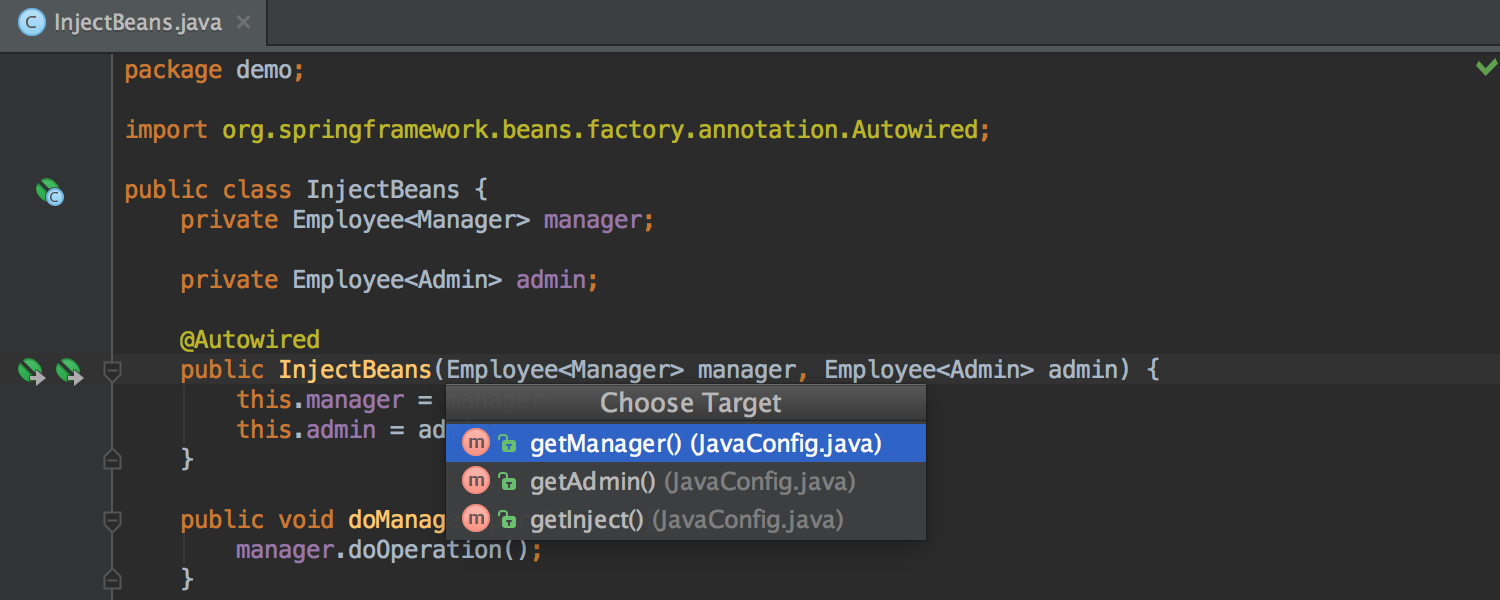
In addition, thorough support for Spring Cache (an abstraction added in Spring 3.0 and completely updated in Spring 4.1 ) is ready . Support includes navigation, inspections, syntax highlighting, auto-completion and navigation when editing SpEl , and much more.
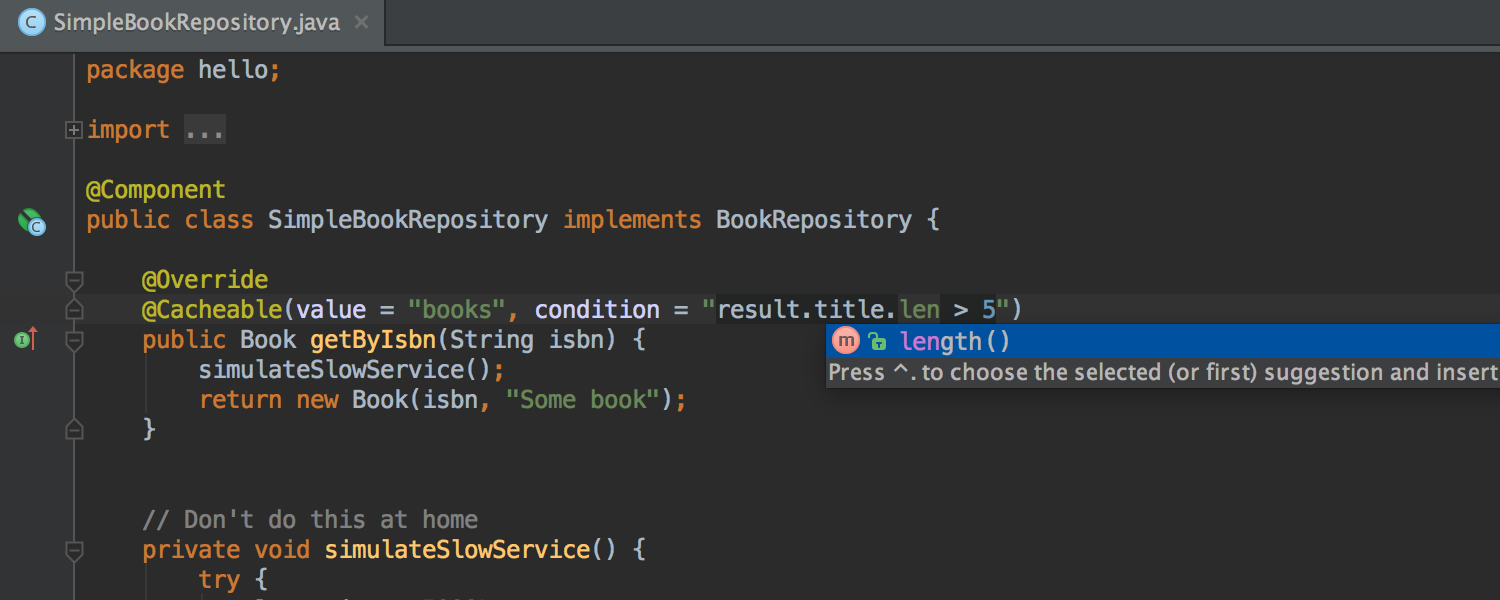
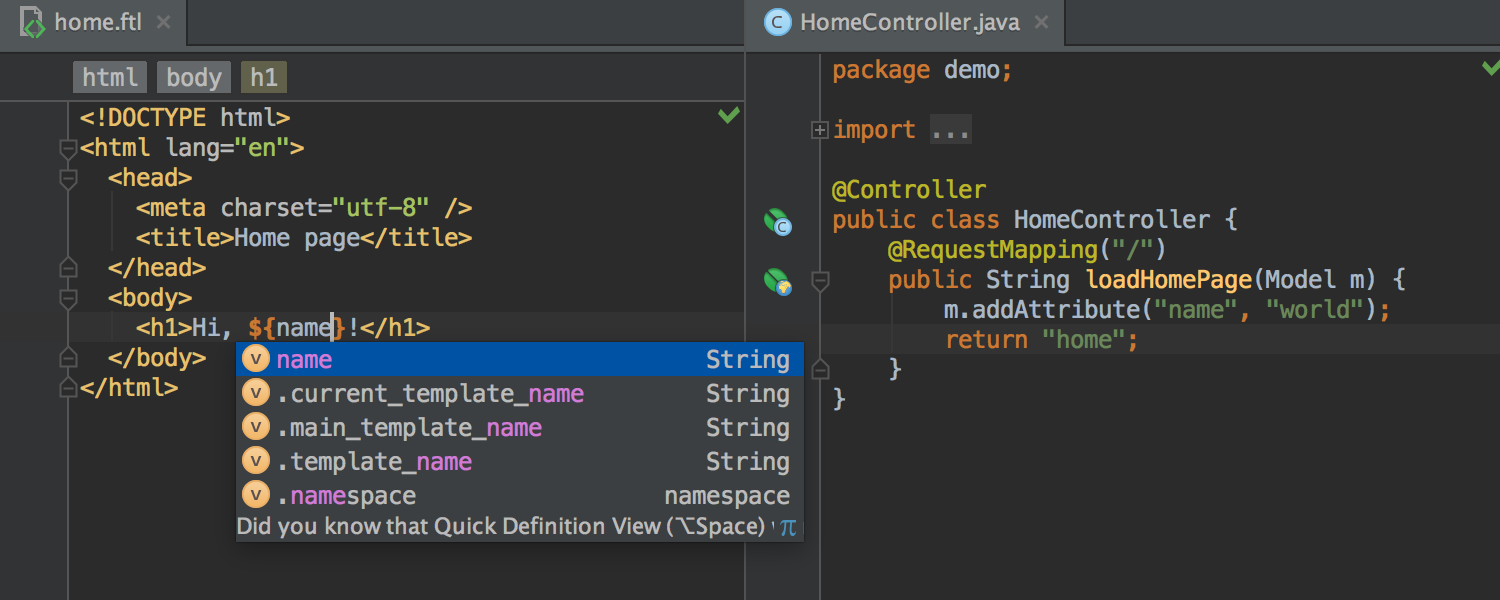
For Spring MVC , autocompletion and navigation for variables declared in the controller appeared in the Freemarker and Velocity templates .
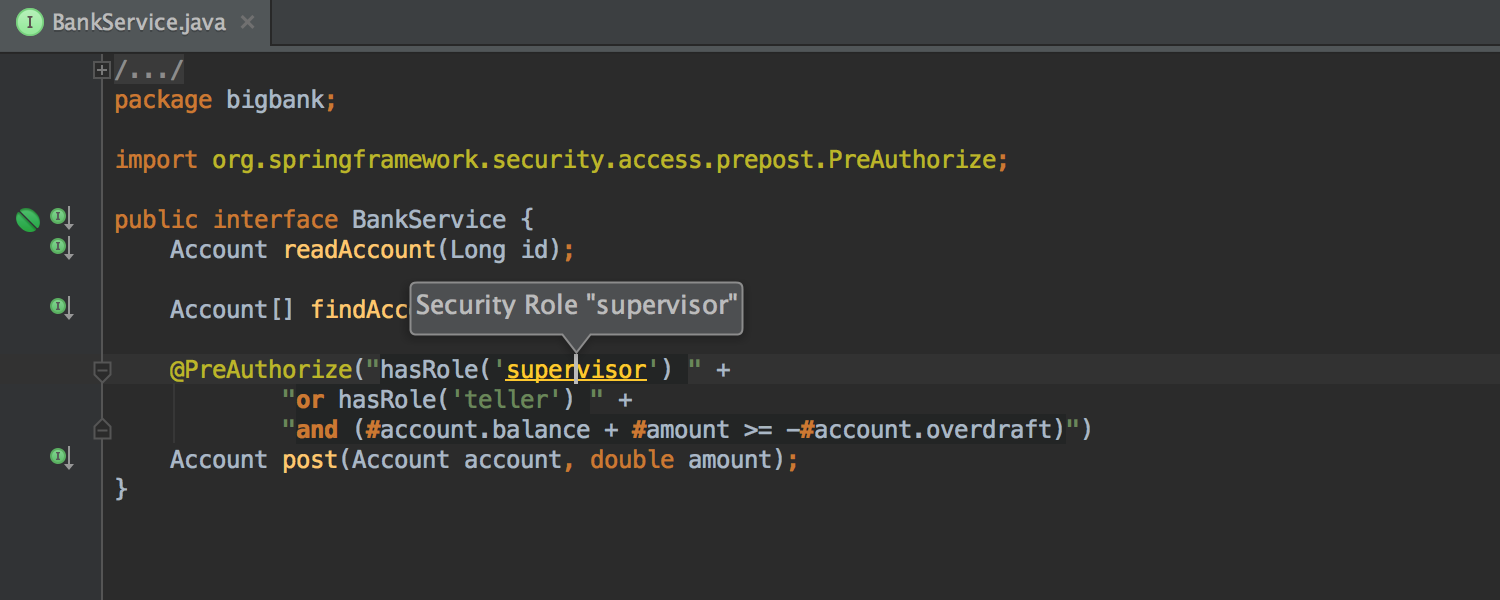
We also supported Spring Security 4.0 changes and added autocompletion and navigation when editing SpEl for both annotations and inside XML .
Plus we added highlighting and navigation for messages from Spring in the console.
JavaScript
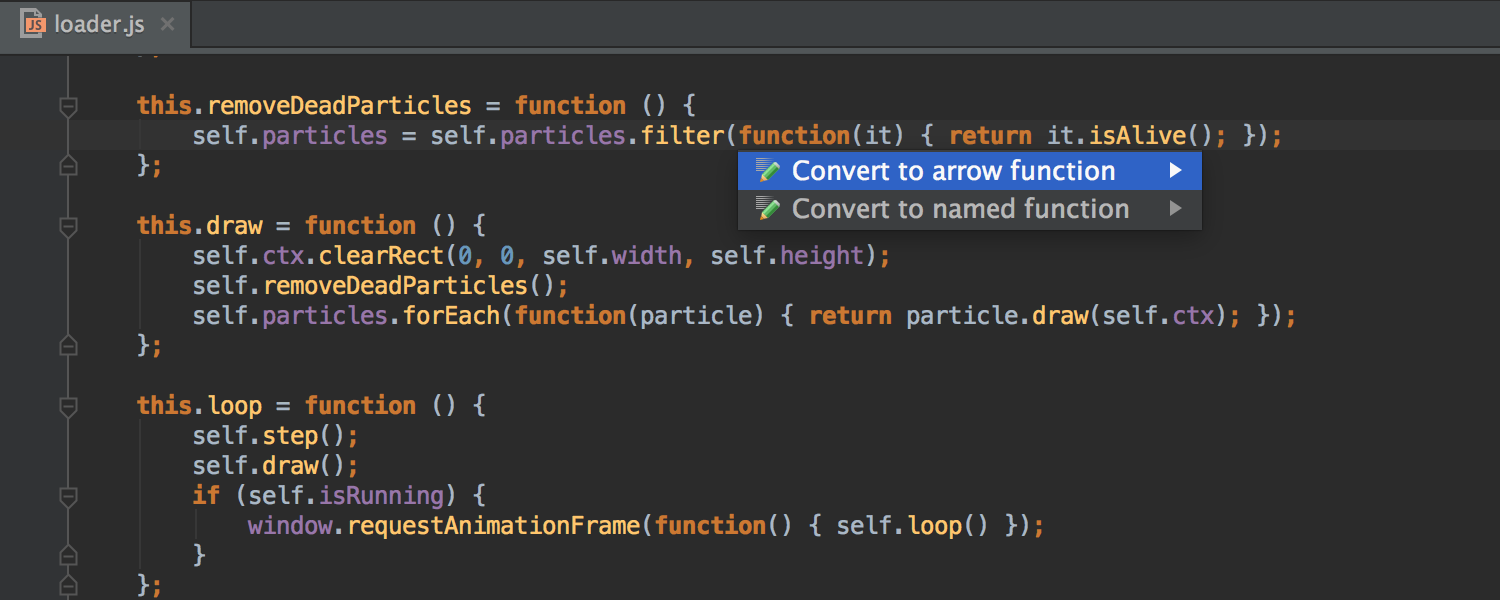
Now the IDE not only helps in writing ES6 code, but also offers to convert the code of older versions of JavaScript into it . The new intention will be able to replace normal anonymous functions with arrow functions and short arrow functions .
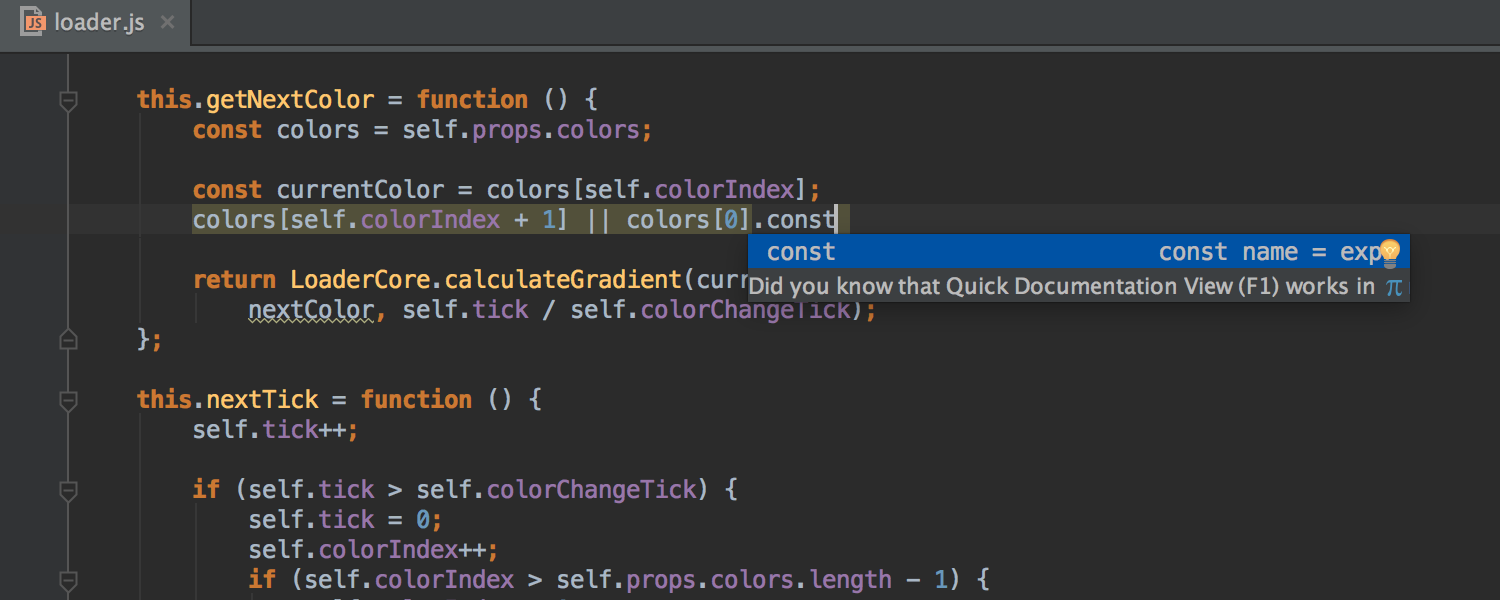
In addition to the postfix auto-completion implemented earlier, we added .const and .let templates .
React
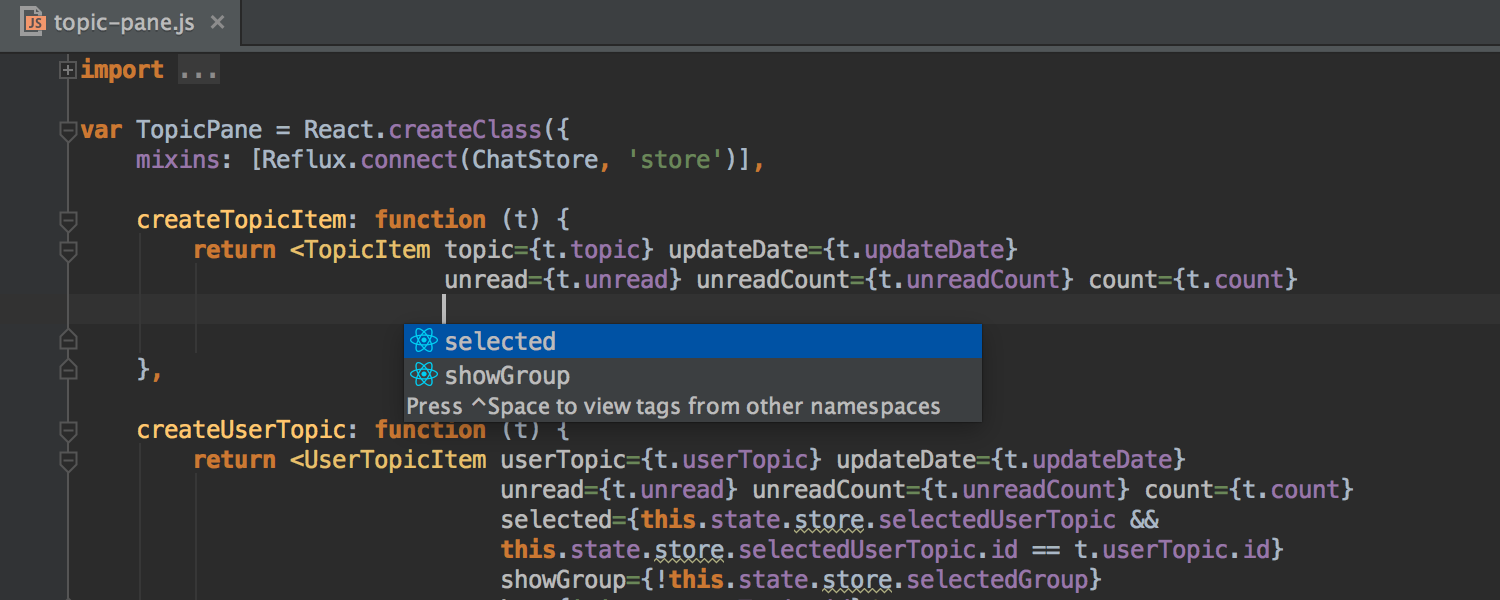
IDE has learned to understand properties ( props) components declared using propTypes and now offers auto-completion and navigation.
Component lifecycle methods (e.g. componentDidMount ) are no longer highlighted as unused.
When you pass event handlers to the component (for example, onClick , onChange ), the IDE puts curly braces instead of quotation marks (as it should).
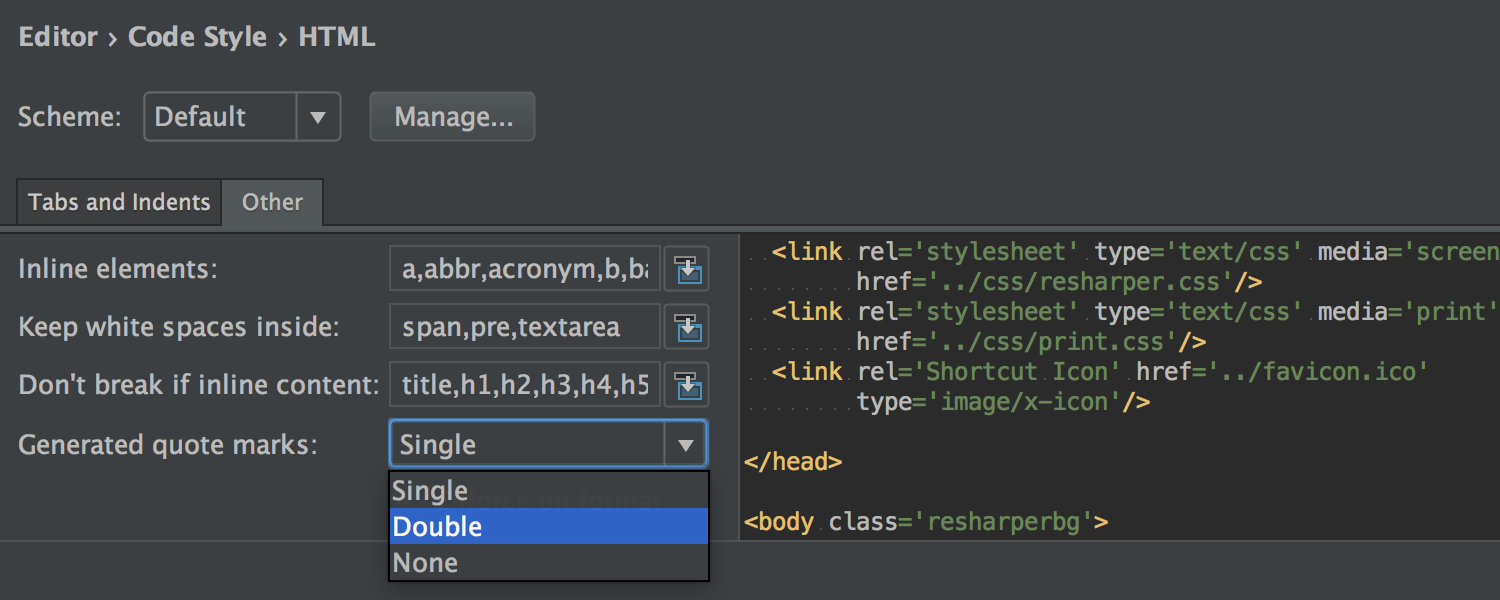
Speaking of quotation marks, now in Settings → Editor → Code Style → HTML → Other → Generated quote marks, you can generally specify what to use: double quotes, single quotes or nothing at all.
Finally, the IDE has learned to understand non-DOM attributes such as key , ref, and dangerouslySetInnerHTML .
AngularJS
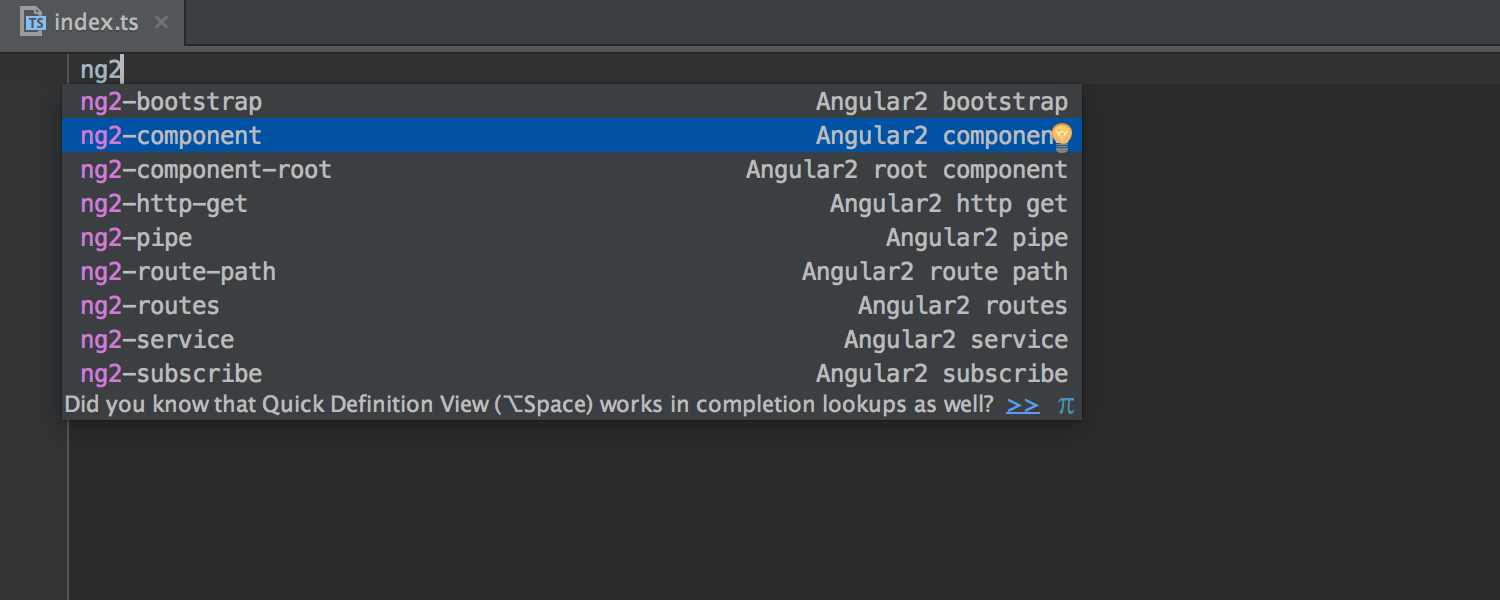
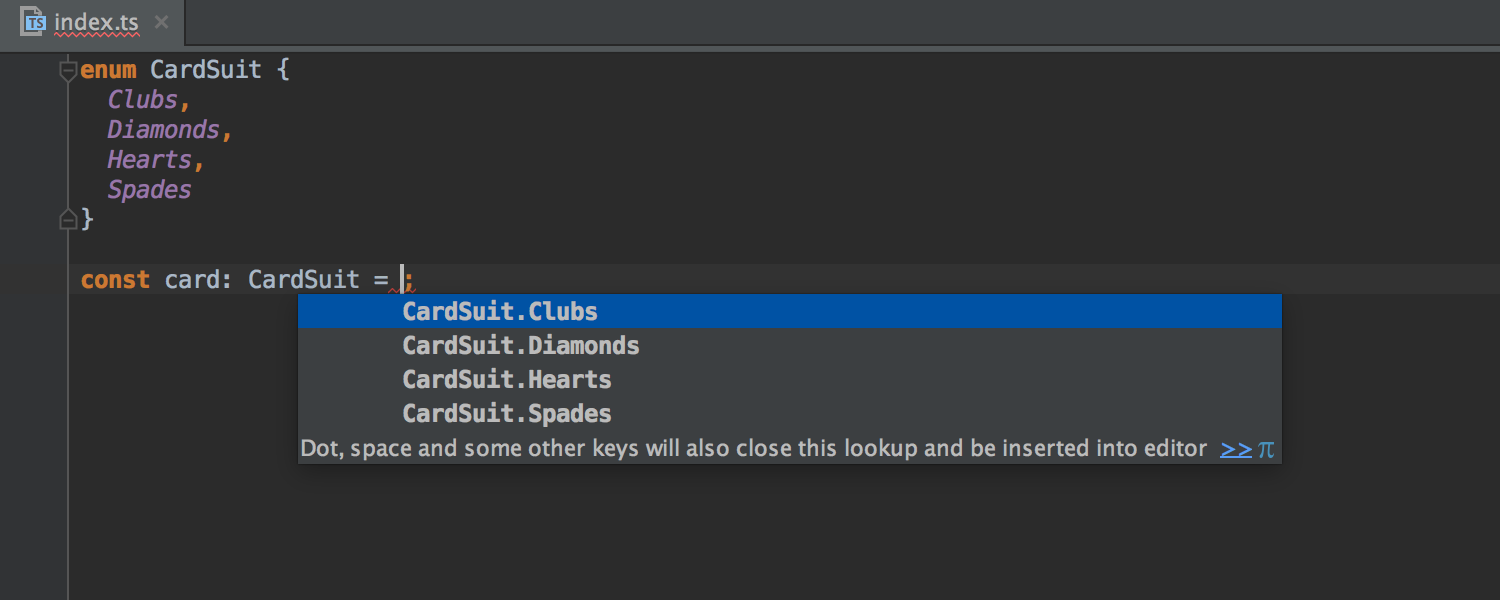
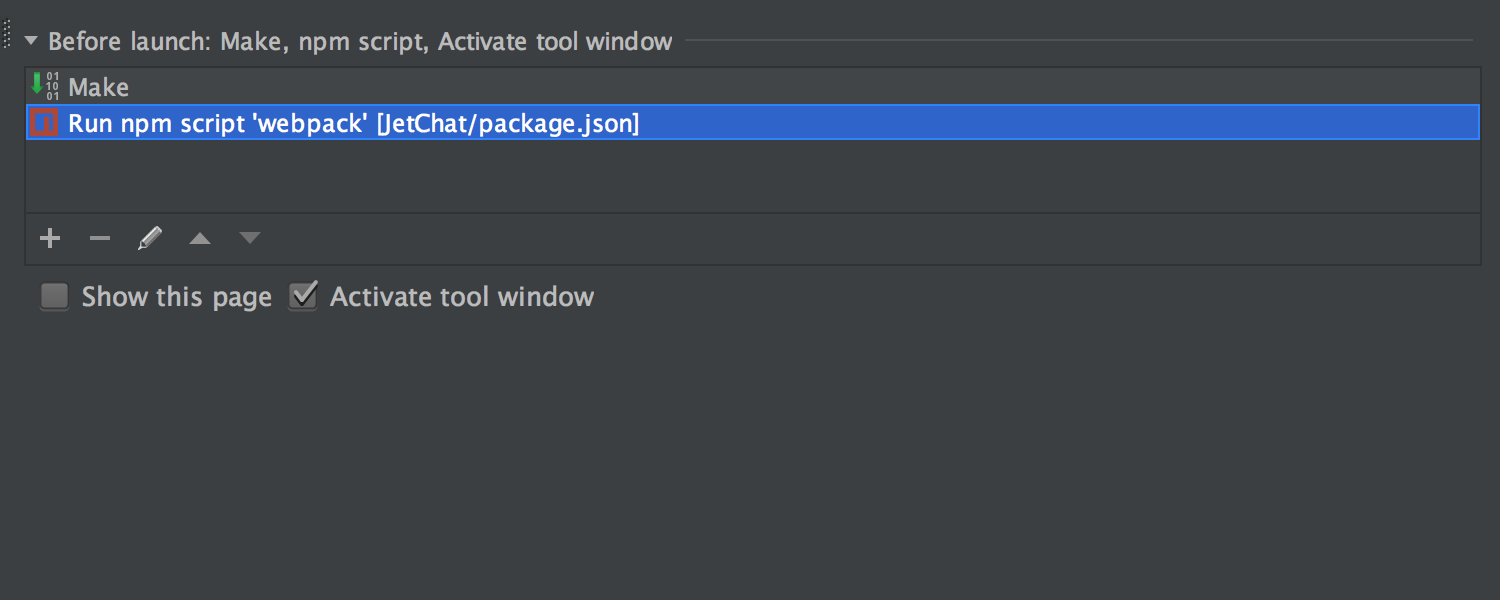
For AngularJS 2 we have added many useful live templates . The Angular CLI section has appeared in the Project Wizard → Static Web . The TypeScript IDE offers smart auto-completion for enum types. Npm, Gulp, and Grunt Any npm , Gulp, and Grunt script can now automatically run the IDE before starting
Run configuration . To do this, you need to add this script in the Before launch section of the Run configuration dialog .
Working with Databases
With the development of DataGrip, the new JetBrains product, the tools for working with SQL and databases inside IntelliJ IDEA also continue to improve.
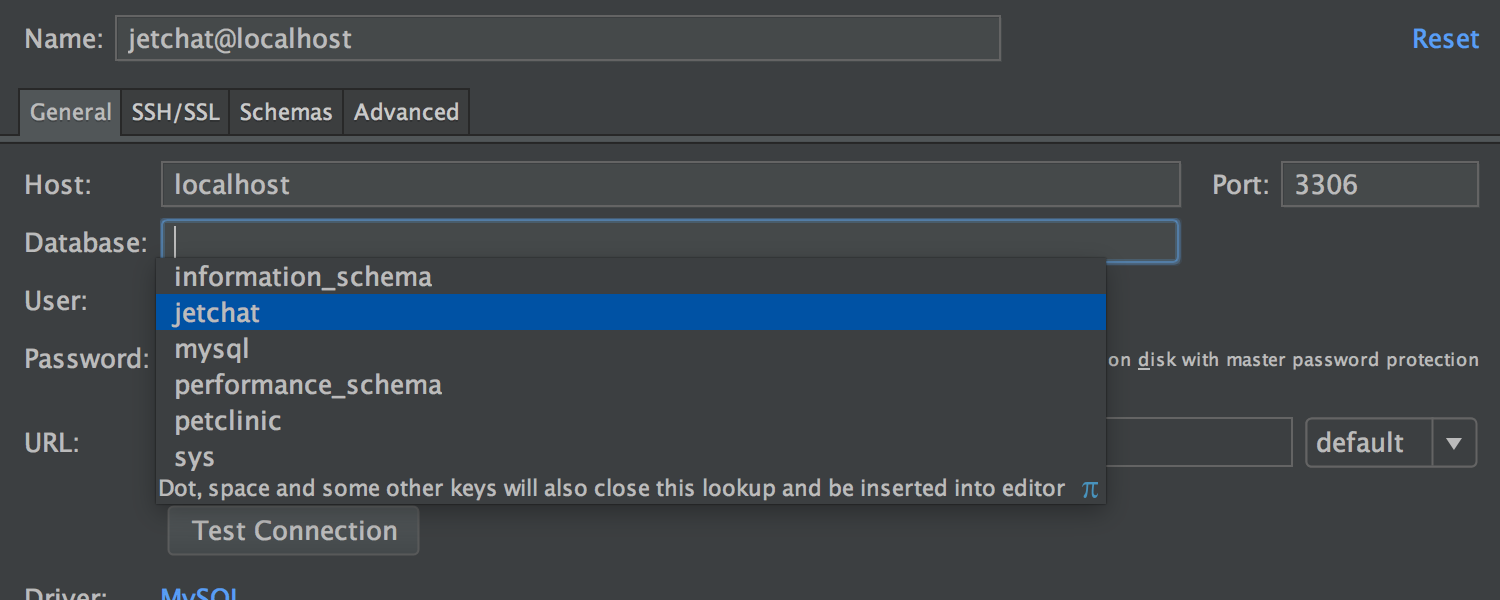
In the Data Source and Drivers settings dialog , autocompletion for the Database field has appeared .
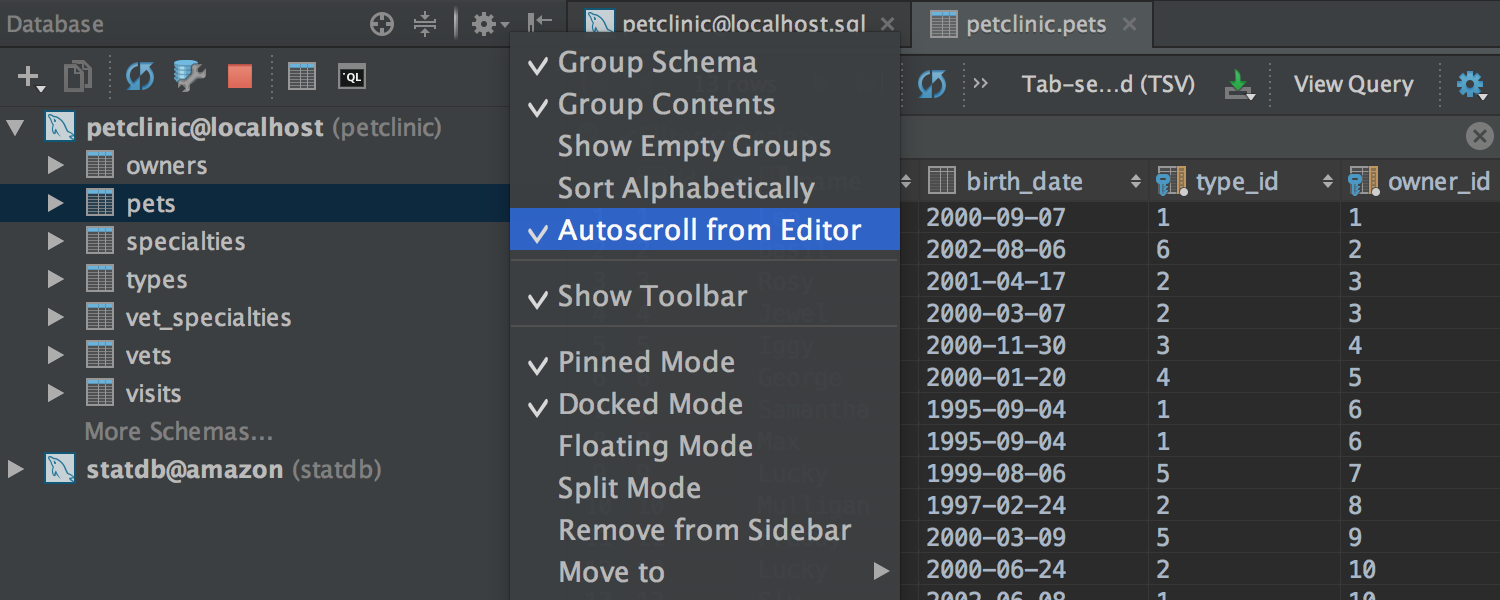
The Auto-scroll from Editor option has appeared in the Database tool window . When you open one or another database item in the editor, this item is highlighted in the Database window . Auto completion
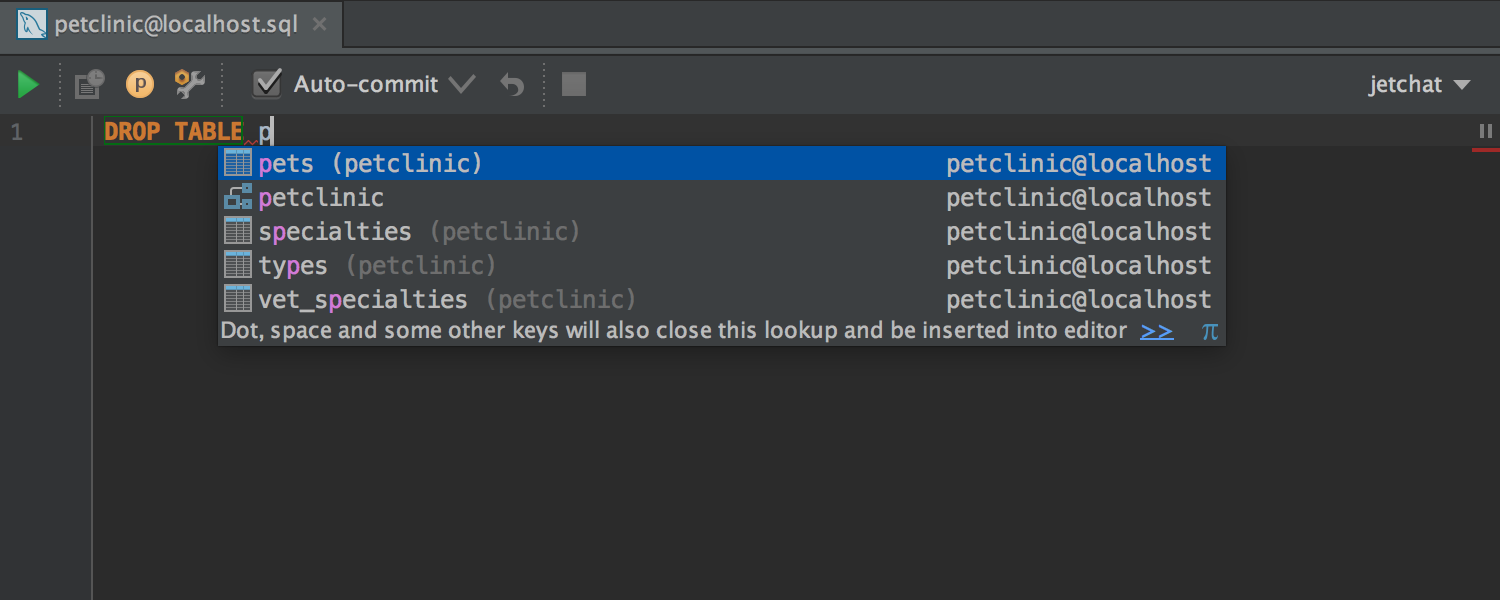
SQL has become even more context sensitive. For example, if a table name is expected in a context, the IDE no longer offers a function.
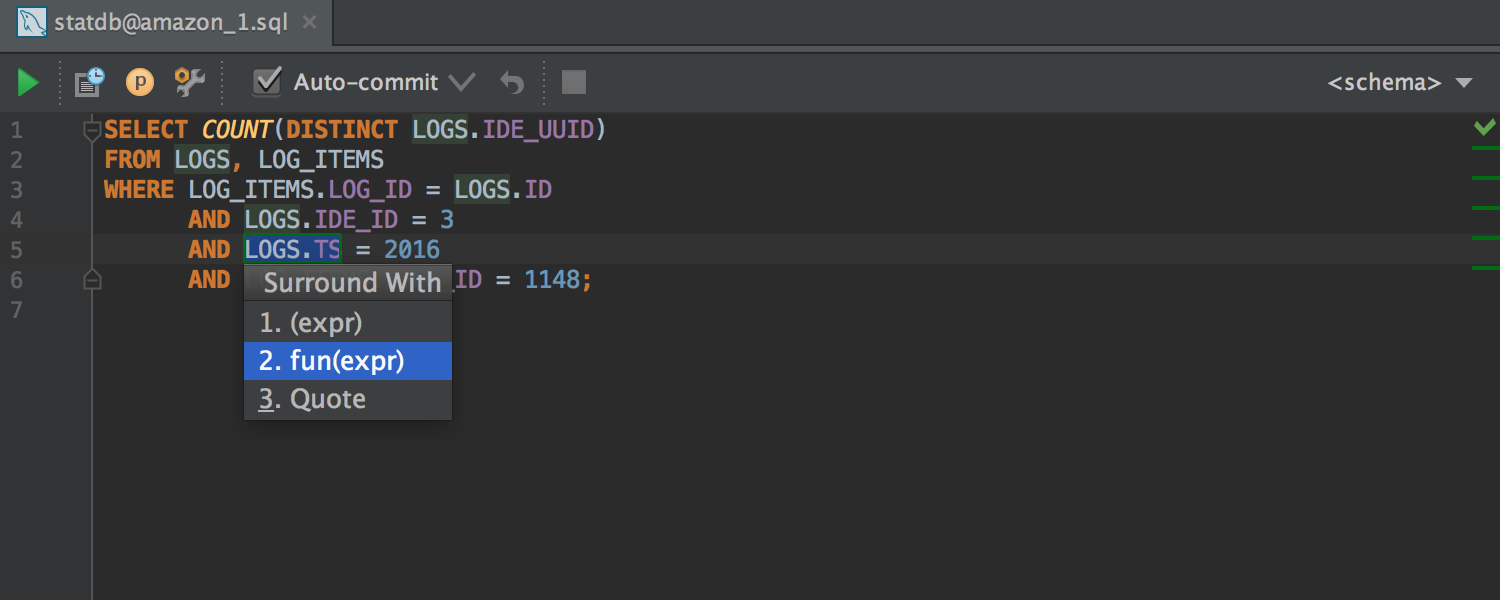
Surround With suggests passing the current expression as a parameter to a function.
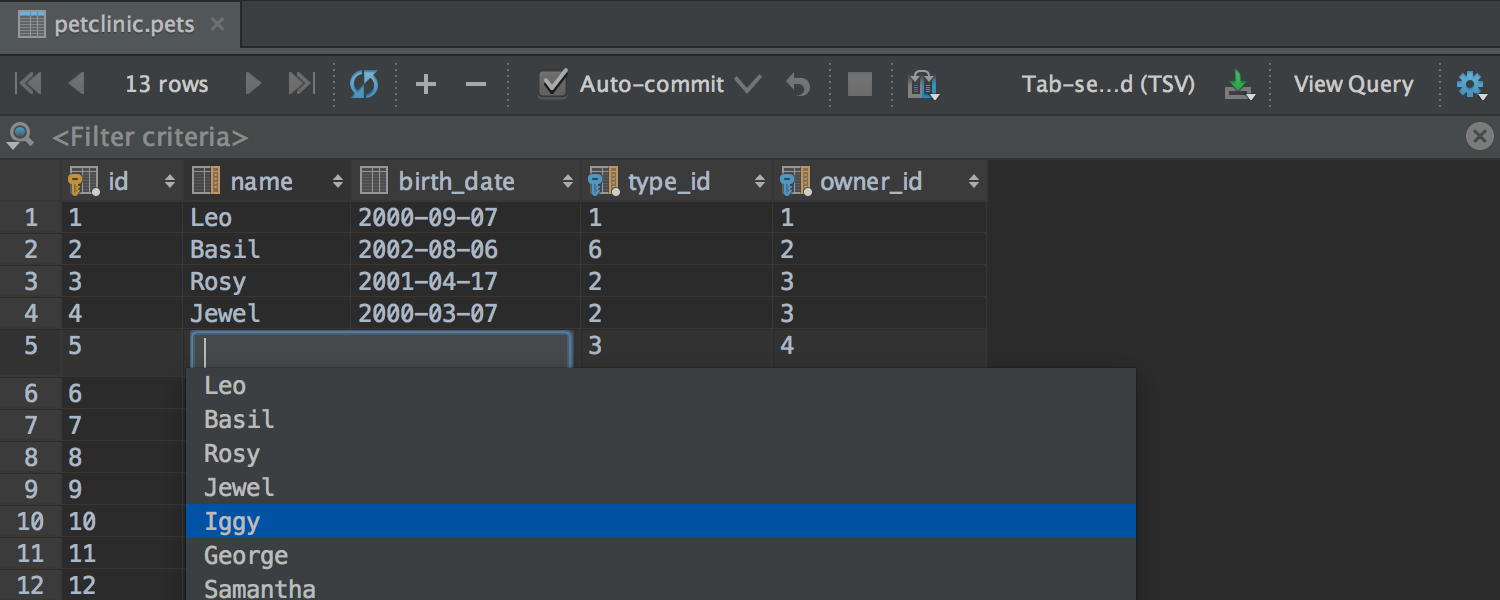
The table editor offers auto-completion when editing a table value (based on other values of this column).
The table column sizes can be changed using shortcuts Ctrl + Shift + Right / Left ( ⌘⇧ → ← for OS X ).
For PostgreSQL , support was added for Schema Search Path , as well as Range types and types withThe TimeZone .
Installer
Finally, the installer for Windows now also includes our custom JDK build with our fixes for focus problems and font rendering.
Here, perhaps, are all the main innovations. Now you can safely download the preview and try it yourself! As always, I will be happy to answer your questions in the comments.
Program with pleasure!
Debugger
Continuing to fight for space and overall usability, we combined the Watches tab with the Variables tab .
Also now you can use multi-line expressions in setting the breakpoint in the Condition and Evaluate and log fields , and in the Data Type Renderers settingsin the Use following expression field .
Integration with Git and Mercurial
The Log tab for Git and Mercurial has once again undergone a number of changes. Its contents are now updated in the background (both when the project is loaded, and when changes are made to the local repository). Due to this, the tab has become much faster to open.
In addition, a thin progress bar is now displayed under the toolbar during updates and downloads.
If the search bar is specified in the Filter field , the download indicator also appears at the bottom during scrolling.
Detailed commit information is now shown for several highlighted commits.
Finally, you can set a shortcut to quickly jump to the Filter field .
For Git, we fixed an important issue that Windows and OS X users are likely to encounter : renaming files where only the case of characters is changed.
Working with patches
If you copy a patch to the clipboard and switch to the IDE (or drag the patch into the IDE window with the mouse), you will be automatically offered to apply this patch.
In addition, the application of the patch was greatly simplified in cases where it does not contain information about the revision, and the original file was moved, renamed, or changed. In the simplest cases, the IDE will try to independently determine the original file, in complex cases, it will prompt you to specify it. Also, if the contents of the file have changed, the IDE will help combine these changes with the patch.
And finally, before applying the patch, you can now simply compare it with the local copy ( Show Diff button ) and, if necessary, make changes to the local version manually during the comparison.
Editor The
editor now supports fonts with ligatures - special characters formed by combining other characters. You can enable the option in Settings → Editor→ Colors & Fonts → Font ( Enable font ligatures checkbox ). Verify that the selected font supports ligatures such as FiraCode , Hasklig , Monoid, or PragmataPro .
Interface
The appearance of the IDE can now be customized for yourself by selecting any image as the background of the editor and the IDE window. Due to the transparency settings, this works great with both dark and light themes.
The image is selected using the Set Background Image action , which is available both from the Find Action and from the context menu on the image file.
Pop-up notifications have also changed outwardly. Now they are displayed in the lower right corner (closer to the Events tool window ), have a more compact form and are grouped by the type of subsystem.
Spring Framework
Support for the Spring Framework continues to improve.
We have added an inspection that suggests automatically replacing field injection with constructors. They supported the option (added in Spring 4.3 ), which allows the use of parameterized types ( generics ) as classifiers ( qualifiers ). Supported custom EventListener annotations defined using AliasFor .
In addition, thorough support for Spring Cache (an abstraction added in Spring 3.0 and completely updated in Spring 4.1 ) is ready . Support includes navigation, inspections, syntax highlighting, auto-completion and navigation when editing SpEl , and much more.
For Spring MVC , autocompletion and navigation for variables declared in the controller appeared in the Freemarker and Velocity templates .
We also supported Spring Security 4.0 changes and added autocompletion and navigation when editing SpEl for both annotations and inside XML .
Plus we added highlighting and navigation for messages from Spring in the console.
JavaScript
Now the IDE not only helps in writing ES6 code, but also offers to convert the code of older versions of JavaScript into it . The new intention will be able to replace normal anonymous functions with arrow functions and short arrow functions .
In addition to the postfix auto-completion implemented earlier, we added .const and .let templates .
React
IDE has learned to understand properties ( props) components declared using propTypes and now offers auto-completion and navigation.
Component lifecycle methods (e.g. componentDidMount ) are no longer highlighted as unused.
When you pass event handlers to the component (for example, onClick , onChange ), the IDE puts curly braces instead of quotation marks (as it should).
Speaking of quotation marks, now in Settings → Editor → Code Style → HTML → Other → Generated quote marks, you can generally specify what to use: double quotes, single quotes or nothing at all.
Finally, the IDE has learned to understand non-DOM attributes such as key , ref, and dangerouslySetInnerHTML .
AngularJS
For AngularJS 2 we have added many useful live templates . The Angular CLI section has appeared in the Project Wizard → Static Web . The TypeScript IDE offers smart auto-completion for enum types. Npm, Gulp, and Grunt Any npm , Gulp, and Grunt script can now automatically run the IDE before starting
Run configuration . To do this, you need to add this script in the Before launch section of the Run configuration dialog .
Working with Databases
With the development of DataGrip, the new JetBrains product, the tools for working with SQL and databases inside IntelliJ IDEA also continue to improve.
In the Data Source and Drivers settings dialog , autocompletion for the Database field has appeared .
The Auto-scroll from Editor option has appeared in the Database tool window . When you open one or another database item in the editor, this item is highlighted in the Database window . Auto completion
SQL has become even more context sensitive. For example, if a table name is expected in a context, the IDE no longer offers a function.
Surround With suggests passing the current expression as a parameter to a function.
The table editor offers auto-completion when editing a table value (based on other values of this column).
The table column sizes can be changed using shortcuts Ctrl + Shift + Right / Left ( ⌘⇧ → ← for OS X ).
For PostgreSQL , support was added for Schema Search Path , as well as Range types and types withThe TimeZone .
Installer
Finally, the installer for Windows now also includes our custom JDK build with our fixes for focus problems and font rendering.
Here, perhaps, are all the main innovations. Now you can safely download the preview and try it yourself! As always, I will be happy to answer your questions in the comments.
Program with pleasure!









