
 March 14, 2016 at 12:30
Review of the book scanner Qidenus SMART book scan 3.0 in the Odessa city archive
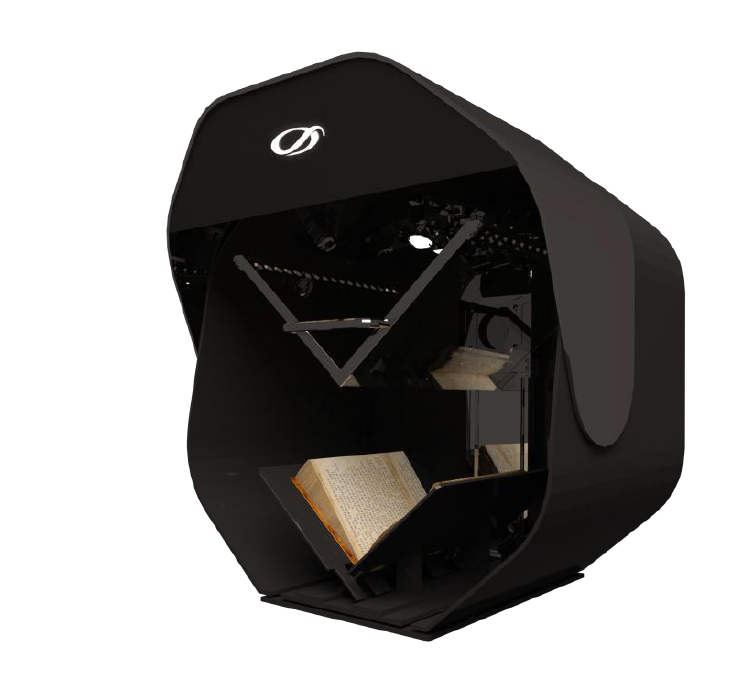
We believe that any IT innovation, whether it is equipment, a solution or a project, is needed not by itself and not only in order to satisfy the customer, but in order to make life easier for ordinary people. We want to tell precisely about such, from our point of view, socially significant project. It will be about installing a “cool” book scanner in the Odessa city archive.
Odessa City Archive has been keeping documents of the Odessa City Council and executive bodies since 1971 and totals 52,000 cases. The archive works "the old fashioned way", little is automated, all by hand, which brings a lot of inconvenience to both the archive employees and the citizens who turn to the archive with requests. For example, if a person does not know the solution number, or at least the date of the document, you have to manually search the registration log. The usual human factor may turn on - the archive worker during the search can skip the line and tell the person that there is no such document.
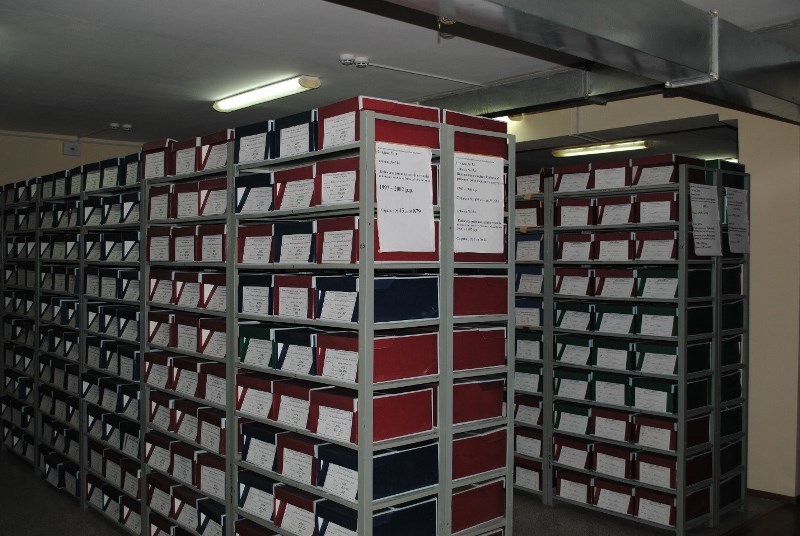
- digitization of all (!) Archive documents, creation of a base for convenient and quick search. There will be not only scanning, but also recognition, in order to then provide a quick search for keywords that will also need to be entered into the document’s descriptive card.
- preservation of archive documents intact. Since these documents are already quite old, so the more they pick up, the more they wear out. (Once, while working in the archive, newspapers for 1923 were needed, they brought a binder, so it was yellow, faded and so shabby rags that they were scared to pick up - because of the fear that they would crumble, they were so dilapidated )
With a working database of documents, everything can be easily found. If a visitor to the archive needs some information, the archive will issue an unauthorized copy that can be immediately found in electronic form, printed out, and then given out to a person.
It is also planned that the database will be available online, that is, the person will search for the information he needs, and if he needs a copy certified by the archive - only then he contacts the archive to receive it in the prescribed manner, but he will already know the document number and date of issue.
Now there are exceptions to open access to some documents - for example, adoption documents are closed, and all other information is open. Therefore, access to these documents will be available to anyone.
What documents are we talking about? Firstly, these are the administrative documents of the City Council:
- decisions of the City Council, district executive committees (once there were 8 in the city, then there were 8 district administrations, then there were 4 district administrations.
We also need to take into account administrative changes that significantly change the workflow. For example, documents on land The executive committee had been deciding on issues in 1997-1998, since the 2000s, these issues had already been resolved only at sessions of the city council, and according to this history, digitization will continue.
The administrative documents are stored on the site for no more than 5 years. Of course, since 2008, the City Executive Committee has been posting its documents on the site, but now it will be a single database.
The archive management has already decided in what order the digitization will take place: what documents will be scanned in the first place, in the second, etc. Clearly, this database will not be created in one year, since there are a lot of documents, but you need to start with something and this project is the foundation for future work. Thus, this will help not only for quick and well-coordinated work of the archive, which in itself may be a good goal, but also so that people have quick access to public documents.
Significantly, the initiative did not come from above, but from below - archive workers themselves in 2008 asked to allocate funds for this project. He begins work within the framework of electronic government, or electronic city. It is planned that similar projects will be launched in other regions of Ukraine.
The beginning of this integration showed that the purpose of IT is to improve life, and you do not need to be afraid of all these innovations, because how many more in our country are not digitized, not “plowed”, archives and libraries? And there, and not on the Internet, as many people think, all the knowledge accumulated by people is stored.
The integrator of this project was our partner, the company Image Logic.
The Odessa City Council acted as the customer of the project.
Specifications
The technology based on the latest CMOS sensors allows you to get excellent scanning. The 100 ° V-shaped book cradle system neatly handles your originals. The pressure plate is made of specially coated glass and provides the operator with quick and easy operation
KEY FEATURES
■ V-shaped book scanner
■ Book opening angle - 100 °
■ V-shaped pressure glass
■ CMOS sensors for excellent scanning quality
■ SW Suite scanning software and processing
■ LED lighting
■ 2 versions: A1 and A2 format
Initially, the customer wanted a Taiwanese counterpart, a partner proposed a European brand. The price of this scanner could compete with Chinese competitors, but technically, the Qidenus SMART book scanner bypassed everyone.
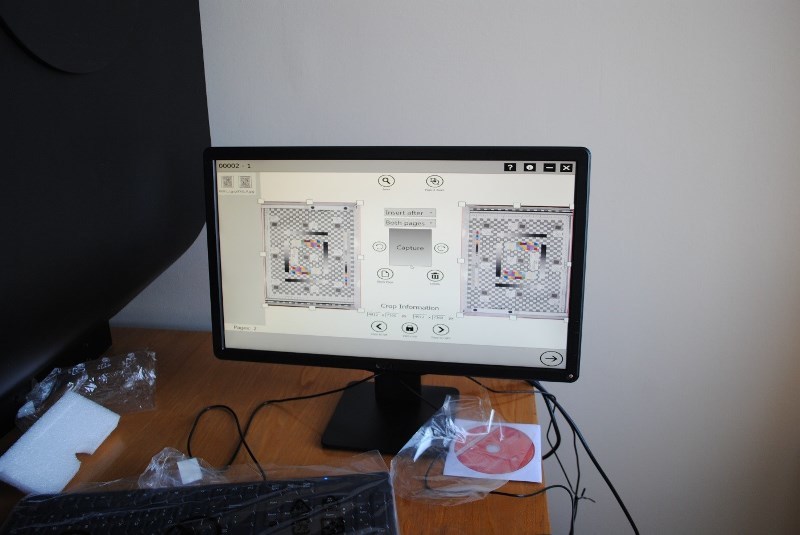
What is remarkable, along with the scanner, the software suite SW Suite is included, which not only digitizes, but also helps tag tags for indexing, that is, after scanning, the scanner issues a ready-made document for the database.
Of course, it will be necessary to adjust the work of the operator, who will be engaged in the digitization of archive documents.
At the moment, work is underway to connect the scanner to the storage system.
The most important distinguishing features of this solution:
- everything in the box;
- software is included;
- acceptable price.
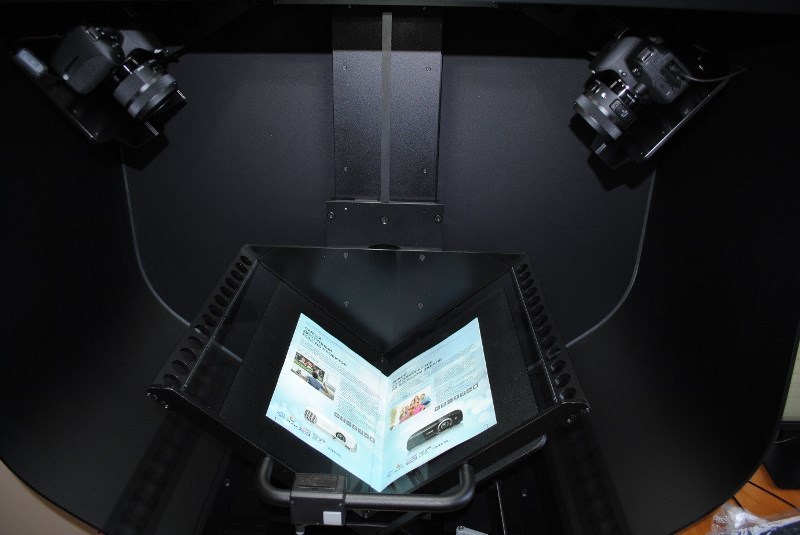
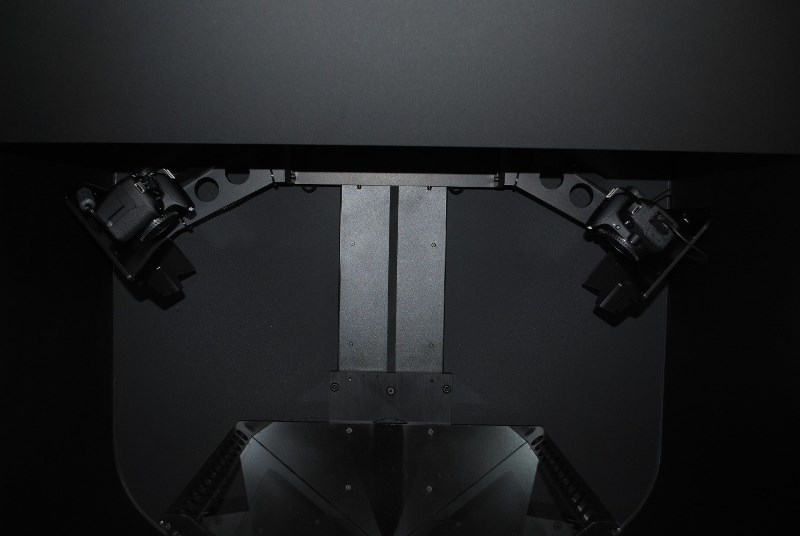
As can be seen in the photographs, the main “iron” part is performed by two professional cameras.
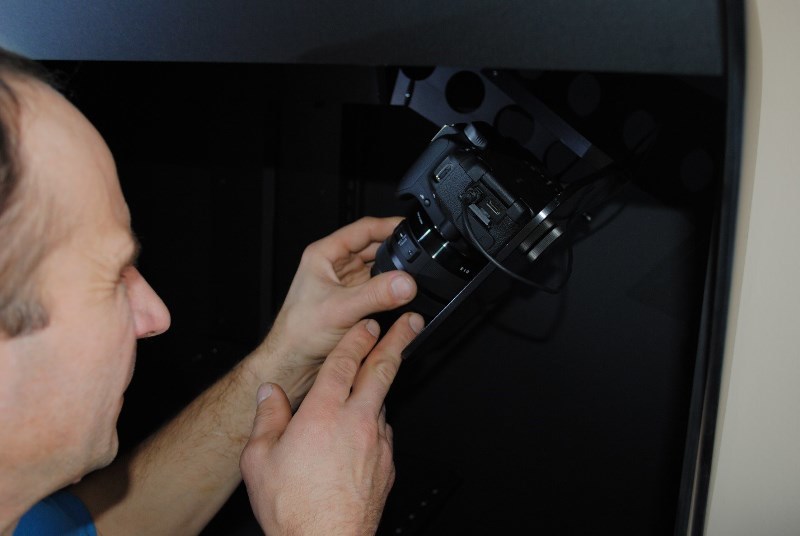
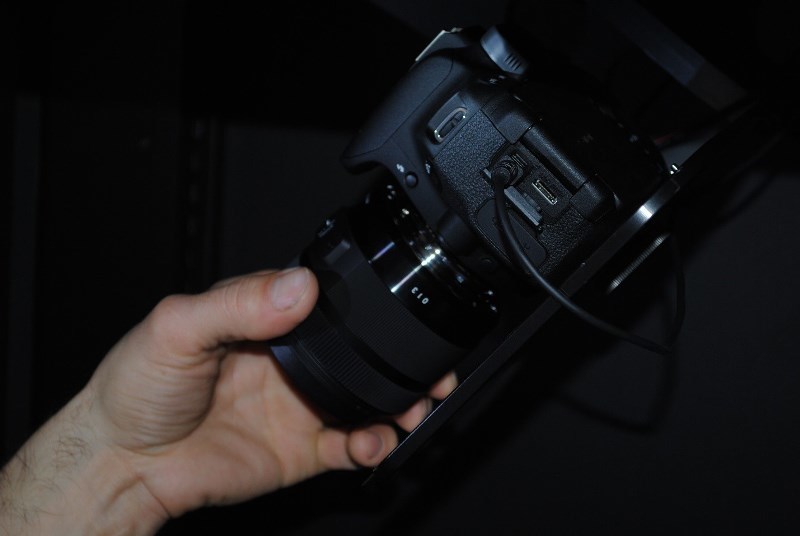
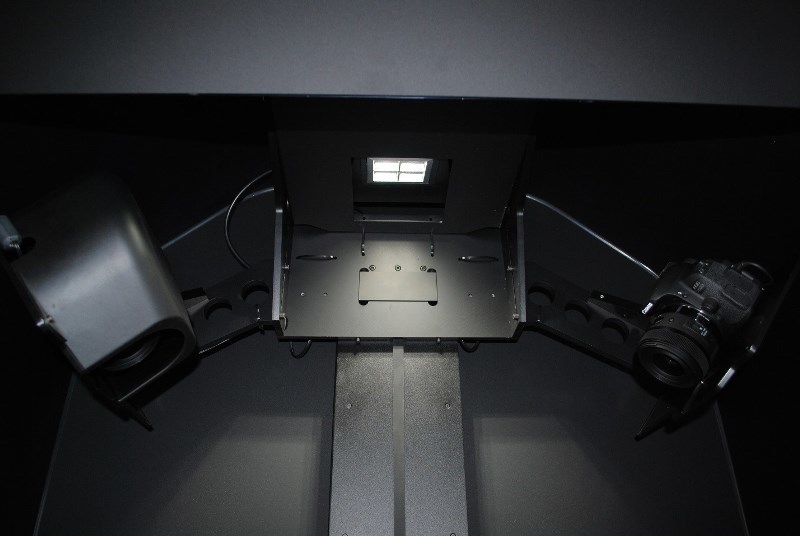
In this regard, it is necessary to mention the very important difference of this particular scanner - this is the wide scope for flexible modernization. For example, the scanner is based on professional mirrored optics, which is used in Canon | Nikon pro cameras and in which case it will be possible to change the matrix, which is absolutely impossible to do in Chinese counterparts.
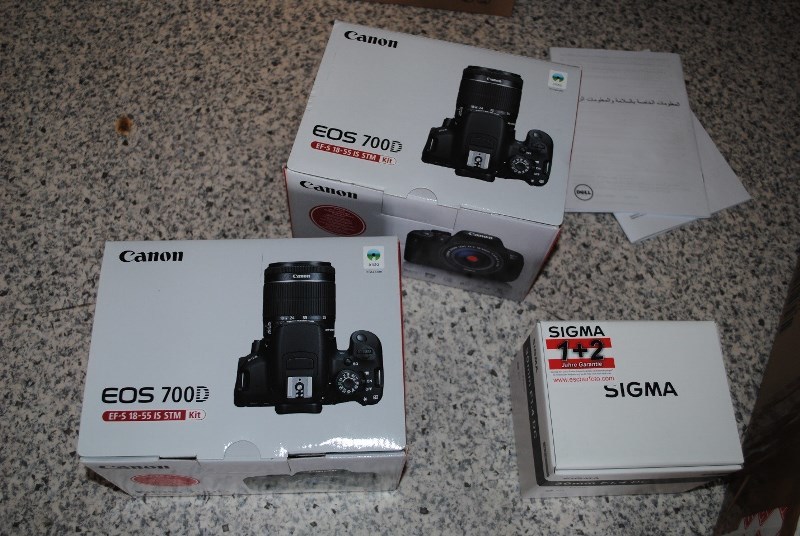
It will be possible to easily replace the “carcass” of the camera, optics, matrix, etc. if, for example, we want to put the device in a higher class for some narrowly targeted tasks. In a word, you can change anything in the equipment itself. This is not to mention the resolution and other technical indicators. The remaining analogues are not subject to modernization - everything is tightly sealed tightly ...
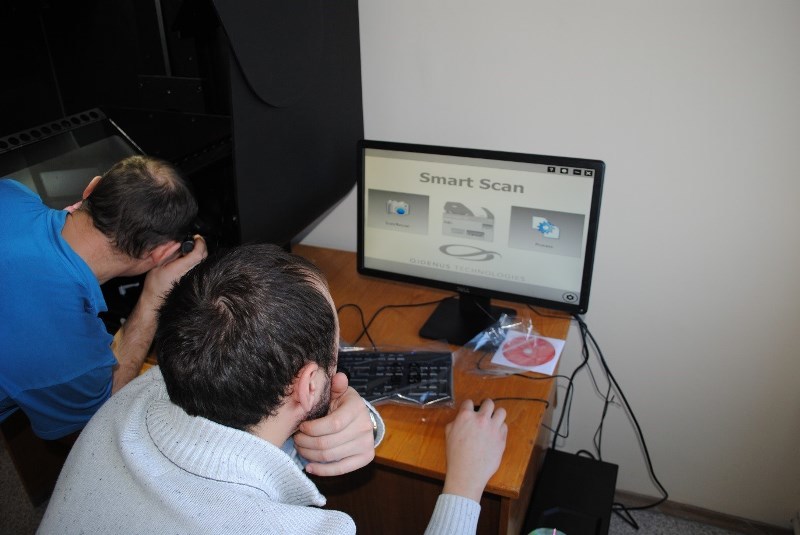
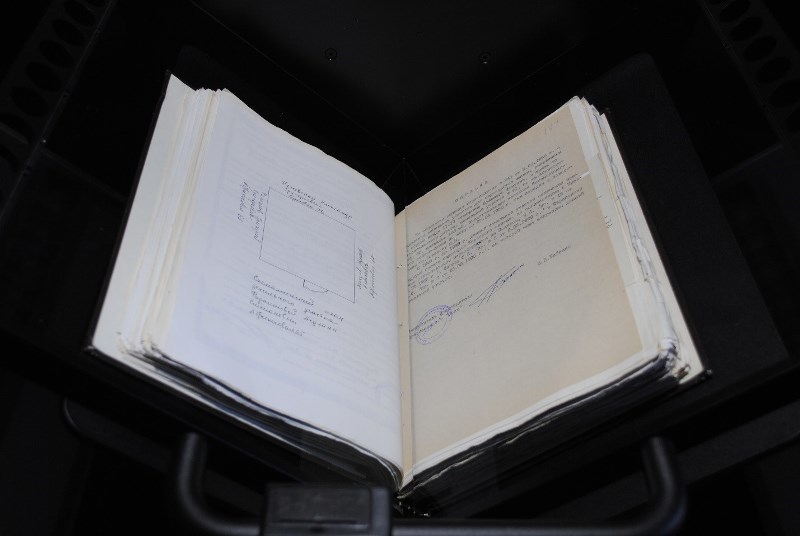
They did a test scan - the scanner management software is very convenient. Another “trick” of this scanner, which needs to be said separately. We all know when a thick book is scanned, the scan is distorted on the bends of the book, in addition, a shadow and other artifacts arise. It's about the same software that comes with the scanner - the program compensates for all these bends and aligns, and you get a smooth and beautiful scan, regardless of which ledger will be scanned.
Qidenus Smart Book Scan A2 Model scanner comparison chart with one of the analogues
For all questions: dcs@muk.ua
MUK-Service - all types of IT repair: warranty, non-warranty repair, sale of spare parts, contract service . Our channel
about the project
Odessa City Archive has been keeping documents of the Odessa City Council and executive bodies since 1971 and totals 52,000 cases. The archive works "the old fashioned way", little is automated, all by hand, which brings a lot of inconvenience to both the archive employees and the citizens who turn to the archive with requests. For example, if a person does not know the solution number, or at least the date of the document, you have to manually search the registration log. The usual human factor may turn on - the archive worker during the search can skip the line and tell the person that there is no such document.
This project has 2 main goals:
- digitization of all (!) Archive documents, creation of a base for convenient and quick search. There will be not only scanning, but also recognition, in order to then provide a quick search for keywords that will also need to be entered into the document’s descriptive card.
- preservation of archive documents intact. Since these documents are already quite old, so the more they pick up, the more they wear out. (Once, while working in the archive, newspapers for 1923 were needed, they brought a binder, so it was yellow, faded and so shabby rags that they were scared to pick up - because of the fear that they would crumble, they were so dilapidated )
With a working database of documents, everything can be easily found. If a visitor to the archive needs some information, the archive will issue an unauthorized copy that can be immediately found in electronic form, printed out, and then given out to a person.
It is also planned that the database will be available online, that is, the person will search for the information he needs, and if he needs a copy certified by the archive - only then he contacts the archive to receive it in the prescribed manner, but he will already know the document number and date of issue.
Now there are exceptions to open access to some documents - for example, adoption documents are closed, and all other information is open. Therefore, access to these documents will be available to anyone.
What documents are we talking about? Firstly, these are the administrative documents of the City Council:
- decisions of the City Council, district executive committees (once there were 8 in the city, then there were 8 district administrations, then there were 4 district administrations.
We also need to take into account administrative changes that significantly change the workflow. For example, documents on land The executive committee had been deciding on issues in 1997-1998, since the 2000s, these issues had already been resolved only at sessions of the city council, and according to this history, digitization will continue.
The administrative documents are stored on the site for no more than 5 years. Of course, since 2008, the City Executive Committee has been posting its documents on the site, but now it will be a single database.
The archive management has already decided in what order the digitization will take place: what documents will be scanned in the first place, in the second, etc. Clearly, this database will not be created in one year, since there are a lot of documents, but you need to start with something and this project is the foundation for future work. Thus, this will help not only for quick and well-coordinated work of the archive, which in itself may be a good goal, but also so that people have quick access to public documents.
Significantly, the initiative did not come from above, but from below - archive workers themselves in 2008 asked to allocate funds for this project. He begins work within the framework of electronic government, or electronic city. It is planned that similar projects will be launched in other regions of Ukraine.
The beginning of this integration showed that the purpose of IT is to improve life, and you do not need to be afraid of all these innovations, because how many more in our country are not digitized, not “plowed”, archives and libraries? And there, and not on the Internet, as many people think, all the knowledge accumulated by people is stored.
The integrator of this project was our partner, the company Image Logic.
The Odessa City Council acted as the customer of the project.
A few words about the scanner itself
Specifications
| scanning technology | 2 independent cameras |
| sensor size - option 1 | 2 x 18 million pixels (36 mpix) |
| sensor size - option 2 | 2 x 24 million pixels (48 mpix) |
| sensor size - option 3 | 2 x 36 million pixels (72 mpix) |
| resolution | 300ppi - 600ppi |
| color modes | 24bit in color, 8bit in halftone, 1bit b / w |
| scan area model A2 | open book: 580 x 440 mm / 290 x 440 mm - 1 page |
| scan area model A1 | open book: 820 x 610 mm / 410 x 610 mm - 1 page |
| maximum thickness of the original | 150 mm |
| book cradle | 100 ° V adaptable |
| pressure glass | V-shaped, 3 mm |
| lighting | LED continuous lighting, no UV |
| standard software | QiScan software standard: scanning, processing, 5 algorithms for images |
| advanced software | QiScan Advanced: Scanning, Batch Processing, Workflow Management, SQL DB, 25 Image Algorithms |
| standard file formats | TIFF, JPEG, PDF, OCR optional |
| extended package of formats | TIFF, JPEG, PDF, RAW, GIF, XML, single-page or multi-page, real-time recognition or post |
| IT requirements | Windows 7 or higher, 4 GB RAM or higher, 100 GB disk space |
| measuring | A2 (L x D x H): 60 x 98 x 110 cm A1 (L x D x H): 74 x 98 x 110 cm A2: 75.5 kg A1: 82 kg |
The technology based on the latest CMOS sensors allows you to get excellent scanning. The 100 ° V-shaped book cradle system neatly handles your originals. The pressure plate is made of specially coated glass and provides the operator with quick and easy operation
KEY FEATURES
■ V-shaped book scanner
■ Book opening angle - 100 °
■ V-shaped pressure glass
■ CMOS sensors for excellent scanning quality
■ SW Suite scanning software and processing
■ LED lighting
■ 2 versions: A1 and A2 format
Why exactly this scanner?
Initially, the customer wanted a Taiwanese counterpart, a partner proposed a European brand. The price of this scanner could compete with Chinese competitors, but technically, the Qidenus SMART book scanner bypassed everyone.
What is remarkable, along with the scanner, the software suite SW Suite is included, which not only digitizes, but also helps tag tags for indexing, that is, after scanning, the scanner issues a ready-made document for the database.
Of course, it will be necessary to adjust the work of the operator, who will be engaged in the digitization of archive documents.
At the moment, work is underway to connect the scanner to the storage system.
The most important distinguishing features of this solution:
- everything in the box;
- software is included;
- acceptable price.
As can be seen in the photographs, the main “iron” part is performed by two professional cameras.
In this regard, it is necessary to mention the very important difference of this particular scanner - this is the wide scope for flexible modernization. For example, the scanner is based on professional mirrored optics, which is used in Canon | Nikon pro cameras and in which case it will be possible to change the matrix, which is absolutely impossible to do in Chinese counterparts.
It will be possible to easily replace the “carcass” of the camera, optics, matrix, etc. if, for example, we want to put the device in a higher class for some narrowly targeted tasks. In a word, you can change anything in the equipment itself. This is not to mention the resolution and other technical indicators. The remaining analogues are not subject to modernization - everything is tightly sealed tightly ...
They did a test scan - the scanner management software is very convenient. Another “trick” of this scanner, which needs to be said separately. We all know when a thick book is scanned, the scan is distorted on the bends of the book, in addition, a shadow and other artifacts arise. It's about the same software that comes with the scanner - the program compensates for all these bends and aligns, and you get a smooth and beautiful scan, regardless of which ledger will be scanned.
Qidenus Smart Book Scan A2 Model scanner comparison chart with one of the analogues
| Qidenus Smart Book Scan A2 Model | Atiz BookDrivePro | |
| Type of bookscanner | Manual Innovative Book Scanner requiring minimal operating effort | Manual bookscanner |
| Maximum scanning area | 580 x 440 mm (820x610mm A1 model) -allows a wider range of book to be scanned due to size | 420x615mm |
| Maximum book thickness | 160 mm | 110 mm |
| Capturing technology | Latest CMOS sensors for outstanding image quality | DSLR cameras old models |
| The 2 individual CMOS area sensors reach up to 2x36 million pixels | 2 X Canon EOS 1000D + 2 X Canon EF35MM F2.0 Lenses | |
| Camera Model depending on system | Laser focus integrated | |
| Top Models of Nikon and Canon FULL FRAME | Canon only | |
| Optical resolution on full size | 300-400 ppi (500-600ppi interpolated) | 300-400 DPI |
| Light system | LED coldlight | LED lightning panels |
| Constant and uniform illumination | Bright Illumination, distorted by monitor light | |
| No UV emission | Uniform light distribution | |
| Glare-free Results even on glossy materials | ||
| Angle of bookcradle | 100 degrees | 120 degrees |
| (lower angle = more gentle to the book) | ||
| Glass plate | Special V-shaped real glass, coated and only 3mm thick | Low quality plexi glass |
| NEW “soft mode” - you can guide the glass plate with your hand-minimal effort required-innovative Qidenus invention | Plexi glass is a sensitive material with an extremely low life span | |
| Gentle holding and flattening of the pages | Frequent exchange needed | |
| Scanning with glass plate or without | ||
| Foldouts | Ability to scan covers and foldouts, single pages | |
| PC System Requirements | Windows 7 or higher | Windows 7, Vista, XP |
| 4 GB RAM or higher | CPU 1 GHz or higher | |
| 100GB disk space | RAM 512 MB minimum (2 GB is highly recommended) | |
| 10 GB available disk space | ||
| 1024 x 768 resolution monitor | ||
| Software | QiScan Standard including | Book Drive Editor Capture including: |
| Capturing, Processing, Easy touch operation | Capturing | |
| 5 image algorithms | Possibility to insert to easily insert missing pages or replace bad shots | |
| File formats: TIFF, JPEG, PDF, OCR Optional | Indicator tells the status of the camera batery status and settings | |
| QiScan Advanced Including: | Supports: uncompressed RAW format | |
| Capturing, Batch Processing, Workflow Management | Batch processing | |
| SQL database, 25 image algorithms | Multi book and multi chapter operation | |
| File formats: TIFF, JPEG, PDF, RAW, GIF, XML | Book profiling for frequent book types | |
| Singlepage or Multipage | Background removal | |
| OCR Runtime or OCR external | Adaptive Local Thresholding for B&W conversion | |
| Dimensions | 60cm deep, 98cm wide, 110cm high | 138 cm deep, 144 cm wide, 130 cm high |
| Weight | 75.5 kg | 54 kg |
| Operation modes | Soft manual mode with minimal effort required | Outdated difficult and slow manual operating mode |
For all questions: dcs@muk.ua
MUK-Service - all types of IT repair: warranty, non-warranty repair, sale of spare parts, contract service . Our channel