Install Quartus II Web Edition for Linux
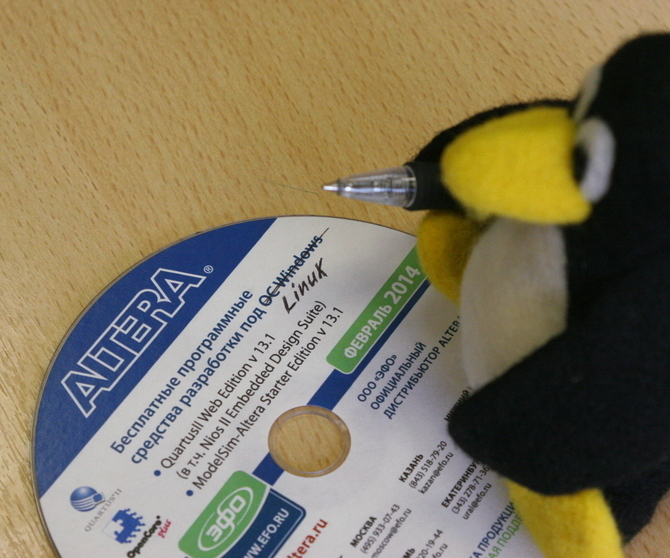
The publication describes how to install Altera Quartus II Web Edition (hereinafter simply Quartus) CAD software in batch mode on a computer running Debian Linux amd64. The author uses Quartus to work with boards of the Mars rover family , so the publication also gives a small overview of this family, and what versions of Quartus are suitable for which Mars rover boards.
The material will be useful to everyone who starts working with Quartus under the GNU / Linux OS.
Marsohod.org has Quartus installation instructions., however, more than 5 years have passed since the publication of this manual, and in addition, the manual describes the installation of Quartus for Windows. Having downloaded several versions of Quartus for Linux from the Altera website, I was convinced that installing Quartus is not something very complicated, but at first it can be difficult: the number of versions of this Quartus is large, you need to manipulate gigabyte files - make a mistake pretty easy. Separately, I was very upset by the inability to install Quartus in batch mode - i.e. prepare a configuration in a text file / script, start the installation and do other things, and not wait for the installer to deign to ask his new, unexpected question.
In order to make the installation completely uncomplicated, the corresponding scripts were written (see below) and this publication was created.
However, before installing Quartus, it is necessary to make preliminary calculations - to determine what Quartus will be used for and to clarify under which OS we will run Quartus.
Preliminary calculations: pay or not pay?
At first glance, it’s not obvious, but not all Quartus are equally useful ; in other words, what is allowed to Quartus of one version is completely not necessarily allowed to Quartus of another version.
First things first, you should immediately realize that there are two versions of Quartus CAD: Subscription Edition and Web Edition. Subscription Edition is a paid option that allows you to work with all FPGAs that Altera produces; You can familiarize yourself with the cost of the Subscription Edition here .
In the future, exclusively Web Edition is considered - this is a free option, however, it has a number of limitations, and not all Altera FPGA families are supported. However, the Mars rover boards (and generally inexpensive boards) are made on the basis of the FPGAs of the Cyclone, MAX10 and MAX II families, and these families are supported by Quartus Web Edition.
Preliminary calculations: which FPGA will we work with?
It should be borne in mind that Quartus CAD (even the Subscription Edition) does not support all the FPGAs that Altera has ever released, but only relatively modern ones. If you suddenly need to work with FPGAs of old families, then most likely you will have to look for the old version of Quartus.
I will clarify that at the time of this writing, the latest version was Quartus 15.0.
Let's compare the boards of the Mars rover family:
| Mars rover2 | Mars rover2bis | Mars rover3 | Mars rover3bis | |
|---|---|---|---|---|
| FPGA Family | Cyclone III | Cyclone iv | MAX10 | MAX10 |
| FPGA | EP3C10E144C8 | EP4CE6E22C8 | 10M50SAE144C8GES | 10M08SAE144C8GES |
| - Logic elements (LE) | 10'320 | 6'272 | 49'760 | 8'064 |
| - Built-in memory, bit | 423'936 | 276'480 | 1'677'312 | 387'072 |
| - USER I / O | 91 | 94 | 101 | 101 |
| Quartus II Web Edition | <= 13.1 | <= 15.0 | > = 15.0 | > = 15.0 |
Note: the Mars rover board is not included in the table; the MAX II FPGA used in it belongs to a completely different class than the Cyclone and MAX10 FPGAs. I will only clarify that both relatively old and the latest versions of Quartus are suitable for working with the MAX II.
As you can see, using the only Quartus version to work with all Mars rover boards will not succeed: on the one hand, the Mars rover2 board is built on the relatively old Cyclone III FPGA, and the latest Quartus versions do not work with such an old FPGA; on the other hand, the Mars rover3 and Mars rover3bis boards are built on the FPGA of the latest MAX10 family, the existence of which older versions of Quartus do not know.
Thus, to cover all the boards of the Mars rover family, you will have to install two Quartus versions at once: 13.1 and 15.0.
Note: of course, to work with Cyclone III, you can install an older version of Quartus than 13.1, however, an attempt to install some older version like 9.1 may reveal the absence of some ancient system libraries in the modern version of Debian, and deal with these without good reason oh how I do not want to.
For users of other boards, I’ll say that you can find out which version of Quartus is required to work with your FPGA here .
Preliminary calculations: 32 or 64 bits?
It's no secret that in 2015 the vast majority of Intel / AMD x86 processors supplied supports 64-bit mode. Quartus CAD requirements for processor performance and RAM are as follows (see, for example, Quartus 15.0: Recommended Physical RAM for Altera Devices , so that hardly anyone would absolutely need to run Quartus under a 32-bit OS on a 32-bit one (read, << old >> and << weak >>) processor.
Accordingly, Altera claims that starting from version 14.0 CAD Quartus supports only 64-bit operating systems,
but here a couple of remarks should be made.
The first remark. Even having installed all of such a 64-bit Quartus, you can find that it still has 32-bit components inside. For example, when trying to call Altera PLL Wizzard from the 64-bit version of Quartus 13.1, the following message was received:
Exception in thread "main" java.lang.UnsatisfiedLinkError: /opt/altera/13.1/quartus/linux/jre/lib/i386/xawt/libmawt.so: libXtst.so.6: cannot open shared object file: No such file or directory
...
Error: Wizard "Altera PLL v13.1" cannot be launched.
The treatment in this case is quite simple - you need to install the missing 32-bit library:
# apt-get install libxtst6: i386
The second remark. Although Quartus 13.1 supports both 32-bit and 64-bit operating systems, when I tried to compile the project for the Terrasic DE1-SoC board (Cyclone V SoC 5CSEMA5F31C6 FPGA), I was surprised to find a message:
Error (11371): Compiling a design on Cyclone V 5 CSEMA5 requires at least a 64-bit version of the Quartus II software.
The general conclusion is this: if you have not yet switched to the 64-bit version of Debian Linux, then it's time to do it.
Does your processor support 64-bit mode?
The easiest way is to use the lscpu command. In the output of this command, we are interested in the column "CPU op-mode (s):". If “64-bit” is present in this column, the processor supports 64-bit mode. Here is an example output:
$ lscpu | grep "^ CPU op-mode"
CPU op-mode (s): 32-bit, 64-bit
In the absence of lscpu, you can see the graph
flags:in /proc/cpuinfo: if the lm flag is present there, then the processor supports 64-bit mode.Actually installing Quartus
To install Quartus versions 13.1 and 15.0 in batch mode (i.e. without user interaction) I wrote a couple of scripts, see quartus-linux-install .
The attached README contains brief instructions for use, but just in case, I will duplicate it.
So, suppose you have a Debian Linux amd64 OS (i.e. a 64-bit OS). As we found out, even 64-bit Quartus can require 32-bit libraries, so let's install them:
dpkg --add-architecture i386
apt-get update
apt-get install libc6: i386
apt-get install libpng12-0: i386
apt-get install libfreetype6: i386
apt-get install libsm6: i386
apt-get install libxrender1: i386
apt-get install libfontconfig1: i386
apt-get install libxext6: i386
apt-get install libxtst6: i386
The scripts are written in expect, so you have to install it:
apt-get install expect
Download the scripts to the directory
quartus-linux-install:git clone https://github.com/open-design/quartus-linux-install
The directory
quartus-linux-installhas two subdirectories: Quartus-13.1and Quartus-15.0. They should contain separate Quartus distribution files and files from Updates. Lists of files to download from Altera Download Center can be viewed in MD5SUMS files. You can check the availability of the required files and their integrity using the program
md5sum, here is an example for Quartus 13.1:$ cd quartus-linux-install / Quartus-13.1 Quartus-13.1 $ md5sum -c MD5SUMS arria_web-13.1.0.162.qdz: OK cyclonev-13.1.0.162.qdz: OK cyclone_web-13.1.0.162.qdz: OK max_web-13.1.0.162.qdz: OK ModelSimSetup-13.1.0.162.run: OK QuartusSetup-13.1.4.182.run: OK QuartusSetupWeb-13.1.0.162.run: OK
Now, as root, start the installation of Quartus 13.1 in the /opt/altera/13.1 directory, after disabling X11 support, if it suddenly turned on:
Quartus-13.1 # unset DISPLAY
Quartus-13.1 # ./install-quartus-13.1.4.182.exp /opt/altera/13.1
In a few minutes, Quartus 13.1 will be installed with the upgrade to version 13.1.4!