August 27, 2015 at 14:00
Atmospheric Scattering in The Blacksmith
- Transfer
Even at the planning stage of The Blacksmith, we abandoned the fog modes built into Unity in favor of a more flexible and integrated solution. To convey the depth and scale of large stage shots, we needed the most realistic atmospheric dispersion.

Starting to create a component for atmospheric scattering, we studied the simulation models presented by Tomoyuki Nishita ( Display of The Earth Taking into account Atmospheric Scattering , Display Method of the Sky Color Taking into Account Multiple Scattering , Display of Clouds Taking into Account Multiple Anisotropic Scattering and sky light), and tried to put them into practice. After several experiments with prototype shots, we finally made sure that we needed a model that would provide ample opportunity to customize the artistic effects for each shot. In other words, we were looking for a solution that would not only realistically recreate the physical parameters, but also, if necessary, sacrifice physics for the sake of the artistic effect. In this case, the performance of the video in real time should not have suffered, so we decided to do most of the calculations at the vertex level, and not at the pixel level.
We set out to model the combined effects of Rayleigh scattering and Mie scattering based on physical models. In addition, we added a third element, which we called “height scattering”. Unlike physical models, as part of our solution, we used conventional HDR textures instead of procedural generation of sky and clouds. The obvious minus of this approach is that it greatly complicates the setting of the dynamic change of time of day (which we did not need for the video). But, on the other hand, we got the opportunity to fully artistic setting the sky.
Rayleigh scattering
Rayleigh scattering of sunlight in the atmosphere gives the sky a blue color during the day and an orange-red tint at sunrise and sunset.
In the Blacksmith video, we do not have the sun as such - we limited ourselves to modeling colors and the propagation / attenuation of light as a result of scattering of sunlight. A visual analogue of the sun can be added directly to the texture of the sky, presented as an element of Mie scattering or as a sprite. In fact, the density of our Rayleigh scattering is reduced to an exponential function based on the Rayleigh phase function. But at the same time, we have more opportunities to add and extract data from this formula. We simulated the scattering of light without changing the wavelength, therefore, in this case, the density was a scalar quantity. With the help of HDR Color Ramp, we diversified the shades of light attenuation on the horizon and at the zenith, and also used the distance function to create the final colors.
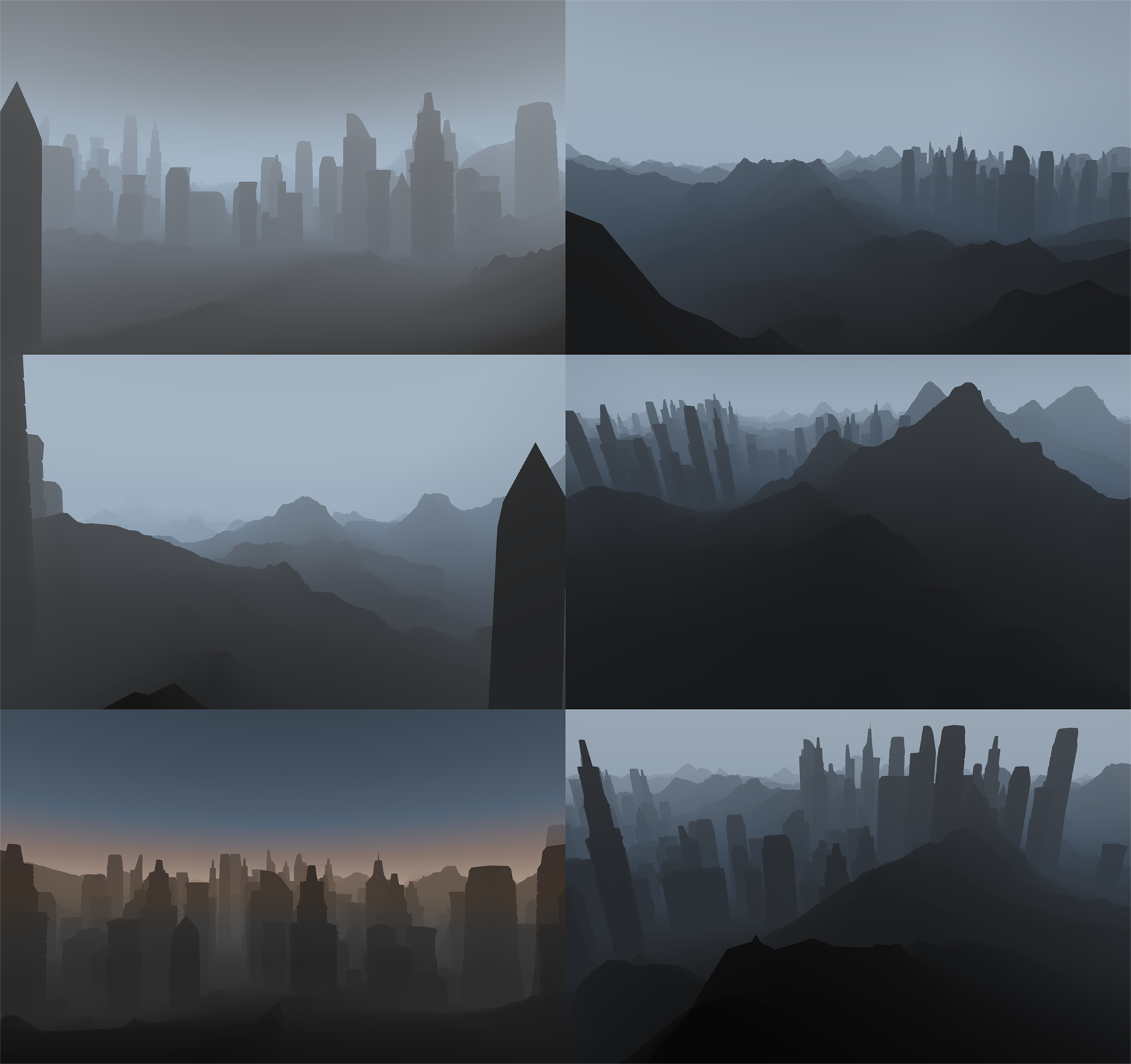
Rayleigh scattering in various configurations.
Mi scattering
As a result of Mi scattering, we see a bright halo around the sun, a gray haze of clouds and smog in industrial areas. Unlike Rayleigh scattering, which distributes light almost uniformly, Mie scattering is characterized by optical anisotropy.
We used Mi scattering primarily to create halo and haze around the sun. Given the fact that our Rayleigh scattering simulation ignored the sun, we compensated for this by increasing the color intensity. From a technical point of view, the Rayleigh and Mi functions in our simulation are very similar, with the exception of the phase function applied to the output quantities. As in many other projects, we used the Heny – Greenstein scattering function to adjust the anisotropy parameter.
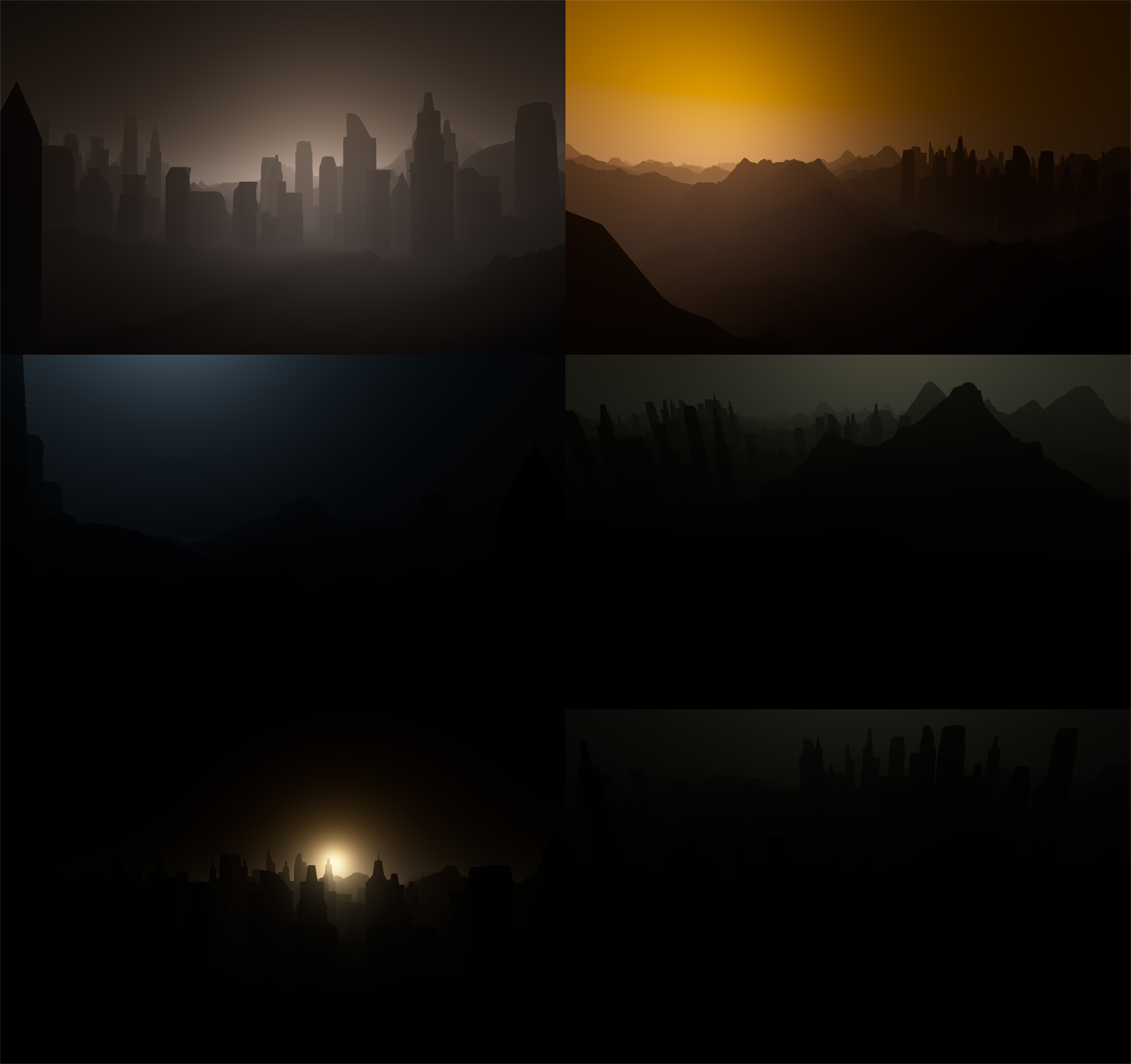
Mi scattering in various configurations.
Readers familiar with scholarly work on this topic may disagree with our choice of titles. In this sense, we really allowed ourselves some liberties. The fact is that many experts use the term “Rayleigh scattering” to describe atmospheric scattering, and the term “Mie scattering” to describe the haze around the sun. Therefore, we decided to stick to these terms.
Scattering in height
This element includes various effects of atmospheric scattering found at low altitudes: fog in the lowlands, surface haze and layered clouds.
In this case, we found a fairly simple solution: we calculated the density based on the distance from a given sea level, then scaled it by exponential density and painted in the desired color.
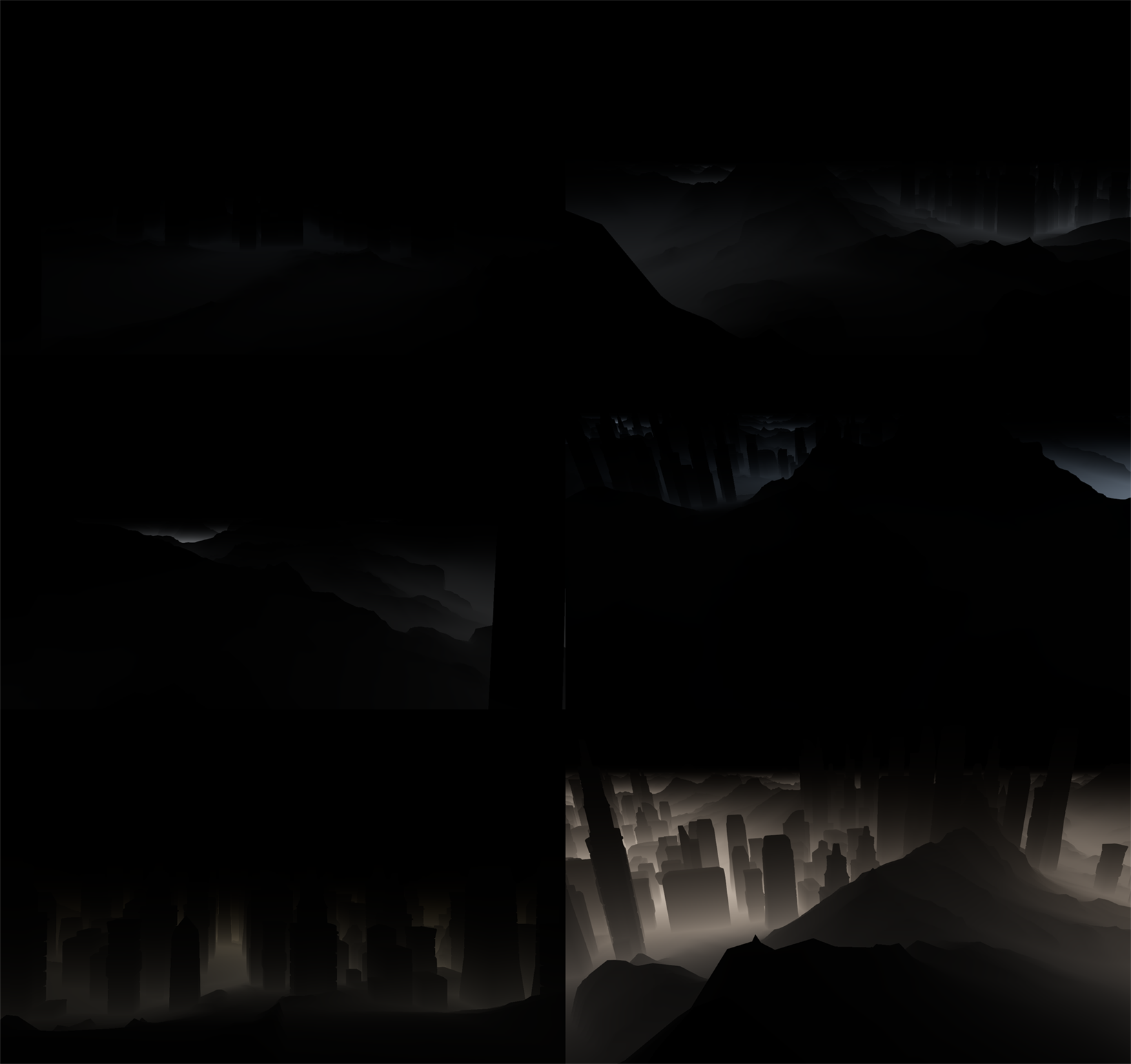
Scattering in height in various configurations.
Light obstruction
Sunlight can not only scatter towards and away from the viewer - it can also be absorbed by particles between the viewer and the light source. To simulate this effect, we needed a separate solution.
We tracked the beams of directional light on a cascading shadow map and calculated the obstruction in a reduced off-screen buffer. To apply pixel scattering to the final image, we increased the shadow map resolution using an edge-aware filter and created the final color for each pixel. At this stage, we encountered certain difficulties. Given that, our solution was designed exclusively for single scattering, we could not just shade and absorb all the absorbed light, because then the image would be very dark and unnatural. On the other hand, we also did not need a more complex and expensive solution for multiple scattering. In the end, we decided to just add the indirect lighting factor - that is, the ability to manually set the percentage of direct and indirect scattering.
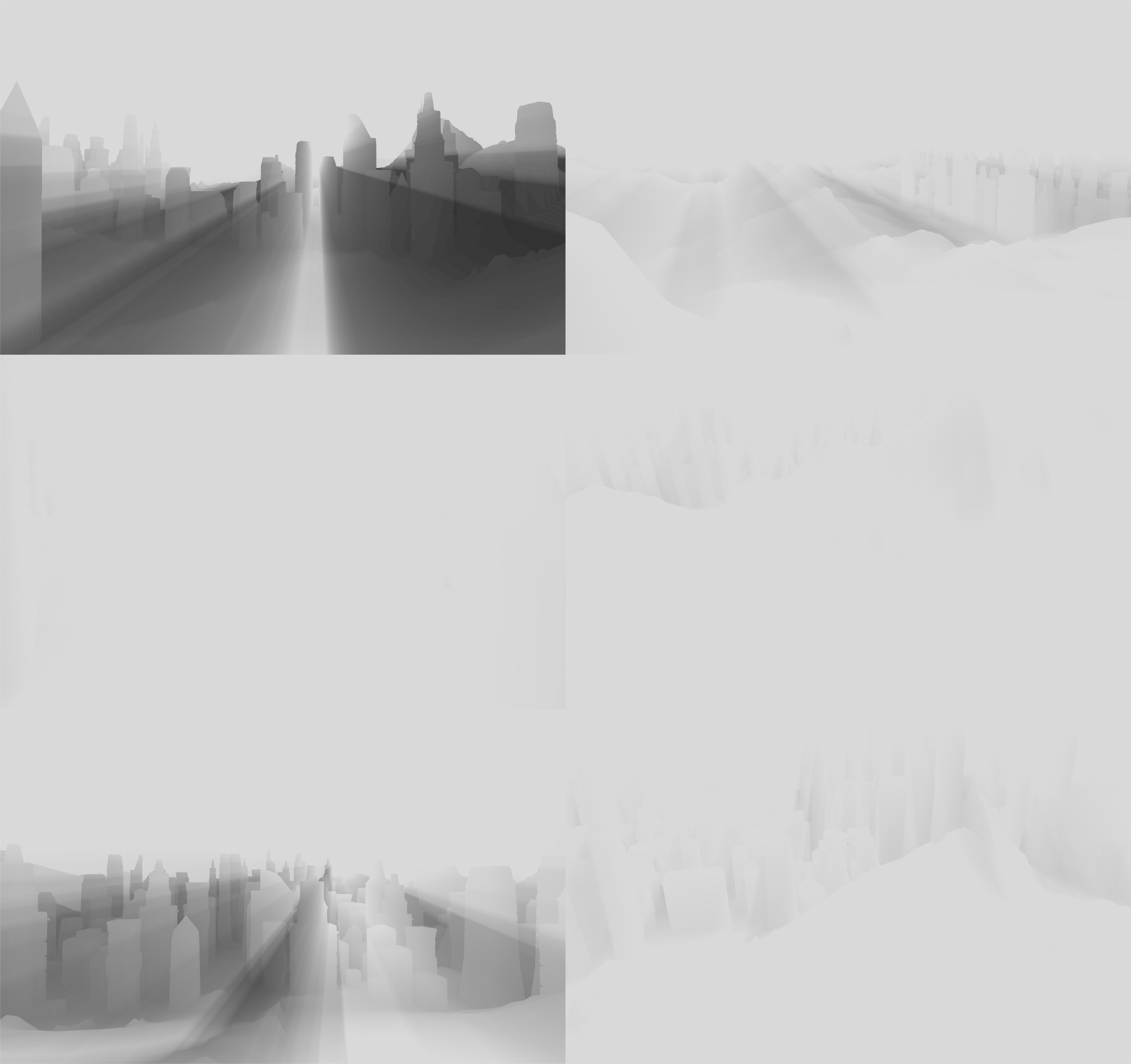
Light blocking in various configurations.
Combining effects
So, it remains to bring all the effects of the final image to a common denominator. Combining all three elements, we got a realistic color composition.
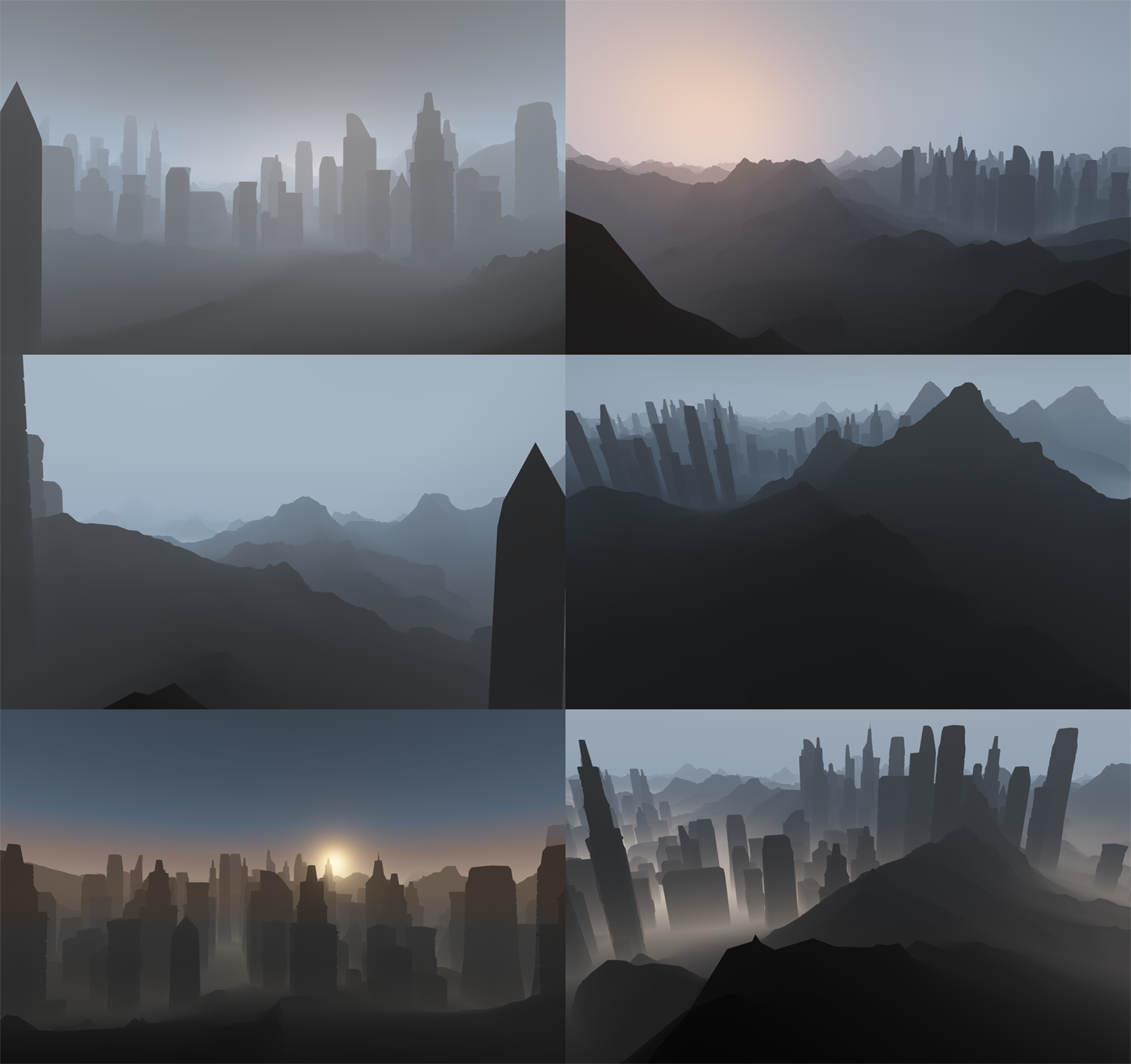
Combined effects of Rayleigh scattering, Mie scattering and height scattering.
Then we made a more detailed adjustment of the attenuation values of direct and indirect lighting in the buffer.
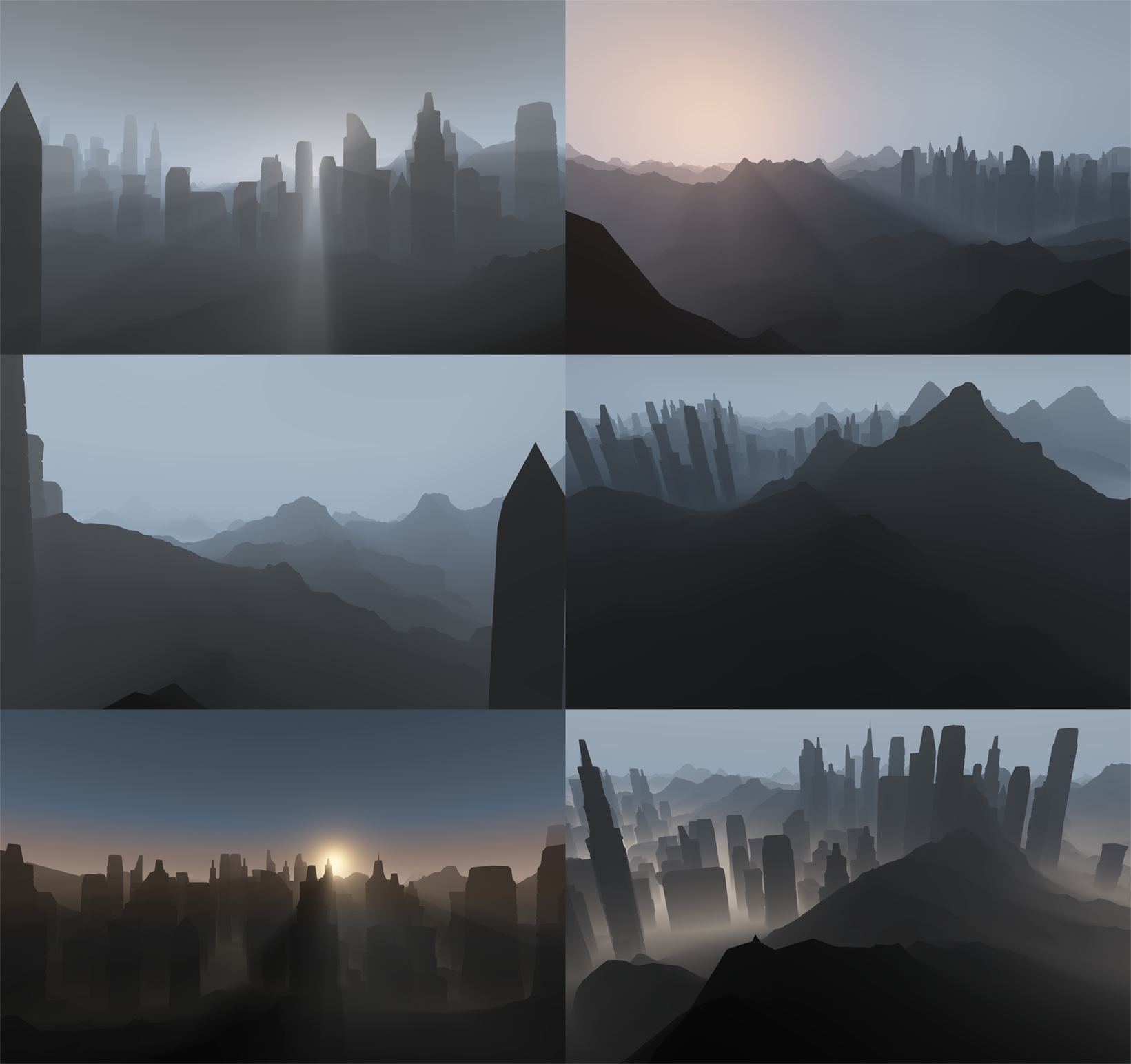
Combined scattering effects taking into account light obstruction.
And finally, it remains to impose atmospheric scattering on the picture. To do this, we darkened the transmitted image by the amount of attenuation and lit by the amount of light propagation. Here's what we got:
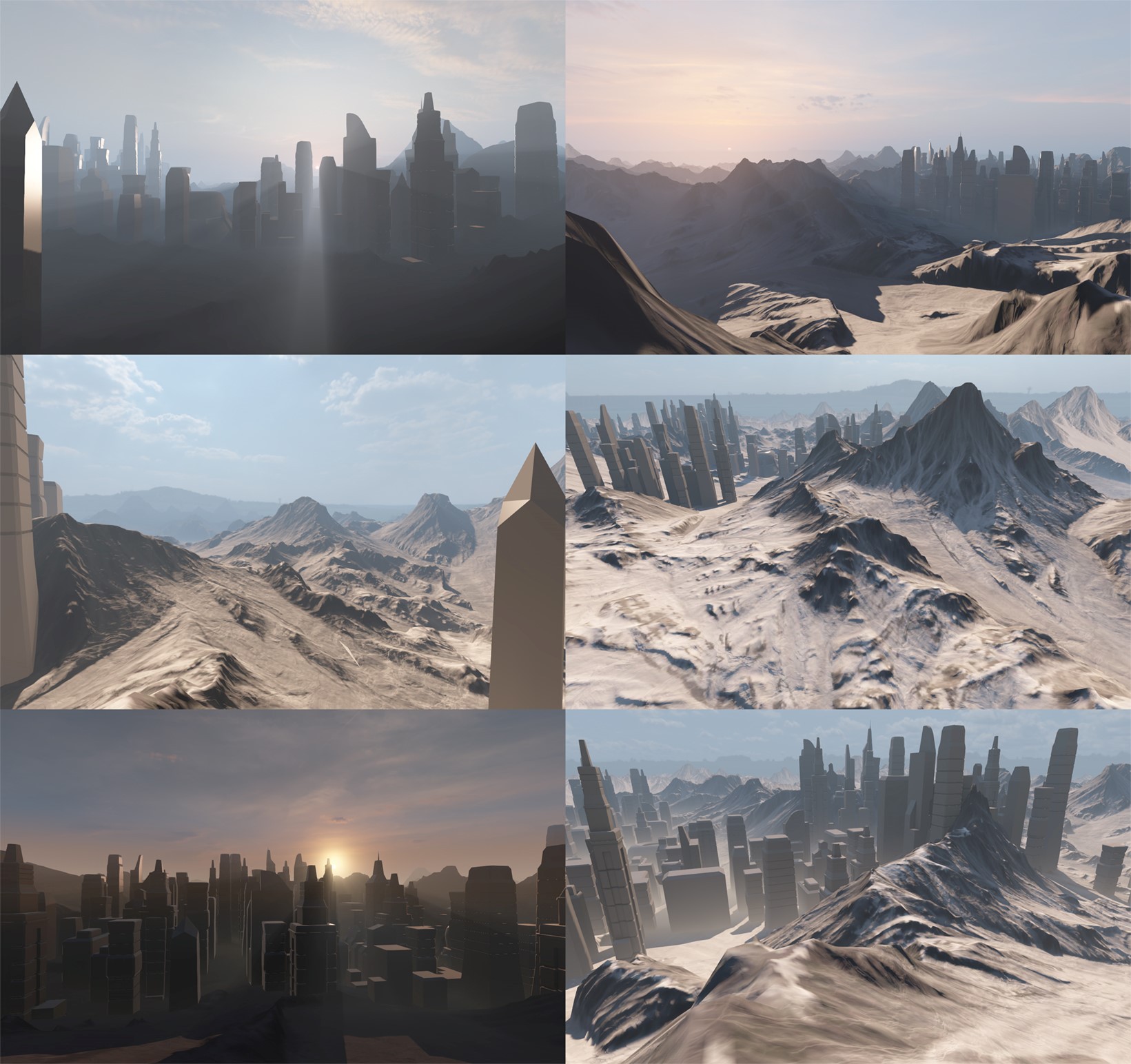
The final composition.
Starting to create a component for atmospheric scattering, we studied the simulation models presented by Tomoyuki Nishita ( Display of The Earth Taking into account Atmospheric Scattering , Display Method of the Sky Color Taking into Account Multiple Scattering , Display of Clouds Taking into Account Multiple Anisotropic Scattering and sky light), and tried to put them into practice. After several experiments with prototype shots, we finally made sure that we needed a model that would provide ample opportunity to customize the artistic effects for each shot. In other words, we were looking for a solution that would not only realistically recreate the physical parameters, but also, if necessary, sacrifice physics for the sake of the artistic effect. In this case, the performance of the video in real time should not have suffered, so we decided to do most of the calculations at the vertex level, and not at the pixel level.
We set out to model the combined effects of Rayleigh scattering and Mie scattering based on physical models. In addition, we added a third element, which we called “height scattering”. Unlike physical models, as part of our solution, we used conventional HDR textures instead of procedural generation of sky and clouds. The obvious minus of this approach is that it greatly complicates the setting of the dynamic change of time of day (which we did not need for the video). But, on the other hand, we got the opportunity to fully artistic setting the sky.
Rayleigh scattering
Rayleigh scattering of sunlight in the atmosphere gives the sky a blue color during the day and an orange-red tint at sunrise and sunset.
In the Blacksmith video, we do not have the sun as such - we limited ourselves to modeling colors and the propagation / attenuation of light as a result of scattering of sunlight. A visual analogue of the sun can be added directly to the texture of the sky, presented as an element of Mie scattering or as a sprite. In fact, the density of our Rayleigh scattering is reduced to an exponential function based on the Rayleigh phase function. But at the same time, we have more opportunities to add and extract data from this formula. We simulated the scattering of light without changing the wavelength, therefore, in this case, the density was a scalar quantity. With the help of HDR Color Ramp, we diversified the shades of light attenuation on the horizon and at the zenith, and also used the distance function to create the final colors.
Rayleigh scattering in various configurations.
Mi scattering
As a result of Mi scattering, we see a bright halo around the sun, a gray haze of clouds and smog in industrial areas. Unlike Rayleigh scattering, which distributes light almost uniformly, Mie scattering is characterized by optical anisotropy.
We used Mi scattering primarily to create halo and haze around the sun. Given the fact that our Rayleigh scattering simulation ignored the sun, we compensated for this by increasing the color intensity. From a technical point of view, the Rayleigh and Mi functions in our simulation are very similar, with the exception of the phase function applied to the output quantities. As in many other projects, we used the Heny – Greenstein scattering function to adjust the anisotropy parameter.
Mi scattering in various configurations.
Readers familiar with scholarly work on this topic may disagree with our choice of titles. In this sense, we really allowed ourselves some liberties. The fact is that many experts use the term “Rayleigh scattering” to describe atmospheric scattering, and the term “Mie scattering” to describe the haze around the sun. Therefore, we decided to stick to these terms.
Scattering in height
This element includes various effects of atmospheric scattering found at low altitudes: fog in the lowlands, surface haze and layered clouds.
In this case, we found a fairly simple solution: we calculated the density based on the distance from a given sea level, then scaled it by exponential density and painted in the desired color.
Scattering in height in various configurations.
Light obstruction
Sunlight can not only scatter towards and away from the viewer - it can also be absorbed by particles between the viewer and the light source. To simulate this effect, we needed a separate solution.
We tracked the beams of directional light on a cascading shadow map and calculated the obstruction in a reduced off-screen buffer. To apply pixel scattering to the final image, we increased the shadow map resolution using an edge-aware filter and created the final color for each pixel. At this stage, we encountered certain difficulties. Given that, our solution was designed exclusively for single scattering, we could not just shade and absorb all the absorbed light, because then the image would be very dark and unnatural. On the other hand, we also did not need a more complex and expensive solution for multiple scattering. In the end, we decided to just add the indirect lighting factor - that is, the ability to manually set the percentage of direct and indirect scattering.
Light blocking in various configurations.
Combining effects
So, it remains to bring all the effects of the final image to a common denominator. Combining all three elements, we got a realistic color composition.
Combined effects of Rayleigh scattering, Mie scattering and height scattering.
Then we made a more detailed adjustment of the attenuation values of direct and indirect lighting in the buffer.
Combined scattering effects taking into account light obstruction.
And finally, it remains to impose atmospheric scattering on the picture. To do this, we darkened the transmitted image by the amount of attenuation and lit by the amount of light propagation. Here's what we got:
The final composition.