August 6, 2015 at 13:47
SIP registration, trunk, softphone and other scary words of cloud PBX
 Aichi is a vast branch of knowledge. It happens that for fifteen years you have been doing different software, for different OSes, in different programming languages. It seems you know a lot. And then a step to the side - and there is
 A bit about SIP
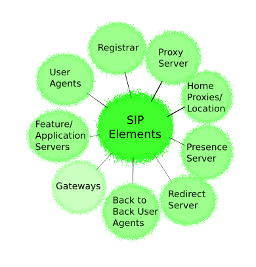
The bulk of the interaction takes place through a bunch of protocols and standards, conditionally called SIP telephony. SIP is similar to HTTP: the same plain text, headers, request bodies, responses. But instead of requesting web pages, SIP controls voice and video calls. Despite the 200-page RFC, the protocol itself is very concise: it allows participants to register “phones”, initiate a call, answer it and end the call, and also offers several service functions. The rest is done through other protocols: the call parameters are transmitted in the body of SIP messages, but they are encoded using the SDP protocol; The call itself is carried out using the RTP protocol or in encrypted form via SRTP.
SIP trunk
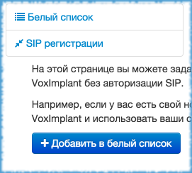
The simplest interaction option widely used by telecoms is a trunk. In general, SIP trunking is not connecting subscribers over a telephone cable, but over the Internet using SIP. But this term has also taken root for communications such as telecom-telecom or telecom-cloud. Both interacting parties are involved in creating the trunk. First, the telecom IP addresses are added to the white list on the side of the VoxImplant cloud: this will allow the telecom to make SIP calls to the cloud without authorization. Then the client contacts the telecom and informs it that incoming calls must be “landed” in the cloud. It uses the SIP URI corresponding to the user’s account and application, which using the JavaScript code informs the cloud what to do next with these calls.
[email protected]
The trunk described above is essentially unidirectional: the cloud will receive incoming calls from registered numbers, but it does not have the ability to make outgoing calls from such a number. That is, in fact, there is, but I’ll write separately about number substitution and traffic routing - and this is how the text wall turned out.
SIP registration
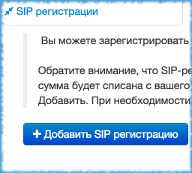
If the trunk is a connection from the telecom to the cloud, then SIP registration is connected in the opposite direction. SIP uses the REGISTER message, which informs the server that some subscriber device (for example, a softphone, a software implementation of the SIP client) is ready to receive calls. In order for the cloud to act as such a device, the client needs to obtain SIP addresses, logins and passwords for their numbers from the telecom and add this information to the VoxImpant admin panel.
In contrast to the trunk, SIP registration works in both directions: having logins and passwords, the cloud both receives and makes calls to the specified numbers. An important conceptual difference is that SIP registration is part of the SIP protocol (regularly sent REGISTER message), while a trunk is just the practice of using SIP solutions.
VoxImplant SIP Registration Example in Mango Office

A naked theory without practice is dead, so as an example I will show how to connect the phone numbers of the popular Mango Office cloud solution to VoxImplant. The first thing to do is to get SIP-information about the numbers, which is available in the Employees and groups section of your Mango Office account, as described in this manual .
Then this information must be added to the VoxImplant admin panel (see the figure above).
After performing these simple steps, calls to Mango Office phones will automatically fall into the VoxImplant cloud, where you can do anything with JavaScript using them .
Example SIP trunk from Asterisk to VoxImplant
A more complex example is setting up a trunk from Asterisk to the VoxImplant cloud. From the side of our cloud, you just need to add the Asterisk IP addresses to the white list (see the figure above). But from the side of Asterisk, the configuration of the trunk is as follows:
[voximplant]
type=friend
host=testapp.testuser.voximplant.com
secret=asterisk-pass-for-vox
fromdomain=testapp.testuser.voximplant.com
fromuser=asterisk
remotesecret=vox-pass-for-asterisk
What's the difference?
Given the possibility of number substitution, from the point of view of the client, SIP registration is no different from a trunk. However, telecom employees are not always ready to set up a trunk, and for many cloud PBXs this is not technically provided in principle. At the same time, SIP registration allows you to integrate with any SIP-compatible service, be it a major telecommunications service provider, Asterisk installation or a private cloud service.
As part of our blog, I try not only to advertise VoxImplant, but also to tell useful and interesting things about cloud telephony. If your sharp-sighted eye has spotted frank or controversial inaccuracy in the material presented, do not hesitate to write to me in PM. Everything is quickly corrected and benefits those who come to Habr from search. And yes, with the last day of the system administrator of all :).