AI를 활용한 웹 게임 제작: 초등학생 코딩 교육 사례
학생들은 이미 기본적인 HTML과 CSS를 익혔습니다. AI를 사용하기 전에, 다른 사람의 코드를 읽는 능력을 기르는 것이 필요했습니다. 과제는 주석이 달린 파일을 열어 지정된 줄의 background-color 값을 변경하고 저장한 후 브라우저에서 페이지를 새로고침하는 것이었습니다. 이 접근법은 코드 변경과 시각적 결과를 빠르게 연결시켜, 낯선 소스 코드에 대한 두려움을 줄여주었습니다.
다음으로 종이 프로토타이핑으로 넘어갔습니다. 학생들은 개인화된 두더지 잡기 스타일의 게임 메커니즘을 선택했습니다: 표준 객체 대신, 학생들의 평소 모습과 볼을 부풀린 활성화 상태의 사진을 사용했습니다.
게임 로직과 기술 스택 선택
주요 메커니즘 요소:
Google AdInline article slot
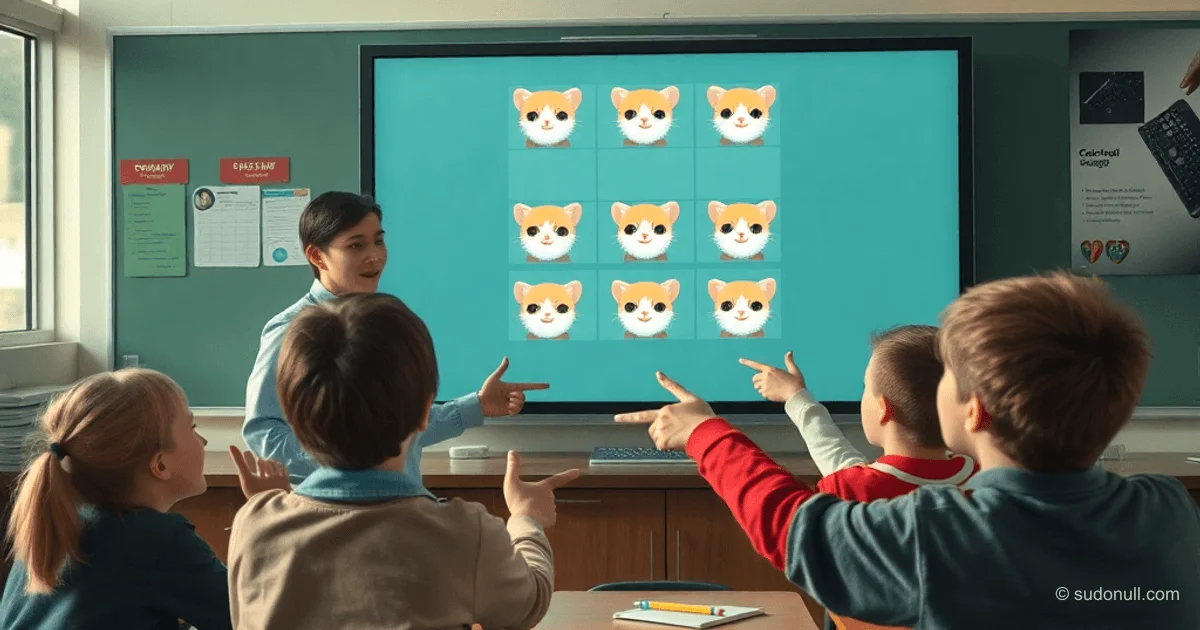
- 3×3 격자 셀(구멍).
- 5초마다 무작위로 활성 이미지 등장.
- 각 사이클마다 속도 증가.
- 활성 셀 클릭 시 정상 상태로 복귀.
- 패배 조건: 9개 셀이 모두 동시에 활성화되면 5초간 입력 차단, 깜빡임, 재시작 모달 창 표시.
기술 스택: 순수 HTML, CSS, JavaScript를 하나의 파일로 구성. 학습 장점:
- 환경 설정 불필요—브라우저만 있으면 됨.
- F5로 즉각적인 피드백.
- 완전한 이식성: 하나의 HTML 파일로 어디서나 작동.
프로토타입에는 고양이 이미지를 사용했습니다: 기본 상태와 반응 상태(AI 프롬프트로 생성).
효과적인 프롬프트 작성
AI는 상세한 설명이 필요한 실행 도구로 인식됩니다. 아이들과 함께 Gemini를 위한 프롬프트를 구성했습니다:
Google AdInline article slot
세부사항:
- 역할: 경험 많은 프론트엔드 개발자.
- 게임: 사진(평소 모습과 볼 부풀림)을 사용한 두더지 잡기 유사 게임.
- 스타일: 밝은 배경, 중앙 정렬.
- 필드: 흰색 3×3 패널, 둥근 모서리와 그림자.
- 셀: 9개 이미지에 눌림 효과, 모바일 반응형.
- 18개 파일: photo1_normal.jpg ... photo9_highlighted.jpg.
- 로직: 타이머, 가속, 게임 종료, 블러 효과 모달.
- 요구사항: 단일 파일, 모던 JS, 주석, 모바일 하이라이트 없음.
결과: 완성된 게임 코드
AI는 몇 초 만에 작동하는 프로토타입을 제공했습니다. 최소한의 수정 후 최종 버전이 완성되었습니다. 코드는 CSS 변수, Flexbox/Grid, backdrop-filter, 모던 트랜지션, 미디어 쿼리를 사용합니다.
<!DOCTYPE html>
<html lang="ko">
<head>
    <meta charset="UTF-8">
    <meta name="viewport" content="width=device-width, initial-scale=1.0">
    <title>고양이 두더지 잡기!</title>
    <style>
        /* 크기와 색상을 한 곳에서 쉽게 조정하기 위한 변수 */
        :root {
            --bg-color: #f0f2f5;
            --grid-gap: 15px;
            --cell-size: 180px;
            --text-color: #333;
        }

        body {
            margin: 0;
            padding: 0;
            display: flex;
            justify-content: center;
            align-items: center;
            min-height: 100vh;
            background-color: var(--bg-color);
            font-family: 'Segoe UI', Tahoma, sans-serif;
            overflow: hidden;
            user-select: none;
            -webkit-tap-highlight-color: transparent;
        }

        .main-wrapper {
            display: flex;
            flex-direction: column;
            align-items: center;
        }

        .instructions {
            text-align: center;
            color: var(--text-color);
            font-size: 1.8rem;
            line-height: 1.4;
            margin-bottom: 25px;
            font-weight: 500;
        }

        .game-container {
            display: grid;
            grid-template-columns: repeat(3, 1fr);
            grid-template-rows: repeat(3, 1fr);
            gap: var(--grid-gap);
            padding: 20px;
            background: white;
            border-radius: 24px;
            box-shadow: 0 10px 40px rgba(0,0,0,0.08);
            position: relative;
        }

        .game-container.disabled {
            pointer-events: none;
        }

        .cell {
            width: var(--cell-size);
            height: var(--cell-size);
            overflow: hidden;
            border-radius: 16px;
            cursor: pointer;
            transition: transform 0.1s ease;
            background: #f9f9f9;
        }

        .cell:active {
            transform: scale(0.96);
        }

        .cell img {
            width: 100%;
            height: 100%;
            object-fit: cover;
            display: block;
        }

        #modal {
            display: none;
            position: fixed;
            top: 0;
            left: 0;
            width: 100%;
            height: 100%;
            background: rgba(255, 255, 255, 0.01);
            backdrop-filter: blur(15px);
            -webkit-backdrop-filter: blur(15px);
            justify-content: center;
            align-items: center;
            z-index: 100;
        }

        .modal-content {
            background: white;
            padding: 50px;
            border-radius: 30px;
            text-align: center;
            box-shadow: 0 15px 60px rgba(0,0,0,0.15);
            border: 1px solid rgba(255,255,255,0.3);
        }

        .modal-content h2 {
            margin: 0 0 30px 0;
            font-size: 28px;
            color: #222;
        }

        .modal-content button {
            background: #222;
            color: white;
            border: none;
            padding: 16px 50px;
            font-size: 18px;
            border-radius: 14px;
            cursor: pointer;
            transition: all 0.2s ease;
        }

        .modal-content button:hover {
            background: #000;
            transform: translateY(-2px);
            box-shadow: 0 5px 15px rgba(0,0,0,0.2);
        }

        @media (max-width: 650px) {
            :root {
                --cell-size: 28vw;
            }
        }
    </style>
</head>
<body>
    <div class="main-wrapper">
        <div class="instructions">볼을 부풀린 고양이를 클릭하세요!</div>
        <div class="game-container" id="gameContainer">
            <!-- 9개 셀은 JS로 생성됩니다 -->
        </div>
    </div>

    <div id="modal">
        <div class="modal-content">
            <h2>😿 모든 고양이가 볼을 부풀렸어요!</h2>
            <p>다시 도전하시겠습니까?</p>
            <button onclick="resetGame()">네!</button>
        </div>
    </div>

    <script>
        let gameActive = true;
        let activeCell = null;
        let intervalId = null;
        let speed = 5000;
        let highlightedCount = 0;
        const cells = [];
        const totalCells = 9;

        const images = {
            1: { normal: 'photo1_normal.jpg', highlighted: 'photo1_highlighted.jpg' },
            2: { normal: 'photo2_normal.jpg', highlighted: 'photo2_highlighted.jpg' },
            // ... 9까지
        };

        function initGame() {
            const container = document.getElementById('gameContainer');
            container.innerHTML = '';
            cells.length = 0;
            highlightedCount = 0;

            for (let i = 1; i <= totalCells; i++) {
                const cell = document.createElement('div');
                cell.className = 'cell';
                cell.dataset.index = i;
                const img = document.createElement('img');
                img.src = images[i].normal;
                img.alt = `고양이 ${i}`;
                cell.appendChild(img);
                cell.addEventListener('click', handleClick);
                container.appendChild(cell);
                cells.push(cell);
            }

            startGameLoop();
        }

        function startGameLoop() {
            if (intervalId) clearInterval(intervalId);
            intervalId = setInterval(() => {
                if (!gameActive || highlightedCount >= totalCells) return;

                const availableCells = cells.filter(cell => !cell.classList.contains('highlighted'));
                if (availableCells.length === 0) return;

                const randomCell = availableCells[Math.floor(Math.random() * availableCells.length)];
                activateCell(randomCell);
            }, speed);
        }

        function activateCell(cell) {
            cell.classList.add('highlighted');
            const img = cell.querySelector('img');
            img.src = images[parseInt(cell.dataset.index)].highlighted;
            highlightedCount++;

            if (highlightedCount >= totalCells) {
                gameOver();
            }
        }

        function handleClick(e) {
            const cell = e.currentTarget;
            if (!cell.classList.contains('highlighted') || !gameActive) return;

            cell.classList.remove('highlighted');
            const img = cell.querySelector('img');
            img.src = images[parseInt(cell.dataset.index)].normal;
            highlightedCount--;
        }

        function gameOver() {
            gameActive = false;
            clearInterval(intervalId);

            const container = document.getElementById('gameContainer');
            container.classList.add('disabled');

            const blinkInterval = setInterval(() => {
                cells.forEach(cell => {
                    const img = cell.querySelector('img');
                    const index = parseInt(cell.dataset.index);
                    img.src = cell.classList.contains('blinking') ?
                        images[index].normal : images[index].highlighted;
                    cell.classList.toggle('blinking');
                });
            }, 500);

            setTimeout(() => {
                clearInterval(blinkInterval);
                document.getElementById('modal').style.display = 'flex';
            }, 5000);
        }

        function resetGame() {
            document.getElementById('modal').style.display = 'none';
            document.getElementById('gameContainer').classList.remove('disabled');
            speed = Math.max(1000, speed - 500);
            gameActive = true;
            initGame();
        }

        window.addEventListener('load', initGame);
    </script>
</body>
</html>
핵심 요약
- 상세한 프롬프트로 생성 속도 향상: 역할, 스타일, 메커니즘, 코드 요구사항을 명시하면 몇 초 만에 작동하는 프로토타입 생성 가능.
- AI 사용 전 코드 읽기: 기본 분석 능력이 실험 장벽을 낮춤.
- 종이 프로토타이핑: 코딩 전 논리 시각화로 AI 작업 단순화.
- 모든 것을 하나의 파일로: 학습과 배포에 이상적.
- 반응형과 효과: CSS Grid, 변수, backdrop-filter로 모던 UX 보장.
— Editorial Team
Google AdInline article slot










아직 댓글이 없습니다.