AI助力网页游戏创作:面向中小学生的编程教学实践
学生们已掌握基础的HTML和CSS。在使用AI之前,他们需要培养阅读他人代码的能力。任务:打开带注释的文件,修改指定行的背景颜色值,保存并在浏览器中刷新页面。这种方法能快速建立代码修改与视觉效果的关联,减少对陌生代码的畏惧感。
接下来,他们转向纸质原型设计。他们选择了类似“打地鼠”的游戏机制,并加入个性化元素:用学生照片替代标准对象,正常状态与鼓起脸颊的激活状态形成对比。
游戏逻辑与技术栈选择
核心机制要素:
Google AdInline article slot
- 3×3网格单元格(洞口)。
- 每5秒随机出现激活图像。
- 每轮速度逐渐加快。
- 点击激活单元格可使其恢复正常。
- 失败条件:所有9个单元格同时激活——输入被锁定5秒,闪烁显示,弹出模态窗口以重新开始。
技术栈:纯HTML、CSS、JavaScript集成于单一文件。学习优势:
- 无需环境配置——仅需浏览器。
- 按F5键即时反馈。
- 完全可移植:单个HTML文件随处运行。
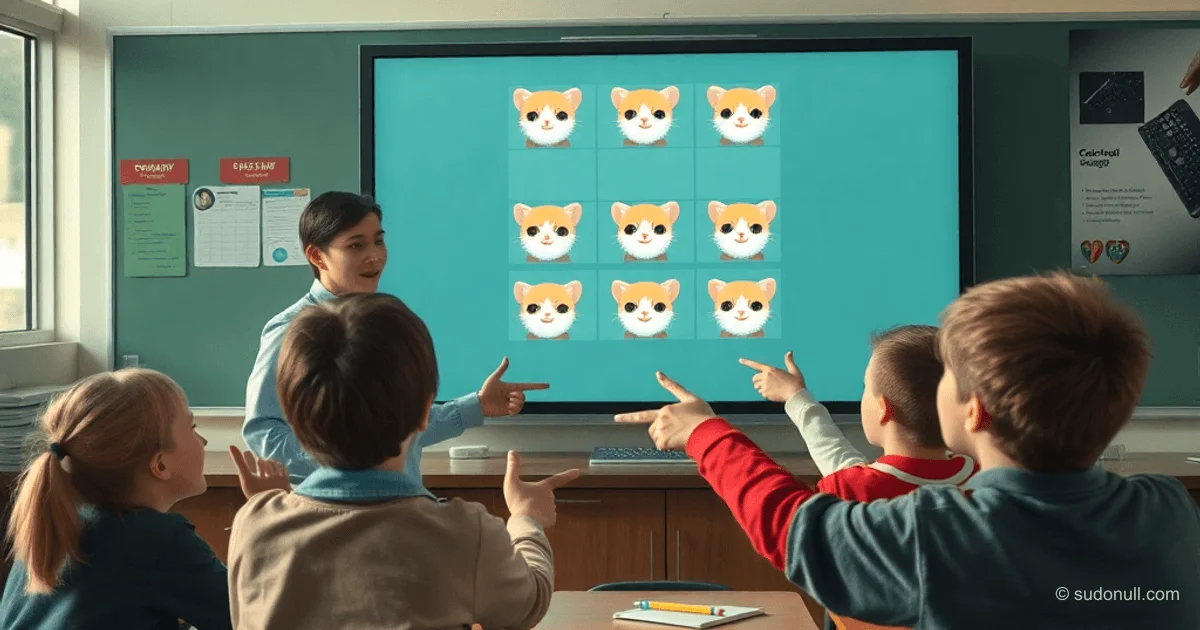
原型阶段,他们使用了小猫图片:基础状态与反应状态(通过AI提示生成)。
构建高效提示词
AI被视为需要详细描述的执行工具。与孩子们一起,他们为Gemini编写了提示词:
Google AdInline article slot
细节:
- 角色:经验丰富的前端开发者。
- 游戏:基于照片(正常与鼓起脸颊)的“打地鼠”类游戏。
- 风格:浅色背景,居中布局。
- 游戏区域:白色3×3面板,圆角带阴影。
- 单元格:9个带按压效果的图片,支持移动端响应式。
- 18个文件:photo1_normal.jpg ... photo9_highlighted.jpg。
- 逻辑:计时器、加速、游戏结束、带模糊效果的模态窗口。
- 要求:单文件、现代JavaScript、注释、无移动端高亮效果。
成果:即时生成的游戏代码
AI在几秒内交付了可运行的原型。经过微调后,最终版本准备就绪。代码运用了CSS变量、Flexbox/Grid布局、背景滤镜、现代过渡效果及媒体查询。
<!DOCTYPE html>
<html lang="zh-CN">
<head>
    <meta charset="UTF-8">
    <meta name="viewport" content="width=device-width, initial-scale=1.0">
    <title>小猫游戏!</title>
    <style>
        /* 变量便于集中调整尺寸与颜色 */
        :root {
            --bg-color: #f0f2f5;
            --grid-gap: 15px;
            --cell-size: 180px;
            --text-color: #333;
        }

        body {
            margin: 0;
            padding: 0;
            display: flex;
            justify-content: center;
            align-items: center;
            min-height: 100vh;
            background-color: var(--bg-color);
            font-family: 'Segoe UI', Tahoma, sans-serif;
            overflow: hidden;
            user-select: none;
            -webkit-tap-highlight-color: transparent;
        }

        .main-wrapper {
            display: flex;
            flex-direction: column;
            align-items: center;
        }

        .instructions {
            text-align: center;
            color: var(--text-color);
            font-size: 1.8rem;
            line-height: 1.4;
            margin-bottom: 25px;
            font-weight: 500;
        }

        .game-container {
            display: grid;
            grid-template-columns: repeat(3, 1fr);
            grid-template-rows: repeat(3, 1fr);
            gap: var(--grid-gap);
            padding: 20px;
            background: white;
            border-radius: 24px;
            box-shadow: 0 10px 40px rgba(0,0,0,0.08);
            position: relative;
        }

        .game-container.disabled {
            pointer-events: none;
        }

        .cell {
            width: var(--cell-size);
            height: var(--cell-size);
            overflow: hidden;
            border-radius: 16px;
            cursor: pointer;
            transition: transform 0.1s ease;
            background: #f9f9f9;
        }

        .cell:active {
            transform: scale(0.96);
        }

        .cell img {
            width: 100%;
            height: 100%;
            object-fit: cover;
            display: block;
        }

        #modal {
            display: none;
            position: fixed;
            top: 0;
            left: 0;
            width: 100%;
            height: 100%;
            background: rgba(255, 255, 255, 0.01);
            backdrop-filter: blur(15px);
            -webkit-backdrop-filter: blur(15px);
            justify-content: center;
            align-items: center;
            z-index: 100;
        }

        .modal-content {
            background: white;
            padding: 50px;
            border-radius: 30px;
            text-align: center;
            box-shadow: 0 15px 60px rgba(0,0,0,0.15);
            border: 1px solid rgba(255,255,255,0.3);
        }

        .modal-content h2 {
            margin: 0 0 30px 0;
            font-size: 28px;
            color: #222;
        }

        .modal-content button {
            background: #222;
            color: white;
            border: none;
            padding: 16px 50px;
            font-size: 18px;
            border-radius: 14px;
            cursor: pointer;
            transition: all 0.2s ease;
        }

        .modal-content button:hover {
            background: #000;
            transform: translateY(-2px);
            box-shadow: 0 5px 15px rgba(0,0,0,0.2);
        }

        @media (max-width: 650px) {
            :root {
                --cell-size: 28vw;
            }
        }
    </style>
</head>
<body>
    <div class="main-wrapper">
        <div class="instructions">点击鼓起脸颊的小猫!</div>
        <div class="game-container" id="gameContainer">
            <!-- 9个单元格由JS动态生成 -->
        </div>
    </div>

    <div id="modal">
        <div class="modal-content">
            <h2>😿 所有小猫都鼓脸了!</h2>
            <p>再试一次?</p>
            <button onclick="resetGame()">好的!</button>
        </div>
    </div>

    <script>
        let gameActive = true;
        let activeCell = null;
        let intervalId = null;
        let speed = 5000;
        let highlightedCount = 0;
        const cells = [];
        const totalCells = 9;

        const images = {
            1: { normal: 'photo1_normal.jpg', highlighted: 'photo1_highlighted.jpg' },
            2: { normal: 'photo2_normal.jpg', highlighted: 'photo2_highlighted.jpg' },
            // ... 直至9
        };

        function initGame() {
            const container = document.getElementById('gameContainer');
            container.innerHTML = '';
            cells.length = 0;
            highlightedCount = 0;

            for (let i = 1; i <= totalCells; i++) {
                const cell = document.createElement('div');
                cell.className = 'cell';
                cell.dataset.index = i;
                const img = document.createElement('img');
                img.src = images[i].normal;
                img.alt = `小猫 ${i}`;
                cell.appendChild(img);
                cell.addEventListener('click', handleClick);
                container.appendChild(cell);
                cells.push(cell);
            }

            startGameLoop();
        }

        function startGameLoop() {
            if (intervalId) clearInterval(intervalId);
            intervalId = setInterval(() => {
                if (!gameActive || highlightedCount >= totalCells) return;

                const availableCells = cells.filter(cell => !cell.classList.contains('highlighted'));
                if (availableCells.length === 0) return;

                const randomCell = availableCells[Math.floor(Math.random() * availableCells.length)];
                activateCell(randomCell);
            }, speed);
        }

        function activateCell(cell) {
            cell.classList.add('highlighted');
            const img = cell.querySelector('img');
            img.src = images[parseInt(cell.dataset.index)].highlighted;
            highlightedCount++;

            if (highlightedCount >= totalCells) {
                gameOver();
            }
        }

        function handleClick(e) {
            const cell = e.currentTarget;
            if (!cell.classList.contains('highlighted') || !gameActive) return;

            cell.classList.remove('highlighted');
            const img = cell.querySelector('img');
            img.src = images[parseInt(cell.dataset.index)].normal;
            highlightedCount--;
        }

        function gameOver() {
            gameActive = false;
            clearInterval(intervalId);

            const container = document.getElementById('gameContainer');
            container.classList.add('disabled');

            const blinkInterval = setInterval(() => {
                cells.forEach(cell => {
                    const img = cell.querySelector('img');
                    const index = parseInt(cell.dataset.index);
                    img.src = cell.classList.contains('blinking') ?
                        images[index].normal : images[index].highlighted;
                    cell.classList.toggle('blinking');
                });
            }, 500);

            setTimeout(() => {
                clearInterval(blinkInterval);
                document.getElementById('modal').style.display = 'flex';
            }, 5000);
        }

        function resetGame() {
            document.getElementById('modal').style.display = 'none';
            document.getElementById('gameContainer').classList.remove('disabled');
            speed = Math.max(1000, speed - 500);
            gameActive = true;
            initGame();
        }

        window.addEventListener('load', initGame);
    </script>
</body>
</html>
核心要点
- 详细提示词加速生成:明确角色、风格、机制和代码要求,可在数秒内获得可运行原型。
- 先读代码再用AI:基础分析能力降低实验门槛。
- 纸质原型设计:编码前可视化逻辑,简化AI任务。
- 单文件一体化:适合学习与分发。
- 响应式与特效:CSS Grid、变量、背景滤镜确保现代用户体验。
— Editorial Team
Google AdInline article slot










暂无评论。