AI as a Tool for Creating Web Games: Teaching Schoolchildren
Schoolchildren had already mastered basic HTML and CSS. Before using AI, they needed to develop the skill of reading others' code. The task: open a file with comments, change the background-color value on a specified line, save, and refresh the page in the browser. This approach quickly links code changes to visual results, reducing fear of unfamiliar sources.
Next, they moved on to paper prototyping. They chose a Whac-A-Mole-style game mechanic with personalization: instead of standard objects, photos of students in a normal state and with puffed cheeks when activated.
Game Logic and Tech Stack Selection
Key mechanics elements:
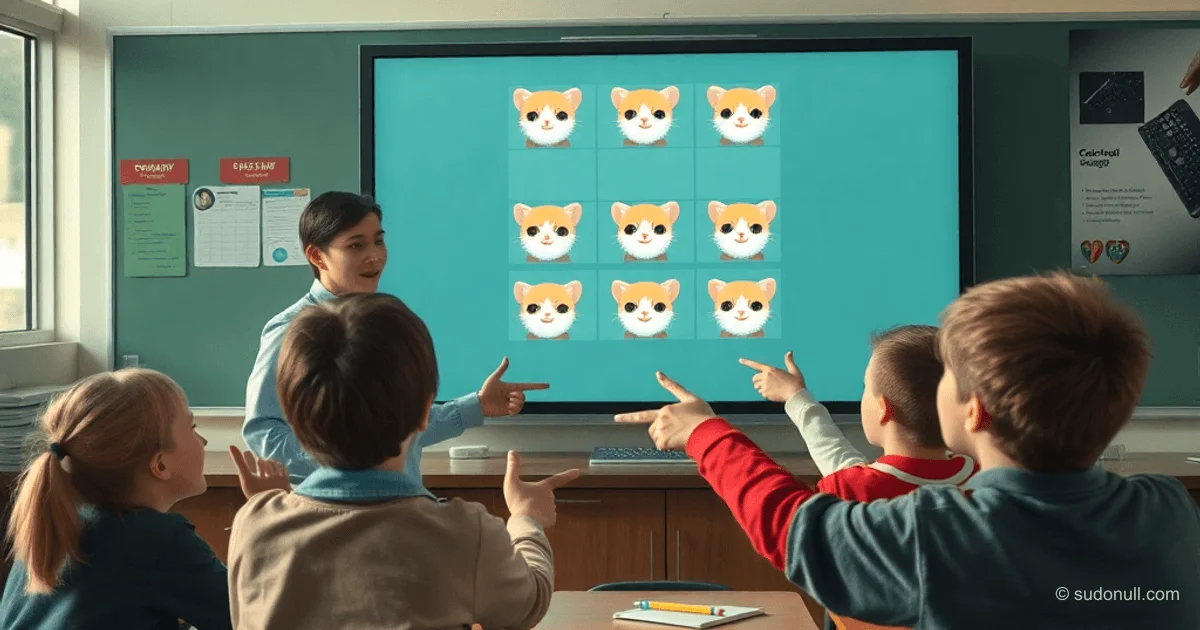
- A 3×3 grid of cells (holes).
- Random appearance of an active image every 5 seconds.
- Speed increases with each cycle.
- Clicking an active cell returns it to normal.
- Loss condition: all 9 cells active simultaneously—input blocked for 5 seconds, blinking, modal window to restart.
Tech stack: pure HTML, CSS, JavaScript in one file. Learning advantages:
- No environment setup—just a browser needed.
- Instant feedback with F5.
- Full portability: one HTML file works everywhere.
For the prototype, they used kitten images: base and reaction (generated by AI via prompt).
Crafting an Effective Prompt
AI is perceived as an execution tool requiring detailed description. Together with the children, they composed a prompt for Gemini:
Details:
- Role: experienced frontend developer.
- Game: Whac-A-Mole analog with photos (normal and puffed cheeks).
- Style: light background, centered.
- Field: white 3×3 panel with rounded corners and shadow.
- Cells: 9 images with press effect, mobile-responsive.
- 18 files: photo1_normal.jpg ... photo9_highlighted.jpg.
- Logic: timers, acceleration, game end, modal with blur.
- Requirements: single file, modern JS, comments, no mobile highlights.
Result: Ready Game Code
AI delivered a working prototype in seconds. After minimal tweaks, the final version was ready. The code uses CSS variables, Flexbox/Grid, backdrop-filter, modern transitions, and media queries.
<!DOCTYPE html>
<html lang="en">
<head>
    <meta charset="UTF-8">
    <meta name="viewport" content="width=device-width, initial-scale=1.0">
    <title>Kittens!</title>
    <style>
        /* Variables for easy adjustment of sizes and colors in one place */
        :root {
            --bg-color: #f0f2f5;
            --grid-gap: 15px;
            --cell-size: 180px;
            --text-color: #333;
        }

        body {
            margin: 0;
            padding: 0;
            display: flex;
            justify-content: center;
            align-items: center;
            min-height: 100vh;
            background-color: var(--bg-color);
            font-family: 'Segoe UI', Tahoma, sans-serif;
            overflow: hidden;
            user-select: none;
            -webkit-tap-highlight-color: transparent;
        }

        .main-wrapper {
            display: flex;
            flex-direction: column;
            align-items: center;
        }

        .instructions {
            text-align: center;
            color: var(--text-color);
            font-size: 1.8rem;
            line-height: 1.4;
            margin-bottom: 25px;
            font-weight: 500;
        }

        .game-container {
            display: grid;
            grid-template-columns: repeat(3, 1fr);
            grid-template-rows: repeat(3, 1fr);
            gap: var(--grid-gap);
            padding: 20px;
            background: white;
            border-radius: 24px;
            box-shadow: 0 10px 40px rgba(0,0,0,0.08);
            position: relative;
        }

        .game-container.disabled {
            pointer-events: none;
        }

        .cell {
            width: var(--cell-size);
            height: var(--cell-size);
            overflow: hidden;
            border-radius: 16px;
            cursor: pointer;
            transition: transform 0.1s ease;
            background: #f9f9f9;
        }

        .cell:active {
            transform: scale(0.96);
        }

        .cell img {
            width: 100%;
            height: 100%;
            object-fit: cover;
            display: block;
        }

        #modal {
            display: none;
            position: fixed;
            top: 0;
            left: 0;
            width: 100%;
            height: 100%;
            background: rgba(255, 255, 255, 0.01);
            backdrop-filter: blur(15px);
            -webkit-backdrop-filter: blur(15px);
            justify-content: center;
            align-items: center;
            z-index: 100;
        }

        .modal-content {
            background: white;
            padding: 50px;
            border-radius: 30px;
            text-align: center;
            box-shadow: 0 15px 60px rgba(0,0,0,0.15);
            border: 1px solid rgba(255,255,255,0.3);
        }

        .modal-content h2 {
            margin: 0 0 30px 0;
            font-size: 28px;
            color: #222;
        }

        .modal-content button {
            background: #222;
            color: white;
            border: none;
            padding: 16px 50px;
            font-size: 18px;
            border-radius: 14px;
            cursor: pointer;
            transition: all 0.2s ease;
        }

        .modal-content button:hover {
            background: #000;
            transform: translateY(-2px);
            box-shadow: 0 5px 15px rgba(0,0,0,0.2);
        }

        @media (max-width: 650px) {
            :root {
                --cell-size: 28vw;
            }
        }
    </style>
</head>
<body>
    <div class="main-wrapper">
        <div class="instructions">Click on puffed cheeks kittens!</div>
        <div class="game-container" id="gameContainer">
            <!-- 9 cells will be generated by JS -->
        </div>
    </div>

    <div id="modal">
        <div class="modal-content">
            <h2>😿 All kittens puffed!</h2>
            <p>Try again?</p>
            <button onclick="resetGame()">Yes!</button>
        </div>
    </div>

    <script>
        let gameActive = true;
        let activeCell = null;
        let intervalId = null;
        let speed = 5000;
        let highlightedCount = 0;
        const cells = [];
        const totalCells = 9;

        const images = {
            1: { normal: 'photo1_normal.jpg', highlighted: 'photo1_highlighted.jpg' },
            2: { normal: 'photo2_normal.jpg', highlighted: 'photo2_highlighted.jpg' },
            // ... up to 9
        };

        function initGame() {
            const container = document.getElementById('gameContainer');
            container.innerHTML = '';
            cells.length = 0;
            highlightedCount = 0;

            for (let i = 1; i <= totalCells; i++) {
                const cell = document.createElement('div');
                cell.className = 'cell';
                cell.dataset.index = i;
                const img = document.createElement('img');
                img.src = images[i].normal;
                img.alt = `Kitten ${i}`;
                cell.appendChild(img);
                cell.addEventListener('click', handleClick);
                container.appendChild(cell);
                cells.push(cell);
            }

            startGameLoop();
        }

        function startGameLoop() {
            if (intervalId) clearInterval(intervalId);
            intervalId = setInterval(() => {
                if (!gameActive || highlightedCount >= totalCells) return;

                const availableCells = cells.filter(cell => !cell.classList.contains('highlighted'));
                if (availableCells.length === 0) return;

                const randomCell = availableCells[Math.floor(Math.random() * availableCells.length)];
                activateCell(randomCell);
            }, speed);
        }

        function activateCell(cell) {
            cell.classList.add('highlighted');
            const img = cell.querySelector('img');
            img.src = images[parseInt(cell.dataset.index)].highlighted;
            highlightedCount++;

            if (highlightedCount >= totalCells) {
                gameOver();
            }
        }

        function handleClick(e) {
            const cell = e.currentTarget;
            if (!cell.classList.contains('highlighted') || !gameActive) return;

            cell.classList.remove('highlighted');
            const img = cell.querySelector('img');
            img.src = images[parseInt(cell.dataset.index)].normal;
            highlightedCount--;
        }

        function gameOver() {
            gameActive = false;
            clearInterval(intervalId);

            const container = document.getElementById('gameContainer');
            container.classList.add('disabled');

            const blinkInterval = setInterval(() => {
                cells.forEach(cell => {
                    const img = cell.querySelector('img');
                    const index = parseInt(cell.dataset.index);
                    img.src = cell.classList.contains('blinking') ?
                        images[index].normal : images[index].highlighted;
                    cell.classList.toggle('blinking');
                });
            }, 500);

            setTimeout(() => {
                clearInterval(blinkInterval);
                document.getElementById('modal').style.display = 'flex';
            }, 5000);
        }

        function resetGame() {
            document.getElementById('modal').style.display = 'none';
            document.getElementById('gameContainer').classList.remove('disabled');
            speed = Math.max(1000, speed - 500);
            gameActive = true;
            initGame();
        }

        window.addEventListener('load', initGame);
    </script>
</body>
</html>
Key Takeaways
- Detailed prompts speed up generation: Specifying role, style, mechanics, and code requirements yields a working prototype in seconds.
- Reading code before AI: Basic analysis skills lower the barrier to experimentation.
- Paper prototyping: Visualizing logic before coding simplifies the task for AI.
- Single file for everything: Ideal for learning and distribution.
- Responsiveness and effects: CSS Grid, variables, backdrop-filter ensure modern UX.
— Editorial Team










No comments yet.