How to make simple building animations in strategy games
- Transfer
- Tutorial
In many types of games, not only strategic, you have a piece of land, and you need to build something on it. A familiar circuit, isn't it?
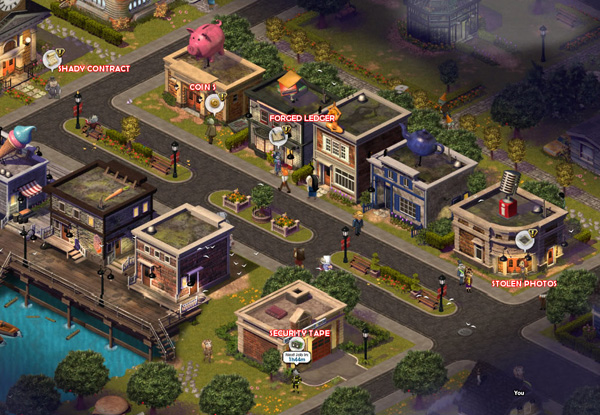
As soon as you drag the building from the "store" to the site, it is under construction for some time. Usually at this time one picture is visible there, similar to a construction site. To save memory and budget, in many games three such "construction sites" are drawn, for different buildings: small, medium and large. As soon as the construction is completed, the construction site turns into a finished building.
But what if you want finer animations to show how the building is gradually growing toward the sky?
Now most axonometric [1]buildings - pictures previously rendered from 3D. If, for example, we need 5 frames of animation, then we need to simulate five stages of readiness, and then render. Yes, this is expensive.
Our company has made about 40 such five-frame animations for the client. We did it easier by spending a few days on everything. The costs are very small, and the quality does not suffer. Let's see how we did it.
First you need to make in 3D a lot of different building materials - the very different that you can think of. Walls, columns, beams, slabs - as in this picture.
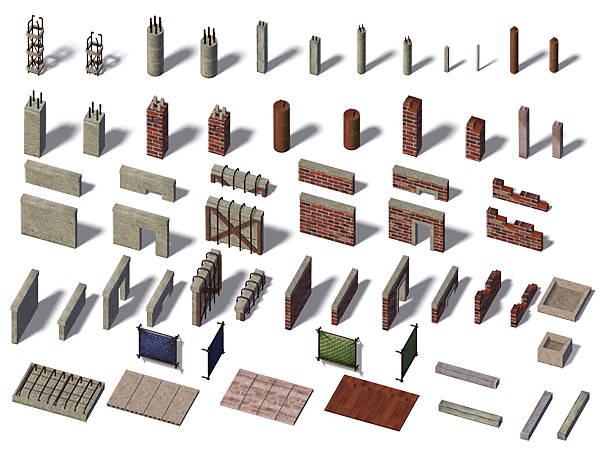
These building materials must be rendered into a 2D image. Needless to say: they need to be rendered with the same camera angle and lighting as the finished buildings.
Everything should be in duplicate - along the axes of our axonometric map.
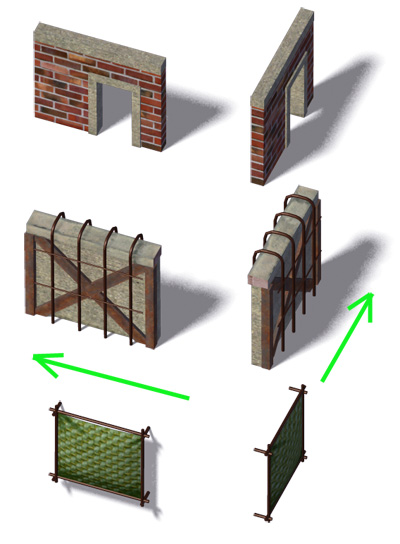
And now we will collect all the building materials into one large PSD, per item per layer.
Let's say we need to build a small hotel. First, render the hotel in the usual way.
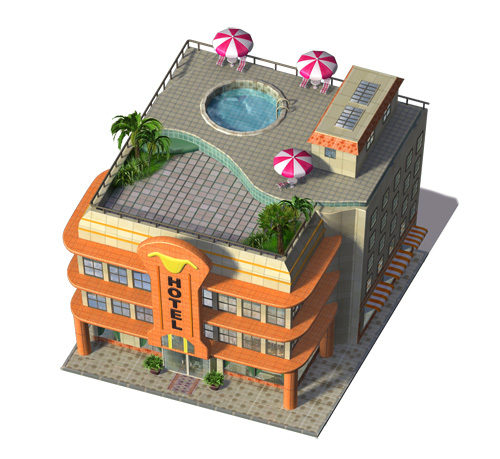
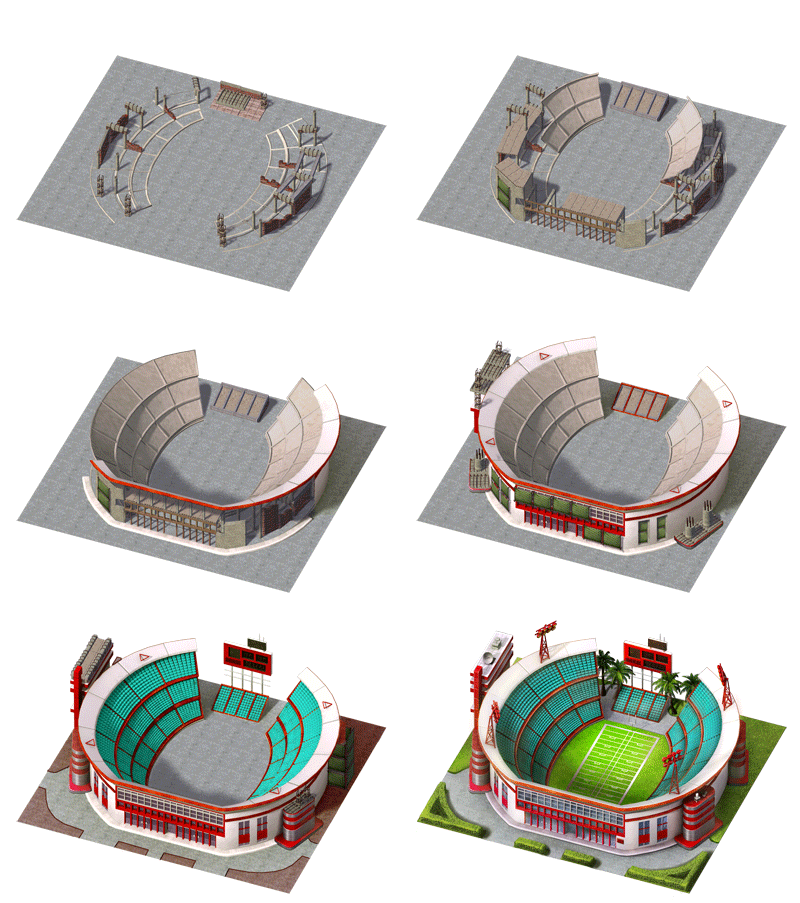
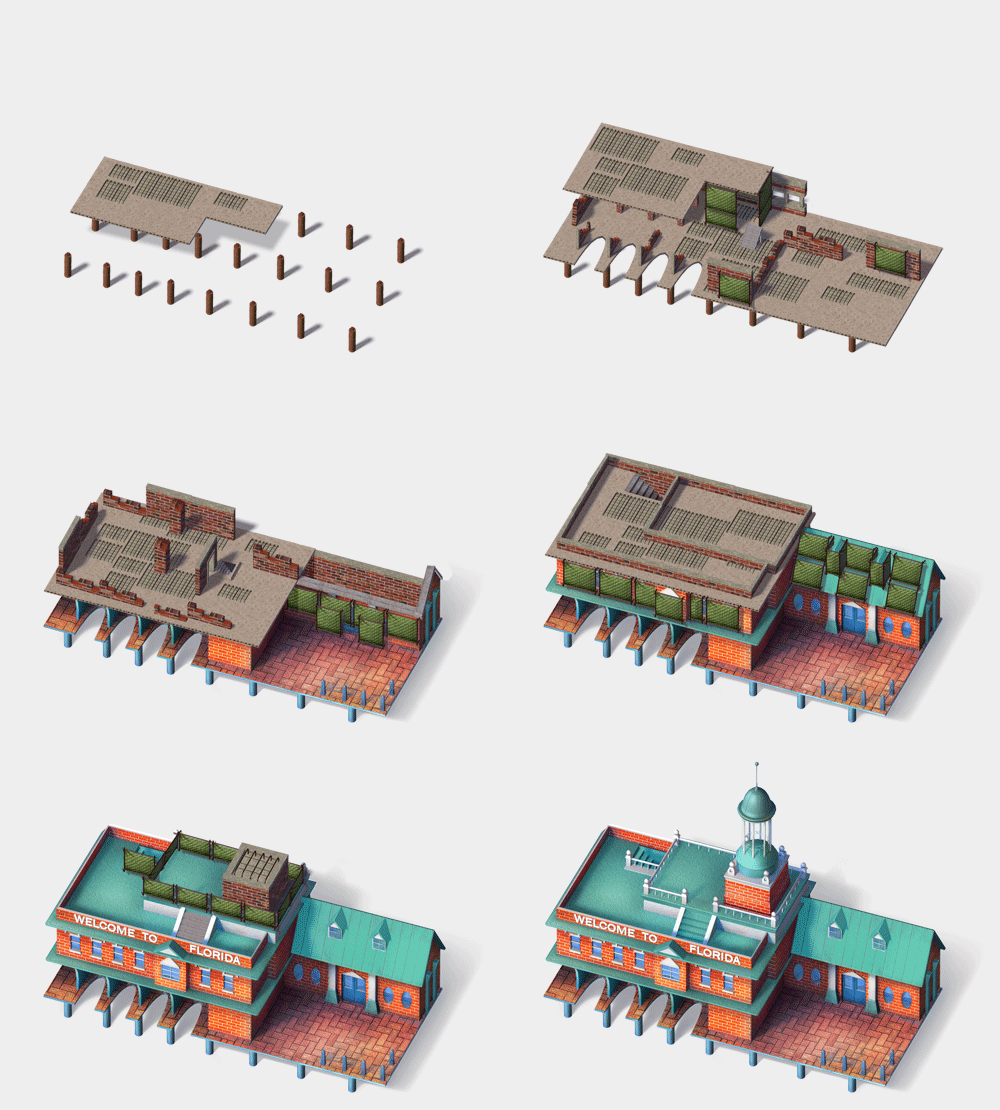
We continue to work in Photoshop. We need 5 frames animation. So, on each frame we erase a part of the building in accordance with the degree of readiness.
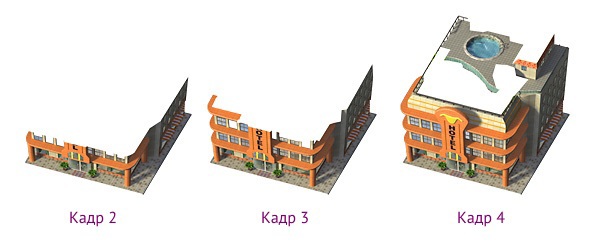
What we erased is filled with the building materials obtained in the first step.
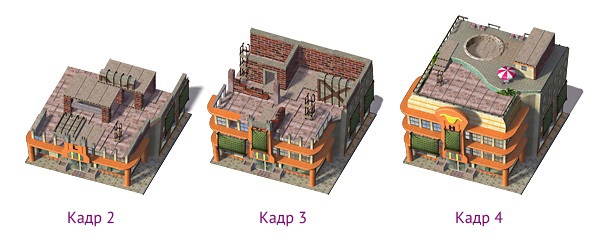
Arrange building materials in accordance with the structure of the building so that it looks believable. For example, if a cinema is being built, in the middle you need to make a large hall.
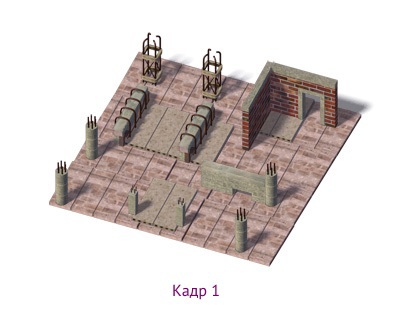
The first frame is just a plan on earth. The latter is the building itself. Done!
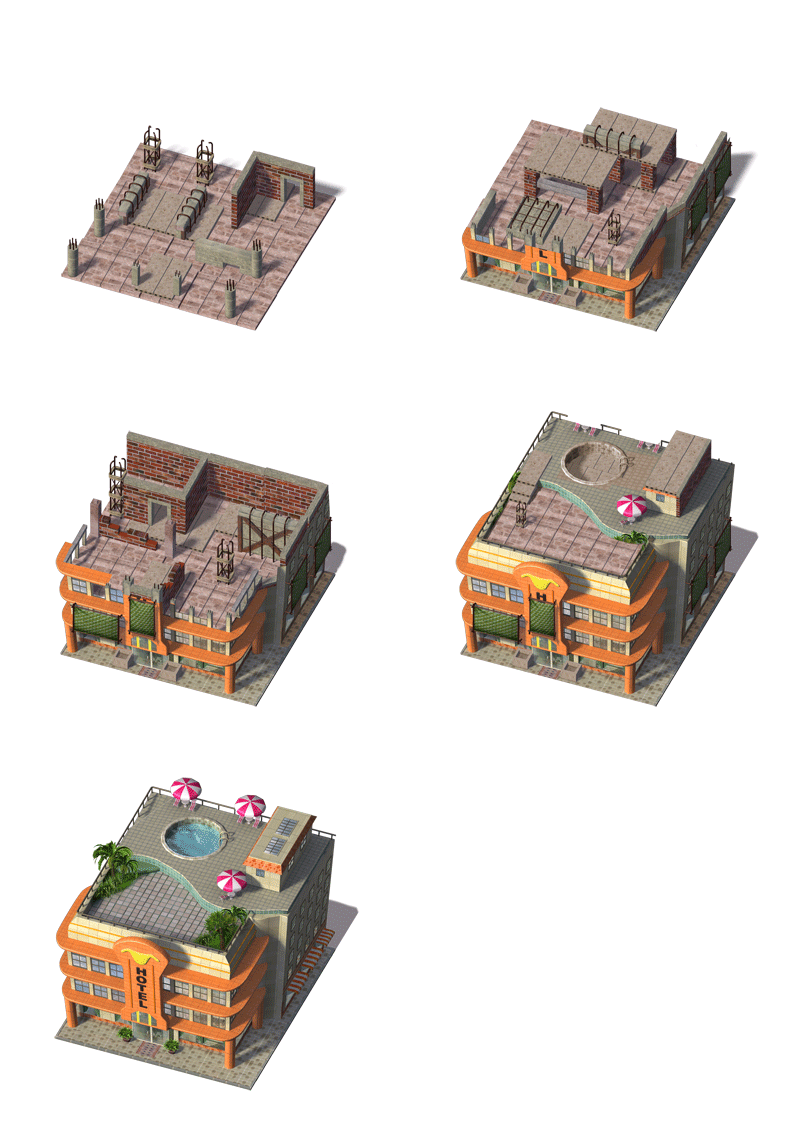
This solution can be adapted to buildings of any shape, not just rectangular ones. You just need to twist the building materials a bit.
I know it turned out a little cartoony, but it's the same for games, right?
[1] Original "isometric." But we do not see isometry, but something else - therefore I write "axonometry".
As soon as you drag the building from the "store" to the site, it is under construction for some time. Usually at this time one picture is visible there, similar to a construction site. To save memory and budget, in many games three such "construction sites" are drawn, for different buildings: small, medium and large. As soon as the construction is completed, the construction site turns into a finished building.
But what if you want finer animations to show how the building is gradually growing toward the sky?
Now most axonometric [1]buildings - pictures previously rendered from 3D. If, for example, we need 5 frames of animation, then we need to simulate five stages of readiness, and then render. Yes, this is expensive.
Our company has made about 40 such five-frame animations for the client. We did it easier by spending a few days on everything. The costs are very small, and the quality does not suffer. Let's see how we did it.
Step one. We make building materials.
First you need to make in 3D a lot of different building materials - the very different that you can think of. Walls, columns, beams, slabs - as in this picture.
These building materials must be rendered into a 2D image. Needless to say: they need to be rendered with the same camera angle and lighting as the finished buildings.
Everything should be in duplicate - along the axes of our axonometric map.
And now we will collect all the building materials into one large PSD, per item per layer.
Step Two Making an animation.
Let's say we need to build a small hotel. First, render the hotel in the usual way.
We continue to work in Photoshop. We need 5 frames animation. So, on each frame we erase a part of the building in accordance with the degree of readiness.
What we erased is filled with the building materials obtained in the first step.
Arrange building materials in accordance with the structure of the building so that it looks believable. For example, if a cinema is being built, in the middle you need to make a large hall.
The first frame is just a plan on earth. The latter is the building itself. Done!
This solution can be adapted to buildings of any shape, not just rectangular ones. You just need to twist the building materials a bit.
I know it turned out a little cartoony, but it's the same for games, right?
[1] Original "isometric." But we do not see isometry, but something else - therefore I write "axonometry".









