Pixel Art Course
This is a translation of the publication Les Forges Pixel Art Course .
pdf in english.
Part 1: The right tools
Part 2: Lines and curves
Part 3: Perspectives
Part 4: Shadow and light
Part 5: Color palettes
Part 6: Smoothing
Part 7: Textures and blurry
Part 8: World of tiles
There are many definitions of pixel art, but here we will use this: a pixel art image, if it was created entirely by hand, and there is control over the color and position of each pixel that is drawn. Undoubtedly, in pixel art, the inclusion or use of brushes or blur tools or degradation machines (degraded machines, not sure), and other software options that are “modern”, are not used by us (actually put at our disposal means “at our disposal” , but logically, it seems more correct so). It is limited to tools such as pencil and fill.
However, you cannot say that pixel art or non-pixel art graphics are more or less beautiful. It is fairer to say that pixel art is different, and it is better suited for retro games (like Super Nintendo or Game Boy). You can also combine the techniques learned here with non-pixel art effects to create a hybrid style.
So, here you will study the technical part of pixel art. However, I will never make you an artist ... for the simple reason that I am not an artist either. I will not teach you either human anatomy or the structure of art, and I will say little about perspective. In this guide, you can find a lot of information about pixel art techniques. In the end, you will need to be able to create characters and a landscape for your games, provided that you are careful, practice regularly, and apply these tips.
- I also want to indicate that only some of the images used in this manual are enlarged. For images that are not enlarged, it will be good if you take the time to copy these images so that you can examine them in detail. Pixel art is the essence of pixels; studying them from afar is useless.
- In the end, I have to thank all the artists who joined me in creating this guide one way or another: Sheena, for his dirty work and line art, Xenohydrogen, for his genius of colors, Lunna, for his knowledge of perspective, and Panda, the stern Ahruon, Daio, and Kryon for their generously provided work, to illustrate these pages.
So let me get back to the bottom line.
Bad news: you won’t draw a single pixel in this part! (And that’s not a reason to skip it, right?) If there is a saying that I can’t stand, it’s “there are no bad tools, only bad workers.” In fact, I thought that there could be nothing farther from the truth (except maybe “something that does not kill you makes you stronger”), and pixel art is a very good confirmation. This guide aims to familiarize you with the various software used to create pixel art and help you choose the right program.
When choosing software for creating pixel art, people often think: “Choosing software? This is madness! All we need to create pixel art is paint! (Apparently a pun, drawing and a program) ”A tragic mistake: I spoke about bad tools, this is the first. Paint has one advantage (and only one): you already have it if you started Windows. On the other hand, it has a bunch of flaws. This is an (incomplete) list:
* You cannot open more than one file at a time
* There is no palette control.
* No layers or transparency
* No non-rectangular selections
* Few hot keys
* Terribly inconvenient
In short, you can forget about Paint. Now we will see the real software.
People then think: “Okay, Paint is too limited for me, so I will use my friend Photoshop (or Gimp or PaintShopPro, the same thing), which have thousands of possibilities.” This can be good or bad: if you already know one of these programs, you can do pixel art (turning off all options for automatic antialiasing, and turning off a lot of advanced functionality). If you do not already know these programs, then you will spend a lot of time studying them, even though you do not need all their functionality, which will be a waste of time. In short, if you have been using them for a long time, you can create pixel art (I personally use Photoshop out of habit), but otherwise, it is much better to use programs that specialize in pixel art. Yes, they exist.
There are many more programs designed for pixel art than anyone might think, but here we will consider only the best. They all have very similar characteristics (palette management, preview of repeating tiles, transparency, layers, and so on). The differences are in convenience ... and price.
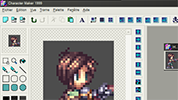
Charamaker 1999 is a good program, but distribution seems to be on hold.
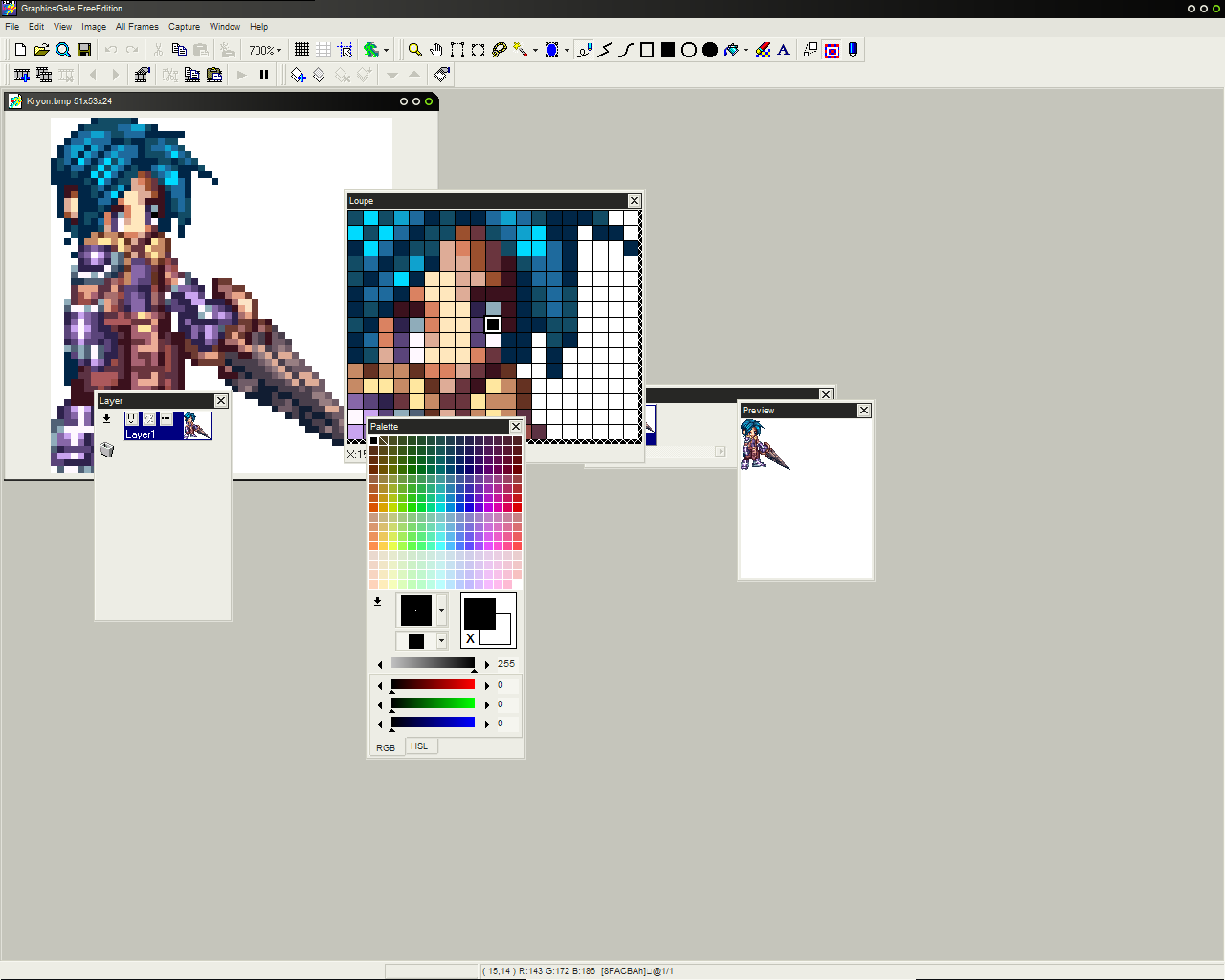
The Graphics Gale is much more interesting and easy to use, and it costs around $ 20, which is not so bad. I add, the trial version is not limited in time, and comes with enough kit to make good enough graphics. Only it does not work with .gif, which is not such a problem, since .png is anyway better.
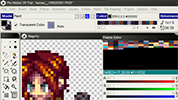
The software most commonly used by pixel artists is ProMotion., which is (obviously) more convenient and faster than the Graphics Gale. Oh, yes, she is dear! You can buy the full version for a modest amount ... 50 euros ($ 78).
Let us not forget our friends on Mac! Pixen is a good program available for Macintosh, and it's free. Unfortunately, I can’t tell you more because I don’t have a Mac. Translator's Note (from French): Linux users (and others) should try JDraw , and GrafX2 . I urge you to try them all in demos, and see which one suits you best. In the end, it is a matter of taste. Just be aware that once you start using the program, it can be very difficult to switch to something else.
To be continued…
This is a great pixel art guide written by Phil Razorback from LesForges.org. Many thanks to Phil Razorbak for allowing OpenGameArt.org to translate these guides and post them here. (From a translator into Russian: I didn’t ask permission, if anyone has a desire, you can help, I don’t have sufficient experience in English and especially French).
I am a programmer, and not an artist or translator, I translate artists for my friends, but let it be good to disappear.
The original in French is around here www.lesforges.org
French to English translation here: opengameart.org/content/les-forges-pixel-art-course
I translated from English because I don't know French.
And yes, this is my first publication, so design recommendations are welcome. Plus, I’m interested in the question, do the rest of the parts be published in separate articles, or is it better to update and supplement this?
pdf in english.
Part 1: The right tools
Part 2: Lines and curves
Part 3: Perspectives
Part 4: Shadow and light
Part 5: Color palettes
Part 6: Smoothing
Part 7: Textures and blurry
Part 8: World of tiles
Foreword
There are many definitions of pixel art, but here we will use this: a pixel art image, if it was created entirely by hand, and there is control over the color and position of each pixel that is drawn. Undoubtedly, in pixel art, the inclusion or use of brushes or blur tools or degradation machines (degraded machines, not sure), and other software options that are “modern”, are not used by us (actually put at our disposal means “at our disposal” , but logically, it seems more correct so). It is limited to tools such as pencil and fill.
However, you cannot say that pixel art or non-pixel art graphics are more or less beautiful. It is fairer to say that pixel art is different, and it is better suited for retro games (like Super Nintendo or Game Boy). You can also combine the techniques learned here with non-pixel art effects to create a hybrid style.
So, here you will study the technical part of pixel art. However, I will never make you an artist ... for the simple reason that I am not an artist either. I will not teach you either human anatomy or the structure of art, and I will say little about perspective. In this guide, you can find a lot of information about pixel art techniques. In the end, you will need to be able to create characters and a landscape for your games, provided that you are careful, practice regularly, and apply these tips.
- I also want to indicate that only some of the images used in this manual are enlarged. For images that are not enlarged, it will be good if you take the time to copy these images so that you can examine them in detail. Pixel art is the essence of pixels; studying them from afar is useless.
- In the end, I have to thank all the artists who joined me in creating this guide one way or another: Sheena, for his dirty work and line art, Xenohydrogen, for his genius of colors, Lunna, for his knowledge of perspective, and Panda, the stern Ahruon, Daio, and Kryon for their generously provided work, to illustrate these pages.
So let me get back to the bottom line.
Part 1: The Right Tools
Bad news: you won’t draw a single pixel in this part! (And that’s not a reason to skip it, right?) If there is a saying that I can’t stand, it’s “there are no bad tools, only bad workers.” In fact, I thought that there could be nothing farther from the truth (except maybe “something that does not kill you makes you stronger”), and pixel art is a very good confirmation. This guide aims to familiarize you with the various software used to create pixel art and help you choose the right program.
1.Some old things
When choosing software for creating pixel art, people often think: “Choosing software? This is madness! All we need to create pixel art is paint! (Apparently a pun, drawing and a program) ”A tragic mistake: I spoke about bad tools, this is the first. Paint has one advantage (and only one): you already have it if you started Windows. On the other hand, it has a bunch of flaws. This is an (incomplete) list:
* You cannot open more than one file at a time
* There is no palette control.
* No layers or transparency
* No non-rectangular selections
* Few hot keys
* Terribly inconvenient
In short, you can forget about Paint. Now we will see the real software.
2. In the end ...
People then think: “Okay, Paint is too limited for me, so I will use my friend Photoshop (or Gimp or PaintShopPro, the same thing), which have thousands of possibilities.” This can be good or bad: if you already know one of these programs, you can do pixel art (turning off all options for automatic antialiasing, and turning off a lot of advanced functionality). If you do not already know these programs, then you will spend a lot of time studying them, even though you do not need all their functionality, which will be a waste of time. In short, if you have been using them for a long time, you can create pixel art (I personally use Photoshop out of habit), but otherwise, it is much better to use programs that specialize in pixel art. Yes, they exist.
3. Cream
There are many more programs designed for pixel art than anyone might think, but here we will consider only the best. They all have very similar characteristics (palette management, preview of repeating tiles, transparency, layers, and so on). The differences are in convenience ... and price.
Charamaker 1999 is a good program, but distribution seems to be on hold.
The Graphics Gale is much more interesting and easy to use, and it costs around $ 20, which is not so bad. I add, the trial version is not limited in time, and comes with enough kit to make good enough graphics. Only it does not work with .gif, which is not such a problem, since .png is anyway better.
The software most commonly used by pixel artists is ProMotion., which is (obviously) more convenient and faster than the Graphics Gale. Oh, yes, she is dear! You can buy the full version for a modest amount ... 50 euros ($ 78).
Let us not forget our friends on Mac! Pixen is a good program available for Macintosh, and it's free. Unfortunately, I can’t tell you more because I don’t have a Mac. Translator's Note (from French): Linux users (and others) should try JDraw , and GrafX2 . I urge you to try them all in demos, and see which one suits you best. In the end, it is a matter of taste. Just be aware that once you start using the program, it can be very difficult to switch to something else.
To be continued…
French to English Translator Notes
This is a great pixel art guide written by Phil Razorback from LesForges.org. Many thanks to Phil Razorbak for allowing OpenGameArt.org to translate these guides and post them here. (From a translator into Russian: I didn’t ask permission, if anyone has a desire, you can help, I don’t have sufficient experience in English and especially French).
Note from the translator from English into Russian
I am a programmer, and not an artist or translator, I translate artists for my friends, but let it be good to disappear.
The original in French is around here www.lesforges.org
French to English translation here: opengameart.org/content/les-forges-pixel-art-course
I translated from English because I don't know French.
And yes, this is my first publication, so design recommendations are welcome. Plus, I’m interested in the question, do the rest of the parts be published in separate articles, or is it better to update and supplement this?