Oracle Siebel CRM Event Model (Part 3)
- Tutorial
Introduction
In previous articles ( part 1 , part 2 ), I examined the features of triggering and processing the main events of business components: SetFieldValue and WriteRecord. Now I want to go to the user interface and see how the applet handles clicking a button.
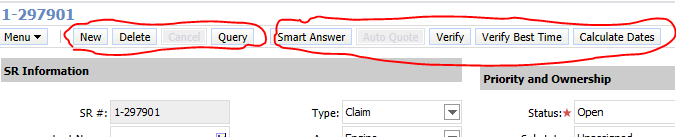
In almost every applet, we see a set of standard buttons that allow you to perform basic operations, such as creating, deleting, and querying. In addition to them, there are often buttons that cause more specific procedures: complex calculation of parameters, verification and data generation, requesting data from an external system, etc.
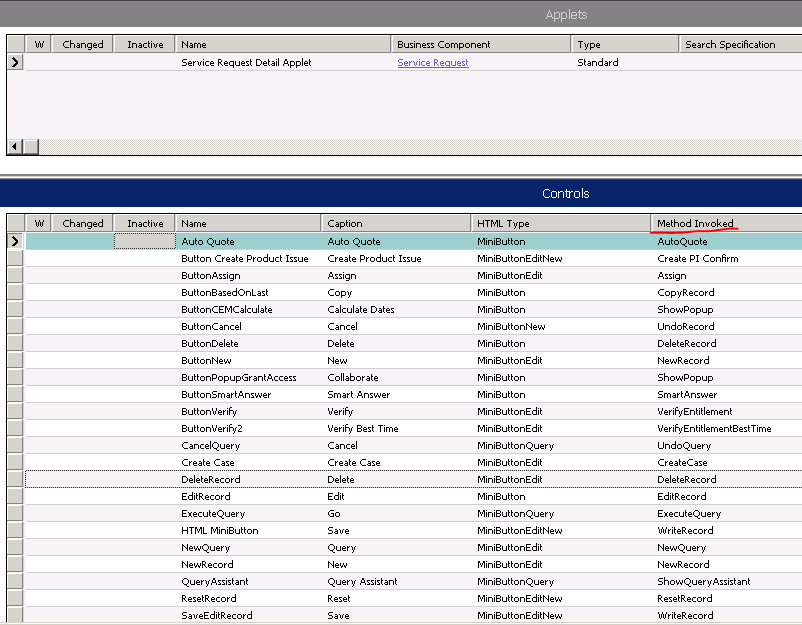
The principle of operation of all buttons is the same, both standard and specific. In fact, each of them triggers the InvokeMethod event on the applet, to which the method that is predefined on the specific button is passed as a parameter:
Event Processing Scheme
The event processing scheme is as follows:
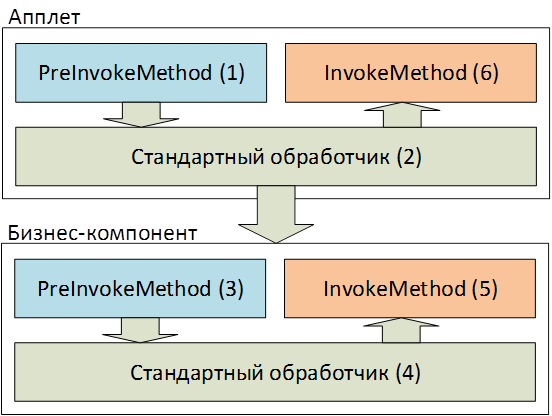
1. The system checks to see if there is an event handler on the Pre-Branch branch of the event at the applet level. If this handler does not exist, or if it exists and worked without errors, the system refers to the standard applet handler.
2. The standard applet handler looks to see if it can handle the called method. If it doesn’t, or is able, and the handler worked without errors, then the standard applet handler fires the InvokeMethod event on the business component on which the applet is based.
3. The system again checks if there is a handler on the Pre-Branch of this event for this business component. After that, control is transferred to the level of the standard processor of the business component.
4. The standard handler looks at the method that was passed to it along with the InvokeMethod event, and if it does not recognize it, the system will stop processing and display an error. If this method is familiar to the business component, it will process it, and after that, control will pass to the Post-Branch branch of the InvokeMethod event at the business component level.
5. If any handler is defined on this branch, then it will do its job. In the event that no errors have occurred here, then control will go to the Post Branch branch of the InvokeMethod event at the applet level.
Button click access
Knowing this scheme, one can easily expand the functionality of any standard handlers and set their own business logic, but most often developers define completely new methods that standard InvokeMethod event handlers do not know on the applet or business component. Based on the scheme, it turns out that if the processing of such a method reaches the business component level, the user will receive an error.
In addition to this problem, the question arises of accessing the InvokeMethod event call for a particular method. By default Siebel, if he does not know the method defined on the button, then the button is not available for pressing.

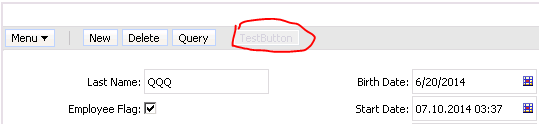
There are several ways to solve this problem. One of the most common ways is an applet-level script:
function WebApplet_PreCanInvokeMethod (MethodName, &CanInvoke)
{
	if (MethodName == "TestMethod")
	{
		CanInvoke = "TRUE";
		return (CancelOperation);
	}
	return (ContinueOperation);
}
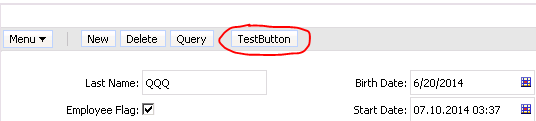
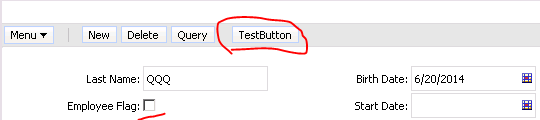
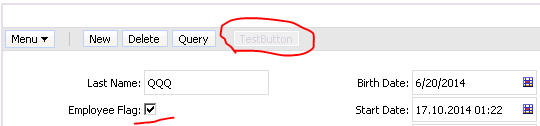
This solution is quite flexible and allows you to write complex logic to determine access to this method, and, accordingly, to the click of a button. However, there are more elegant solutions. For example, you can define a User Property at the CanInvokeMethod applet level: <Method Name>. The value of this property can be any logical expression written in Siebel Query Language, including the use of the ParentFieldValue function to access the fields of the parent business component.
Standard Handler Error
As soon as the button becomes available for pressing, it becomes possible to write your own handler. However, as I pointed out earlier, we get an error that the standard InvokeMethod event handler returns at the business component level:
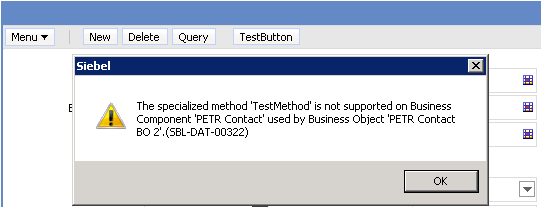
There are two approaches to how to avoid this error. The first is based on preventing the system from reaching the standard handler at the business component level. This can be done if you stop processing on the Pre-Branch applet or business components through a script:
function BusComp_PreInvokeMethod (MethodName)
{
	if (MethodName == "TestMethod")
	{
		// Do Something
		return (CancelOperation);
	}
	return (ContinueOperation);
}
Return statement (CancelOperation); stops all further processing.
The second approach is based on telling the standard handler that no errors should be output to this method. Here again two ways appear to do this. The first is related to using the User Property “Named Method n” at the applet level or at the business component level. I plan to consider using this property in the next article. Here we look at the simplest and most interesting way associated with using the EventMethod prefix in the method name.
The point is very simple: when you specify a method name for a button, if it is not standard, you need to start it with EventMethod. When the standard InvokeMethod event handler on the business component receives this method name, it simply does nothing by itself, and transfers control further along the scheme. If in the example considered here the method name is changed to EventMethodTestMethod, then we get the following picture:

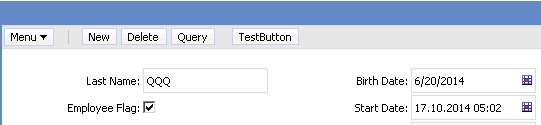
The button is active, and clicking on it does not lead to errors. You can also notice the fact that I did not change the activation logic of the button in any way: there is no script, the CanInvokeMethod property is engaged in strictly activating the TestMethod method. Thus, this is a solution to two problems at once.
Using this approach, we are changing the main paradigm. Now everything that is not forbidden is allowed. So, after adding such a button, you should definitely think about how to restrict access to this button. For this, you can use the CanInvokeMethod already discussed above.
Important note: in order for the EventMethod trick to work correctly, it is necessary that the business component class on which the applet is based is equal to either CSSBCBase or any inherited from it. This means that for the CSSBusComp class, which is set by default for each new business component, this solution will not work.
conclusions
1. When creating new business components, always specify the CSSBCBase class name. It provides quite a lot of useful things, including functionality related to EventMethod.
2. When creating buttons that automate the system’s functionality, I recommend using EventMethod in the method name to activate it and CanInvokeMethod to differentiate access rules. This will significantly reduce the number of scripts and facilitate the development process.
3. Subject to the previous paragraph, button handlers can be hung on any branch, both on Pre-Branch and Post-Branch. It is advisable to set the logic exactly at the applet level.
4. Using the CanInvokeMethod property, you can restrict access to standard applet methods: NewRecord, DeleteRecord, NewQuery, ExecuteQuery by a predefined condition. At the same time, when restricting access to the NewRecord method, do not use the fields of the current entity. Most likely, there will be an appeal to profile attributes through the GetProfileAttr () function or to the fields of the parent record through the ParentFieldValue () function.