September 26, 2014 at 10:42
Overview of the ASUS RT-N18U Wireless Router
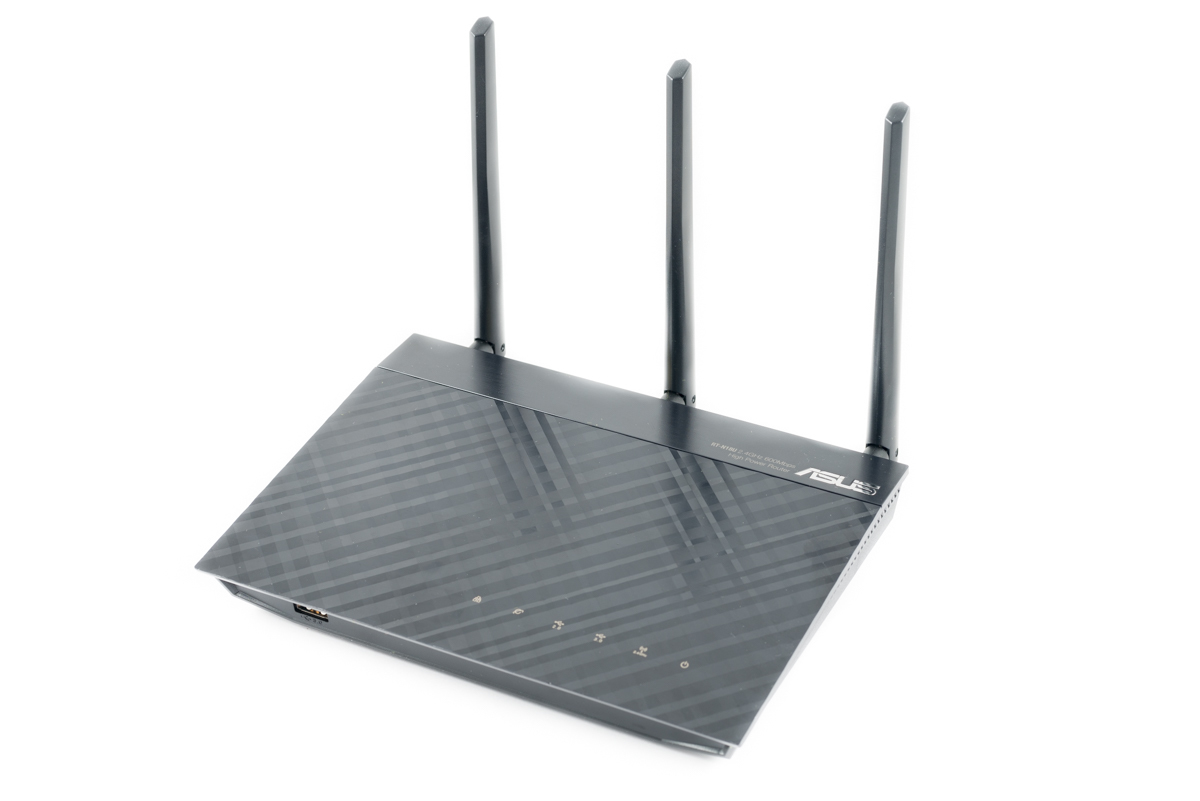
ASUS has recently quite seriously updated its range of wireless routers. True, the bulk of the new products is based on the IEEE 802.11 ac standard, operating in the 5 GHz band. But among devices operating in the 2.4 GHz band, only one worthwhile novelty was released - the ASUS RT-N18U wireless router . The router is essentially an update of the RT-N16 model in an identical case to the RT-N66U with support for the USB 3.0 standard and TurboQAM technology, which provides data transfer rates up to 600 Mbps in the 2.4 GHz band.
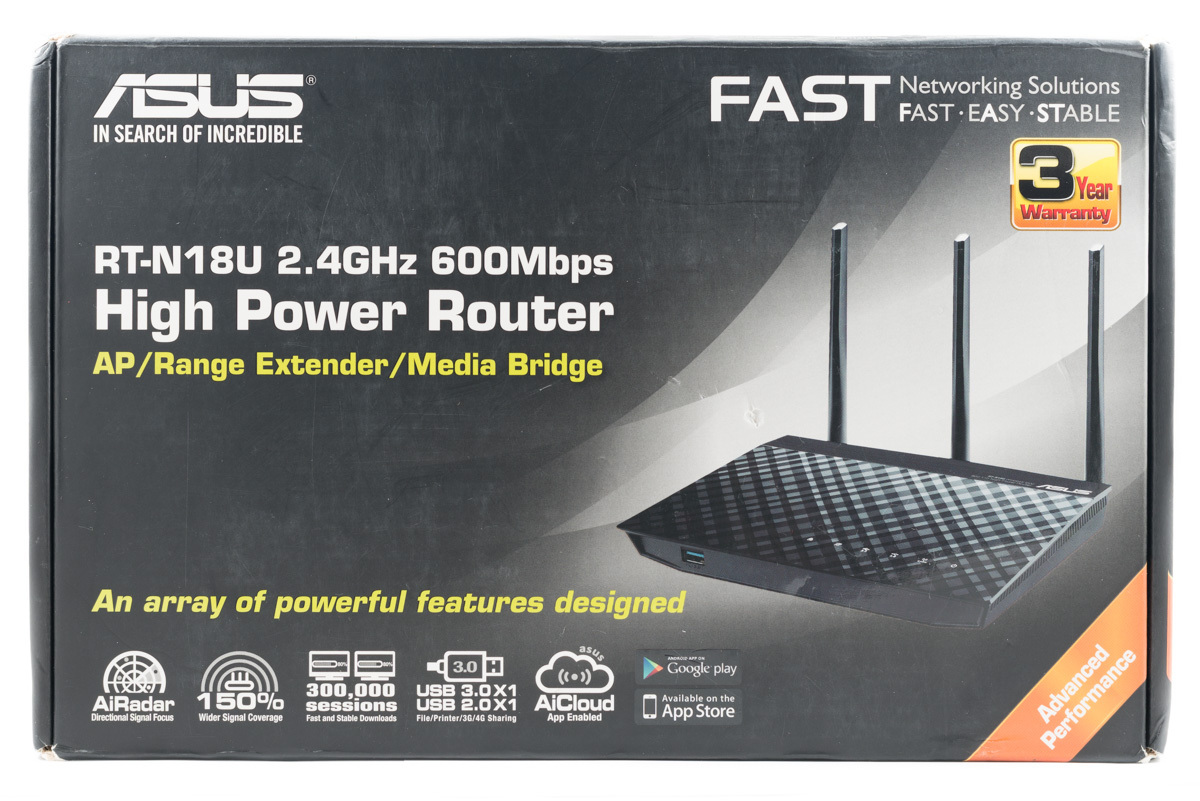
The ASUS RT-N18U Router comes in a medium-sized cardboard box. The stylistic design of the box is fully consistent with the packaging design of this category of devices in the FAST line (FAST EASY STABLE).
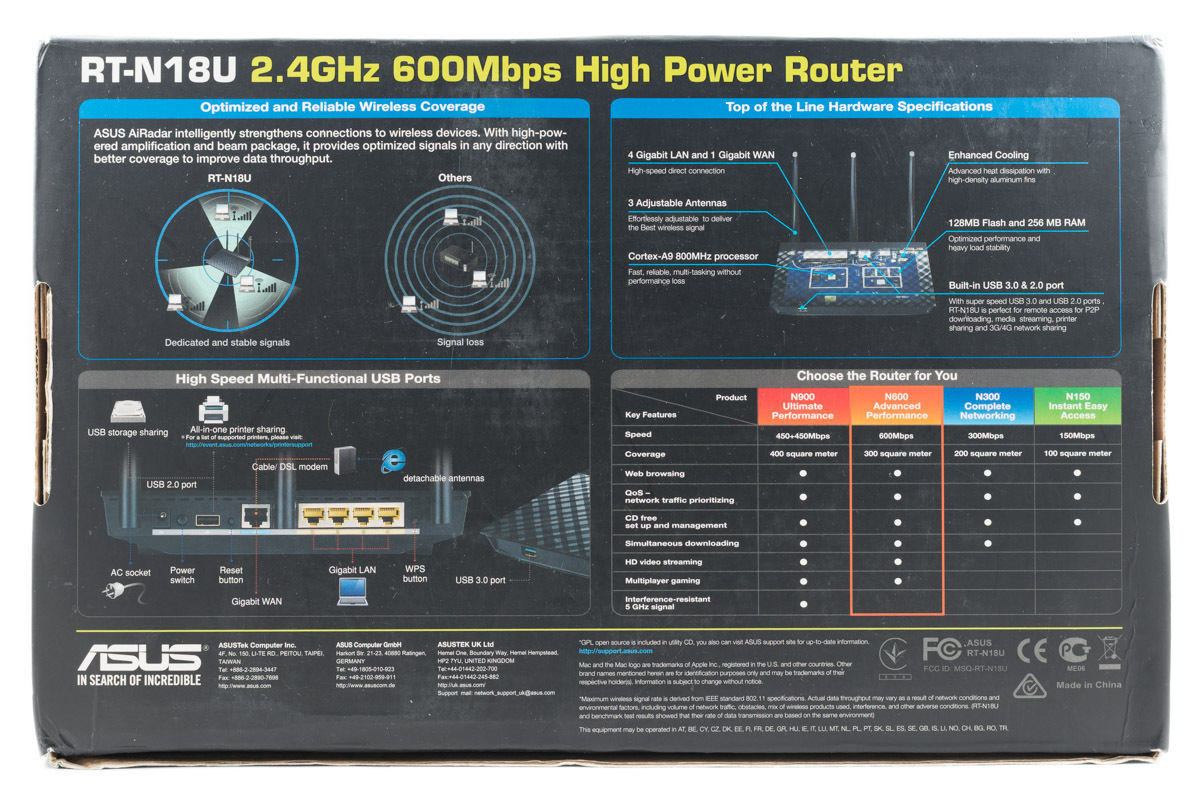
On the back of the box are the advantages of ASUS AiRadar technology, a schematic representation of the functional ports, key features of the router and a comparison of the capabilities of the ASUS RT-N18U (N600) with the N900, N300 and N150 routers.
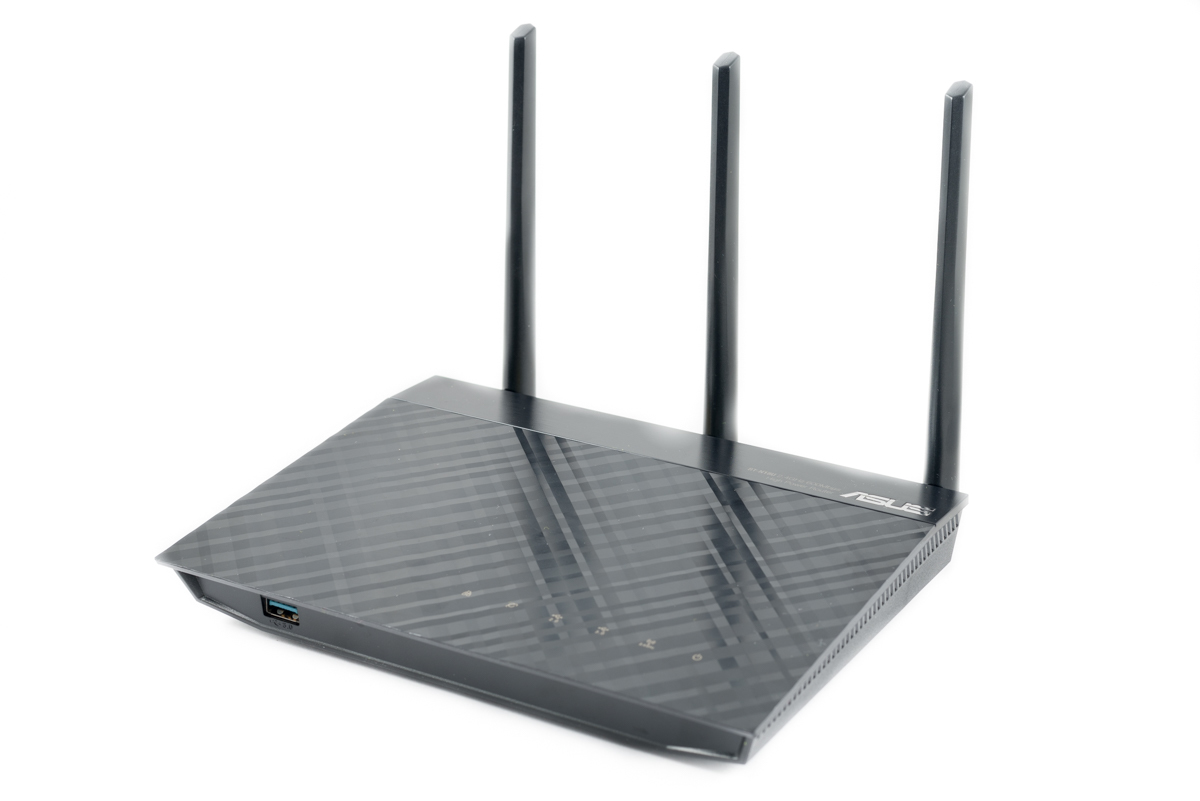
The case of the router is made of black matte plastic. The case design, like most ASUS routers, is very stylish. ASUS characterizes it as a black diamond (Black Diamond), the shape of the top cover resembling a diamond engraving. Overall dimensions of the case are 207 x 150 x 37, and the mass is 520 grams. The antennas are removable and can be easily replaced if desired.
The back of the case contains a sticker indicating the firmware version, the serial number of the router, the MAC address and WPS PIN code.
The bottom of the case has a huge number of ventilation holes in the form of slots. Four rubber legs are located at the corners of the bottom. Under the legs are the screws holding the device body. To fix the router on the wall, fastenings are provided on its bottom. The distance between the centers of the holes is 95 millimeters.
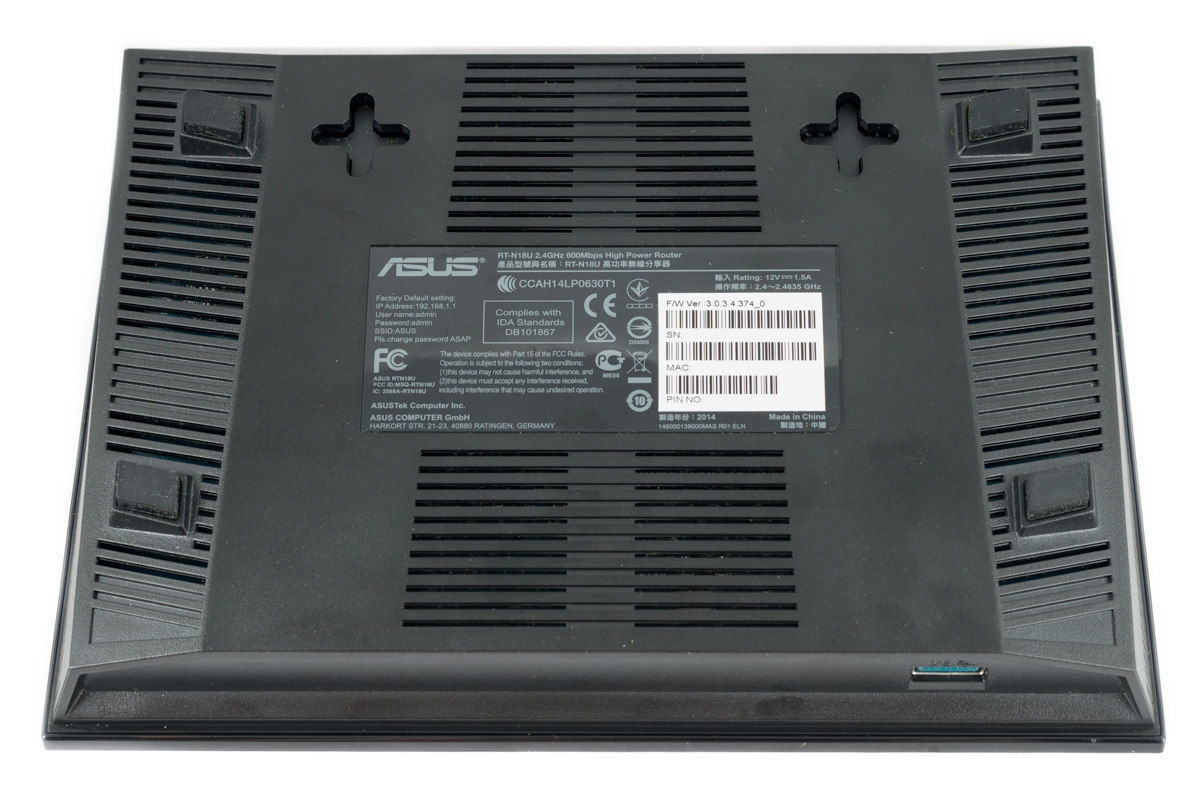
Both side ends of the body also have ventilation slots.
The rear end of the router contains all the main connectors, ports and control buttons. Here are:
• three connectors for external antennas;
• connector for power supply;
• on / off button;
• USB 2.0 port;
• reset button;
• gigabit WAN port;
• four gigabit LAN ports;
• WPS button.
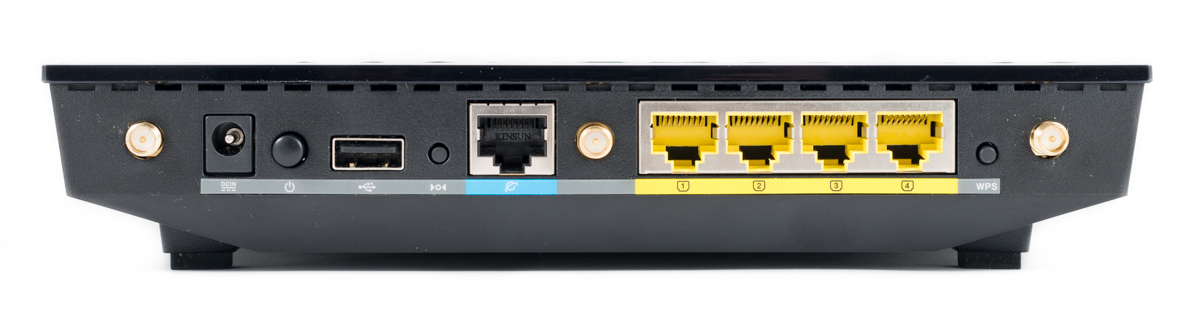
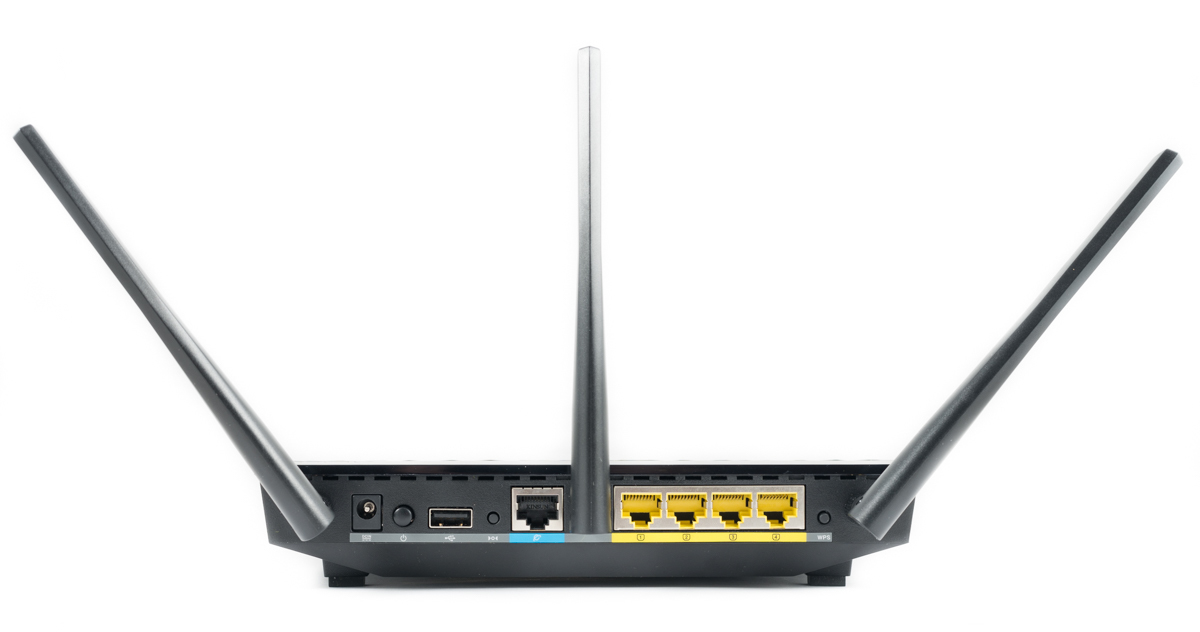
Installation of antennas does not impede easy access to ports. Unless the use of a dimensional device in a USB 2.0 port is able to limit access to the on / off and reset buttons.
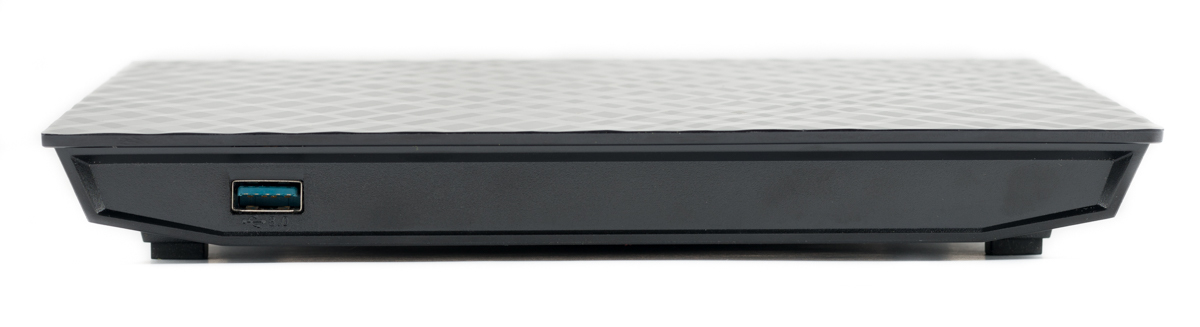
At the front end of the case is one single USB 3.0 port. The location of the fastest USB port on the front end is quite logical. If the USB 2.0 port is more than enough to connect the printer, then to use the multimedia capabilities of the router it is most reasonable to use the USB 3.0 port, access to which is the most difficult from the front end.
To power the router, an external power supply unit with output parameters is used: a constant voltage of 12 V and a maximum current of 1.5 A.
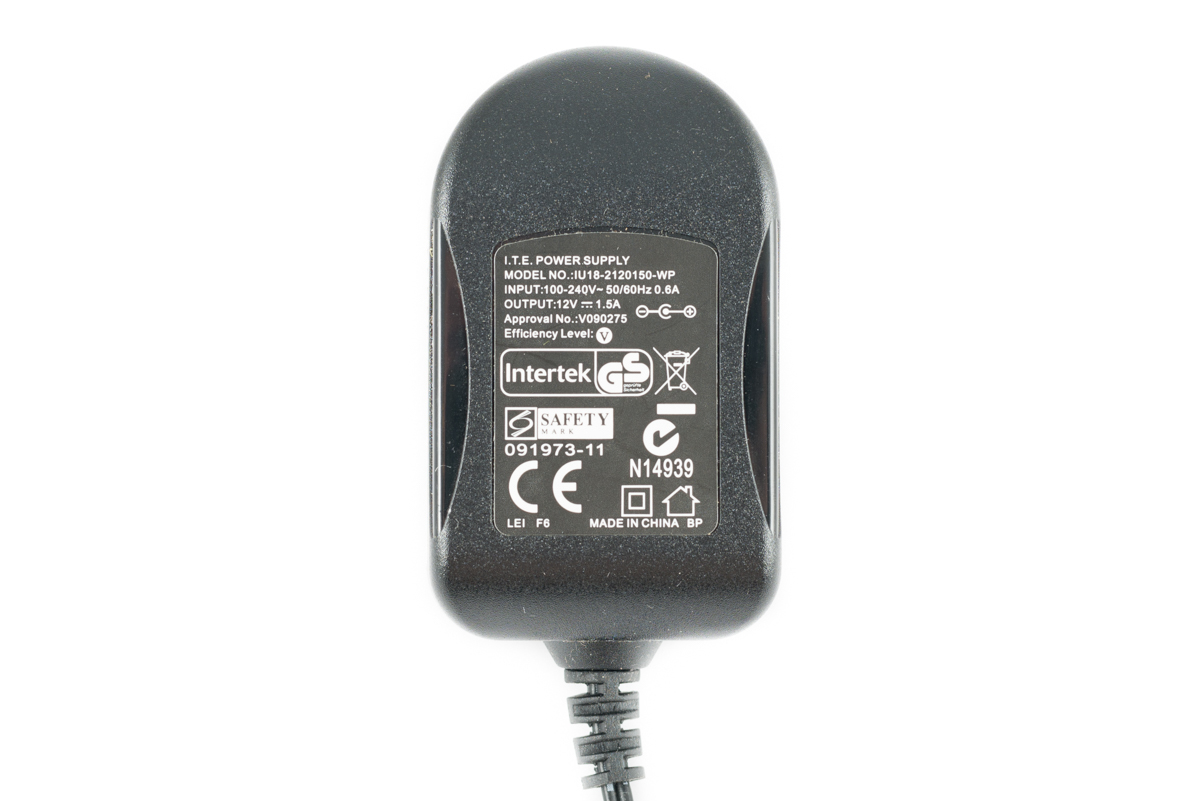
At retail, the router comes with another power supply unit, without removable plugs.
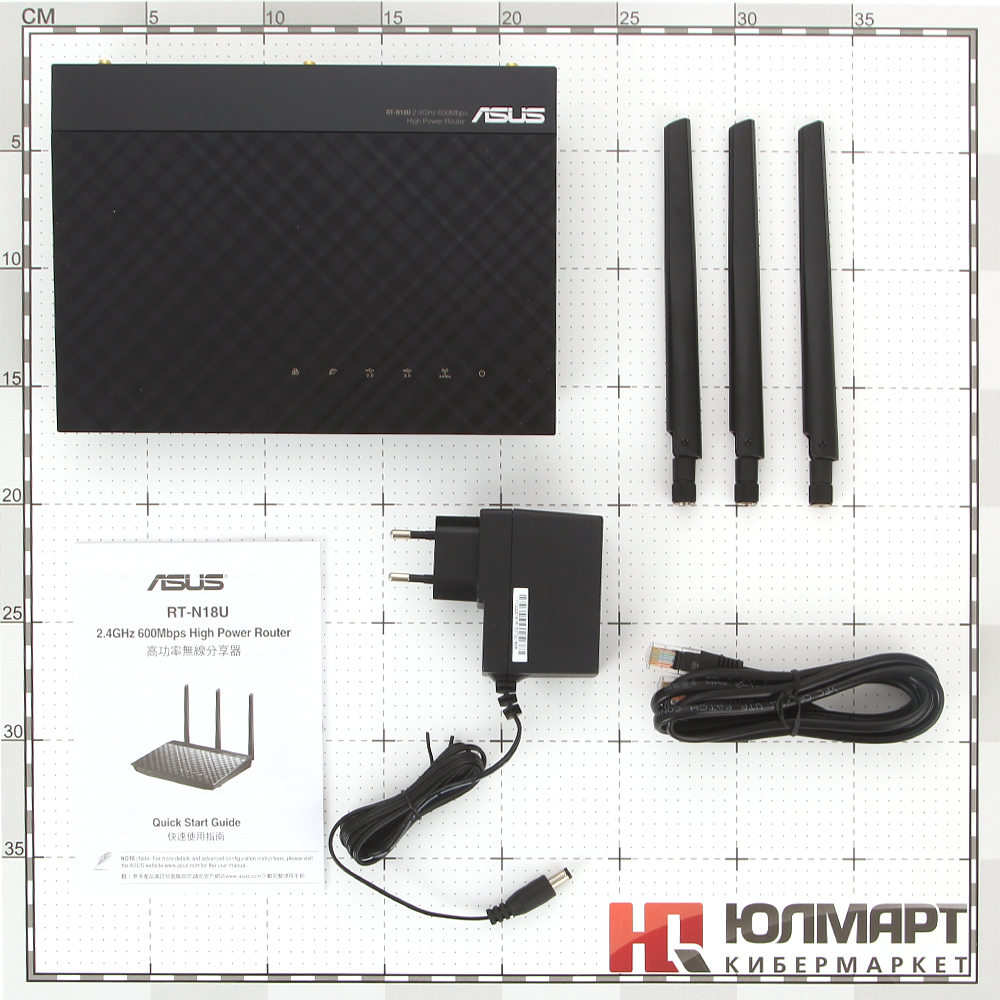
However, the appearance of the appearance. And it was very interesting to me to look into the bowels of the case and get to the router circuit board.
Disassembly of the housing is as follows. After peeling off the rubber feet, it is necessary to unscrew the four screws that hold the main body and its upper cover. After that, eight plastic latches must be carefully snapped off. I marked the location of the latches in the photograph with red circles.
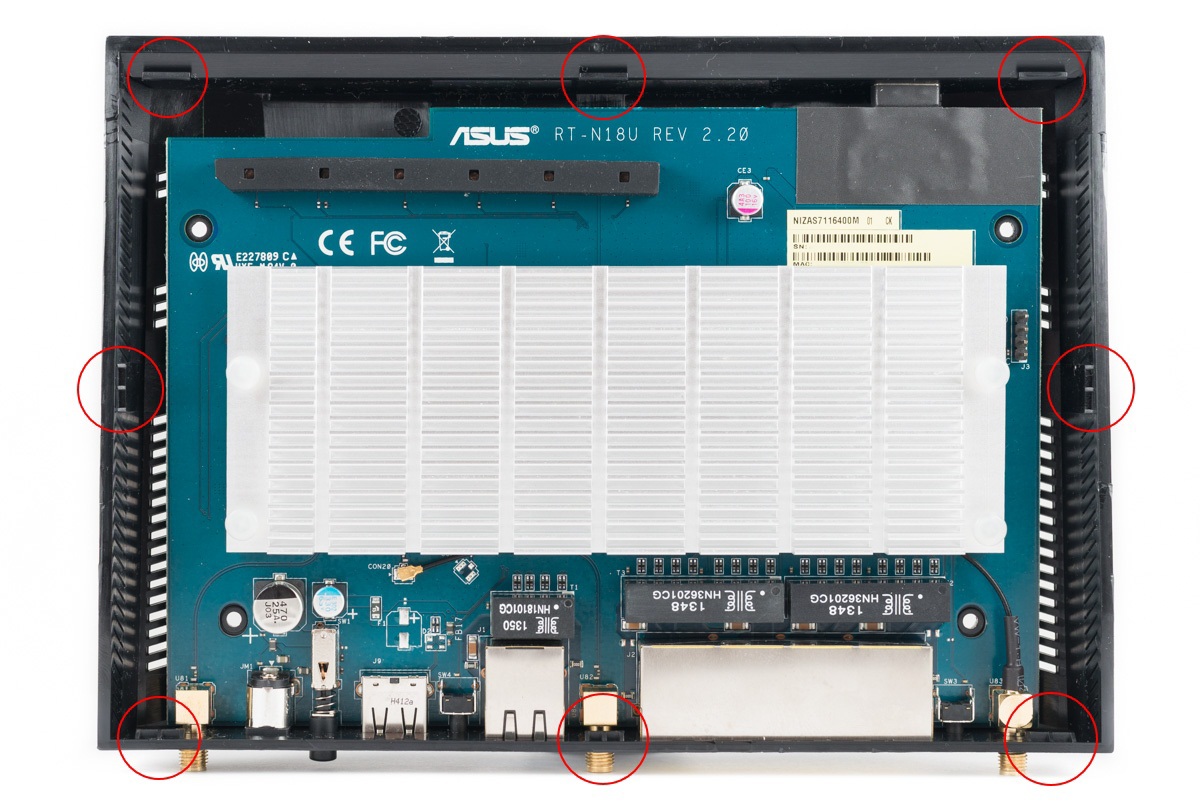
Inside there is one printed circuit board of revision 2.20, with a blue-blue textolite. The board itself is not additionally fixed in any way.

Almost half the size of the board is covered by an aluminum radiator. The radiator is designed to cool the processor and the radio unit. All chips are covered by a screen, which also serves as a heat distribution cover.

I did not dismantle them, for fear of damaging the crystals. Then to help us for a more detailed study, photos come from one of the Chinese resources .
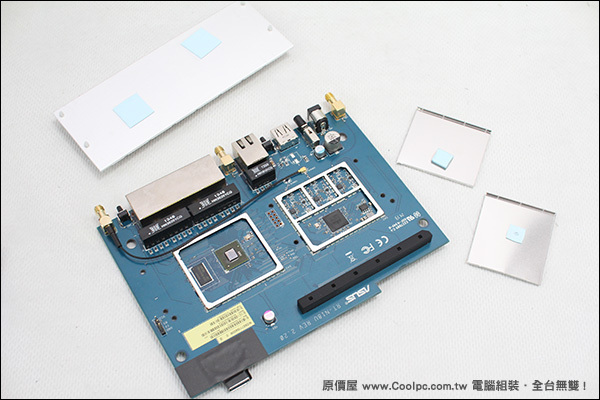
The router is based on the Broadcom platform. The manufacturer claims the use of an ARM Cortex-A9 processor. According to the block diagram, up to four ARMv7 cores can be used in this processor.

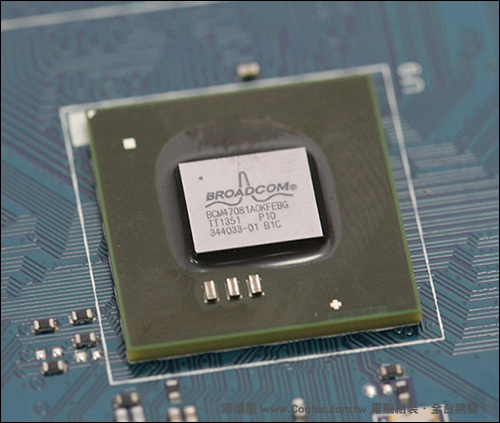
Directly in the case of RT-N18U, a single Broadcom BCM47081 single-core chip is used, operating at a frequency of 800 MHz.
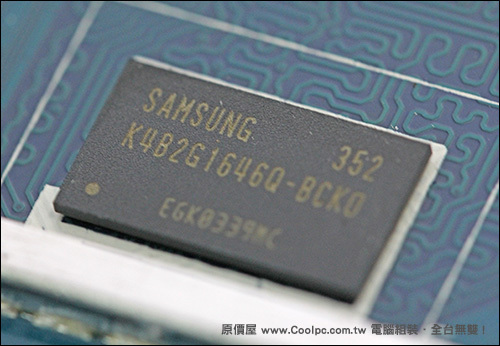
The RAM is represented by one SAMSUNG K4B2G1646Q-BCK0 chip, with a capacity of 256 MB of the DDR3-1600 standard.
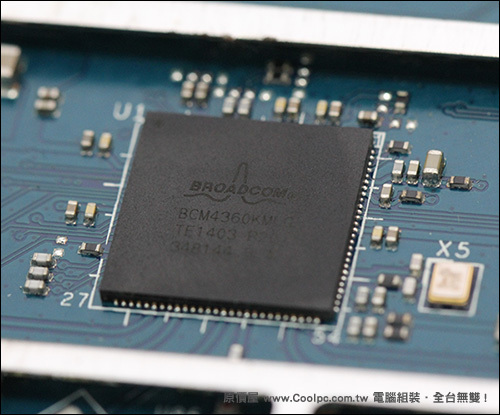
Broadcom BCM4360 is used as a radio unit, capable of providing operation with 802.11 b / g / n networks and supporting TurboQAM technology in the 2.4 GHz band.
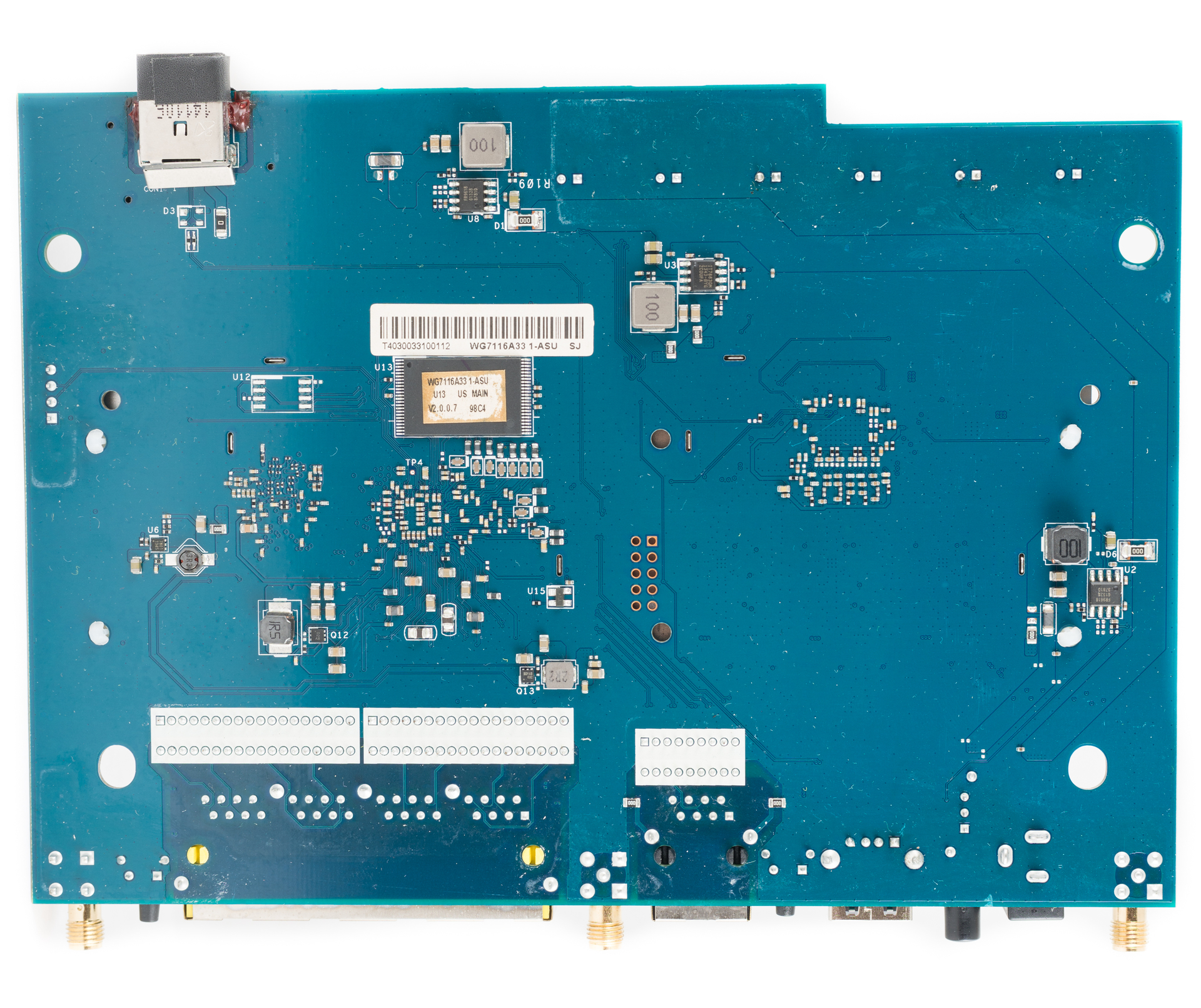
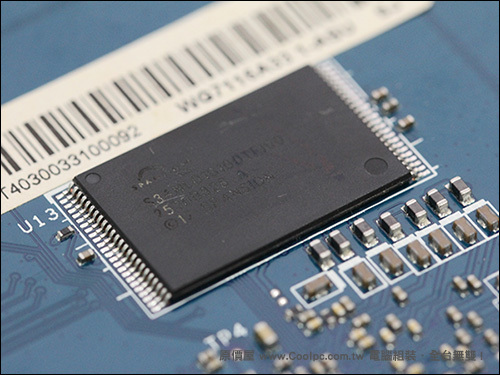
On the reverse side of the circuit board is a 128-MB Spansion S34ML01G100TFI00 flash memory chip.
With this, almost everything is with the internal device. Unless it can be noted that the connectors for two of the three antennas are wired directly to the circuit board. The third antenna is connected via the SMA connector. By the way, for the middle antenna there is a place for desoldering the SMA connector, but it is connected through the track on the printed circuit board.
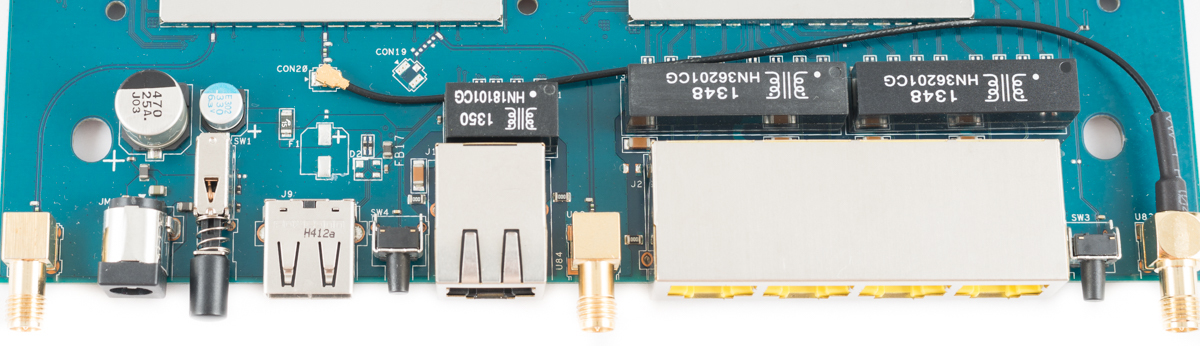
Another point that deserves special attention is the presence of a console connector soldered to a printed circuit board.
Configuring the ASUS RT-N18U Router:
Testing the speed of access to a USB drive
To test the speed of network access to USB devices, a USB 3.0 drive SanDisk Extreme 32 GB (SDCZ80-032G-G46) was used. The drive was connected to the USB 3.0 port of the router. The speed measurement took place for Ext3, Ext4 and NTFS file systems via FTP and SMB. To do this, the ISO image of Windows 7 Pro was copied in both directions.
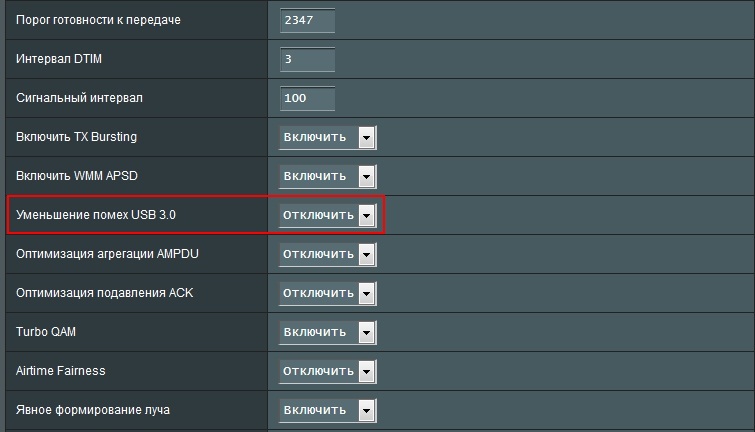
The only thing when setting up the router is to take into account that on standard settings the USB 3.0 port functions in 2.0 mode. For full-fledged work, it is necessary to change the item “Reducing USB 3.0 noise” to “Disable” on the “Wireless Network” - “Professional” tab.
Test results:
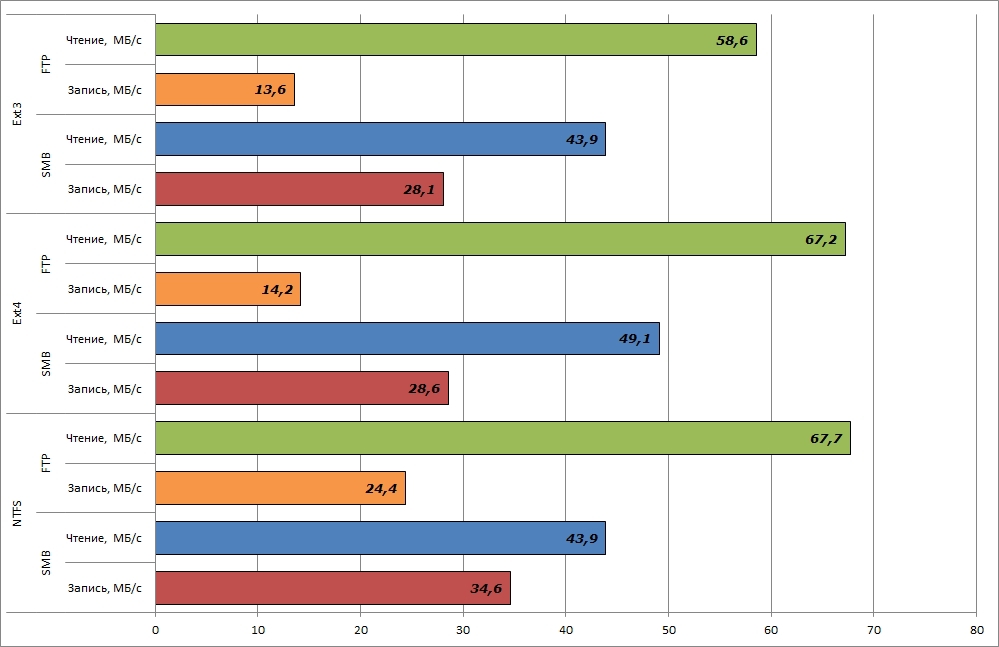
At the same time, the load on the processor of the router during copying is kept at 100%, which is via FTP, and by SMB. The use of RAM was at 60-70% when copying to a USB drive and 90-95% when copying from a drive.
LAN-LAN
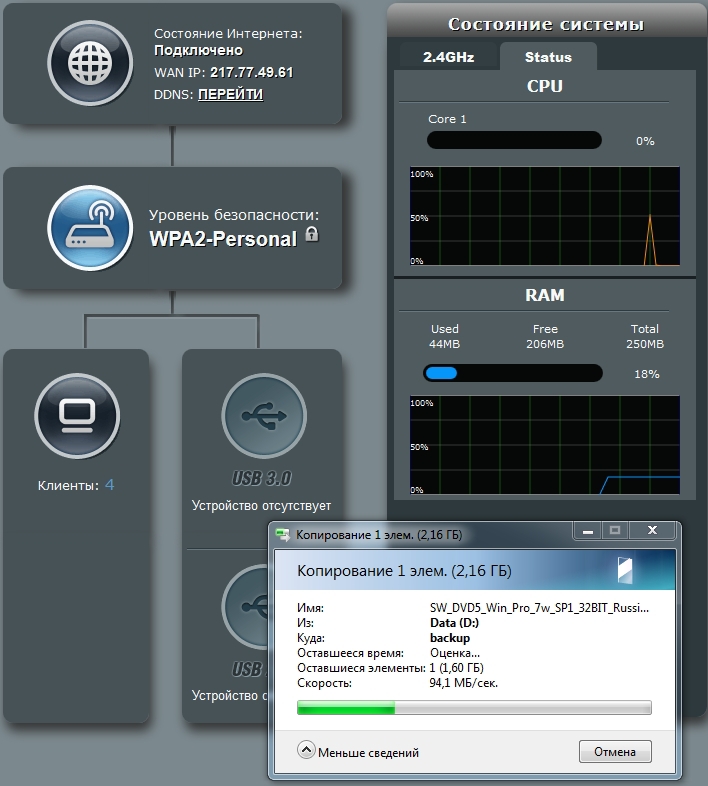
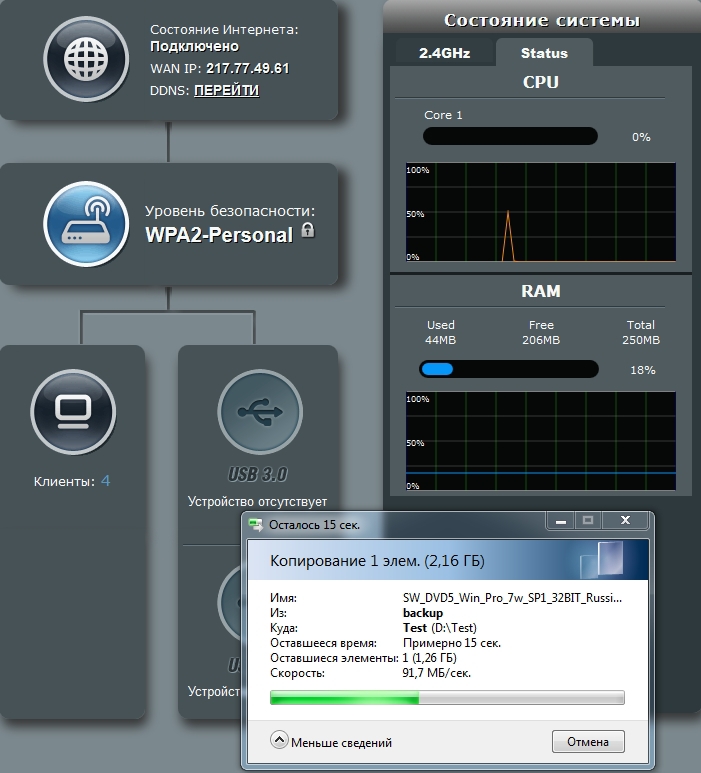
Speed testing for read and write operations over a wired gigabit LAN was conducted between the Intel NUC and NAS4Free-based NAS. At the same time, the ISO image of Windows 7 Pro in both directions was also copied.
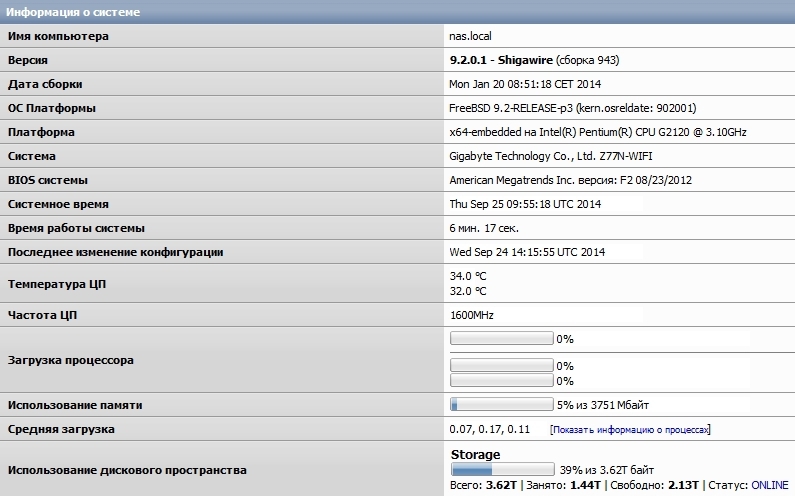
The speed of copying the image in both directions was at the level of 90-95 MB / s.
LAN-WiFi
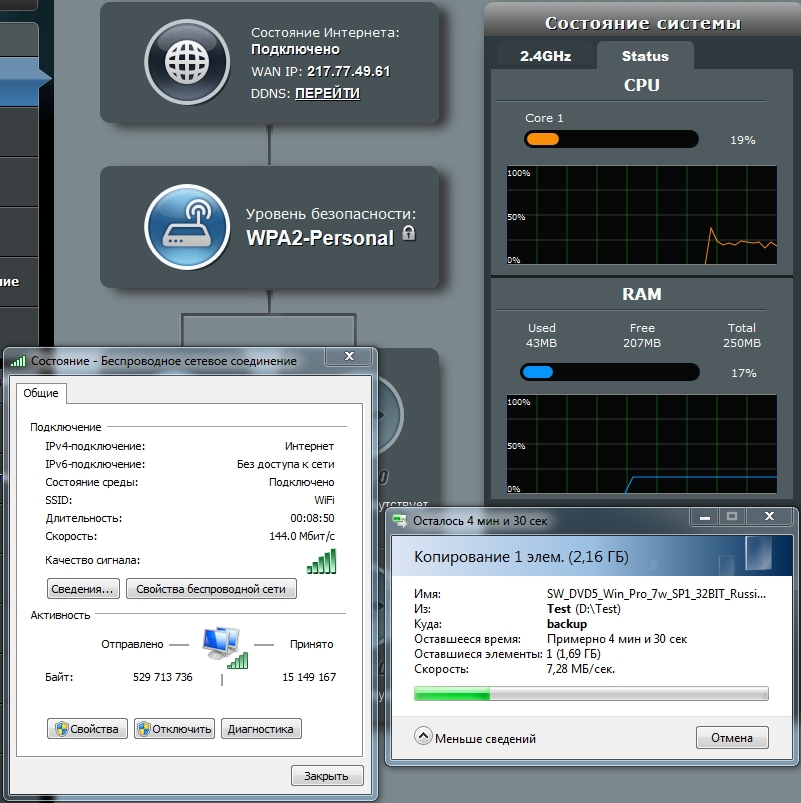
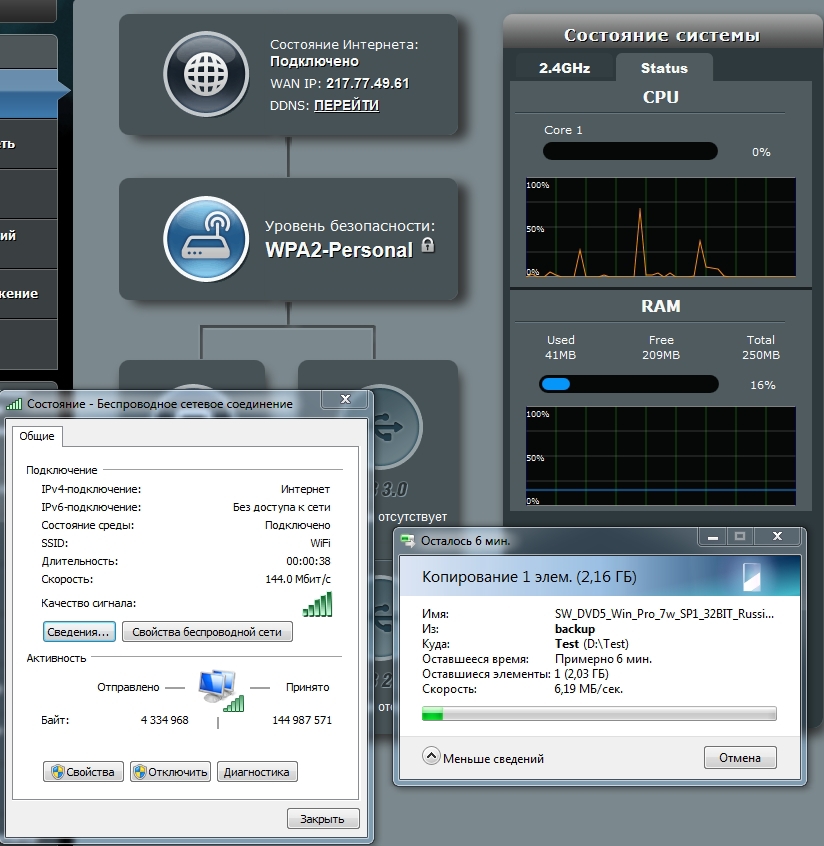
But LAN-WiFi was a little unsuccessful with testing. My Intel Centrino Wireless-N 2230 adapter as part of the Intel NUC was only capable of such a result.
As a complement
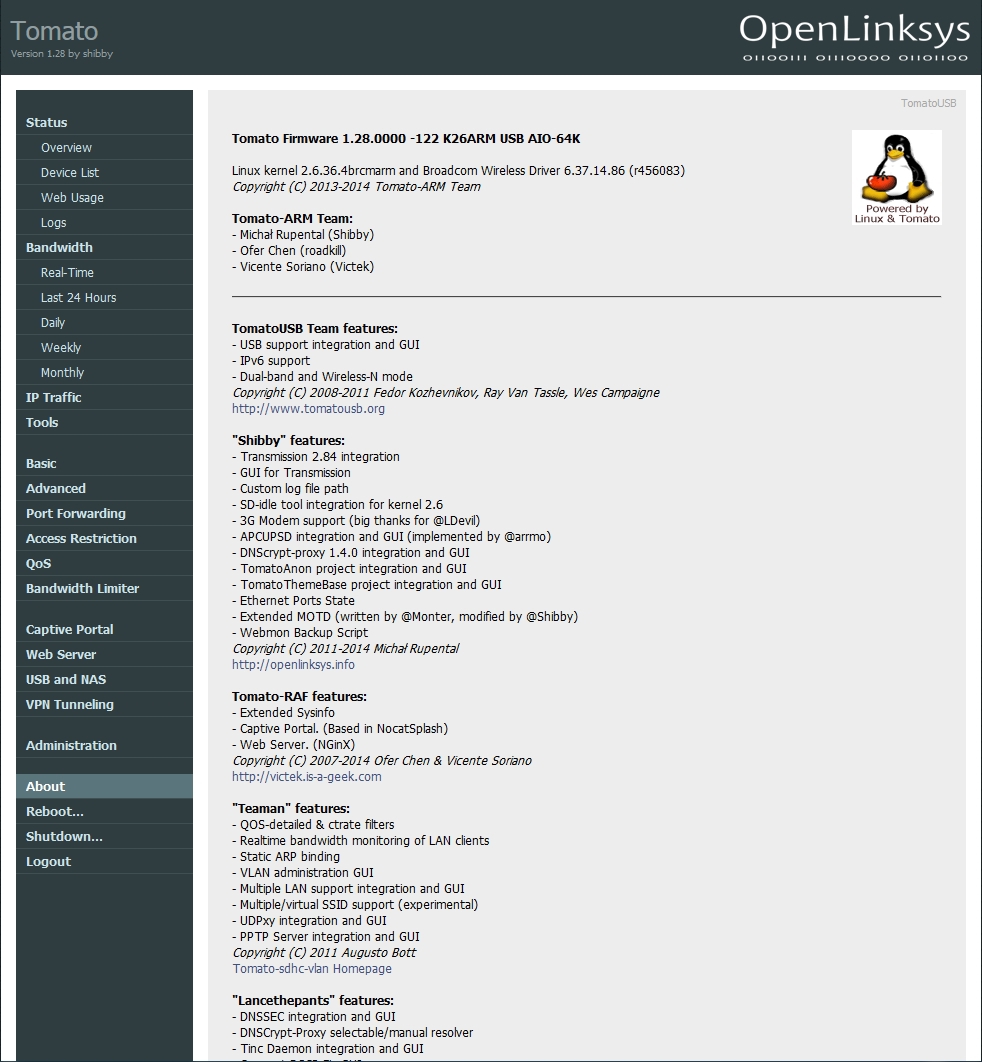
I have been using routers on Broadcom platforms for quite some time. Historically, they were all flashed to tomato from Shibby. With the advent of routers on ARM processors, he added new versions of firmware . Currently there are firmware for ASUS RT-N18U, ASUS RT-AC56U, ASUS RT-AC68U / R and Netgear R7000 routers. Support for ASUS RT-N18U is announced from version 121 and later.
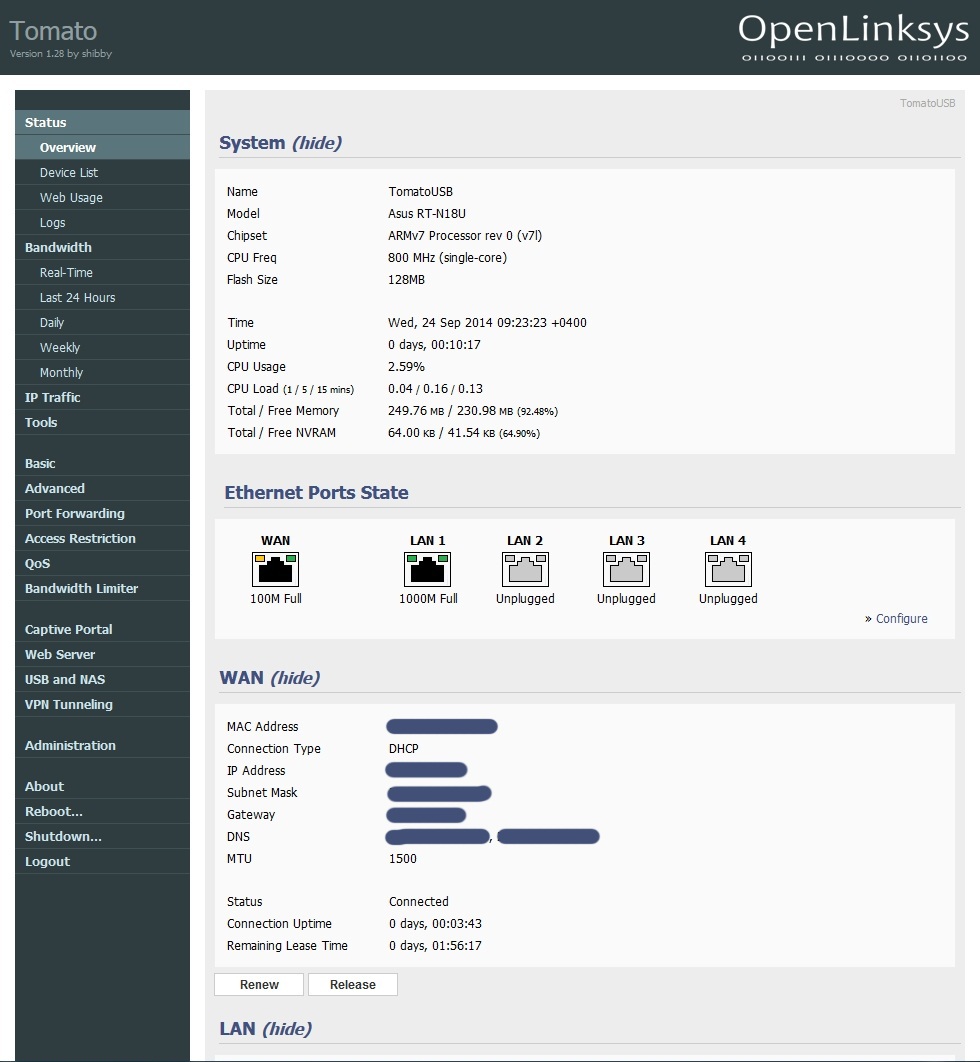
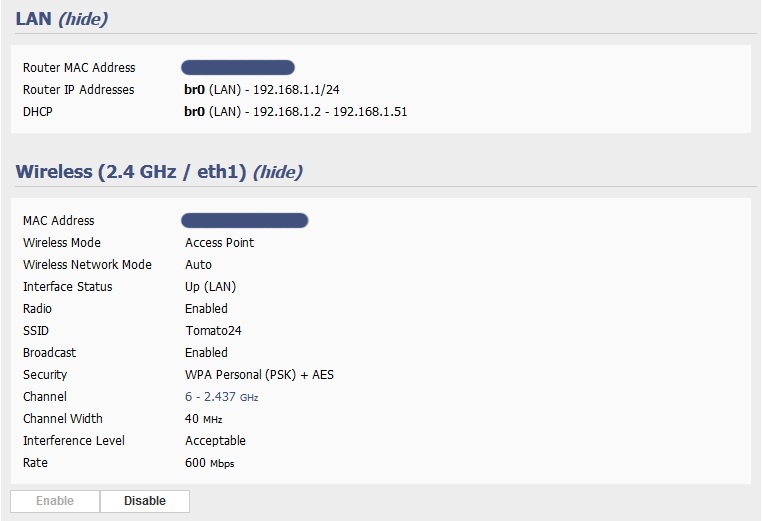
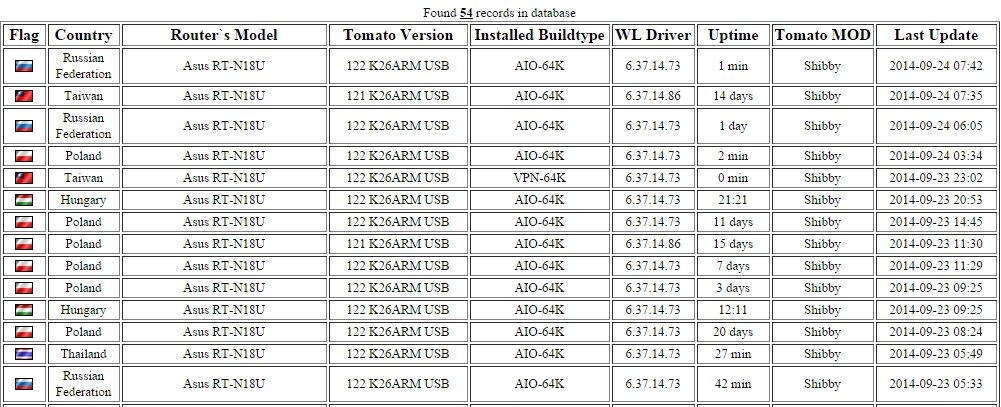
The statistics TomatoAnon present 55 router RT-N18U. Of course, this does not compare with the already popular ASUS RT-N16 router models - 3416 devices, RT-N66U - 4010 devices, RT-AC66U - 1300 devices.
This router directly became the third participant in statistics on the territory of the Russian Federation =)
In conclusion, I would like to note that ASUS, having released the RT-N18U model, closed the segment of productive routers operating in the 2.4 GHz band. ASUS RT-N18U provides the user with access to all modern technologies available among single-band routers. And according to some characteristics (using an ARM processor and having a USB 3.0 port), it is superior to the first-generation dual-band routers.
With regard to the cost of the device, then at the moment it is about 3500 rubles. Given the fact that the RT-N16 model is on the market at the same price, the expediency of buying the RT-N18U is of much greater relevance. Relative to dual-band routers that can offer approximately equal possibilities for connecting peripheral devices, it will be possible to save more than 30% of the cost of the device.
Undoubtedly, this router can become a very popular model among users who do not need to work in the 5 GHz band.
The ASUS RT-N18U Router comes in a medium-sized cardboard box. The stylistic design of the box is fully consistent with the packaging design of this category of devices in the FAST line (FAST EASY STABLE).
On the back of the box are the advantages of ASUS AiRadar technology, a schematic representation of the functional ports, key features of the router and a comparison of the capabilities of the ASUS RT-N18U (N600) with the N900, N300 and N150 routers.
The case of the router is made of black matte plastic. The case design, like most ASUS routers, is very stylish. ASUS characterizes it as a black diamond (Black Diamond), the shape of the top cover resembling a diamond engraving. Overall dimensions of the case are 207 x 150 x 37, and the mass is 520 grams. The antennas are removable and can be easily replaced if desired.
The back of the case contains a sticker indicating the firmware version, the serial number of the router, the MAC address and WPS PIN code.
The bottom of the case has a huge number of ventilation holes in the form of slots. Four rubber legs are located at the corners of the bottom. Under the legs are the screws holding the device body. To fix the router on the wall, fastenings are provided on its bottom. The distance between the centers of the holes is 95 millimeters.
Both side ends of the body also have ventilation slots.
The rear end of the router contains all the main connectors, ports and control buttons. Here are:
• three connectors for external antennas;
• connector for power supply;
• on / off button;
• USB 2.0 port;
• reset button;
• gigabit WAN port;
• four gigabit LAN ports;
• WPS button.
Installation of antennas does not impede easy access to ports. Unless the use of a dimensional device in a USB 2.0 port is able to limit access to the on / off and reset buttons.
At the front end of the case is one single USB 3.0 port. The location of the fastest USB port on the front end is quite logical. If the USB 2.0 port is more than enough to connect the printer, then to use the multimedia capabilities of the router it is most reasonable to use the USB 3.0 port, access to which is the most difficult from the front end.
To power the router, an external power supply unit with output parameters is used: a constant voltage of 12 V and a maximum current of 1.5 A.
At retail, the router comes with another power supply unit, without removable plugs.
However, the appearance of the appearance. And it was very interesting to me to look into the bowels of the case and get to the router circuit board.
Disassembly of the housing is as follows. After peeling off the rubber feet, it is necessary to unscrew the four screws that hold the main body and its upper cover. After that, eight plastic latches must be carefully snapped off. I marked the location of the latches in the photograph with red circles.
Inside there is one printed circuit board of revision 2.20, with a blue-blue textolite. The board itself is not additionally fixed in any way.
Almost half the size of the board is covered by an aluminum radiator. The radiator is designed to cool the processor and the radio unit. All chips are covered by a screen, which also serves as a heat distribution cover.
I did not dismantle them, for fear of damaging the crystals. Then to help us for a more detailed study, photos come from one of the Chinese resources .
The router is based on the Broadcom platform. The manufacturer claims the use of an ARM Cortex-A9 processor. According to the block diagram, up to four ARMv7 cores can be used in this processor.
Directly in the case of RT-N18U, a single Broadcom BCM47081 single-core chip is used, operating at a frequency of 800 MHz.
The RAM is represented by one SAMSUNG K4B2G1646Q-BCK0 chip, with a capacity of 256 MB of the DDR3-1600 standard.
Broadcom BCM4360 is used as a radio unit, capable of providing operation with 802.11 b / g / n networks and supporting TurboQAM technology in the 2.4 GHz band.
On the reverse side of the circuit board is a 128-MB Spansion S34ML01G100TFI00 flash memory chip.
With this, almost everything is with the internal device. Unless it can be noted that the connectors for two of the three antennas are wired directly to the circuit board. The third antenna is connected via the SMA connector. By the way, for the middle antenna there is a place for desoldering the SMA connector, but it is connected through the track on the printed circuit board.
Another point that deserves special attention is the presence of a console connector soldered to a printed circuit board.
Configuring the ASUS RT-N18U Router:
Network map
The first where the user enters, apart from the setup wizard, is a network map. This is where he can get information about the current state of affairs.
It is worth noting that on the firmware, starting with versions 3.0.0.4.376_xxx, it became possible to monitor the load of the processor and the RAM of the router. On the first firmware 3.0.0.4.374_xxx
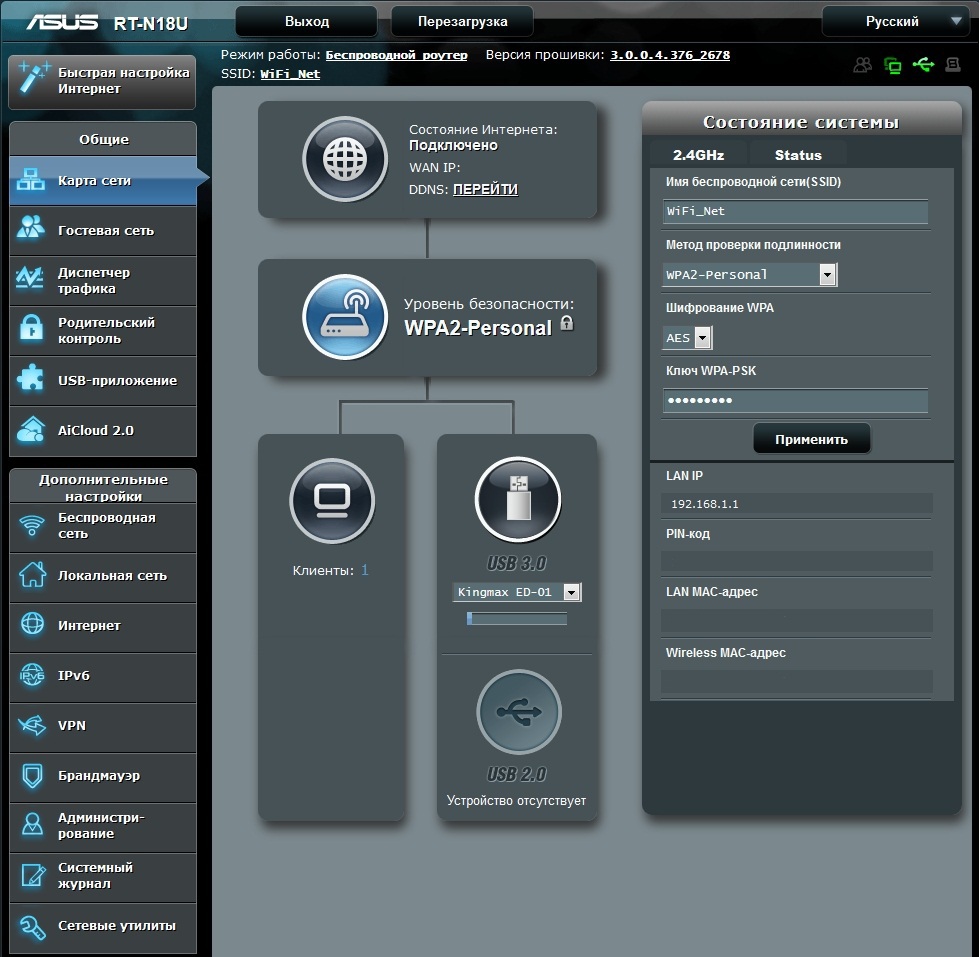
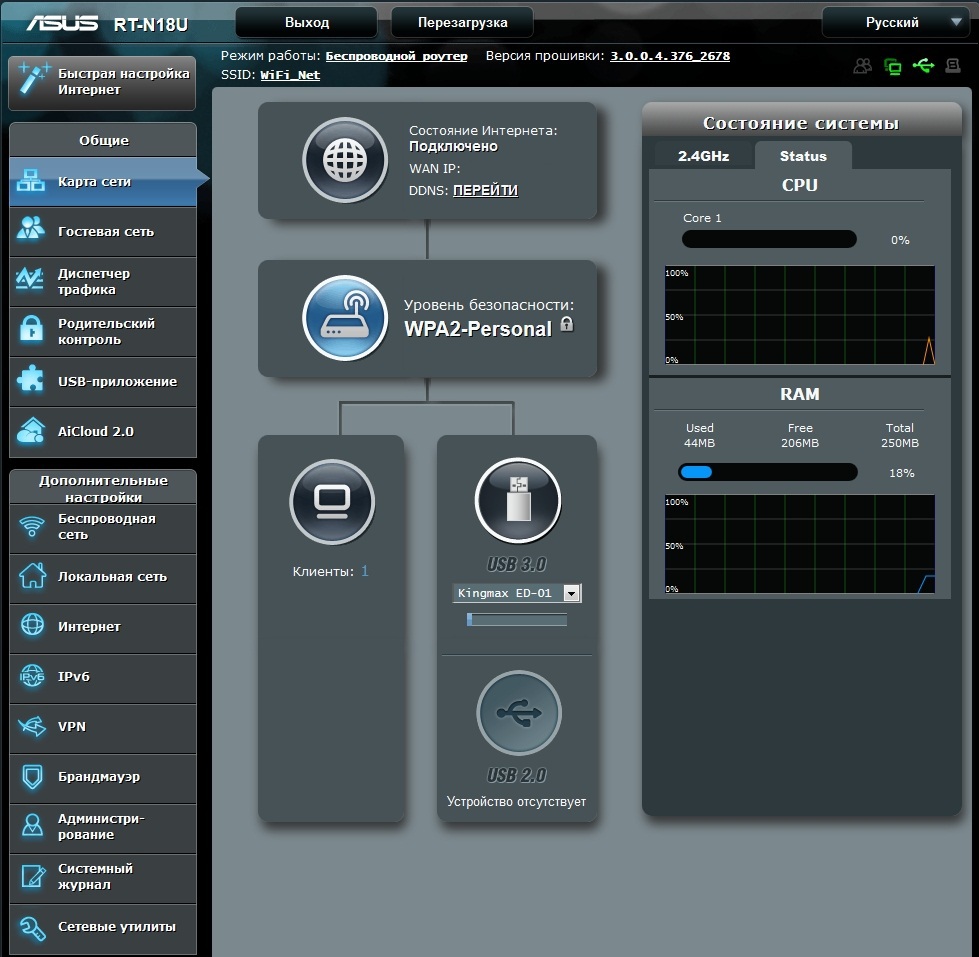
It is worth noting that on the firmware, starting with versions 3.0.0.4.376_xxx, it became possible to monitor the load of the processor and the RAM of the router. On the first firmware 3.0.0.4.374_xxx
Administration
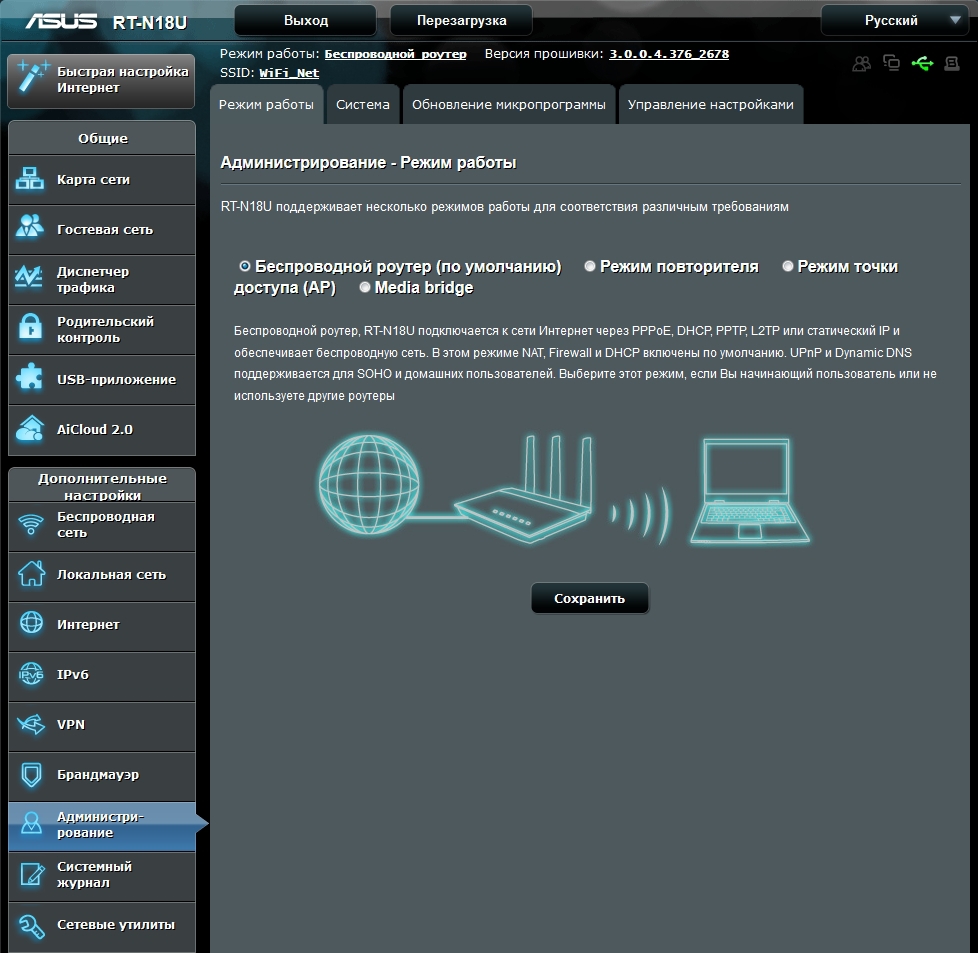
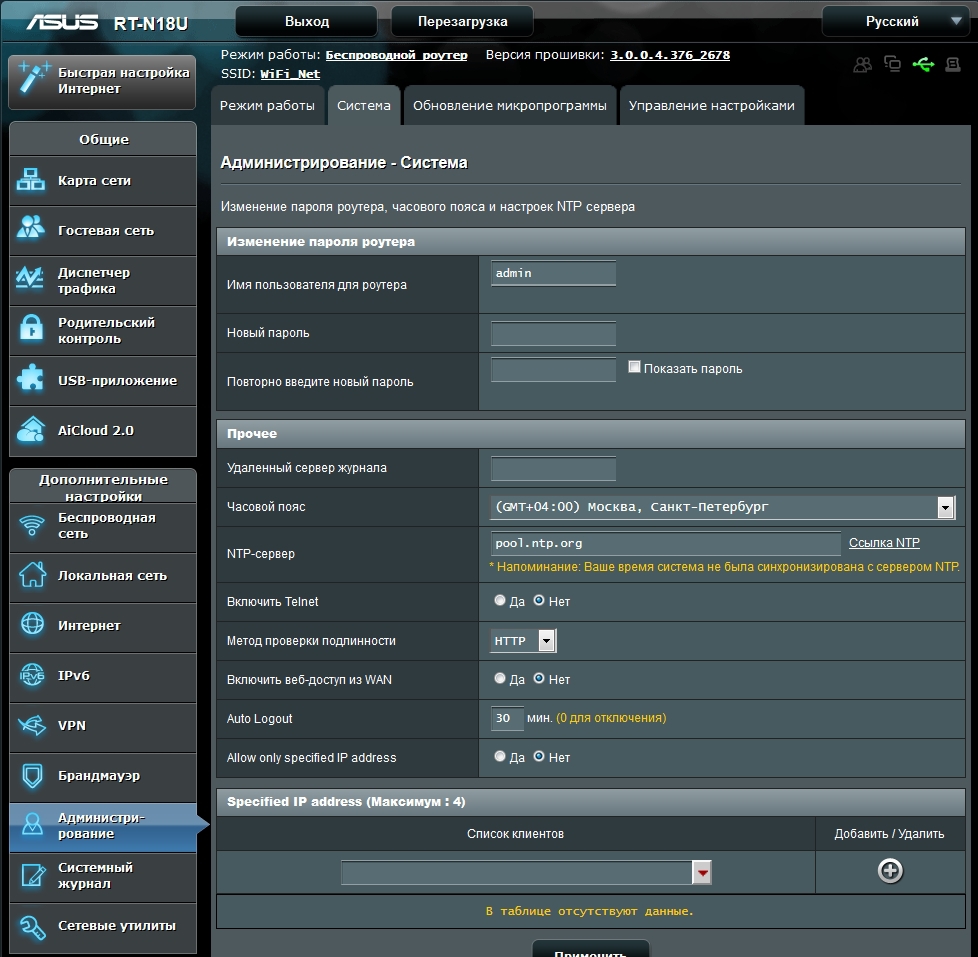
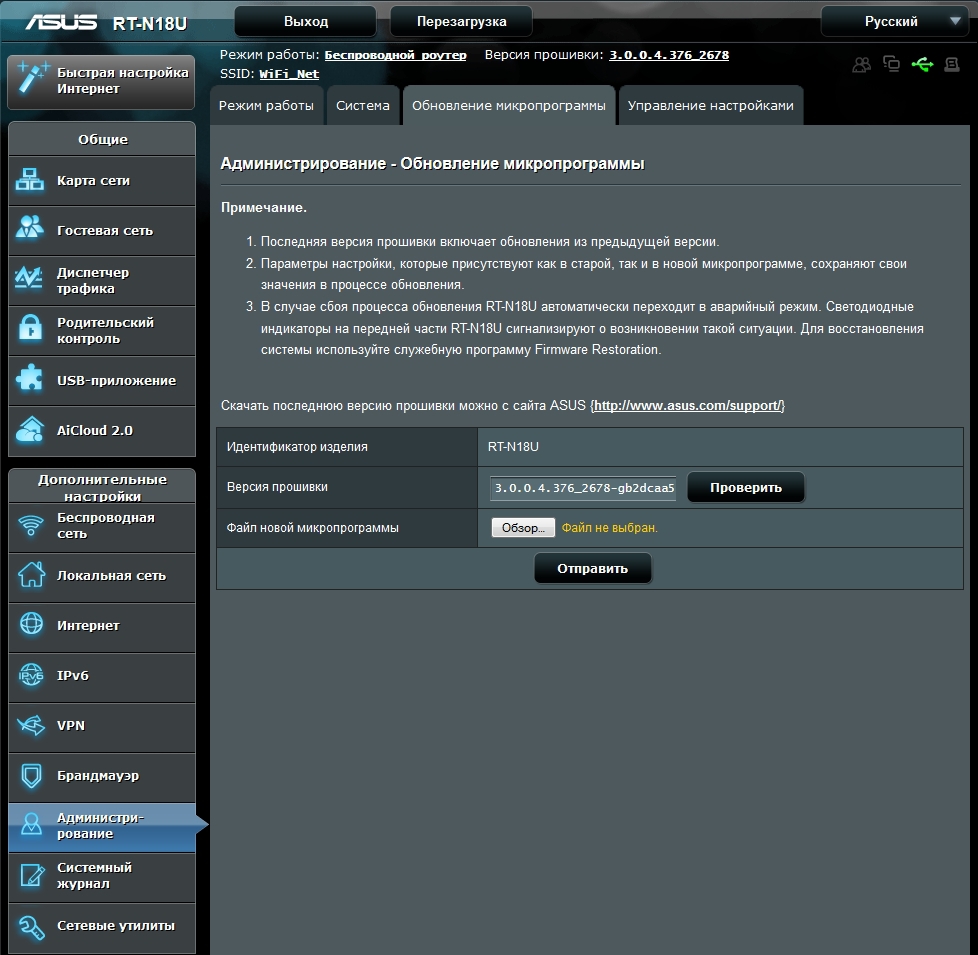
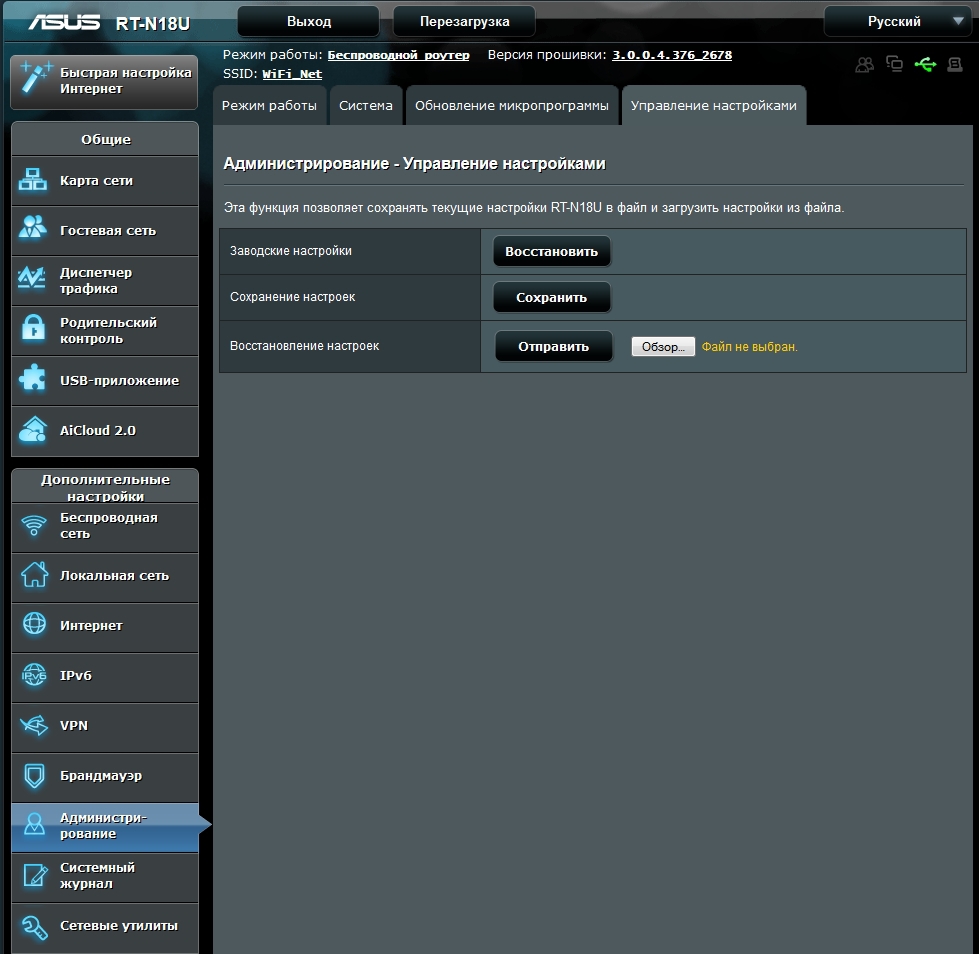
On this tab, the user can perform the basic settings of the router: select its operating mode, access parameters, update the firmware version and restore the factory settings or save / restore user settings.
the Internet
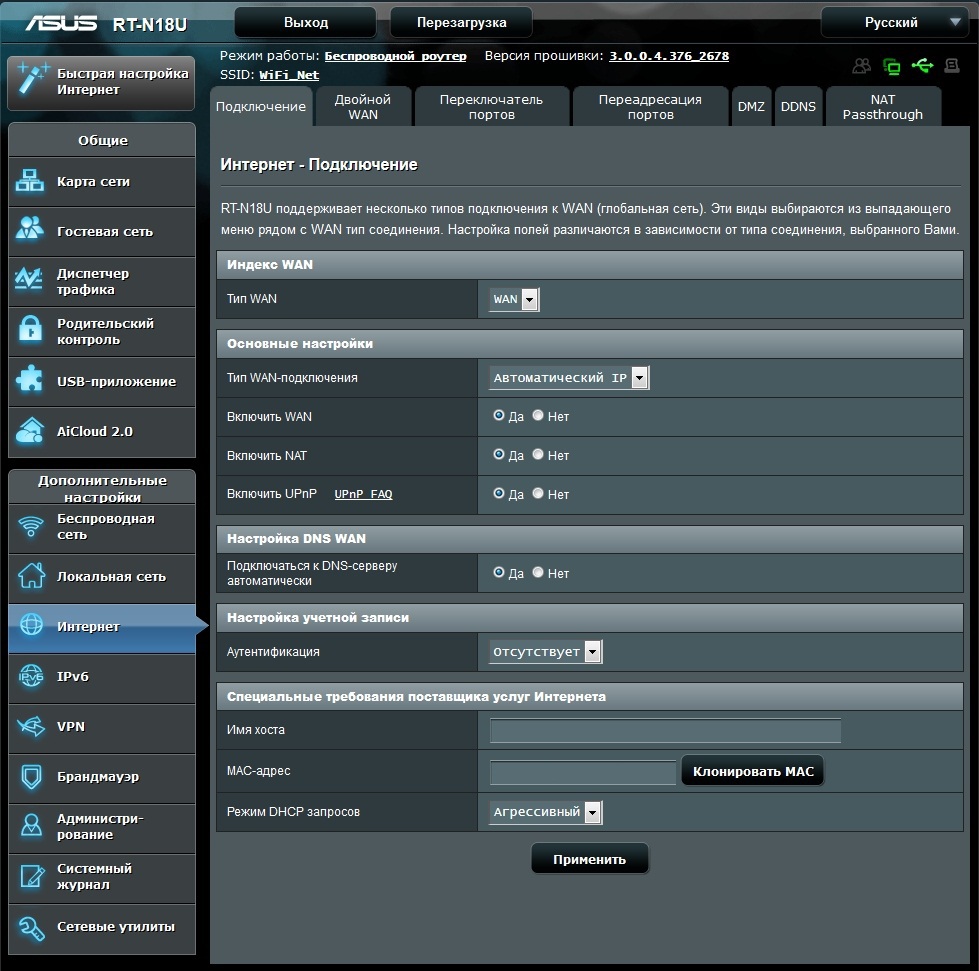
Here you will need to enter the connection settings received from the provider. Those who are associated with the provider at the MAC address have the opportunity to register the desired MAC address in order to exclude communication with the technical support of the provider.
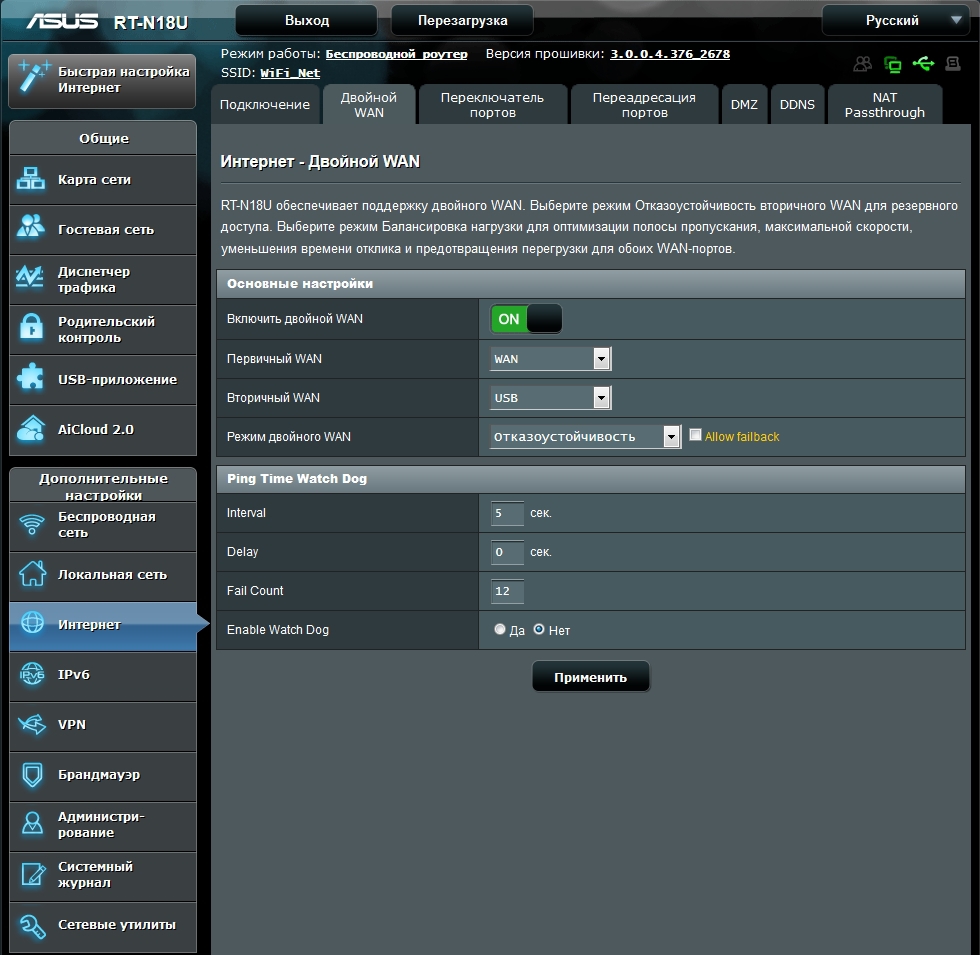
On the second tab, you can configure a dual connection for channel reservation or load balancing. And it does not have to be a wired provider. As one of the providers, you can assign a USB modem. This feature will obviously appeal to users for whom the absence of the Internet through the fault of one of the providers is critical.
Here you can configure port forwarding and DDNS.
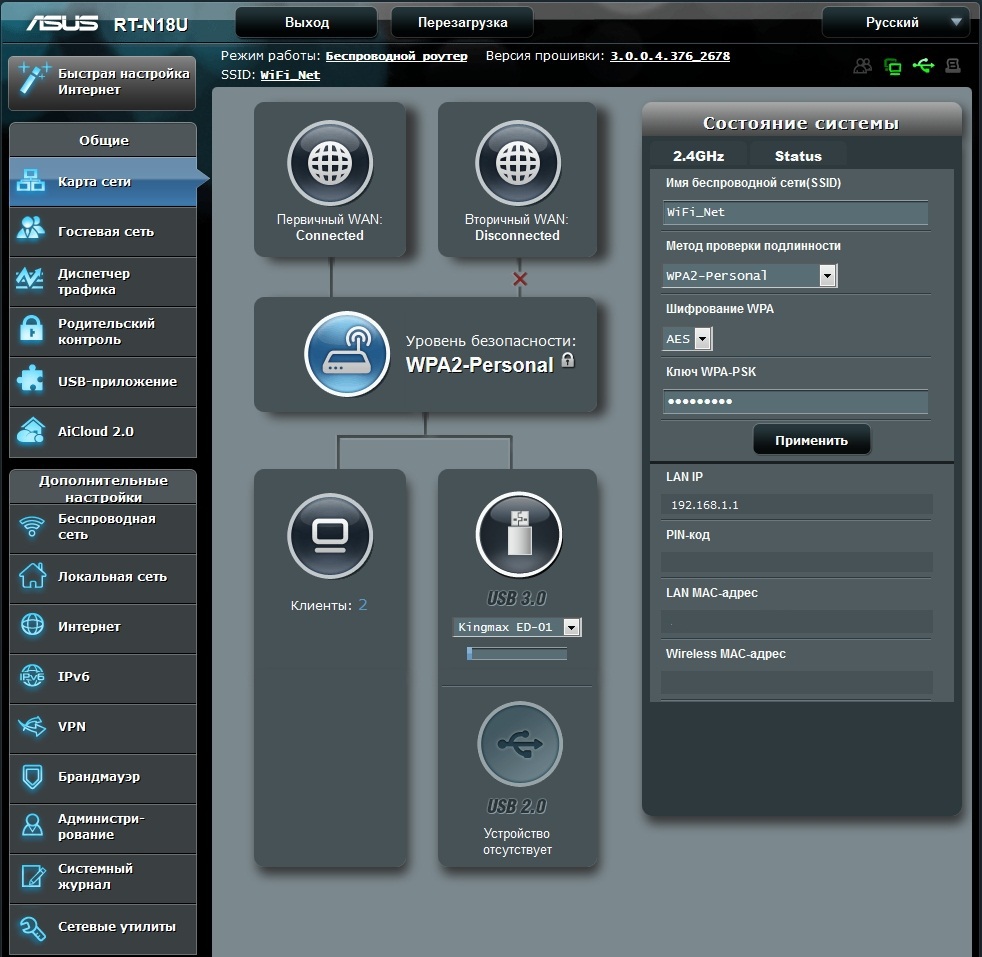
When the dual connection option is activated, the “Network Map” tab takes on the following form.
On the second tab, you can configure a dual connection for channel reservation or load balancing. And it does not have to be a wired provider. As one of the providers, you can assign a USB modem. This feature will obviously appeal to users for whom the absence of the Internet through the fault of one of the providers is critical.
Here you can configure port forwarding and DDNS.
When the dual connection option is activated, the “Network Map” tab takes on the following form.
The local network
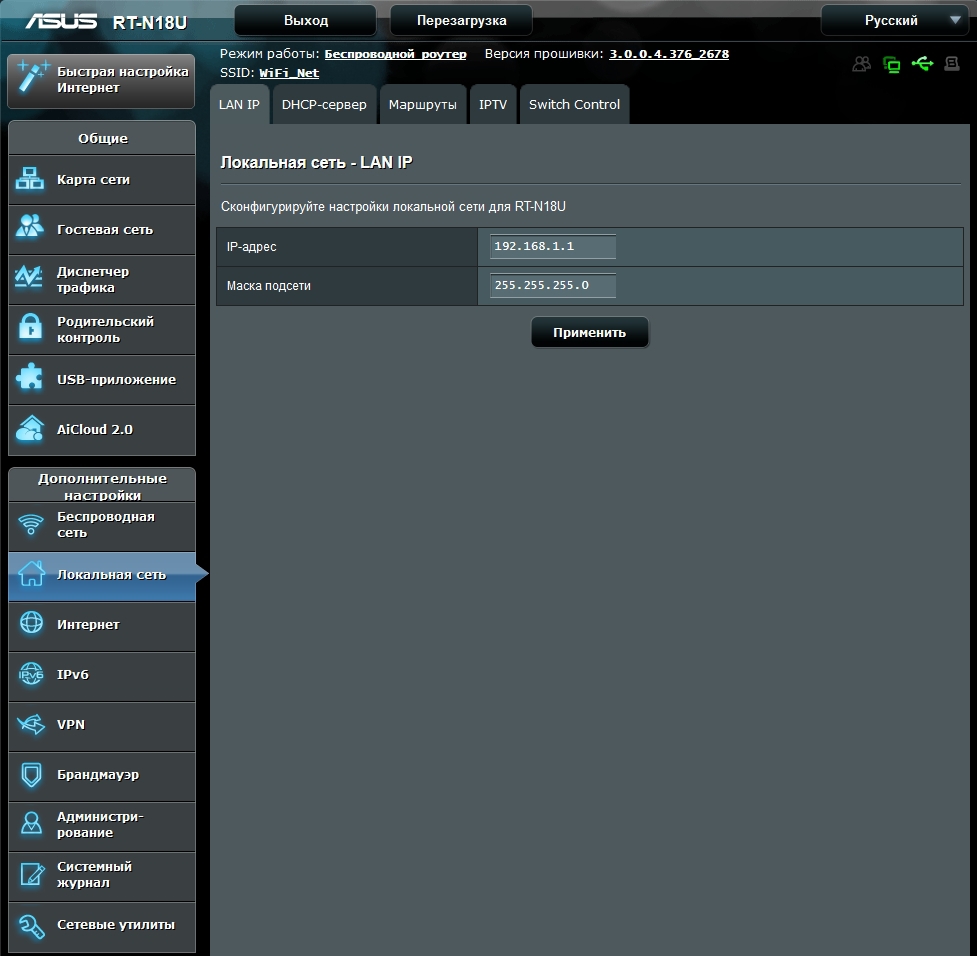
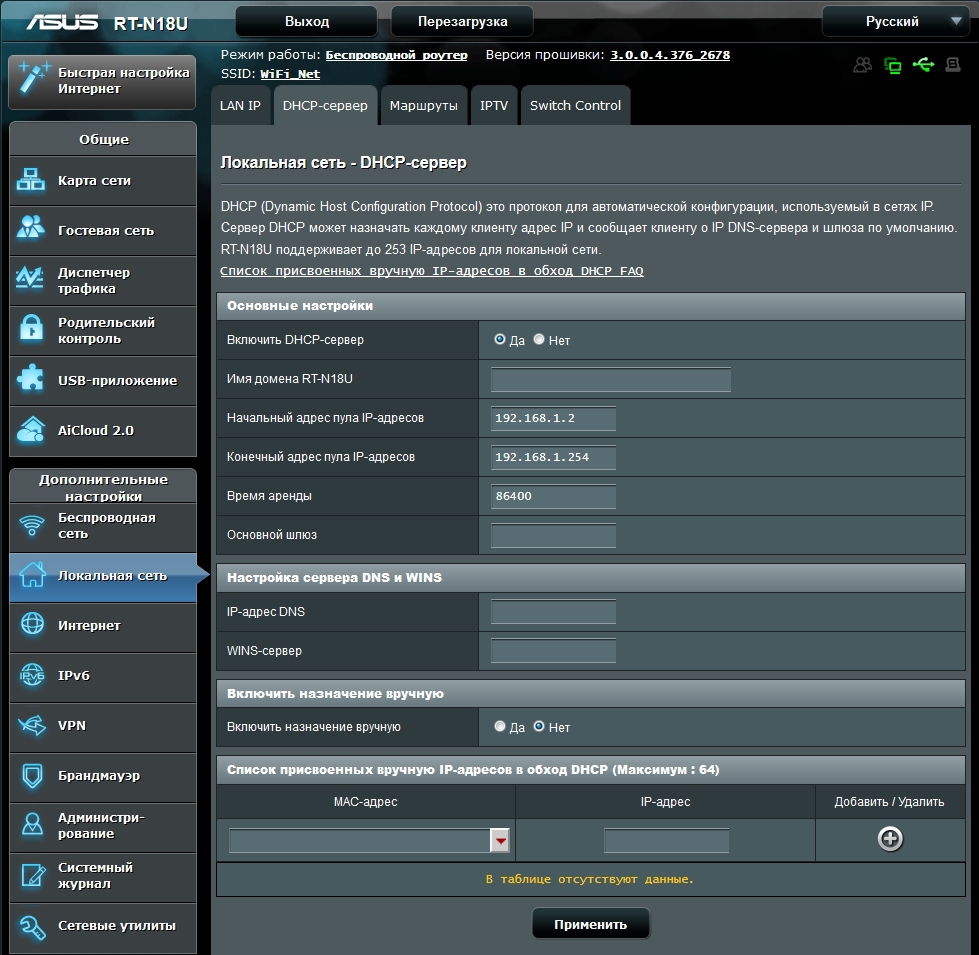
On the LAN tab, the LAN settings for the router and the DHCP server settings are registered.
IPTV settings are placed on a separate tab.
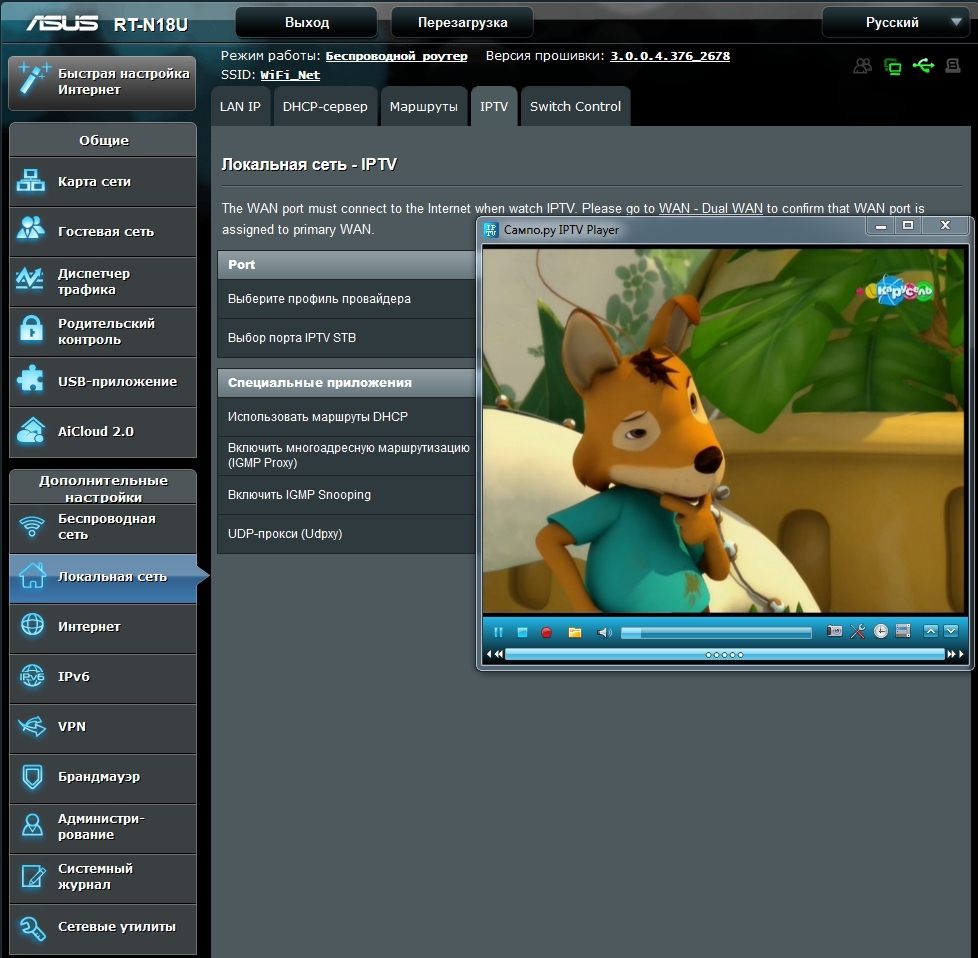
IPTV settings are placed on a separate tab.
Wireless network
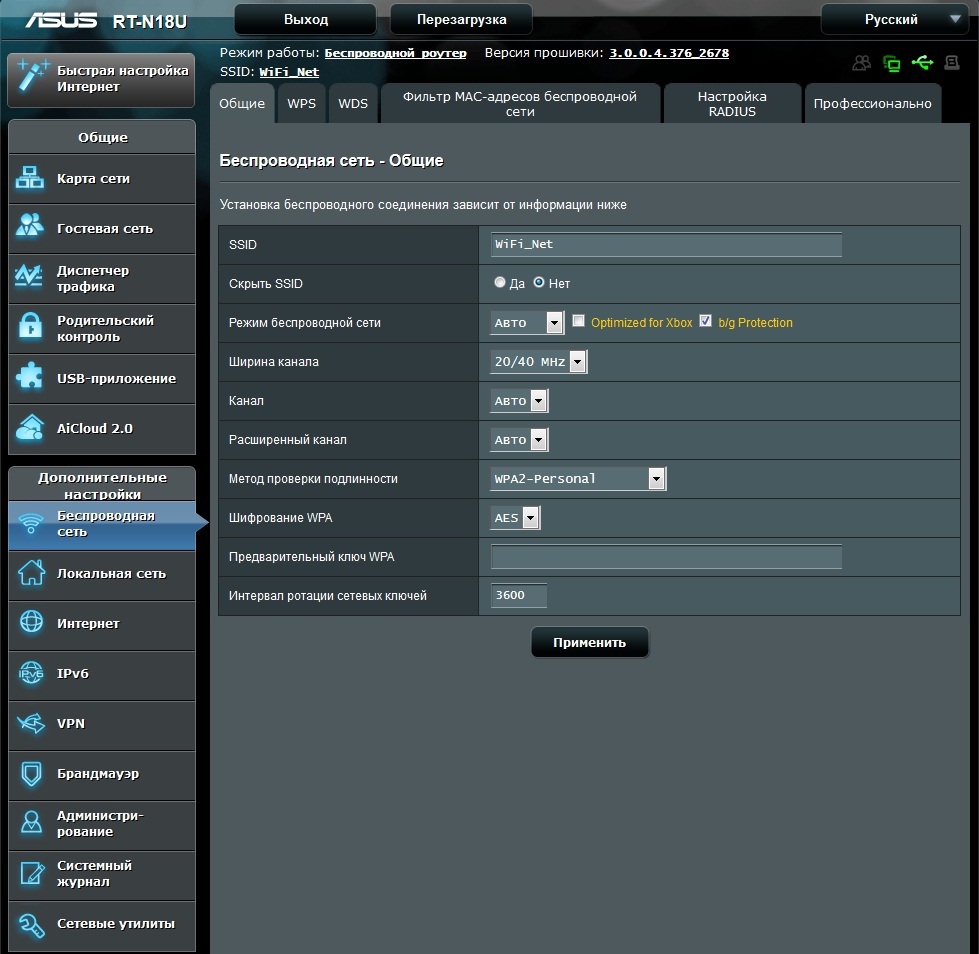
This section sets up the wireless network settings: name, operating mode, channel width, channel setting, setting the authentication method and encryption option.
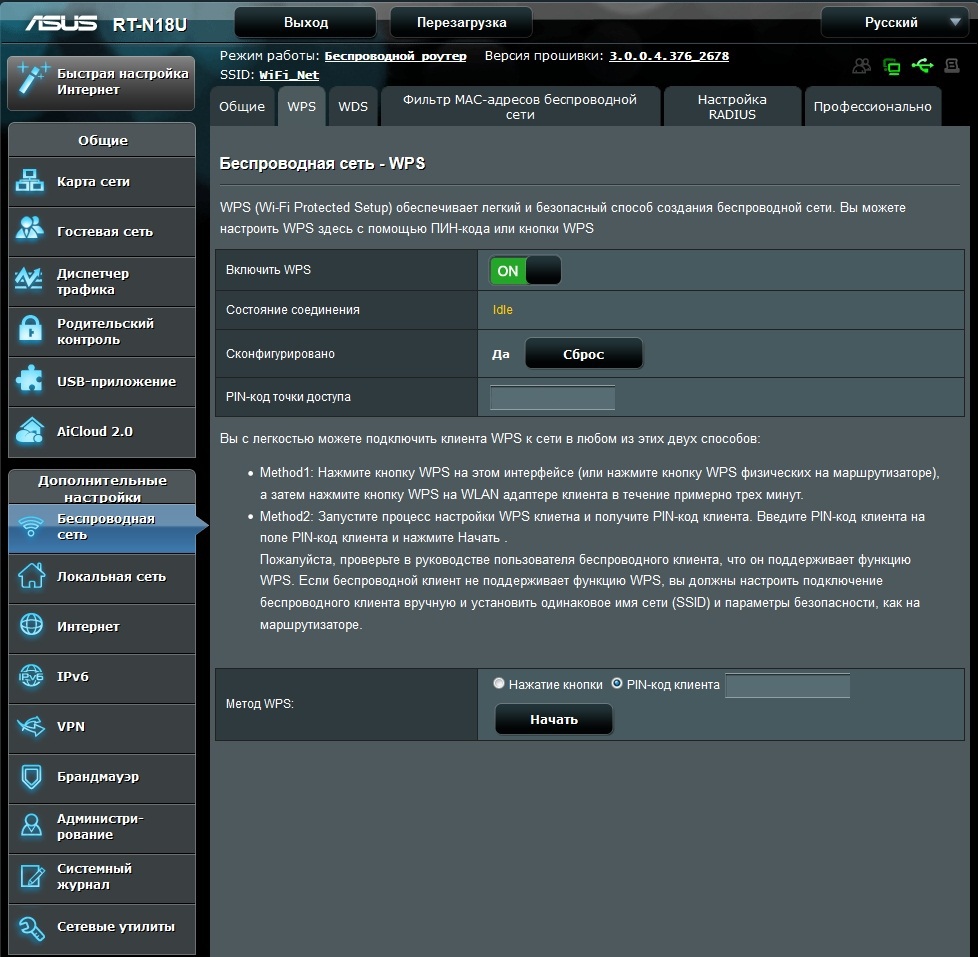
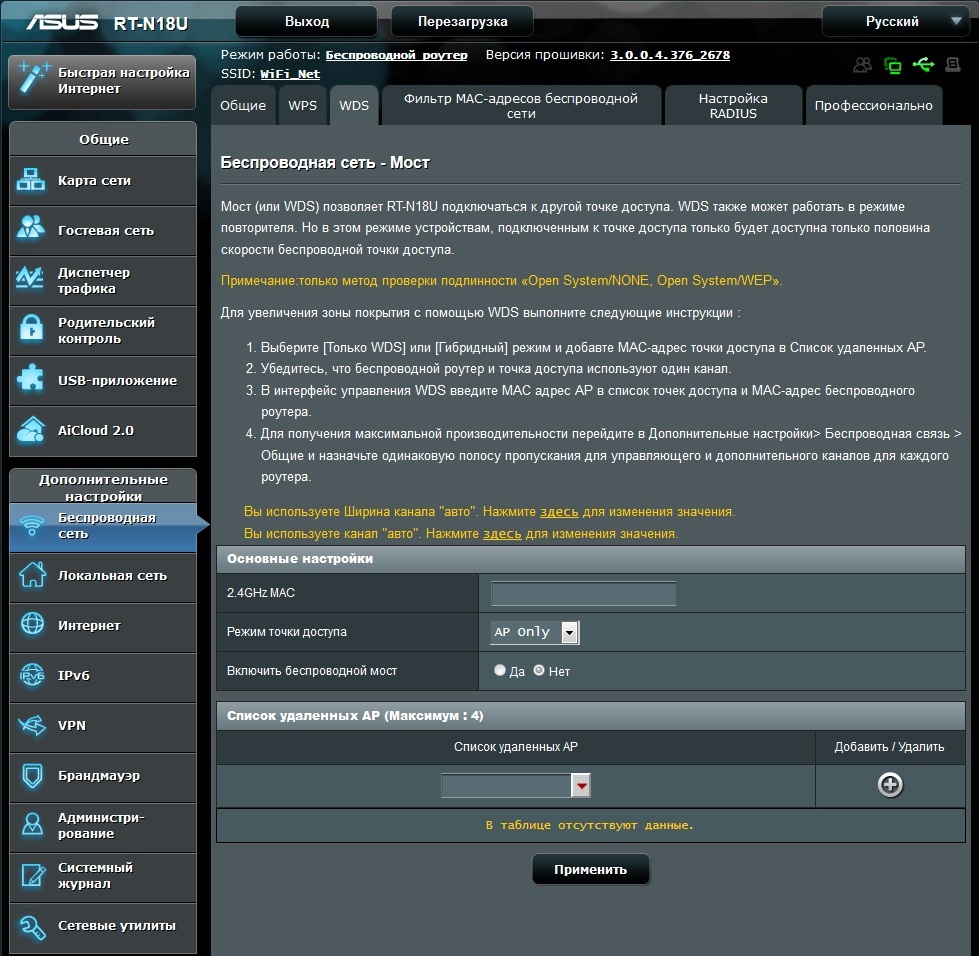
The settings for WPS and WDS are set right there.
If you need more detailed settings for the radio points, you can use the “Professional” tab to access more parameters.
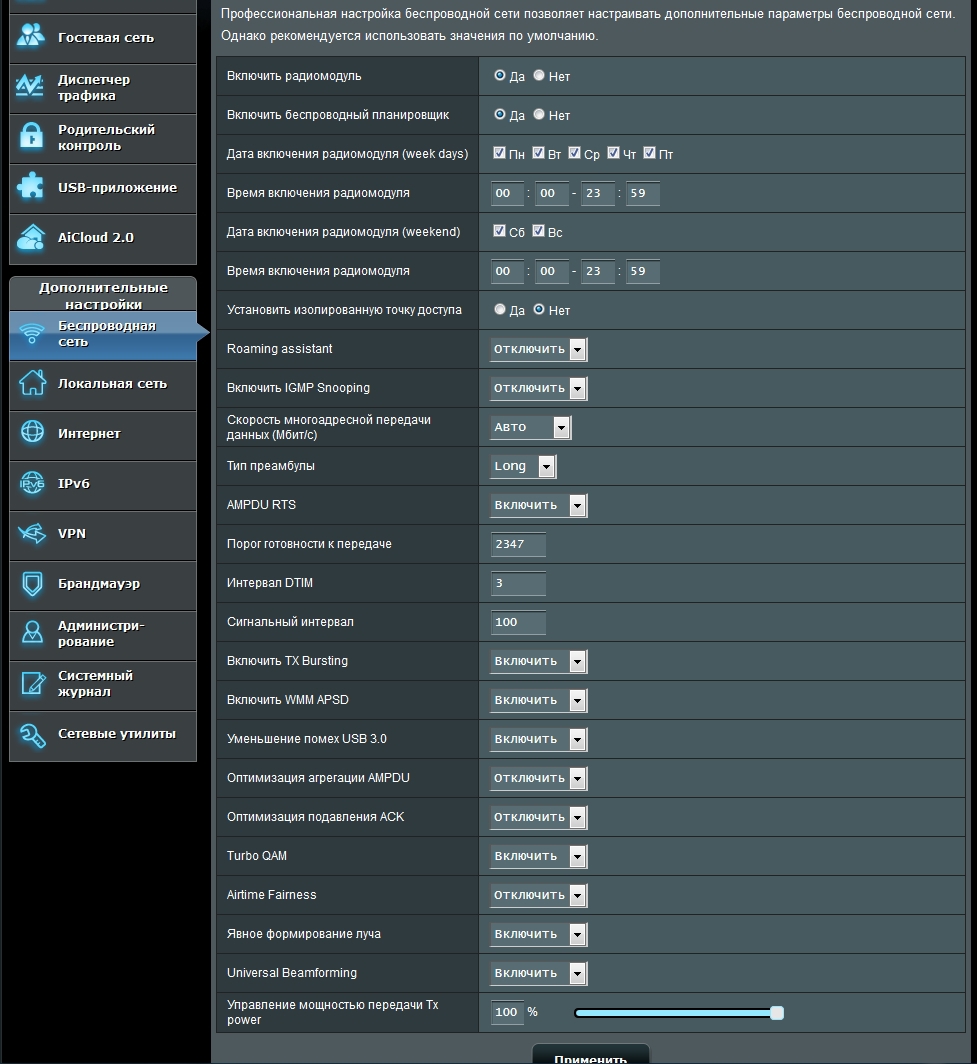
The settings for WPS and WDS are set right there.
If you need more detailed settings for the radio points, you can use the “Professional” tab to access more parameters.
Firewall
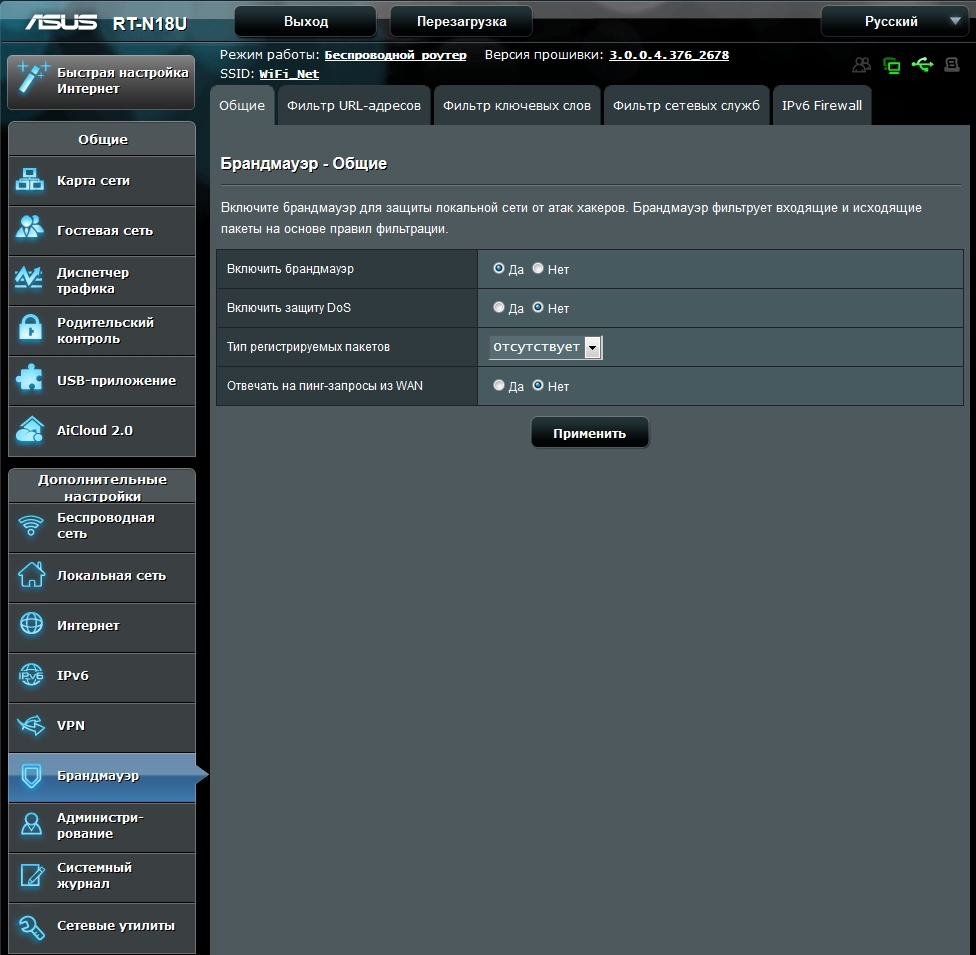
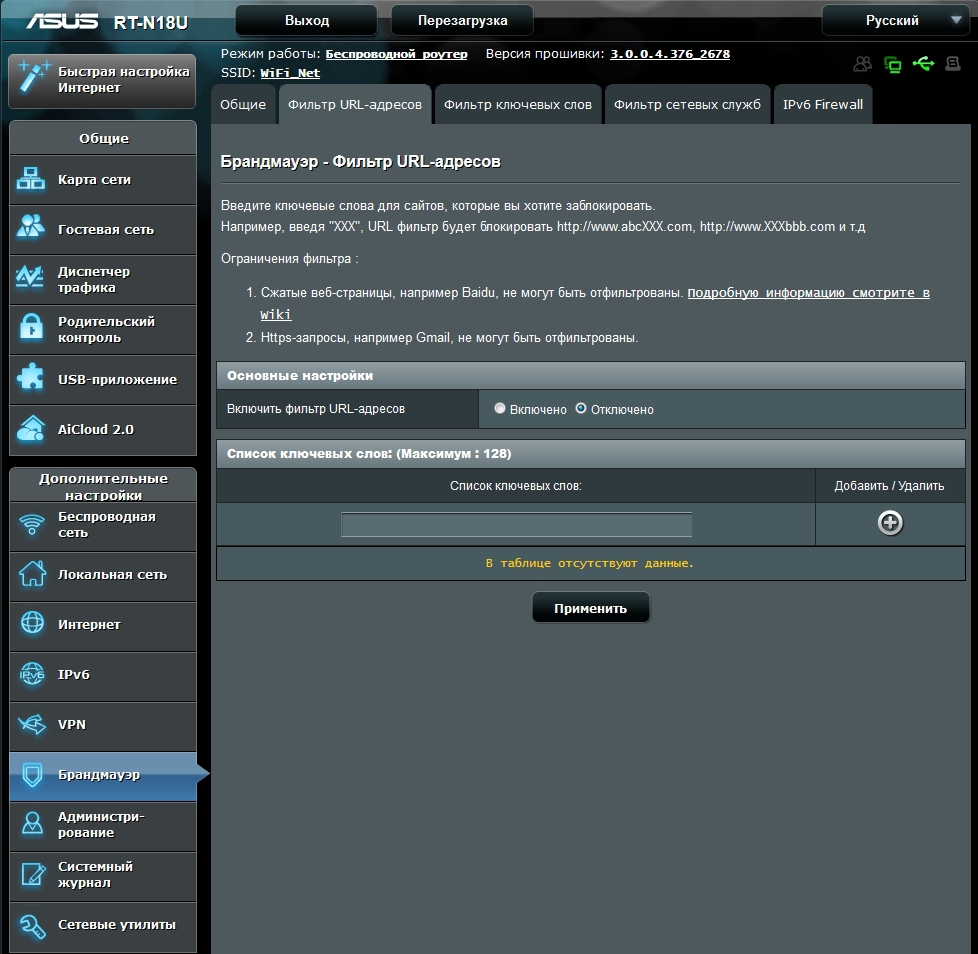
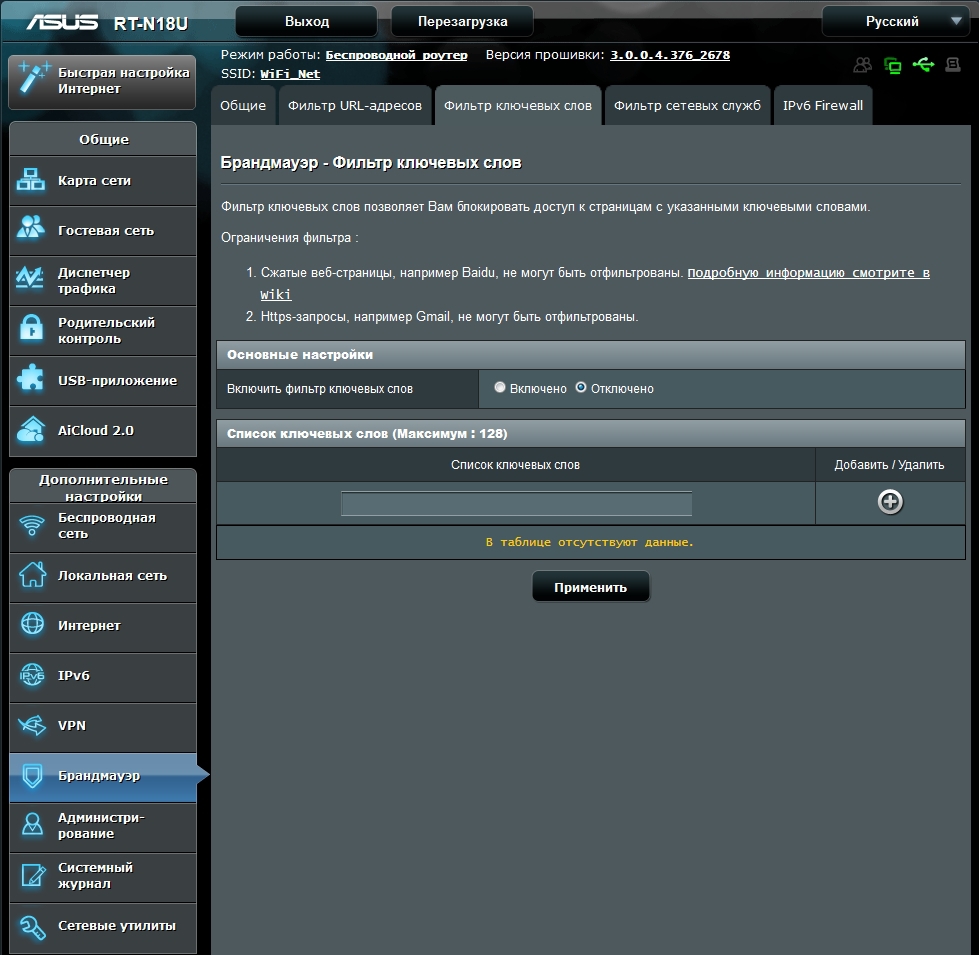
Inbound and outbound packet filtering is implemented based on predefined rules. The nice thing is the ability to block pages by keywords. The length of the keyword list is limited to 128.
Guest Network
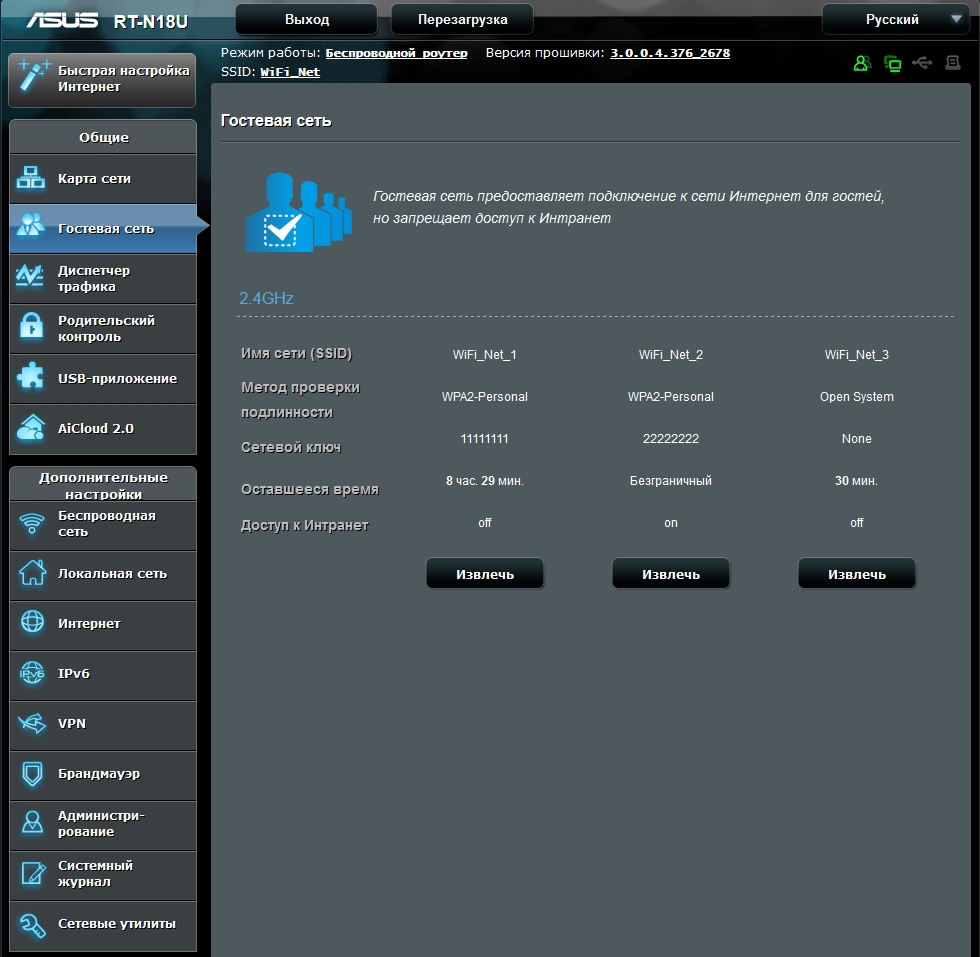
Based on the ASUS RT-N18U router, you can simultaneously organize up to three guest networks. It is possible to configure both open and closed networks, with a time limit for connection and without limitation, with access to the internal network and without it.
Traffic Manager - QoS
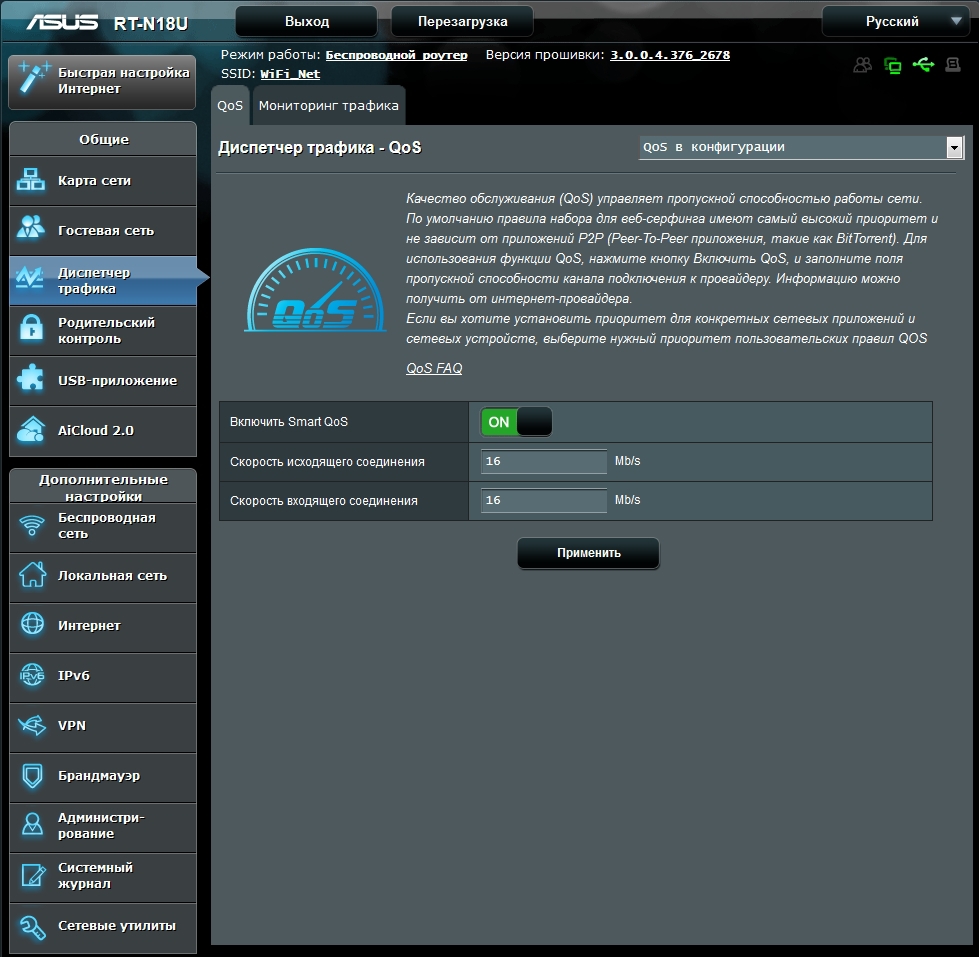
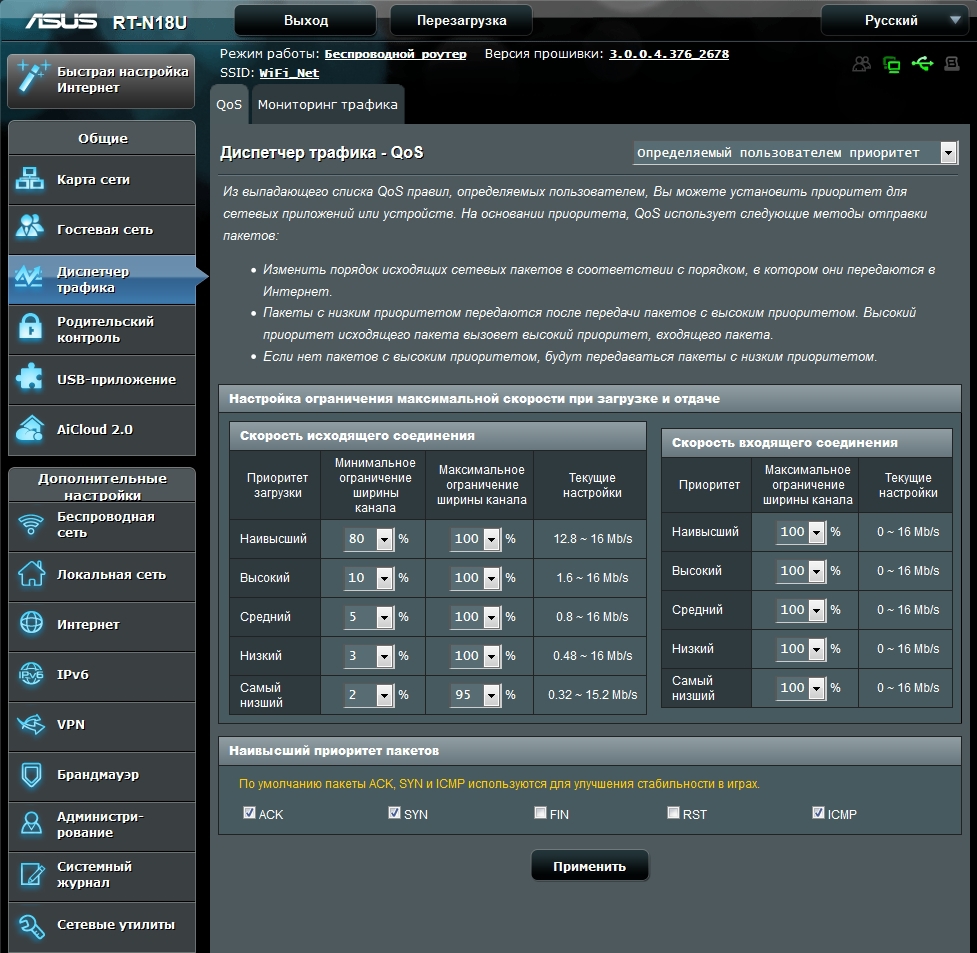
In the settings of the router, the function of ensuring quality of service is implemented. According to certain QoS rules, a user can set a priority according to channel bandwidth limits.

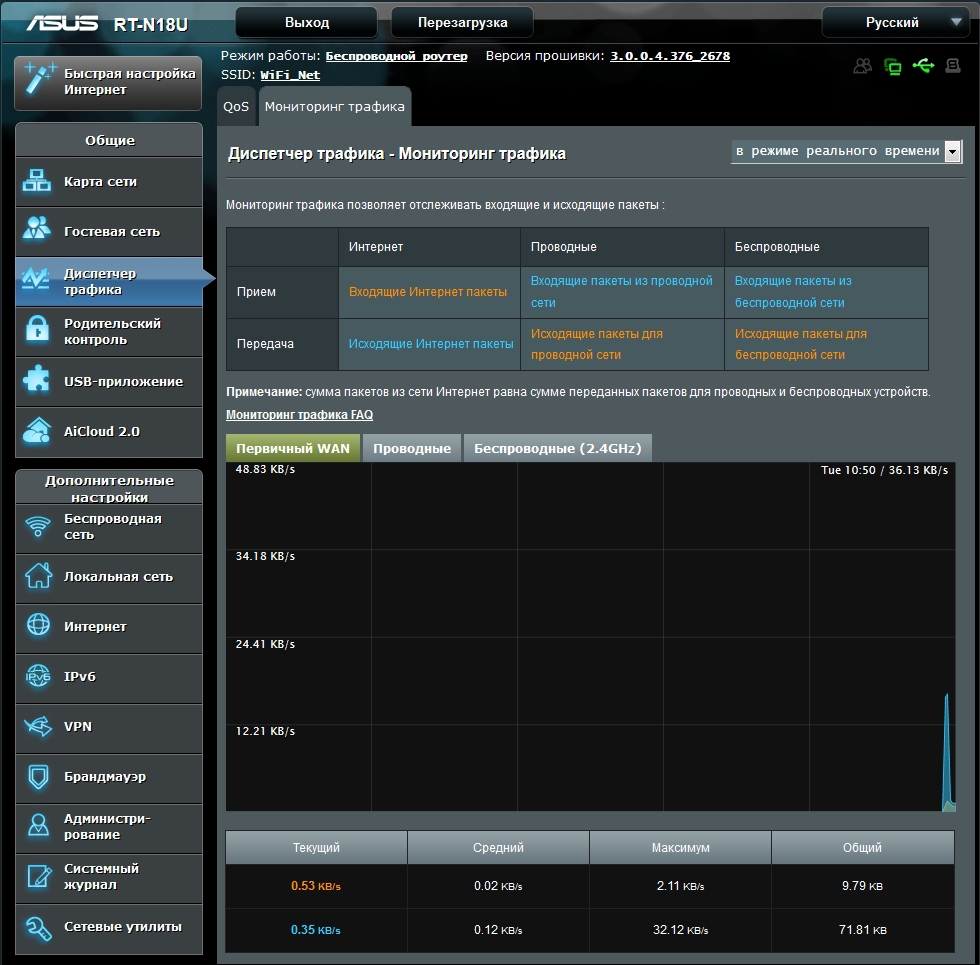
On the second tab, real-time traffic monitoring for the last day or a total daily report is available.
On the second tab, real-time traffic monitoring for the last day or a total daily report is available.
Parental control
Another important feature is the parental control function. Here, for 16 clients, you can set the time interval for using the network. The interval is set for each day of the week in increments of one hour.
Parents can now sleep peacefully and be sure that their child respected the rest regimen, and didn’t communicate mid-morning on social networks with peers.
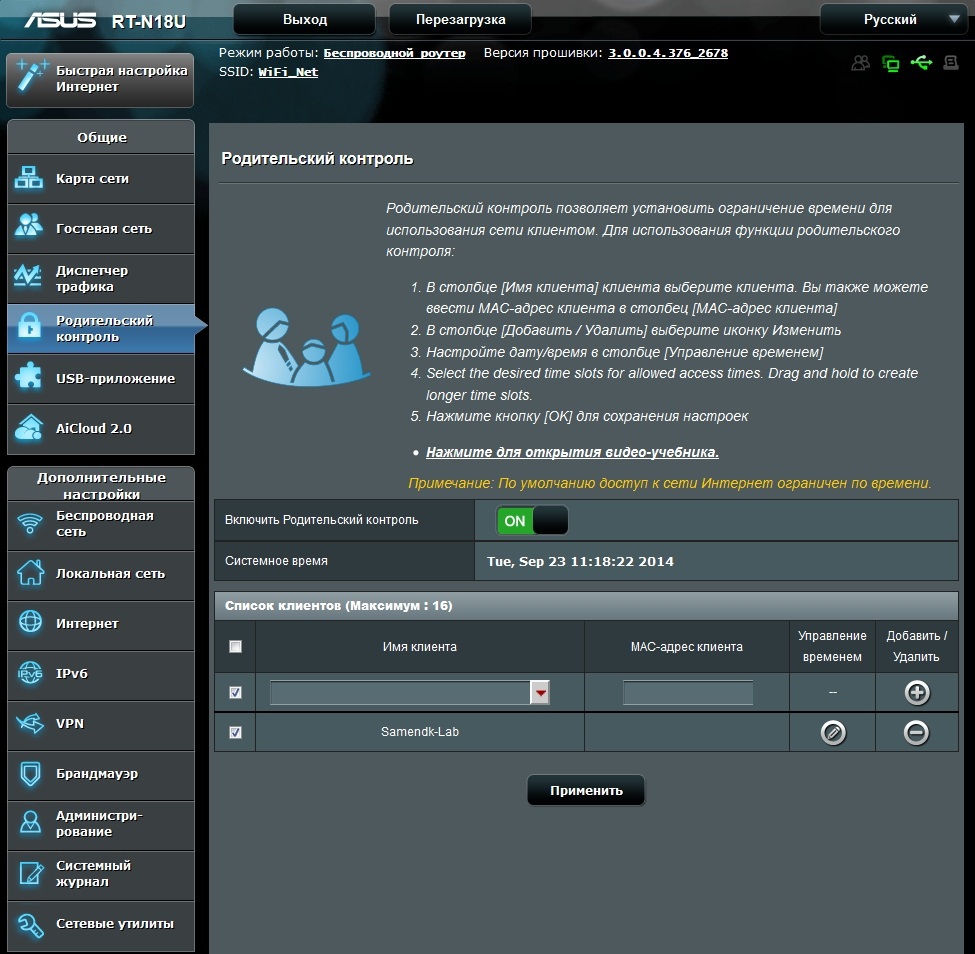
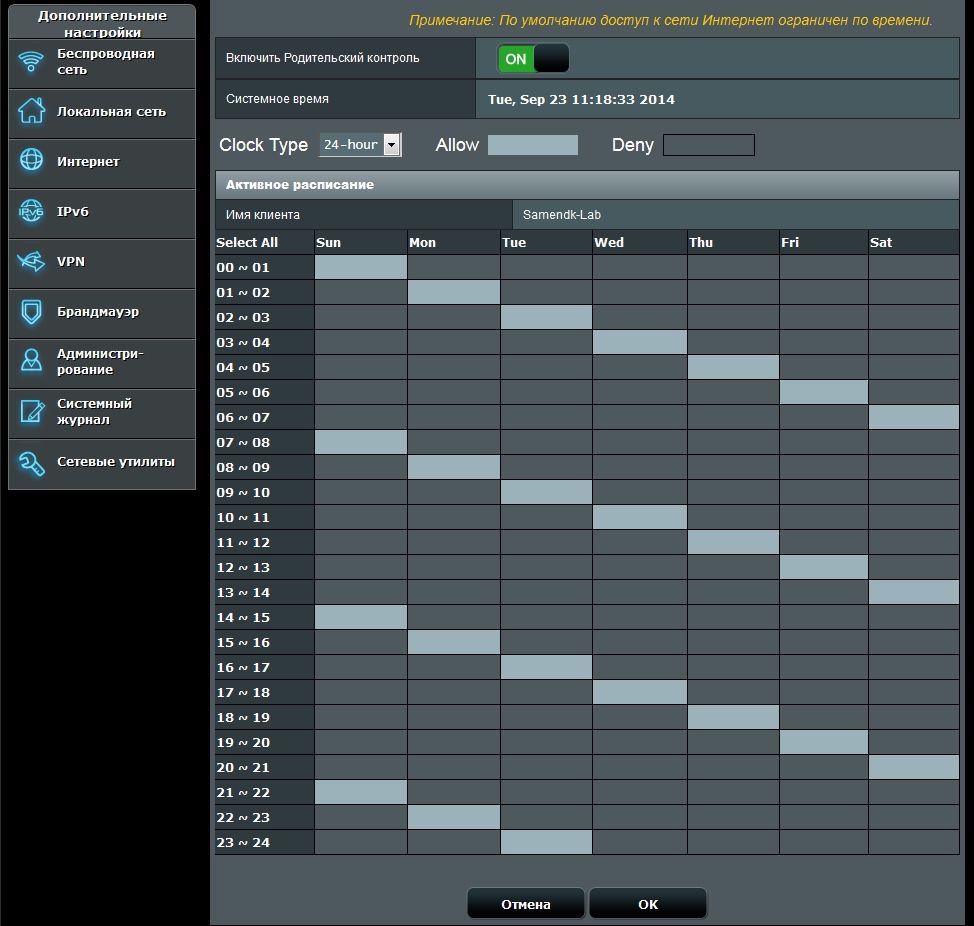
Parents can now sleep peacefully and be sure that their child respected the rest regimen, and didn’t communicate mid-morning on social networks with peers.
USB application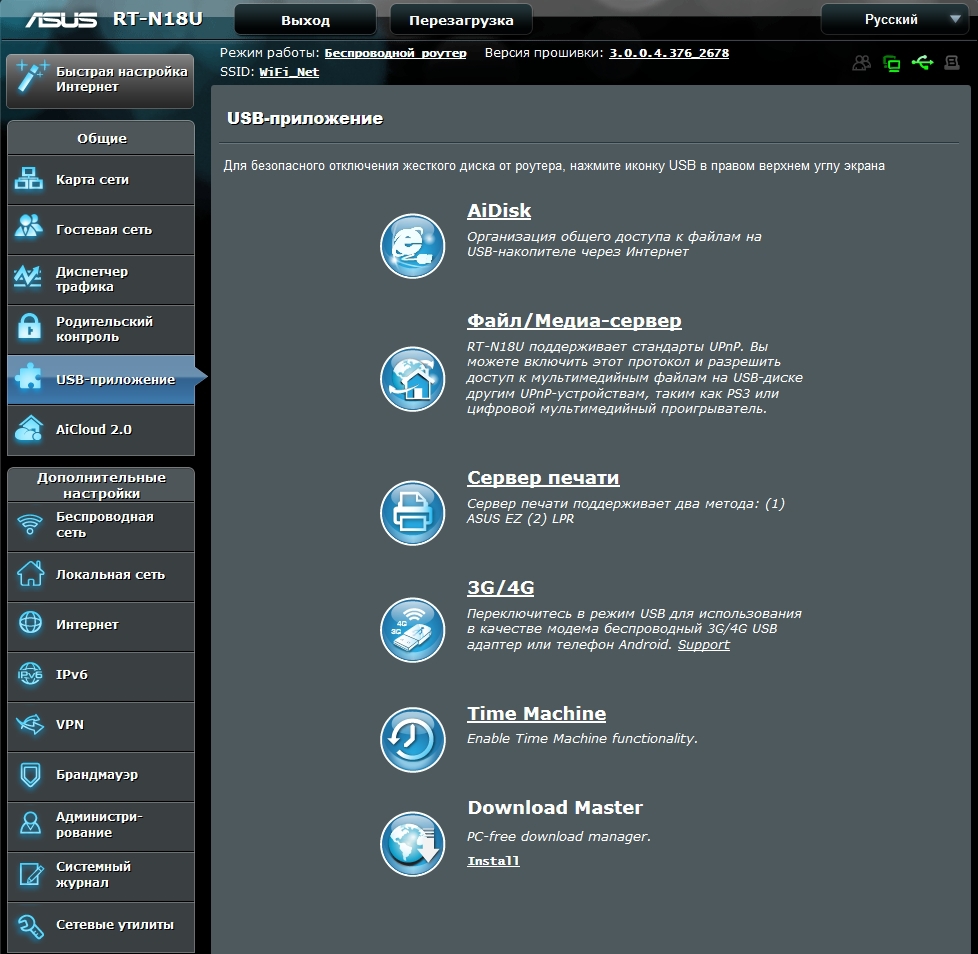
Aidisk
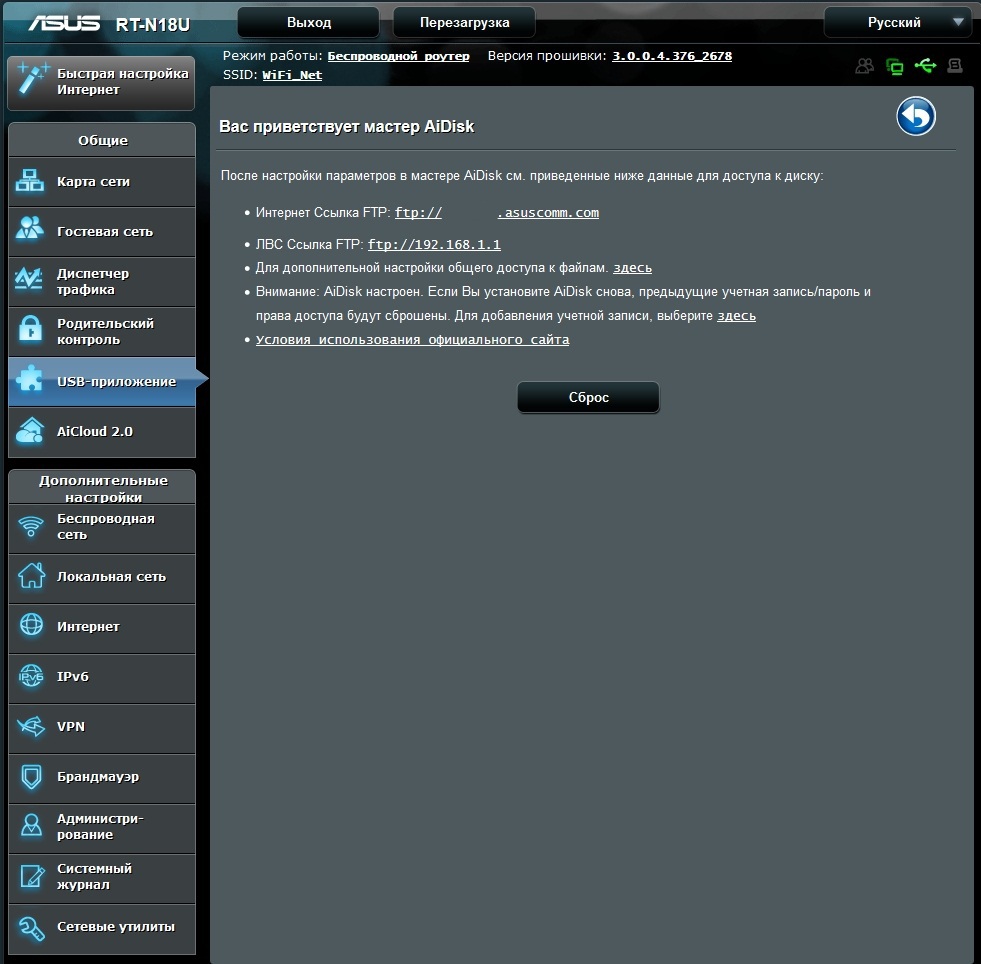
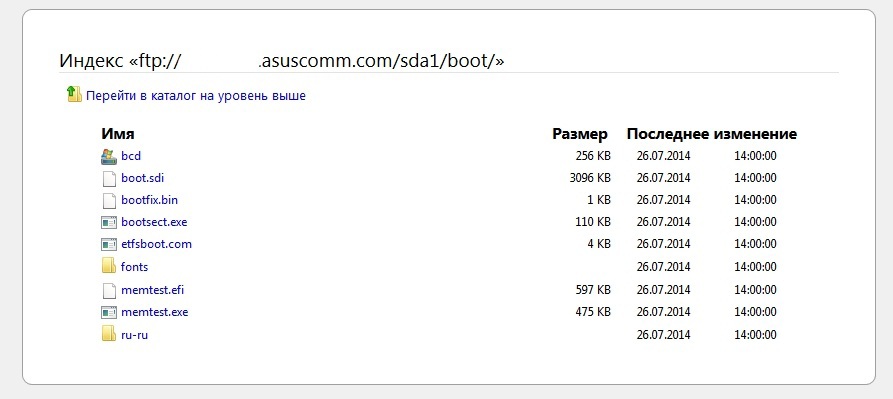
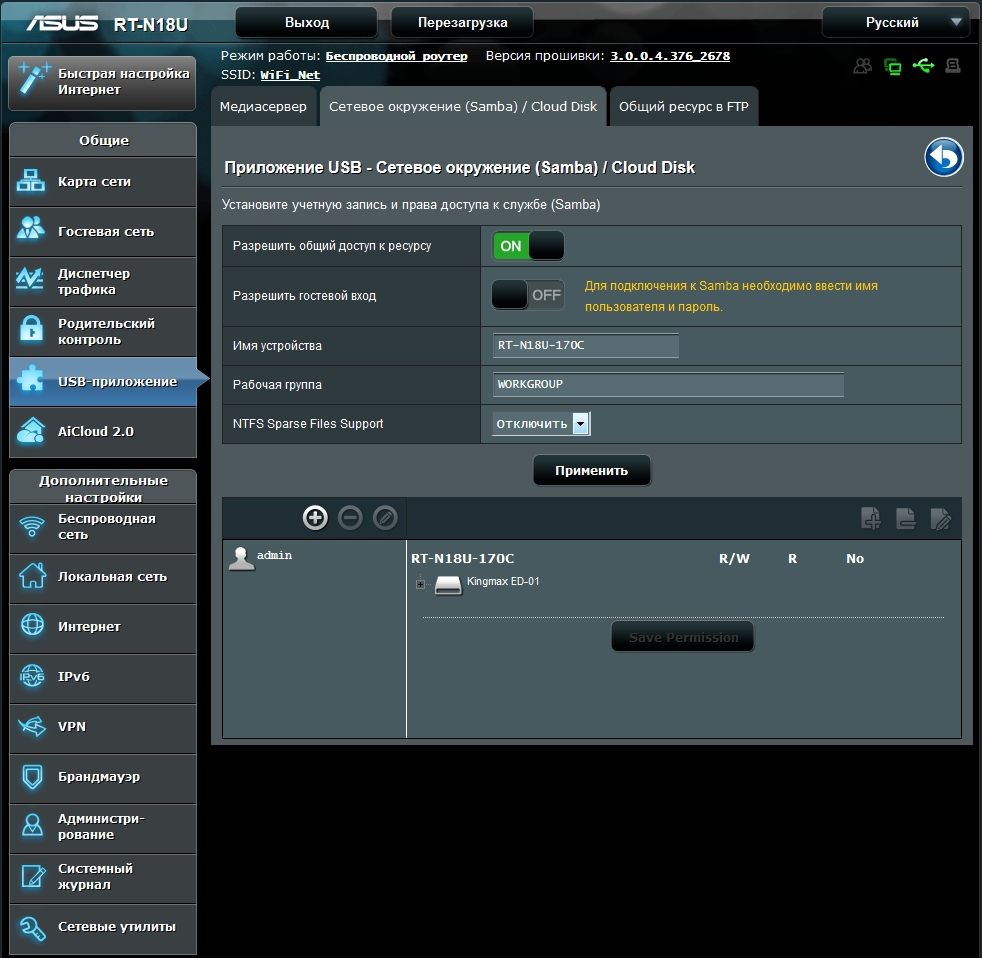
AiDisk allows you to configure access to the contents of the USB drive via FTP or a network environment using Samba.
File / Media Server
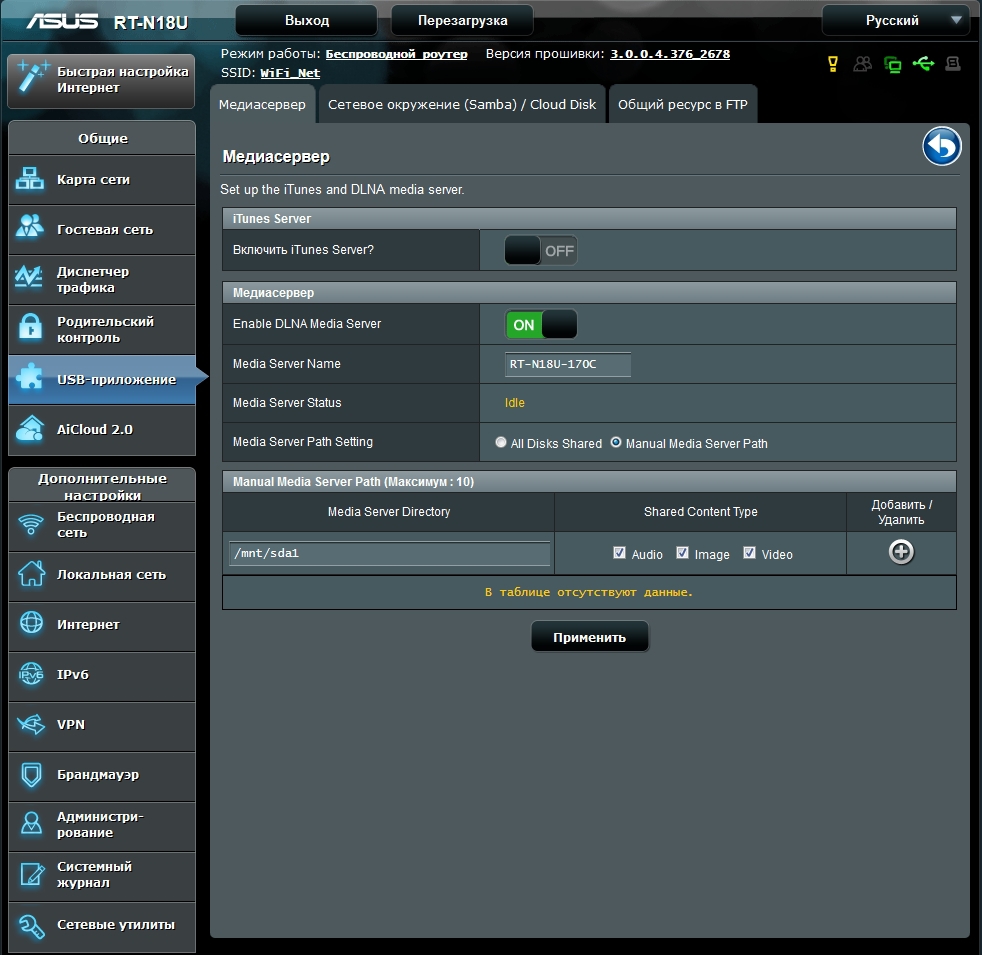
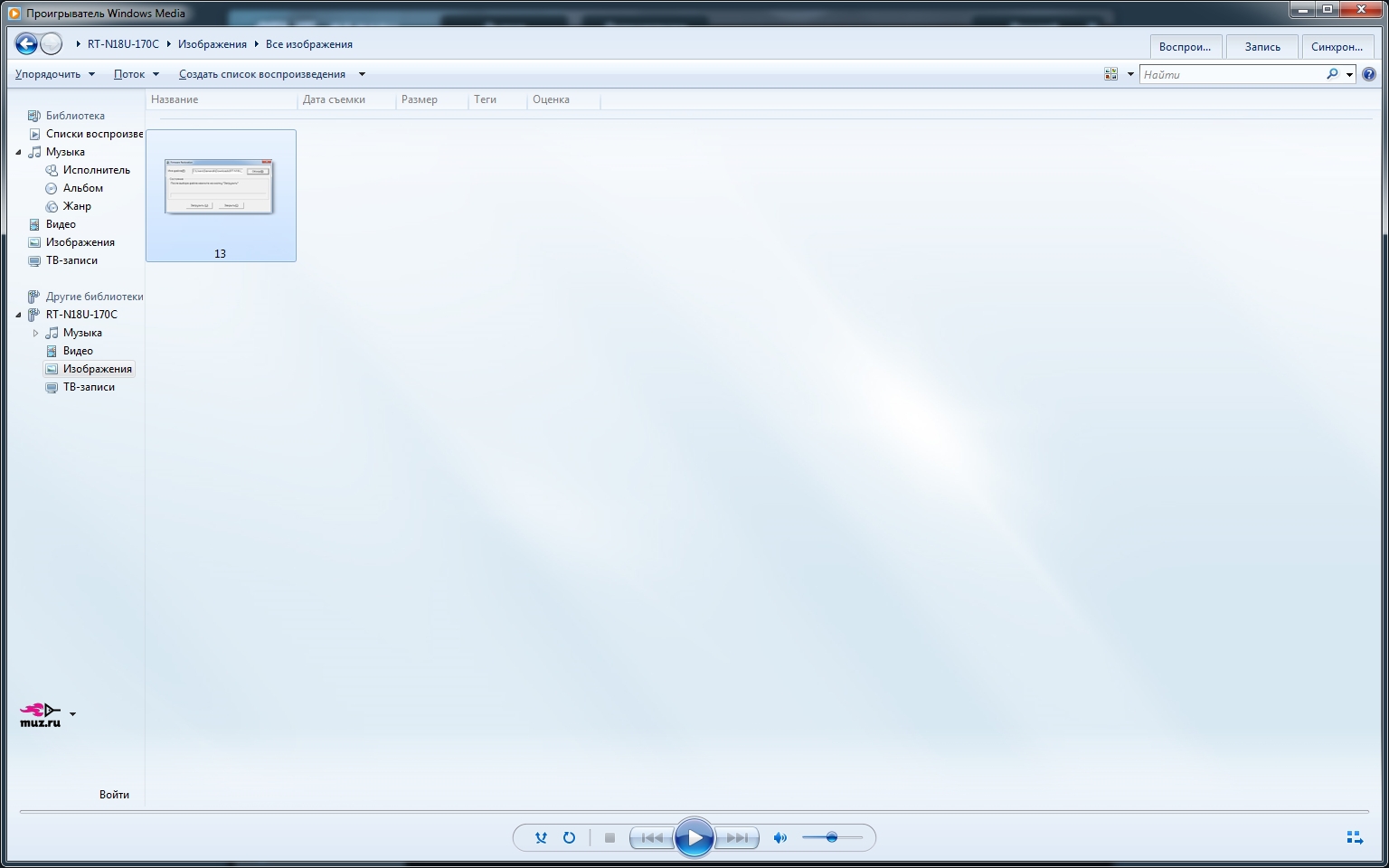
Setting up a file / media server allows you to access other UPnP devices to access media content on a USB drive.
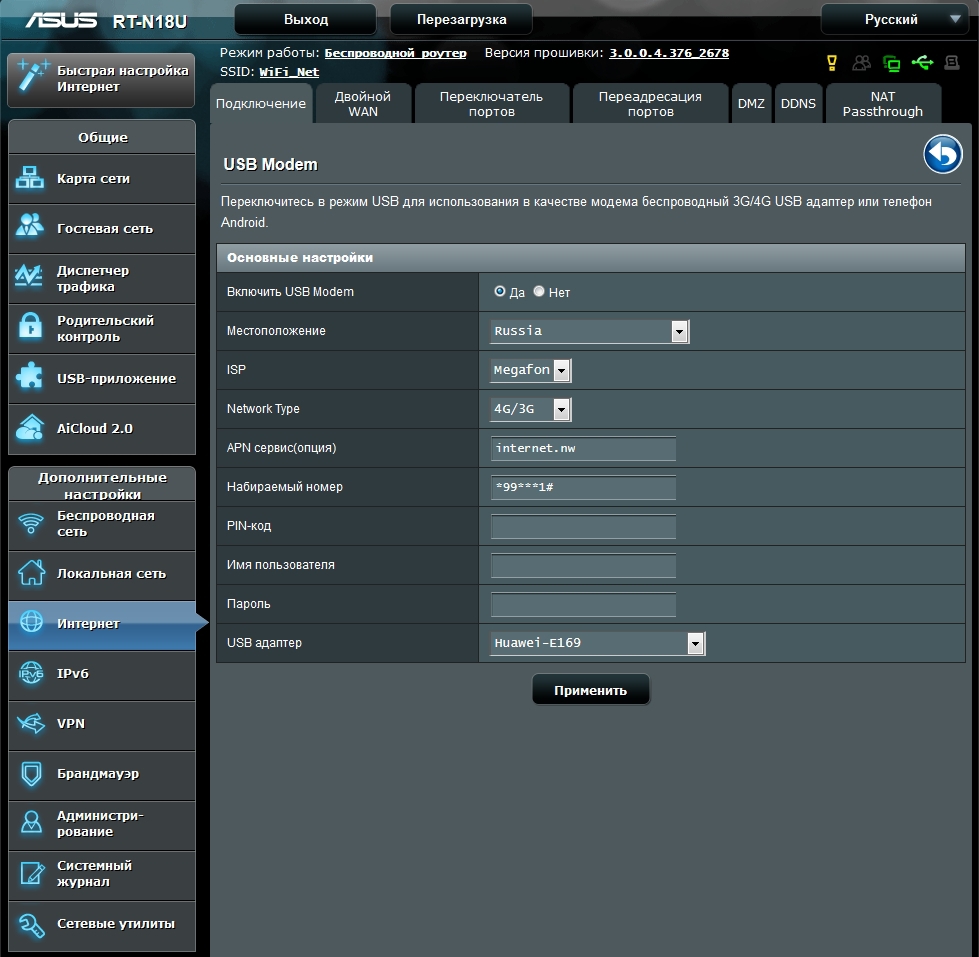
3G / 4G
Here you can configure the use of a USB adapter to access the Internet. It is noteworthy that the user just needs to select the settings for the corresponding device from the list.
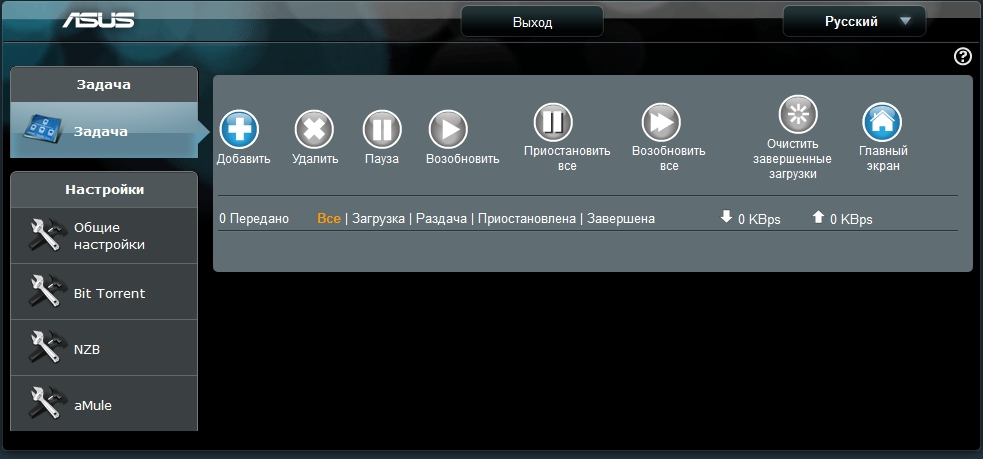
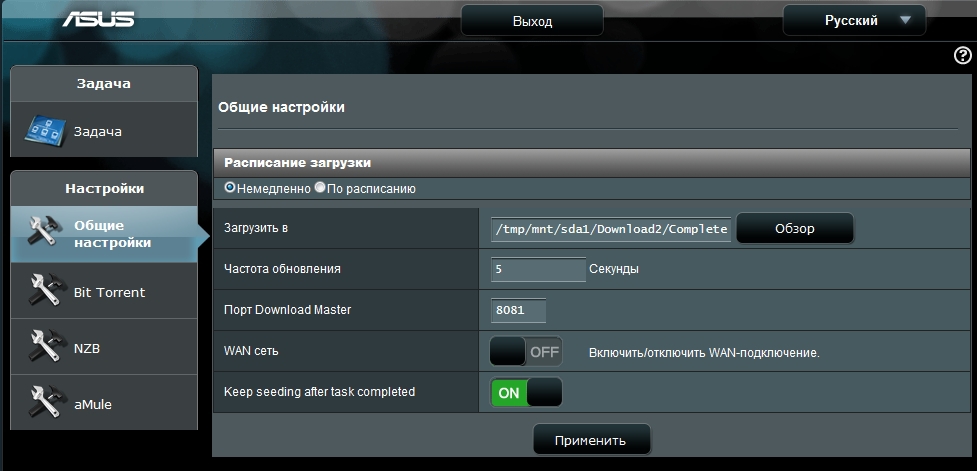
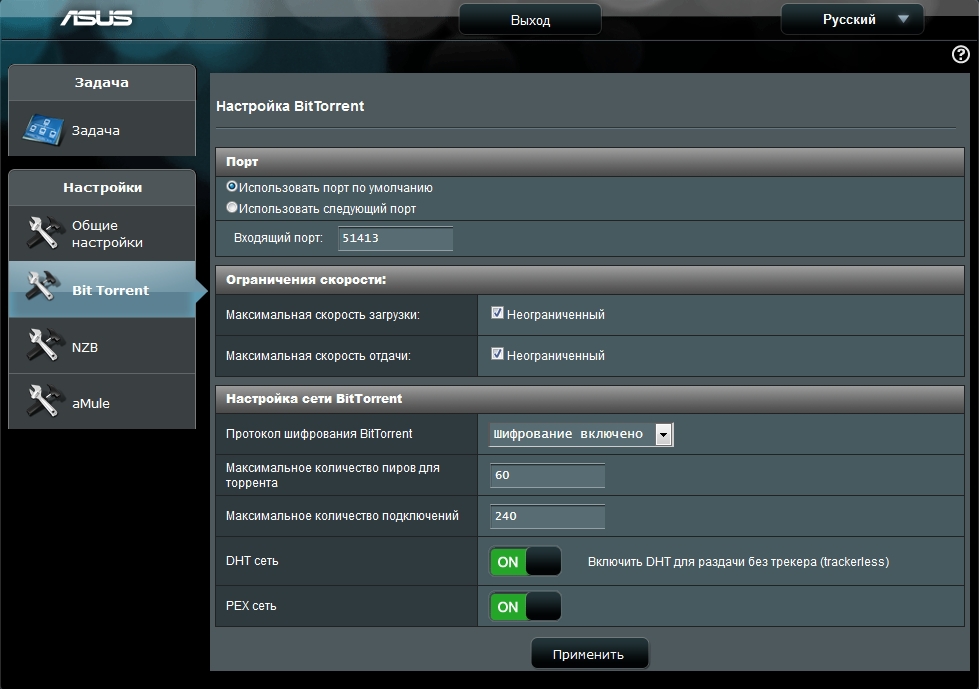
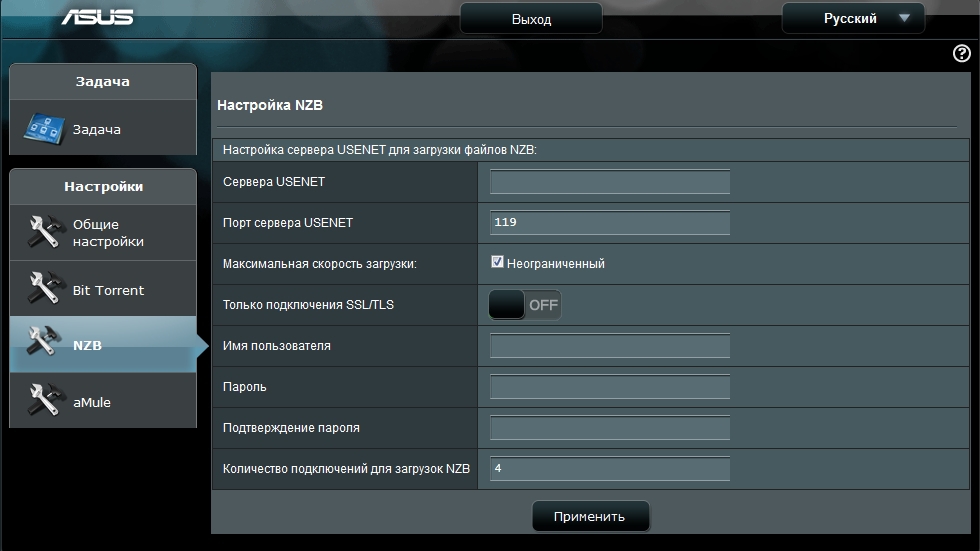
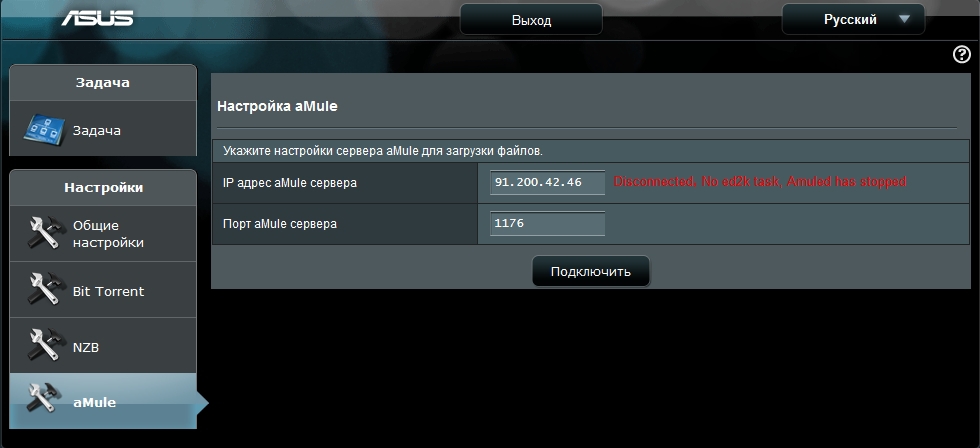
Download master
Маршрутизатор позволяет организовать работу с файлообменными сетями, исключая из этой цепочки персональный компьютер пользователя. Устройство в состоянии самостоятельно скачать медиафайл, а затем воспроизвести его, используя встроенный мультимедийный сервер
AiCloud 2.0
На вкладке AiCloud 2.0 можно настроить доступ с мобильных устройств к USB устройствам, локальной сети или синхронизацию с серверами ASUS данных с USB устройств.

Testing the speed of access to a USB drive
To test the speed of network access to USB devices, a USB 3.0 drive SanDisk Extreme 32 GB (SDCZ80-032G-G46) was used. The drive was connected to the USB 3.0 port of the router. The speed measurement took place for Ext3, Ext4 and NTFS file systems via FTP and SMB. To do this, the ISO image of Windows 7 Pro was copied in both directions.
The only thing when setting up the router is to take into account that on standard settings the USB 3.0 port functions in 2.0 mode. For full-fledged work, it is necessary to change the item “Reducing USB 3.0 noise” to “Disable” on the “Wireless Network” - “Professional” tab.
Test results:
At the same time, the load on the processor of the router during copying is kept at 100%, which is via FTP, and by SMB. The use of RAM was at 60-70% when copying to a USB drive and 90-95% when copying from a drive.
LAN-LAN
Speed testing for read and write operations over a wired gigabit LAN was conducted between the Intel NUC and NAS4Free-based NAS. At the same time, the ISO image of Windows 7 Pro in both directions was also copied.
The speed of copying the image in both directions was at the level of 90-95 MB / s.
LAN-WiFi
But LAN-WiFi was a little unsuccessful with testing. My Intel Centrino Wireless-N 2230 adapter as part of the Intel NUC was only capable of such a result.
As a complement
I have been using routers on Broadcom platforms for quite some time. Historically, they were all flashed to tomato from Shibby. With the advent of routers on ARM processors, he added new versions of firmware . Currently there are firmware for ASUS RT-N18U, ASUS RT-AC56U, ASUS RT-AC68U / R and Netgear R7000 routers. Support for ASUS RT-N18U is announced from version 121 and later.
The statistics TomatoAnon present 55 router RT-N18U. Of course, this does not compare with the already popular ASUS RT-N16 router models - 3416 devices, RT-N66U - 4010 devices, RT-AC66U - 1300 devices.
This router directly became the third participant in statistics on the territory of the Russian Federation =)
In conclusion, I would like to note that ASUS, having released the RT-N18U model, closed the segment of productive routers operating in the 2.4 GHz band. ASUS RT-N18U provides the user with access to all modern technologies available among single-band routers. And according to some characteristics (using an ARM processor and having a USB 3.0 port), it is superior to the first-generation dual-band routers.
With regard to the cost of the device, then at the moment it is about 3500 rubles. Given the fact that the RT-N16 model is on the market at the same price, the expediency of buying the RT-N18U is of much greater relevance. Relative to dual-band routers that can offer approximately equal possibilities for connecting peripheral devices, it will be possible to save more than 30% of the cost of the device.
Undoubtedly, this router can become a very popular model among users who do not need to work in the 5 GHz band.