 September 5, 2014 at 11:07
Ideal development environment for PIC - personal experience
In connection with the innovations on the site, I decided to finally get out of the underground and write something useful. Well, since I program different microcontrollers (MK) and am a fan of Eclipse, I decided to write about it. I will start with my history of acquaintance with PIC programming, and I will end with tips for those who, due to their duties or because of hobbies, program on the PIC family of ICs, although, however, these same tips will work for other MK architectures.
On Wednesday, I got into ironwork in the 4th year of my studies at the university, when I went on a field trip to a scientific and technical center, where I actually work to this day. At that time, the mainstream in our company was the use of Keil uVision2 for MK based on C51 and ARM. However, I was hooked up with simple tasks under the PIC, such as monitoring and controlling a single signal (on-off button), and my first development environment was notepads - paper and computer, plus paper books on PIC. My development environment looked something like this:
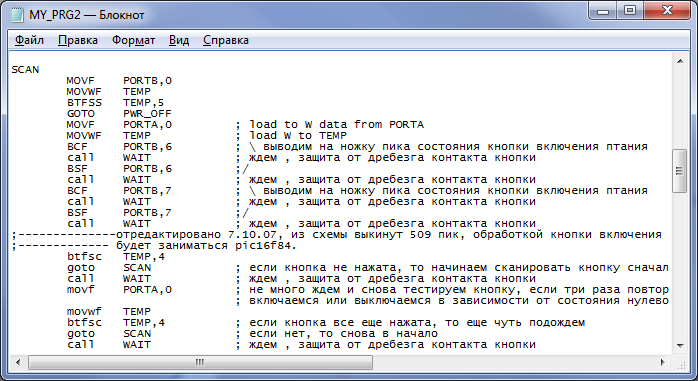
To compile the files, they gave me a compiler executable and a bat-file that I used completely thoughtlessly - I don’t even know what the compiler was there. In general, there were severe times ...
Then there was MPASM, but it is poor and I have almost nothing to remember about it. In my opinion, I also wrote programs in it under the notebook.
As my skills improved, I learned that instead of notepad, you can use the coolest, as it seemed to me then, MPLAB IDE:
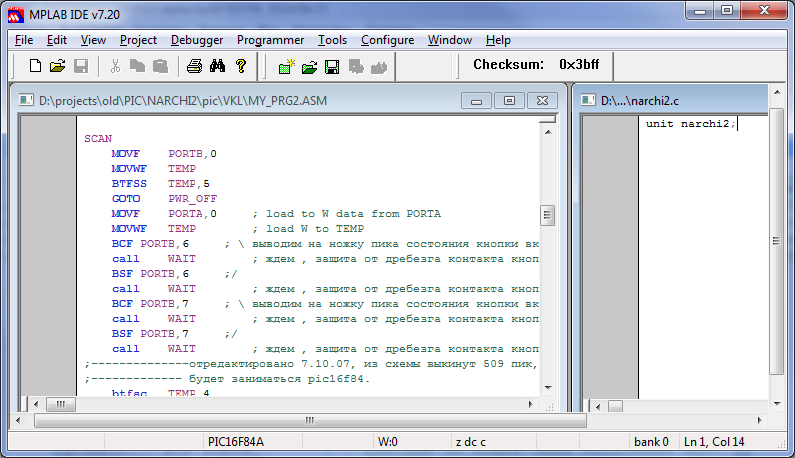
It includes:
Although, if you look closely at this development environment, its wretchedness and backwardness can scare away any programmer who is more or less accustomed to good conditions, but then I did not know about it. Help on the built-in library functions must be opened separately and look for what, where and what is called. For beginners - an impossible task. However, on topic forums people still ask which compiler is better to use; someone continues to use the MPLAB IDE.
Tasks for PIC threw me less and less, they began to gain momentum of development with MK series C51, ARM7 (not to be confused with ARMv7!), Cortex-M. But sometimes I was again asked for help in writing programs under PIC, and out of curiosity I tried new development tools.
By that time, I had been actively programming in Keil uVision3 for a long time - I did not want to return to the antediluvian MBLAB IDE. So I met with MikroC, which comes with PICKit programmers:
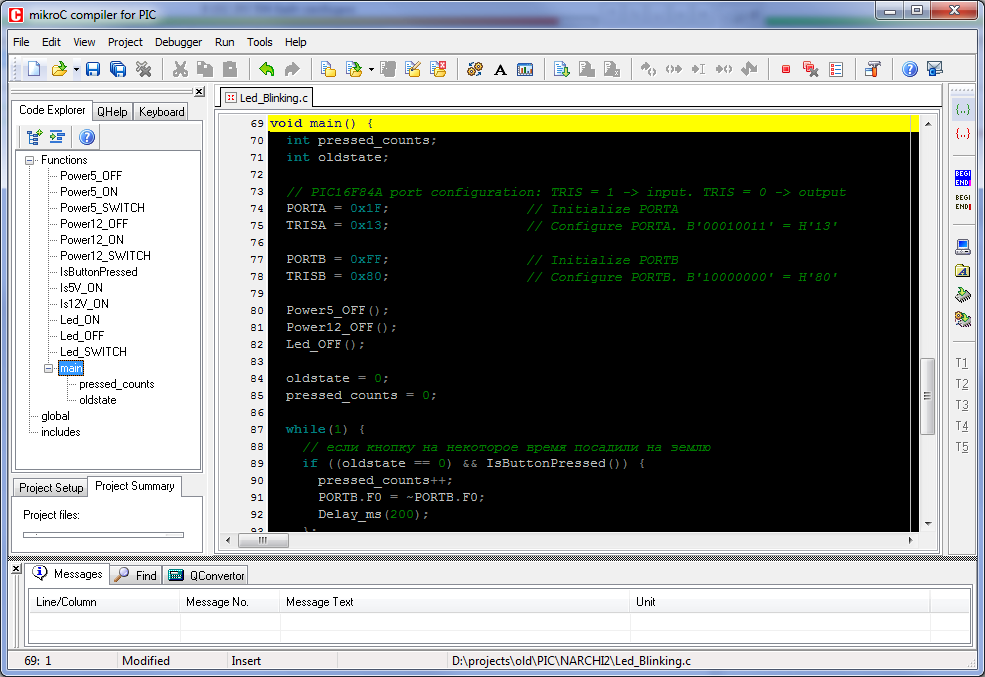
The set of buns is almost the same as in the MBLAB IDE, but still richer:
Honestly, for small simple projects, which make up the main niche of programs for PIC, this is quite enough. Even beginners can easily understand using help and quickly make working code. Most of our PIC developers use this development environment.
One way or another, having made another project at MikroC, I safely forgot about PICs and thought that I would never return to them.
After 3 years, in 2013, there was a task to develop software for the finished CD, in which the PIC18F4680 was laid . Honestly, I didn’t even know that there are such monsters among PICs, I always dealt only with trifles!
The tasks were non-trivial - implementing a bootloader for in-circuit software updates, working in hard real-time mode, working with ADCs, external DACs, control lines, several timer-comparators.
By the way, a little distracting from the topic: only on this project I fully understood what memory banks are in PIC, how they work and what restrictions are imposed on software development. For example, all banks at MK have 256 bytes each. And even kill yourself, but for PIC you cannot create a structure that exceeds these 256 bytes in volume - the restriction
came to light when implementing the exchange protocol, but oh well, we drove through ... By this time, Keil uVision3 was pretty fed up with me because the complexity of the projects was growing and I lacked functionality available in Keil. Somewhere since 2011, I mastered Eclipse, GCC, the makefile syntax - and I started all my projects using these tools. In addition, I already had experience using the Eclipse + SDCC bundlefor the implementation of the project under the C51 MK. After the appearance of Keil uVision4, I installed it, tested it for half an hour and demolished it, because for the convenience of programming it still lags far behind Eclipse.
Eclipse is currently the de facto standard in the field of software development for embedded systems. Here is a list of Eclipse-based IDEs from popular brands:
Auto-completion, auto-completion tooltips, macros, dimming inactive sections of code, convenient code navigation, and much, much more - I will not list everything - many developers of embedded systems are completely unaccustomed and do not know all these goodies that make life much easier:

The main problem of pure Eclipse for development in C / C ++ for MK is the difficulty of getting iron programmers into it, replacing the usual tools that work after installation in 1-2 clicks with some plugins that need to be configured, or, even worse, manually written by makefile - all this requires a significant initial effort to read and study documentation, finding help and tutorials for beginners on the Internet. I speak as a person with experience in translating a team of iron programmers on Eclipse.
However, having fully mastered the syntax in a month and once having written a high-quality makefile, all other projects are created according to the knurled pattern and require only minimal individual settings.
I also had to make a number of additional movements to set up projects under PIC - by default, Eclipse understands the GCC syntax. Various macros and directives built into other compilers (whether CC18 or SDCC) have to be separated at the compilation stage and at the indexing stage of the project. So that when navigating in the code, the editor does not produce false errors on unknown directives, the eclipse-syntax.h file is connected to the project sources :
In addition, in SDCC, I could not link a large project to a ready-made binary - I also needed to configure GPUtils , which includes gpasm, gpdasm, gplink and .lkr scripts of MK PIC memory cards. However, due to one bug that I found in SDCC at the stage of debugging the code, I eventually returned to the CC18 compiler and linker. Nevertheless, SDCC and GPUtils were fully configured - for the afflicted, I give the makefile part regarding the options for running compilers and linkers CC18, SDCC, GPUtils:
As you can see, in the end I came to use a bunch of Eclipse with external compilers. Studying compilation options is a necessary and not so complicated task as to simply refuse it - any programmer will be able to study and apply them if necessary. I think in the end I got the perfect bunch, available today for creating projects under the PIC.
Putting together all the development tools, here is a list of compilers that I use in conjunction with Eclipse and get real pleasure from this when programming:
Obviously, if necessary, the list can be easily supplemented.
I hope that after reading my story, someone will finally decide for himself to get off the old IDE and master the new ones.
Go for it!
On Wednesday, I got into ironwork in the 4th year of my studies at the university, when I went on a field trip to a scientific and technical center, where I actually work to this day. At that time, the mainstream in our company was the use of Keil uVision2 for MK based on C51 and ARM. However, I was hooked up with simple tasks under the PIC, such as monitoring and controlling a single signal (on-off button), and my first development environment was notepads - paper and computer, plus paper books on PIC. My development environment looked something like this:
To compile the files, they gave me a compiler executable and a bat-file that I used completely thoughtlessly - I don’t even know what the compiler was there. In general, there were severe times ...
Ah, if someone would tell me then that there is such a miracle as notepad ++!
Then there was MPASM, but it is poor and I have almost nothing to remember about it. In my opinion, I also wrote programs in it under the notebook.
MPLAB IDE
As my skills improved, I learned that instead of notepad, you can use the coolest, as it seemed to me then, MPLAB IDE:
It includes:
- CC18 and some other compiler that can be selected in the project settings;
- good set of library functions;
- Pluggable inc-description files for MK PIC family, sharpened for use in assembler;
- built-in debugger and programmer;
- But the main thing - support for the C language - it was for me a breath of fresh air!
Although, if you look closely at this development environment, its wretchedness and backwardness can scare away any programmer who is more or less accustomed to good conditions, but then I did not know about it. Help on the built-in library functions must be opened separately and look for what, where and what is called. For beginners - an impossible task. However, on topic forums people still ask which compiler is better to use; someone continues to use the MPLAB IDE.
Mikroc
Tasks for PIC threw me less and less, they began to gain momentum of development with MK series C51, ARM7 (not to be confused with ARMv7!), Cortex-M. But sometimes I was again asked for help in writing programs under PIC, and out of curiosity I tried new development tools.
By that time, I had been actively programming in Keil uVision3 for a long time - I did not want to return to the antediluvian MBLAB IDE. So I met with MikroC, which comes with PICKit programmers:
The set of buns is almost the same as in the MBLAB IDE, but still richer:
- your own compiler
- built-in library of functions with convenient search and accessible description;
- Pluggable h-files for the PIC family MK description;
- a set of additional external utilities
- wide range of source examples
- built-in debugger and programmer;
- built-in tabs of open files;
- file function navigation
Honestly, for small simple projects, which make up the main niche of programs for PIC, this is quite enough. Even beginners can easily understand using help and quickly make working code. Most of our PIC developers use this development environment.
One way or another, having made another project at MikroC, I safely forgot about PICs and thought that I would never return to them.
However, the story loves to be repeated!
After 3 years, in 2013, there was a task to develop software for the finished CD, in which the PIC18F4680 was laid . Honestly, I didn’t even know that there are such monsters among PICs, I always dealt only with trifles!
The tasks were non-trivial - implementing a bootloader for in-circuit software updates, working in hard real-time mode, working with ADCs, external DACs, control lines, several timer-comparators.
By the way, a little distracting from the topic: only on this project I fully understood what memory banks are in PIC, how they work and what restrictions are imposed on software development. For example, all banks at MK have 256 bytes each. And even kill yourself, but for PIC you cannot create a structure that exceeds these 256 bytes in volume - the restriction
came to light when implementing the exchange protocol, but oh well, we drove through ... By this time, Keil uVision3 was pretty fed up with me because the complexity of the projects was growing and I lacked functionality available in Keil. Somewhere since 2011, I mastered Eclipse, GCC, the makefile syntax - and I started all my projects using these tools. In addition, I already had experience using the Eclipse + SDCC bundlefor the implementation of the project under the C51 MK. After the appearance of Keil uVision4, I installed it, tested it for half an hour and demolished it, because for the convenience of programming it still lags far behind Eclipse.
Eclipse + SDCC
Eclipse is currently the de facto standard in the field of software development for embedded systems. Here is a list of Eclipse-based IDEs from popular brands:
- NXP LPCXpresso IDE
- Freescale codewarrior
- Xilinx Platform Studio
- Texas Instruments CCS
- Android Development Tools
Auto-completion, auto-completion tooltips, macros, dimming inactive sections of code, convenient code navigation, and much, much more - I will not list everything - many developers of embedded systems are completely unaccustomed and do not know all these goodies that make life much easier:
The main problem of pure Eclipse for development in C / C ++ for MK is the difficulty of getting iron programmers into it, replacing the usual tools that work after installation in 1-2 clicks with some plugins that need to be configured, or, even worse, manually written by makefile - all this requires a significant initial effort to read and study documentation, finding help and tutorials for beginners on the Internet. I speak as a person with experience in translating a team of iron programmers on Eclipse.
Only for my development team
If you read this article - let me know, I’ll at least find out how profile hubs on Habrahabr are reading here
However, having fully mastered the syntax in a month and once having written a high-quality makefile, all other projects are created according to the knurled pattern and require only minimal individual settings.
I also had to make a number of additional movements to set up projects under PIC - by default, Eclipse understands the GCC syntax. Various macros and directives built into other compilers (whether CC18 or SDCC) have to be separated at the compilation stage and at the indexing stage of the project. So that when navigating in the code, the editor does not produce false errors on unknown directives, the eclipse-syntax.h file is connected to the project sources :
eclipse-syntax.h
#ifndef ECLIPSE_SYNTAX_H_
#define ECLIPSE_SYNTAX_H_
// keyword SDCC defined when compiling with SDCC compiler
#ifndef SDCC
	#ifdef __SDCC_PIC18F4680
		#error "SDCC not found, project compile will be with errors!"
	#endif
	// file not parsed through makefile - just for proper eclipse syntax
	#ifndef __CC18__
		#error "__CC18__ not found, use `-D__CC18__` in makefile for proper CC18 compilation!"
		#define near
		#define far
		#define rom
		#define ram
		#define _asm
		#define _endasm
		#define Nop()
		#define ClrWdt()
		#define Sleep()
		#define Reset()
		#define clrwdt
		#define nop
		#define __code
		#define __data
		#define __xdata
		#define __sfr
		#define __sbit
		#define __naked
		#define __wparam
		#define __bit char
		#define __at(num)
	#else	//	__CC18__ defined - compile stage!
	#endif	// __CC18__
	#define __inline
	#define __asm
	#define __endasm
	#define __interrupt(x)
	#define INTERRUPT(x)
	#define USING(x)
	#define CRITICAL
	#define CRITICAL_START
	#define CRITICAL_END
	#define _REENTRANT
#else	// if SDCC defined
	#define INTERRUPT(x) __shadowregs __interrupt (x)
	//#define USING(x) __using (x)
	#define USING(x)
	#define CRITICAL __critical
	#define CRITICAL_START __critical {
	#define CRITICAL_END }
#endif	// SDCC defined
#endif /* ECLIPSE_SYNTAX_H_ */
In addition, in SDCC, I could not link a large project to a ready-made binary - I also needed to configure GPUtils , which includes gpasm, gpdasm, gplink and .lkr scripts of MK PIC memory cards. However, due to one bug that I found in SDCC at the stage of debugging the code, I eventually returned to the CC18 compiler and linker. Nevertheless, SDCC and GPUtils were fully configured - for the afflicted, I give the makefile part regarding the options for running compilers and linkers CC18, SDCC, GPUtils:
Makefile pieces
###########################################################
# project-specific compile options
###########################################################
# Project definitions
CHIP = 18F4680
DEFINES := -DPIC$(CHIP)
#DEFINES += -D__SDCC_PIC$(CHIP)	# use SDCC compiler
DEFINES += -D__CC18__	# use MPLAB CC18 compiler
#DEFINES += -DOPTIMIZE_BITFIELD_POINTER_GET	# SDCC memory optimize for bitfield structures
###########################################################
#  common part for all sdcc-based projects
###########################################################
	SDCC_BASE = c:/DevTools/SDCC
	CC		= "$(SDCC_BASE)/bin/sdcc.exe"
	LD		= "$(SDCC_BASE)/bin/sdcc.exe"
	ELF2HEX	= "$(SDCC_BASE)/bin/packihx.exe"
	HEX2BIN = "$(SDCC_BASE)/bin/makebin.exe"
###########################################################
#  common part for all MPLAB MCC18-based projects
###########################################################
	MPLAB_BASE	= c:/DevTools/CC18
	CC_MPLAB	= "$(MPLAB_BASE)/bin/mcc18.exe"
	AS_MPLAB	= $(MPLAB_BASE)/mpasm/mpasmwin.exe
	LD_MPLAB	= $(MPLAB_BASE)/bin/mplink.exe
###########################################################
# GPUtils used with SDCC for linking project
###########################################################
	GPUTILS_BASE = c:/DevTools/GNUPICutils
	GPASM	= "$(GPUTILS_BASE)/bin/gpasm.exe"
	GPDASM	= "$(GPUTILS_BASE)/bin/gpdasm.exe"
	GPLINK	= "$(GPUTILS_BASE)/bin/gplink.exe"
###########################################################
# C preprocessor flags for MPLAB MCC18 compiler
###########################################################
#optimization parameters (default = full optimization)
OPT_ENABLE_ALL	:= -O+	# Enable all optimizations (default)
OPT_DEBUG		:=-Ou- -Ot- -Ob- -Op- -Or- -Od- -Opa-
OPT 	:=$(OPT_ENABLE_ALL)
#OPT 	:=$(OPT_DEBUG)
CFLAGS_MPLAB := -p $(CHIP)
CFLAGS_MPLAB += -I $(MPLAB_INC_DIR)
CFLAGS_MPLAB += -nw=2066	# suppress Warning [2066] type qualifier mismatch in assignment
CFLAGS_MPLAB += -ml	# Large memory model
CFLAGS_MPLAB += -ls # large stack (can span multiple banks)
#CFLAGS_MPLAB += -scs # Enable default static locals
#CFLAGS_MPLAB += -sco # Enable default overlay locals (statically allocate activation records). Ignored if set --extended
CFLAGS_MPLAB += --extended	# generate extended mode code
COMPILE_MPLAB_STRING=$(CC_MPLAB) $(CFLAGS_MPLAB) $< -fo=$@ $(DEFINES) $(OPT)
AFLAGS_MPLAB := /y
AFLAGS_MPLAB += /rDEC				# set default radix HEX/DEC/OCT
AFLAGS_MPLAB += /l-				# disable listing file
#AFLAGS_MPLAB += /l$(OBJDIR_MPLAB)	# enable listing file
AFLAGS_MPLAB += /o	# specify path for object files
#AFLAGS_MPLAB += /o$(OBJDIR_MPLAB)	# specify path for object files
#AFLAGS_MPLAB += /q					# enable quiet mode
AFLAGS_MPLAB += /d__LARGE__			# define symbol
AFLAGS_MPLAB += /p$(CHIP)			# set processor type
#ASSEMBLE_MPLAB_STRING=$(AS_MPLAB) $(AFLAGS_MPLAB) %<
# used linker script
LDFLAGS_MPLAB := $(CHIP)_g.lkr
# objects to compile
LDFLAGS_MPLAB += $(OBJS_MPLAB)
LDFLAGS_MPLAB += $(MPLAB_LIBS)
# specify chip for proper linking
LDFLAGS_MPLAB += /p$(CHIP)
# verbose mode operation
#LDFLAGS_MPLAB += /v
# generate report file for stack analysis
LDFLAGS_MPLAB += /g
# generate .LST file and no .COD file
LDFLAGS_MPLAB += /i
# do not invoke MP2COD (no .COD or .LST file)
LDFLAGS_MPLAB += /w
# link MPLAB libs
LDFLAGS_MPLAB += /l $(MPLAB_LIB_DIR)
# generate MAP file
LDFLAGS_MPLAB += /m $(EXEDIR)/$(PROJECT_NAME)_mplab.map
# set output file
LDFLAGS_MPLAB += /o $(EXEDIR)/$(PROJECT_NAME)_mplab.hex
###########################################################
# C preprocessor flags for SDCC v.3.3.0 compiler
###########################################################
# ----- processor selection -----
 CFLAGS := -m$(ARCH)
 CFLAGS += -p$(CHIP)
# ----- preprocessor options -----
 CFLAGS += $(INCS)
 CFLAGS += $(DEFINES)
# ----- verbose & dependancy generate -----
# CFLAGS += -M # generate dependencies
# CFLAGS += -E #
# CFLAGS += -C # dont discard comments
 CFLAGS += -c # dont link file (i.e. have multiple source files)
 CFLAGS += $(DEBUG)
# ----- common settings -----
#CFLAGS += --nostdinc # This will prevent the compiler from passing on the
					  # default include path to the preprocessor.
#CFLAGS += --nostdlib # This will prevent the compiler from passing on the
 					  # default library path to the linker.
#CFLAGS += --less-pedantic # Disable some of the more pedantic warnings.
 CFLAGS += --stack-auto # All functions in the source file will be compiled as reentrant.
						# It automatically implies --int-long-reent and --float-reent.
CFLAGS += --int-long-reent # Integer (16 bit) and long (32 bit) libraries have been compiled as reentrant.
CFLAGS += --float-reent # Floating point library is compiled as reentrant.
#CFLAGS += --no-peep
#CFLAGS += --funsigned-char # The default signedness for every type will be unsigned.
#CFLAGS += --cyclomatic # This option will cause the compiler to generate an information
 						# message for each function in the source file. The message contains
 						# the number of edges and nodes the compiler detected in the
 						# control flow graph of the function, and most importantly
						# the cyclomatic complexity.
# ----- optimization options -----
#CFLAGS += --nogcse # Will not do global subexpression elimination, this option may be used
 					# when the compiler creates undesirably large stack/data spaces to store
 					# compiler temporaries.
#CFLAGS += --noinvariant # Will not do loop invariant optimizations.
#CFLAGS += --noinduction # Will not do loop induction optimizations.
#CFLAGS += --nojtbound # Will not generate boundary condition check when switch statements
 						# are implemented using jumptables.
#CFLAGS += --noloopreverse # Will not do loop reversal optimization.
#CFLAGS += --nolabelopt # Will not optimize labels (makes the dumpfiles more readable).
 CFLAGS += --nooverlay # The compiler will not overlay parameters and local variables of any function.
 CFLAGS += --peep-asm # Pass the inline assembler code through the peep hole optimizer.
 #CFLAGS += --opt-code-speed # Optimize for code speed rather than size
 #CFLAGS += --opt-code-size # Optimize for code size rather than speed
 CFLAGS += --fomit-frame-pointer # Frame pointer will be omitted when the function uses
								 # no local variables.
 CFLAGS += --use-non-free #  Search / include non-free licensed libraries and header files
# ----- special options for pic16 port of SDCC -----
 CFLAGS += --pstack-model=large	# use stack model 'small' (default) or 'large'
# don't use extended instruction set - SDCCman, $4.6.20.1 Known Bugs
#CFLAGS += -y --extended 		# enable Extended Instruction Set/Literal Offset Addressing mode
#CFLAGS += --pno-banksel        # do not generate BANKSEL assembler directives
 CFLAGS += --obanksel=2         # set banksel optimization level (default=0 no)
 CFLAGS += --denable-peeps      # explicit enable of peepholes
 CFLAGS += --no-optimize-goto   # do NOT use (conditional) BRA instead of GOTO
 CFLAGS += --optimize-cmp       # try to optimize some compares
 CFLAGS += --optimize-df        # thoroughly analyze data flow (memory and time intensive!)
#CFLAGS += --preplace-udata-with=udata_shr # Place udata variables at another section: udata_acs, udata_ovr, udata_shr
#CFLAGS += --ivt-loc=           # Set address of interrupt vector table.
#CFLAGS += --nodefaultlibs      # do not link default libraries when linking
#CFLAGS += --use-crt=           # use  run-time initialization module
#CFLAGS += --no-crt             # do not link any default run-time initialization module
#CFLAGS += --mplab-comp         # enable compatibility mode for MPLAB utilities (MPASM/MPLINK)
#CFLAGS += --asm=               # Use alternative assembler
#CFLAGS += --link=              # Use alternative linker
 CFLAGS += --debug-xtra         # show more debug info in assembly output
 CFLAGS += --debug-ralloc       # dump register allocator debug file *.d
 CFLAGS += --pcode-verbose      # dump pcode related info
 CFLAGS += --calltree           # dump call tree in .calltree file
#CFLAGS += --gstack             # trace stack pointer push/pop to overflow
###########################################################
# linker flags
###########################################################
#gputils (GNU PIC Utils) used to link objects and libs.
 GPLINK_FLAGS	= -c -m -w -r -I $(LIBDIR) -s $(GPUTILS_BASE)/lkr/$(CHIP)_g.lkr
#SDCC linker not used
 #LDFLAGS := -m$(ARCH)
 #LDFLAGS += $(DEBUG)
 #LDFLAGS += --profile
 #LDFLAGS += --code-size $(FLASH_SIZE) # Code Segment size
#LDFLAGS += --code-loc $(FLASH_LOC) # The start location of the code location, default value is 0
 #LDFLAGS += --iram-size $(IRAM_SIZE) # Internal Ram size
#LDFLAGS += --xram-loc $(XRAM_LOC) # The start location of the external ram, default value is 0
#LDFLAGS += --xram-size $(XRAM_SIZE) # External Ram size
#LDFLAGS += --stack-loc $(STACK_LOC) # By default the stack is placed after the data segment.
 									 # Using this option the stack can be placed anywhere in the
 									 # internal memory space of the 8051.
##############################################################################
# MPLAB CC18 compiler - linker
$(HEX_MPLAB): $(OBJS_MPLAB) Makefile
	@echo "--- CC18 Linking objects to $(HEX_MPLAB) ..."
	@$(LD_MPLAB) $(LDFLAGS_MPLAB)
##############################################################################
# SDCC compiler - linker
$(HEX): $(OBJS) Makefile
	@echo "--- SDCC Linking objects to $(HEX) ..."
	$(GPLINK) $(GPLINK_FLAGS) -o $(HEX) $(OBJS) $(LIBS)
	$(GPDASM) -p$(CHIP) $(HEX) > $(DASM)
Epilogue
As you can see, in the end I came to use a bunch of Eclipse with external compilers. Studying compilation options is a necessary and not so complicated task as to simply refuse it - any programmer will be able to study and apply them if necessary. I think in the end I got the perfect bunch, available today for creating projects under the PIC.
Putting together all the development tools, here is a list of compilers that I use in conjunction with Eclipse and get real pleasure from this when programming:
- CC18 for PIC
- SDCC for C51
- gnu-arm-embedded for ARM7 and Cortex-M
- MinGW for x86
Obviously, if necessary, the list can be easily supplemented.
I hope that after reading my story, someone will finally decide for himself to get off the old IDE and master the new ones.
Go for it!









