Antenna for Wi-Fi on the knee in 10 minutes
Hello everybody! I want to tell you about the fate of the router for 500 rubles.
He was unpleasantly upset by the behavior of his cheap TP-LINK TL-WR740N. Two wooden walls damped the signal quite strongly, and if you add 20 meters of air and another wooden wall, then it was already impossible to connect to the network.
Of course, I miscalculated a bit when I bought this router without buying the 741 series. There, at least you can safely replace the antenna ... But it was too late, so I went on to action.
First of all, I started with software. It was flashed on dd-wrt and tried to play around with the Wi-Fi signal strength settings. This did not bring positive results, rather, on the contrary.
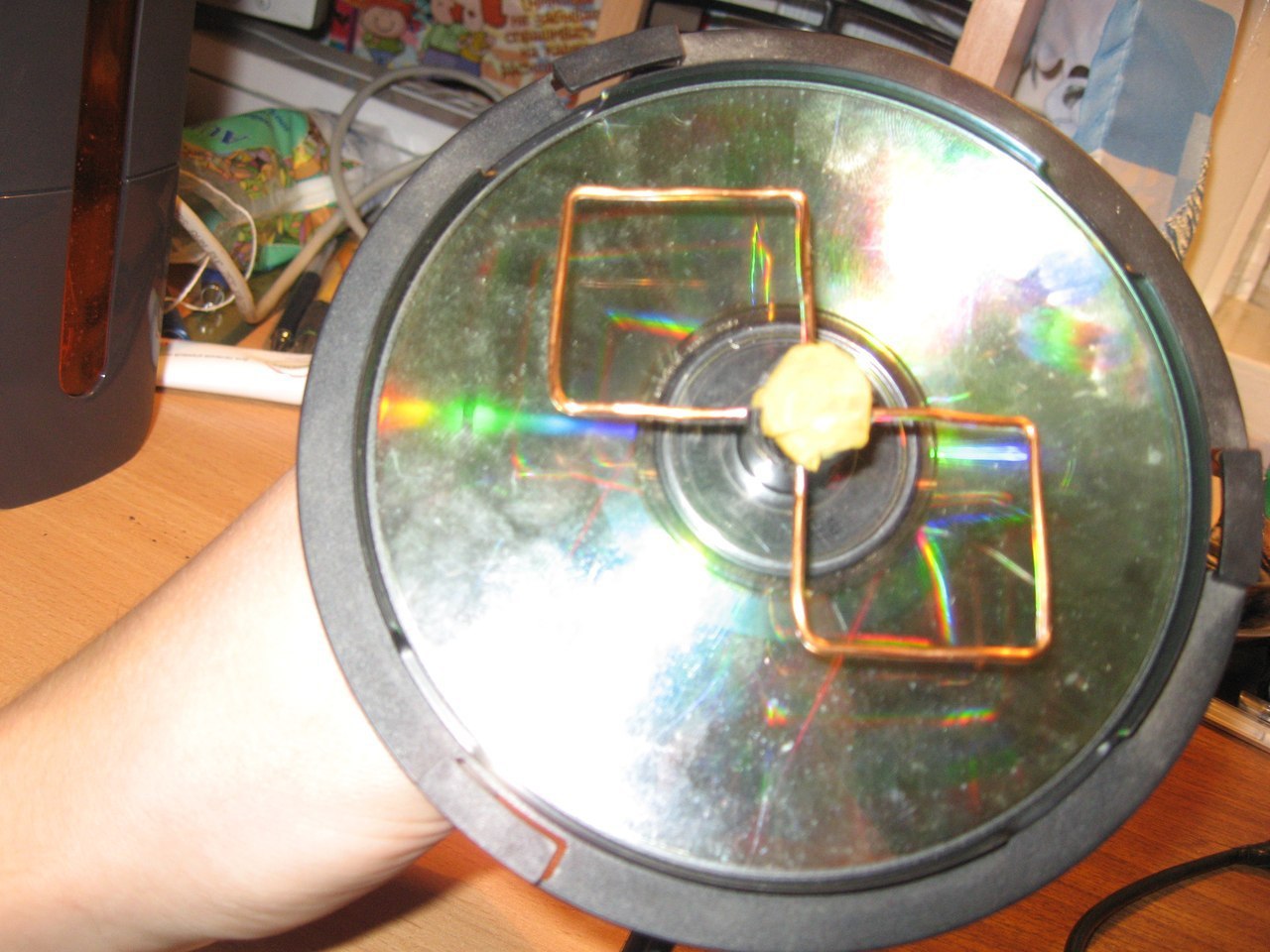
Then I finally decided to purchase a new router. But do not buy a new one while the old one is alive? I decided to try to solder Kharchenko's biquad antenna to it. He got down to business and quickly twisted two squares out of all kinds of rubbish, attached them to a can of discs, and a CD disc from the same can came up as a reflector.
The size of the reflector is not very important, but the more accurately the squares are made, the better. The distances between the midpoints of the wire in such a square should be equal to 31 millimeters.
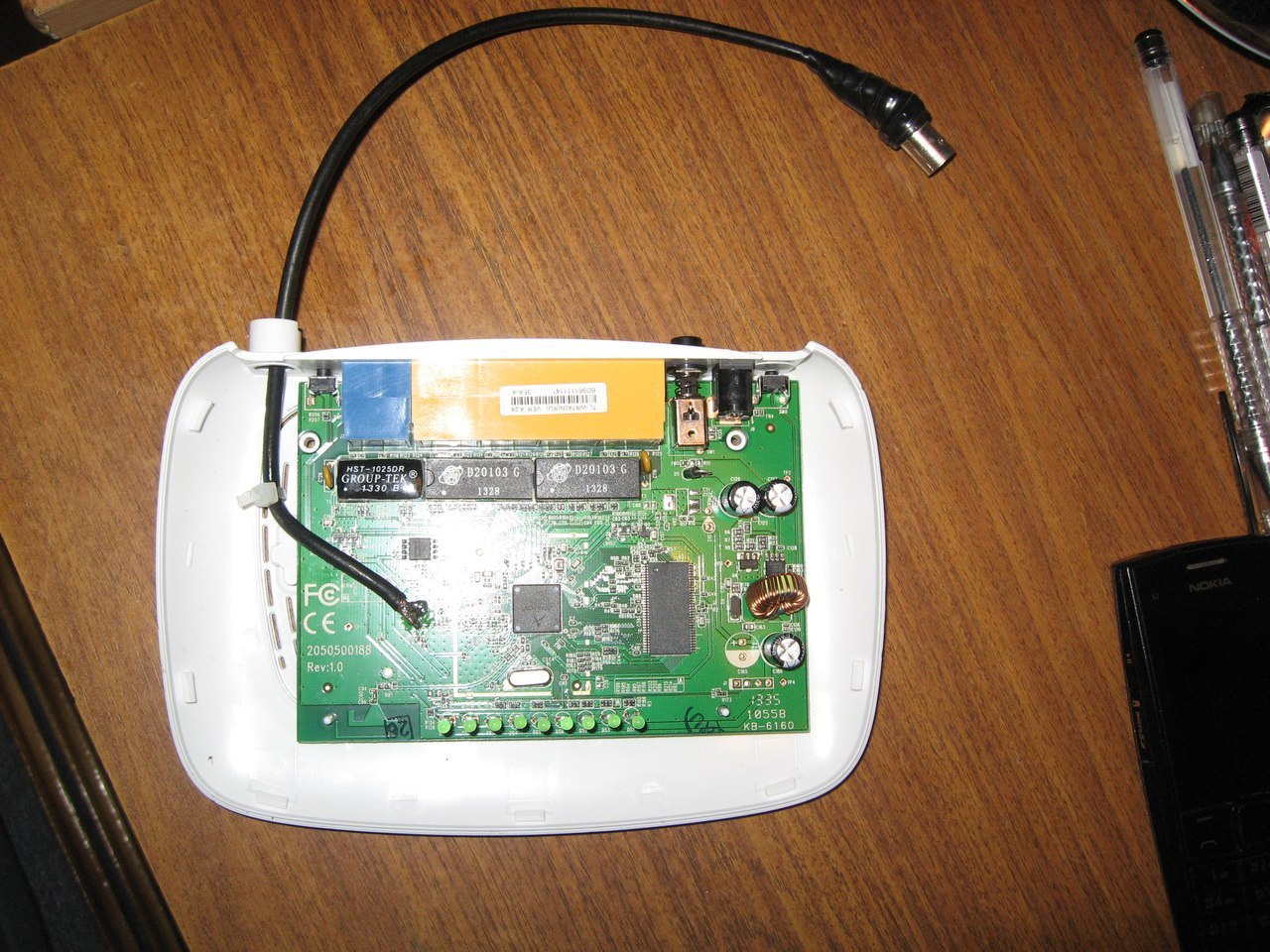
Then I disassembled the router, removed the standard antenna and soldered a coaxial cable to connect a new one instead.

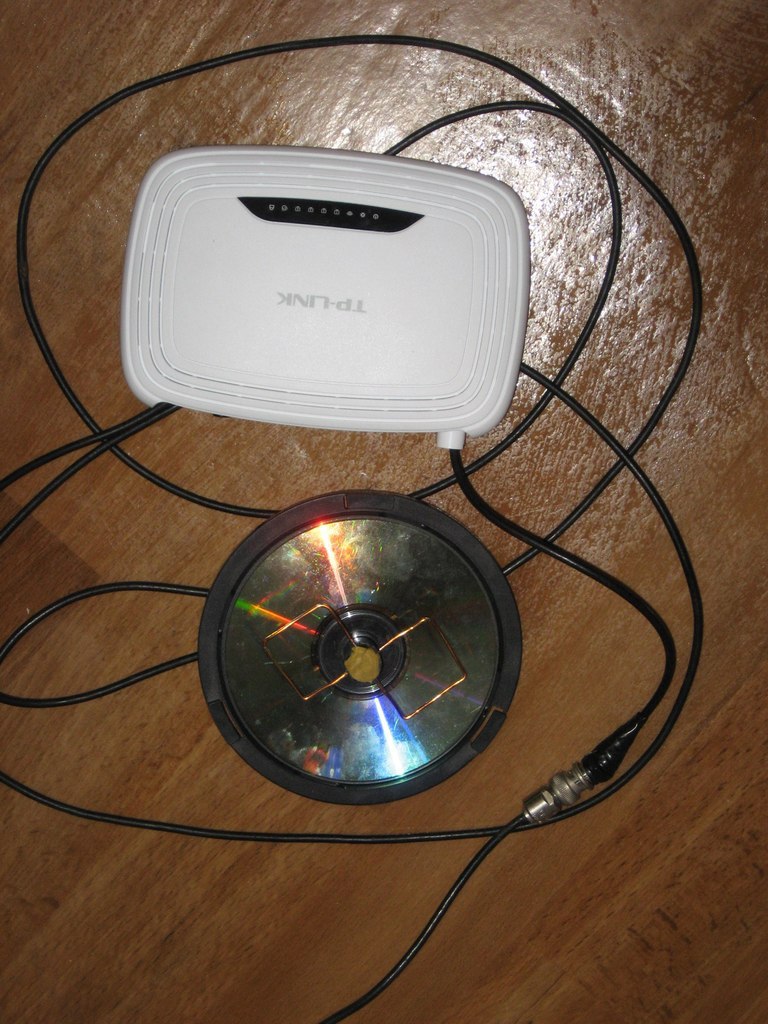
He collected everything, crossed himself and went to turn on
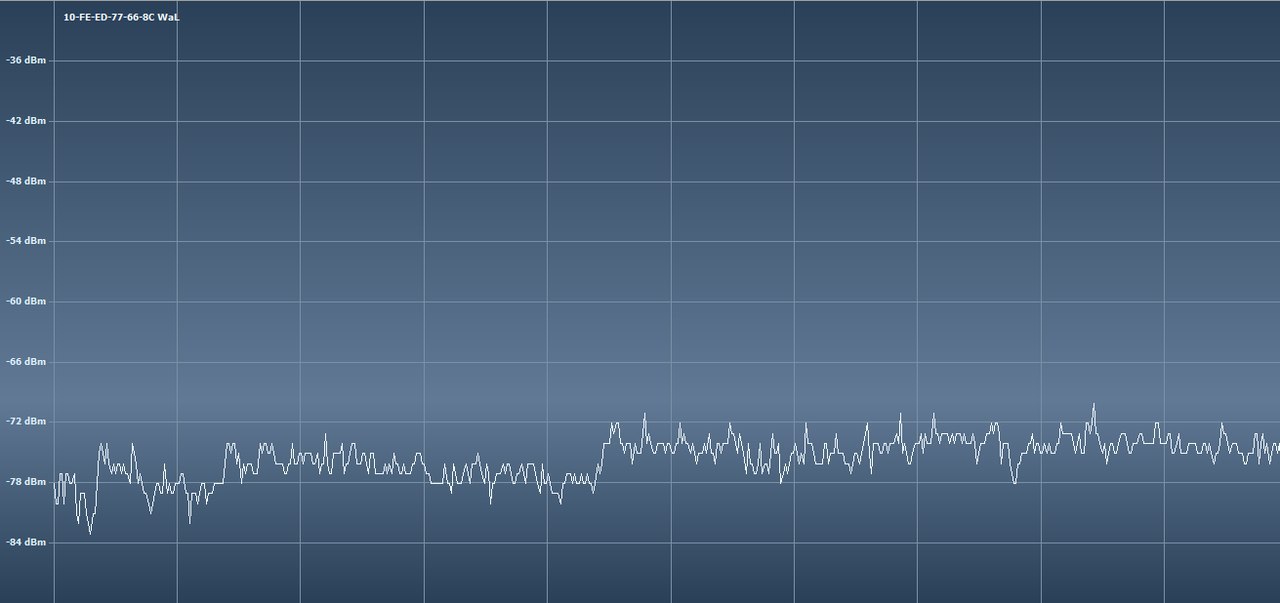
I did not spend much time tuning the antenna. I just directed it toward the computer. Obviously hit. Signal strength has grown significantly.

Almost immediately, a problem arose - despite the good ping and download speed, the connection quality was poor - many sites did not open, the computer did not want to show video or even play music from the network. By shortening the wire between the antenna and the router to a few centimeters and removing the connector, we managed to get rid of this problem, since all the losses were in the cable.
He was unpleasantly upset by the behavior of his cheap TP-LINK TL-WR740N. Two wooden walls damped the signal quite strongly, and if you add 20 meters of air and another wooden wall, then it was already impossible to connect to the network.
Of course, I miscalculated a bit when I bought this router without buying the 741 series. There, at least you can safely replace the antenna ... But it was too late, so I went on to action.
First of all, I started with software. It was flashed on dd-wrt and tried to play around with the Wi-Fi signal strength settings. This did not bring positive results, rather, on the contrary.
Then I finally decided to purchase a new router. But do not buy a new one while the old one is alive? I decided to try to solder Kharchenko's biquad antenna to it. He got down to business and quickly twisted two squares out of all kinds of rubbish, attached them to a can of discs, and a CD disc from the same can came up as a reflector.
The size of the reflector is not very important, but the more accurately the squares are made, the better. The distances between the midpoints of the wire in such a square should be equal to 31 millimeters.
Then I disassembled the router, removed the standard antenna and soldered a coaxial cable to connect a new one instead.
He collected everything, crossed himself and went to turn on
I did not spend much time tuning the antenna. I just directed it toward the computer. Obviously hit. Signal strength has grown significantly.
Almost immediately, a problem arose - despite the good ping and download speed, the connection quality was poor - many sites did not open, the computer did not want to show video or even play music from the network. By shortening the wire between the antenna and the router to a few centimeters and removing the connector, we managed to get rid of this problem, since all the losses were in the cable.