April 25, 2014 at 17:10
Qt 5.2, from desire to google play
Hello colleagues.
It so happened that they told me about Qt5.2 and its new ability to quickly and easily create cross-platform applications for Android and iOS. I have been familiar with Qt for a long time, but recently the work has been connected with other technologies and I started its development a bit. Upon learning this, I went to the Qt website, watched a beautiful video, where in 10 minutes the HelloWorld application is created immediately under android and ios. Impressions were very positive.
It was decided to do mobile development. There was a plan to go from the desire to make the application to its publication on Google Play. But at the first stage I wanted to go through this so that it is not a pity and what mistakes can be made. And all this on the new Qt5.2.
Around the same time, I heard about the well-known Flappy Bird and that its author decided to remove his application. Well, it’s already clear that the next decision was to make another copy of this game, but the main goal is to end up trying out new features of Qt.
Of course I love c ++, but I did not dare to write such a trifle on it. C ++ forces the developer to write thoughtfully and be very careful not to “shoot his own leg”, but I wanted to make a project in XP style, quickly and most importantly, to work. The choice fell on QML and javascript, at the same time the opportunity to deal with these so advanced Digia technologies.
Quickly installing Qt, reading the qml documentation and reviewing the Flappy Bird game mechanics (I hadn’t heard about it before), the first draft of the game was made. Simple NumberAnimation were used to simulate the flight of a bird and the movement of pillars. Everything worked fine, but questions arose:
The only correct solution, for the 2 above mentioned problems, I considered using the well-known Box2D. The plugin for qml was found quickly - github.com/qml-box2d/qml-box2d . A couple of days of experimenting, reading box2d documentation and everything has been rewritten and works great. But problems still lay ahead.
I refused the background music since I myself do not like it, and I could neither have picked up a good option, much less done it myself. So on www.freesound.org 3 sounds were picked up: a flap of wings, a collision and a new point.
A good example of creating Flappy Bird from V-play with AudioManager was used for playback. But the file was not complete.
reproduction:
Everything worked on the desktop machine, on the phone the application crashed. The reason turned out to be banal, it was necessary to add the following to the .pro file:
Why are there two SoundEffect and why sfx_silence will become clear later in the description of the bugs encountered.
Scaling was done as standard. Based on a resolution of 480x800 (small but probably the most common at the moment). Relative to him, the sizes of the bird and the pillars were rigidly set. Then, the calculation of the scaling factor for the current resolution relative to the reference one was simply done, and then all sizes requiring scaling were simply multiplied by it. This example was greatly helped with all this by bitbucket.org/wearyinside/cute-plane , but as usual a lot of problems were not solved there.
All physical objects are masturbated linearly, but the text with such masturbation at high resolutions broke all the frames. For him, I had to do square root scaling from the main scaling factor.
Since I am a programmer, design was a dense forest for me, but our Internet is everything and after a day of reading various articles on this topic, vector graphics and the Inkscape editor were selected. It took only 1-2 days to draw a cartoon bird. Initially, a sketch was made on paper and several possible options were drawn. Then the best was ported to svg. Further, all other images were made in vector format. In order to use svg files in qml in the .pro file, add the following:
The main part was written and the question arose of monetization. This project, although a test one, but I wanted to deal with monetization in it already. The monetization by ad admob was chosen. And then the first serious problems began. It turned out that for qt / qml there are no plugins for embedding admob. An obsolete qadmob implementation and a closed V-play AdMob plugin implementation were found. The clouds thickened and thoughts began to appear to leave Qt until better times. Break the entire Internet, it became clear that you need to search Qt sources and figure out how it is made for Android. And after 4 days of excavation, a test banner ad appeared in the game. Here is an example of how to do it github.com/AlexMarlo/AdMob-Qt5.2-Example . In general, it took a week to display the banner.
Further, it became clear that all the main parts were made and it was necessary to fix minor bugs that were postponed for later.
Memory leaked at 100 MB per minute of the game. After periodically commenting on the qml code and checking the results, the problem was found. It turned out that the memory leaked with this assignment:
changing this option to
leaks stopped. This seems like a problem with qml-box2d, but I didn’t dig deeper.
With very frequent tapping and therefore very frequent playback, the sound steadily disappeared before playing another sound file. Then two SoundEffect appeared. Moreover, this was manifested only on androids. In order to prevent this disappearance SoundEffect s are played alternately. I came to such a decision simply by experience. Apparently this is some kind of problem in Qt itself.
The problem lies in the first 2 lines. As it turned out, until the qml element was constructed in which Screen, Screen.width and Screen.height are called, they will be 0. It turns out that the scaling factor is initially 0 and here box2d terminates the application on assert, since physical objects cannot be zero size.
It was possible to fix this only by dynamically creating objects at the moment when the scaling factor takes a non-zero value.
As it turned out, in the current version of Qt for android, the volume control buttons do not work. All the tips on the forums of the same Qt suggested intercepting button clicks in Activity, which was done.
Next came the testing phase on different androids, here is an approximate list of devices:
And all the problems got out on the Samsung, and the better the phone the stronger the bugs showed up, and judging by these statistics www.appbrain.com/stats/top-android-phones, it’s simply impossible to leave bugs on the Samsung .
For some reason, the first sound playback through SoundEffect hung and then everything worked fine. This was especially pronounced on the Samsung Galaxy S3, on other Samsungs, too, but it was not so noticeable. On devices from other manufacturers this problem was not. Here sfx_silence.wav appeared. This is essentially an empty sound file that plays when the game loads.
The next problem was due to the fact that Box2D objects were created dynamically for correct scaling and this creation was very slow on Samsung, especially on the same Samsung Galaxy S3.
Creation of land objects:
The difference is an order of magnitude, but I did not understand the nuances of the implementation of qml-box2d and Box2D itself, but simply transferred the whole creation at the time the game was loaded. It takes longer to load, but during the game there are no brakes.
Qt for Android, despite a lot of obscure bugs and deficiencies, is quite suitable for development. Especially if you are already familiar with Qt. But you have to be prepared for the fact that you will encounter problems for which there are no answers on the network.
One of the minuses that could not be solved was the large size of the application:
The saddest thing is that about 70% are libraries of Qt itself and this will have to be put up with. On the other hand, for modern devices, this size is not so critical.
PS:
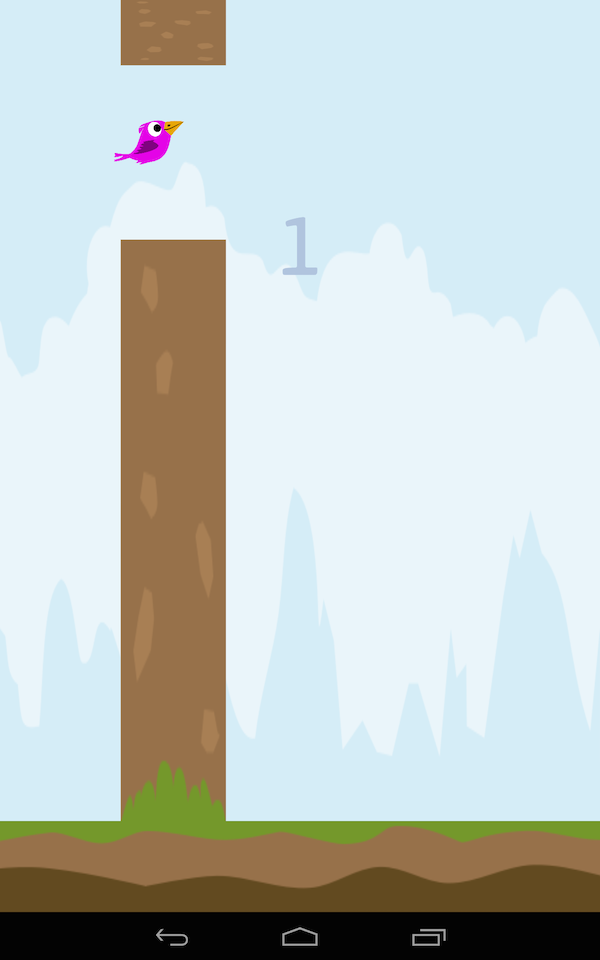
Screenshots of the result:
It so happened that they told me about Qt5.2 and its new ability to quickly and easily create cross-platform applications for Android and iOS. I have been familiar with Qt for a long time, but recently the work has been connected with other technologies and I started its development a bit. Upon learning this, I went to the Qt website, watched a beautiful video, where in 10 minutes the HelloWorld application is created immediately under android and ios. Impressions were very positive.
It was decided to do mobile development. There was a plan to go from the desire to make the application to its publication on Google Play. But at the first stage I wanted to go through this so that it is not a pity and what mistakes can be made. And all this on the new Qt5.2.
Around the same time, I heard about the well-known Flappy Bird and that its author decided to remove his application. Well, it’s already clear that the next decision was to make another copy of this game, but the main goal is to end up trying out new features of Qt.
Choosing c ++ or javascript
Of course I love c ++, but I did not dare to write such a trifle on it. C ++ forces the developer to write thoughtfully and be very careful not to “shoot his own leg”, but I wanted to make a project in XP style, quickly and most importantly, to work. The choice fell on QML and javascript, at the same time the opportunity to deal with these so advanced Digia technologies.
First draft
Quickly installing Qt, reading the qml documentation and reviewing the Flappy Bird game mechanics (I hadn’t heard about it before), the first draft of the game was made. Simple NumberAnimation were used to simulate the flight of a bird and the movement of pillars. Everything worked fine, but questions arose:
- how to do collision checking
- how to scale graphics and physics for different resolutions
- what to do with design
- what to do with game sounds
- how to embed monetization
Physics
The only correct solution, for the 2 above mentioned problems, I considered using the well-known Box2D. The plugin for qml was found quickly - github.com/qml-box2d/qml-box2d . A couple of days of experimenting, reading box2d documentation and everything has been rewritten and works great. But problems still lay ahead.
Sound
I refused the background music since I myself do not like it, and I could neither have picked up a good option, much less done it myself. So on www.freesound.org 3 sounds were picked up: a flap of wings, a collision and a new point.
A good example of creating Flappy Bird from V-play with AudioManager was used for playback. But the file was not complete.
import QtQuick 2.2
Item {
  id : audioManager
  property QtObject effect1: Qt.createQmlObject("import QtMultimedia 5.0; SoundEffect{}", audioManager);
  property QtObject effect2: Qt.createQmlObject("import QtMultimedia 5.0; SoundEffect{}", audioManager);
  property int hit: 22
  property int point: 33
  property int silence: 44
  property int wing: 55
  property bool effectSwitcher: false;
  function play( sound) {
    var effect;
    if( !effectSwitcher){
        effect = effect1;
        effectSwitcher = true;
    }else if( effectSwitcher){
        effect = effect2;
        effectSwitcher = false;
    }
    if(effect == null)
        return;
    switch(sound) {
    case hit:
        effect.source = "audio/sfx_hit.wav"
        break
    case point:
        effect.source = "audio/sfx_point.wav"
        break
    case silence:
        effect.source = "audio/sfx_silence.wav"
        break
    case wing:
        effect.source = "audio/sfx_wing.wav"
        break
    }
    effect.play();
  }
}
reproduction:
audioManager.play( audioManager.wing);
Everything worked on the desktop machine, on the phone the application crashed. The reason turned out to be banal, it was necessary to add the following to the .pro file:
QT += multimediaWhy are there two SoundEffect and why sfx_silence will become clear later in the description of the bugs encountered.
Scaling
Scaling was done as standard. Based on a resolution of 480x800 (small but probably the most common at the moment). Relative to him, the sizes of the bird and the pillars were rigidly set. Then, the calculation of the scaling factor for the current resolution relative to the reference one was simply done, and then all sizes requiring scaling were simply multiplied by it. This example was greatly helped with all this by bitbucket.org/wearyinside/cute-plane , but as usual a lot of problems were not solved there.
    width: Screen.width
    height: Screen.height
    property int defaultWidth: 480
    property int defaultHeight: 800
    property double measure: Math.min(Math.min(width, height) / defaultWidth, Math.max(width, height) / defaultHeight)
    property double textScale: Math.sqrt( measure)
All physical objects are masturbated linearly, but the text with such masturbation at high resolutions broke all the frames. For him, I had to do square root scaling from the main scaling factor.
Design
Since I am a programmer, design was a dense forest for me, but our Internet is everything and after a day of reading various articles on this topic, vector graphics and the Inkscape editor were selected. It took only 1-2 days to draw a cartoon bird. Initially, a sketch was made on paper and several possible options were drawn. Then the best was ported to svg. Further, all other images were made in vector format. In order to use svg files in qml in the .pro file, add the following:
QT += xml svg
QTPLUGIN += qsvg
Monetization
The main part was written and the question arose of monetization. This project, although a test one, but I wanted to deal with monetization in it already. The monetization by ad admob was chosen. And then the first serious problems began. It turned out that for qt / qml there are no plugins for embedding admob. An obsolete qadmob implementation and a closed V-play AdMob plugin implementation were found. The clouds thickened and thoughts began to appear to leave Qt until better times. Break the entire Internet, it became clear that you need to search Qt sources and figure out how it is made for Android. And after 4 days of excavation, a test banner ad appeared in the game. Here is an example of how to do it github.com/AlexMarlo/AdMob-Qt5.2-Example . In general, it took a week to display the banner.
Bugs
Further, it became clear that all the main parts were made and it was necessary to fix minor bugs that were postponed for later.
Memory leak
Memory leaked at 100 MB per minute of the game. After periodically commenting on the qml code and checking the results, the problem was found. It turned out that the memory leaked with this assignment:
        linearVelocity.x = 220;
        linearVelocity.y = -420;
changing this option to
        var flyImpulseVelosityY = -420 * measure;
        var flyImpulseVelosityX = 220 * measure;
        var impulse;
        impulse = Qt.point( flyImpulseVelosityX, flyImpulseVelosityY);
        applyLinearImpulse( impulse, getWorldCenter());
leaks stopped. This seems like a problem with qml-box2d, but I didn’t dig deeper.
Sound loss
With very frequent tapping and therefore very frequent playback, the sound steadily disappeared before playing another sound file. Then two SoundEffect appeared. Moreover, this was manifested only on androids. In order to prevent this disappearance SoundEffect s are played alternately. I came to such a decision simply by experience. Apparently this is some kind of problem in Qt itself.
Application terminated on assert in Box2D with zooming enabled
    width: Screen.width
    height: Screen.height
    property int defaultWidth: 480
    property int defaultHeight: 800
    property double measure: Math.min(Math.min(width, height) / defaultWidth, Math.max(width, height) / defaultHeight)
The problem lies in the first 2 lines. As it turned out, until the qml element was constructed in which Screen, Screen.width and Screen.height are called, they will be 0. It turns out that the scaling factor is initially 0 and here box2d terminates the application on assert, since physical objects cannot be zero size.
It was possible to fix this only by dynamically creating objects at the moment when the scaling factor takes a non-zero value.
Inoperative volume control
As it turned out, in the current version of Qt for android, the volume control buttons do not work. All the tips on the forums of the same Qt suggested intercepting button clicks in Activity, which was done.
    @Override
    public boolean onKeyDown(int keyCode, KeyEvent event)
    {
        if ( keyCode == KeyEvent.KEYCODE_VOLUME_UP) {
                AudioManager am = (AudioManager) this.getSystemService(Context.AUDIO_SERVICE);
                int index = am.getStreamVolume( AudioManager.STREAM_MUSIC) + 1;
                if( index <= am.getStreamMaxVolume( AudioManager.STREAM_MUSIC))
                        am.setStreamVolume( AudioManager.STREAM_MUSIC, index, 0);
        }
        if( keyCode == KeyEvent.KEYCODE_VOLUME_DOWN){
                AudioManager am = (AudioManager) this.getSystemService(Context.AUDIO_SERVICE);
                int index = am.getStreamVolume( AudioManager.STREAM_MUSIC) - 1;
                if( index >= 0)
                        am.setStreamVolume( AudioManager.STREAM_MUSIC, index, 0);
        }
        return super.onKeyDown(keyCode, event);
    }
Testing on different devices and again bugs
Next came the testing phase on different androids, here is an approximate list of devices:
- Motorola Droid Razr
- Nexus one
- Samsung Galaxy S Duos
- Nexus s
- Nexus 7 1st gen
- Nexus 7 2nd gen
- Nexus 5
- Sone xperia ray
- Samsung Galaxy S3
- Nexus 4
- Acer Iconia Tab A510
- Galaxy S Plus
- Alcatel OneTouch M'POP 5020D
- Samsung Galaxy Fame GT-S6810
- ASUS Transformer Pad TF300TG
Samsung
And all the problems got out on the Samsung, and the better the phone the stronger the bugs showed up, and judging by these statistics www.appbrain.com/stats/top-android-phones, it’s simply impossible to leave bugs on the Samsung .
Lag when playing the first sound
For some reason, the first sound playback through SoundEffect hung and then everything worked fine. This was especially pronounced on the Samsung Galaxy S3, on other Samsungs, too, but it was not so noticeable. On devices from other manufacturers this problem was not. Here sfx_silence.wav appeared. This is essentially an empty sound file that plays when the game loads.
Lag when dynamically creating Box2D objects
The next problem was due to the fact that Box2D objects were created dynamically for correct scaling and this creation was very slow on Samsung, especially on the same Samsung Galaxy S3.
Creation of land objects:
| Nexus one | 97 ms |
| Samsung Galaxy S Duos | 986 ms |
The difference is an order of magnitude, but I did not understand the nuances of the implementation of qml-box2d and Box2D itself, but simply transferred the whole creation at the time the game was loaded. It takes longer to load, but during the game there are no brakes.
Conclusions:
Qt for Android, despite a lot of obscure bugs and deficiencies, is quite suitable for development. Especially if you are already familiar with Qt. But you have to be prepared for the fact that you will encounter problems for which there are no answers on the network.
One of the minuses that could not be solved was the large size of the application:
- apk ~ 10 MB
- installed application ~ 38 MB
The saddest thing is that about 70% are libraries of Qt itself and this will have to be put up with. On the other hand, for modern devices, this size is not so critical.
PS:
Screenshots of the result:
Screenshot 1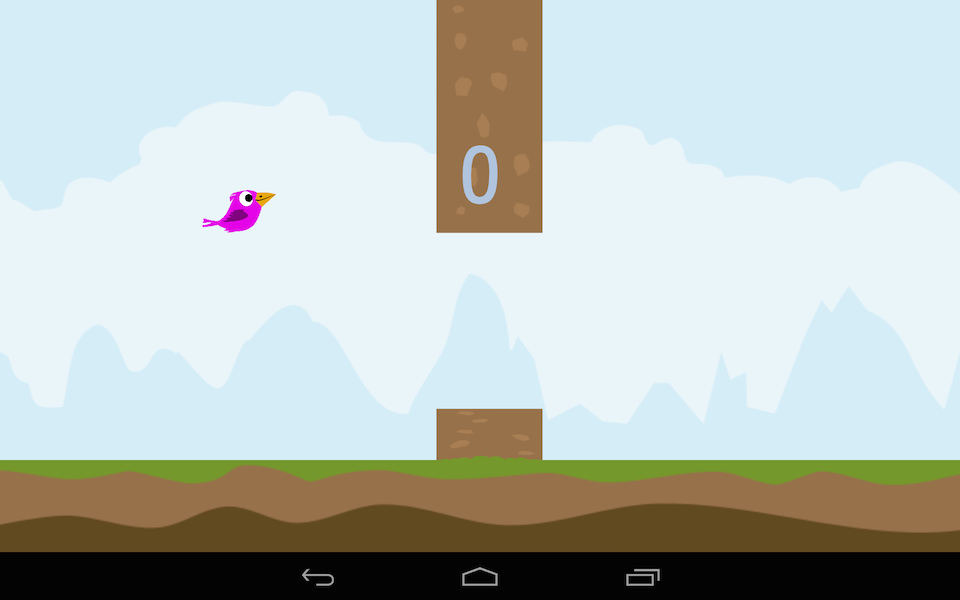
Screenshot 2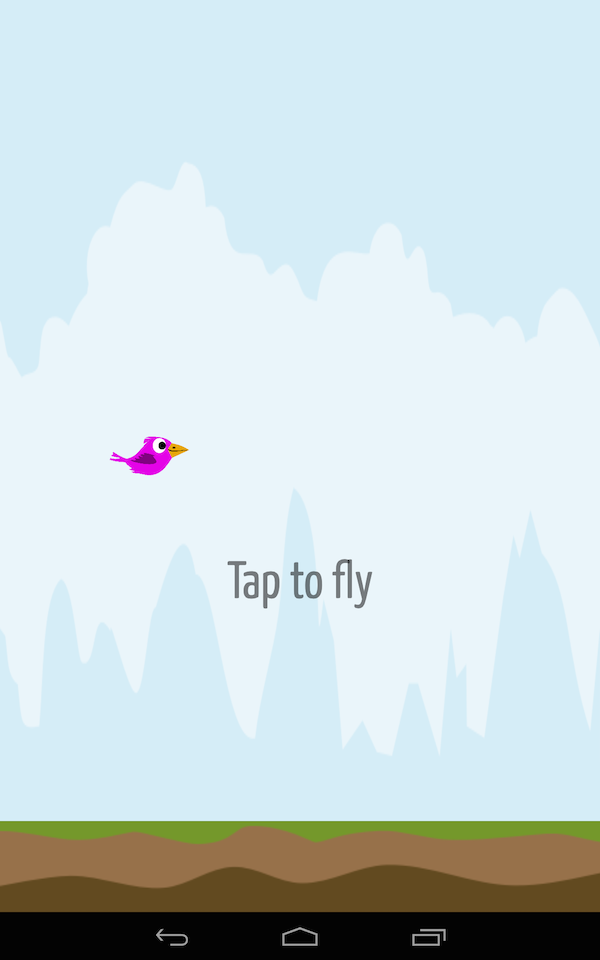
Screenshot 3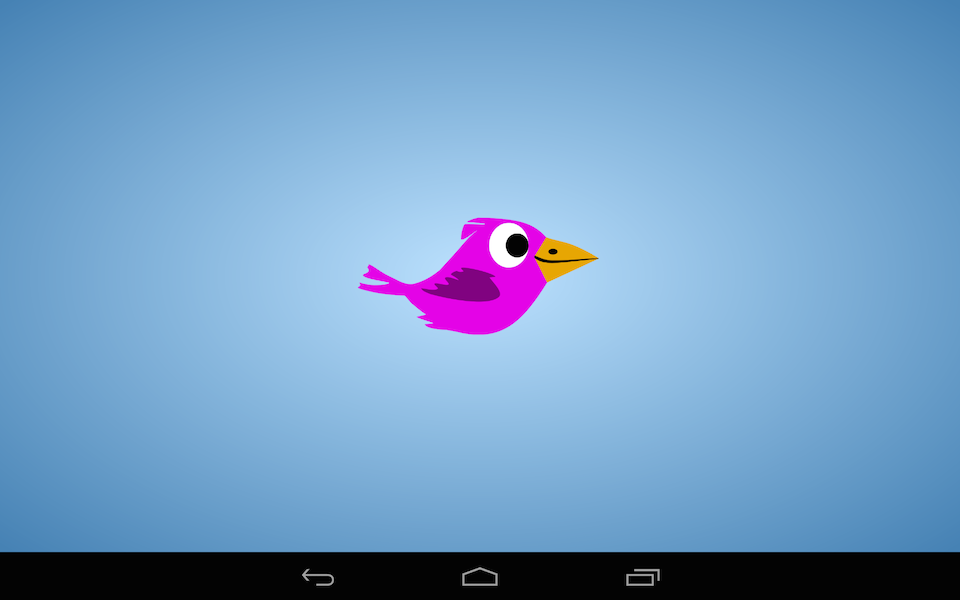
Screenshot 4