April 15, 2014 at 11:30
Epson Connect - Print from Anywhere in the World
It is difficult to imagine a modern high-tech device that one way or another would not use wireless networks and the Internet in its work. And even such familiar tasks as printing on a printer or scanning can be simplified, giving owners the opportunity to solve such problems over the network or from anywhere in the world via the Internet.
We at Epson understand this and are trying to keep up to date, which is why all modern Epson printers and MFPs provide networking via the Epson Connect service .
Without unnecessary introductions, I immediately suggest watching two videos on the principles of work:
Those. Epson Connect consists of several components, each of which is designed to solve a wide range of tasks:

An application that allows you to control the device inside the network via WiFi: send documents and photos in PDF and JPEG format for printing from devices based on Android and iOS, as well as scan documents and photos with image transfer to a mobile device.
Using the application you can print:
You can download the application for iOS and Android .

A function that allows you to send documents and photos by e-mail to print. For the function to work, it is enough to install the Epson E-print application on a computer and use it to register printing devices on a special portal www.epsonconnect.com . Each printing device will be assigned a unique email address where documents and photographs can be sent for printing.
Thanks to this function, you can print without even installing a driver or connecting a printer, even from a mobile phone or any other device connected to the Internet, from anywhere in the world.

AirPrint is a technology developed by Apple that enables you to print documents and photos inside your local network. In particular, it is actively used in devices running iOS, as it allows you to send documents to print via WiFi.

A function that allows you to send documents and photos by e-mail to print. In fact, it is very similar to Epson Email Print, with the difference that printing is done through the Gmail mail service.
In the end, just plug the printer into a power outlet and connect to the network (you can also use WiFi). All!
You can print and scan over the network using both popular wireless printing standards and specially designed Epson solutions.
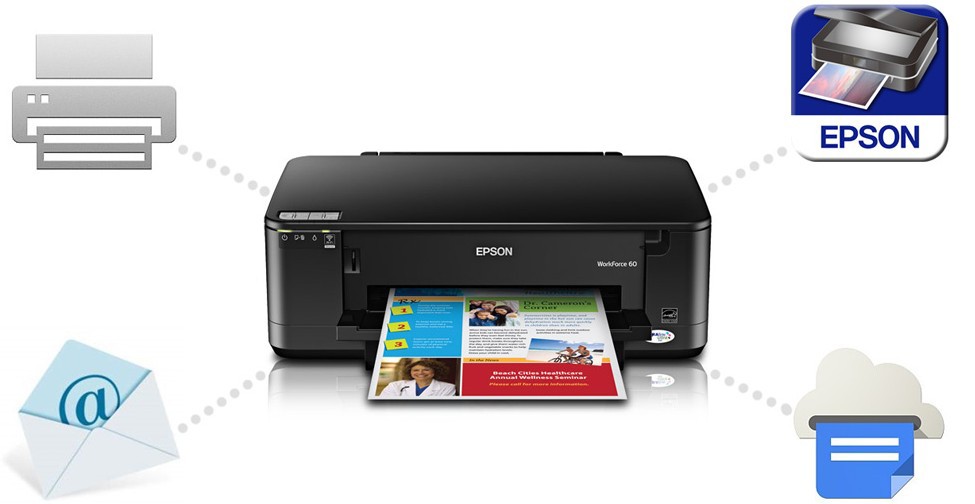
That's all we wanted to tell you about Epson Connect. Ready to answer any of your questions in the comments. However, if you already own an Epson Connect-enabled device and need help connecting to the service, it’s best to contact the specialists from our support team , they are great.
In order not to overload the post, we invite everyone interested in iPrint and Email Print to learn more about Epson Connect in a special section on epson.ru .
Dear Khabravchians,
Due to the fact that Habrahabr.ru has been divided into three resources (HabraHabr, GeekTimes and MegaMozg), the Epson company’s blog has moved to Geektimes.ru .
Looking forward to seeing you on our GT blog!
Epson Team
We at Epson understand this and are trying to keep up to date, which is why all modern Epson printers and MFPs provide networking via the Epson Connect service .
What is Epson Connect?
Without unnecessary introductions, I immediately suggest watching two videos on the principles of work:
Those. Epson Connect consists of several components, each of which is designed to solve a wide range of tasks:
Epson iprint
An application that allows you to control the device inside the network via WiFi: send documents and photos in PDF and JPEG format for printing from devices based on Android and iOS, as well as scan documents and photos with image transfer to a mobile device.
Using the application you can print:
- Photos stored on a mobile device
- Documents from Box.net, Dropbox, and Evernote File Storage
- From iOS devices — Word, Excel, and PowerPoint documents
- Web pages
You can download the application for iOS and Android .
Epson Email Print
A function that allows you to send documents and photos by e-mail to print. For the function to work, it is enough to install the Epson E-print application on a computer and use it to register printing devices on a special portal www.epsonconnect.com . Each printing device will be assigned a unique email address where documents and photographs can be sent for printing.
Thanks to this function, you can print without even installing a driver or connecting a printer, even from a mobile phone or any other device connected to the Internet, from anywhere in the world.
Airprint
AirPrint is a technology developed by Apple that enables you to print documents and photos inside your local network. In particular, it is actively used in devices running iOS, as it allows you to send documents to print via WiFi.
Google cloud print
A function that allows you to send documents and photos by e-mail to print. In fact, it is very similar to Epson Email Print, with the difference that printing is done through the Gmail mail service.
What is the result?
In the end, just plug the printer into a power outlet and connect to the network (you can also use WiFi). All!
You can print and scan over the network using both popular wireless printing standards and specially designed Epson solutions.
That's all we wanted to tell you about Epson Connect. Ready to answer any of your questions in the comments. However, if you already own an Epson Connect-enabled device and need help connecting to the service, it’s best to contact the specialists from our support team , they are great.
In order not to overload the post, we invite everyone interested in iPrint and Email Print to learn more about Epson Connect in a special section on epson.ru .
Dear Khabravchians,
Due to the fact that Habrahabr.ru has been divided into three resources (HabraHabr, GeekTimes and MegaMozg), the Epson company’s blog has moved to Geektimes.ru .
Looking forward to seeing you on our GT blog!
Epson Team