Wiren Board Smart Home Demo

Hello!
A little over a week ago, we pre-ordered Wiren Board Smart Home, our controller for home automation. In the previous article, we talked about hardware, and in this we will begin to show work with different peripherals and pay attention to software. This time we will show the work with relays, open collector outputs, 1-wire temperature sensors, as well as radio work with Noolite wireless remote controls and lighting control units and Oregon sensors.
So, to demonstrate the work, we put together a stand:
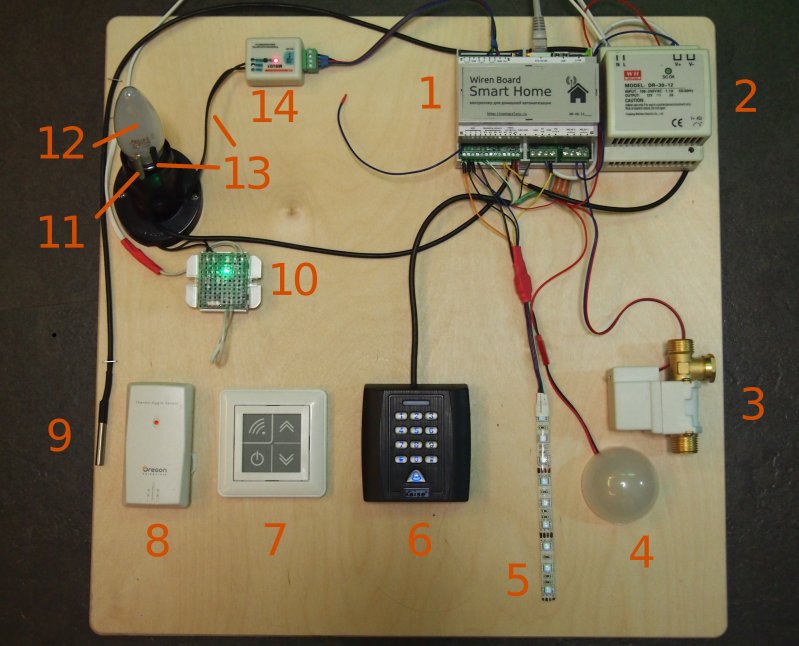
Firstly, a DIN rail is mounted on the stand, on which our Wiren Board Smart Home controller (1) and a 12V power supply unit (2) are located. The controller is connected to the Internet via Ethernet.
Directly connected to the controller:
- to relay output: controllable valve (3). The crane opens when a 12V voltage is applied to it. The relay outputs can also be connected to a load of 220V up to 1kW.
- to transistor outputs of the "open collector" type: LED strips. A segment of the white LED strip (4) (under the cap) is connected to the FET4 output, the RGB strip (5) is connected to the FET1-FET3 outputs.
- two digital temperature sensors based on DS18B20 (9.11) are connected in parallel to one of the 1-wire inputs.
- A standard contactless card reader with a pinpad with a Wiegand interface (6) is connected to the inputs R1, R2. These inputs can connect digital signals up to 12V (in this case, the operating voltage of the Wiegand protocol is 5V). Also, analog resistive sensors can be connected to the inputs R1-R4; while they are not at the stand.
- on one of the two RS-485 buses there is a module (14) of the Smart House system MSU21 , designed to connect different sensors. In our case, a temperature sensor (13) of the LM135 type is connected to the module. These modules operate on the Modbus protocol and, accordingly, can coexist with other devices on the bus.
At the stand there is also equipment with which our controller works using the built-in radio module for the frequency 433Mhz:
- Noolite Executive Module (10) ( ST111-500 ). This power unit is used to control an incandescent lamp (12)
- Noolite Wall-Mounted Wireless Remote (7) ( PU-111-1 ). The remote control is battery powered and transmits signals wirelessly to the controller.
- Wireless temperature and humidity sensor (8) for Oregon Scientific weather stations ( THGN132N ). About these sensors already wrote on Habr . Sensors are sold everywhere separately from weather stations at a reasonable price. The sensor transmits readings to the controller approximately every 40 seconds.
For clarity, two thermometers connected, respectively, through 1-wire and RS-485, are located next to the incandescent bulb, which is controlled through the Noollite unit. When you turn on the bulb, the readings of the thermometers increase.
Control
In this demo, we used Ninja Blocks software, one of the two systems we support. This is a cloud system, data from the device is sent to the Ninja Blocks server. You can control devices and sensors using the a.ninja.is web interface .
The main dashboard of the system:
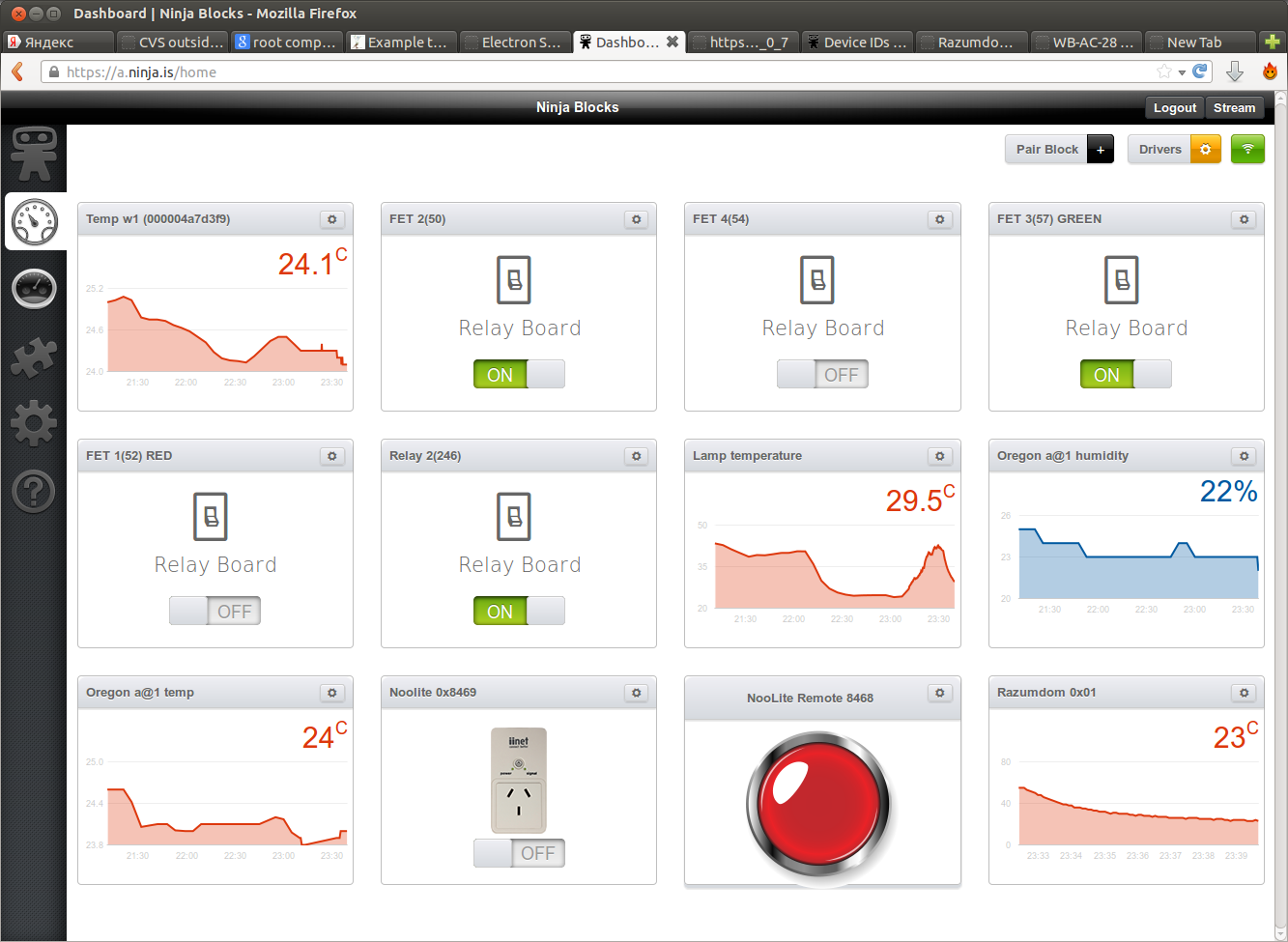
Each device has its own widget. You can see widgets for controlling relay and transistor inputs, a widget for controlling Noolite devices, temperature and humidity widgets with the readings of different sensors, etc.
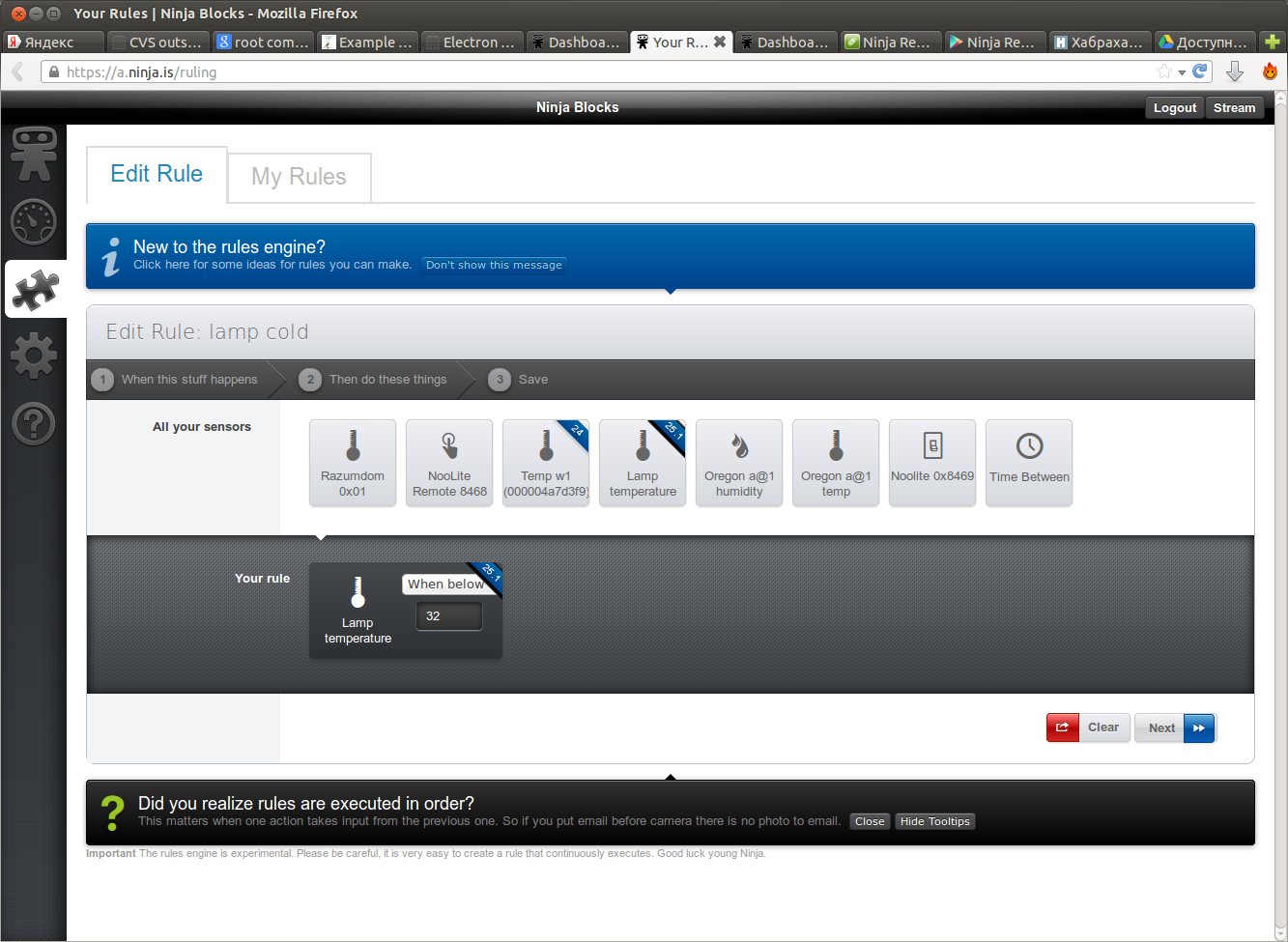
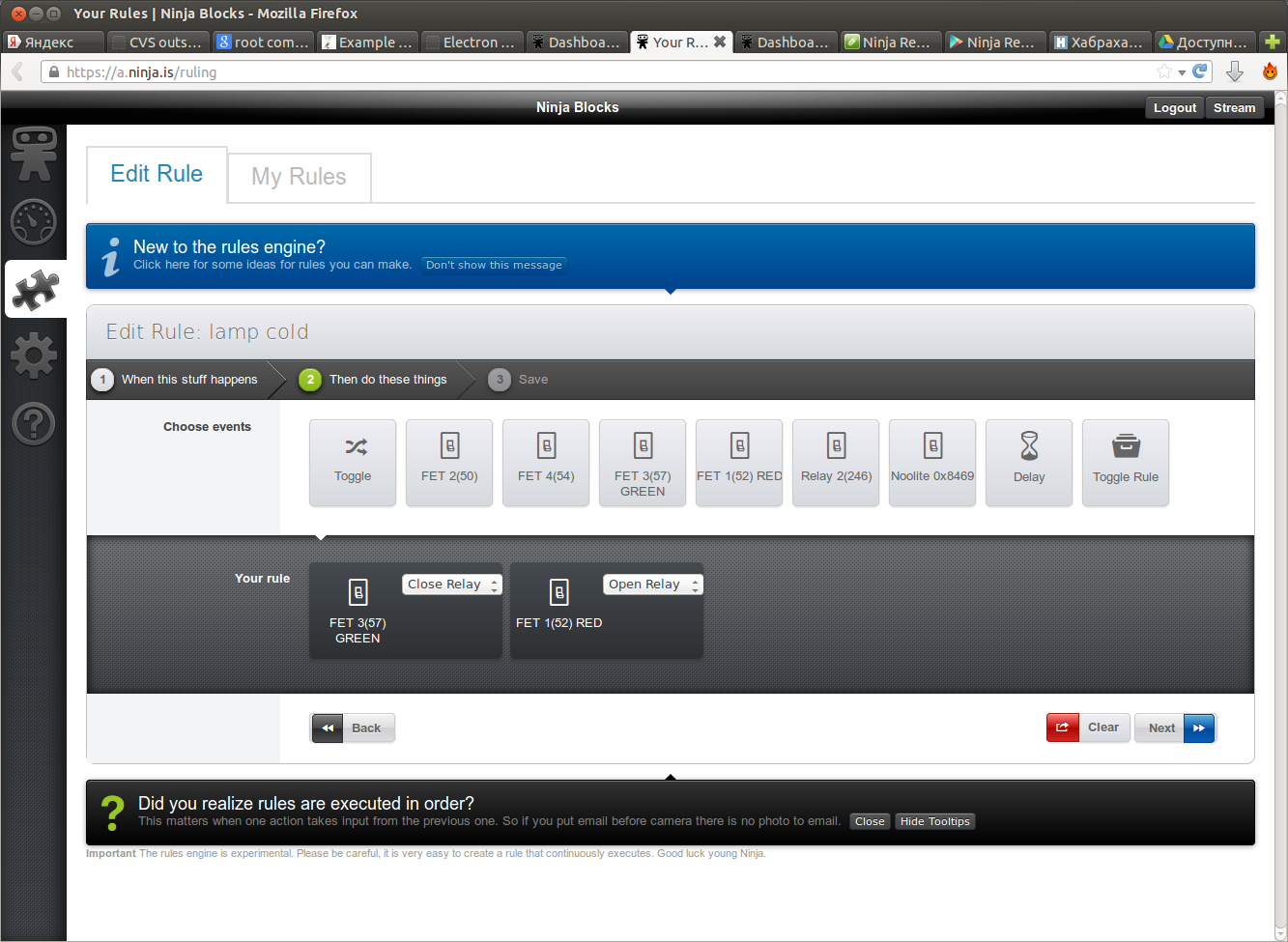
Ninja Blocks web interface allows you to create various rules. For example, here a rule is created that lights up a green LED strip if the bulb's thermometer temperature is below 32C:
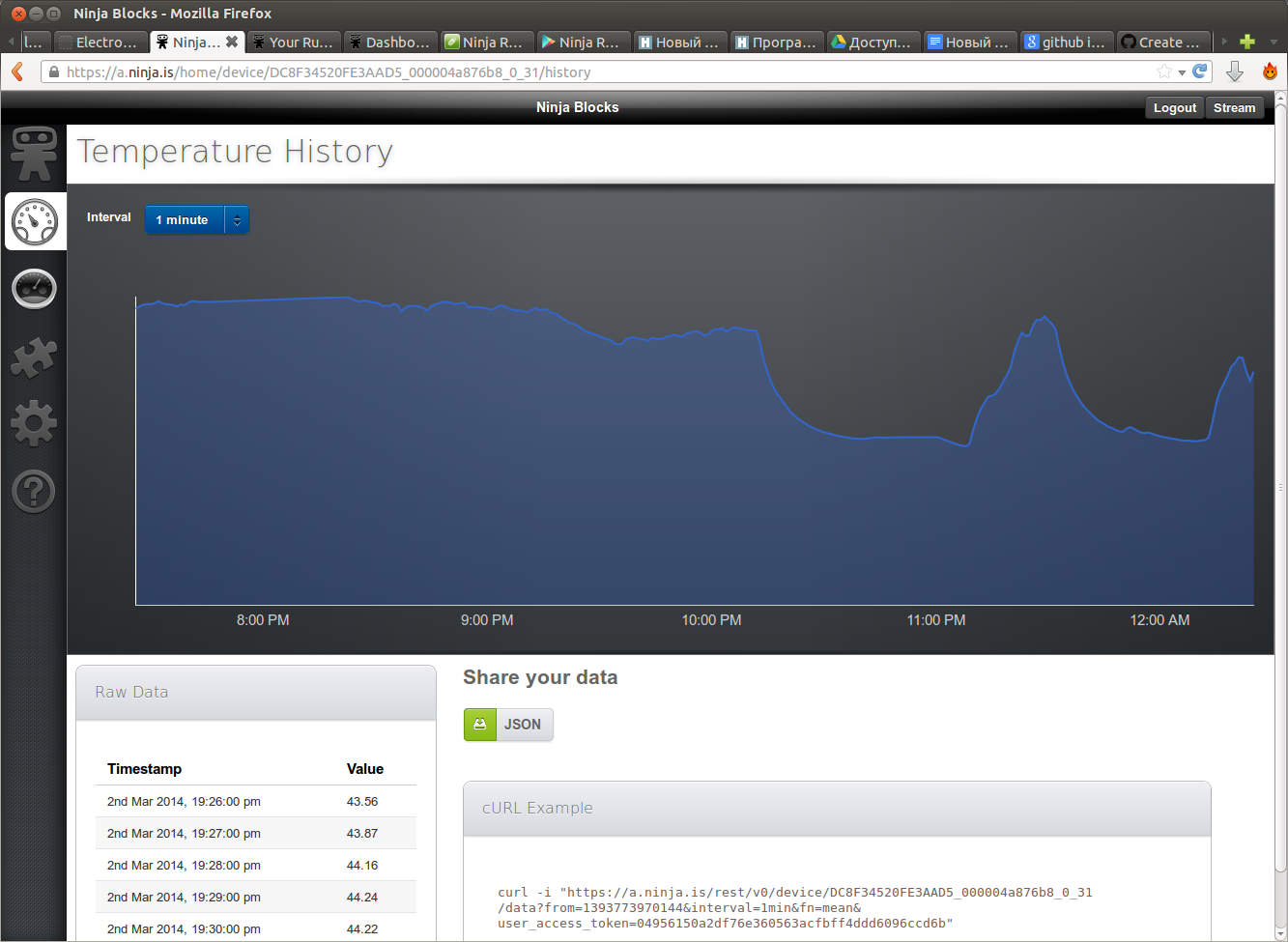
For each sensor, you can view the history of changes in readings or even download it in a machine-readable form:
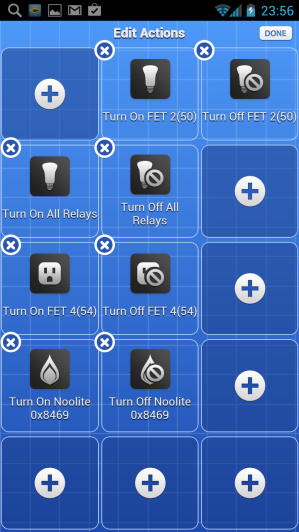
For Ninja Blocks there are applications for iPhone and Android for system management:
Ninja Blocks also provides a REST interface for external applications and web services for managing and receiving devices data. There are several official external web applications from Ninja Blocks, for example, an application for building a simple home security system with reaction to events.
BY
To implement all of the above, we have implemented: a library for working with a radio transceiver; a daemon that services the reception and transmission of data from a radio transceiver and the encoding / decoding of the Noolite and Oregon Scientific protocols, device drivers for Ninja Blocks (1-wire thermometers, outputs, noolite and oregon, as well as Smart House modules).
All code, as usual, is available on github:
github.com/contactless/rfm69-linux
github.com/contactless/ninja-razumdom
github.com/contactless/wb-smarthome-ninja
github.com/contactless/ninja-1wire-temp
github.com/contactless/wiegand-linux-sysfs
Caution, work is still in progress!
Video
Stand Description:
The actual demonstration of working with the web interface of the Ninja Blocks system:
Management through the application on the smartphone (Ninja Blocks Remote):
Conclusion
Once again, pre-order is open on the Wiren Board Smart Home controller . Orders are accepted until March 15, shipping is planned before the May holidays.
In the following articles we will talk more about working with the radio transceiver, about reverse engineering the Noolite protocol, and, of course, about connecting other peripherals. Follow the news!