August 31, 2013 at 13:26
Fantec CL-35B2 RAID NAS Overview
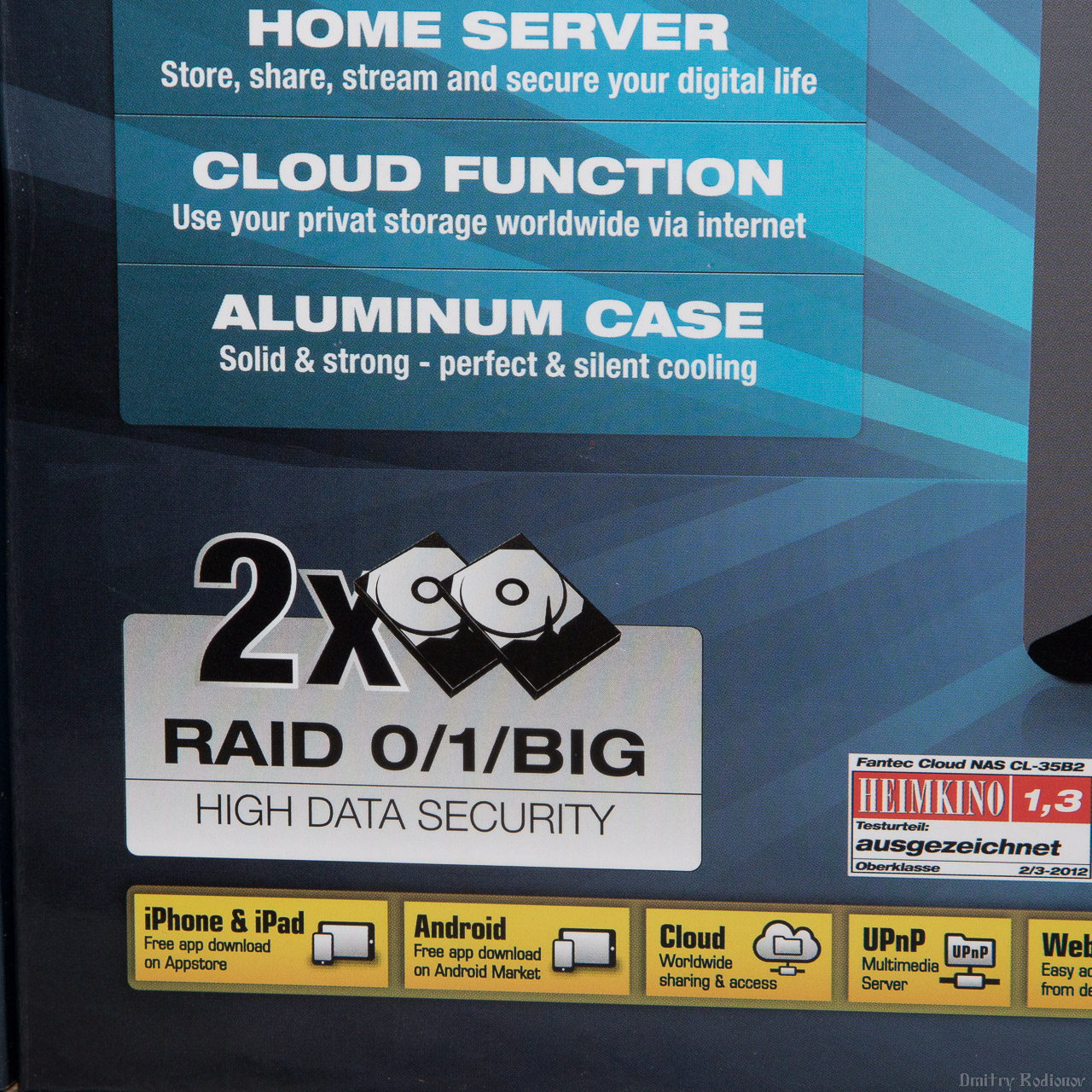
I think that it makes no sense to explain to habrayuzer why network storage is necessary. Most likely, many are already using this method of storing data at home. This is categorically convenient - all multimedia files are collected in one place, you do not need to drag movies on flash drives between a working computer, laptop and TV. On top of that, downloading files is much simpler - computers are turned off, there is silence in the house, and under the table there is a small box that shakes and distributes torrents in the sweat of the face. For a long time I used a single-disk QNAP TS-119 with a 3 terabyte disk, but the desire to upgrade to a double-disk storage and increase the volume was irresistible. As a result, Fantec CL-35B2 RAID fell into my hands, and we will talk about it under the cut.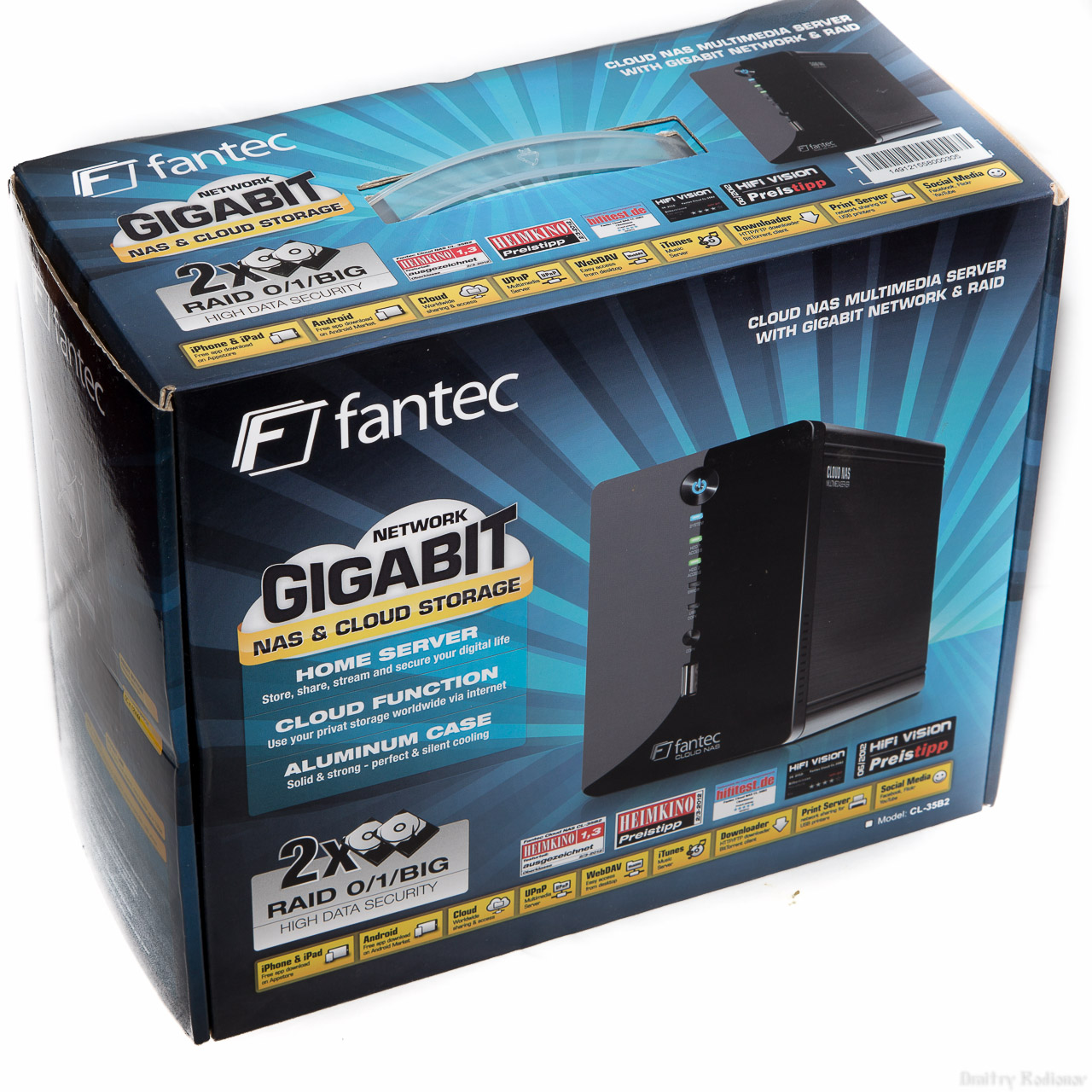 First of all, the device surprised me with its dimensions, I expected to see a significantly larger box. Honestly, I don’t want to talk in detail about the box. I’ll just give a few photos with an emphasis on technology that Fantec considers it necessary to highlight in its device: support for two hard drives and a gigabit interface.

 Packed with high quality NAS, when transporting, it is unlikely that something could happen with empty storage. But in case you order a NAS with installed disks, the mass of the device increases significantly and then the postal services significantly increase their chances of smashing a package.
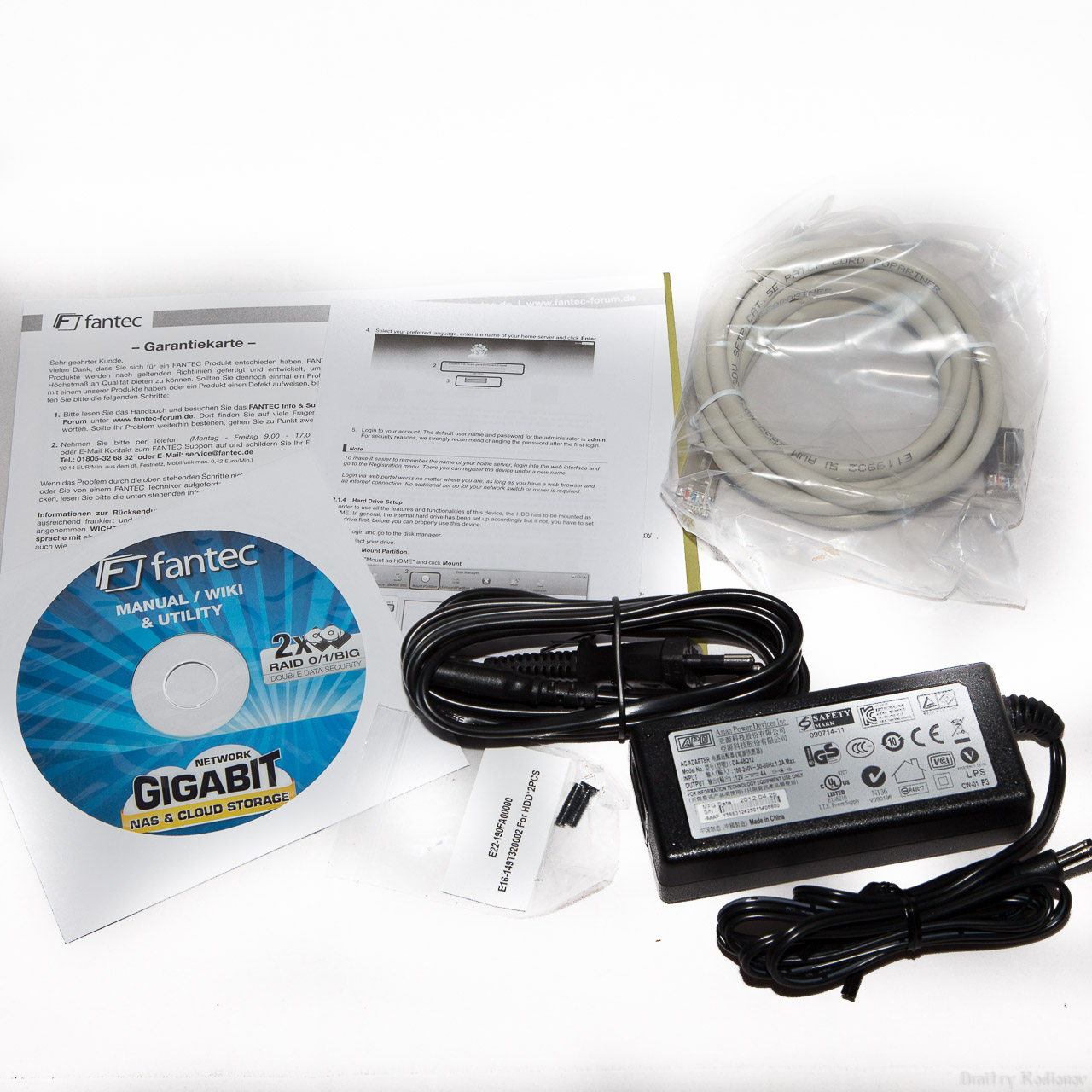
 Included in delivery: network attached storage, power adapter, RJ -45 network cable, software disk.
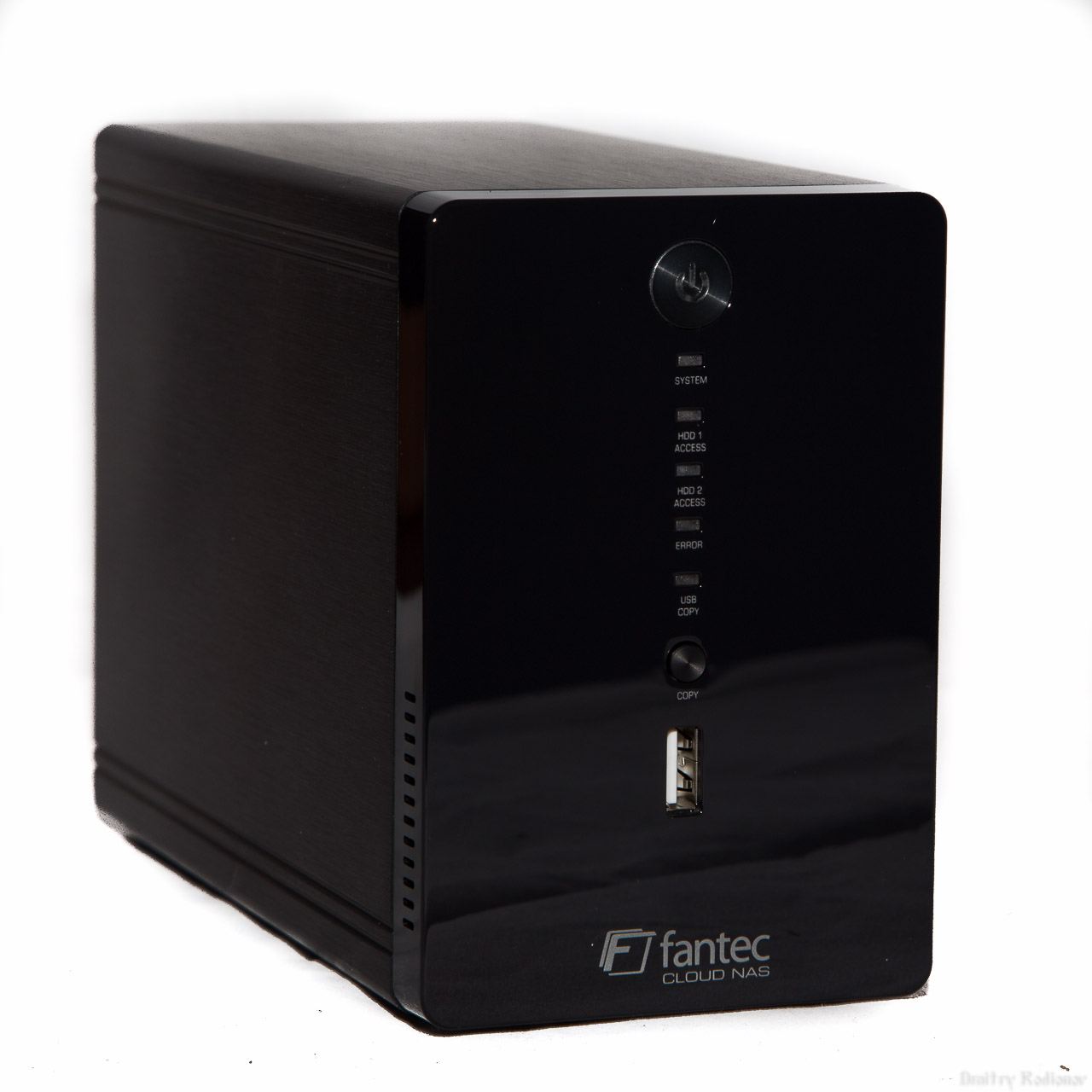
 NAS looks pretty nice. The front panel is made of glossy black plastic, the body itself is made of painted aluminum. The solution is quite logical, the case also performs the functions of a radiator for additional cooling of hard drives. The front panel of the network storage is reserved for buttons and indicators. Here are the power button, system power indicator, hard drive activity indicators (one for each of the drives), an error indicator, a copy indicator from a USB drive, a copy button from a USB drive and a USB port for connecting devices with information.
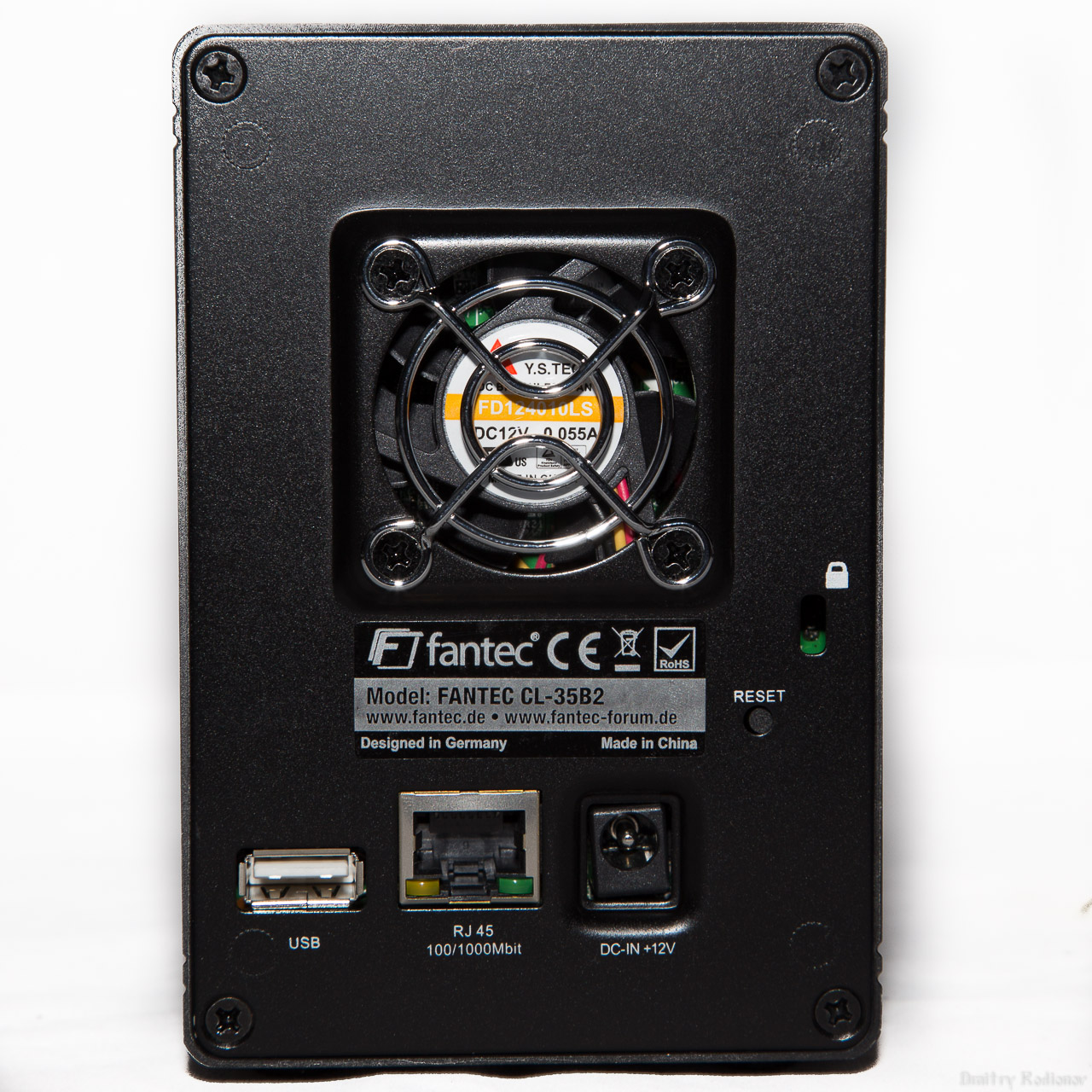
 The reverse side of the NAS is reserved for a cooling fan, a socket for connecting a power supply, an RJ-45 LAN connector, a USB connector, a Reset button, and a Kensington lock slot.
 The bottom panel, in addition to the rubber feet, also contains elements responsible for the operation of the NAS, namely the latch for the front panel and two holes for attaching the installed hard drives.

 After removing the front panel at the end of the tunnel, you can see the board on which the control elements of the network storage are located.

 After removing the aluminum case, a very miserable design remains, not at all reminiscent of network storage or any computer in principle.
 The NAS Fantec CL-35B2 is based on the PLX NAS 7821 chip. An appeal to Google leads to the website of the manufacturer of this controller: http://www.plxtech.com/products/consumer/nas7821 - you can see the documentation by reference, and if you have a signed NDA with Plx download whales for development. I don’t have any agreements with the vendor, so we only respect what is available to everyone. Here the first surprises begin, for example, only the SATA 3 Gbit / s interface is supported. Not that I really needed it or the gigabit Ethernet bandwidth allowed to pump more than one gigabit through myself, but nevertheless, I would like to see the SATA III (6 GB / s) interface.
  Nevertheless, I will put SATA III drives inside the NAS — specially trained for working in network attached storage, specially trained on secret bases and received red stickers - Western Digital WD30EFRX NASware or, in a simple way, WD Red.
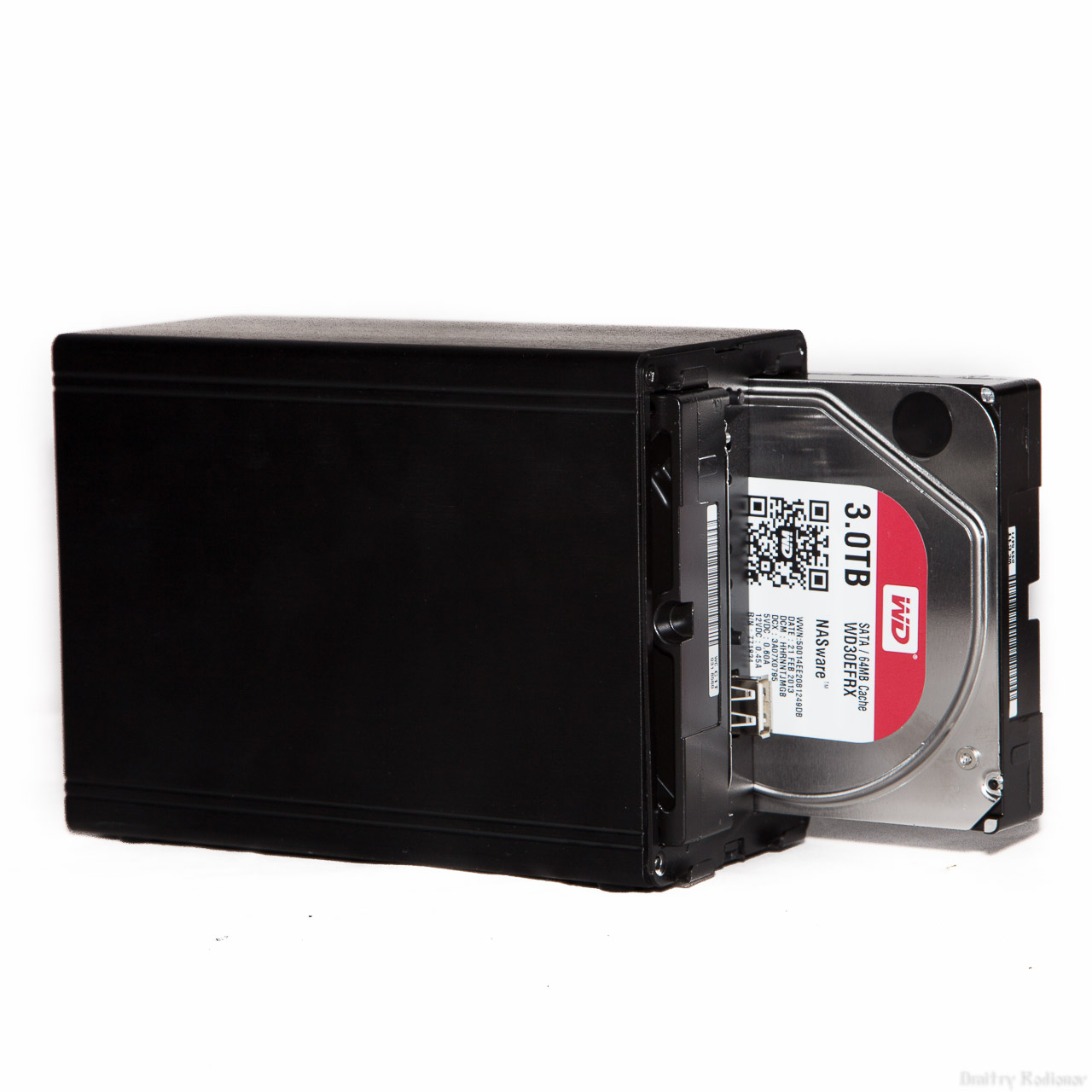
 Installation is very simple and trouble-free - insert the disk with the desired side into the bay (sticker on the center of the NAS) and fix it with one screw from the bottom panel - voila, the NAS is assembled and ready to go.
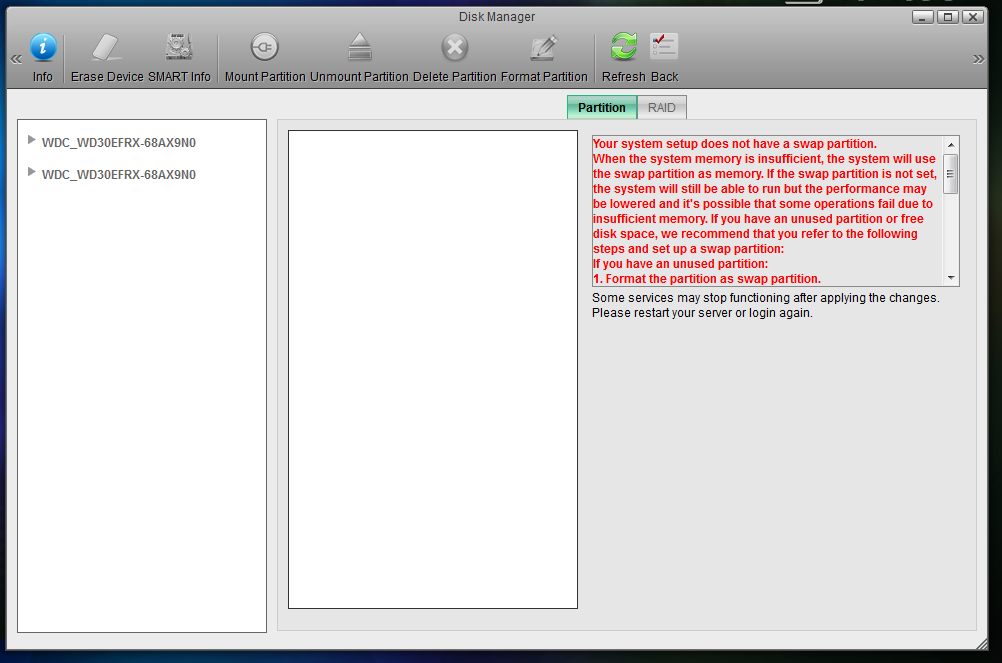
 After connecting to the network (220V) and the network (LAN), the device will be assigned an IP and you can enter the web interface on it. Initially, it is proposed to decide which array you want to create from the disks installed in the NAS. I built RAID 1.
The program for entering the web interface is called iSharing (here the author twisted in convulsions, interestingly I was tired of the letter i added in front of something).

After iSharing has found your NAS, the main screen of the web interface opens. Linux, like Linux.
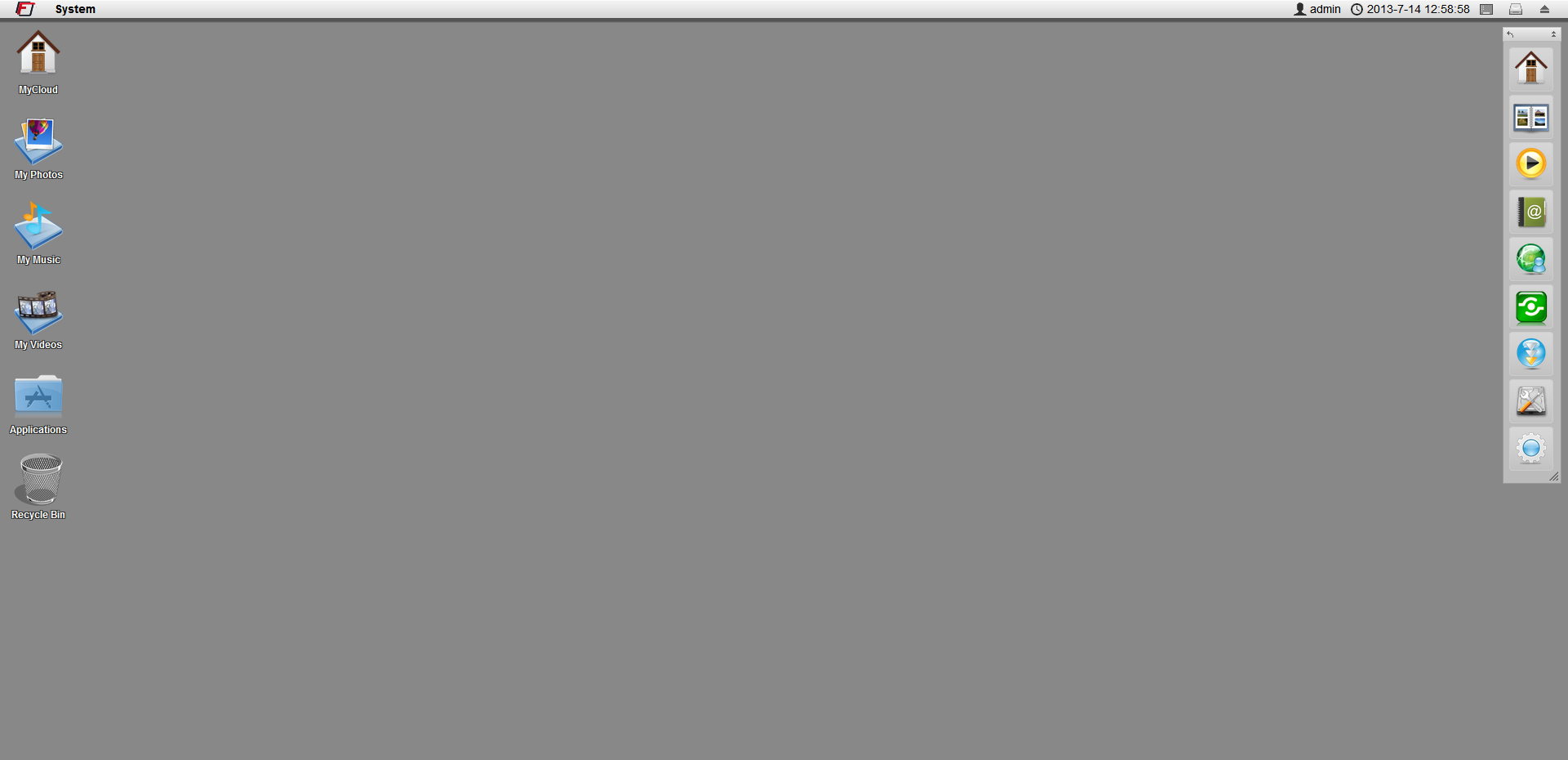
I go to MyCloud (it’s good that it’s not iMyCloud) - four standard folders Documents, Music, Photos, Video.

Everything is much more interesting in the settings: there is an address book, applications, information and disk management, a media player, various customization options, including appearance.
There are 11 languages available for the interface, among which there is a great and mighty Russian language.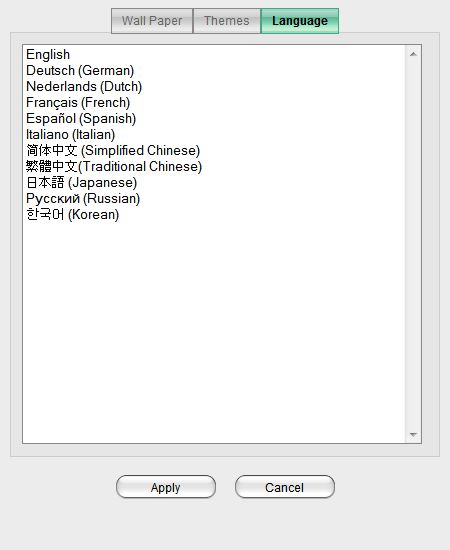
If you look at the disk information, you can see the absolute truth - two 3 TB drives in a RAID 1 array with a total capacity of 3 TB.

System information offers a large number of settings in which I personally am most interested in services.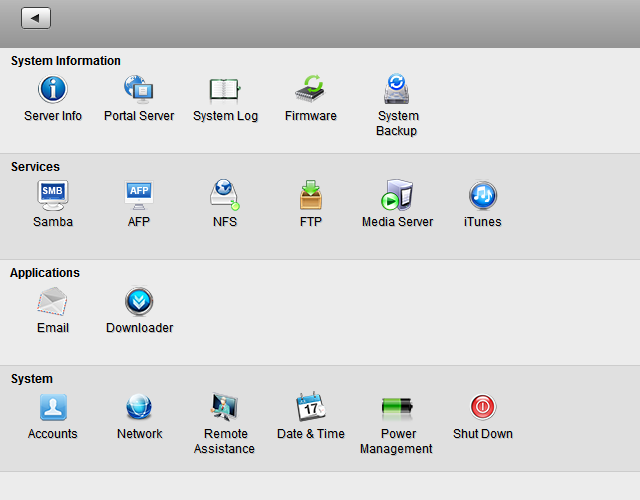
Great, the media server is on. No difficulties, everything is very simple and fast. Movies and music from the root folder are broadcast to the local network and my TV is ready to show movies.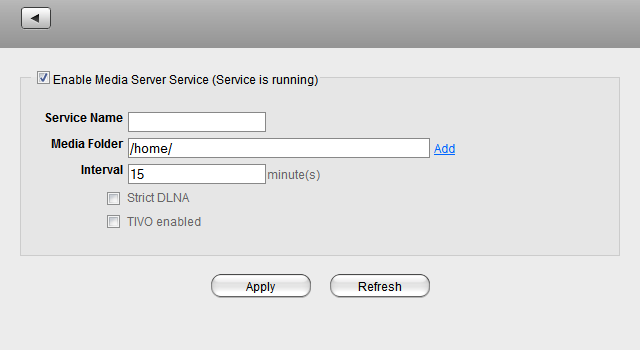
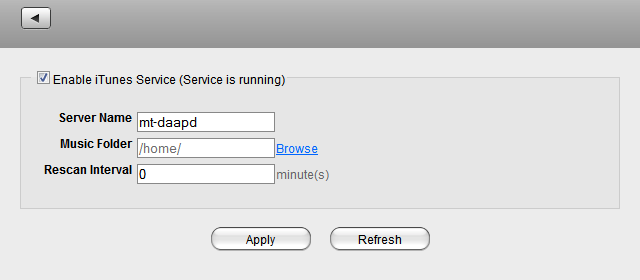
iTunes is also easy to set up and the music player is already losing everything that is pumped up with overwork.
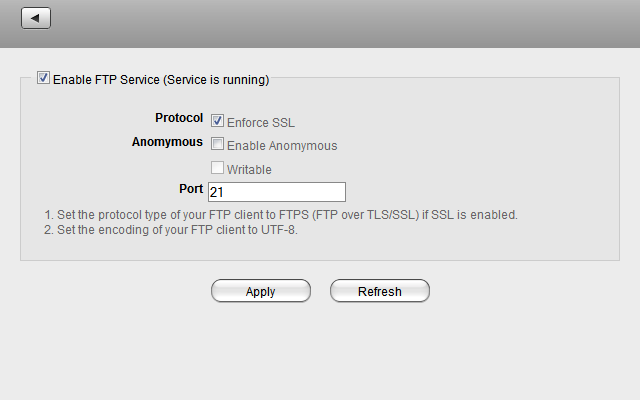
FTP has no problems, it works, but to be honest I don’t use this protocol at home. So, a screenshot for a tick.
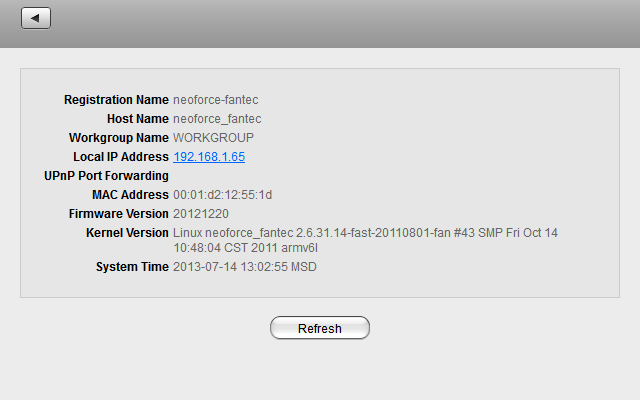
Here is the system information. I have nothing to hide here, so look).
To access the NAS from the Internet, you can register a name on myisharing.com and connect from work to your home storage. There is no way to assign an external IP, or at least I did not find it. On QNAP it is and is very easy to configure.

The download wizard has one very unpleasant feature - it understands only http addresses. If you want to download torrents, you need to search and install additional programs.
 So, everything seems to be about the device. I will also complain about the software update system. This non-trivial task, as it turned out, is only possible for the most persistent users. Automatic updating stupidly does not work. Pagein English to which the firmware is being sent for download does not work. And only when surfing according to the German version of the site (fortunately, your humble servant sprinkles a little in this language) did you manage to get a new firmware. A similar situation occurs with additional modules to improve functionality. Now I’ll summarize and talk about why the device did not have to live with me. Pros: low price (I found one device in the store for about 6400 rubles), compact size, support for two disks, support for RAID 0/1. Cons: lack of SATA III, lack of ability to assign an external IP, lack of inherent support for torrents, lack of regular updates. What is critical for me here? Well, firstly, of course torrents. The reasons I think are clear to everyone. Secondly, external IP. Many have proxies at work, cutting all kinds of file washes, but they are powerless before simply accessing the IP on their home NAS. These two reasons actually became the reason for parting with Fantec. To scold and say that I’m not going to be worthless, for a simple file storage at home - it will do, but IMHO nothing more.
First of all, the device surprised me with its dimensions, I expected to see a significantly larger box. Honestly, I don’t want to talk in detail about the box. I’ll just give a few photos with an emphasis on technology that Fantec considers it necessary to highlight in its device: support for two hard drives and a gigabit interface. Packed with high quality NAS, when transporting, it is unlikely that something could happen with empty storage. But in case you order a NAS with installed disks, the mass of the device increases significantly and then the postal services significantly increase their chances of smashing a package. Included in delivery: network attached storage, power adapter, RJ -45 network cable, software disk.NAS looks pretty nice. The front panel is made of glossy black plastic, the body itself is made of painted aluminum. The solution is quite logical, the case also performs the functions of a radiator for additional cooling of hard drives. The front panel of the network storage is reserved for buttons and indicators. Here are the power button, system power indicator, hard drive activity indicators (one for each of the drives), an error indicator, a copy indicator from a USB drive, a copy button from a USB drive and a USB port for connecting devices with information. The reverse side of the NAS is reserved for a cooling fan, a socket for connecting a power supply, an RJ-45 LAN connector, a USB connector, a Reset button, and a Kensington lock slot.The bottom panel, in addition to the rubber feet, also contains elements responsible for the operation of the NAS, namely the latch for the front panel and two holes for attaching the installed hard drives. After removing the front panel at the end of the tunnel, you can see the board on which the control elements of the network storage are located. After removing the aluminum case, a very miserable design remains, not at all reminiscent of network storage or any computer in principle.The NAS Fantec CL-35B2 is based on the PLX NAS 7821 chip. An appeal to Google leads to the website of the manufacturer of this controller: http://www.plxtech.com/products/consumer/nas7821 - you can see the documentation by reference, and if you have a signed NDA with Plx download whales for development. I don’t have any agreements with the vendor, so we only respect what is available to everyone. Here the first surprises begin, for example, only the SATA 3 Gbit / s interface is supported. Not that I really needed it or the gigabit Ethernet bandwidth allowed to pump more than one gigabit through myself, but nevertheless, I would like to see the SATA III (6 GB / s) interface. Nevertheless, I will put SATA III drives inside the NAS — specially trained for working in network attached storage, specially trained on secret bases and received red stickers - Western Digital WD30EFRX NASware or, in a simple way, WD Red. Installation is very simple and trouble-free - insert the disk with the desired side into the bay (sticker on the center of the NAS) and fix it with one screw from the bottom panel - voila, the NAS is assembled and ready to go. After connecting to the network (220V) and the network (LAN), the device will be assigned an IP and you can enter the web interface on it. Initially, it is proposed to decide which array you want to create from the disks installed in the NAS. I built RAID 1.The program for entering the web interface is called iSharing (here the author twisted in convulsions, interestingly I was tired of the letter i added in front of something).
After iSharing has found your NAS, the main screen of the web interface opens. Linux, like Linux.
I go to MyCloud (it’s good that it’s not iMyCloud) - four standard folders Documents, Music, Photos, Video.
Everything is much more interesting in the settings: there is an address book, applications, information and disk management, a media player, various customization options, including appearance.
There are 11 languages available for the interface, among which there is a great and mighty Russian language.
If you look at the disk information, you can see the absolute truth - two 3 TB drives in a RAID 1 array with a total capacity of 3 TB.
System information offers a large number of settings in which I personally am most interested in services.
Great, the media server is on. No difficulties, everything is very simple and fast. Movies and music from the root folder are broadcast to the local network and my TV is ready to show movies.
iTunes is also easy to set up and the music player is already losing everything that is pumped up with overwork.
FTP has no problems, it works, but to be honest I don’t use this protocol at home. So, a screenshot for a tick.
Here is the system information. I have nothing to hide here, so look).
To access the NAS from the Internet, you can register a name on myisharing.com and connect from work to your home storage. There is no way to assign an external IP, or at least I did not find it. On QNAP it is and is very easy to configure.
The download wizard has one very unpleasant feature - it understands only http addresses. If you want to download torrents, you need to search and install additional programs.
So, everything seems to be about the device. I will also complain about the software update system. This non-trivial task, as it turned out, is only possible for the most persistent users. Automatic updating stupidly does not work. Pagein English to which the firmware is being sent for download does not work. And only when surfing according to the German version of the site (fortunately, your humble servant sprinkles a little in this language) did you manage to get a new firmware. A similar situation occurs with additional modules to improve functionality. Now I’ll summarize and talk about why the device did not have to live with me. Pros: low price (I found one device in the store for about 6400 rubles), compact size, support for two disks, support for RAID 0/1. Cons: lack of SATA III, lack of ability to assign an external IP, lack of inherent support for torrents, lack of regular updates. What is critical for me here? Well, firstly, of course torrents. The reasons I think are clear to everyone. Secondly, external IP. Many have proxies at work, cutting all kinds of file washes, but they are powerless before simply accessing the IP on their home NAS. These two reasons actually became the reason for parting with Fantec. To scold and say that I’m not going to be worthless, for a simple file storage at home - it will do, but IMHO nothing more.