 July 5, 2013 at 8:45 pm
Home computer BK-0010-01. Take two
Surely many hawkers (especially those subscribed to the Old Iron hub ) remember the existence of a Soviet-made home computer with the discreet name BK-0010-01. Mention of him was already on Habré in this review , written by comrade ftp27 . Since the review ended at the most interesting place, I sincerely expected to see a sequel.
This is logical: making a computer turn on is half the battle. And to launch Popcorn on it and others like it is a real pleasure for a lover of computer antiquities. However, a lot of time has passed since the publication of the first review about BK-0010-01, and not a single more detailed material about this wonderful household computer has appeared on the open spaces of Habr.
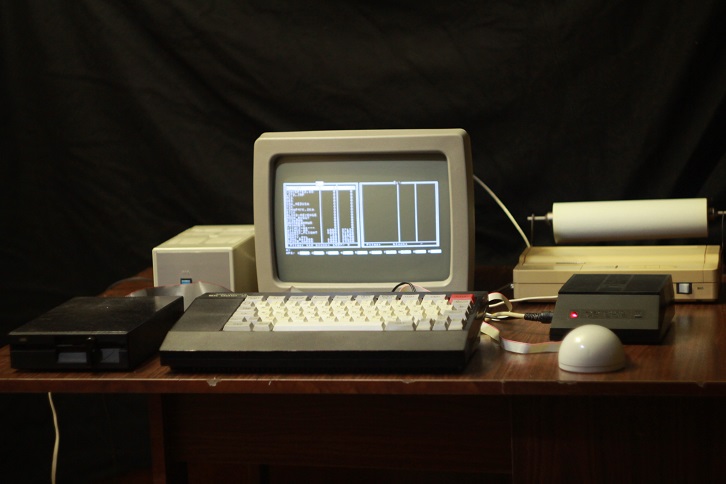
И вот совсем недавно в мои руки наконец-то попал компьютер Электроника БК-0010-01 в практически идеальном состоянии. Помимо самого компьютера, мне достались: блок МСТД, блок нагрузок, дисковод 5,25" с КНГМД, джойстик, несколько блоков питания и монитор Электроника МС 6105 с внешним блоком питания. За мышью УВК Марсианка и принтером Электроника МС 6312 мне пришлось немного поохотиться, но как не странно данные устройства удалось достать за вполне приемлемые деньги.
В связи с этим, я хотел бы рассказать о некоторой периферии для БК-0010-01, а также запустить на данном бытовом компьютере несколько культовых игр с фотоотчетом сего процесса.
Тем, кто слабо помнит, что такое БК-0010-01 (или не помнит совсем), крайне рекомендуется ознакомиться с имеющимся на Хабре обзором этого бытового компьютера, and only then press the "Read more" button
. Peripherals.
There is a fairly large number of expansion units and peripherals for the BK-0010-01 home computer, not only factory-made, but also designed and assembled by craftsmen. It does not make sense to cover all the devices connected to the BC in this review, so I will limit myself to the most interesting ones. And for those who want to “know everything”, I highly recommend looking here and here .
So, let's begin.
Monitor Electronics МС 6105.10.
Almost any TV can be used as a monitor for a home computer BK-0010-01. But since not all televisions had a corresponding video input (the antenna connector does not fit), most of them had to be modified using a soldering iron and a bunch of circuit diagrams. To correct this misunderstanding, the Soviet industry establishes the production of MS Electronics 6105 monitors with an index of 10 and 11, designed to work together with the BK-0010-01 household computer.

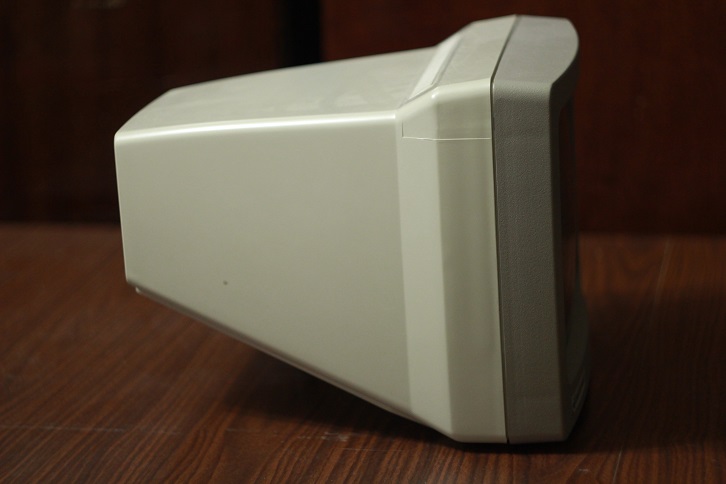
Electronics MC 6105.10 is a 29 cm black-and-white monitor.
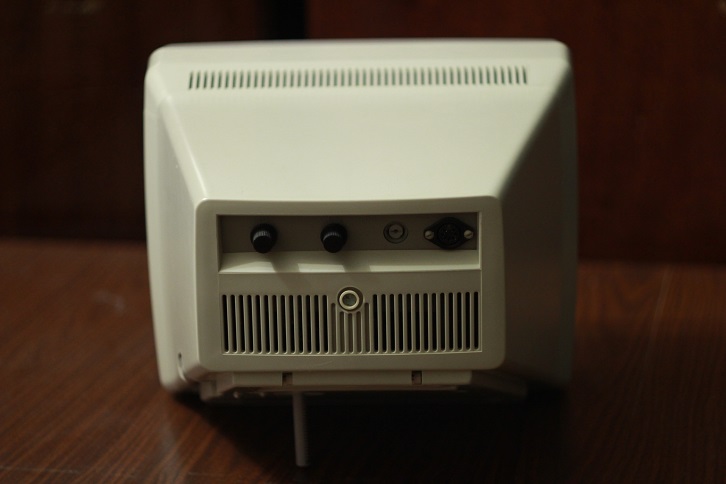
On the back of the monitor are brightness and contrast controls, a coaxial connector (video input) and a connector for connecting an external power supply.
The input voltage of the power supply is 220v, the output is 42v.
Drive and KNGMD block.
The most useful expansion unit in my opinion is the KNGMD unit, designed to connect a 5.25 "drive to the BCS.
There were many variations of this unit: from the unremarkable KNGMD, assembled according to the standard scheme, to the KNGMD from AltPro with an expandable DOS and BASIC. Special the BK-0010-01 drive controllers with ROM OS embedded in the ROM were chic. MKDOS 1.15 is protected in my KNGMD.
Thanks to the advent of the drives, the BK-0010-01 owners forgot about downloading programs and games from the tape. Play and work began in many times riyatney.
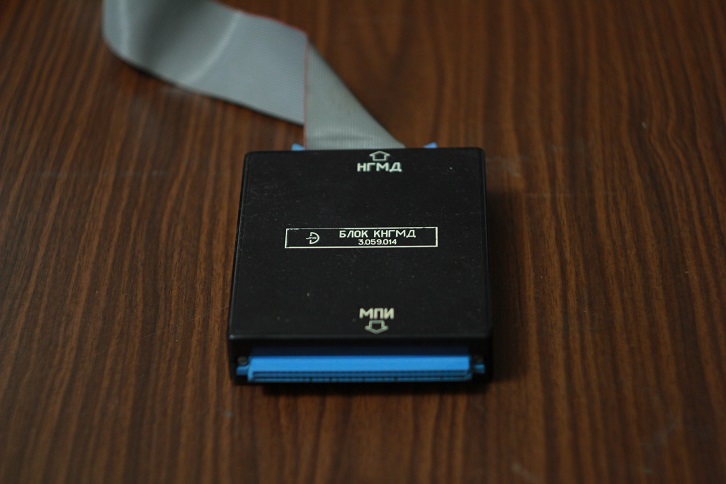
Here's what KNGMD block from my BKshki.
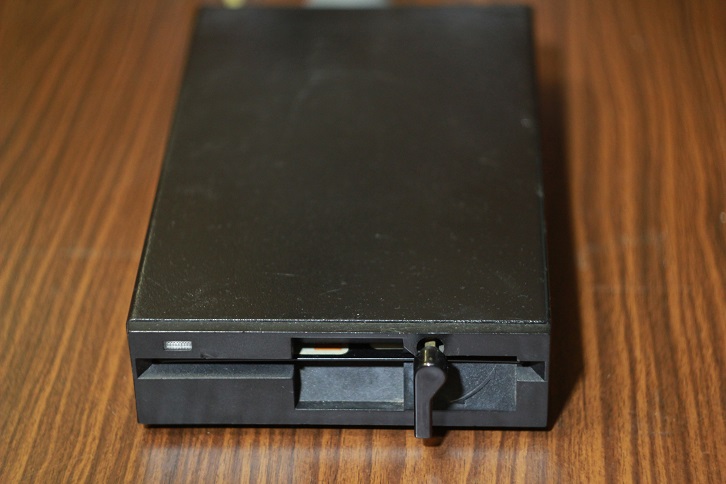
And here is the disk drive. The handsome, right?
To drive power commonly used power supply Electronics MS 9016, having output +5 and +12 volts.
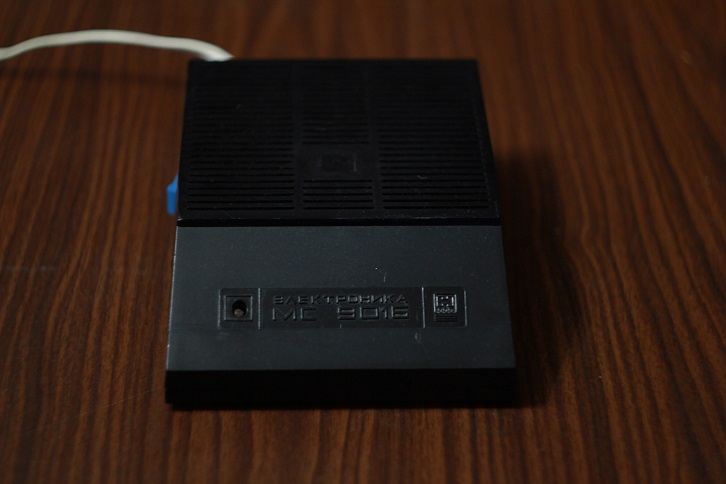
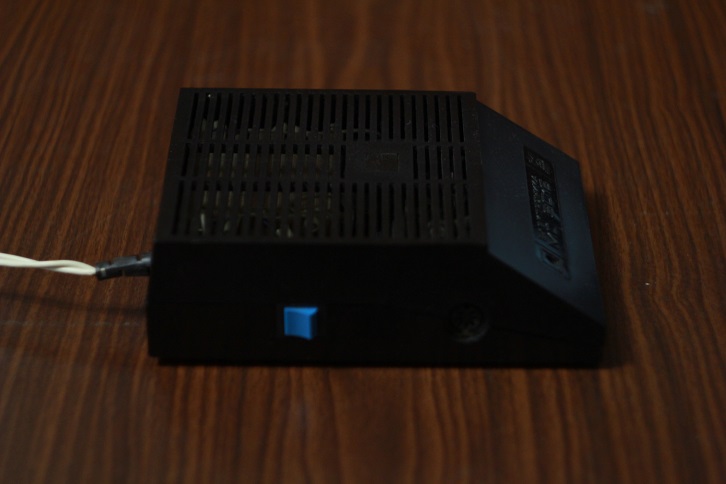
And if you also connect the BK-0010-01 to this power supply (fortunately, the power of the PSU allowed this to be done), you could get rid of the native power supply of the BCS, saving a little space on the table.
Joystick.
Some games for BK-0010-01 are not at all convenient to play from the keyboard. Therefore, the advent of joysticks made the life of gamers much easier and added variety to the list of peripherals connected to the BC.
My joystick looks like this: The
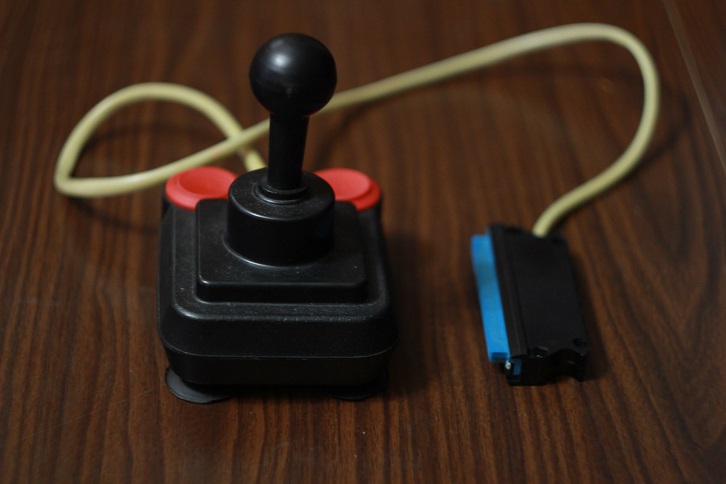
joystick is quite light, so suction cups are used to fix it on the table.
KM block.
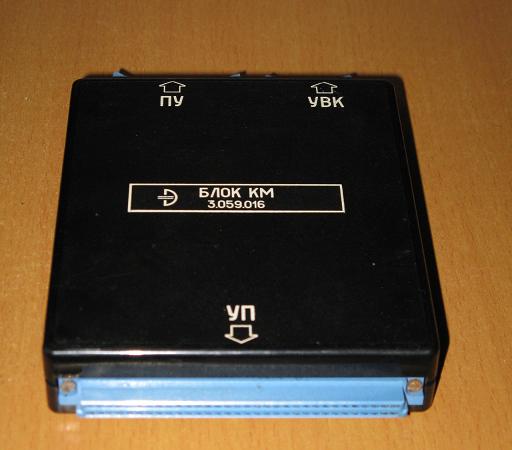
The photo was taken from the site http://zx.pk.ru/
Using the KM unit, you can simultaneously connect a printer (PU - printing device) and a mouse (UVK - coordinate input device) with the interesting name Martian to BK-0010-01. In principle, to connect the above devices, you can do without a KM unit, but then the only UP connector will be occupied by only one device. Unfortunately, this block is missing from me.
UVK Martian.
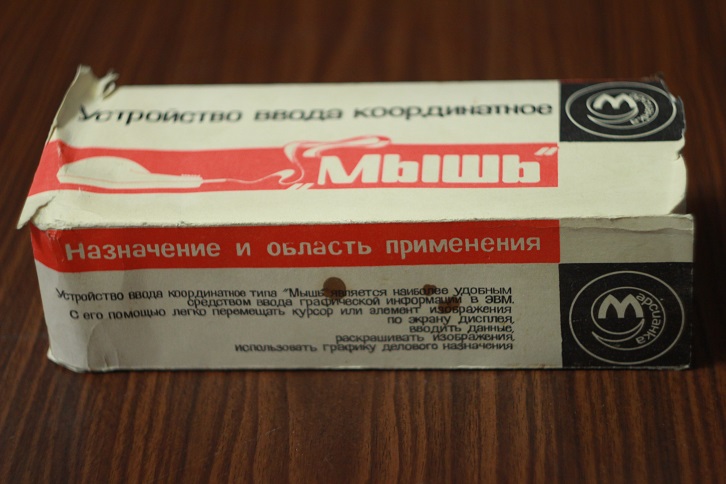
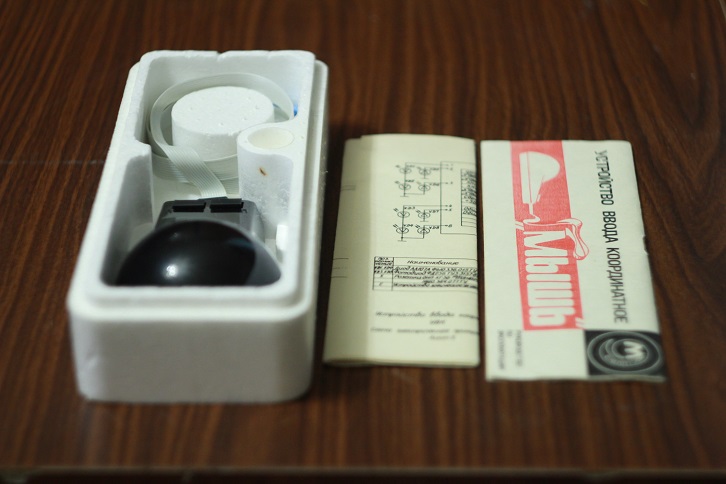
Coordinate input device UVK-01 The Martian is connected to the PC connector of the computer BK-0010-01 or using the KM unit. The vast majority of programs were able to work with the mouse only when directly connected to the UP connector. Therefore, if the program, which obviously supports the mouse, refuses to work with it through the KM switching block, this does not at all mean a physical malfunction of the manipulator.
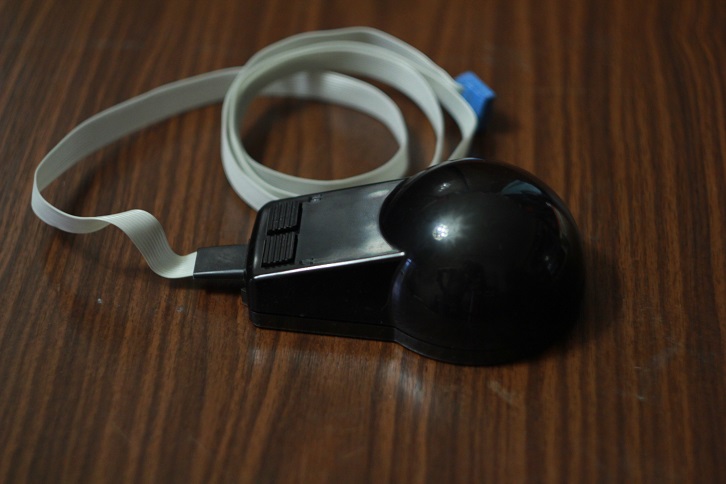
This is what the UVK-01 Martian connector looks like, connected to the KM unit.
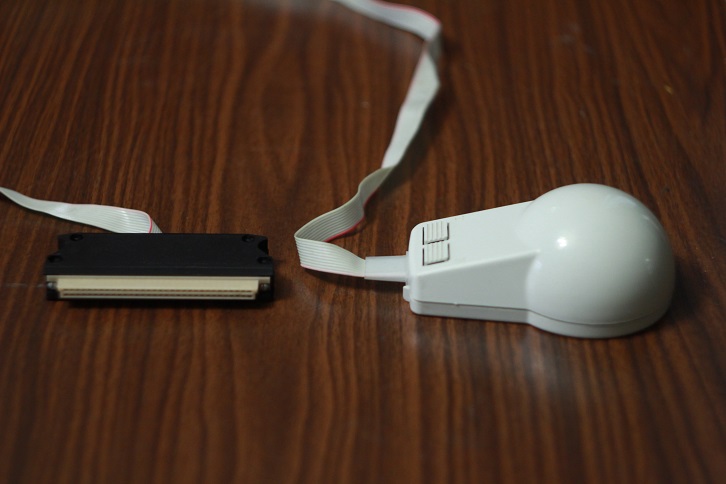
And this is a mouse with a connector SNP-58, working with the UP interface.
UVK-01 Martian cost 150 rubles, was sold in foam packaging and included a circuit diagram.
Printer Electronics MS-6312.
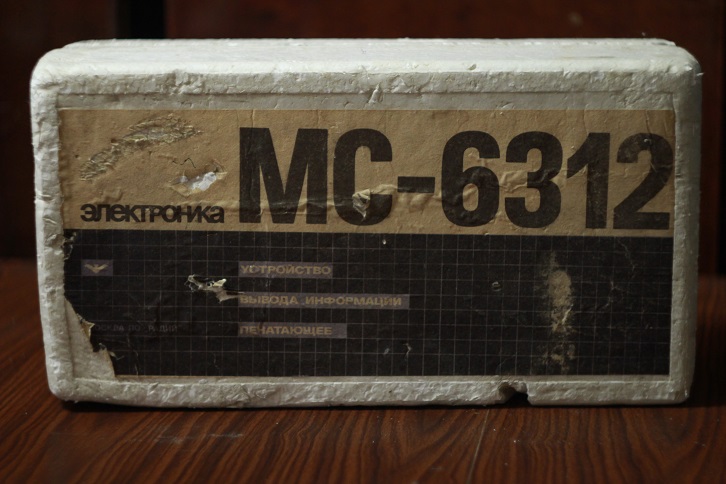
Especially popular among owners of the BK-0010-01 home computer were the Electronics-MS-6312 and MS-6313 printers. After a brief search, I was able to purchase, remake and connect the first of the above printers.
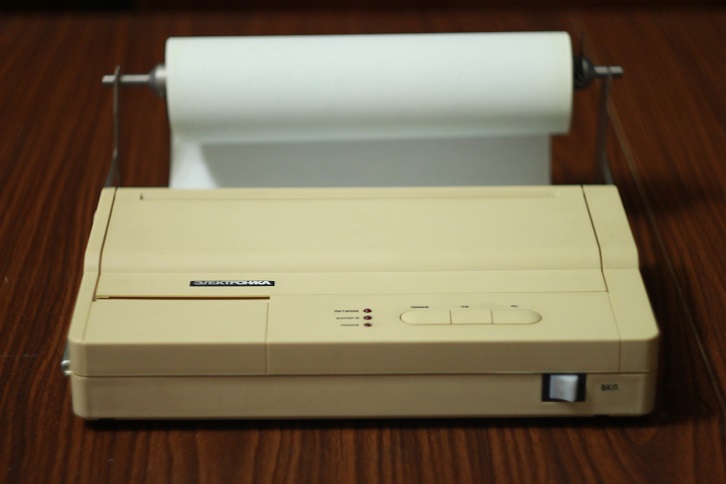
Электроника МС-6312 — первый советский струйник, клон Kodak Diconix-150. В связи с тем, что родные печатающие головки МС 6901 и МС 6902 для данного принтера найти практически невозможно (а если и возможно, то бесполезно, так как головки давно уже высохли и восстановлению почти не поддаются), было решено использовать зарубежный аналог HP 51604A, немного переделав сам принтер.
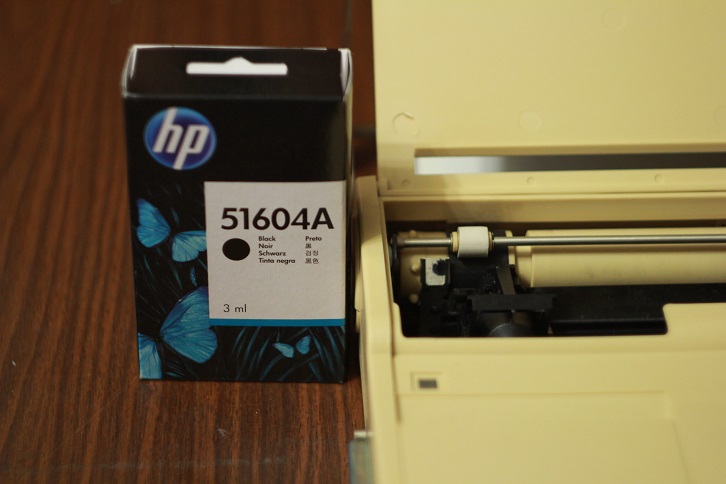
In order for the Electronics-MC-6312 printer to work with the bourgeois HP 51604A printhead, you need to increase the head supply voltage from 18 to 24 V. To do this, you will need to replace the Zener diode VD6 (according to the printer's circuit diagram) with D814D and adjust the voltage with a variable resistor R8. However, during printing artifacts will be observed in the form of unprinted elements of some characters. This jamb is manifested during the simultaneous operation of all nozzles of the print head and is associated with insufficient power supply. The most elegant crutch to solve this problem was the installation of a large-capacity electrolytic capacitor parallel to the power supply circuit of the print head.
Now it remains only to connect the Electronics-MS-6312 printer to the BK-0010-01 home computer.
This can be done in two ways - using the KM switching unit or connecting the printer directly to the UP connector. Since I do not have a KM block, I decided to go the second way.
To do this, I needed: a standard Centronix printer cable (LPT), an SNP-58 connector from the kit for BK-0010-01, and a soldering iron. We cut off the connector for connecting to the LPT printer interface from the Centronix cable and solder the SNP-58 connector in its place in accordance with the cable wiring for connecting the MC6312 printer to the BK-0010-01 .
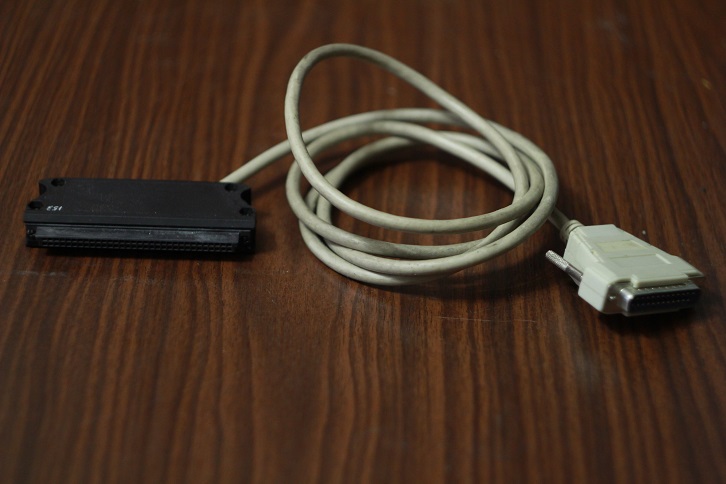
By the way, the cost of the printer in 1991 was 1,500 rubles, which is two times more expensive than the cost of the BK-0010-01 home computer itself.
Block minstrel.
Using this unit, it was possible to play digitized melodies on the BK-0010-01 computer. The Minstrel program and music complex had two sound channels, and the range of reproduced frequencies varied from a subcontract to 9 octaves. It was also possible to use various sound effects - legato, vibrato, glissando, smooth deceleration and acceleration of pace.
I do not have this device, but I hope that sooner or later I can replenish it with my collection.
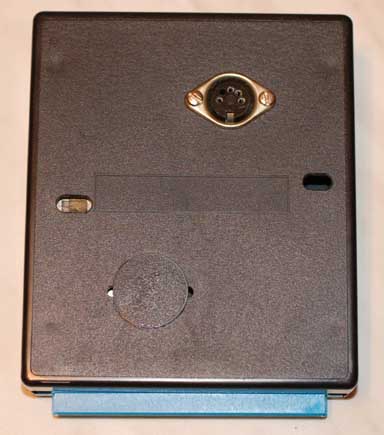
The photo was taken from fincoins.spb.ru.
In addition to the above devices and expansion units, the BK-0010-01 household computer could be equipped with additional RAM, a network interface, a hard disk, and even a light gun! Not bad at all for a domestic-made computer, is it?
MSTD block, load block and spare connector SNP-58.
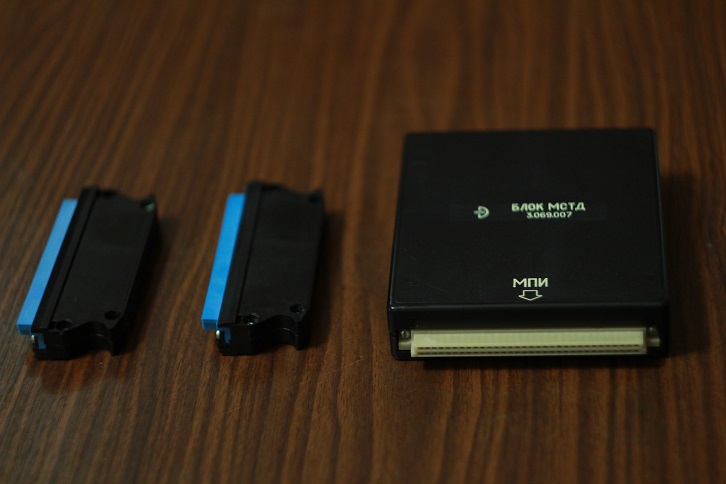
The MSTD (Monitor Test Diagnostic System) block contains a ROM with a FOCAL-BK0010 language interpreter and a test system that allows you to check the operability of the BK-0010-01 home computer.
The load block is designed to test the operability of the input-output lines (UP connector) and is used in conjunction with the MSTD block.
The spare SNP-58 connector is useful if you decide to connect compatible peripheral equipment to the BK-0010-01 that does not have a corresponding connector.
To run the test programs built into the MSTD unit, you will have to study the operating instructions for the BK-0010-01 home computer, since each test is started with a certain key combination. There are five monitoring programs in total: a test of RAM and ROM, a test of keyboard operability, a test of operability of I / O lines (UP connector), checking the quality of the image displayed on the screen, and checking the operation of a PC with a cassette recorder.
The error-free execution of all tests indicates the health of the PC and its readiness for work.
Download from tape recorder. Convert binary files of programs and games to a sound file.
One of the features of the BK-0010-01 computer is the loading and saving of data on magnetic tape. For these purposes, a cassette recorder is used, which connects to the computer via the cable supplied with the 5DIN connectors. The ability to download data from the drive appeared much later, and not everyone could afford the drive with the controller, so the bulk of the programs and games were stored on magnetic tape.
They were very lucky for those people who once acquired a disk drive and copied their programs from magnetic tape to floppy disks. And what about those who do not have not only cassettes, but also a tape recorder? How to launch on BKShke something more than the built-in BASIC?
It turns out that most of the programs and games for BK-0010-01 can be found on the Internet in the form of binary files intended for download to software emulators. For example here , here and here . In order to download the downloaded game or program to live BK-0010-01, you must first convert the .bin file to WAV format, which is a regular sound file with a cute ear, whistling, crackling and hissing.
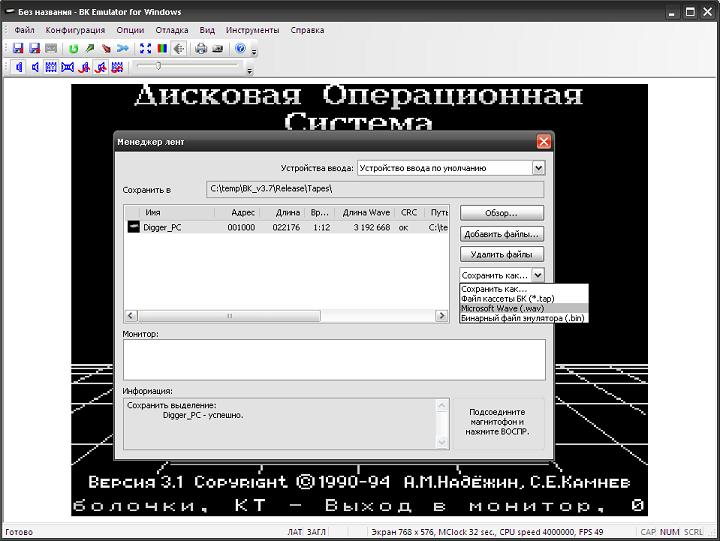
For conversion, I used the Emulator BK-0010-01, BK-0011 and BK-0011M, the latest version of which can be taken from here .
Now all that remains is to connect the output of the PC sound card to the BK-0010-01 tape input, type the boot commands from the tape recorder on the Bkshke and play the resulting sound file on the PC in any audio player. The main thing is not to forget to turn off the equalizer and other filters that "improve" the sound, otherwise the download will fail.
Boot from drive. Burning images to a floppy disk.
Those who have a drive controller for BK-0010-01 and the drive itself are much luckier. In this case, you can record a finished image of a diskette with games and programs (which you can get here , but rather download this archive ) using a PC. To do this, we need a personal computer with a 5.25 "drive installed under Windows 2000 / XP / 2003 / Vista / 2008/7/8, a driverfdrawcmd.sys and the UKDSK program.
Install the fdrawcmd.sys driverand reboot. We open the command line and go to the folder with the UKDSK program unpacked from the archive. We put a pre-downloaded floppy disk image in this folder and execute the command:
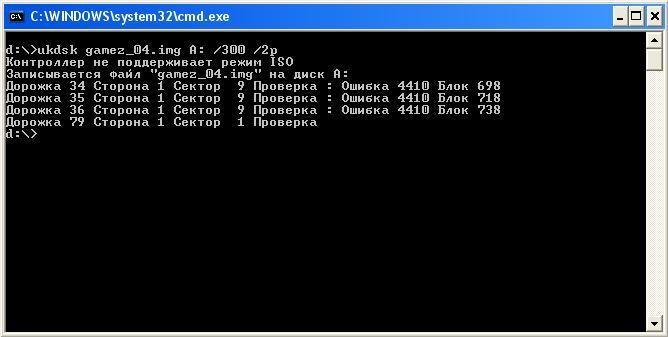
Depending on the state of the floppy disk used, errors may occur during image recording. This is bad, but not critical. Now the floppy disk can be inserted into the BK-0010-01 drive and try to load a couple of games.
A note for owners of KNGMD with a disk operating system embedded in ROM: Please note that many operating systems have their own file system, often not compatible with others. So, for example, the MKDOS disk operating system that I have attached to the KNMD has the MicroDOS file system (one of the most common), but does not understand the FAT12 file system with which the ANDOS OS works.
Preparing BK-0010-01 for work and launching games.
It's time to fulfill the second part of the promise I made at the beginning of the review and show the readers the Habra mystery of launching programs and games on BK-0010-01.
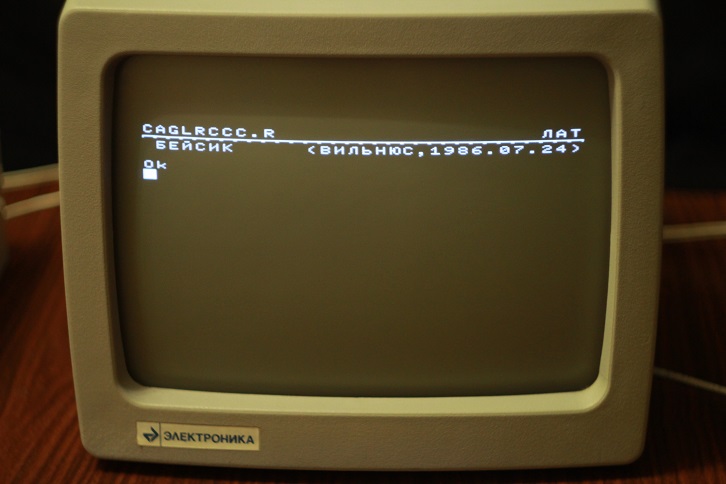
Built-in BASIC.
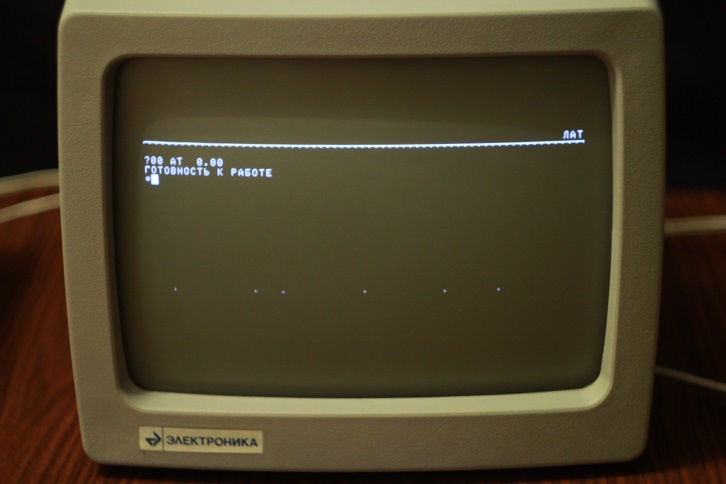
Focal from the block MSTD.
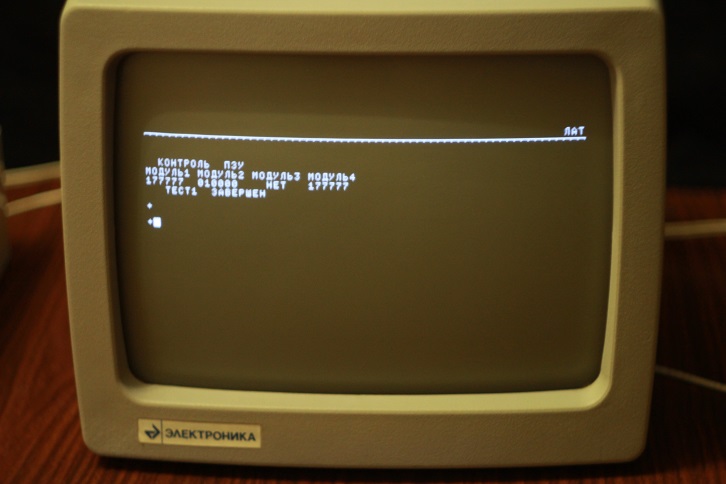
Memory test.
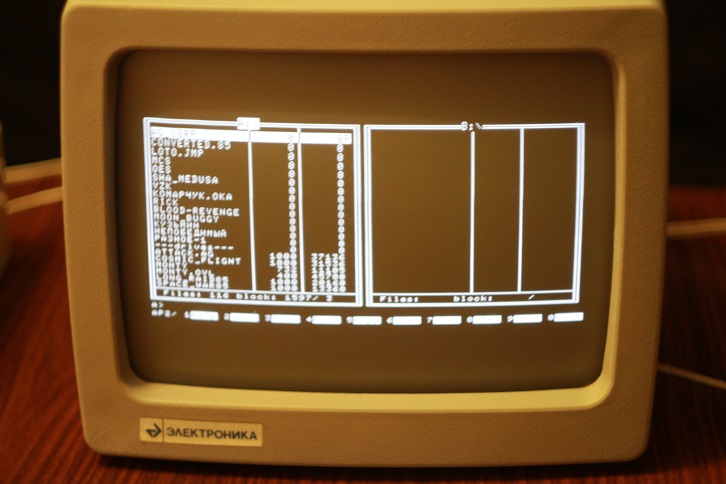
MK-DOS, sewn into the ROM of KNGMD.
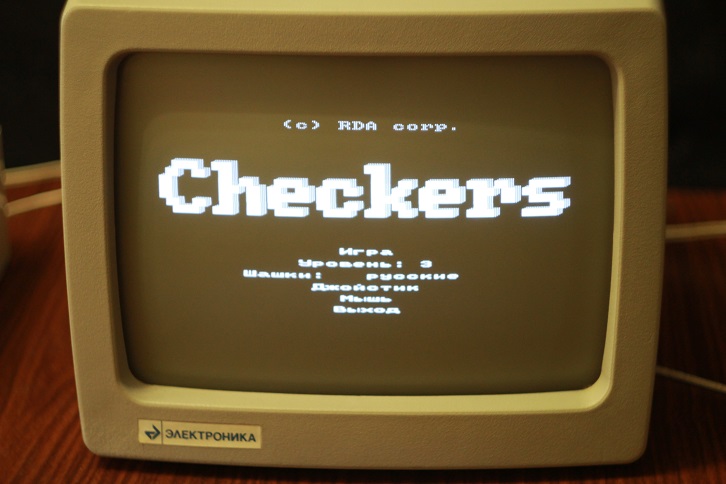
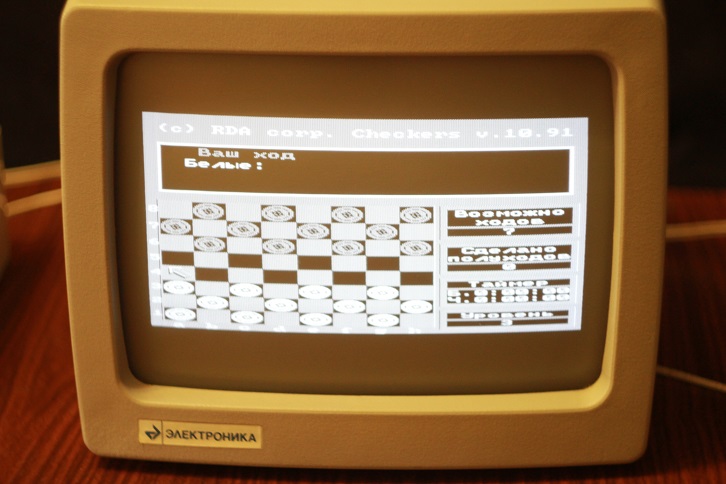
Game CHECKERS (Checkers) support mouse control UVK-01 Martian.
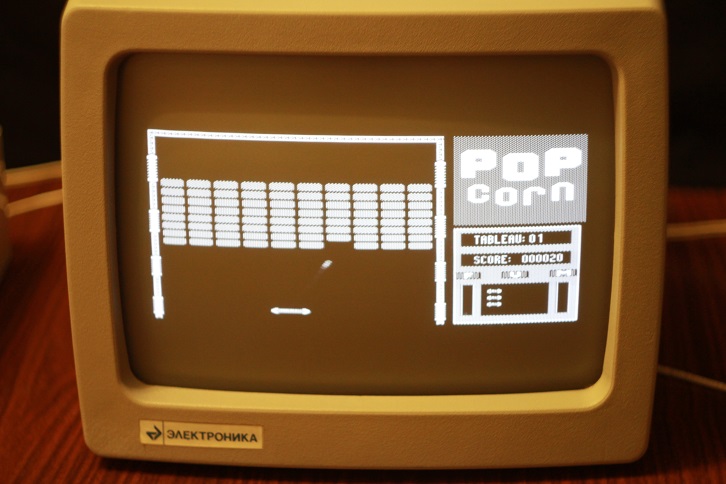
The Popcorn game supports joystick control.
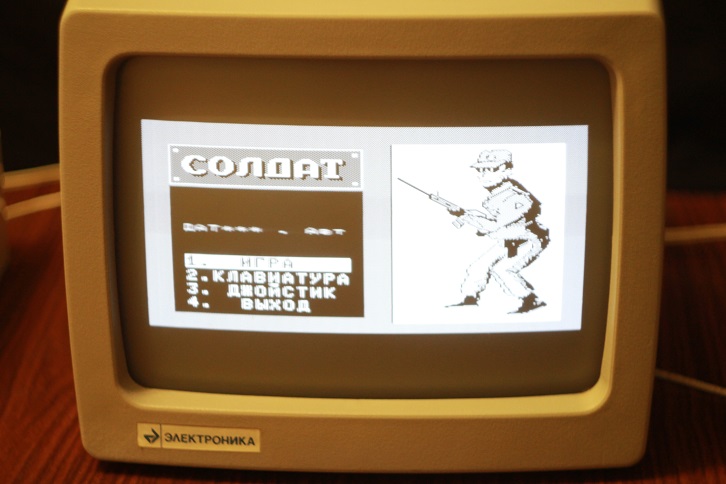
Game Soldier.
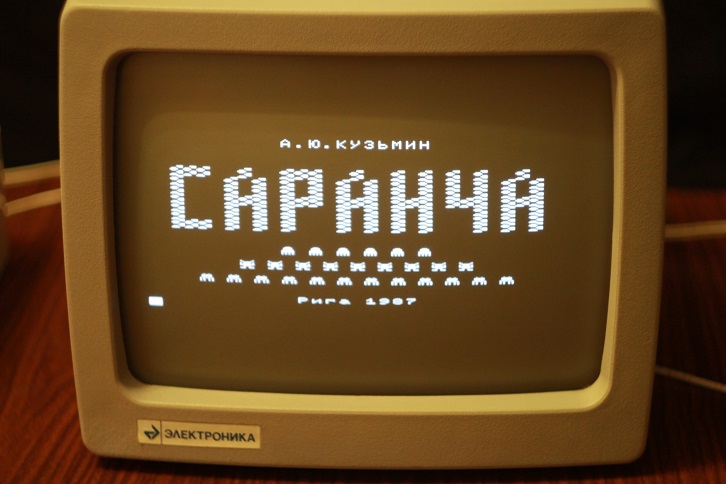
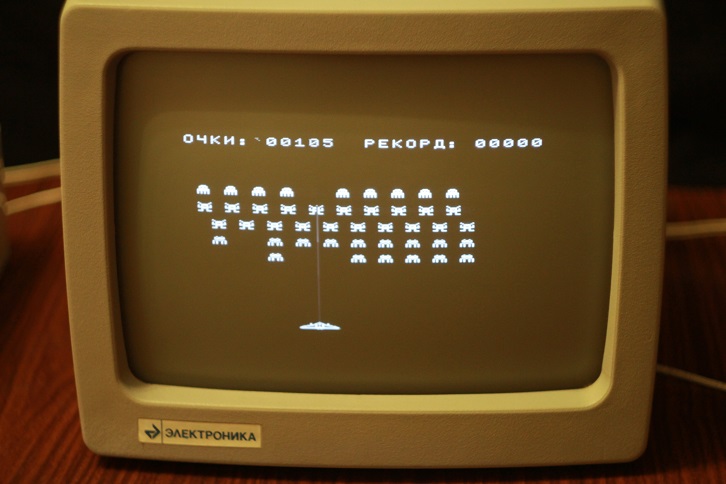
Locust.
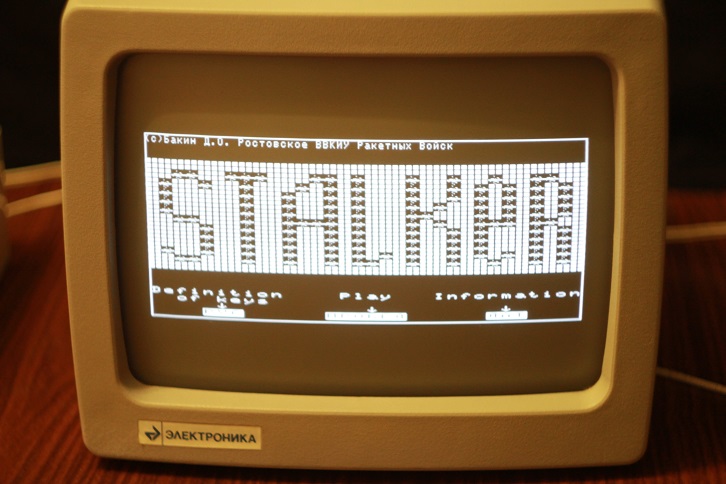
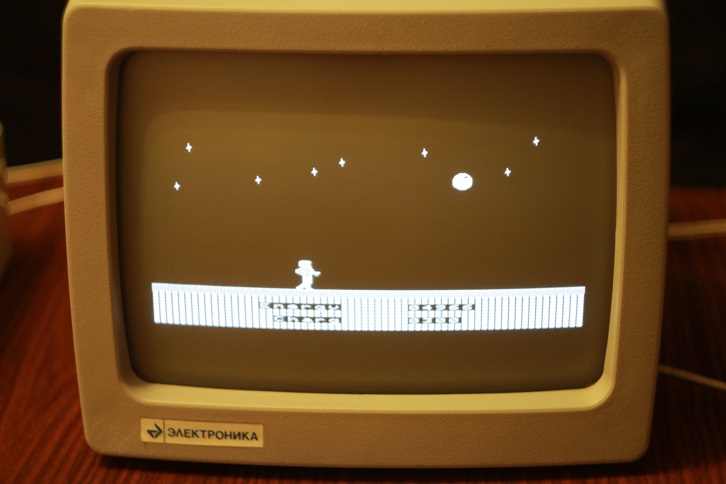
Stalker!
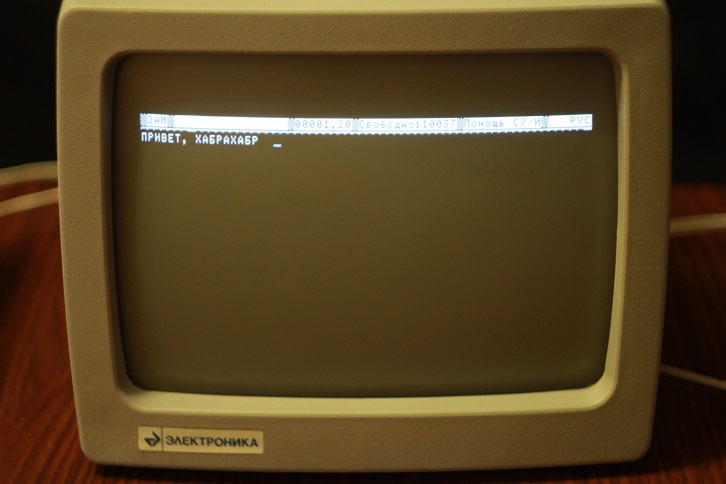
Text editor Lexicon.
I hope that who read the review to the end was interesting.
PS: I would be grateful to everyone who can help me in finding the expansion units that are not at my disposal for BK-0010-01 and other peripherals.
This is logical: making a computer turn on is half the battle. And to launch Popcorn on it and others like it is a real pleasure for a lover of computer antiquities. However, a lot of time has passed since the publication of the first review about BK-0010-01, and not a single more detailed material about this wonderful household computer has appeared on the open spaces of Habr.
И вот совсем недавно в мои руки наконец-то попал компьютер Электроника БК-0010-01 в практически идеальном состоянии. Помимо самого компьютера, мне достались: блок МСТД, блок нагрузок, дисковод 5,25" с КНГМД, джойстик, несколько блоков питания и монитор Электроника МС 6105 с внешним блоком питания. За мышью УВК Марсианка и принтером Электроника МС 6312 мне пришлось немного поохотиться, но как не странно данные устройства удалось достать за вполне приемлемые деньги.
В связи с этим, я хотел бы рассказать о некоторой периферии для БК-0010-01, а также запустить на данном бытовом компьютере несколько культовых игр с фотоотчетом сего процесса.
Тем, кто слабо помнит, что такое БК-0010-01 (или не помнит совсем), крайне рекомендуется ознакомиться с имеющимся на Хабре обзором этого бытового компьютера, and only then press the "Read more" button
. Peripherals.
There is a fairly large number of expansion units and peripherals for the BK-0010-01 home computer, not only factory-made, but also designed and assembled by craftsmen. It does not make sense to cover all the devices connected to the BC in this review, so I will limit myself to the most interesting ones. And for those who want to “know everything”, I highly recommend looking here and here .
So, let's begin.
Monitor Electronics МС 6105.10.
Almost any TV can be used as a monitor for a home computer BK-0010-01. But since not all televisions had a corresponding video input (the antenna connector does not fit), most of them had to be modified using a soldering iron and a bunch of circuit diagrams. To correct this misunderstanding, the Soviet industry establishes the production of MS Electronics 6105 monitors with an index of 10 and 11, designed to work together with the BK-0010-01 household computer.
Electronics MC 6105.10 is a 29 cm black-and-white monitor.
On the back of the monitor are brightness and contrast controls, a coaxial connector (video input) and a connector for connecting an external power supply.
The input voltage of the power supply is 220v, the output is 42v.
Drive and KNGMD block.
The most useful expansion unit in my opinion is the KNGMD unit, designed to connect a 5.25 "drive to the BCS.
There were many variations of this unit: from the unremarkable KNGMD, assembled according to the standard scheme, to the KNGMD from AltPro with an expandable DOS and BASIC. Special the BK-0010-01 drive controllers with ROM OS embedded in the ROM were chic. MKDOS 1.15 is protected in my KNGMD.
Thanks to the advent of the drives, the BK-0010-01 owners forgot about downloading programs and games from the tape. Play and work began in many times riyatney.
Here's what KNGMD block from my BKshki.
And here is the disk drive. The handsome, right?
To drive power commonly used power supply Electronics MS 9016, having output +5 and +12 volts.
And if you also connect the BK-0010-01 to this power supply (fortunately, the power of the PSU allowed this to be done), you could get rid of the native power supply of the BCS, saving a little space on the table.
Joystick.
Some games for BK-0010-01 are not at all convenient to play from the keyboard. Therefore, the advent of joysticks made the life of gamers much easier and added variety to the list of peripherals connected to the BC.
My joystick looks like this: The
joystick is quite light, so suction cups are used to fix it on the table.
KM block.
The photo was taken from the site http://zx.pk.ru/
Using the KM unit, you can simultaneously connect a printer (PU - printing device) and a mouse (UVK - coordinate input device) with the interesting name Martian to BK-0010-01. In principle, to connect the above devices, you can do without a KM unit, but then the only UP connector will be occupied by only one device. Unfortunately, this block is missing from me.
UVK Martian.
Coordinate input device UVK-01 The Martian is connected to the PC connector of the computer BK-0010-01 or using the KM unit. The vast majority of programs were able to work with the mouse only when directly connected to the UP connector. Therefore, if the program, which obviously supports the mouse, refuses to work with it through the KM switching block, this does not at all mean a physical malfunction of the manipulator.
This is what the UVK-01 Martian connector looks like, connected to the KM unit.
And this is a mouse with a connector SNP-58, working with the UP interface.
UVK-01 Martian cost 150 rubles, was sold in foam packaging and included a circuit diagram.
Printer Electronics MS-6312.
Especially popular among owners of the BK-0010-01 home computer were the Electronics-MS-6312 and MS-6313 printers. After a brief search, I was able to purchase, remake and connect the first of the above printers.
Электроника МС-6312 — первый советский струйник, клон Kodak Diconix-150. В связи с тем, что родные печатающие головки МС 6901 и МС 6902 для данного принтера найти практически невозможно (а если и возможно, то бесполезно, так как головки давно уже высохли и восстановлению почти не поддаются), было решено использовать зарубежный аналог HP 51604A, немного переделав сам принтер.
In order for the Electronics-MC-6312 printer to work with the bourgeois HP 51604A printhead, you need to increase the head supply voltage from 18 to 24 V. To do this, you will need to replace the Zener diode VD6 (according to the printer's circuit diagram) with D814D and adjust the voltage with a variable resistor R8. However, during printing artifacts will be observed in the form of unprinted elements of some characters. This jamb is manifested during the simultaneous operation of all nozzles of the print head and is associated with insufficient power supply. The most elegant crutch to solve this problem was the installation of a large-capacity electrolytic capacitor parallel to the power supply circuit of the print head.
Now it remains only to connect the Electronics-MS-6312 printer to the BK-0010-01 home computer.
This can be done in two ways - using the KM switching unit or connecting the printer directly to the UP connector. Since I do not have a KM block, I decided to go the second way.
To do this, I needed: a standard Centronix printer cable (LPT), an SNP-58 connector from the kit for BK-0010-01, and a soldering iron. We cut off the connector for connecting to the LPT printer interface from the Centronix cable and solder the SNP-58 connector in its place in accordance with the cable wiring for connecting the MC6312 printer to the BK-0010-01 .
By the way, the cost of the printer in 1991 was 1,500 rubles, which is two times more expensive than the cost of the BK-0010-01 home computer itself.
Block minstrel.
Using this unit, it was possible to play digitized melodies on the BK-0010-01 computer. The Minstrel program and music complex had two sound channels, and the range of reproduced frequencies varied from a subcontract to 9 octaves. It was also possible to use various sound effects - legato, vibrato, glissando, smooth deceleration and acceleration of pace.
I do not have this device, but I hope that sooner or later I can replenish it with my collection.
The photo was taken from fincoins.spb.ru.
In addition to the above devices and expansion units, the BK-0010-01 household computer could be equipped with additional RAM, a network interface, a hard disk, and even a light gun! Not bad at all for a domestic-made computer, is it?
MSTD block, load block and spare connector SNP-58.
The MSTD (Monitor Test Diagnostic System) block contains a ROM with a FOCAL-BK0010 language interpreter and a test system that allows you to check the operability of the BK-0010-01 home computer.
The load block is designed to test the operability of the input-output lines (UP connector) and is used in conjunction with the MSTD block.
The spare SNP-58 connector is useful if you decide to connect compatible peripheral equipment to the BK-0010-01 that does not have a corresponding connector.
To run the test programs built into the MSTD unit, you will have to study the operating instructions for the BK-0010-01 home computer, since each test is started with a certain key combination. There are five monitoring programs in total: a test of RAM and ROM, a test of keyboard operability, a test of operability of I / O lines (UP connector), checking the quality of the image displayed on the screen, and checking the operation of a PC with a cassette recorder.
The error-free execution of all tests indicates the health of the PC and its readiness for work.
Download from tape recorder. Convert binary files of programs and games to a sound file.
One of the features of the BK-0010-01 computer is the loading and saving of data on magnetic tape. For these purposes, a cassette recorder is used, which connects to the computer via the cable supplied with the 5DIN connectors. The ability to download data from the drive appeared much later, and not everyone could afford the drive with the controller, so the bulk of the programs and games were stored on magnetic tape.
They were very lucky for those people who once acquired a disk drive and copied their programs from magnetic tape to floppy disks. And what about those who do not have not only cassettes, but also a tape recorder? How to launch on BKShke something more than the built-in BASIC?
It turns out that most of the programs and games for BK-0010-01 can be found on the Internet in the form of binary files intended for download to software emulators. For example here , here and here . In order to download the downloaded game or program to live BK-0010-01, you must first convert the .bin file to WAV format, which is a regular sound file with a cute ear, whistling, crackling and hissing.
For conversion, I used the Emulator BK-0010-01, BK-0011 and BK-0011M, the latest version of which can be taken from here .
Now all that remains is to connect the output of the PC sound card to the BK-0010-01 tape input, type the boot commands from the tape recorder on the Bkshke and play the resulting sound file on the PC in any audio player. The main thing is not to forget to turn off the equalizer and other filters that "improve" the sound, otherwise the download will fail.
Boot from drive. Burning images to a floppy disk.
Those who have a drive controller for BK-0010-01 and the drive itself are much luckier. In this case, you can record a finished image of a diskette with games and programs (which you can get here , but rather download this archive ) using a PC. To do this, we need a personal computer with a 5.25 "drive installed under Windows 2000 / XP / 2003 / Vista / 2008/7/8, a driverfdrawcmd.sys and the UKDSK program.
Install the fdrawcmd.sys driverand reboot. We open the command line and go to the folder with the UKDSK program unpacked from the archive. We put a pre-downloaded floppy disk image in this folder and execute the command:
ukdsk образ.диска буква:дисковода /300 /2pDepending on the state of the floppy disk used, errors may occur during image recording. This is bad, but not critical. Now the floppy disk can be inserted into the BK-0010-01 drive and try to load a couple of games.
A note for owners of KNGMD with a disk operating system embedded in ROM: Please note that many operating systems have their own file system, often not compatible with others. So, for example, the MKDOS disk operating system that I have attached to the KNMD has the MicroDOS file system (one of the most common), but does not understand the FAT12 file system with which the ANDOS OS works.
Preparing BK-0010-01 for work and launching games.
It's time to fulfill the second part of the promise I made at the beginning of the review and show the readers the Habra mystery of launching programs and games on BK-0010-01.
Built-in BASIC.
Focal from the block MSTD.
Memory test.
MK-DOS, sewn into the ROM of KNGMD.
Game CHECKERS (Checkers) support mouse control UVK-01 Martian.
The Popcorn game supports joystick control.
Game Soldier.
Locust.
Stalker!
Text editor Lexicon.
I hope that who read the review to the end was interesting.
PS: I would be grateful to everyone who can help me in finding the expansion units that are not at my disposal for BK-0010-01 and other peripherals.









