"National" programming languages
When I again had to run into 1C, I wondered if there were any other programming languages with keywords other than English. What is not surprising, there were not so few such languages, and as I expected, most of them are intended either for teaching programming or created by enthusiasts and therefore are not intended for serious development. Below I offer you an overview of several such languages (which seemed to me the most interesting). Naturally, the article was written for informational purposes only and there are no conclusions about whether such languages are needed or not.
1) GOTO ++
Website: http://www.gotopp.org/
Languages: French, English
Let's start with the most unusual language. GOTO ++ is an esoteric programming language in which keywords are a mixture of English and French.
The language is notable for an unusual set of functions, keywords, and syntactic constructions, which, as conceived by the author, should interfere with code writing. For example:
• To write function arguments, it is necessary that they are to the right of the left bracket (while the location of the right bracket does not matter).
• Comments are written after the GOTO keyword.
• To group mathematical operations, curly braces are used instead of parentheses, moreover, they are located in the reverse order (} {).
• Integer, material, and character literals are written using special characters.
I = * (3)
J =? - 90.5
K = * `a '
• The GOTOGOTO function makes it possible to go to one of the labels with the probability indicated after the question mark (in addition, if the total probability value is less than 100%, then there is a chance to go to the next line of the program ):
You can find out more about the language in the official documentation (in French): http://www.ezinearticles2.com/doc/html/index.html
Example of the program “99 bottles of beer”:
2) Lexico
Website: lexico.mobi
Language: Spanish
Educational, object-oriented programming language created on the platform. NET Framework.
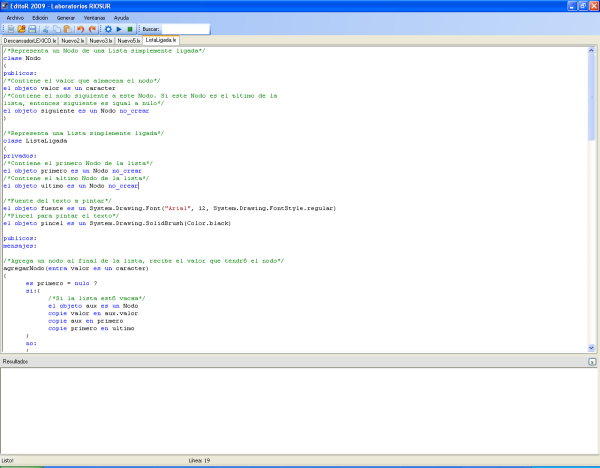
A simple IDE comes with the compiler.
Syntactically, the language is similar to C #, but is more verbose. Among the features, one can single out the need to use the copie keyword instead of the assignment operator, as well as the fact that the object is automatically instantiated when a variable is declared, if the no_crear keyword is not specified.
The branching operator in the language has the following form:
es <condition>?
si:
{
<expression_1_if_condition_true>
}
no:
{
<expression_2_if_condition_false>
}
Example of data input and output:
An example of creating a graphic window:
3) Mama
Website: http://en.eytam.com/mama/
Languages: Hebrew, Yiddish, English A
teaching programming language and development environment for creating 3D animations and games. The environment itself is paid, but the bundle comes with a free version of the editor, which does not allow working with 3D, but with which you can write simple programs (including graphical ones).
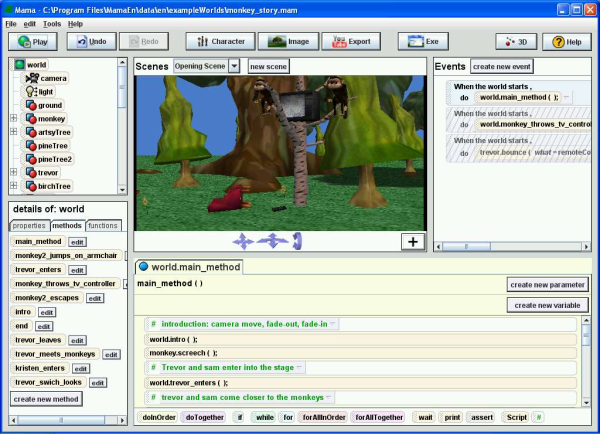

In the paid version of the editor, you can write scripts in two ways:
• Using graphical programming tools (like in LabVIEW), by dragging and dropping “tiles” with instructions into the editor area.
• When you enable the enableFreeScripting parameter, it becomes possible to write program code in text form.
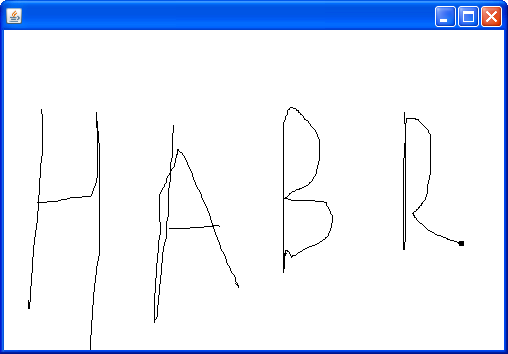
An example program with creating a graphic window and drawing on it:
In Hebrew
Try to find a mistake in this program
in Yiddish
In English
4) Robomind
Website: www.robomind.net/
Languages: Arabic, Bulgarian, Catalan, Czech, German, Greek, English, Spanish, French, Hungarian, Indonesian, Italian, Hebrew, Korean, Dutch, Polish, Portuguese, Russian, Slovak , Slovenian, Swedish, Thai, Turkish, Ukrainian, Chinese An
environment for learning programming, in which you need to control the performer in the person of a robot. The robot can perform the following basic actions: move, draw, watch, drag beacons, and also toss a coin. Basic language constructs are available in the language, such as loops, branches, and procedures.
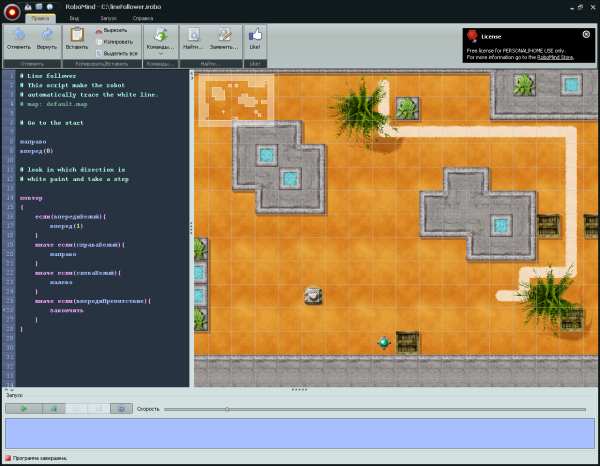
An example of a program in which a robot moves along a white track:
In Hungarian
In swedish
In Russian
5) Fjölnir
Website: https://notendur.hi.is//~snorri/fjolnirdev
Language: Icelandic
A programming language developed by Snorri Agnarsson, professor of computer science at the University of Iceland, who reached its peak in the 1980s.
Hello world:
The language is notable for its work with modules. In other languages, as a rule, modules are connected by listing their names. In Fjölnir, packages are connected using algebraic operations.
In the example below (“99 bottles of beer”), the module from the GRUNNUR base library is included in the nameless module containing the bottles function, which in turn is included in the main program module.
You can read more on this topic here: http://morpho.cs.hi.is/papers/p117-agnarsson.pdf
Another example of a program that calculates the Euler number through the Taylor expansion, with a brief description:
6) Hindi.Net
Website: http://www.sktnetwork.com/portfolio/hindi-programming-language
Language: Hindi

A programming language with keywords in Hindi. It compiles to MSIL, which means it requires the .Net Framework. Creation of only console applications is supported.
Example:
7) Farsi.NET
Website: https://skydrive.live.com/?cid=3753598452050A56&id=3753598452050A56!270
Language: Persian
Another language written under .Net, but with keywords in Persian. Its peculiarity is that it is actually translated into C # and this generated code can be viewed on a special tab in the IDE supplied with the language. For this reason, in one project there can be both classes written in Farsi.NET and classes in C #.


8) Scratch
Website: http://scratch.mit.edu/
Languages: more than 60
An educational programming language created at MIT Media Lab and designed to create simple cartoons and games. He is a champion in the number of localizations. Programs on Scratch are built, like in Mama, from graphic blocks. The second version of the editor (now in beta) is written in Adobe Flash.
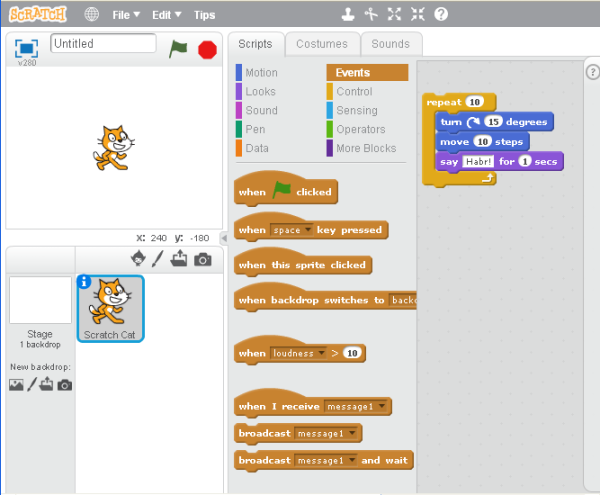
Key features:
• Work with raster graphics
• Work with vector graphics (from version 2)
• Work with sounds.
• Event support.
• There is an opportunity to publish your work on a special page: beta.scratch.mit.edu/explore/projects/all
On this, perhaps, I will end this review. If you are suddenly interested in this topic, you can see the list of other languages at the link: http://en.wikipedia.org/wiki/Non-English-based_programming_languages
1) GOTO ++
Website: http://www.gotopp.org/
Languages: French, English
Let's start with the most unusual language. GOTO ++ is an esoteric programming language in which keywords are a mixture of English and French.
The language is notable for an unusual set of functions, keywords, and syntactic constructions, which, as conceived by the author, should interfere with code writing. For example:
• To write function arguments, it is necessary that they are to the right of the left bracket (while the location of the right bracket does not matter).
• Comments are written after the GOTO keyword.
• To group mathematical operations, curly braces are used instead of parentheses, moreover, they are located in the reverse order (} {).
• Integer, material, and character literals are written using special characters.
I = * (3)
J =? - 90.5
K = * `a '
• The GOTOGOTO function makes it possible to go to one of the labels with the probability indicated after the question mark (in addition, if the total probability value is less than 100%, then there is a chance to go to the next line of the program ):
§100
GOTOPRINTDUTEXTE (); "Hello universe"
§2989
GOTOPRINTDUTEXTE (); “Hello world”
GOTO After executing the GOTOGOTO function, the program with a 50% probability will go to label 2989, with a probability of 40% to label 100 and with a probability of 10% to the next line.
GOTOGOTO ()% 2989? 50% 100? 40
GOTOPRINTDUTEXTE (); "Hello exit"
You can find out more about the language in the official documentation (in French): http://www.ezinearticles2.com/doc/html/index.html
Example of the program “99 bottles of beer”:
GOTO 99 bottles of beer
niveaugourou 0
GOTO Vars
msgBtle = "bottle"
msgWall = "of beer on the wall"
msgBeer = "of beer.; N"
msgTake = "Take one down, pass it around,"
newLine = "; n; n "
msgEnd =" Go to the store and buy some more, "
msgNoN =" No more "
msgNon =" no more "
plural = *` s'
beers = * (99)
GOTO Loop
§1
GOTOPRINTDUTEXTE () & msgWall & plural & msgBtle & beers
GOTOPRINTDUTEXTE () & msgBeer & plural & msgBtle & beers * `` * ','
GOTOPRINTDUTEXTE () & msgTake
beers = & beers ++ * (- 1)
AUTOGOTOZ} & beers eg * (1) {
plural = ""
AC
AUTOGOTOZ} &beers eg * (0) {
beers = & msgNon
plural = * `s '
AC
GOTOPRINTDUTEXTE () & newLine *`.' & msgWall & plural & msgBtle & beers
GOTONONNULPOURLESNULS% 1 & beers
GOTO Last verses of the song
GOTOPRINTDUTEXTE () & msgWall & plural & msgBtle & msgNoN
GOTOPRINTDUTEXTE (*
) & msgBeer
& pluralGTNTEXTNT * ORGTNEXTNT & gtneGtneGtNT & ngt & gg & msgWall & plural & msgBtle "99"
2) Lexico
Website: lexico.mobi
Language: Spanish
Educational, object-oriented programming language created on the platform. NET Framework.
A simple IDE comes with the compiler.
Syntactically, the language is similar to C #, but is more verbose. Among the features, one can single out the need to use the copie keyword instead of the assignment operator, as well as the fact that the object is automatically instantiated when a variable is declared, if the no_crear keyword is not specified.
The branching operator in the language has the following form:
es <condition>?
si:
{
<expression_1_if_condition_true>
}
no:
{
<expression_2_if_condition_false>
}
Example of data input and output:
tarea
{
los objetos valor1, valor2, resultado son cantidades // declare variables of type integer
entre valor1, valor2 // wait for data to be entered in the console
copie valor1 * valor2 en resultado
es resultado> 15?
si:
{
muestre resultado, "> 15"
}
no:
{
muestre resultado, "<= 15"
}
}
An example of creating a graphic window:
clase FormTest derivada_de system.windows.forms.form
{
privados:
el objeto valor es un caracter // private field like string
mensajeS:
FormTest
{
copie "FormTest" en valor
copie valor en FormTest.text
}
}
3) Mama
Website: http://en.eytam.com/mama/
Languages: Hebrew, Yiddish, English A
teaching programming language and development environment for creating 3D animations and games. The environment itself is paid, but the bundle comes with a free version of the editor, which does not allow working with 3D, but with which you can write simple programs (including graphical ones).
In the paid version of the editor, you can write scripts in two ways:
• Using graphical programming tools (like in LabVIEW), by dragging and dropping “tiles” with instructions into the editor area.
• When you enable the enableFreeScripting parameter, it becomes possible to write program code in text form.
An example program with creating a graphic window and drawing on it:
In Hebrew
תכנית_ציור יורש חלון מחלקה
תגובות ללחיצה על העכבר #
מתודה תקנית: תגובה לאירוע לחיצה על מקש העכבר # (x, y) מתודה עכבר_נלחץ
צב.מקום (x, y)
מתודה תקנית: תגובה לאירוע גרירת העכבר # (x, y) מתודה עכבר_נגרר
צב .אל (x, y)
הגדר ת = תכנית_ציור () # יצירת עצם מהמחלקה של התכנית - גורם ליצירת חלון ולתחילת תגובה לאירועי העכבו
Try to find a mistake in this program
in Yiddish
צייכענונג_אפ ינכעראץ פענצטער קלאס
שעפן מויז געשעענישן #
מעטאד מויז_געדריקט (אקס, ווי) # נארמאל מויז געדריקט אופן
טשערעפאכע.שטעלע (אקס, ווי) # טשערעפאכע רעפריזענץ דעם איצטיקן פעדער ארט
מעטאד מויז_דראגד (אקס, ווי) # נארמאל מויז דראגד אופן
טשערעפאכע.צו (אקס, ווי) # ציען שורה פון א פאזיציע צו די געגעבן איין
דעפינירן אפ = צייכענונג_אפ () # אנהייבן די אפלאקיישאן - ששפןייאש
In English
class DrawingApp inherits Window
# handle mouse events
method mouse_pressed (x, y) # standard mouse pressed method
turtle.position (x, y) # turtle represents the current pen location
method mouse_dragged (x, y) # standard mouse dragged method
turtle.to (x, y) # draw line from current position to the given one
define app = DrawingApp () # start the application - create new Application object
4) Robomind
Website: www.robomind.net/
Languages: Arabic, Bulgarian, Catalan, Czech, German, Greek, English, Spanish, French, Hungarian, Indonesian, Italian, Hebrew, Korean, Dutch, Polish, Portuguese, Russian, Slovak , Slovenian, Swedish, Thai, Turkish, Ukrainian, Chinese An
environment for learning programming, in which you need to control the performer in the person of a robot. The robot can perform the following basic actions: move, draw, watch, drag beacons, and also toss a coin. Basic language constructs are available in the language, such as loops, branches, and procedures.
An example of a program in which a robot moves along a white track:
In Hungarian
jobbra
előre (8)
ismétel
{
ha (előlFehér) {
előre (1)
}
máskép ha (jobbraFehér) {
jobbra
}
máskép ha (balraFehér) {
balra
}
máskép ha (vanElőlAkadály) {
vége
}
}
In swedish
höger
framåt (8)
uprepa
{
om (framåtÄrVit) {
framåt (1)
}
annars om (högerÄrVit) {
höger
}
annars om (vänsterÄrVit) {
vänster
}
annars om (framåtÄrHinder) {
slut
}
}
In Russian
forward right (8)
repeat
{
if (aheadWhite) {
forward (1)
}
otherwise if (rightWhite) {
right
}
otherwise if (leftWhite) {
left
}
otherwise if (ahead Obstacle) {
finish
}
}
5) Fjölnir
Website: https://notendur.hi.is//~snorri/fjolnirdev
Language: Icelandic
A programming language developed by Snorri Agnarsson, professor of computer science at the University of Iceland, who reached its peak in the 1980s.
Hello world:
;; Hello world in Fjölnir
"hello" <main
{
main ->
stef (;)
stofn
skrifastreng (; "Hello, world!"),
Stofnlok
}
*
"GRUNNUR"
;
The language is notable for its work with modules. In other languages, as a rule, modules are connected by listing their names. In Fjölnir, packages are connected using algebraic operations.
In the example below (“99 bottles of beer”), the module from the GRUNNUR base library is included in the nameless module containing the bottles function, which in turn is included in the main program module.
"Bottles" <main
{
main ->
stef (;)
staðvær i, b
stofn
fyrir (i: = 100; i> 1; i: = i-1) lykkja
bottles (; i-1),
skrifastreng (; "on the wall, "),
bottles (; i-1),
skrifastreng (;", \ ntake one down, pass it around, \ n "),
bottles (; i-2),
skrifastreng (;" on the wall. \ n "),
lykkjulok,
stofnlok
}
*
{
bottles ->
stef (; n)
stofn
val n úr
kostur 0 þá
skrifastreng (; "no more bottles"),
kostur 1 þá
skrifastreng (; "1 bottle of beer"),
annars
skrifa (; n),
skrifastreng (; "bottles of beer"),
vallok
stofnlok
}
*
"GRUNNUR"
;
You can read more on this topic here: http://morpho.cs.hi.is/papers/p117-agnarsson.pdf
Another example of a program that calculates the Euler number through the Taylor expansion, with a brief description:
;; Posted by: Snorri Agnarsson
“e” <aðal
{
aðal ->
;; enumeration of input parameters
stef (;)
;; declaration of variables
staðvær n, liður, summa, i
;; start of
stofn
;; displaying a string on the screen
skrifastreng (; "The program displays the Euler number with the specified number of decimal places."),
;; line break
nÿlína (;),
skrifastreng (; “How many decimal places to display?”),
;; reading the value from the keyboard
n: = lesa (;),
liður: = 10 ^ (6 + n),
summa: = 0,
i: = 2,
;; cycle with calculation of the value
meðan liður> 0 lykkja
liður: = liður / i,
summa: = summa + liður,
i: = i + 1,
lykkjulok,
skrifastreng (; “e = 2.”),
;; displaying the number on the screen
skrifafjöl (; (summa / 1000/100 + 5) / 10),
;; end of function
stofnlok
}
*
"storfjol"
*
"grunnur2"
;
6) Hindi.Net
Website: http://www.sktnetwork.com/portfolio/hindi-programming-language
Language: Hindi
A programming language with keywords in Hindi. It compiles to MSIL, which means it requires the .Net Framework. Creation of only console applications is supported.
Example:
कार्य खाली मुख्य ()
छोड़ें comment
छोड़ें अंक - variable of type number
अंक अ
अंक प
छोड़ें पढें - waiting for data input in the console
पढें अ
पढें प
छोड़ें अगर - if; वरना - else; खत्म अगर - end if
अगर {अ * प> 20}
लिखें "> 20"
वरना
लिखें "<= 20"
खत्म अगर
छोड़ें पंक्ति is a variable of type string
पंक्ति ब
पढें ब
खत्म कार्य
7) Farsi.NET
Website: https://skydrive.live.com/?cid=3753598452050A56&id=3753598452050A56!270
Language: Persian
Another language written under .Net, but with keywords in Persian. Its peculiarity is that it is actually translated into C # and this generated code can be viewed on a special tab in the IDE supplied with the language. For this reason, in one project there can be both classes written in Farsi.NET and classes in C #.
8) Scratch
Website: http://scratch.mit.edu/
Languages: more than 60
An educational programming language created at MIT Media Lab and designed to create simple cartoons and games. He is a champion in the number of localizations. Programs on Scratch are built, like in Mama, from graphic blocks. The second version of the editor (now in beta) is written in Adobe Flash.
Key features:
• Work with raster graphics
• Work with vector graphics (from version 2)
• Work with sounds.
• Event support.
• There is an opportunity to publish your work on a special page: beta.scratch.mit.edu/explore/projects/all
On this, perhaps, I will end this review. If you are suddenly interested in this topic, you can see the list of other languages at the link: http://en.wikipedia.org/wiki/Non-English-based_programming_languages