
 December 14, 2012 at 17:13
Reading books in English and learning a language is easier with WordMemo
 I want to talk about the non-commercial wordmemo.ru service , as well as about the associated WordMemo program for Android devices. Our service is intended for people who want to read English texts (for example, fiction). I myself am one of those people who find it easy to read small fragments of “technical literature”, and a paragraph from the classics is impossible. At the heart of the service, which helps me a lot in this matter, is the “reader” with the ability to watch translations of words, write out their meanings, and - most important! - simulators to effectively memorize written words. For example, for each unfamiliar word , the contexts in which it occurs are preserved .
The main idea of the service is that learning words is best not taken separately, as in dictionaries, but as part of real sentences. Something like an English-Russian phrasebook and textbook that you create yourself!
Let's see how this works with an example site. The Android application repeats part of the functions.
Book selection
The site has a choice of several classic books that are not covered by copyright law, but you can upload your book, which you will use only. While supported formats TXT, RTF and DOC.
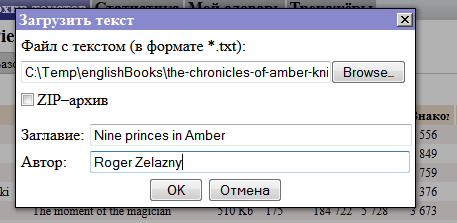
The book will appear on your list. In the same list, install it, mark it current so that it opens for reading.
Getting down to reading
Here is an open book:

In the upper right corner of the page text statistics are displayed: how many words are in it, how many of them are new, how many are studied. Stumbled upon an unfamiliar word? Click on. A window opens with a list of possible translation options, in which you can select the new word properties for you. It’s very convenient to do this - just click on the values of the word from the dictionary entry, and the selected fragments will automatically be added to the text box on the left. If necessary, the studied value can be edited manually.

Now the word is marked in yellow, which means that it has become studied:

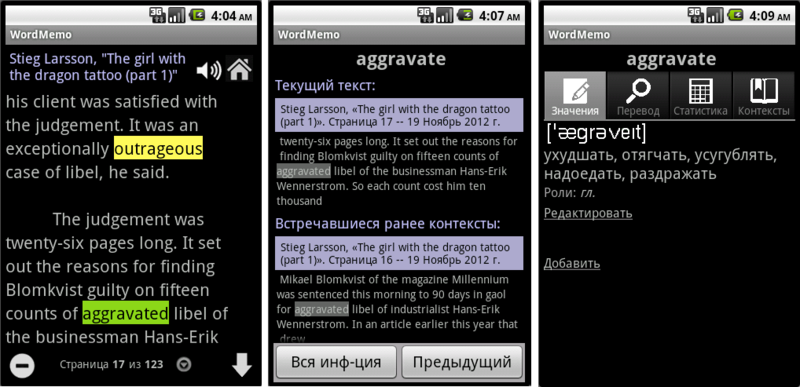
If you now click on the word being studied, in any other text, you will receive a hint from the system in the form of the previous sentence in which this word occurred to you - context. Contexts can be viewed in reverse chronological order. If, using indirect hints, the meaning of the word cannot be remembered, you can view the translation:
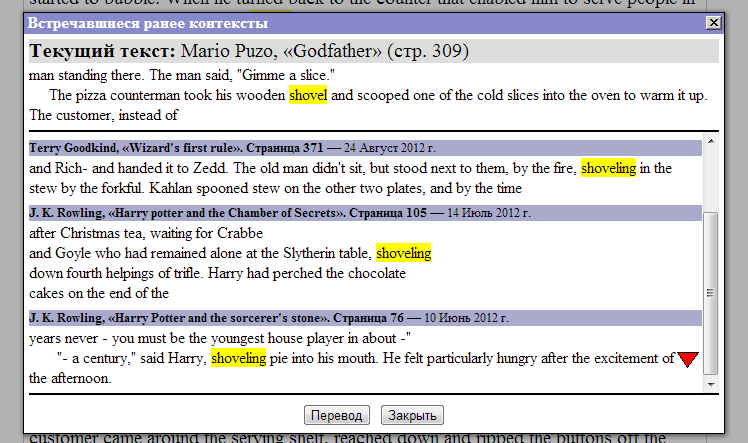
Learning words gradually change their coloring. If, when meeting words in texts, you constantly ask for tips on them, the system finds such words difficult and starts to highlight them in red. On the contrary, if you cease to need clues, a bonus is awarded to the mark of knowledge of the word, the word is highlighted in green. In the end, it completely ceases to stand out - it is believed that you have firmly studied the word.
The user can flexibly customize the policy for changing the status of a word for himself:

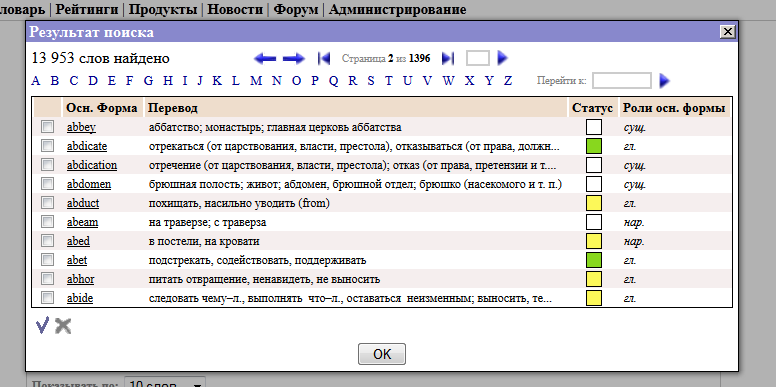
Words that you saw, but did not study, are considered familiar to you. Therefore, as you read the texts, the system accumulates information about your vocabulary and after some time you can get a good idea about its volume and composition:
Effective Fitness Equipment
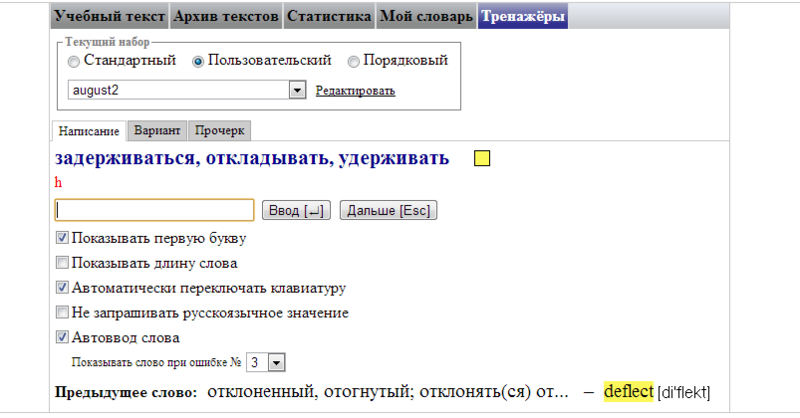
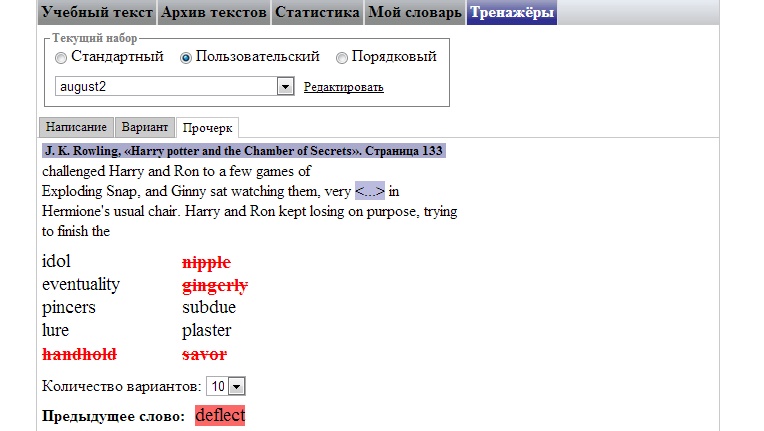
Simulators are intended for memorization of the studied words. For the correct performance of exercises, a mark is awarded according to the points policy for a mark of knowledge of the word, and for a wrong one - a fine. Three types of simulators are implemented: "Spelling" (you need to write a word for the specified translation, or vice versa - write the Russian language value for the specified English word), "Option" (suggests choosing a word or Russian language value from several options) and "Dash" (shows the context, in which the word was used, and suggests choosing it from several options).
Words for practice can be grouped using standard sets (in order and complexity), or make your own sets manually:
Androind, and a bit for Windows
Reading through a browser from a phone or tablet can be inconvenient, so we created the WordMemo program for Android devices. Using a Wi-Fi or 3G connection, the program redirects user requests to wordmemo.ru, and displays information from there. While it is available to read downloaded books with the function of learning words in context. But autonomy and the familiar interface are the undeniable advantages of the program over the site.
PS For Windows users, we have a small utility that will remind you of the words being studied using pop-up windows:

Service and programs are completely free.
We, the authors of the service, will be grateful for the feedback, criticism and new ideas!