August 13, 2012 at 07:31
Digital terrestrial TV in Ukraine, or a review of the DVB-T2 tuner Strong SRT 8500
Recently, a commercial of T2 digital terrestrial television has been constantly broadcasting on Ukrainian channels.
In the video, a young man reads a manual with an expression, and a peppy grandmother, waving cords, drags a mysterious device to a TV set, quickly plugs in some connectors and exults violently from watching football on a small TV from a distance of 10 meters.
Information interested me.
I'm not a big fan of TV, but sometimes I want to take a look. In addition, the TV is watched by the wife, children sometimes, parents in their home.
To say that in our latitudes the TV shows poorly on the terrestrial antenna is nothing to say.
And I decided to try on new technologies in Ukrainian television.
According to official information, in Ukraine, two tuner models are recommended for watching digital terrestrial TV:
STRONG SRT 8500 ( reviews on the Socket )
Trimax TR2012-HD ( reviews on the Socket )
Both models of tuners claim HD support, both have the functions of a media player, the price is about the same - around 600 UAH . (about $ 70).
(By the way, the government claims free distribution of tuners to the poor, and people seem to get it) .
So, the STRONG SRT 8500 tuner fell into my hands. The
box is beautiful, with inscriptions in Ukrainian:

Content is quite predictable
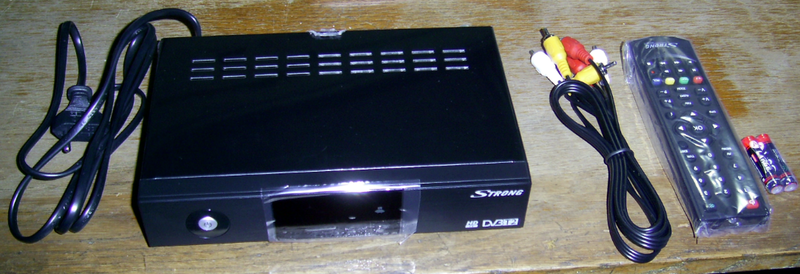
By the way, the display on the front panel is not a display, in any case, no inscriptions could be obtained from it in any mode. Only green / red LED (on / off).
On the back of the tuner - connectors:
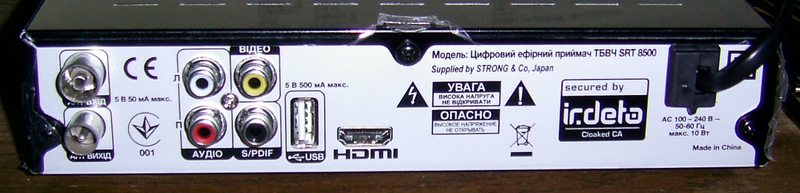
It is not very clear why USB was made at the back - it will be inconvenient to insert a USB flash drive there. Otherwise, everything is also expected: antenna input, tuner RF output, RCA, USB, HDMI, audio and video tulips and coaxial S / PDIF.
So, you can attach the tuner to the TV in three ways: HDMI, RCA tulips and through the antenna input, that is, in fact, the tuner can be connected to any TV, including very old ones.
By the way, the HDMI cable and the cable for connecting to the antenna input of the TV are not included. But if there is no problem with HDMI, then the cord for connecting the radio frequency output of the tuner to the antenna input of the TV (if you suddenly need it) will have to either be done on your own or well searched.
By the way, on a smooth surface, the tuner holds surprisingly well, does not fidget.
Another interesting drawback: there is no control except the power button on the player - only with the remote control. If the remote control breaks down, the batteries run out - sorry, TV is not for you today.
To receive TV, I use a very popular design in the village - the so-called “Polish antenna”:

The reception conditions are terrible: there are about 30 kilometers to thebase station of the TV center’s transmitting antenna, there is no direct line of sight - a pit. Almost all channels show like this:
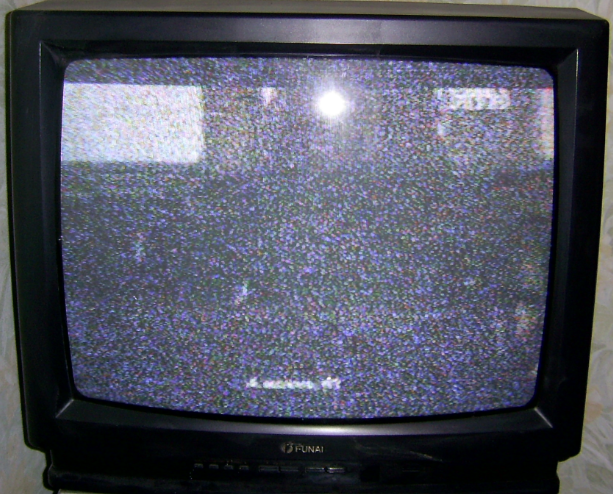
Reception is highly dependent on weather, time of day, and it is still not clear what. No experiments on replacing the antenna, putting it on the mast, adding amplifiers, etc. give practically nothing.
Now we try the same antenna on a digital tuner: we connect the antenna to the tuner, the tuner through the bells - to the TV.
After turning it on, it loads for about a minute, then offers initial settings and a channel search.
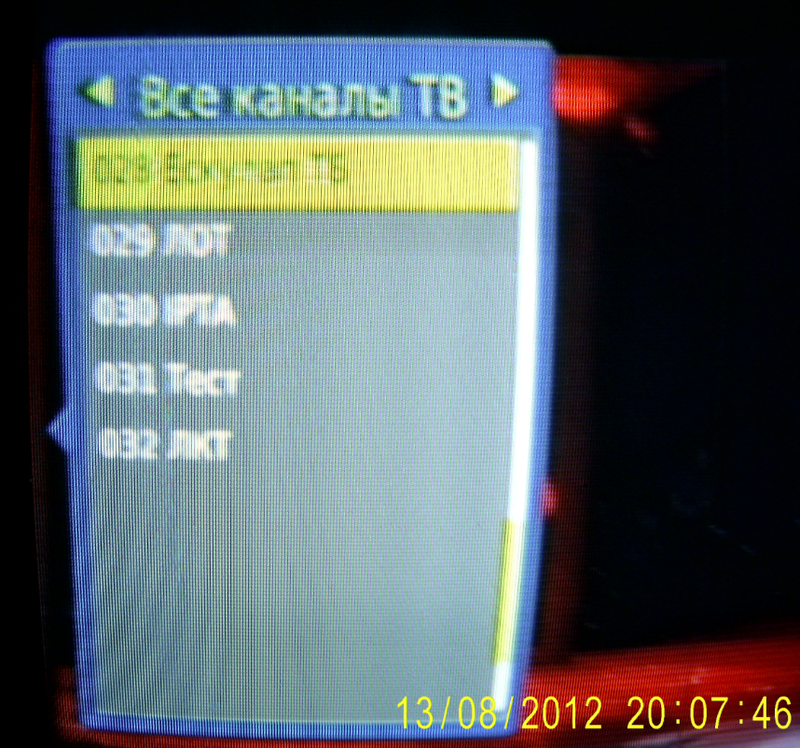
OK! Found 32 channels, the quality of all is ideal (the same channel in the picture)
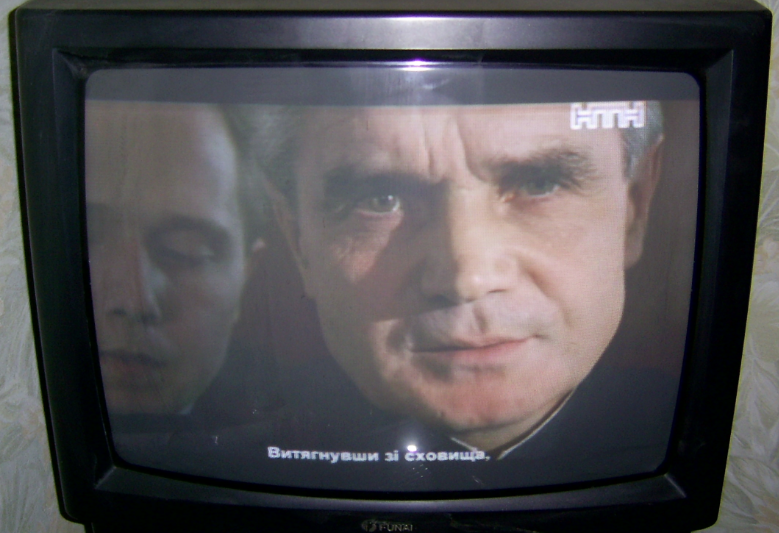
Of the 32 channels - 1 in test mode (you can contemplate the frame), 3 regional, the rest - all-Ukrainian. In the process of tuning, it was clear that the channels go on 4 air frequencies (when buying a tuner, the seller called them “transponders” - by analogy with satellite TV).
There are no HD channels on air yet, but, according to rumors, there will be.
The reception quality was very pleased - despite the clearly reception curve, very rarely (1-2 times per hour) on some channels the image and sound disappeared for two to three seconds.
After several days of viewing, it turned out that at times some of the channels disappear - apparently, the reception conditions on one of the transponders are getting worse.
An option to fix this problem: instead of the broadband and it is unclear what kind of “Polish” antenna to make the antenna specifically for receiving transponders, the good channel numbers are known , and their frequencies are also not a secret.
The first general impression is very positive: simple, fast, inexpensive, excellent reception quality .
Of the additional advantages:
- a list of channels and quick selection is available from the menu, it is convenient
- the volume is adjusted on the tuner remote, the TV remote is actually needed only to turn it on.
- ext. information, some channels broadcast their television program
Disadvantage:
- channels switch for a few seconds (apparently, buffering)
After reading the instructions, I found another bonus: from the tuner, you can take the antenna power directly from the socket, which I did by disconnecting the power connector and screwing the usual one in its place:
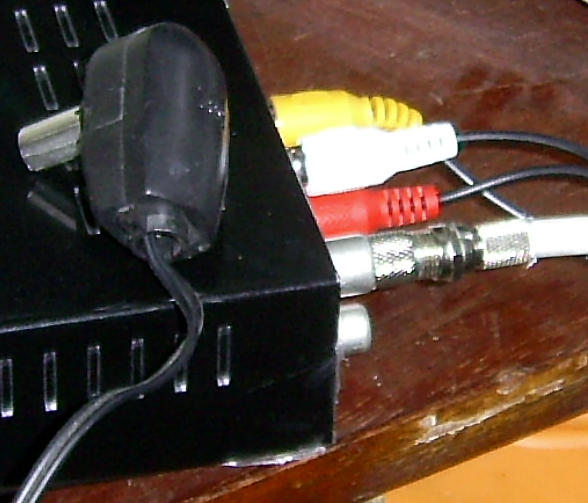
Although - again, after several days of viewing, I will probably make the antenna power through an external power supply unit - voltage can be adjusted on it, often this can improve reception quality.
Another bonus was expected. There is a “Record” button on the remote, the seller said that you can record. This is not true, it is impossible to record the air with this tuner, and whether this function will be in future firmware is a big question.
To the Dell U2312 monitor, which supports 1920x1080, the connection does not have any features - they stuck an HDMI cable and everything works.
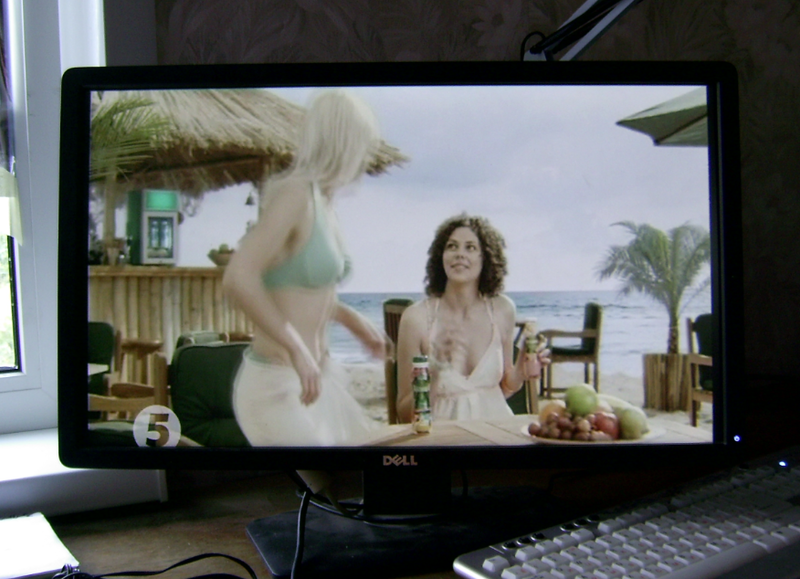
In general, the tuner supports the following resolution options: 1080i, 576p, 576p, 720p, 720i, 1080p
When you turn it on for the first time, the tuner sets the resolution to 1080i, the remote control has a button that allows you to change the resolution with one click on it - each time you press, the resolution changes in a cycle in the order specified above: 1080i -> 576p -> 576i -> ...
Theoretically, this series of resolutions allows you to connect the tuner to any TV with an HDMI input, to virtually any monitor and get an image without any problems.
However, it was not possible to get the tuner to work with the Acer X203W monitor (1680x1050) - at all switching resolutions, the monitor tries to show a piece of the picture, then writes that the mode is not supported.
There are all the options. A standard broadcast signal with a 4: 3 aspect ratio can be shown on the 16: 9 monitor both stretched and scaled (as in the photo above), and with dark bars on the left / right.
Similarly, a movie from a flash drive (see below about the player's player) can be comfortably watched on a 16: 9 widescreen monitor and on an old 4: 3 TV
When navigating through files on the media, it was discovered that there was a preview.
First of all, I checked .mkv playback - it plays great 720p, with sound.
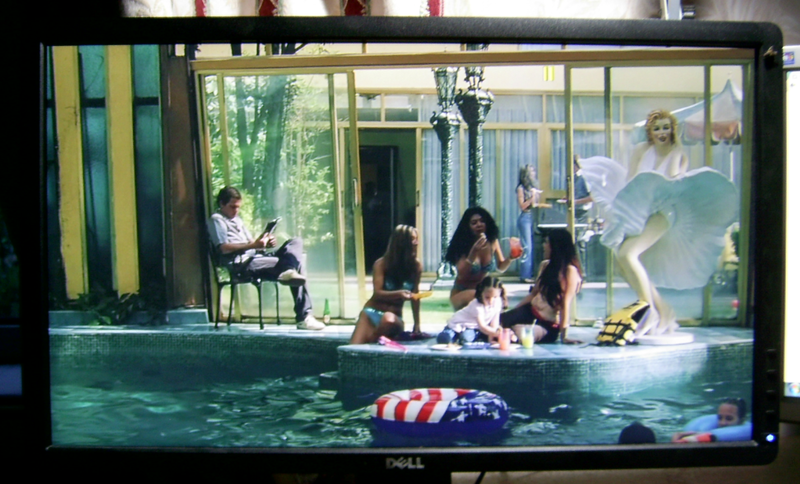
There was a nuance: the image is very stretched in height. It helps to switch the screen mode to 4: 3.
But then the enthusiasm somewhat died away - very many .avi go without sound. The reason seems to be because the manufacturer claimed sound support only in mp3 and wma, and in so many films the soundtrack is in aac format.
However, the device is completely fresh, the official release of the manufacturer is dated June 2012, we will wait for new firmware.
By the way, the manufacturer initially laid down the possibility of flashing from a USB-drive (there is an item right in the menu).
It’s quite possible to watch, while navigating there are thumbnails and a preview.
By the way, both thumbnails, and previews, and viewing the photos themselves are tied to the established zoom mode.
A card reader with an inserted card from the camera, the device understands without problems, it shows 8MP photos.

No operations with the image when viewing - zoom, rotation - can not be done.
If there are images rotated 90 degrees - enjoy on the side, dear comrades.
Navigating through media files in any mode - photos, videos - in the tuner is not very convenient.
There is no multitasking - that is, it will not work to turn on music and start a slide show (it may be possible in new firmware).
The tuner correctly understands pulling out the “hot” USB-drive, nothing happens with the drive.
At one time I used the satellite TV system - two dishes, three satellites, two tuners (for two TVs).
The solution is about 4 times more expensive (at current prices), and you can compare a satellite system with this tuner only in terms of image quality - it is the same.
But the channels are completely different - on this tuner, of course, there are no Russian channels, and among the free satellite channels there are very few Ukrainian ones.
In all, it was possible to watch 30-40 Russian and Ukrainian channels from all satellites (I recall that the tuner gives 32 channels with the normal reception of all broadcast transponders).
There is, of course, NTV + with its packages, but this is a different price category - both for connection and the monthly fee is very noticeable.
You can, of course, look for options, but this is also a different category of costs and labor, plus all the delights of a regional provider with a falling Internet channel, etc.
If you plan to watch TV only on a computer - you do not need a tuner. You can find channel playlists on the Internet and watch them calmly over the Internet. There are options that work even with channel speeds of less than 3 Mbps.
IPTV over the Internet shows slightly worse (especially streams with a low bitrate), lags more, but does not require any efforts and additional devices, + allows you to watch in a window.
If the provider’s network has free TV broadcasting, then you need to think that it is better where there are more channels, etc.
The quality is the same, the simplest set-top box for TV for receiving IPTV costs about the same as this tuner.
By the number of channels - on cable, of course, there are more at times. The image quality of the tuner is the same as that of a digital cable (why would it be different ) and better than that of an analog cable.
But consider the expense: you will need a tuner for every TV.
A general summary of the tuner
If we consider the tuner as:
- a device that improves the quality of reception from a bad antenna and adds channels: a good, suitable device
- a movie player: not good (maybe it's temporary, until new firmware is released)
- photo viewer: 50/50
- replacing cable: not good
- a means to save on payments for cable TV: pay off in a year or two
- replacing satellite: 50/50, possibly as an addition to it
- instead of IPTV: if it’s on a computer, then it’s not suitable if on TV: 50/50
UPD
Given the recurring questions and situations in the comments, add. Information:
- receiver location: s. Stepanovka, Perevalskiy district, Luhansk region . To Lugansk, where the broadcast is from - 30+ km.
- the article was written hot: I took the tuner this Friday, August 10, 2012. There are really 32 channels:
In the video, a young man reads a manual with an expression, and a peppy grandmother, waving cords, drags a mysterious device to a TV set, quickly plugs in some connectors and exults violently from watching football on a small TV from a distance of 10 meters.
Information interested me.
I'm not a big fan of TV, but sometimes I want to take a look. In addition, the TV is watched by the wife, children sometimes, parents in their home.
To say that in our latitudes the TV shows poorly on the terrestrial antenna is nothing to say.
And I decided to try on new technologies in Ukrainian television.
According to official information, in Ukraine, two tuner models are recommended for watching digital terrestrial TV:
STRONG SRT 8500 ( reviews on the Socket )
Trimax TR2012-HD ( reviews on the Socket )
Both models of tuners claim HD support, both have the functions of a media player, the price is about the same - around 600 UAH . (about $ 70).
(By the way, the government claims free distribution of tuners to the poor, and people seem to get it) .
So, the STRONG SRT 8500 tuner fell into my hands. The
box is beautiful, with inscriptions in Ukrainian:
Content is quite predictable
By the way, the display on the front panel is not a display, in any case, no inscriptions could be obtained from it in any mode. Only green / red LED (on / off).
On the back of the tuner - connectors:
It is not very clear why USB was made at the back - it will be inconvenient to insert a USB flash drive there. Otherwise, everything is also expected: antenna input, tuner RF output, RCA, USB, HDMI, audio and video tulips and coaxial S / PDIF.
So, you can attach the tuner to the TV in three ways: HDMI, RCA tulips and through the antenna input, that is, in fact, the tuner can be connected to any TV, including very old ones.
By the way, the HDMI cable and the cable for connecting to the antenna input of the TV are not included. But if there is no problem with HDMI, then the cord for connecting the radio frequency output of the tuner to the antenna input of the TV (if you suddenly need it) will have to either be done on your own or well searched.
By the way, on a smooth surface, the tuner holds surprisingly well, does not fidget.
Another interesting drawback: there is no control except the power button on the player - only with the remote control. If the remote control breaks down, the batteries run out - sorry, TV is not for you today.
Connect to an old TV and receive quality
To receive TV, I use a very popular design in the village - the so-called “Polish antenna”:
The reception conditions are terrible: there are about 30 kilometers to the
Reception is highly dependent on weather, time of day, and it is still not clear what. No experiments on replacing the antenna, putting it on the mast, adding amplifiers, etc. give practically nothing.
Now we try the same antenna on a digital tuner: we connect the antenna to the tuner, the tuner through the bells - to the TV.
After turning it on, it loads for about a minute, then offers initial settings and a channel search.
OK! Found 32 channels, the quality of all is ideal (the same channel in the picture)
Of the 32 channels - 1 in test mode (you can contemplate the frame), 3 regional, the rest - all-Ukrainian. In the process of tuning, it was clear that the channels go on 4 air frequencies (when buying a tuner, the seller called them “transponders” - by analogy with satellite TV).
There are no HD channels on air yet, but, according to rumors, there will be.
The reception quality was very pleased - despite the clearly reception curve, very rarely (1-2 times per hour) on some channels the image and sound disappeared for two to three seconds.
After several days of viewing, it turned out that at times some of the channels disappear - apparently, the reception conditions on one of the transponders are getting worse.
An option to fix this problem: instead of the broadband and it is unclear what kind of “Polish” antenna to make the antenna specifically for receiving transponders, the good channel numbers are known , and their frequencies are also not a secret.
The first general impression is very positive: simple, fast, inexpensive, excellent reception quality .
Of the additional advantages:
- a list of channels and quick selection is available from the menu, it is convenient
- the volume is adjusted on the tuner remote, the TV remote is actually needed only to turn it on.
- ext. information, some channels broadcast their television program
Disadvantage:
- channels switch for a few seconds (apparently, buffering)
After reading the instructions, I found another bonus: from the tuner, you can take the antenna power directly from the socket, which I did by disconnecting the power connector and screwing the usual one in its place:
Although - again, after several days of viewing, I will probably make the antenna power through an external power supply unit - voltage can be adjusted on it, often this can improve reception quality.
Another bonus was expected. There is a “Record” button on the remote, the seller said that you can record. This is not true, it is impossible to record the air with this tuner, and whether this function will be in future firmware is a big question.
Connecting the tuner to monitors and supported resolutions
To the Dell U2312 monitor, which supports 1920x1080, the connection does not have any features - they stuck an HDMI cable and everything works.
In general, the tuner supports the following resolution options: 1080i, 576p, 576p, 720p, 720i, 1080p
When you turn it on for the first time, the tuner sets the resolution to 1080i, the remote control has a button that allows you to change the resolution with one click on it - each time you press, the resolution changes in a cycle in the order specified above: 1080i -> 576p -> 576i -> ...
Theoretically, this series of resolutions allows you to connect the tuner to any TV with an HDMI input, to virtually any monitor and get an image without any problems.
However, it was not possible to get the tuner to work with the Acer X203W monitor (1680x1050) - at all switching resolutions, the monitor tries to show a piece of the picture, then writes that the mode is not supported.
Image scaling
There are all the options. A standard broadcast signal with a 4: 3 aspect ratio can be shown on the 16: 9 monitor both stretched and scaled (as in the photo above), and with dark bars on the left / right.
Similarly, a movie from a flash drive (see below about the player's player) can be comfortably watched on a 16: 9 widescreen monitor and on an old 4: 3 TV
Tuner as a media player
Video
When navigating through files on the media, it was discovered that there was a preview.
First of all, I checked .mkv playback - it plays great 720p, with sound.
There was a nuance: the image is very stretched in height. It helps to switch the screen mode to 4: 3.
But then the enthusiasm somewhat died away - very many .avi go without sound. The reason seems to be because the manufacturer claimed sound support only in mp3 and wma, and in so many films the soundtrack is in aac format.
However, the device is completely fresh, the official release of the manufacturer is dated June 2012, we will wait for new firmware.
By the way, the manufacturer initially laid down the possibility of flashing from a USB-drive (there is an item right in the menu).
A photo
It’s quite possible to watch, while navigating there are thumbnails and a preview.
By the way, both thumbnails, and previews, and viewing the photos themselves are tied to the established zoom mode.
A card reader with an inserted card from the camera, the device understands without problems, it shows 8MP photos.
No operations with the image when viewing - zoom, rotation - can not be done.
If there are images rotated 90 degrees - enjoy on the side, dear comrades.
Navigating through media files in any mode - photos, videos - in the tuner is not very convenient.
There is no multitasking - that is, it will not work to turn on music and start a slide show (it may be possible in new firmware).
The tuner correctly understands pulling out the “hot” USB-drive, nothing happens with the drive.
Comparison with satellite TV
At one time I used the satellite TV system - two dishes, three satellites, two tuners (for two TVs).
The solution is about 4 times more expensive (at current prices), and you can compare a satellite system with this tuner only in terms of image quality - it is the same.
But the channels are completely different - on this tuner, of course, there are no Russian channels, and among the free satellite channels there are very few Ukrainian ones.
In all, it was possible to watch 30-40 Russian and Ukrainian channels from all satellites (I recall that the tuner gives 32 channels with the normal reception of all broadcast transponders).
There is, of course, NTV + with its packages, but this is a different price category - both for connection and the monthly fee is very noticeable.
You can, of course, look for options, but this is also a different category of costs and labor, plus all the delights of a regional provider with a falling Internet channel, etc.
Comparison with IPTV
If you plan to watch TV only on a computer - you do not need a tuner. You can find channel playlists on the Internet and watch them calmly over the Internet. There are options that work even with channel speeds of less than 3 Mbps.
IPTV over the Internet shows slightly worse (especially streams with a low bitrate), lags more, but does not require any efforts and additional devices, + allows you to watch in a window.
If the provider’s network has free TV broadcasting, then you need to think that it is better where there are more channels, etc.
The quality is the same, the simplest set-top box for TV for receiving IPTV costs about the same as this tuner.
Comparison with cable TV
By the number of channels - on cable, of course, there are more at times. The image quality of the tuner is the same as that of a digital cable (
But consider the expense: you will need a tuner for every TV.
A general summary of the tuner
If we consider the tuner as:
- a device that improves the quality of reception from a bad antenna and adds channels: a good, suitable device
- a movie player: not good (maybe it's temporary, until new firmware is released)
- photo viewer: 50/50
- replacing cable: not good
- a means to save on payments for cable TV: pay off in a year or two
- replacing satellite: 50/50, possibly as an addition to it
- instead of IPTV: if it’s on a computer, then it’s not suitable if on TV: 50/50
UPD
Given the recurring questions and situations in the comments, add. Information:
- receiver location: s. Stepanovka, Perevalskiy district, Luhansk region . To Lugansk, where the broadcast is from - 30+ km.
- the article was written hot: I took the tuner this Friday, August 10, 2012. There are really 32 channels: