Digital Hi-Note Ultra 2000 Notebook
I decided to talk about my 15-year-old laptop with a 14.1 "screen, whose native batteries still hold 4 hours without recharging. Although the laptop is 15 years old, it gives a head start to modern solutions.
Brief characteristics of the laptop itself:
Digital Hi-Note Ultra 2000, model GTX5266M. 1997 year.
Processor Pentium-I 266MHz, L1 cache 32kb, L2 cache 1Mb
RAM 144MB So-DIMM EDO
14.1 ”screen 1024x768, 64k colors, active matrix.
Video card: 4mb, mpeg4 support
Winchester: costs 3.1GB. The people calmly put 40GB.
32-bit PCMCIA!
OS: Initially, laptops came with Windows 95 / NT. I immediately installed Windows-98 for myself, people normally have Windows XP spinning (on models with 233/266 MHz).
What immediately catches your eye - it does not look like the old one, and nothing in it betrays the fact that it was produced back in 1997. It looks like a completely modern laptop - even today. It looks very stylish. The keys on the keyboard are thin and easy to press, like on modern laptops. What is particularly surprising is the battery. I have never seen a Digital Hi-Note Ultra 2000 with dead batteries anywhere. Even on all _ laptops sold by this model, the batteries are live, despite their age.
In 2005-2006, I actively dragged this laptop to a lecture, worked up to 12 hours on it (3 sets of batteries for 4 hours each - a total of 12 hours of battery life was enough). But one day, he stopped charging 2 batteries - he will slightly charge and remove the charge. Later, I found out that it was in the battery controller - the banks themselves were like new. The batteries were later disassembled and used to repair the battery of the tablet 486 laptop - they kept the nominal capacity perfectly. The laptop was retired and has not been used all this time. Periodically, he and his batteries had to winter in the cold. And now - 2012. The first battery, with a dead controller, could only be charged a little (for a couple of minutes, the charging lamp lights up, then goes out and charging does not go) - so it lasted for 17 minutes. He took out the first battery, put the second one in its place, I put on charging ... Charging was 3 hours. Then in the BIOS settings I chose High Performance (maximum speed mode, you can also choose the opposite mode - battery saving mode). He forbade turning off the screen and the hard drive, he started counting the time ... He did everything to make the battery run out soon, but nevertheless the laptop worked from it ... almost put 3:59. Minutes were not enough until the passport four hours. In energy saving mode, he would have worked longer ... Needless to say, they knew how to do batteries before - 15 years passed unnoticed by them. so that the battery discharges as soon as possible, but nevertheless, the laptop worked from it ... almost put one to two. Minutes were not enough until the passport four hours. In energy saving mode, he would have worked longer ... Needless to say, they knew how to do batteries before - 15 years passed unnoticed by them. so that the battery discharges as soon as possible, but nevertheless, the laptop worked from it ... almost put one to two. Minutes were not enough until the passport four hours. In energy saving mode, he would have worked longer ... Needless to say, they knew how to do batteries before - 15 years passed unnoticed by them.
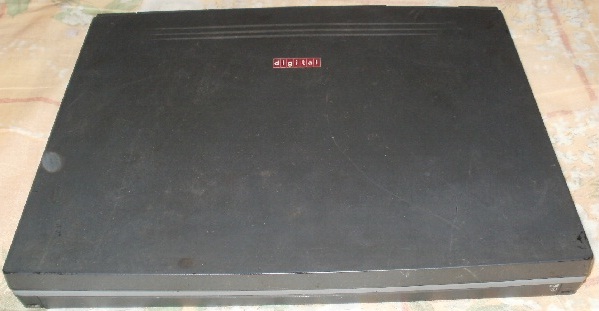
Here he is, handsome, in the closed state. The case has a thin rubber coating to the touch (or is it plastic?). In the corners of the case you can see that the cover is already worn down to black plastic.
Thin keys that are easily pressed, like on modern laptops. At the bottom of the main screen there is a symbol screen, which reflects the state of work, the activity of the hard drive, pressed caps, etc. At the bottom right of the screen is a microphone.

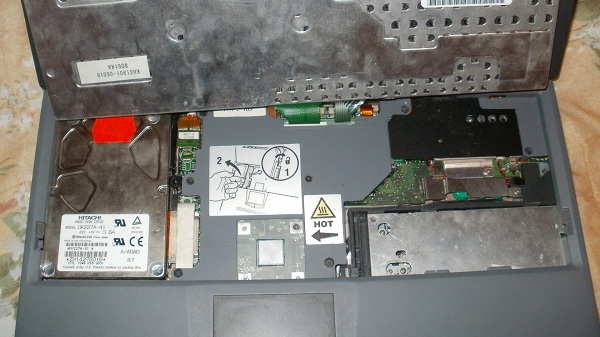
The keyboard is a passive heat sink for the processor (the processor contacts the keyboard through a heat transfer pink rubber pad). On the left we see an easily removable basket with a hard drive. The metal part on the right is a floppod interchangeable with a cd room.
The right side of the laptop, from left to right: right speaker; a golden panel hiding the built-in PCMCIA LAN / Modem card (the board connects the card ports to the ports on the back of the laptop), a floppod (interchangeable with cd-rom, instead of which you can screw a modern dvd / cd-rw onto the sled), audio ports microphone / headphones, green power button.

On the left side of the laptop are two PCMCIA ports covered by curtains.
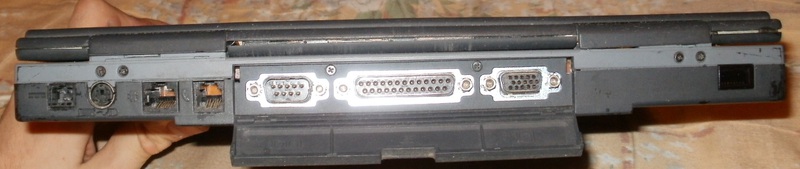
At the back of the laptop from left to right: power connector, PS / 2 keyboard / mouse, 100mbit network / modem (connected to the built-in PCMCIA card), com port, parallel port, VGA, infrared port.
Native laptop battery manufactured by Sony. 14.4 volts, 4050mAh, holds to this day 4 hours (made in japan, however!)

Laptop docking station. The touch is just as pleasant, with a thin rubberized layer. The dimensions in width and height correspond to the dimensions of the laptop. The thickness of the dock is half the thickness of the laptop, i.e. about 1cm. On the top panel of the dock, we see two speakers.
Left panel of the dock, left to right: midi / game port, 2xPCMCIA, USB, audio ports line out, line in,

Right panel of the dock, left to right: S-Video, composite video output (on the rear panel there is a PAL / NTSC / OFF switch), flopper / cd-rom port, laptop undock button

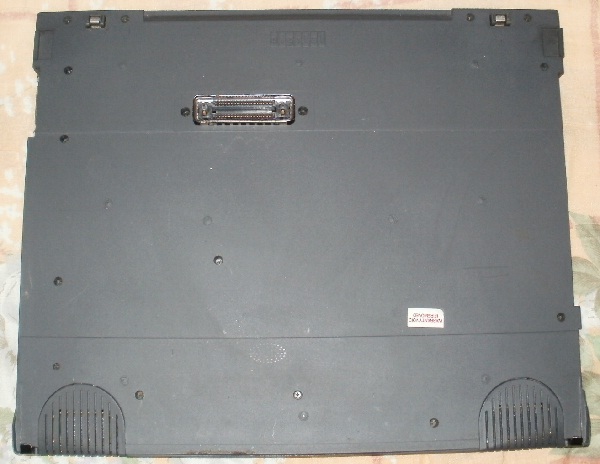
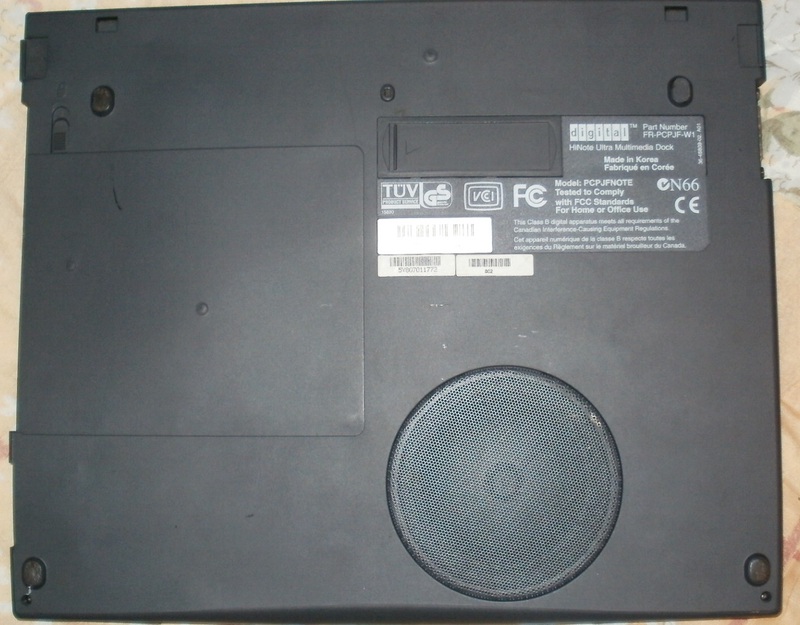
At the bottom of the dock, we see a low-frequency speaker (total 5 speakers: 2 in the laptop, 2 in the dock, and 1 subwoofer at the bottom of the dock), and ... The exact same connector for connecting to the dock as on a laptop! Those. docking stations can be planted in unlimited amounts on top of each other, like Lego bricks. :)
Charging the laptop

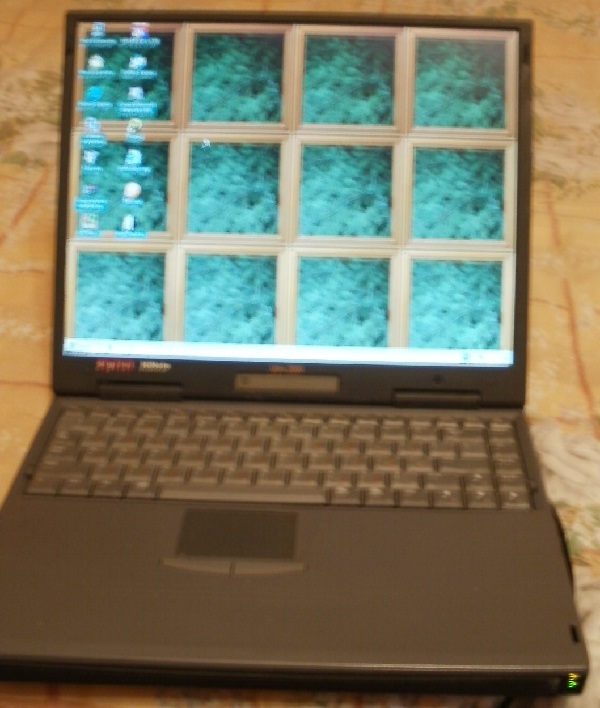
Download Windows-98. When the OS is loaded, the Fn + key combination can display the icon of the battery charge level in the upper left corner over the current image.
Entered the BIOS The

laptop left very pleasant memories. Years passed, but even today it looks modern and stylish, and has maintained 100% performance - even the battery of the year has not been affected ...
Brief characteristics of the laptop itself:
Digital Hi-Note Ultra 2000, model GTX5266M. 1997 year.
Processor Pentium-I 266MHz, L1 cache 32kb, L2 cache 1Mb
RAM 144MB So-DIMM EDO
14.1 ”screen 1024x768, 64k colors, active matrix.
Video card: 4mb, mpeg4 support
Winchester: costs 3.1GB. The people calmly put 40GB.
32-bit PCMCIA!
OS: Initially, laptops came with Windows 95 / NT. I immediately installed Windows-98 for myself, people normally have Windows XP spinning (on models with 233/266 MHz).
What immediately catches your eye - it does not look like the old one, and nothing in it betrays the fact that it was produced back in 1997. It looks like a completely modern laptop - even today. It looks very stylish. The keys on the keyboard are thin and easy to press, like on modern laptops. What is particularly surprising is the battery. I have never seen a Digital Hi-Note Ultra 2000 with dead batteries anywhere. Even on all _ laptops sold by this model, the batteries are live, despite their age.
In 2005-2006, I actively dragged this laptop to a lecture, worked up to 12 hours on it (3 sets of batteries for 4 hours each - a total of 12 hours of battery life was enough). But one day, he stopped charging 2 batteries - he will slightly charge and remove the charge. Later, I found out that it was in the battery controller - the banks themselves were like new. The batteries were later disassembled and used to repair the battery of the tablet 486 laptop - they kept the nominal capacity perfectly. The laptop was retired and has not been used all this time. Periodically, he and his batteries had to winter in the cold. And now - 2012. The first battery, with a dead controller, could only be charged a little (for a couple of minutes, the charging lamp lights up, then goes out and charging does not go) - so it lasted for 17 minutes. He took out the first battery, put the second one in its place, I put on charging ... Charging was 3 hours. Then in the BIOS settings I chose High Performance (maximum speed mode, you can also choose the opposite mode - battery saving mode). He forbade turning off the screen and the hard drive, he started counting the time ... He did everything to make the battery run out soon, but nevertheless the laptop worked from it ... almost put 3:59. Minutes were not enough until the passport four hours. In energy saving mode, he would have worked longer ... Needless to say, they knew how to do batteries before - 15 years passed unnoticed by them. so that the battery discharges as soon as possible, but nevertheless, the laptop worked from it ... almost put one to two. Minutes were not enough until the passport four hours. In energy saving mode, he would have worked longer ... Needless to say, they knew how to do batteries before - 15 years passed unnoticed by them. so that the battery discharges as soon as possible, but nevertheless, the laptop worked from it ... almost put one to two. Minutes were not enough until the passport four hours. In energy saving mode, he would have worked longer ... Needless to say, they knew how to do batteries before - 15 years passed unnoticed by them.
Here he is, handsome, in the closed state. The case has a thin rubber coating to the touch (or is it plastic?). In the corners of the case you can see that the cover is already worn down to black plastic.
Thin keys that are easily pressed, like on modern laptops. At the bottom of the main screen there is a symbol screen, which reflects the state of work, the activity of the hard drive, pressed caps, etc. At the bottom right of the screen is a microphone.
The keyboard is a passive heat sink for the processor (the processor contacts the keyboard through a heat transfer pink rubber pad). On the left we see an easily removable basket with a hard drive. The metal part on the right is a floppod interchangeable with a cd room.
The right side of the laptop, from left to right: right speaker; a golden panel hiding the built-in PCMCIA LAN / Modem card (the board connects the card ports to the ports on the back of the laptop), a floppod (interchangeable with cd-rom, instead of which you can screw a modern dvd / cd-rw onto the sled), audio ports microphone / headphones, green power button.
On the left side of the laptop are two PCMCIA ports covered by curtains.
At the back of the laptop from left to right: power connector, PS / 2 keyboard / mouse, 100mbit network / modem (connected to the built-in PCMCIA card), com port, parallel port, VGA, infrared port.
Native laptop battery manufactured by Sony. 14.4 volts, 4050mAh, holds to this day 4 hours (made in japan, however!)
Laptop docking station. The touch is just as pleasant, with a thin rubberized layer. The dimensions in width and height correspond to the dimensions of the laptop. The thickness of the dock is half the thickness of the laptop, i.e. about 1cm. On the top panel of the dock, we see two speakers.
Left panel of the dock, left to right: midi / game port, 2xPCMCIA, USB, audio ports line out, line in,
Right panel of the dock, left to right: S-Video, composite video output (on the rear panel there is a PAL / NTSC / OFF switch), flopper / cd-rom port, laptop undock button
At the bottom of the dock, we see a low-frequency speaker (total 5 speakers: 2 in the laptop, 2 in the dock, and 1 subwoofer at the bottom of the dock), and ... The exact same connector for connecting to the dock as on a laptop! Those. docking stations can be planted in unlimited amounts on top of each other, like Lego bricks. :)
Charging the laptop
Download Windows-98. When the OS is loaded, the Fn + key combination can display the icon of the battery charge level in the upper left corner over the current image.
Entered the BIOS The
laptop left very pleasant memories. Years passed, but even today it looks modern and stylish, and has maintained 100% performance - even the battery of the year has not been affected ...









