The long-awaited version of the Lync 2010 client for iOS

Have you ever tried to go on a business trip without a laptop, with just one tablet? It turns out conveniently, and saving space in baggage is obvious, and the same iPad is wonderfully suitable as a "typewriter", an Exchange client and a mobile browser. But for full interaction with bored colleagues in the office, there is not enough of a mere smallness - an instant communication system. And since many companies actively use Lync Server, it is logical to connect to it. But here's the bad luck - until recently, the App Store did not have an official application for Microsoft’s popular communications server. Of course, there is a third-party Xync solution, but it is quite original with Cyrillic in text chat, it has not the best design and overpriced. And then the Microsoft Lync 2010 for iPhone / for iPad application from the Redmond giant finally appears in the App Store . The program is distributed free of charge and looks quite in the style of iOS. So it's time to take a closer look at the newcomer.
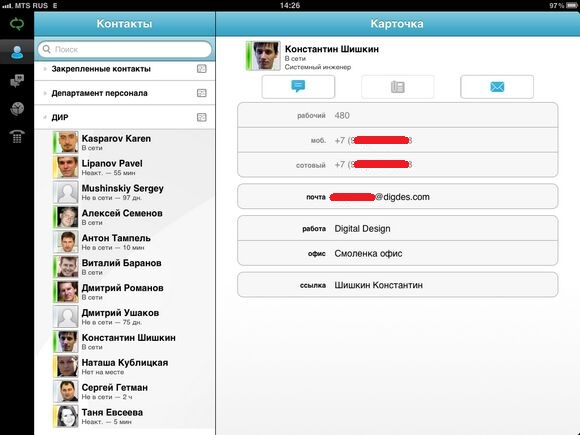
The Lync interface is similar to most business applications for the iPad: section bookmarks on the left, contents on the right. As in the PC version, contacts, conversations, history and voicemail are available to us. There is not only the “Activity” section, from which it was convenient to find out about vacations and events taking place in the team. But you can live without it. Thanks to the use of familiar icons and the logic of work in a mobile application, you will not get confused. It's just that the developer did not provide the section buttons with signatures in vain. Of course, if Lync is used actively and often, then standard notation has long been embedded in the memory, but for greater convenience, signatures are still needed.
As you can see, there are two separate versions of Lync for the iPhone and iPad in the App Store. Functionally, they do not differ, and the unwillingness of the developer to release one universal with two “wired” interfaces is not entirely clear. Let's hope in the future such flaws are gradually eliminated.
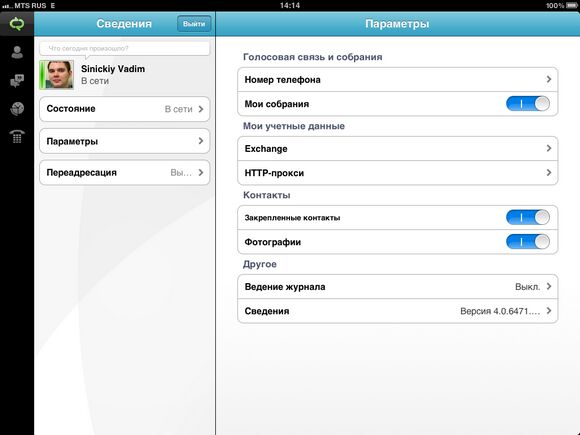
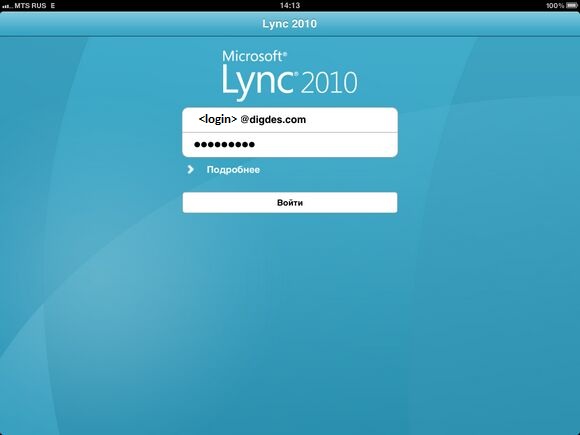
When you first start the application will ask you for credentials and offer to automatically detect the communication server. Everything is logical, but why is it necessary to indicate some kind of phone number? The answer turned out to be as simple as sad: the application does not support VoIP at all and uses a phone number to call back from the server. That is, even if you need to call one of the Lync users, a telephone gateway and a cell phone in your pocket will be used. For a long time I tried to find a hidden secret button for activating voice transmission over the Internet somewhere, but I found only one semi-official commentabout this question. If you do not go into the linguistic jungle, then it all comes down to the simple thesis "VoIP is not because we consider it unnecessary and not in demand among users of mobile devices." The position is ambiguous and fraught with various pros and cons, but it is unlikely to change in the near future.
But in the current implementation, voice calls are quite useful when in a foreign land, because even when initiating a call from your side, from the point of view of the mobile operator, the call will be incoming. Agree, this is completely different money with active roaming.
By the way, in addition to contacts from the Lync server, the built-in iPad address book is also supported. Thanks to this, you can make calls to any numbers at the expense of the organization and with the substitution of the working number. If you keep Lync connected all day, you can even get rid of an additional working device or some kind of scary "Chinese" with two SIM cards.
Slightly spoiled the overall picture of the work “out of the box” the need to pre- configure Lync 2010 Mobility Service on the server communication services. The fact is that Lync 2010 for iPad uses a non-standard auto-discovery mechanism and will not connect to the server correctly without additional configuration.
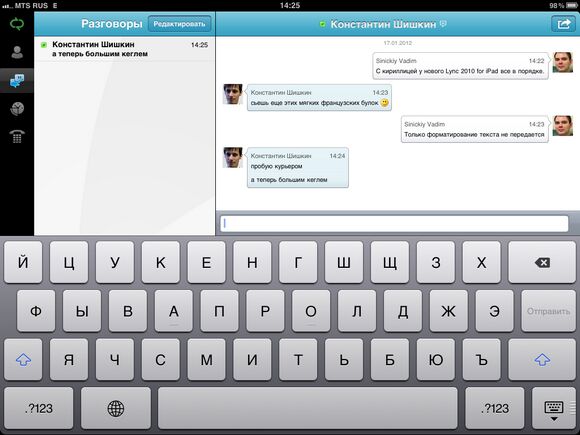
Well, since the voice part has been completely handed over to cellular communications, let's talk about the text component. Lync works fine with the text, and there were no difficulties with the messages in Russian - there is even nothing to discuss here. Of the additional features, only group conversations and sending your location are available to the user. Alas, there is no question of any representation of the desktop or drawing “by hand”. On the other hand, it is unlikely that all this would be convenient on the small screen of a smartphone - nevertheless, the application is designed not only for the iPad.
During the preparation of this review, Lync for iPad managed to fly out several times, and each time it happened when trying to send your coordinates. All necessary permissions were issued on the iPad, Google maps put an end to the right place in St. Petersburg without any problems, but magnetic storms and astral turbulence clearly acted on the mobile Lync 2010.
Many users are probably interested in the background operation of the application, because most of the time Lync should hang somewhere in the back of RAM and patiently wait for incoming messages. Support for multitasking here is standard for iOS: the application itself, when closed, disconnects from the server, but leaves Apple's push notification service active. When a new message arrives from colleagues, the tablet will demonstrate a fragment of the message, and the user will be able to go to Lync from the same dialog and view the message in full. Of course, with active push notifications, the network status remains unchanged for colleagues.
Waiting for the release of the official Lync client for iPhone \ iPad, we hoped to get an almost complete analogue of the desktop version of the application. At least it was logical to expect full support for voice and video communications without using an additional phone. But it did not work out. Nevertheless, it would be wrong to talk about the futility of mobile Lync - to solve most issues away from the office, text chat is also quite suitable. And even if you have to use the phone, then thanks to a call back to the smartphone that is always with you, this will not cause inconvenience.
Vadim Sinitsky, Systems Engineer, Digital Design









