 September 27, 2011 at 13:04
Budget Nettop as HTPC
Every lover of watching a good and high-quality movie undoubtedly raises the question: how and how to reproduce this movie. Now on the market there is a huge number of multimedia players of different price categories, with different designs, the number of supported formats and other “goodies” in the form of an integrated torrent client, etc. But, as a rule, decent players go beyond budget devices and at the same time, they still do not differ in flexibility in setting up the system. But what then to do? We smoothly approached the conversation about HTPC.
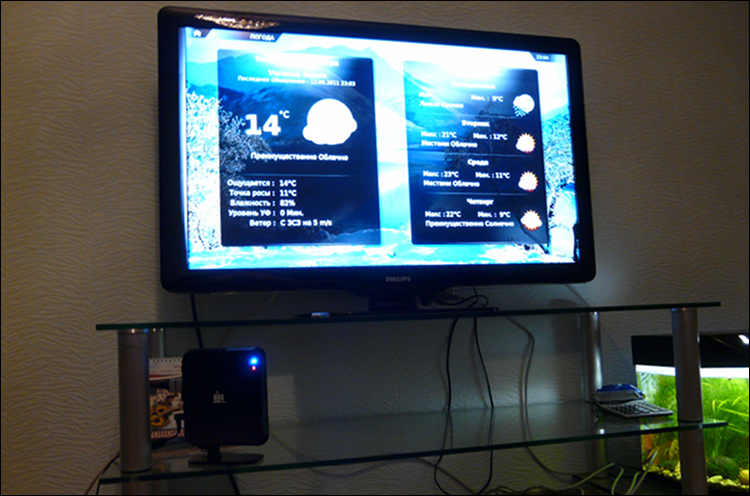
HTPCs have been under construction for quite some time, although earlier, in order to get a good representative, they had to pay a pretty tidy sum. Water cooling, a beautiful case, a powerful processor - all this costs a lot of money. But everything is changing. Nowadays, platforms with a CPU and GPU with hardware decoding of Full HD video on one board are gaining popularity, which in turn makes it possible to move from high-performance processors to less efficient ones, with less electricity consumption and heat generation, resulting in the need for a powerful cooling system disappears, and often it is replaced by passive cooling, which of course is several times cheaper.
I started looking for options for miniITX boards with Intel Atom and ION2. A couple of years ago, I collected HTPC for my brother on the Zotac board with Atom N330 and ION, but I could not even find such a board in the price lists of my city’s stores, not to mention more modern solutions. It was decided to take a nettop that would meet my requirements, since there were more of them in the shops of the city. The choice for a brand nettop of one of the stores called DNS Porto [0131410] I will continue to talk about it in fact .
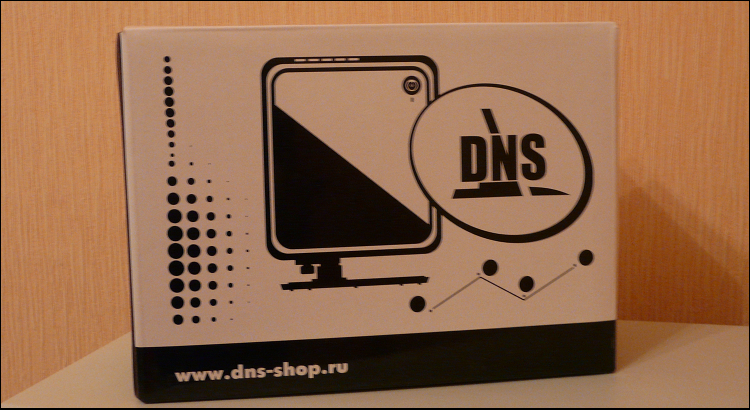
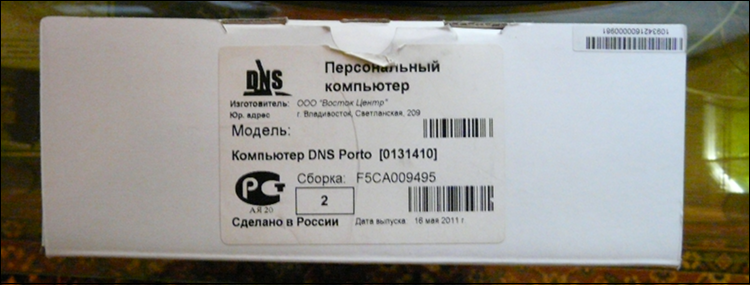
The nettop comes in a glossy-coated cardboard box with a printed image of the subject of the review and the symbols of the DNS store, a sticker on top with product information, and the inscription “Made in Russia”. What exactly is done in Russia is really incomprehensible: a box or a “DNS” sticker on a device?
Looking ahead, I’ll say that the nettop is manufactured by Pegatron, a former ASUS manufacturing unit, and within this firm the device is called Pegatron AMIS L6 D525. Then they give them to other companies / stores for branding and they already sell them under their own name, so it is almost impossible to find a device for sale with the original name.
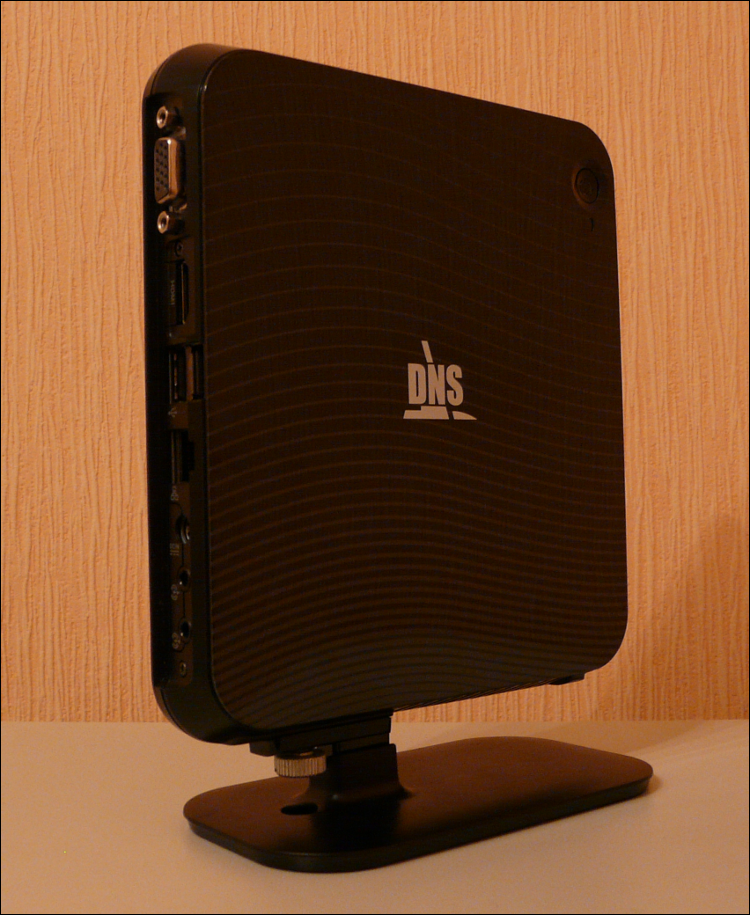
The dimensions of the device are so small that it seems you can put it in your pocket and go to a friend / girlfriend to watch a movie or listen to music. The device is assembled in a trapezoidal plastic case, the top panel is covered by a glossy plate with decorative stripes and the DNS logo in the middle. Somewhere in the corner of the top panel there is a power button, which is highlighted in blue when the mode is on, the light bulb is so bright, by the way, that at night it illuminates the ceiling with a radius of about a meter.
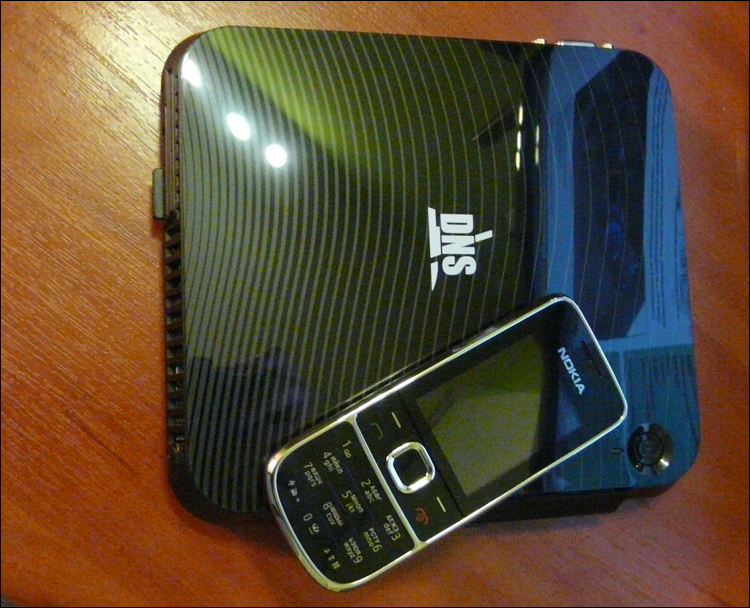
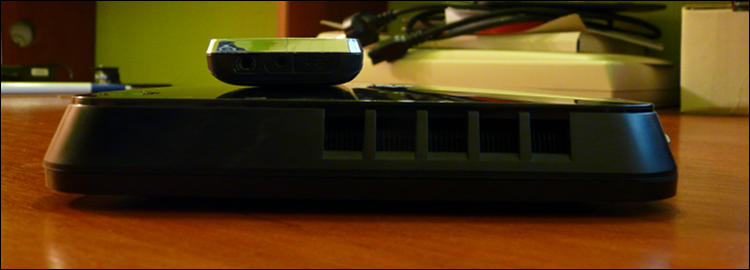
Two sides are given slots for ventilation. They are covered with nets: one for the inflow, the other for the outflow of air from the fan built into the casing. At the front end of the nettop there is a hidden panel with two USB ports for quick connection of a flash drive or other peripherals. The compartment is covered with an uncomfortable plastic plug, to open and close it without damage, you have to show wonders of accuracy.
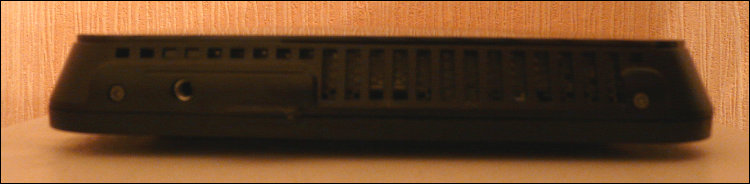

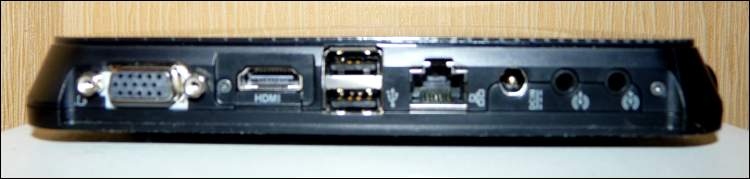
At the rear end of the device are all interface connectors: a VGA port for outputting pictures to a regular monitor, HDMI for LCD TVs and plasma panels, as well as digital audio output to the receiver, two USB peripherals, an Ethernet network port, an opening for a power adapter and audio ports ( two pieces - for input and output).
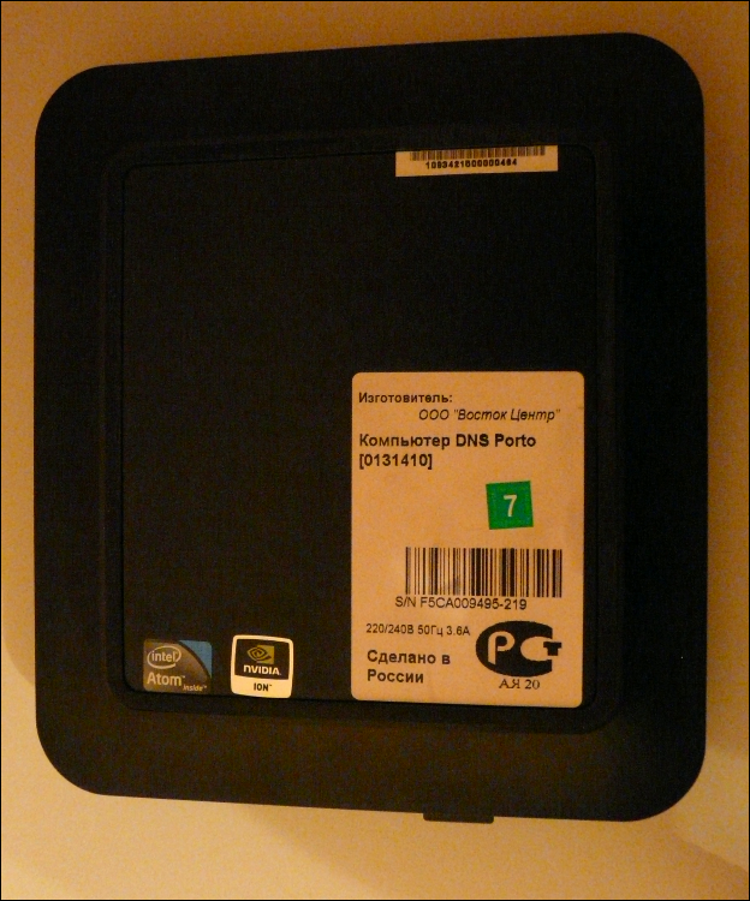
The underside of the device is a matte plastic coating and rubber rims, as well as stickers from manufacturers' iron, and the most important “Made in Russia”
The computer is built on the basis of a dual-core Intel Atom D525 processor which operates at a frequency of 1.8 GHz paired with the Intel NM10 chipset. The RAM with the Nanya DDR3 PC3-8500 (1066 MHz s) 2 GB of memory on board is responsible for the RAM, the Toshiba MK3264GSY hard drive with a capacity of 320 GB and the spindle speed of 7200 rpm are responsible for the OS installation and storage of multimedia files. Finally, the discrete NVIDIA ION 2 chip with 16 shader processors and support for HD video acceleration is responsible for the graphics. It seems that during the development of this nettop the original manufacturer decided not to use outdated components - it’s impossible to find fault with them with all desire.
Thanks to Pegatron for the built-in Wi-Fi controller (Realtek RTL8191SU 802.11n) - you don’t have to run a network cable to HTPC, but you can use the possibility of wireless access to the Internet and a local network, or make an access point from it. This, by the way, is one of those flexibilities mentioned at the beginning of the article that are not available when buying media players.
A system performance test and comparison with AMD Zacate can be found here.
The computer can be called quite fast for its size - the modern Intel Atom with two cores and support for Hyper-Threading perfectly copes with the Internet, standard tasks, while NVIDIA ION 2 picks up video acceleration in Full HD resolution on its shoulders. There were no problems with the playback of HD content, all the heavy BDRemux and Blu-Ray were reproduced without brakes or any other defects.
I propose to get acquainted with the results of qvdpautest:
Some people complain about the presence of a noisy fan, but this is not the case with me: in a meter the device is not audible at all, if there is a compressor in the same room for an aquarium, from which there is a lot more noise, the noise from the device is almost imperceptible. The temperature of computer components is also maintained at the proper level. The OS used is Ubuntu. ArchLinux was originally planned, but it did not work out with it: it did not master the sound output via HDMI, XBMC acts as a media center.
 Compact sizes
Low price (from 7000 rubles) Wi-Fi 802.11 n,
good for its class, performance Linux support Not warm and almost silent Pretty stylish design Bright blue light bulb Glossy top cover No Bluetooth Small number of USB ports

HTPCs have been under construction for quite some time, although earlier, in order to get a good representative, they had to pay a pretty tidy sum. Water cooling, a beautiful case, a powerful processor - all this costs a lot of money. But everything is changing. Nowadays, platforms with a CPU and GPU with hardware decoding of Full HD video on one board are gaining popularity, which in turn makes it possible to move from high-performance processors to less efficient ones, with less electricity consumption and heat generation, resulting in the need for a powerful cooling system disappears, and often it is replaced by passive cooling, which of course is several times cheaper.
Put forward requirements
- Price (the cheaper the better, the money was up close)
- Hardware support on Linux (using Windows as the basis for HTPC was not planned)
- Silence (I think everyone wants this)
- Availability in city stores (I wanted it here and now, and without problems with orders and warranty)
- Support for Full HD video, all known formats and codecs
- The presence of HDMI (well, how without it? This is the standard)
- Sufficient modern hardware
Search for a candidate
I started looking for options for miniITX boards with Intel Atom and ION2. A couple of years ago, I collected HTPC for my brother on the Zotac board with Atom N330 and ION, but I could not even find such a board in the price lists of my city’s stores, not to mention more modern solutions. It was decided to take a nettop that would meet my requirements, since there were more of them in the shops of the city. The choice for a brand nettop of one of the stores called DNS Porto [0131410] I will continue to talk about it in fact .
Specifications
| operating system | No OS |
| CPU | Atom D525 (1.8 GHz x 2 cores) |
| Chipset | Intel NM1 |
| Video card | NVIDIA ION 2 (GT218) |
| Memory | 320 GB (HDD 2.5 Toshiba MK3264GSY, 7200 rpm) |
| RAM | 2 GB (Nanya DDR3 PC3-8500 1066 MHz) |
| Wired connection | Gigabit ethernet |
| Wireless connection | Wi-Fi 802.11b / g / n (Realtek RTL8191SU) |
| Connectors | 4 x USB, 2 x 3.5 mm, HDMI, VGA, RG-45, power connector |
| Dimensions | 150 x 170 x 20 mm |
| Weight | 900 g |
Equipment
The nettop comes in a glossy-coated cardboard box with a printed image of the subject of the review and the symbols of the DNS store, a sticker on top with product information, and the inscription “Made in Russia”. What exactly is done in Russia is really incomprehensible: a box or a “DNS” sticker on a device?
Looking ahead, I’ll say that the nettop is manufactured by Pegatron, a former ASUS manufacturing unit, and within this firm the device is called Pegatron AMIS L6 D525. Then they give them to other companies / stores for branding and they already sell them under their own name, so it is almost impossible to find a device for sale with the original name.
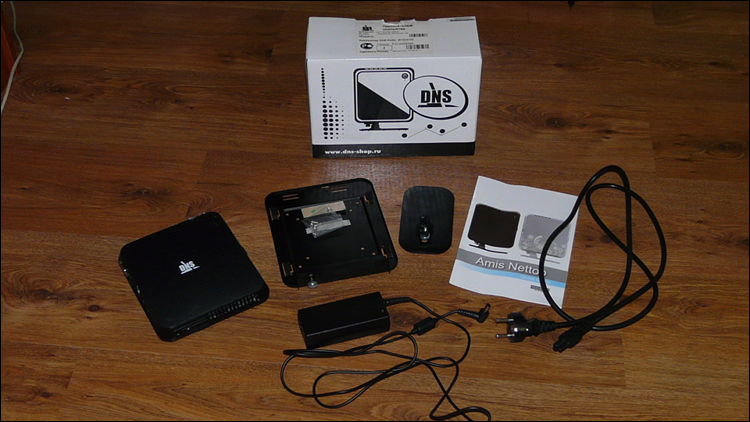
Inside the packing box was
- Nettop
- VESA mount
- iron stand for vertical installation
- driver disk
- manual in English (especially relevant for a device made in Russia =))
- Power adapter and power cord
Appearance
The dimensions of the device are so small that it seems you can put it in your pocket and go to a friend / girlfriend to watch a movie or listen to music. The device is assembled in a trapezoidal plastic case, the top panel is covered by a glossy plate with decorative stripes and the DNS logo in the middle. Somewhere in the corner of the top panel there is a power button, which is highlighted in blue when the mode is on, the light bulb is so bright, by the way, that at night it illuminates the ceiling with a radius of about a meter.
Two sides are given slots for ventilation. They are covered with nets: one for the inflow, the other for the outflow of air from the fan built into the casing. At the front end of the nettop there is a hidden panel with two USB ports for quick connection of a flash drive or other peripherals. The compartment is covered with an uncomfortable plastic plug, to open and close it without damage, you have to show wonders of accuracy.
At the rear end of the device are all interface connectors: a VGA port for outputting pictures to a regular monitor, HDMI for LCD TVs and plasma panels, as well as digital audio output to the receiver, two USB peripherals, an Ethernet network port, an opening for a power adapter and audio ports ( two pieces - for input and output).
The underside of the device is a matte plastic coating and rubber rims, as well as stickers from manufacturers' iron, and the most important “Made in Russia”
Insides
The computer is built on the basis of a dual-core Intel Atom D525 processor which operates at a frequency of 1.8 GHz paired with the Intel NM10 chipset. The RAM with the Nanya DDR3 PC3-8500 (1066 MHz s) 2 GB of memory on board is responsible for the RAM, the Toshiba MK3264GSY hard drive with a capacity of 320 GB and the spindle speed of 7200 rpm are responsible for the OS installation and storage of multimedia files. Finally, the discrete NVIDIA ION 2 chip with 16 shader processors and support for HD video acceleration is responsible for the graphics. It seems that during the development of this nettop the original manufacturer decided not to use outdated components - it’s impossible to find fault with them with all desire.
Thanks to Pegatron for the built-in Wi-Fi controller (Realtek RTL8191SU 802.11n) - you don’t have to run a network cable to HTPC, but you can use the possibility of wireless access to the Internet and a local network, or make an access point from it. This, by the way, is one of those flexibilities mentioned at the beginning of the article that are not available when buying media players.
In work
A system performance test and comparison with AMD Zacate can be found here.
The computer can be called quite fast for its size - the modern Intel Atom with two cores and support for Hyper-Threading perfectly copes with the Internet, standard tasks, while NVIDIA ION 2 picks up video acceleration in Full HD resolution on its shoulders. There were no problems with the playback of HD content, all the heavy BDRemux and Blu-Ray were reproduced without brakes or any other defects.
I propose to get acquainted with the results of qvdpautest:
qvdpautest 0.5.1
Intel(R) Atom(TM) CPU D525 @ 1.80GHz
NVIDIA GPU ION (GT218) at PCI:4:0:0 (GPU-0)
VDPAU API version : 1
VDPAU implementation : NVIDIA VDPAU Driver Shared Library 270.41.06 Mon Apr 18 15:13:22 PDT 2011
SURFACE GET BITS: 193.219 M/s
SURFACE PUT BITS: 162.126 M/s
MPEG DECODING (1920x1080): 65 frames/s
MPEG DECODING (1280x720): 162 frames/s
H264 DECODING (1920x1080): 62 frames/s
H264 DECODING (1280x720): 137 frames/s
VC1 DECODING (1440x1080): 79 frames/s
MPEG4 DECODING (1920x1080): 72 frames/s
MIXER WEAVE (1920x1080): 483 frames/s
MIXER BOB (1920x1080): 675 fields/s
MIXER TEMPORAL (1920x1080): 190 fields/s
MIXER TEMPORAL + IVTC (1920x1080): 122 fields/s
MIXER TEMPORAL + SKIP_CHROMA (1920x1080): 254 fields/s
MIXER TEMPORAL_SPATIAL (1920x1080): 65 fields/s
MIXER TEMPORAL_SPATIAL + IVTC (1920x1080): 53 fields/s
MIXER TEMPORAL_SPATIAL + SKIP_CHROMA (1920x1080): 72 fields/s
MIXER TEMPORAL_SPATIAL (720x576 video to 1920x1080 display): 230 fields/s
MIXER TEMPORAL_SPATIAL + HQSCALING (720x576 video to 1920x1080 display): 121 fields/s
MULTITHREADED MPEG DECODING (1920x1080): 70 frames/s
MULTITHREADED MIXER TEMPORAL (1920x1080): 163 fields/s
Some people complain about the presence of a noisy fan, but this is not the case with me: in a meter the device is not audible at all, if there is a compressor in the same room for an aquarium, from which there is a lot more noise, the noise from the device is almost imperceptible. The temperature of computer components is also maintained at the proper level. The OS used is Ubuntu. ArchLinux was originally planned, but it did not work out with it: it did not master the sound output via HDMI, XBMC acts as a media center.
Pros and cons
Compact sizes Low price (from 7000 rubles) Wi-Fi 802.11 n, good for its class, performance Linux support Not warm and almost silent Pretty stylish design Bright blue light bulb Glossy top cover No Bluetooth Small number of USB ports








