 February 14, 2011 at 01:05
Here it is happiness or Go Launcher Ex
I welcome the habrasociety and you,% username%, in particular. As you may have guessed, we will talk about one of the many Launcher'ov for Android.
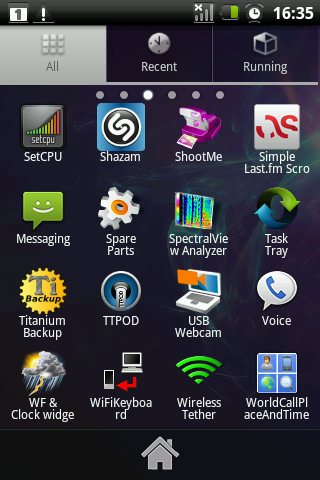
Not so long ago, in one of the topics came up the topic of grouping elements in the menu.
Perhaps there really are ready-made good solutions and I simply did not know about them. But, you see, flipping through 5-6 pages with labels or sliding them vertically looking through the eyes with the right one is pretty tiring, so I started looking for a solution.
Having at my disposal Samsung Galaxy Spica with Android 2.2.1 on board, Wi-Fi point and innate optimism, I began my search. After going through several Launcher'ov (among them Home ++, ADW, LauncherPro, Pandeon) I came across Go Launcher Ex.
Actually, he also has such an opportunity (correct, if not only him) - to group programs in the menu of our favorite Android device.
Below, in fact, screenshots with a little explanation. I immediately warn that this information is not the ultimate truth, therefore, additions, objections and constructive criticism are welcome.
So,
1. In the market, enter Go Launcher and install it.
You can pull on a straight line.
2. This is what the desktop looks like

3. Go to the menu. As you can see, there are many shortcuts, and there is still much to look through.
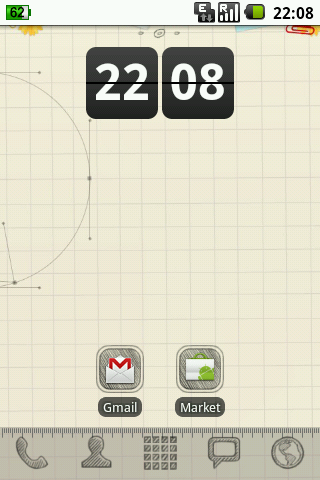
4. This is what my desktop looks like now (applied one of the many themes)
with a long press on the shortcut we see this picture:

5. Here is what the menu looks like.
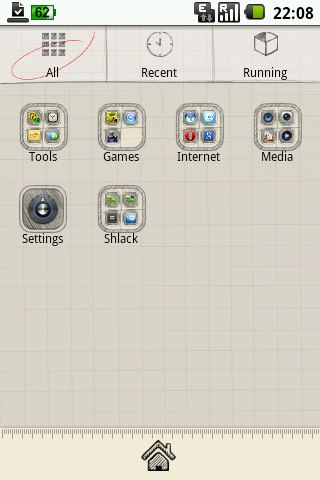
There are several tabs.
The main (all applications) In it, you can create a daddy, name it whatever you like and indicate which applications should be placed in it.
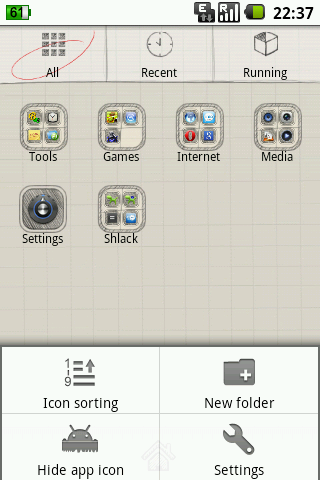
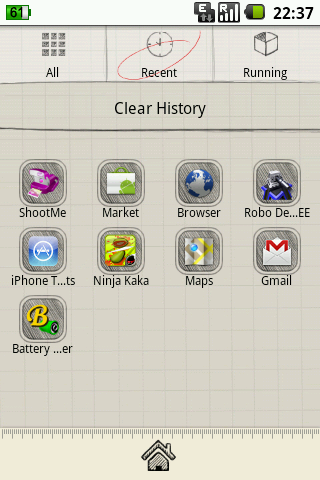
Recently launched
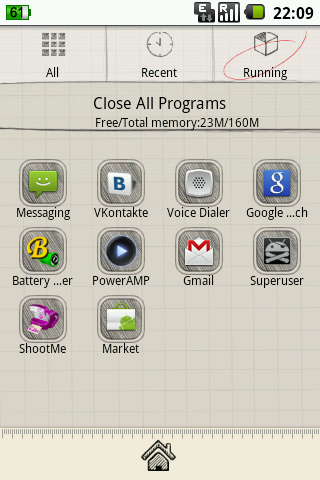
Currently running (built-in task manager).
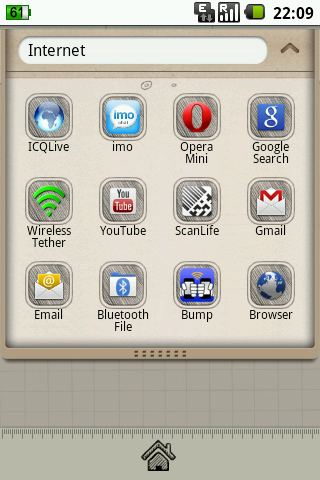
Upon entering the folder, we see all the applications that are moved here:
we can immediately delete and move them:

Profit is reached.
PS First post, please do not kick much.
Screenshots were made using ShootMe software.
I sincerely hope that someone will come in handy.
UPD :

Not so long ago, in one of the topics came up the topic of grouping elements in the menu.
Perhaps there really are ready-made good solutions and I simply did not know about them. But, you see, flipping through 5-6 pages with labels or sliding them vertically looking through the eyes with the right one is pretty tiring, so I started looking for a solution.
Having at my disposal Samsung Galaxy Spica with Android 2.2.1 on board, Wi-Fi point and innate optimism, I began my search. After going through several Launcher'ov (among them Home ++, ADW, LauncherPro, Pandeon) I came across Go Launcher Ex.
Actually, he also has such an opportunity (correct, if not only him) - to group programs in the menu of our favorite Android device.
Below, in fact, screenshots with a little explanation. I immediately warn that this information is not the ultimate truth, therefore, additions, objections and constructive criticism are welcome.
So,
1. In the market, enter Go Launcher and install it.
You can pull on a straight line.
2. This is what the desktop looks like
3. Go to the menu. As you can see, there are many shortcuts, and there is still much to look through.
4. This is what my desktop looks like now (applied one of the many themes)
with a long press on the shortcut we see this picture:
5. Here is what the menu looks like.
There are several tabs.
The main (all applications) In it, you can create a daddy, name it whatever you like and indicate which applications should be placed in it.
Recently launched
Currently running (built-in task manager).
Upon entering the folder, we see all the applications that are moved here:
we can immediately delete and move them:
Profit is reached.
PS First post, please do not kick much.
Screenshots were made using ShootMe software.
I sincerely hope that someone will come in handy.
UPD :









