Introduction to SaaS - project management systems. Part 1
In order to manage projects really effectively, you need to turn to special software. The set of systems for project management today is very extensive: from bulky, megafunctional to the most “light” and simple. For the implementation of the first and their effective return, of course, a lot of effort will be required (unless, of course, you invite a couple of other certified specialists to control the project cycle within the organization). But is it always justified? And will all the functionality of the system be used?
Even in large companies they do not always use software 100%, to say nothing of small and medium-sized businesses. Why spend the extra $? To understand this issue, I decided to test various systems for project management and decide "what it is and what it is eaten with."
SaaS - systems are developed, maintained and located on the server of the software provider. For these systems, it is not necessary to carry out long-term implementation, training and further support procedures. As a rule, everything has already been done for you.
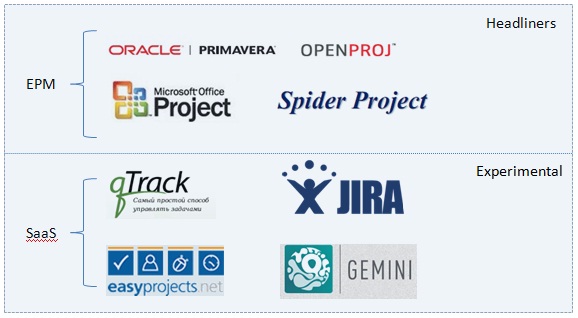
Headliners - it sounds proud, but it's also a list of premium software. The systems are well-known, and all the pros and cons of them have long been familiar. Personally, I want to know about SaaS-systems that have long been in fashion. To your surprise, I never came across them. PR, advertising, representatives - all with headliners. And SaaS does not yet give complete competition to desktop systems. Functionality is lower, costs are lower. But it is paradoxical that “avaricious pays twice” does not work here.
So, let's proceed to thedebriefing review.
Legend: + (good); - (badly)
+ Registration in the system takes less than a minute.
Desktop:
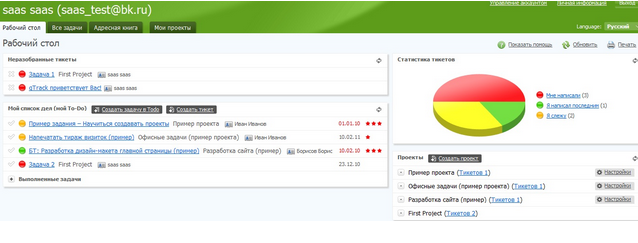
+ The desktop is pleasant and consists of four displays:
All tasks in which you are the responsible person fall into Unassigned tickets, the ToDo list displays current tasks. It is worth noting that the desktop is not entirely static. DragAndDrop is possible for tasks. Any task can be transferred to completed ones.
- Unfortunately, “customization” of the workspace is not provided.

+ The process of creating a project is standard
+ the ability to determine the default group in the properties of a personal account
+ there is the possibility of limiting the visibility of intra-group messages
+ the participant does not have to be in the system (just know his e-mail)
- meager group policy, but enough for these functions
- entering subprojects by name (without auto-substitution)
A project is a collection of tickets (tasks). The creation process is as simple as the project.
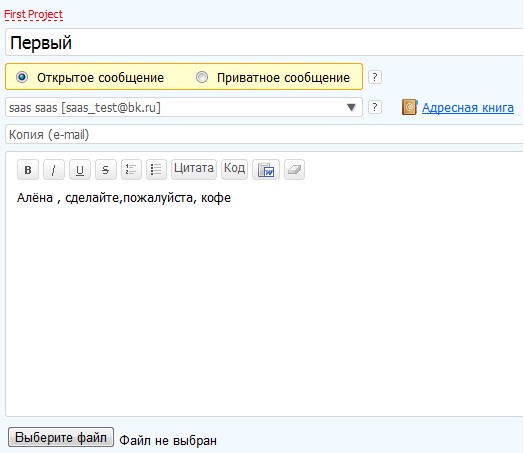
+ the ability to import text from Word
+ the ability to attach files
+ the definition of task tags
+ the choice of the message status inside the ticket (setting, implementation, ready, closing)
+ the discussion process is similar to communication on the forum
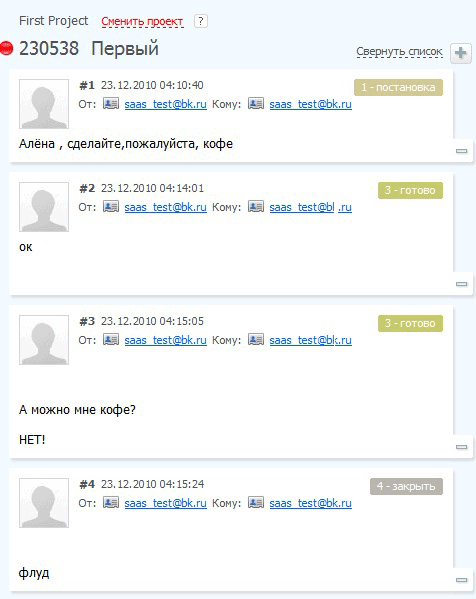
In order to close the ticket, you need to report on the task and mark the message with the status “close”. In this case, the ticket closes and disappears from the project, but at any time you can open the ticket.
+ - Each ticket is assigned a graph. indicator. A closed ticket is marked in gray.
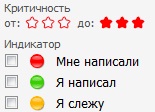
+ e-mail alerts
+ a rich set of filters for organizing and grouping
- Absolutely no project status (open and closed statuses available)
- the status of subprojects does not affect the main project
Interesting options can be found in account management:
+ the ability to determine the company url in the form www.company_name.qtrack.ru
+ the ability to add additional E-mail for each project http: // project_name.company_name.qtrack.ru
After creating add. its mailbox can be configured so that all incoming messages are moved to a specific project. Such a function is useful to those. support or site administrator, etc.
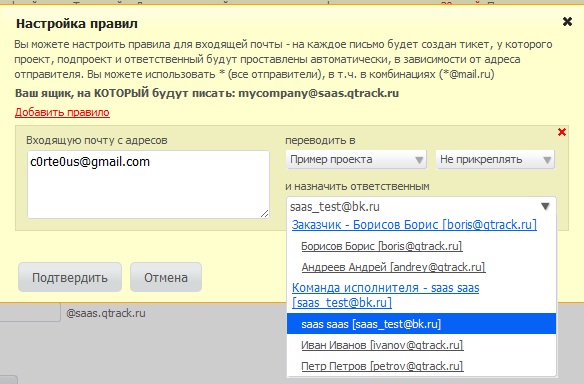
Bottom line: I really liked qTrack. Pleased with the opportunities arising from the full integration with e-mail. It's great when customers don’t need to know anything.
But still, we can’t say that we have a serious EPM solution. The main disadvantage is excessive simplicity and low functionality. There are no beautiful reports, no automated calculations, no competent project tracking system and ... not even a calendar. In general, for advanced users, it seems too simple and boring. But for non-professionals, those who are just starting to master project managers and who need a system without "troubles", this is only a plus for them. This service is ideal for beginners. But for 350 rubles / month are there any competitors to such a system?
This SaaS application is built on Ajax 2.0 technology. Used in companies with world names. For example, Symantec, General Electric. Compared to qTrack ... Oops. I will not compare. Equate qTrack to 10% of EasyProject.Net. I can’t give more.
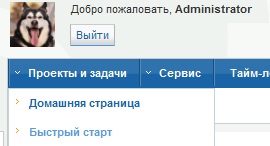
+ The start page shows a list of current and future tasks for the current number. You can immediately create a new task for any project or notify you about the status of the tasks hanging on you.
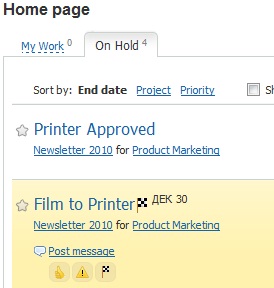
+ in addition to the start page there is a dashboard with the ability to add widgets
A project can be created in two ways - using the "quick start" or the standard form for entering project data.
When creating a project, a large number of opportunities are available to us:
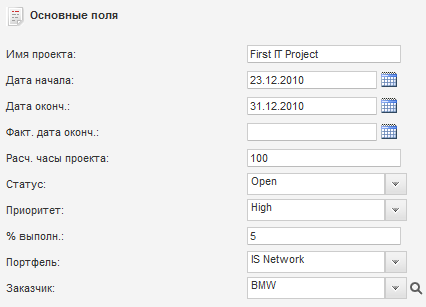
+ definition of corporate non-standard fields, project status in%
+ project import and export from (to) MS Project, CSV
+ formation of approximate estimated project hours
+ attachment of files to the project
Like MS Project in EasyNetworks it is possible to define users and their roles for each project

Each role has its own rights. If necessary, you can add new roles. I would like to note that the list of rights and options for editing them is very wide up to setting the hourly rate “by default”. I repeat that the process is similar to MS Project.
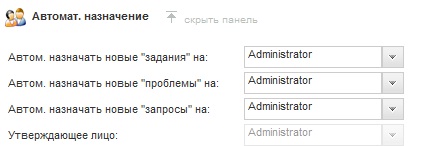
An interesting feature is the automatic assignment of responsibility for new tasks:
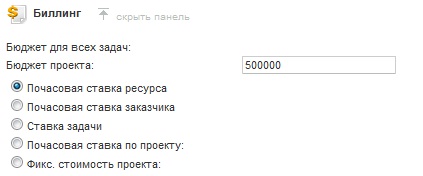
For any project, it is possible to calculate costs and payments using one of the schemes shown in the figure:
The possibilities when creating a task are similar again to Project:
+ Defining the relationships between tasks
+ building up the structure of tasks in the project, their nesting

The project status is displayed in percent and completely depends on the status of the task and subprojects. In addition to the status, graphs are displayed. Indicators of free reserve of time, which show advancing or lagging behind the planned terms.
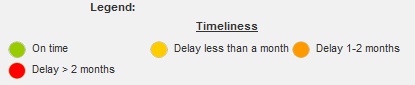
The created project can be opened in standard or in an interactive form based on Silverlight technology. Both in full-screen mode and in browser mode. Interactive mode is very good! Also, viewing projects can be supplemented by displaying "Gantt Charts"
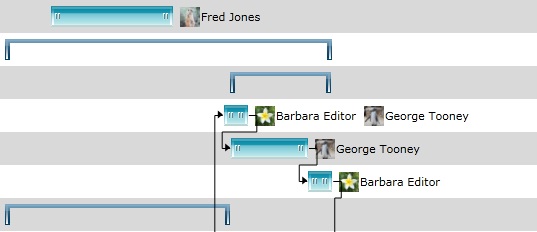
Each user in the system is assigned a default work schedule:

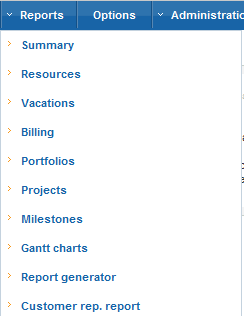
If it is necessary to provide a report, this procedure can be done in two clicks by selecting the appropriate reporting direction and forming it. There is an export to excel and pdf of the result report
At the moment, this is the most convenient SaaS-based system I've seen. The main disadvantage for developers is the similarity of functions with MS Project, which does not make them a good reputation. But it’s worth paying tribute - everything is implemented at a high level, it’s nice to work in systems. It's nice that the trial after 15 days turns into a free version for one active user.
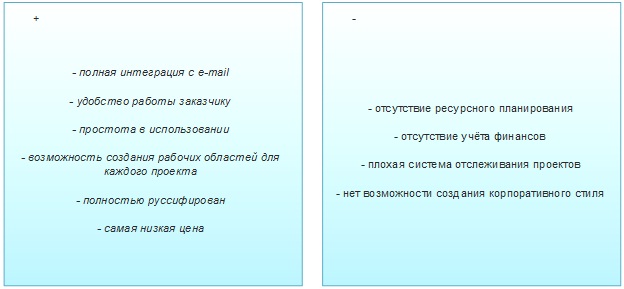
The main advantages:
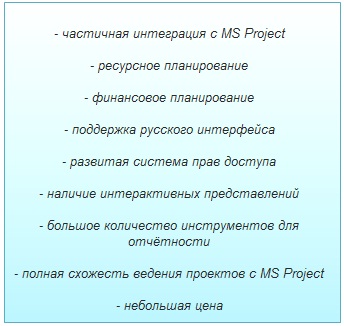
For the Russian consumer, I note the lack of proper Russian localization and information. Despite the cons, this is a worthy answer to desktop systems.
PS This article is designed to simplify the process of choosing and exploring SaaS - EPM systems. I ask for any inaccuracies in the comments. Civilized criticism is welcome. I will try to make the second part better (review by Jira and Gemini). Thank you all for your attention!
Even in large companies they do not always use software 100%, to say nothing of small and medium-sized businesses. Why spend the extra $? To understand this issue, I decided to test various systems for project management and decide "what it is and what it is eaten with."
SaaS - systems are developed, maintained and located on the server of the software provider. For these systems, it is not necessary to carry out long-term implementation, training and further support procedures. As a rule, everything has already been done for you.
Headliners - it sounds proud, but it's also a list of premium software. The systems are well-known, and all the pros and cons of them have long been familiar. Personally, I want to know about SaaS-systems that have long been in fashion. To your surprise, I never came across them. PR, advertising, representatives - all with headliners. And SaaS does not yet give complete competition to desktop systems. Functionality is lower, costs are lower. But it is paradoxical that “avaricious pays twice” does not work here.
So, let's proceed to the
Legend: + (good); - (badly)
I. qTrack Overview
+ Registration in the system takes less than a minute.
Desktop:
+ The desktop is pleasant and consists of four displays:
All tasks in which you are the responsible person fall into Unassigned tickets, the ToDo list displays current tasks. It is worth noting that the desktop is not entirely static. DragAndDrop is possible for tasks. Any task can be transferred to completed ones.
- Unfortunately, “customization” of the workspace is not provided.
Project Creation
+ The process of creating a project is standard
+ the ability to determine the default group in the properties of a personal account
+ there is the possibility of limiting the visibility of intra-group messages
+ the participant does not have to be in the system (just know his e-mail)
- meager group policy, but enough for these functions
- entering subprojects by name (without auto-substitution)
Design tasks
A project is a collection of tickets (tasks). The creation process is as simple as the project.
+ the ability to import text from Word
+ the ability to attach files
+ the definition of task tags
+ the choice of the message status inside the ticket (setting, implementation, ready, closing)
+ the discussion process is similar to communication on the forum
In order to close the ticket, you need to report on the task and mark the message with the status “close”. In this case, the ticket closes and disappears from the project, but at any time you can open the ticket.
Tracking process
+ - Each ticket is assigned a graph. indicator. A closed ticket is marked in gray.
+ e-mail alerts
+ a rich set of filters for organizing and grouping
- Absolutely no project status (open and closed statuses available)
- the status of subprojects does not affect the main project
Interesting options can be found in account management:
+ the ability to determine the company url in the form www.company_name.qtrack.ru
+ the ability to add additional E-mail for each project http: // project_name.company_name.qtrack.ru
After creating add. its mailbox can be configured so that all incoming messages are moved to a specific project. Such a function is useful to those. support or site administrator, etc.
Bottom line: I really liked qTrack. Pleased with the opportunities arising from the full integration with e-mail. It's great when customers don’t need to know anything.
But still, we can’t say that we have a serious EPM solution. The main disadvantage is excessive simplicity and low functionality. There are no beautiful reports, no automated calculations, no competent project tracking system and ... not even a calendar. In general, for advanced users, it seems too simple and boring. But for non-professionals, those who are just starting to master project managers and who need a system without "troubles", this is only a plus for them. This service is ideal for beginners. But for 350 rubles / month are there any competitors to such a system?
II. EasyProject.Net
This SaaS application is built on Ajax 2.0 technology. Used in companies with world names. For example, Symantec, General Electric. Compared to qTrack ... Oops. I will not compare. Equate qTrack to 10% of EasyProject.Net. I can’t give more.
+ The start page shows a list of current and future tasks for the current number. You can immediately create a new task for any project or notify you about the status of the tasks hanging on you.
+ in addition to the start page there is a dashboard with the ability to add widgets
Project Creation
A project can be created in two ways - using the "quick start" or the standard form for entering project data.
When creating a project, a large number of opportunities are available to us:
+ definition of corporate non-standard fields, project status in%
+ project import and export from (to) MS Project, CSV
+ formation of approximate estimated project hours
+ attachment of files to the project
Like MS Project in EasyNetworks it is possible to define users and their roles for each project
Each role has its own rights. If necessary, you can add new roles. I would like to note that the list of rights and options for editing them is very wide up to setting the hourly rate “by default”. I repeat that the process is similar to MS Project.
An interesting feature is the automatic assignment of responsibility for new tasks:
For any project, it is possible to calculate costs and payments using one of the schemes shown in the figure:
Creating Project Tasks
The possibilities when creating a task are similar again to Project:
+ Defining the relationships between tasks
+ building up the structure of tasks in the project, their nesting
The project status is displayed in percent and completely depends on the status of the task and subprojects. In addition to the status, graphs are displayed. Indicators of free reserve of time, which show advancing or lagging behind the planned terms.
The created project can be opened in standard or in an interactive form based on Silverlight technology. Both in full-screen mode and in browser mode. Interactive mode is very good! Also, viewing projects can be supplemented by displaying "Gantt Charts"
Each user in the system is assigned a default work schedule:
If it is necessary to provide a report, this procedure can be done in two clicks by selecting the appropriate reporting direction and forming it. There is an export to excel and pdf of the result report
At the moment, this is the most convenient SaaS-based system I've seen. The main disadvantage for developers is the similarity of functions with MS Project, which does not make them a good reputation. But it’s worth paying tribute - everything is implemented at a high level, it’s nice to work in systems. It's nice that the trial after 15 days turns into a free version for one active user.
The main advantages:
For the Russian consumer, I note the lack of proper Russian localization and information. Despite the cons, this is a worthy answer to desktop systems.
PS This article is designed to simplify the process of choosing and exploring SaaS - EPM systems. I ask for any inaccuracies in the comments. Civilized criticism is welcome. I will try to make the second part better (review by Jira and Gemini). Thank you all for your attention!