Sync notes in Google Chrome
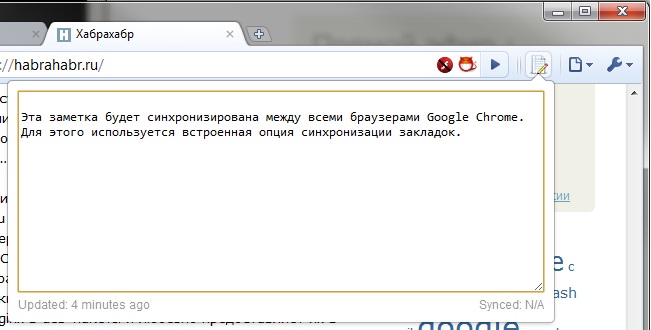
Chrome Notepad is an extension for notes that supports Google Chrome’s built-in sync.
It is important that to synchronize notes, it does not use any third-party synchronization servers / services, but the built-in bookmark synchronization option.
This technique, invented by George Papadakis, is described (with examples) here so that other developers can implement it in their extensions.
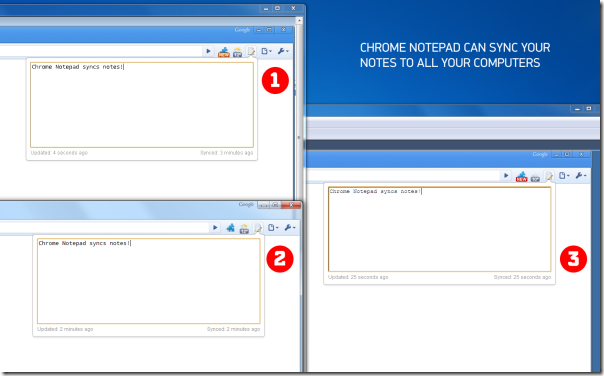
Note sync is enabled by default if bookmark sync is already configured on Google Chrome. Synchronization, according to the developer, occurs every 5+ minutes. The image below (taken from the extension page) shows a note synchronized between multiple computers. In addition to the note itself, the extension remembers and synchronizes the cursor position and scrolling.
In the settings, note synchronization can be turned off (it will not affect bookmark synchronization), you can change the size of the notepad window and the font size.
If anyone does not know how to enable bookmark synchronization:
Settings and management> Settings> Personal materials> Synchronization> Customize> check Bookmarks> OK. Done!
It is written by my friend who is not yet on Habré who wants to share an invite - write in a personal.
It is important that to synchronize notes, it does not use any third-party synchronization servers / services, but the built-in bookmark synchronization option.
This technique, invented by George Papadakis, is described (with examples) here so that other developers can implement it in their extensions.
Note sync is enabled by default if bookmark sync is already configured on Google Chrome. Synchronization, according to the developer, occurs every 5+ minutes. The image below (taken from the extension page) shows a note synchronized between multiple computers. In addition to the note itself, the extension remembers and synchronizes the cursor position and scrolling.
In the settings, note synchronization can be turned off (it will not affect bookmark synchronization), you can change the size of the notepad window and the font size.
If anyone does not know how to enable bookmark synchronization:
Settings and management> Settings> Personal materials> Synchronization> Customize> check Bookmarks> OK. Done!
It is written by my friend who is not yet on Habré who wants to share an invite - write in a personal.









