April 28, 2010 at 12:51
Express review of the tablet Wacom Cintiq 21UX Intuos 4
 We present to your attention a review of the Wacom Cintiq graphics tablet from our illustrator Evgenia Rodina ( jodybastet ):
 One of the goals at the recent Creativefuture 2010 conference was for me to "chat" with the exciting new Wacom Cintiq tablet. Every professional is kind to good tools, so I immediately went to the Wacom exhibition stands. There was a dense crowd of curious people, and therefore there was very little time for a test drive, others wishing to paint in the back of the head breathed. After waiting in line, I started a “tasting”.
Why trifle? I chose the Cintiq 21UX Intuos4 . :)
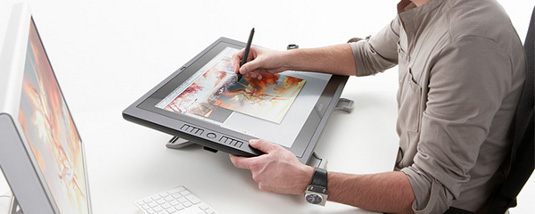
- Beautiful black tablet. Intous4 style design. Large and bright screen. In fact - a monitor on which you can draw.
- The screen heats up, in cold weather you can warm your frozen hands on it :)
- There is some distance from the surface of the screen where I touch the stack to the luminous area (roughly speaking, where the drawn line appears). Minor, not more than a millimeter, but there is. That is, the sensations are still not what paper + pencil suggests. You draw through a thin layer of plastic, in the distance. My colleagues expressed doubt: but how exactly to hit a pixel? I think the zoom function and the matter of habit will save us.
- Magic Photoshop CS5 at the exhibition slowed down. Draw a line and wait for it to appear on the screen. Probably, there are still some errors in the interaction of the program and the tablet.
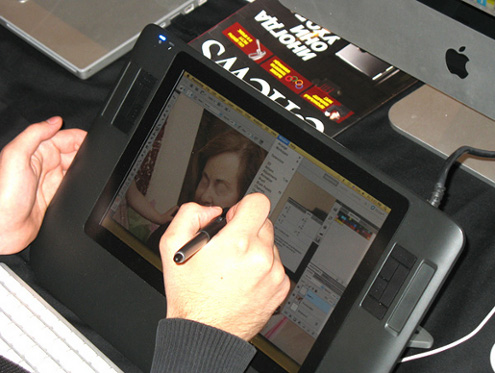
Lyrical digression. In the photo, someone’s hands are painted on one of the small models. In my opinion, if you buy, then immediately a large tablet that can replace you with a full-fledged monitor. - The tablet can be tilted to varying degrees, angles from 10 to 60 degrees are available to it, it can be rotated and adjusted to “left-handed” and “right-handed”. For me, the incline that you can see in the photograph was inconvenient. An elbow either hung in the air or rested on a keyboard. And for drawing you need an emphasis of the hand, otherwise it quickly gets tired. I think this can be solved individually by setting up a workplace for yourself. Yes, and he needs a lot of space on the table. And yet - I wanted to put it on my knees, like an album for drawing.
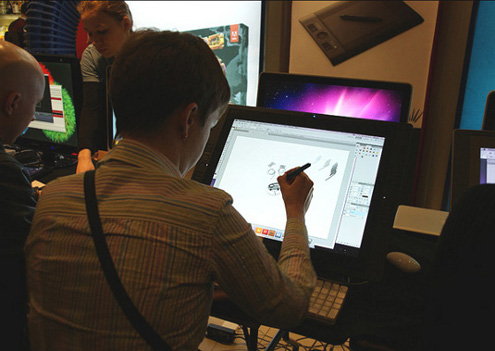
- It seems that there is an opportunity to connect the tablet to the monitor in order to be able to see the workflow both directly at hand and on the monitor. However, for large Cintiq models, a tablet screen is enough.
- There are no visual changes in the stack, it is the same as with other tablets. One of the visitors tried to draw on a tablet, holding the stack in his hand, like a pencil artist - it looked funny. I can’t say anything about this.
- I don’t use the ExpressKeys keys, and therefore it was inconvenient for me to scale the screen and change tools, I had to lower my eyes down to the keyboard. Probably, having bought Cintiq I would have to learn. :)
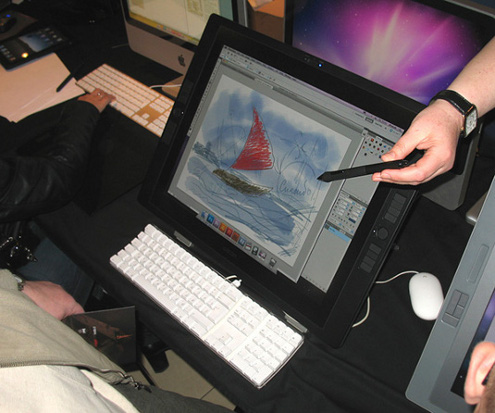
My conclusion is that Wacom Cintiq is funny, but nothing more. If you really buy it, then do not trifle with the size of the device and buy immediately as large as possible. For professional work more than enough great Wacom Intuos4. Touch sensitivity and tilt support are the same, and the absence of a luminous screen at hand can be experienced by compensating for this at the cost of the device. In the final sense, this is just a tool. :)