February 16, 2010 at 21:20
Zeus with a keyboard
Today I will share my impressions of the communicator Highscreen Zeus - the first communicator on Android, which at one time fell into my hands.
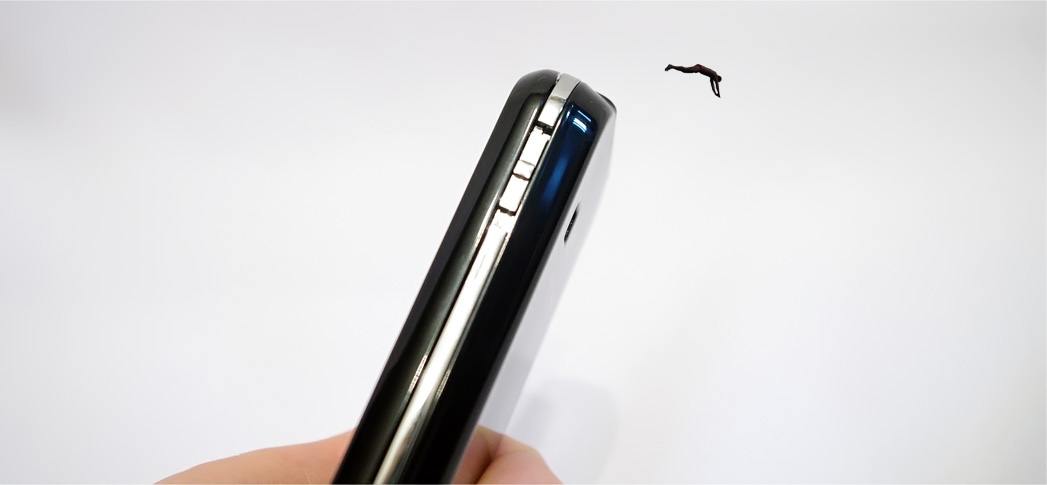
Along the way, this is Russia's first androidphone with a QWERTY keyboard.
“ Why did you take Zeus - there are no Google services there ?! You do not understand all the charms of the android! It was necessary to take at least Hero! "They told me on Twitter. Well, really all the advantages of the new operating system lie in Google services alone, which many do not even use? I hope no. Actually, that’s why he took “Zeus” - it’s practically a bare android on it, and only the lazy one did not write about the same Hero. Actually, I just took it for a “touch” to once again share my impressions of the device - hereinafter there will be a mini-review of the device.
To begin with, I did not understand who produces this Zeus at all - it is clear that, like everywhere else, China-Taiwan & Co, but I don’t know who is the beginning of this long chain. Judging by the internet , Highscreen is a trademark of Vobis , a company that officially represents giants such as HTC in Russia and, on the whole, has been engaged in all kinds of technology for many days. Well, all right, then let's see what “ours” have prepared this time.
* UPD * I whispered to the people and it turned out that the roots grow from the company Foxconn, which collects device data on par with iPhones. And they said that Highscreen is the second model, the first was the P5420, which became the very first Android device in Russia.
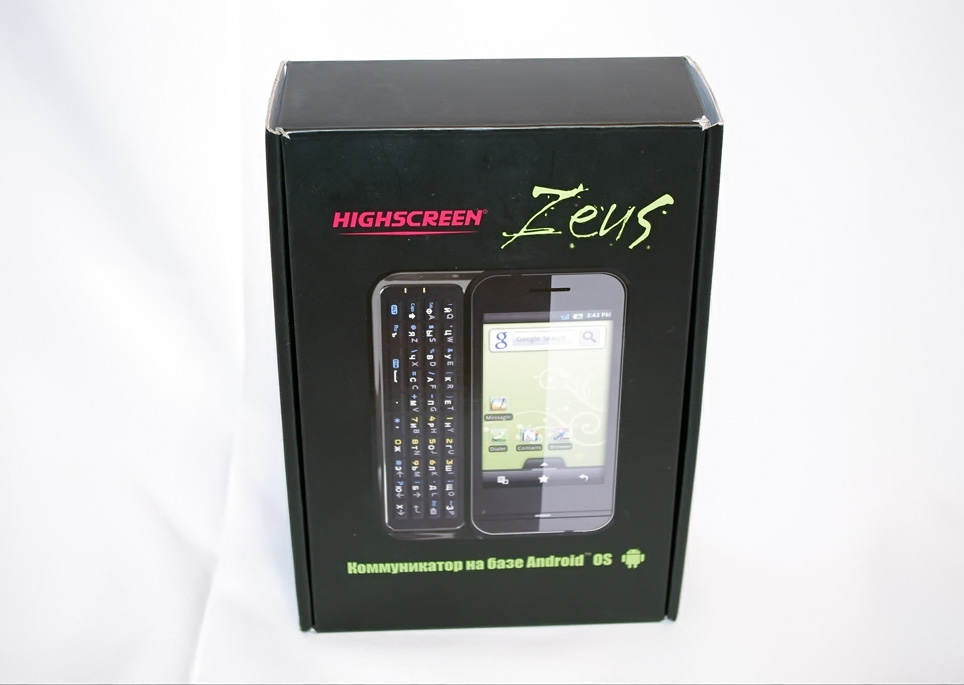
This time, the box is almost twice as large as the usual “bricks” from HTC, inside it was the phone itself, the battery, the manual, the USB-microUSB wire, charging, a headset and ... and that’s all.
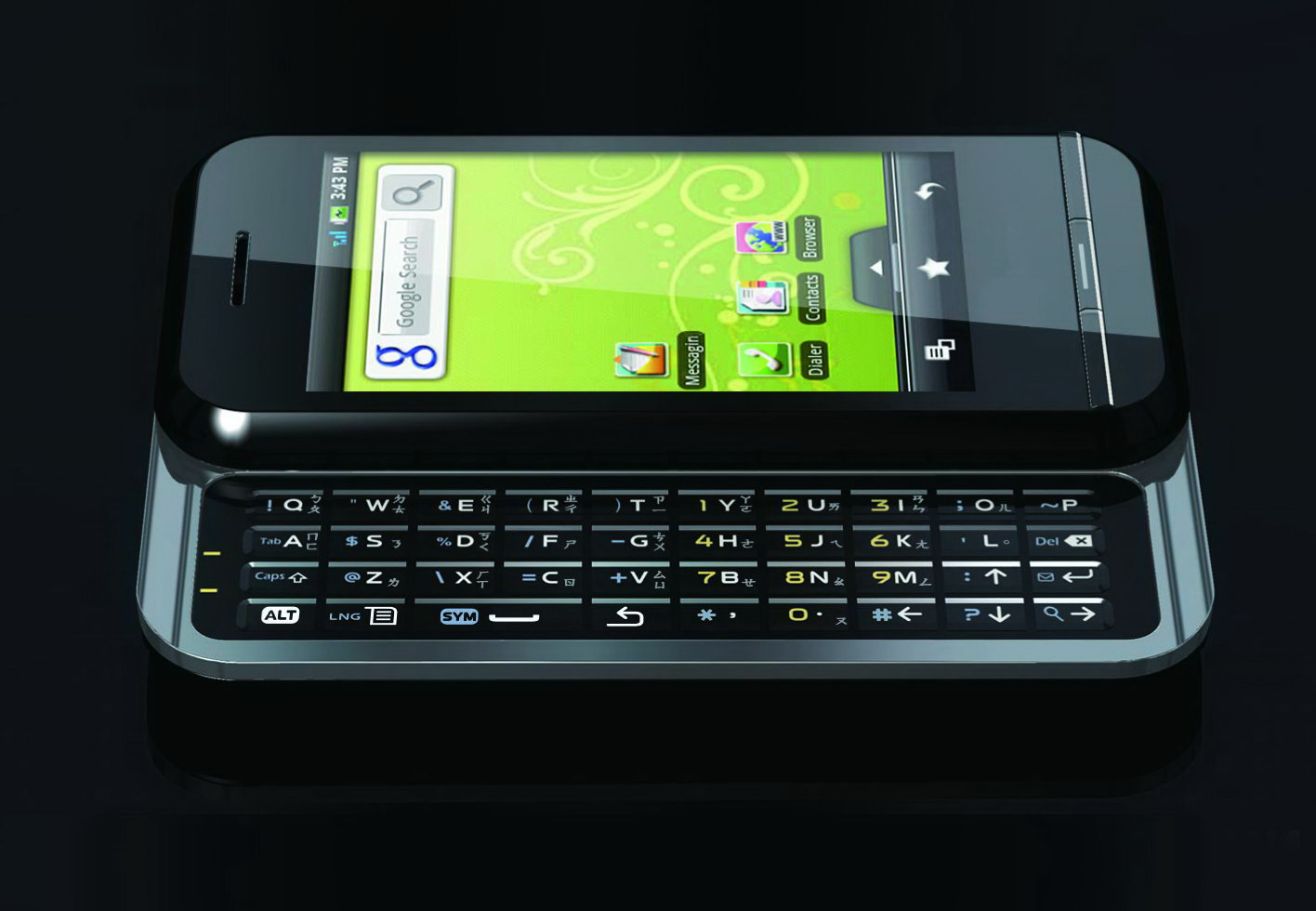
The case is black. Glossy - definitely fi. Not because it is ugly, but because in this situation the case is very easily soiled and any print is always in sight. Here the most easily soiled back side, on the front side it is not so noticeable. The thickness of the device is comparable to the thickness of conventional "mobile" and is (in mm) 110x55x15.
Almost the entire front side is occupied by a display (3.2 ”diagonal, and resolution 240x400) - it is not recessed and does not protrude from the case. At the top is a speaker slot, at the bottom are three buttons in a row (when pressed inside, colored bars light up - green, white or red).
The back cover is completely solid (it has only a cutout for a 3.1-megapixel camera) - under it is an unusual shape (with an L-shaped protrusion for contacts), a battery, a SIM card slot and a stylus.

The stylus is telescopic and very thin. The battery is lithium-polymer, 1010mAh (3.7V, 3.7Wh).
The connectors are unusually located - on the bottom there is nothing but speakers and a microphone:

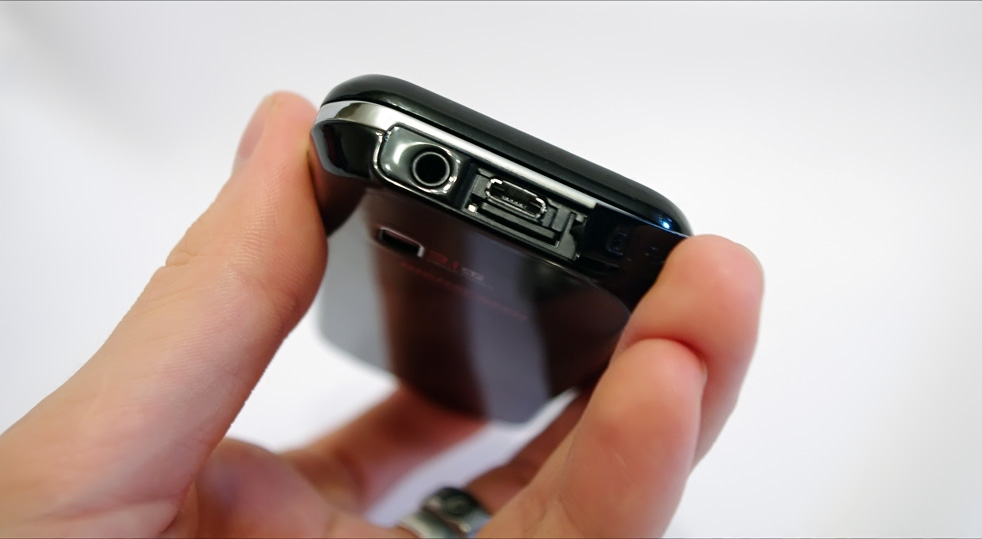
... but on the top there is a power button, a headphone jack and hidden connectors for a microSD card and microUSB slot hidden under the plug.
The left side is also “unloaded”, on the right - the camera button (bottom) and a three-position volume control - to control the sound. It can be moved up and down, but if, moving down, overpower the return mechanism, the sound will be muted - the first time I meet such a solution and I liked it (I don’t know how true it is).
I completely forgot about one of the key points - despite the small thickness, the device has a hardware QWERTY-keyboard, which extends to the left side of the screen.

True, it is a little unusual, but it will easily allow you to type text even on the go. Why is it strange, you ask) That, for example, that its rectangular buttons are located exactly one above the other, and not with an offset, as on ordinary keyboards - because of this moment, typing is very unusual at first. Okay, at least the layout itself has not been changed ... although no, it has been changed - some letters (F, E, Y, X) had to move to the "arrow" area, which would also cause discomfort when printing. Well, another unpleasant moment is that the English and Russian letters are applied in almost the same color (white and light gray). The numbers that are on the right side are being achieved - they add fuel to the fire, since they are yellow) In total, there are at least 10 small buttons, each of which has three symbols that are almost identical in color. But all sorts of special characters turned out to be a balm for the soul - they are blue and contrast well with the color of the button itself and with the color of the characters. And, yes - there is a backlight;)

Another very nice thing in the clave is that although the buttons are hardware, the buttons are all made on a single piece of plastic, so that, unlike other QWERTY devices, dust and dirt will not accumulate between the buttons. Well, going round - the keyboard is pushed out from a very moderate effort (like with other sliders) and does not play ... although, I think this is a matter of time (I write, involuntarily recalling my Nokia E65). However, you can use the device without a keyboard - everything is on the screen for this, and the thickness of the phone, as I said, is not significant.

The device comes to full “combat” readiness in exactly 30 seconds. Not bad. Immediately after turning on it appears ... well, if I'm not mistaken, then this is already Android) Naked, without any HTC Sense and other Google chips there. Well, even so - very good (in comparison with a naked WM or a simba). The only thing that upsets almost immediately is the lack of color display and saturation, which makes the image seem very faded, and on smooth gradients - sharp color transitions.

Additionally, virtual buttons (menus, back, search, etc.) specific to the new platform are displayed on the screen (at the bottom), which further reduced the already small screen resolution (240x400).
5 desktops, between which you can move strokes across the screen. Accordingly, on each screen you can arrange the necessary widgets - whether it be news, weather, rss, a watch-battery - then you know)
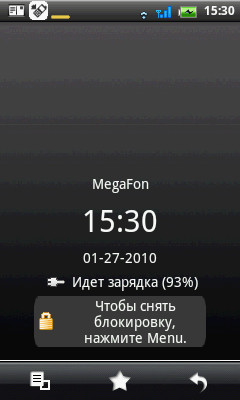


At the very top there is a small strip, pulling which pulls out a panel with information about the battery charge and other notifications:


And the bottom is similar the strip “pulls out” the panel with applications:

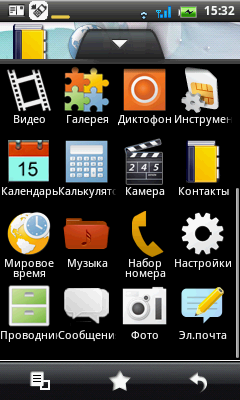
In principle, freedom of action is visible in the very first minutes, and without any alternative shells such as SPB. The contents of the screen rotate when the device itself is rotated - in some cases, this solution is very convenient (the accelerometer is initially turned off).
In the HD2 review, I made a video that tried to demonstrate that HTC still managed to get Windows to not slow down, but the price of this solution was almost 30 thousand rubles and a gigahertz processor on board. Everything is simpler here - a little more than 500 MHz and ... and in the same way no brakes - it seems that at least the android can be respected at least for that.
There are no services from Google, as such (as far as I know, Google does not pay attention to manufacturers that produce devices with print runs of less than a million), but immediately after turning on it made a phone call with Gmail.


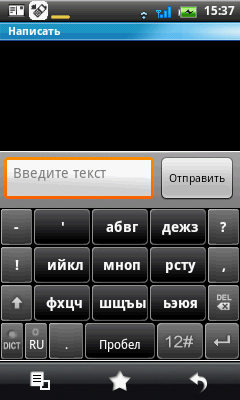
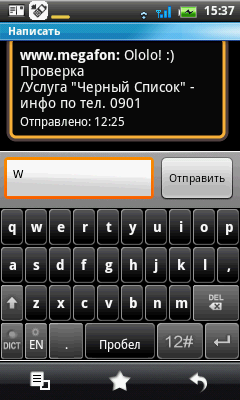
Yes, there is no Android.market, which introduces its inconvenience (although there are similar software clusters (AndAppStore and SlideMe), albeit not so much in them), but judging by the discussions on the Internet, these very “exclusive” services are very can add.
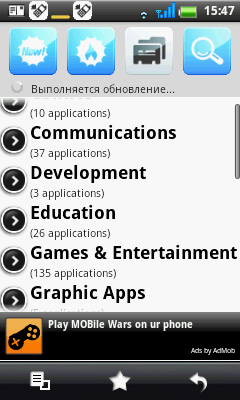

As for the navigation capabilities - I repent, I have not tried it. But judging by the review, everything is not so good there, however, as in the issue of navigation on the android as a whole. The release of Zeus was timed to coincide with the launch of the Sygic navigation system, which was just preinstalled on the device. Judging by a small review on the network, the program is not the most convenient, literally - “absolutely all the streets in it look the same, which is tantamount to crime. Multi-lane highway, exit from the highway, a small street with a dead end at the end - no difference. Some streets are only encircled, but by what principle is not clear. It will be extremely difficult for most people to navigate on such a map, but if it is difficult to navigate on a map, then why is it needed? Cyrillic is supported, but somehow very strange. It seems that most of the names are in Russian, but at the request of “Yakitoria”, the system found me several Yakitoriya restaurants. I found the true good that the Cyrillic alphabet is automatically transformed into latinnitsu (it would be funny if the request had to be sure to write yakitoriya), but still a little scary - who knows where it sovret? " .
In the rest of the software, I think it’s not worth describing - there is Nothing THIS, and this is a mini-review of the phone, not the operating system)
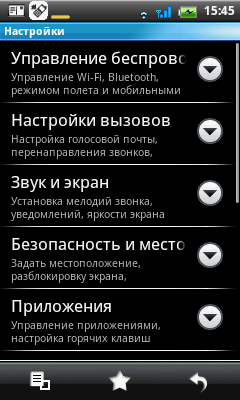
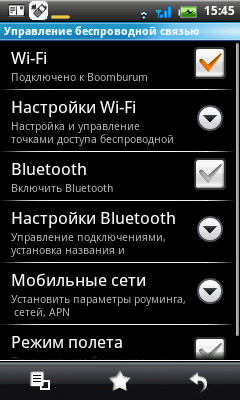
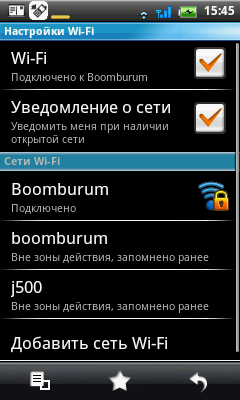

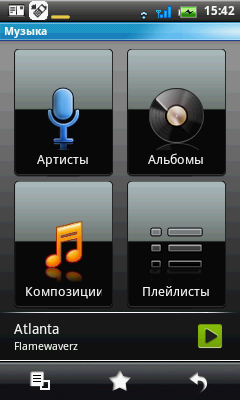
A standard photo and audio player - all this can be replaced with something more suitable, although initially the device is ready to perform all its functions.


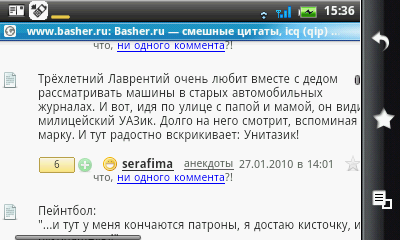
The browser is the usual one;)
The quality of the camera is a triple with a plus. She, of course, takes off) but not as good as we would like.
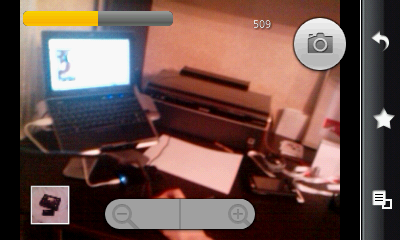

She can’t capture a dynamic scene, at least the tenacity of autofocus is not enough. Accordingly, to discuss all the available settings ... no, so you can discuss, cho)

Examples of photos:




Well, I’ll conclude the review with a pleasant moment - the sound quality of the speakers. You don’t meet every day to be so loud and bass - you won’t miss a call for sure, but additionally you can listen to it in nature.

The phone holds two days on one charge with very active use, there are no complaints about the quality of communication.
Vidic (watch in HD):
Pros
- Android)
- Compact size;
- Physically large screen;
- QWERTY-keyboard with backlight;
- Support for microSD memory cards and their hot swapping;
- You can reflash (still) and put everything that is missing until complete happiness;
- Loud and bass speaker;
- Price!
Cons
- The case is very easily soiled, the assembly is not very;
- It is a pity that standardized microUSB, not miniUSB;
- Resistive screen (no multitouch, but there is a stylus));
- There is no Android Market and other "exclusive" services from Google;
- Minor flaws in the localization of some applications (removable);
- A faded screen, lack of saturation (because of which gradients suffer primarily);
- The layout and backlighting of the keyboard will require some getting used to;
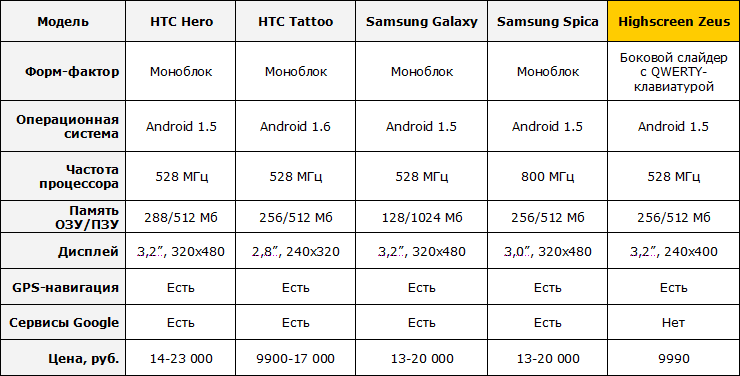
Price, in fact, is the trump card of this device - as in advertising, only 9,990 rubles. Agree that for this money you can’t find something similar. Moreover, the low price is not at all a sign that the phone is made of cardboard - judging by the same reviews on Yandex.market, other phone owners are also doing quite well (although I usually rarely trust reviews until I personally get acquainted with the device). For clarity, a small comparative plate (perhaps there are some inaccuracies in it):
Sergey Brin and Larry Page rejoice - the world is slowly (?!) But surely captured by their giant corporation) And if in general such a comprehensive and aggressive conquest is even somewhat frightening, then in the case of android, the capture of the world looks very elegant)
Devices on the new platform have become appear like mushrooms after rain, and for us this is perhaps a big plus - there is already plenty to choose from, and with time, apparently, everything will only grow. The platform is young and promising (17% of the smartphone market is expected by 2013), so it’s quite possible to start “aiming” at it even for seasoned fans to wait ala “let it all settle down, then I’ll take a look”.
Zeus is one of the few (if not the only one on the Russian market) who has a hardware QWERTY keyboard. And even if he is not without flaws, for his price (9,990 rubles) he can be forgiven a lot. So if the number of banknotes is limited to four digits, and you really want an android, why not.
Personally, I’m an android ... well, I don’t know - on the one hand, I liked a lot of things. On the other hand, just to take screenshots from the screen, I had to start dancing with a tambourine more than once - I curse such fuss) C WM is much simpler. In principle, as I thought - it’s possible to understand roughly what an android is and whether you need it at all without branded bells and whistles, although I agree, it will be more interesting with them. In particular, I judge by Hero and ... yes, according to him himself - Twitter readers are in the know. Review coming soon.
The fact that few people know about the Highscreen Zeus model was decided to take full advantage of Acer. At the MWC2010 exhibition (that is, at an exhibition that is still in progress!), The company introduced ... Acer neoTouch P300 WM-communicator (!) In the case ... yes yes !!! :) If it were the other way around, I might not have been surprised, but ...
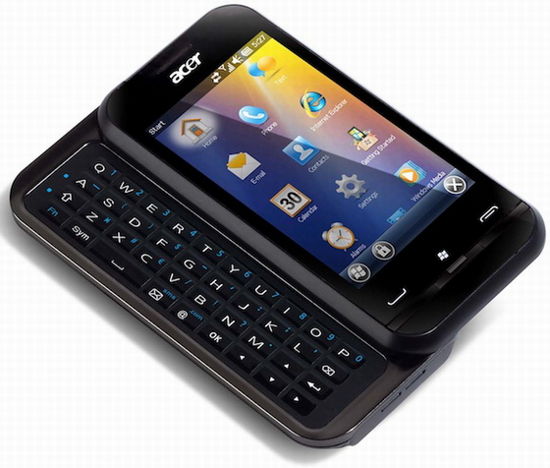
So if you wish, you can probably add VMs to Zeus too;) The novelty will appear around March, although Zeus is already on sale from the end of autumn. According to the first words of the Acer company, they do not plan to sell the “novelty” on the territory of the Russian Federation, but in any case, we live in an interesting time, comrades :)
 Good luck!
Along the way, this is Russia's first androidphone with a QWERTY keyboard.
“ Why did you take Zeus - there are no Google services there ?! You do not understand all the charms of the android! It was necessary to take at least Hero! "They told me on Twitter. Well, really all the advantages of the new operating system lie in Google services alone, which many do not even use? I hope no. Actually, that’s why he took “Zeus” - it’s practically a bare android on it, and only the lazy one did not write about the same Hero. Actually, I just took it for a “touch” to once again share my impressions of the device - hereinafter there will be a mini-review of the device.
To begin with, I did not understand who produces this Zeus at all - it is clear that, like everywhere else, China-Taiwan & Co, but I don’t know who is the beginning of this long chain. Judging by the internet , Highscreen is a trademark of Vobis , a company that officially represents giants such as HTC in Russia and, on the whole, has been engaged in all kinds of technology for many days. Well, all right, then let's see what “ours” have prepared this time.
* UPD * I whispered to the people and it turned out that the roots grow from the company Foxconn, which collects device data on par with iPhones. And they said that Highscreen is the second model, the first was the P5420, which became the very first Android device in Russia.
This time, the box is almost twice as large as the usual “bricks” from HTC, inside it was the phone itself, the battery, the manual, the USB-microUSB wire, charging, a headset and ... and that’s all.
Appearance
The case is black. Glossy - definitely fi. Not because it is ugly, but because in this situation the case is very easily soiled and any print is always in sight. Here the most easily soiled back side, on the front side it is not so noticeable. The thickness of the device is comparable to the thickness of conventional "mobile" and is (in mm) 110x55x15.
Almost the entire front side is occupied by a display (3.2 ”diagonal, and resolution 240x400) - it is not recessed and does not protrude from the case. At the top is a speaker slot, at the bottom are three buttons in a row (when pressed inside, colored bars light up - green, white or red).
The back cover is completely solid (it has only a cutout for a 3.1-megapixel camera) - under it is an unusual shape (with an L-shaped protrusion for contacts), a battery, a SIM card slot and a stylus.
The stylus is telescopic and very thin. The battery is lithium-polymer, 1010mAh (3.7V, 3.7Wh).
The connectors are unusually located - on the bottom there is nothing but speakers and a microphone:
... but on the top there is a power button, a headphone jack and hidden connectors for a microSD card and microUSB slot hidden under the plug.
The left side is also “unloaded”, on the right - the camera button (bottom) and a three-position volume control - to control the sound. It can be moved up and down, but if, moving down, overpower the return mechanism, the sound will be muted - the first time I meet such a solution and I liked it (I don’t know how true it is).
I completely forgot about one of the key points - despite the small thickness, the device has a hardware QWERTY-keyboard, which extends to the left side of the screen.
True, it is a little unusual, but it will easily allow you to type text even on the go. Why is it strange, you ask) That, for example, that its rectangular buttons are located exactly one above the other, and not with an offset, as on ordinary keyboards - because of this moment, typing is very unusual at first. Okay, at least the layout itself has not been changed ... although no, it has been changed - some letters (F, E, Y, X) had to move to the "arrow" area, which would also cause discomfort when printing. Well, another unpleasant moment is that the English and Russian letters are applied in almost the same color (white and light gray). The numbers that are on the right side are being achieved - they add fuel to the fire, since they are yellow) In total, there are at least 10 small buttons, each of which has three symbols that are almost identical in color. But all sorts of special characters turned out to be a balm for the soul - they are blue and contrast well with the color of the button itself and with the color of the characters. And, yes - there is a backlight;)
Another very nice thing in the clave is that although the buttons are hardware, the buttons are all made on a single piece of plastic, so that, unlike other QWERTY devices, dust and dirt will not accumulate between the buttons. Well, going round - the keyboard is pushed out from a very moderate effort (like with other sliders) and does not play ... although, I think this is a matter of time (I write, involuntarily recalling my Nokia E65). However, you can use the device without a keyboard - everything is on the screen for this, and the thickness of the phone, as I said, is not significant.
Fun starts
The device comes to full “combat” readiness in exactly 30 seconds. Not bad. Immediately after turning on it appears ... well, if I'm not mistaken, then this is already Android) Naked, without any HTC Sense and other Google chips there. Well, even so - very good (in comparison with a naked WM or a simba). The only thing that upsets almost immediately is the lack of color display and saturation, which makes the image seem very faded, and on smooth gradients - sharp color transitions.
Additionally, virtual buttons (menus, back, search, etc.) specific to the new platform are displayed on the screen (at the bottom), which further reduced the already small screen resolution (240x400).
5 desktops, between which you can move strokes across the screen. Accordingly, on each screen you can arrange the necessary widgets - whether it be news, weather, rss, a watch-battery - then you know)
At the very top there is a small strip, pulling which pulls out a panel with information about the battery charge and other notifications:
And the bottom is similar the strip “pulls out” the panel with applications:
In principle, freedom of action is visible in the very first minutes, and without any alternative shells such as SPB. The contents of the screen rotate when the device itself is rotated - in some cases, this solution is very convenient (the accelerometer is initially turned off).
In the HD2 review, I made a video that tried to demonstrate that HTC still managed to get Windows to not slow down, but the price of this solution was almost 30 thousand rubles and a gigahertz processor on board. Everything is simpler here - a little more than 500 MHz and ... and in the same way no brakes - it seems that at least the android can be respected at least for that.
There are no services from Google, as such (as far as I know, Google does not pay attention to manufacturers that produce devices with print runs of less than a million), but immediately after turning on it made a phone call with Gmail.
Yes, there is no Android.market, which introduces its inconvenience (although there are similar software clusters (AndAppStore and SlideMe), albeit not so much in them), but judging by the discussions on the Internet, these very “exclusive” services are very can add.
As for the navigation capabilities - I repent, I have not tried it. But judging by the review, everything is not so good there, however, as in the issue of navigation on the android as a whole. The release of Zeus was timed to coincide with the launch of the Sygic navigation system, which was just preinstalled on the device. Judging by a small review on the network, the program is not the most convenient, literally - “absolutely all the streets in it look the same, which is tantamount to crime. Multi-lane highway, exit from the highway, a small street with a dead end at the end - no difference. Some streets are only encircled, but by what principle is not clear. It will be extremely difficult for most people to navigate on such a map, but if it is difficult to navigate on a map, then why is it needed? Cyrillic is supported, but somehow very strange. It seems that most of the names are in Russian, but at the request of “Yakitoria”, the system found me several Yakitoriya restaurants. I found the true good that the Cyrillic alphabet is automatically transformed into latinnitsu (it would be funny if the request had to be sure to write yakitoriya), but still a little scary - who knows where it sovret? " .
In the rest of the software, I think it’s not worth describing - there is Nothing THIS, and this is a mini-review of the phone, not the operating system)
A standard photo and audio player - all this can be replaced with something more suitable, although initially the device is ready to perform all its functions.
The browser is the usual one;)
The quality of the camera is a triple with a plus. She, of course, takes off) but not as good as we would like.
She can’t capture a dynamic scene, at least the tenacity of autofocus is not enough. Accordingly, to discuss all the available settings ... no, so you can discuss, cho)
Examples of photos:

Well, I’ll conclude the review with a pleasant moment - the sound quality of the speakers. You don’t meet every day to be so loud and bass - you won’t miss a call for sure, but additionally you can listen to it in nature.
The phone holds two days on one charge with very active use, there are no complaints about the quality of communication.
Vidic (watch in HD):
Pros and cons
Pros
- Android)
- Compact size;
- Physically large screen;
- QWERTY-keyboard with backlight;
- Support for microSD memory cards and their hot swapping;
- You can reflash (still) and put everything that is missing until complete happiness;
- Loud and bass speaker;
- Price!
Cons
- The case is very easily soiled, the assembly is not very;
- It is a pity that standardized microUSB, not miniUSB;
- Resistive screen (no multitouch, but there is a stylus));
- There is no Android Market and other "exclusive" services from Google;
- Minor flaws in the localization of some applications (removable);
- A faded screen, lack of saturation (because of which gradients suffer primarily);
- The layout and backlighting of the keyboard will require some getting used to;
Price, in fact, is the trump card of this device - as in advertising, only 9,990 rubles. Agree that for this money you can’t find something similar. Moreover, the low price is not at all a sign that the phone is made of cardboard - judging by the same reviews on Yandex.market, other phone owners are also doing quite well (although I usually rarely trust reviews until I personally get acquainted with the device). For clarity, a small comparative plate (perhaps there are some inaccuracies in it):
conclusions
Sergey Brin and Larry Page rejoice - the world is slowly (?!) But surely captured by their giant corporation) And if in general such a comprehensive and aggressive conquest is even somewhat frightening, then in the case of android, the capture of the world looks very elegant)
Devices on the new platform have become appear like mushrooms after rain, and for us this is perhaps a big plus - there is already plenty to choose from, and with time, apparently, everything will only grow. The platform is young and promising (17% of the smartphone market is expected by 2013), so it’s quite possible to start “aiming” at it even for seasoned fans to wait ala “let it all settle down, then I’ll take a look”.
Zeus is one of the few (if not the only one on the Russian market) who has a hardware QWERTY keyboard. And even if he is not without flaws, for his price (9,990 rubles) he can be forgiven a lot. So if the number of banknotes is limited to four digits, and you really want an android, why not.
Personally, I’m an android ... well, I don’t know - on the one hand, I liked a lot of things. On the other hand, just to take screenshots from the screen, I had to start dancing with a tambourine more than once - I curse such fuss) C WM is much simpler. In principle, as I thought - it’s possible to understand roughly what an android is and whether you need it at all without branded bells and whistles, although I agree, it will be more interesting with them. In particular, I judge by Hero and ... yes, according to him himself - Twitter readers are in the know. Review coming soon.
Suddenly!
The fact that few people know about the Highscreen Zeus model was decided to take full advantage of Acer. At the MWC2010 exhibition (that is, at an exhibition that is still in progress!), The company introduced ... Acer neoTouch P300 WM-communicator (!) In the case ... yes yes !!! :) If it were the other way around, I might not have been surprised, but ...
So if you wish, you can probably add VMs to Zeus too;) The novelty will appear around March, although Zeus is already on sale from the end of autumn. According to the first words of the Acer company, they do not plan to sell the “novelty” on the territory of the Russian Federation, but in any case, we live in an interesting time, comrades :)