iRidium lite: a multifunctional application for home automation installers in the era of the Internet of Things
On April 7, we released a new software product - iRidium lite. He claims leadership in the field of multi-protocol applications for systems Connected Home (or Smart Home) professional installation, and also acts in some other segments. The iRidium lite application, as well as other products of the company, is intended for installers of home / building automation systems, as well as for system integrators. In this article I will try to describe in detail the capabilities of the new product, as well as its differences from other company applications.
Distinctive features of the i3 lite application (iOS, Android, Windows)
- compatible with dozens of systems and hundreds of managed devices (KNX, Modbus, HDL, Samsung SmartHome, Duotecno, Domintell, Philips HUE, Fibaro, Kramer, Sonos, Kodi, Netatmo, Gmail, Apple TV, Globalcache, Coolautomation, iRoom, Ekey, Mobotix, 2N and others)
- expands thanks to the store of iRidium store modules. The open API allows you to create and monetize modules to third-party developers
- the application can work in Panel mode (without a central controller) and Server (with the iRidium server hub for Windows, Linux, Raspberry Pi and other platforms)
- the application can work with an Internet connection or locally
- allows you to customize the visual interface and controller logic from the application itself, without external editors.
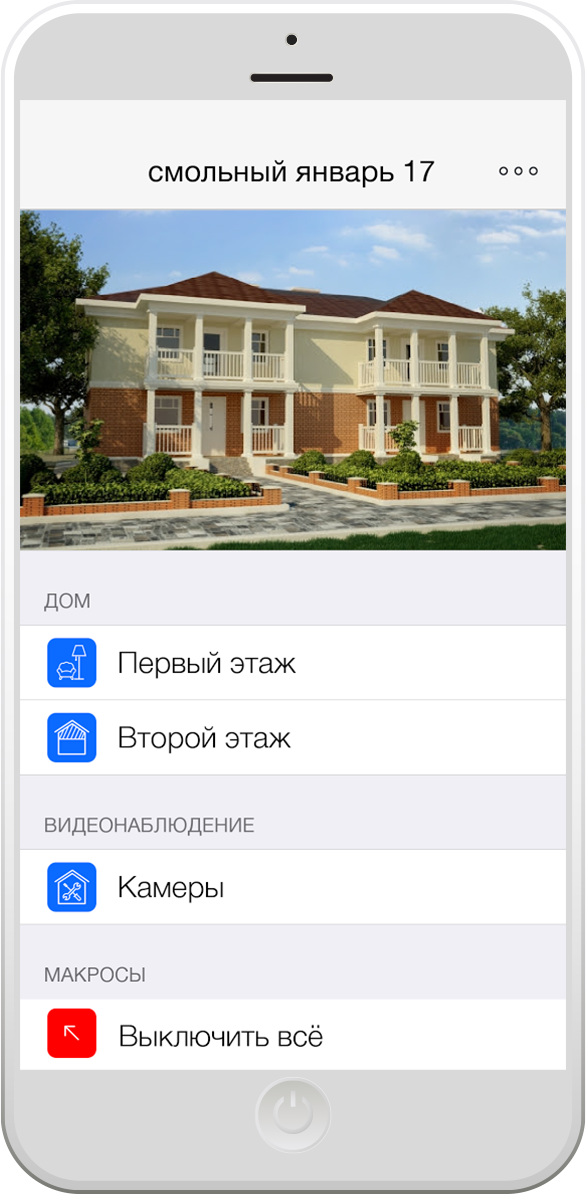
Example 1: Smart home for a new country cottage
At such facilities, the control system is laid at the design stage. Suppose that the lighting and room thermostats are controlled by something from KNX, the boiler and ventilation are working according to the Modbus protocol, the air conditioners are connected via the Coolmaster controller, colored light to the billiard room music at Philips HUE, the Mobotix intercom, in the home theater the Kramer switchboard, Apple TV sources and Kodi, a PJLink projector and an IP2IR-controlled Global Caché converter.
If the customer does not want to pay for the development and customization of the individual interface, i3 lite with the central controller is perfect. The integrator creates the configuration of the premises, adds devices and names them as needed. The application itself will automatically configure the iRidium server so that the logic and schedules work around the clock. Usually, stationary control panels are installed on such an object; in the future, they are complemented by personal gadgets of the customer. The application automatically adapts the project when loading on tablets or smartphones.
After the project is completed, the integrator purchases a license for the object and adds an end-user account to the list of its users. In the future, the user himself will be able to enter his data and password when installing the i3 lite application on a new device — the management project will immediately be loaded onto it.
Hardwarely, Intel NUC is used as a controller, with the Windows 10 IoT enterprise (LTSB) operating system. Cost from 15 000 to 40 000 rubles, depending on the power. The cost of a license for an end user to an object is 28,125 rubles.
Example 2: Home cinema
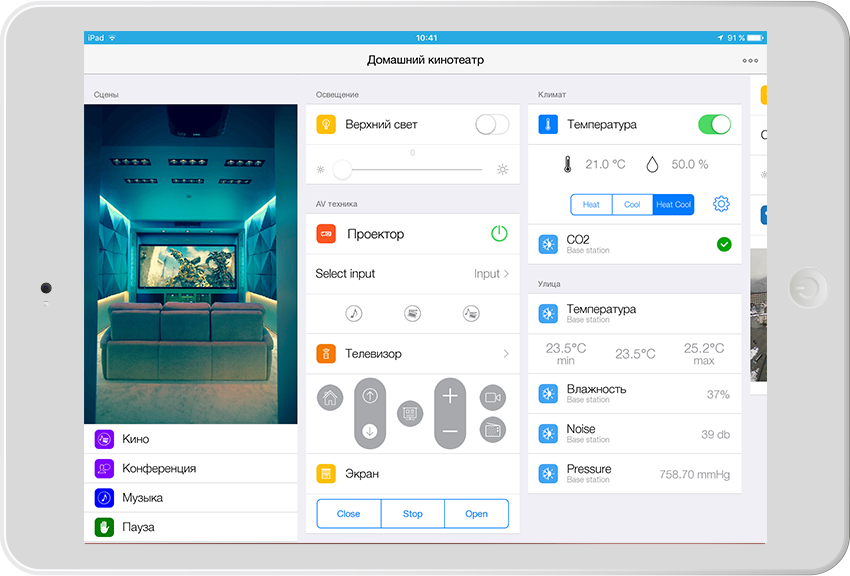
A one-page home cinema console is required. Curtains and lighting are controlled through the Fibaro hub, the Kramer matrix, the PJLink projector, and the rest via IR via Globalcache.
An end user license for an object of 9375 rubles.
Example 3: 3-room apartment.
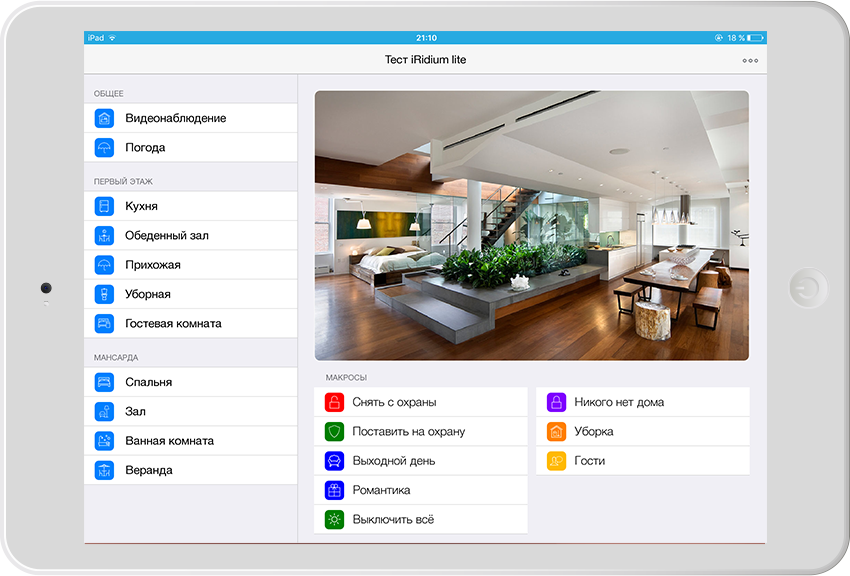
An HDL lighting and climate control system is installed, a Netatmo weather station, a client uses a robot vacuum cleaner, an air conditioner and a Samsung Smarthome dishwasher. The client set the task for his Smart Home to be controlled from two tablets, one computer and three smartphones. It is also necessary for the system to work according to the schedules and he could at any time reconfigure them, create new ones. At high costs, the client is not ready.
I3 lite is used with iRidium server installed on the Raspberry Pi 3, the cost is 5,000 rubles, complete with power supply.
The cost of a license for an end user to an object is 18,750 rubles.
Example 4: cameras and barriers for all residents of a house (or village)
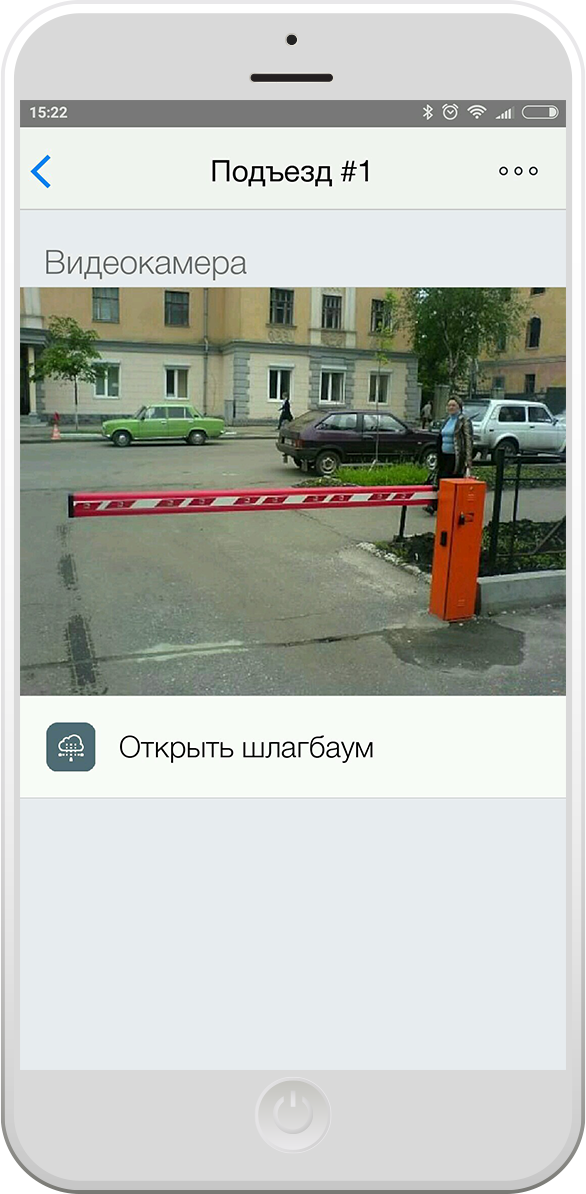
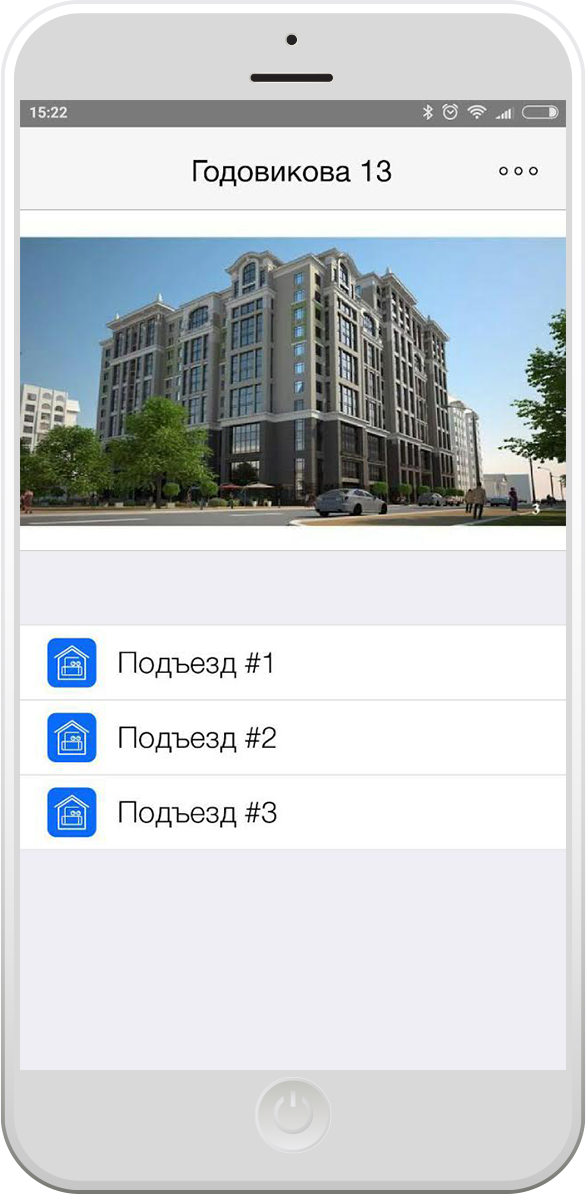
Task: to give residents of houses the opportunity to open barriers into the yard from their smartphones and access to video streams of cameras in the same courtyards. To control the barriers, a controller is used under the control of Modbus TCP, which opens barriers. The controller is assigned a public external IP address.
The iRidium store already has a universal module for the ModBus TCP protocol and a camera module. The process of creating the desired project for a particular house takes a few minutes. Next, the project is assigned a unique login and password for which the license is activated.
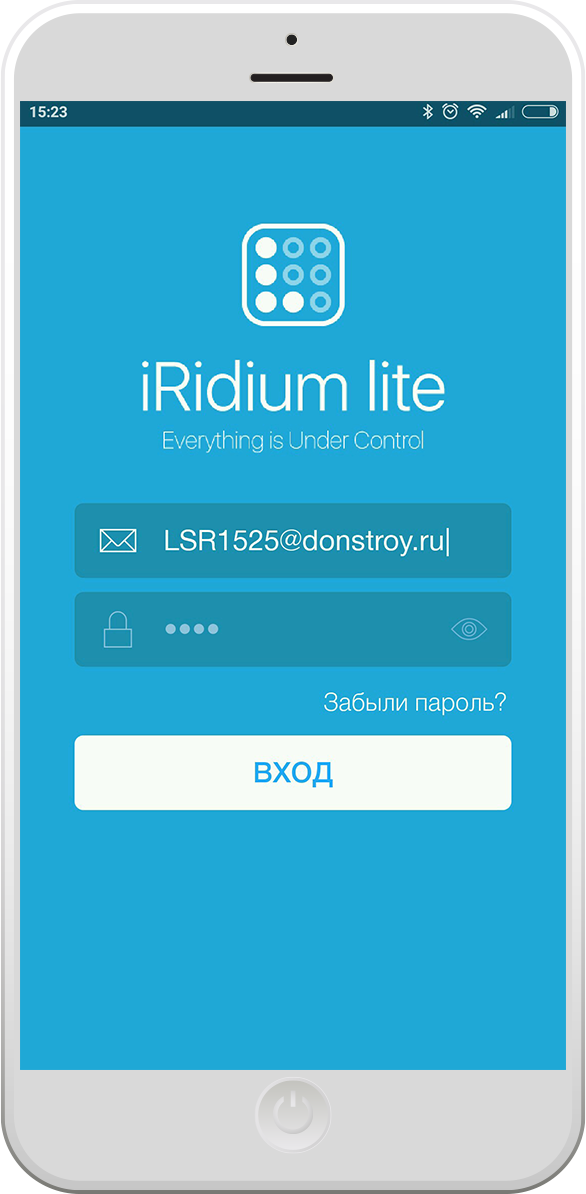
Any resident of the house downloads the i3 lite application, once enters the login and password for his house, and then receives the functions provided by the management company.
The cost of the license is paid once by the management company: 9375 rubles for the whole house (it doesn't matter, 10 apartments, 1000 apartments or 200 private houses in the village).
The setup process
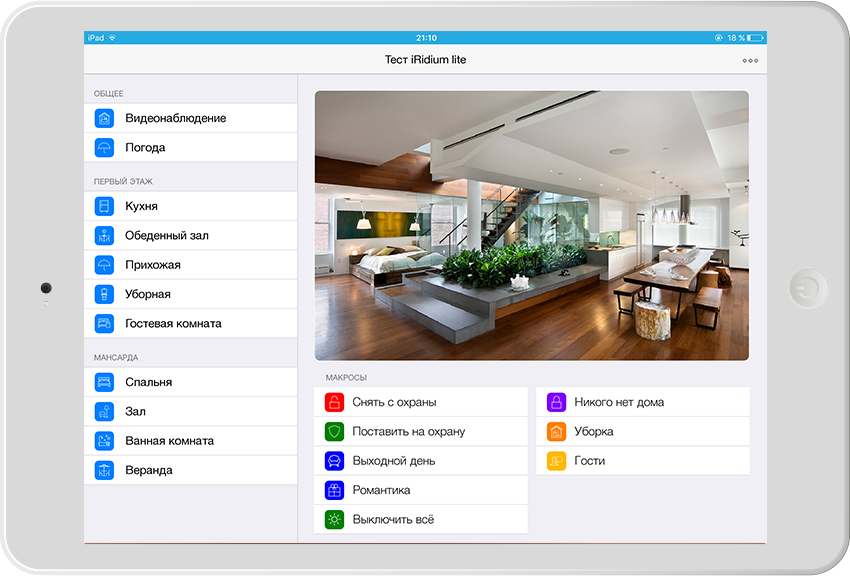
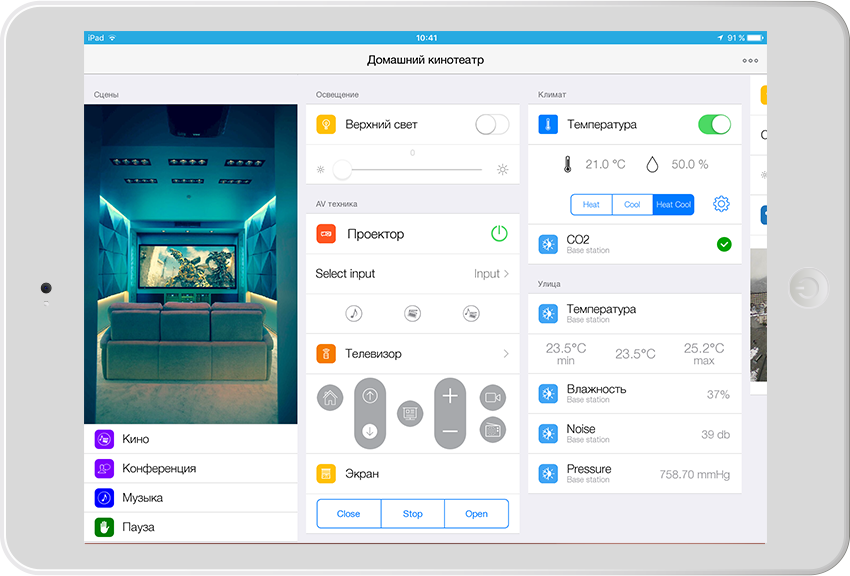
After the setup, the result will look like this on the tablet for the end user:
And on the smartphone, something like this:
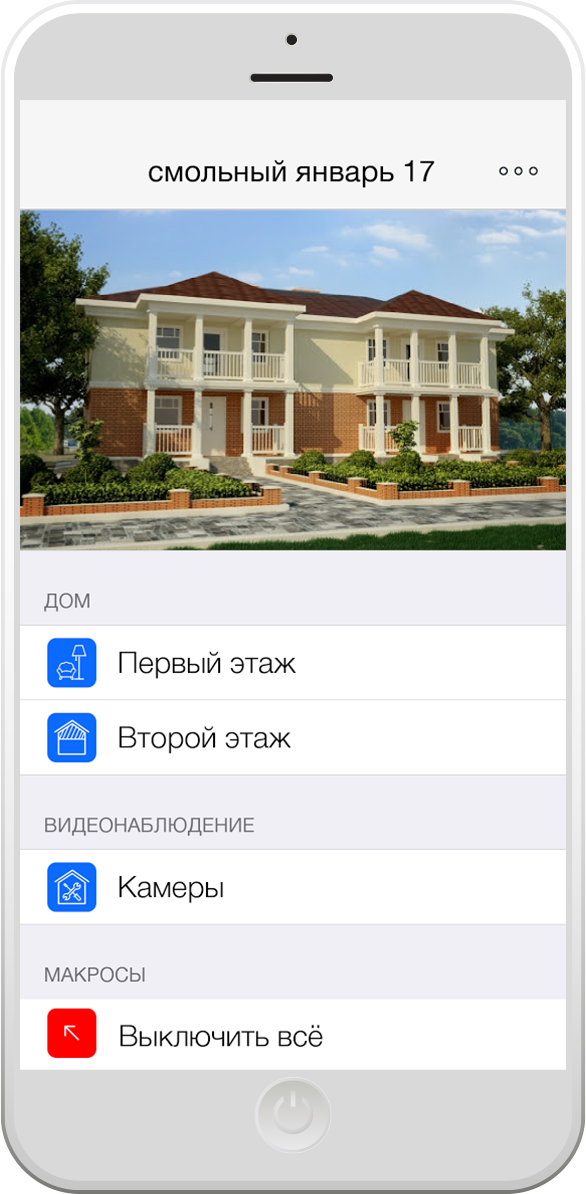
You can create a project with one room, then the interface will be just a set of widgets arranged as needed:
Integrator work with iRidium lite
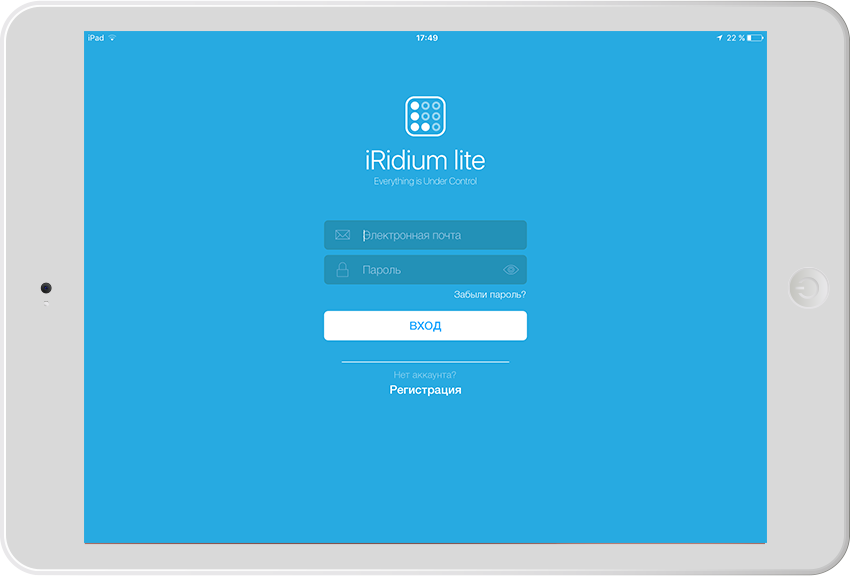
Once again, this application is for professionals who develop a lite configuration and sell the result of their activities to the end user, most often after installation on the object any of the automation systems. To create and edit a project you must have an Iridium dealer account.
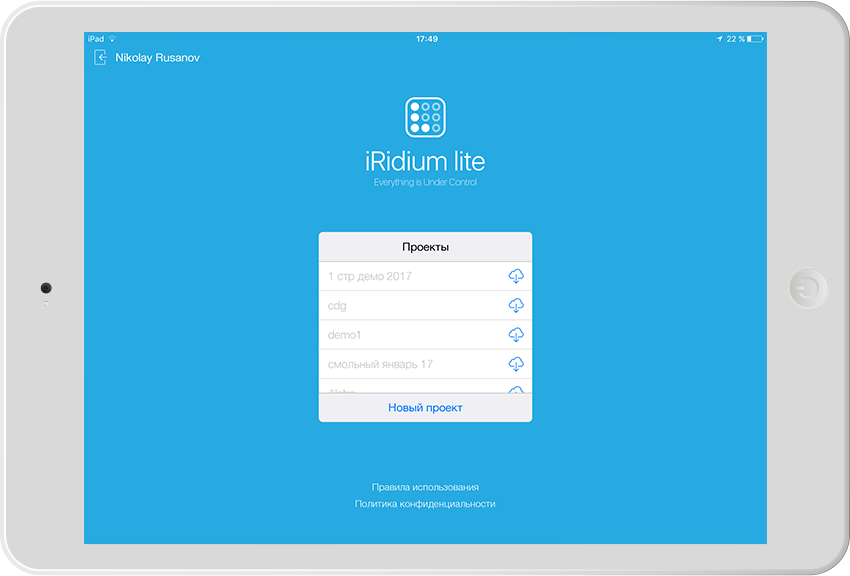
After login we see the list of available projects and we can create a new one. Created configurations can be saved to the cloud, the list makes it clear which of them are already downloaded to the device, and which are not.
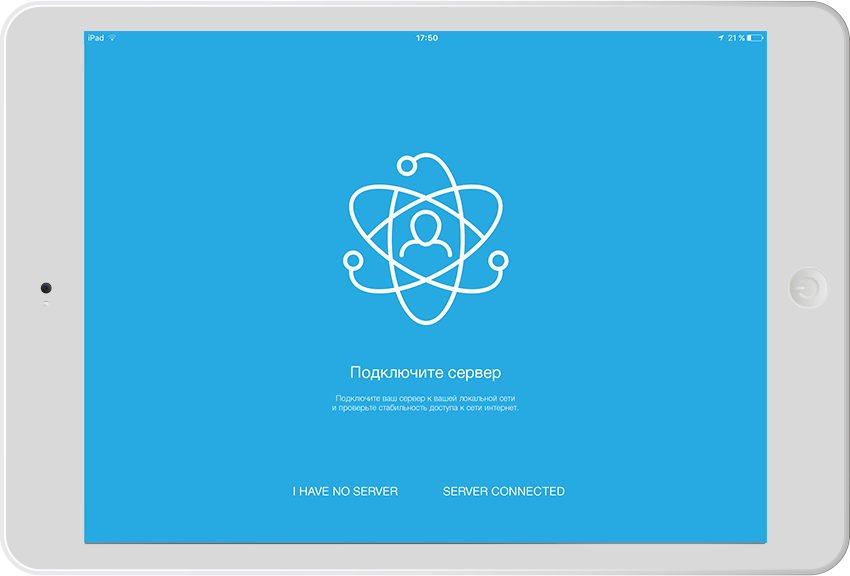
Creating a new project, you can select the mode - with or without server. The central controller, if present in the system, is used for rules, schedules, and remote access via the Internet. It also provides better quality feedback from devices, especially if a large number of control panels / gadgets are used. The controller can be added later.
After creating a new project we get into the configurator. The application offers to add a standard set of rooms or select manually. Rooms and floors can be added or removed in the Floors and Rooms section.
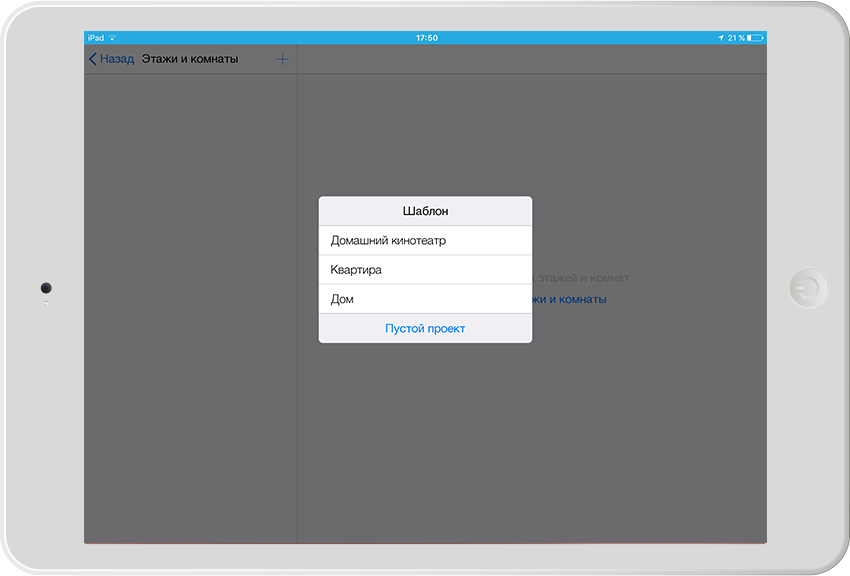
Having determined the premises go to the most important section - Devices. The name is conditional, because this section also adds interaction modules with various services and “intelligent modules” that provide any functionality. Here you can add a new module from the iRidium store.
This is one of the first on the market of marketplace for modules of "smart" devices, available to third-party developers. Modules are written using SDK, based on javascript and iRidium API. If you are interested in this process - register and watch the webinar. If you are interested in this process - here you can learn how to develop and sell modules for iRidium lite via this link .
At the time of launching the application, more than 100 modules are already available in the store, including systems that are very common for the automation market.
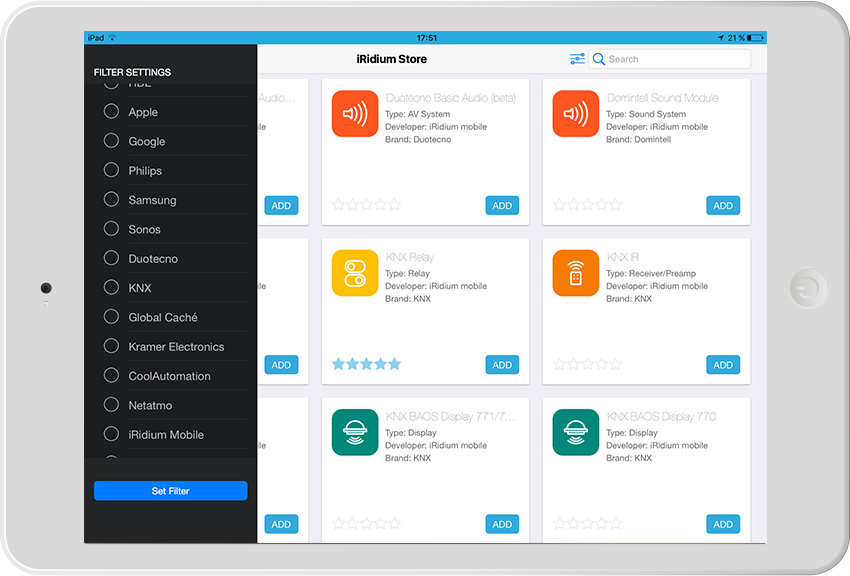
The iRidium store itself is accessible not only from the application, but also from the browser.
After adding a module, it is downloaded to the device and most often requires configuration, authorization, or at least the choice of the location of the device widgets. Here it is important to explain the term “subdevice”, which is used to describe the functional elements of a module. Unfortunately, the authors of the application could not find a more suitable term that collectively describes this entity.
A subdevice is a part of a software module designed to interact with some of its functions. For example, we have a 6-channel HDL dimmer. To control it, the HDL Dimmer module is used, within which 6 identical subdevices are automatically created to control the channels. Another example is the Netatmo weather station, which measures temperature, humidity, noise and CO2.
Each subdevice has its own widget that can be placed in the right rooms of the graphical interface. Also, subdevices can be deactivated if they are not used. This is important because the number of subdevices determines the cost of the license (the base includes up to 40 pieces).
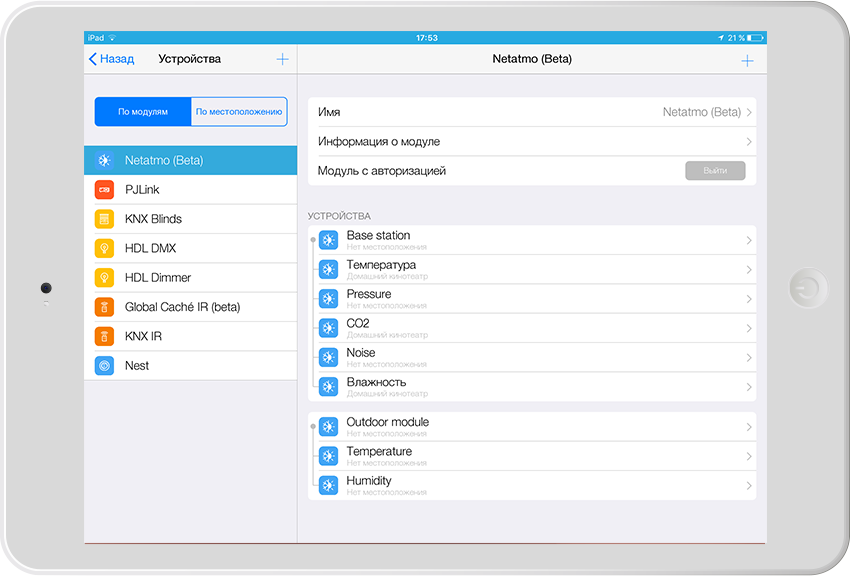
After adding and setting up the modules (you can see this process in more detail in this youtube playlist) you can proceed to customizing the pages - adding images, titles, moving widgets.
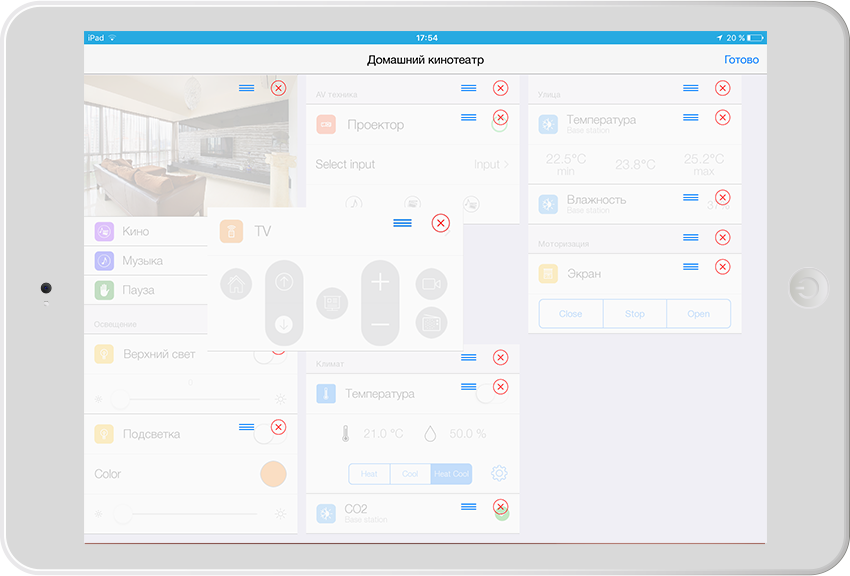
Working with macros
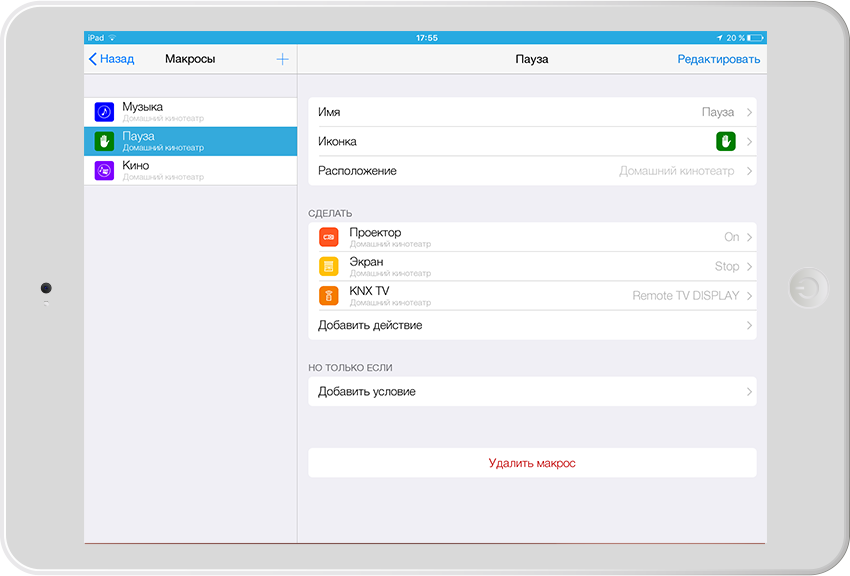
In i3 lite you can create macros, they are scenes. This is a set of commands for modules, which can be activated by a separate button or used in schedules / rules. On the main page for macros there is a separate place under the main image. The installer can allow or prohibit the end user to create their own macros in their project.
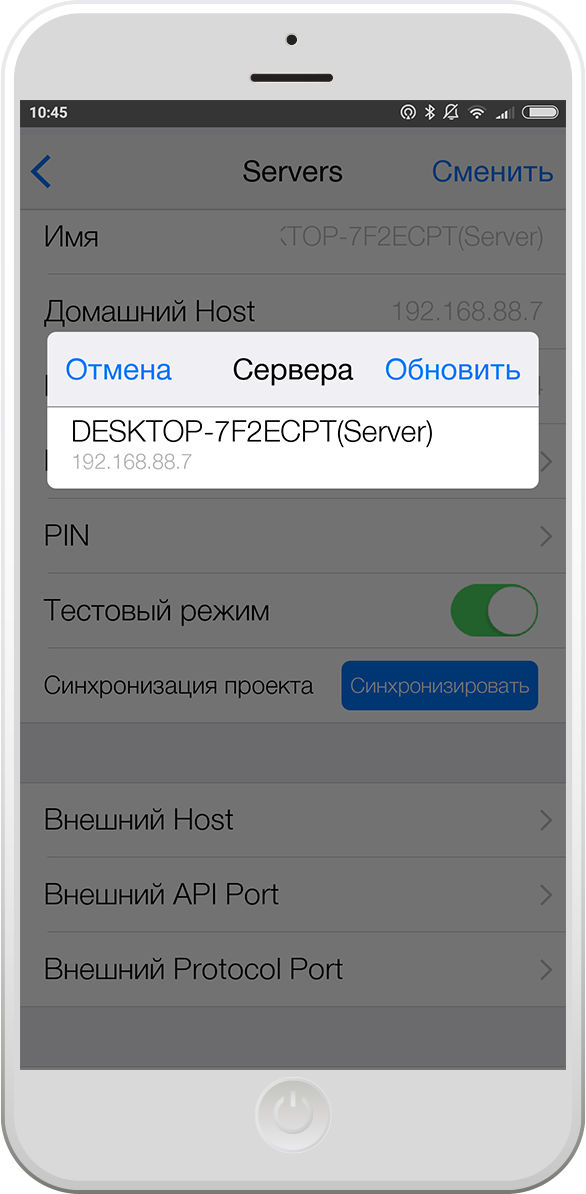
Binding central controller iRidium server lite
When you create or later to the project, you can bind the server. It can be any Windows device, Raspberry Pi, Intel NUC and some other controllers from different manufacturers.
Examples of operation of some
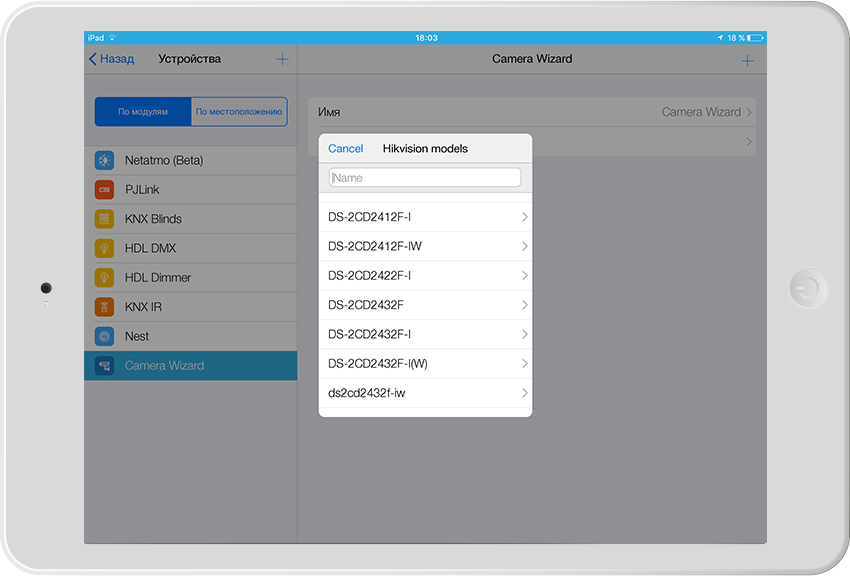
Camera modules The Camera
module includes a database of common brands with ready-made settings. If the desired model is not available, you can simply insert a link to the video stream. Each camera is added as a separate subdevice. Fullscreen mode is available for display on tablets.
Gmail
The Gmail module allows you to interact with the mail service. After installation, you need to select the mail check interval and log in. The main features of the module are used in the Rules section:
IF a letter came with the subject “ENABLE SAUNA + ... password ...” TO activate macro SAUNA
IF leakage sensor in “Alarm” mode Close overlay valve relay and send the letter “Attention, leakage” to such address.
But the most important thing in iRidium lite is not how its modules work, but the fact that it is a constantly evolving product that improves almost every day. If you are interested to learn more about it and start using it, welcome to our website .
Ps. Also a few days ago we had a webinar for installers. Only 1 hour 22 minutes and you know almost everything about the product =)
Distinctive features of the i3 lite application (iOS, Android, Windows)
- compatible with dozens of systems and hundreds of managed devices (KNX, Modbus, HDL, Samsung SmartHome, Duotecno, Domintell, Philips HUE, Fibaro, Kramer, Sonos, Kodi, Netatmo, Gmail, Apple TV, Globalcache, Coolautomation, iRoom, Ekey, Mobotix, 2N and others)
- expands thanks to the store of iRidium store modules. The open API allows you to create and monetize modules to third-party developers
- the application can work in Panel mode (without a central controller) and Server (with the iRidium server hub for Windows, Linux, Raspberry Pi and other platforms)
- the application can work with an Internet connection or locally
- allows you to customize the visual interface and controller logic from the application itself, without external editors.
Example 1: Smart home for a new country cottage
At such facilities, the control system is laid at the design stage. Suppose that the lighting and room thermostats are controlled by something from KNX, the boiler and ventilation are working according to the Modbus protocol, the air conditioners are connected via the Coolmaster controller, colored light to the billiard room music at Philips HUE, the Mobotix intercom, in the home theater the Kramer switchboard, Apple TV sources and Kodi, a PJLink projector and an IP2IR-controlled Global Caché converter.
If the customer does not want to pay for the development and customization of the individual interface, i3 lite with the central controller is perfect. The integrator creates the configuration of the premises, adds devices and names them as needed. The application itself will automatically configure the iRidium server so that the logic and schedules work around the clock. Usually, stationary control panels are installed on such an object; in the future, they are complemented by personal gadgets of the customer. The application automatically adapts the project when loading on tablets or smartphones.
After the project is completed, the integrator purchases a license for the object and adds an end-user account to the list of its users. In the future, the user himself will be able to enter his data and password when installing the i3 lite application on a new device — the management project will immediately be loaded onto it.
Hardwarely, Intel NUC is used as a controller, with the Windows 10 IoT enterprise (LTSB) operating system. Cost from 15 000 to 40 000 rubles, depending on the power. The cost of a license for an end user to an object is 28,125 rubles.
Example 2: Home cinema
A one-page home cinema console is required. Curtains and lighting are controlled through the Fibaro hub, the Kramer matrix, the PJLink projector, and the rest via IR via Globalcache.
An end user license for an object of 9375 rubles.
Example 3: 3-room apartment.
An HDL lighting and climate control system is installed, a Netatmo weather station, a client uses a robot vacuum cleaner, an air conditioner and a Samsung Smarthome dishwasher. The client set the task for his Smart Home to be controlled from two tablets, one computer and three smartphones. It is also necessary for the system to work according to the schedules and he could at any time reconfigure them, create new ones. At high costs, the client is not ready.
I3 lite is used with iRidium server installed on the Raspberry Pi 3, the cost is 5,000 rubles, complete with power supply.
The cost of a license for an end user to an object is 18,750 rubles.
Example 4: cameras and barriers for all residents of a house (or village)
Task: to give residents of houses the opportunity to open barriers into the yard from their smartphones and access to video streams of cameras in the same courtyards. To control the barriers, a controller is used under the control of Modbus TCP, which opens barriers. The controller is assigned a public external IP address.
The iRidium store already has a universal module for the ModBus TCP protocol and a camera module. The process of creating the desired project for a particular house takes a few minutes. Next, the project is assigned a unique login and password for which the license is activated.
Any resident of the house downloads the i3 lite application, once enters the login and password for his house, and then receives the functions provided by the management company.
The cost of the license is paid once by the management company: 9375 rubles for the whole house (it doesn't matter, 10 apartments, 1000 apartments or 200 private houses in the village).
The setup process
After the setup, the result will look like this on the tablet for the end user:
And on the smartphone, something like this:
You can create a project with one room, then the interface will be just a set of widgets arranged as needed:
Integrator work with iRidium lite
Once again, this application is for professionals who develop a lite configuration and sell the result of their activities to the end user, most often after installation on the object any of the automation systems. To create and edit a project you must have an Iridium dealer account.
After login we see the list of available projects and we can create a new one. Created configurations can be saved to the cloud, the list makes it clear which of them are already downloaded to the device, and which are not.
Creating a new project, you can select the mode - with or without server. The central controller, if present in the system, is used for rules, schedules, and remote access via the Internet. It also provides better quality feedback from devices, especially if a large number of control panels / gadgets are used. The controller can be added later.
After creating a new project we get into the configurator. The application offers to add a standard set of rooms or select manually. Rooms and floors can be added or removed in the Floors and Rooms section.
Having determined the premises go to the most important section - Devices. The name is conditional, because this section also adds interaction modules with various services and “intelligent modules” that provide any functionality. Here you can add a new module from the iRidium store.
This is one of the first on the market of marketplace for modules of "smart" devices, available to third-party developers. Modules are written using SDK, based on javascript and iRidium API. If you are interested in this process - register and watch the webinar. If you are interested in this process - here you can learn how to develop and sell modules for iRidium lite via this link .
At the time of launching the application, more than 100 modules are already available in the store, including systems that are very common for the automation market.
The iRidium store itself is accessible not only from the application, but also from the browser.
After adding a module, it is downloaded to the device and most often requires configuration, authorization, or at least the choice of the location of the device widgets. Here it is important to explain the term “subdevice”, which is used to describe the functional elements of a module. Unfortunately, the authors of the application could not find a more suitable term that collectively describes this entity.
A subdevice is a part of a software module designed to interact with some of its functions. For example, we have a 6-channel HDL dimmer. To control it, the HDL Dimmer module is used, within which 6 identical subdevices are automatically created to control the channels. Another example is the Netatmo weather station, which measures temperature, humidity, noise and CO2.
Each subdevice has its own widget that can be placed in the right rooms of the graphical interface. Also, subdevices can be deactivated if they are not used. This is important because the number of subdevices determines the cost of the license (the base includes up to 40 pieces).
After adding and setting up the modules (you can see this process in more detail in this youtube playlist) you can proceed to customizing the pages - adding images, titles, moving widgets.
Working with macros
In i3 lite you can create macros, they are scenes. This is a set of commands for modules, which can be activated by a separate button or used in schedules / rules. On the main page for macros there is a separate place under the main image. The installer can allow or prohibit the end user to create their own macros in their project.
Binding central controller iRidium server lite
When you create or later to the project, you can bind the server. It can be any Windows device, Raspberry Pi, Intel NUC and some other controllers from different manufacturers.
Examples of operation of some
Camera modules The Camera
module includes a database of common brands with ready-made settings. If the desired model is not available, you can simply insert a link to the video stream. Each camera is added as a separate subdevice. Fullscreen mode is available for display on tablets.
Gmail
The Gmail module allows you to interact with the mail service. After installation, you need to select the mail check interval and log in. The main features of the module are used in the Rules section:
IF a letter came with the subject “ENABLE SAUNA + ... password ...” TO activate macro SAUNA
IF leakage sensor in “Alarm” mode Close overlay valve relay and send the letter “Attention, leakage” to such address.
But the most important thing in iRidium lite is not how its modules work, but the fact that it is a constantly evolving product that improves almost every day. If you are interested to learn more about it and start using it, welcome to our website .
Ps. Also a few days ago we had a webinar for installers. Only 1 hour 22 minutes and you know almost everything about the product =)









